In this video, we dive into Anthropic's newly launched Cowork, a user-friendly extension of Claude Code designed to streamline work for both developers and non-developers. This discussion includes an analysis of the blog post announcement, a review of the product's features, benefits, and potential limitations, and a hands-on demonstration of how Cowork can simplify tasks such as creating presentations and organizing files. We also explore how to leverage Cowork's ability to run tasks autonomously and in parallel, and discuss the importance of developing skills to optimize its use. Join us for an in-depth look at how Cowork can fit into your workflow. 00:00 Introduction to Cowork by Anthropic 00:29 Overview of Cowork Features 00:51 Using Cowork for Non-Code Tasks 01:17 Cowork Availability and Development 01:39 How Cowork Operates 03:46 Creating a Presentation with Cowork 06:52 Exploring Additional Cowork Features 08:20 Parallel Task Management with Cowork 09:37 Leveraging Skills and Feedback in Cowork 11:10 Conclusion and Final Thoughts
Weekly deep dives on AI agents, coding tools, and building with LLMs - delivered to your inbox.
Free forever. No spam.
Subscribe FreeNew tutorials, open-source projects, and deep dives on coding agents - delivered weekly.

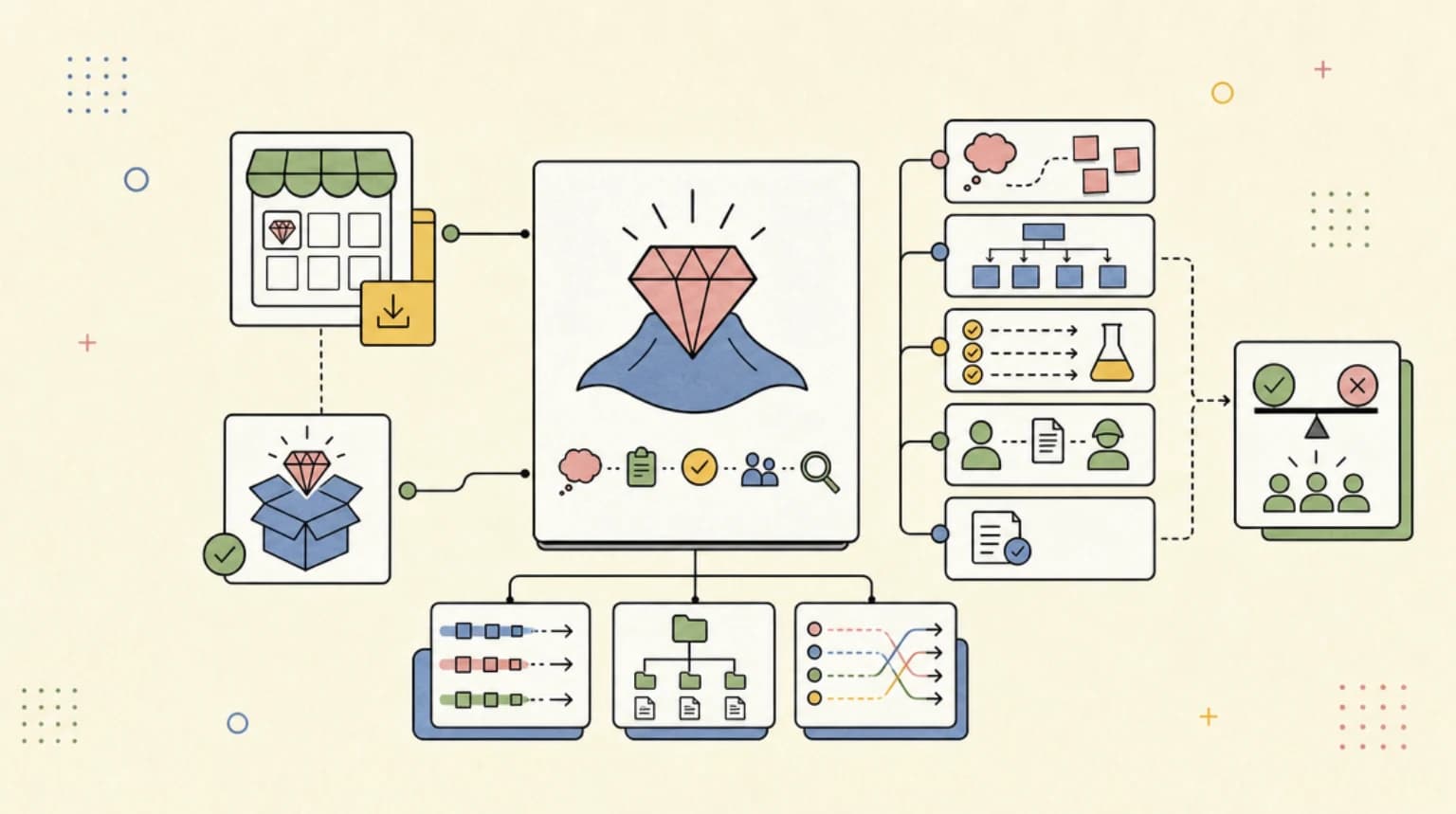
--- type: transcript date: 2026-01-13 youtube_id: SpqqWaDZ3ys --- # Transcript: Anthropic's Cowork: Claude Code for the Rest of Your Work Anthropic has just released co-work cla code for the rest of your work. In this video, I'll go over the blog post. I'll take a look at what they announced. I have a little bit of experience with claude code. I'm going to see how it stacks up. What are the drawbacks, limitations, as well as what parody is there. I imagine this is probably an early product. From what I understand, they actually built this in about a week and a half. And as you might have imagined, it was also built with cloud code. Effectively, what they built is a wrapper around Claude code that has a really nice interface. Now, the way that it works is you're going to be able to download the Claude desktop app. There's going to be a new tab within the top lefthand corner called co-work. And once you click that, you'll have this new interface here. So, you have the chat window, you're going to be able to have your artifacts, and you're going to be able to have the contacts and all of these nice little pieces all within this nice interface. Now the one thing that's really interesting with this so a lot of people have benefited from cloud code programmers as you might imagine but a lot of people are actually using cloud code for non-code related purposes. They said when we released cloud code we expected developers to use it for coding. They did and then they quickly began using it for almost everything else. This prompted us to build co-work a simpler way for anyone not just developers to work with cloud code in a very same way. Co-work is available today as a research preview for CloudMax subscribers on our Mac OS app and will improve rapidly from there. I did see online that this was actually built by Claude Code in of itself and it was built in about a week and a half. I would expect there to be some rough edges especially given how quick something like this came together but they did mention that they are going to be improving this. How does this work? Effectively, you're going to be able to point it to a directory. You're going to be able to read, edit, create files within that directory. They say in co-work claude completes work with much more agency than you'd see in a regular conversation. If you're used to the turnbased style of something like chat GBT or within the cloud web app, this is going to be quite a bit different because the big thing around cloud code is that it can run autonomously, especially if you pass in the proper flags and all of that. And then another nice thing is you will be able to leverage connectors directly within Claude Code. And you can even use Claude in Chrome, which is actually a pretty impressive feature that they have within Claude Code as well that you can leverage. Now, within the blog post, they have an example of where it's organizing a desktop. It's going to look at all of the different files that are on the desktop, and then it will walk you through what you want to do with all of those projects. Very similar to the interview function within Cloud Code or the ask user question method where it will ask you what you want to do with it. And then here you go. you have all of those nice directories with all of those files sorted. The other thing to note is just be mindful that you are giving it access to your system. So, if there's anything within your directory that you don't want it to delete, be very mindful of the instructions you're passing. Also, be mindful of things like prompt injections. I'll also put a link to this with in the description of the video. Now, what does this look like? Within the top left hand corner within the Cloud Desktop app, you'll be able to see you have this new co-work feature if you are on the Max plan. And within here, what you're going to be able to do is you can spin off a number of these preset integrations. And additionally on the right hand side here, you can see the progress, the artifacts, as well as the context. The first thing that I'm going to do is I'm going to open up an empty directory. Then within here, the first thing that it asks me is we just have some permissions. It's asking if it can change files within the co-work demo directory. And in this case, I'll say always allowed. Now, once it's loaded up, they have a number of different suggestions within here. So we can go ahead, we can say let's create a document about a particular topic. We can create a PRD. We can create a meeting brief. We can create an executive summary. So once you have a directory loaded up, you're going to have access to all of the latest models. But what's really nice with how they set this up is they give you some ideas in terms of how you can leverage this. Within here, I'm going to say I want to create a presentation. And for the presentation, I want to create a pitch deck that is about developers digest on YouTube. So, I'm going to go ahead and kick that off. And we have create a pitch deck for developers digest on YouTube before starting ask me who the audience is, so on and so forth. Within here, what's really interesting with this, if you're familiar with Claude Code, they have the ask user question tool. And this is effectively that who am I having a pitch deck for? So, let's say it's for sponsors and partners. How much time will I have to present? Let's say 5 minutes. Within here, I'm going to have let's say sponsorship deals. And then within here, I'm going to say yes, I'll share these materials with them. Give some clarifying information. So, I can provide further materials it's asking for or I can go ahead and skip that. And the really nice thing with this is it created a to-do list for us and it pushed that up into the right hand corner here where we have the progress of it working through the steps. We have the artifacts here that's still empty, but within the context we have the selected folder which we're working in and then we also have these working files. So we have HTML to PowerPoint and then the CSS.md. And from here it's beginning to go through and create the slides. So within here we have this JSON object and then we have the file path with each of these slides. It's creating these slides one by one. We can see it's creating all of these different files, the problem, the solution, so on and so forth. Now within here we can start to see the different artifacts. And as it's going through, let's see if I can click through to one of these. I can allow to open up this HTML. And we have the start of our slide deck. We can see it's asking for permission every time that I click through. The really neat thing with this is since it is the same Claude code harness that's under the hood, you are going to be able to leverage and build on different skills. The one thing that I wasn't sure about how this would work is whether it would actually write these different artifacts in real time as it was going through the task. You can see within the Coke demo folder and even if I unhide the files, there's no hidden folders within here or anything. We actually see this session directory of Happy Gracious Pasture where it's putting out the files. Now within here we can see it's gone through a number of different commands. And the cool thing with this is since it does have access to your terminal, it can effectively go through and install a bunch of stuff. Here we see it's installing playright chromium. And what it's actually doing is it's converting this HTML to a slideshow. It's going through a number of different steps within here. It's pip installing Python PowerPoint. And then we can see it ran into some issues that has restrictions on running within the browser. Let me use the Python PowerPoint approach instead. And even within here, we can see that it's going through steps to actually validate the different slides by converting them to images. It created our pitch deck for me. So, I just opened it up within Google. I can see the homepage here. I can see the slideshow that it's created. Now, the other cool thing with this is since it is in PowerPoint format, even if it is in not the best shape, I can go and I can move things around. For instance, I can change the fonts or edit this in any way I see fit. Overall, the really neat thing with this is it gave a pretty good starting point for what you could otherwise use as a type of slideshow. Now, there's a ton of other features that you can do within here. So, if we just quickly look through some of the capes, crunch data, make prototype, organize files, prep for the day, send a message. So, within here, I can create a prototype. Let's say I want to make a dashboard. And within this, we can output it as HTML or React. you very much can use it just like you would starting a new app completely from scratch within cloud code. I think the one thing with this in case it's not already obvious is I'm not actually sure that a lot of developers would use this interface but definitely what this interface will do is it will bring in a lot of people that may have otherwise been maybe a little bit intimidated to use their terminal to actually run through commands and that experience might feel a little bit more foreign whereas something like this is just a little bit nicer. Now, the other thing that's really interesting with this is you can begin to actually add in different MCP servers. There are a number within here that you can connect to Gmail or your Google calendar, your drive, GitHub, or you can also add in a custom MCP server as well. The other thing that's interesting with this interface is it actually makes it really easy to resume different sessions. Previously, you could do this within Cloud Code. You could resume different sessions, but it wasn't as clean as something like this where you can see it within the UI. And one of the interesting things with this is it gives you a lot of different ideas how you can actually leverage cloud code. You can create plans for your day, plans for your week. And where this could be helpful, you could say today I want to accomplish this task or my job is XYZ. The cool thing with this is you can actually run things in parallel. So if I say create a beautiful Nex.js JS application that reads developers digest for instance. And if I send that in, the really cool thing that I think people will probably appreciate is you can parallelize different tasks. I'm going to say I want to create a presentation on the latest AI news. And I can go ahead and I can send that in. Within here, we can see we have this one agent that has some clarifying questions for me. So I can say tech tips and we can have dark mode and static content. For instance, I can go ahead and send that in. And then I can hop over to this other conversation and I can say this is for business executives. I can click the number of slides. It's for AI agents and automations. And I can go ahead and send that in. One nice thing with this is we have an interface where we can paralyze a bunch of tasks. This is one of the big skills to develop in 2026 is just being comfortable with spinning off and spawning off all of these different AI agents instead of actually doing the minutia of the day-to-day tasks that you might have otherwise done. is what of those tasks can you actually hand off to an AI agent? And increasingly, it's more tasks for developers. You can increasingly hand off more and more complicated tasks to these systems. Additionally, if you're in other departments, like you can leverage a bunch of these agents in parallel working on your behalf to accomplish whatever it might be. Now, the other thing that I do want to mention, and I've touched on this a little bit on my channel, one of the problems with models right now is when I click new task, if I don't actually equip it and give it the context of what I want it to do, or if I don't revisit a session of what I want it to do, it can be dumb. Actually, it has to learn different skills. One of the things that I encourage people to look at is how you can leverage skills within these different sessions and how you can iterate and improve on different things as you go. For instance, there's like a hundred things that I don't like about this. Now, I think what a lot of people will do is they'll see this and they'll go, "This is not even viable. It's going to create more work than to actually go and make this myself." What you can do within this is you can say, "I always want my slides to be black, white, and modern, and never any linear gradients." Encode this in a skill. And I think this is, pun intended, the skill to learn in 2026 is once you get to the end of whatever you're doing, similar to a junior employee, is actually give them feedback. Tell them what they did wrong. Tell them how they could improve next time. Tell them all of the different ideas or skills that you want to try and impart on all of them. And then just to show you what this looks like, we have this skill file. And then within the skill file, we have all of the different criteria that it added for us. We have we only want black and white only, never use linear gradients. And we have the modern minimalist aesthetic. And we can go in and update this. Alternatively, what we can do is we can just instruct Claude with each turn. And it doesn't need to be something big. you can just slowly iterate on the skills for them to get better and better over time. Kudos to the team at Anthropic for again great work. I'm a huge fan of Claude Code and I think this is just yet another product that will introduce a ton of people into agents and what you can actually do, what you can automate, and all of the new possibilities that we can do as a result. But otherwise, let me know what you think of Co-work. How will you be leveraging this? Will you be using this instead of cloud code? Will you be using it in addition to cloud code? Otherwise, that's pretty much it for this video. If you found this video useful, please comment, share, and subscribe.
Technical content at the intersection of AI and development. Building with AI agents, Claude Code, and modern dev tools - then showing you exactly how it works.