Cowork: Claude Code for Everyone, Not Just Developers
TL;DR
Claude Cowork brings the Claude Code agent loop to non-coding work like decks and documents. What it is, which plans include it and what changed since launch.
Official Sources#
| Resource | Description |
|---|---|
| Claude Cowork product page | Current feature overview, plan cards, and FAQ |
| Get started with Claude Cowork | Help Center guide: availability, cloud sessions, permission modes, limits |
| Claude Cowork and chat are now one Claude | September 16, 2026 announcement of the merge |
| Claude pricing | Pro, Max, Team, and Enterprise plans that include Cowork |
| Claude Code Documentation | Technical documentation for Claude Code, the coding sibling |
Last updated: September 28, 2026. Plan prices, availability, and features below were re-checked against claude.com and the Claude Help Center on that date.
Claude Cowork in September 2026: the short answer#
Claude Cowork is Anthropic's agent for non-coding knowledge work: you describe an outcome, Claude plans it, works across the files and connectors you allow, and hands back a finished deck, spreadsheet, or document. It is included in every paid Claude plan (Pro at $17/month billed annually or $20 monthly, Max from $100/month, Team, and Enterprise), and there is no free tier. The biggest change since launch: on September 16, 2026 Anthropic started merging Cowork and chat into one Claude on Pro and Max, so on those plans you increasingly just ask, and Claude decides whether the request is a quick answer or a task.
If you are a developer deciding between this and the terminal, read our Claude Cowork vs Claude Code comparison. The rest of this post is the original January walkthrough, with a "What changed" section that brings it up to date.
What changed since January 2026#
The January launch was a Mac-only research preview for Max subscribers. Almost every constraint from that version has since been lifted. Verified against the Help Center guide and product page on September 28, 2026:
| Area | January 2026 (launch) | September 2026 (now) |
|---|---|---|
| Plans | Max only | All paid plans: Pro, Max, Team, Enterprise |
| Surfaces | macOS desktop app | macOS and Windows desktop on all paid plans; web and mobile on Pro, Max, and Team (Enterprise where an admin enables it) |
| Where tasks run | On your machine, app had to stay open | Cloud sessions (beta) on Anthropic's servers; tasks keep running when your laptop is closed |
| Entry point | A separate Cowork tab | Pro and Max are rolling over to one Claude with no separate mode; other plans still pick "Cowork" in the message box |
| Recurring work | Manual | Scheduled tasks via /schedule, which run in the cloud with no device online |
| Web tasks | Not part of the launch demo | A built-in browser in the desktop app (announced August 26, 2026) or Claude in Chrome |
| Customization | Skills | Plugins that bundle skills, connectors, and sub-agents; admins can run private plugin marketplaces |
| Approval control | Ask before acting | Manual, Auto (Claude reviews each action for safety), and Skip modes |
Two practical notes from the Help Center. Auto mode "consumes more of your usage limit than the other modes" because every action gets an extra safety review. And multi-step tasks draw more from your plan's shared usage pool than chat does, so grouping related work into one task is the cheapest way to use it. Our Claude Code usage limits playbook covers how that shared pool behaves.
The original January walkthrough#
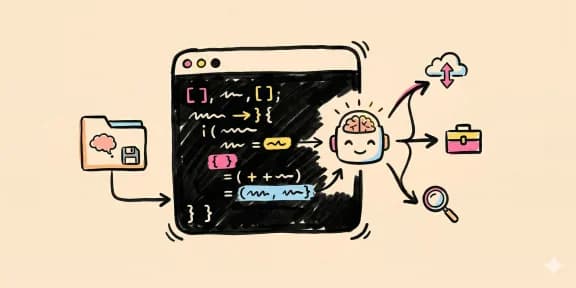
Anthropic just shipped Cowork. It's Claude Code, but with the terminal ripped out and replaced with a UI that won't terrify people who don't live in the command line.
The pitch is clean: Claude Code got adopted by developers exactly as expected. Then people started using it for everything else - documents, presentations, project planning, organizing files. So instead of watching users work around CLI friction, Anthropic's team built a wrapper. In 1.5 weeks. Using Claude Code itself.
That's the meta move that matters: this product proves what it claims to do.
What Is Cowork, Actually?#
You download the Claude desktop app, click a new "Cowork" tab in the top left, and point it at a directory. From there, Claude gets file system access in that folder and asks you what you want to do.
For the broader agentic coding map, read Claude Code Agent Teams, Subagents, and MCP: The 2026 Playbook and Why Skills Beat Prompts for Coding Agents in 2026; they connect this article to the surrounding tool and workflow decisions.
The interface is three panes:
- Chat - where you describe tasks in English
- Progress - a live to-do list of what Claude's working through
- Artifacts and context - files it's creating, sessions you can resume
Pick a template (create a presentation, organize files, draft a PRD, write an executive summary) or just describe what you need. Claude handles the execution autonomously - the big difference from ChatGPT's turn-based conversation. You're spawning an agent that runs until it finishes or hits a question that needs you.
The Demo: Pitch Deck in 5 Minutes#
The best way to understand this is to see it work.
Ask Cowork to "create a pitch deck for DevDigest on YouTube." It immediately asks clarifying questions: Who's the audience? How long? What topics?
You answer: sponsors and partners, 5 minutes, sponsorship deals.
Then watch. Claude spins up a session, creates a todo list (10-15 steps), and starts building. It generates JSON slide structures, converts them to HTML, installs PowerPoint libraries, troubleshoots failures on the fly, and finally outputs a real, editable PowerPoint file.
No hand-holding. No waiting for you to paste code snippets. It just works.
The slides aren't perfect. The design is functional but uninspired. But you get something immediately usable - a starting point that took seconds to generate instead of hours to build from scratch.
The Killer Feature: Parallelization#
This is where Cowork gets interesting for teams and knowledge workers.
You can spawn multiple tasks at once. Tell Cowork to:
- Create a modern Next.js app that reads DevDigest articles
- Create a presentation on latest AI news for business executives
- Draft a meeting brief for tomorrow
All three run in parallel. Each conversation with Claude handles its own context, asks clarifying questions independently, and works toward completion. You're not context-switching - you're queue-managing.
This is the 2026 skill everyone needs: learning to dispatch work to AI agents instead of doing the minutia yourself. For developers, it's natural. For project managers, marketers, ops teams? This interface makes it accessible.
Where It Gets Smart: Skills#
Cowork includes a "Skills" feature that addresses the core problem with AI agents: they don't learn.
First time Claude builds slides, they're mediocre. Tenth time? Still mediocre, unless you teach it.
So you create a skill file: "Always black and white, never linear gradients. Modern minimalist aesthetic. No decorative elements."
Now every task references that skill. You can iterate on it. Add constraints. Remove them. It's how you turn a one-off tool into a system that improves with use.
The feedback loop is the feature.
The Real Talk: Rough Edges#
At launch Cowork was a research preview that shipped fast, and these were the rough edges we hit (most still apply as habits, even though the product has matured):
- If you don't give clear context, it will spin its wheels
- Prompt injection is a real risk when you're granting file system access
- It can create more work than it saves if you're not deliberate about what you ask
- Session resumption is cleaner than Claude Code, but still early
Also, directories matter. You're giving Claude write access to a folder. Make sure you're explicit about what it can and can't touch. Bad instructions could delete something you need.
But these aren't flaws - they're part of the learning curve.
Who This Is For#
Not developers who already live in Claude Code. This is for:
- Product managers building PRDs and pitch decks
- Ops teams organizing workflows and project plans
- Marketers drafting content and structuring campaigns
- Anyone who needs to automate knowledge work but flinches at the terminal
The interface removes the adoption barrier. The autonomy does the rest.
The Bigger Picture#
At launch, Cowork was a research preview on Mac only, available to Claude Max subscribers. It did expand: by September 2026 it runs on desktop, web, and mobile across every paid plan, and Anthropic is folding it into the default Claude experience (see What changed above). But the move mattered more than the roadmap.
Anthropic is betting that agentic AI isn't a developer feature - it's infrastructure. Cowork is the proof of concept. Build the right interface, and non-technical users will parallelize their work exactly like developers do.
The 1.5-week timeline tells you something else: Claude Code (and Claude itself) is becoming a platform. You can ship real products in days. That changes everything about what teams should be building in 2026.
Watch the Full Breakdown#
FAQ#
What is Anthropic Cowork?#
Cowork is Anthropic's agent for non-coding knowledge work. The Help Center describes it as using "the same agentic architecture that powers Claude Code, with no terminal required." You describe an outcome, Claude plans it, works in the folders and connectors you allow, and delivers documents, spreadsheets, decks, and research. As of September 2026 its tasks run in cloud sessions (beta), so work continues after you close your laptop.
How is Cowork different from ChatGPT?#
ChatGPT operates turn-by-turn: you send a message, get a response, send another message. Cowork spawns autonomous agents that run until the task is complete or they need your input. You can launch multiple parallel tasks, each handling its own context and progress. It's the difference between a conversation and a work queue.
Who is Cowork for?#
Cowork targets knowledge workers who aren't developers: product managers building PRDs and pitch decks, operations teams organizing workflows, marketers structuring campaigns, and anyone who needs to automate document-heavy work but doesn't want to use a terminal. Developers already have Claude Code; Cowork brings the same power to everyone else.
Is Cowork free?#
No. As of September 28, 2026, Cowork is available on paid plans only: Pro ($17/month billed annually or $20 monthly), Max 5x ($100/month), Max 20x ($200/month), Team (from $20 per seat per month billed annually), and Enterprise. The Free plan does not include it. Anthropic notes that Cowork consumes limits faster than chat, so heavy users should look at Max. Source: claude.com/pricing and the Cowork product page.
What can Cowork create?#
Cowork can create PowerPoint presentations, Word documents, spreadsheets, project plans, PRDs, executive summaries, meeting briefs, and more. It reads files in your directory for context, installs necessary libraries on the fly, troubleshoots errors automatically, and outputs real editable files - not just text responses.
Can Cowork run multiple tasks at once?#
Yes. Parallelization is one of Cowork's killer features. You can launch multiple agents simultaneously - one creating a presentation, another drafting a document, a third organizing files. Each task runs independently with its own context and progress tracking. You manage a work queue instead of doing each task sequentially.
What are Cowork Skills?#
Skills are reusable instruction files that teach Cowork your preferences. For example, a presentation skill might specify "always black and white, modern minimalist aesthetic, no decorative elements." Once created, every task references that skill automatically. Skills let you build a system that improves with use rather than starting from scratch each time.
Is Cowork safe to use?#
Cowork can only read and write in folders you connect, and Anthropic's Help Center says it requires your explicit permission before permanently deleting any file. You also choose a permission mode: Manual (approve actions), Auto (Claude reviews each action for safety, such as exfiltration or prompt injection, and blocks what it judges unsafe), or Skip (no checks). Prompt injection is still a real risk with untrusted files and websites, so keep sensitive folders out of scope and stay close on anything involving money or messages sent as you.
Is Claude Cowork being replaced?#
Not replaced, merged. On September 16, 2026 Anthropic announced that Cowork and chat are becoming one Claude, rolling out to Pro and Max first with Team and Free to follow. Your Cowork chats, projects, connectors, and skills carry over. On the new experience there is no separate Cowork toggle: you ask in any conversation and Claude decides whether it is a quick answer or a task.
What is the difference between Claude Cowork and Claude Code?#
Anthropic's own FAQ puts it simply: Claude Code is built for software engineering (terminal, desktop app, IDEs), while Cowork is built for non-coding knowledge work like research, analysis, and document creation, using the same agentic approach. We cover the decision in depth, including pricing, in Claude Cowork vs Claude Code.
Further Reading#
- Claude Cowork product page - Official product details and feature overview
- Get started with Claude Cowork - Availability by surface, permission modes, scheduled tasks, and current limitations
- Claude Code Documentation - Deep dive into Claude Code capabilities and MCP servers
- Claude Cowork and chat are now one Claude - The September 16, 2026 merge announcement
Continue Reading#
- Claude Cowork vs Claude Code (2026): Which One Should You Use? - the decision guide with a plan-by-plan pricing table
- ChatGPT Work vs Claude Cowork - how OpenAI's answer compares on features and integrations
- What Is Claude Code? - the coding agent Cowork was built on
- Claude Design developer guide - the visual sibling that now also works inside conversations
- Claude Design, Slides and Docs in Any Conversation - how to use the three artifact types from chat and Claude Code, and their limits
Related apps#
- CLI Directory - Directory of 50+ CLI tools for developers. Search, filter, and compare.
- Hookyard - Directory and CLI installer for Claude Code hooks. Discover, install, share.
Related#
- Subscribe to DevDigest on YouTube for hands-on walkthroughs
Get the next deep dive like this in your inbox
One email a week on Claude Code and the rest of the AI dev stack. Free.
Read next on Claude Code
What Is Claude Code? The Complete Guide for 2026
Claude Code is Anthropic's AI coding agent for terminal, IDE, desktop and browser. What it does, how it works, setup, pricing, MCP, skills, hooks and subagents.
15 min readClaude Code: Remote Control, Auto Memory, Plugins & More
Claude Code updates: remote control from your phone, Cowork scheduled tasks, new plugin repos, auto memory and 4% of public GitHub commits now from Claude Code.
5 min readAI Skills for Every Career: Agents and Knowledge Work
AI agent skills are not just for developers. Here is how 12 professions use packaged AI workflows to do better knowledge work.
12 min readTechnical content at the intersection of AI and development. Building with AI agents, Claude Code, and modern dev tools - then showing you exactly how it works.