60 Claude Code Tips and Tricks for Power Users
Claude Code Mastery
20 parts- 1Claude Code: The Future of Coding?
- 2What Is Claude Code? The Complete Guide for 2026
- 360 Claude Code Tips and Tricks for Power UsersCurrent
- 4Claude Code Sub Agents: Parallel AI Development
- 5Claude Code Worktrees: Parallel Development Without the Chaos
- 6Building Multi-Agent Workflows in Claude Code: A Practical Tutorial
- 7The Ralph Loop: Running Claude Code For Hours Autonomously
- 8Self-Improving Skills: Claude Code That Learns From Every Session
- 9Claude Code Usage Limits in 2026: The Practical Playbook for Pro and Max Teams
- 10Progressive Disclosure: How Claude Code Cut Token Usage by 98%
- 11Claude Code + Chrome: AI Agents That Use Your Browser
- 12Interview Mode: Let Claude Code Ask the Questions First
- 13Claude Code: Remote Control, Auto Memory, Plugins & More
- 14Claude Code Hooks Explained
- 15How to Use Claude Code with Next.js
- 16Claude Code Channels: Telegram, Discord, iMessage, and Webhooks
- 17How to Migrate from GitHub Copilot to Claude Code
- 18Building a SaaS with Claude Code: End-to-End Guide
- 19Create Beautiful UI with Claude Code: The Style Guide Method
- 20Claude Code Loops: Recurring Prompts That Actually Run
TL;DR
The definitive collection of Claude Code tips - sub-agents, hooks, worktrees, MCP, custom agents, keyboard shortcuts, and dozens of hidden features most developers never discover.
Claude Code rewards depth. The basics are simple: install it, run it in your project, describe what you want built. But the gap between a casual user and a power user is enormous. These 60 tips cover the patterns, shortcuts, and configurations that compound over time. If you have not installed Claude Code yet, start with the Getting Started guide first.
Most of these work today on the latest Claude Code release. Some require a Max plan. All of them will make you faster.
Last updated: May 23, 2026. Verify current features, limits, and settings against the official documentation before you standardize these patterns across a team.
Official Sources#
| Source | What to verify |
|---|---|
| Claude Code docs | Current feature set and platform support |
| Claude Code getting started | Install steps and first-session flow |
| Claude Code hooks | Hook configuration, lifecycle, and safety |
| Anthropic pricing | Plan names, limits, and subscription vs API routing |
Fast paths:
- Pricing and plan selection: /pricing
- Comparisons: /compare
- Cursor migration: Migrating from Cursor to Claude Code
Getting Started Faster#
1. Use CLAUDE.md Files for Project Context#
Every project should have a CLAUDE.md in its root directory. This file gets loaded automatically at session start and tells Claude your stack, conventions, and hard rules.
Markdown
# CLAUDE.md

## Stack
- Next.js 16 + React 19 + TypeScript
- Convex for backend
- Tailwind for styling

## Rules
- Always use server actions, never API routes
- Run `pnpm typecheck` after every change
- Never use default exports
Three levels exist: project root (shared via git), user-level (~/.claude/CLAUDE.md for personal preferences), and project-user (.claude/CLAUDE.md for your personal overrides on a specific repo). Layer them. The project file defines team standards. Your personal file defines how you like code formatted. The project-user file handles edge cases.
The CLAUDE.md Generator on this site can scaffold one for your stack in seconds.
2. Set Up Memory for Persistent Preferences#
Beyond CLAUDE.md, Claude Code can store learned preferences in its memory system. When you correct it during a session - "always use satisfies instead of as" or "never add comments to obvious code" - you can tell it to remember that.
Code
> Remember: always use named exports, never default exports
Claude stores this in its memory file and applies it to future sessions. Over weeks, your Claude Code instance becomes personalized to your exact coding style. This is the closest thing to a coding assistant that actually learns from you.
The memory compounds. Each correction you persist means one fewer correction next session. After a month of active use, Claude Code knows your patterns cold.
3. Create Custom Slash Commands#
Slash commands are markdown files that define reusable prompts. Drop a file in .claude/commands/ and it becomes available as a slash command in every session.
Markdown
<!-- .claude/commands/review.md -->
Review the staged git changes. Check for:
- Type safety issues
- Missing error handling
- Security concerns (SQL injection, XSS)
- Performance regressions

Output a summary with severity levels.
Now type /review in any session and Claude executes that prompt. Build commands for your common workflows: code review, test generation, documentation updates, migration scripts. The file format is plain markdown, so version control them alongside your code.
Project-level commands go in .claude/commands/. Global commands go in ~/.claude/commands/. Both show up when you type / in a session.
4. Reference Files with @ Syntax#
Use @ to include files or directories directly in your prompt without waiting for Claude to search for them.
Code
Explain the logic in @src/utils/auth.js
This immediately loads the full file content into context. It works with directories too - @src/components provides a directory listing. You can reference multiple files in one message: @file1.js and @file2.js. File paths can be relative or absolute.
Bonus: @ references also load any CLAUDE.md files in that file's directory and parent directories, so you get contextual rules for free.
5. Use @ for MCP Resources#
The @ syntax extends beyond local files. When you have MCP servers connected, you can reference their resources directly.
Code
Show me the data from @github:repos/owner/repo/issues
This fetches data from connected MCP servers using the format @server:resource. It turns external data sources into first-class references in your prompts.
Productivity#
6. Use Sub-Agents for Parallel Work#
Single-threaded AI assistance is slow. Sub-agents let you decompose work across multiple focused Claude instances running simultaneously.
Code
Spawn three sub-agents:
1. Research agent: search the web for the latest Stripe API changes
2. Frontend agent: build the pricing page component
3. Backend agent: create the webhook handler

Use worktree isolation for each.
Each agent gets its own context, its own tools, and its own git branch. The research agent fetches documentation while the frontend agent builds UI while the backend agent writes server code. No context pollution between them.
Define reusable agent configurations in .claude/agents/ as markdown files. Specify which tools each agent can access, which model it should use, and what system prompt governs its behavior.
7. Run in Headless Mode with -p Flag#
Claude Code does not require an interactive terminal. The -p flag runs a single prompt and exits, which makes it scriptable.
Terminal
claude -p "Add input validation to all API routes in src/app/api/"
This is how you integrate Claude Code into shell scripts, CI pipelines, and automation workflows. Combine it with cron jobs for scheduled maintenance tasks:
Terminal
# Daily dependency check
claude -p "Check for outdated dependencies and security vulnerabilities. Output a summary."
Headless mode outputs to stdout by default. Pipe it wherever you need it. Combine with --output to write results directly to a file.
8. Pipe Output to Files with --output#
When you want Claude Code's response saved to disk rather than printed to the terminal, use the --output flag.
Terminal
claude -p "Generate a migration plan for upgrading from Next.js 15 to 16" --output migration-plan.md
This pairs well with headless mode for building content pipelines. Generate documentation, audit reports, or code analysis and route the output directly where it belongs.
You can also use --output-format to control the response format. Options include text, json, and stream-json for programmatic consumption.
9. Use /compact to Manage Context#
Long sessions accumulate context. Eventually the model's context window fills up and performance degrades. The /compact command summarizes the conversation so far into a condensed form, freeing up space for more work.
Run it proactively. Do not wait until you see degraded responses. A good rule of thumb: /compact after every major task completion within a session. If you just finished building a component and are about to start on something unrelated, compact first.
You can also pass a focus hint: /compact focus on the authentication changes to tell Claude which parts of the conversation are most important to preserve.
10. Use /btw for Side Queries#
Mid-task, you sometimes need a quick answer that has nothing to do with what Claude is working on. The /btw command lets you ask a side question without polluting the main conversation thread.
Code
/btw What's the syntax for a Zod discriminated union again?
You get a fast answer, the main context stays clean, and Claude resumes the primary task without confusion. This prevents the common problem of mixing unrelated thoughts into a session, which degrades output quality over time.
11. Set Up Hooks for Automated Workflows#
Hooks let you run shell commands at specific points in Claude Code's lifecycle. Define them in .claude/settings.json or your project settings.
Claude Code provides eight hook events:
- SessionStart - fires when a new session begins
- UserPromptSubmit - fires when you submit a prompt, before processing
- PreToolUse - fires before Claude executes any tool
- PostToolUse - fires after successful tool completion
- Notification - fires when Claude sends a notification
- Stop - fires when Claude finishes responding
- SubagentStop - fires when a sub-agent completes
- PreCompact - fires before context compaction
JSON
{
  "hooks": {
    "PostToolUse": [{
      "matcher": "Edit|Write",
      "hooks": [{
        "type": "command",
        "command": "prettier --write \"$CLAUDE_FILE_PATHS\""
      }]
    }]
  }
}
Hooks have access to environment variables like CLAUDE_PROJECT_DIR, CLAUDE_FILE_PATHS, and CLAUDE_TOOL_INPUT. They can also return structured JSON to control whether Claude should continue, inject feedback, or modify behavior.
12. Block Dangerous Commands with PreToolUse Hooks#
The PreToolUse hook is a security gate. Use it to intercept and block dangerous operations before they execute.
JSON
{
  "hooks": {
    "PreToolUse": [{
      "matcher": "Bash",
      "hooks": [{
        "type": "command",
        "command": "if [[ \"$CLAUDE_TOOL_INPUT\" == *\"rm -rf\"* ]]; then echo 'Dangerous command blocked!' && exit 2; fi"
      }]
    }]
  }
}
Exit code 2 tells Claude the operation was blocked. You can build progressively stricter guardrails: block force pushes, prevent writes to production config files, or require confirmation before database mutations. This is especially important for headless and automated workflows where no human is watching.
13. Auto-Format with PostToolUse Hooks#
After Claude edits a file, you probably want it formatted. The PostToolUse hook with a matcher on Edit|Write triggers automatically after every file modification.
JSON
{
  "hooks": {
    "PostToolUse": [{
      "matcher": "Edit|Write",
      "hooks": [{
        "type": "command",
        "command": "if [[ \"$CLAUDE_FILE_PATHS\" =~ \\.(ts|tsx)$ ]]; then prettier --write \"$CLAUDE_FILE_PATHS\"; fi"
      }]
    }]
  }
}
This closes the gap between "AI wrote some code" and "AI wrote code that meets my quality bar." You can chain formatters, linters, and type checkers. Automate the verification loop and you never ship unchecked output.
14. Desktop Notifications with the Notification Hook#
When Claude needs your attention - a permission request, a question, or a completed task - the Notification hook can alert you even if you have switched to another window.
JSON
{
  "hooks": {
    "Notification": [{
      "hooks": [{
        "type": "command",
        "command": "osascript -e 'display notification \"Claude needs attention\" with title \"Claude Code\"'"
      }]
    }]
  }
}
On Linux, swap osascript for notify-send. This is essential for long-running autonomous tasks where you start Claude working and switch to something else.
15. Use the SessionStart Hook for Context Loading#
The SessionStart hook runs when you begin a new session. Use it to pre-load context that Claude will need.
JSON
{
  "hooks": {
    "SessionStart": [{
      "hooks": [{
        "type": "command",
        "command": "git status > /tmp/claude-git-context.txt && echo 'Development context loaded'"
      }]
    }]
  }
}
Populate a temp file with git status, recent commits, open PRs, or CI results. Claude picks up the context automatically. Every session starts from a higher baseline without you repeating the same questions.
Advanced Patterns#
16. Worktrees for Isolated Experiments#
Git worktrees let you run multiple Claude Code sessions on the same repo without conflicts. Each session gets its own branch and its own working directory.
Terminal
# Terminal 1
claude
> Build a pricing page with monthly/annual toggle

# Terminal 2 (same repo)
claude
> Build a pricing page with a slider-based UI
Claude Code automatically creates worktree branches. You end up with two independent implementations you can compare side by side. Merge the one you prefer, delete the other.
This pattern is powerful for A/B testing approaches. Not sure whether to use a modal or a slide-over panel? Spawn two agents, get both built, and pick the winner.
17. Copy Gitignored Files to Worktrees#
Worktrees share the git repo but not gitignored files like .env, node_modules, or build artifacts. If your sub-agents need these, use a hook or script to copy them into new worktrees.
Add a PostToolUse hook that detects worktree creation and copies essential files:
Terminal
# Copy .env and install dependencies in new worktrees
cp .env ../my-project-worktree/.env
cd ../my-project-worktree && npm install
Without this, agents in worktrees fail on their first command because environment variables or dependencies are missing.
18. Interview Mode for Guided Development#
Stop telling Claude what to build. Let it ask you questions first.
Code
I want to add authentication to this app. Before writing any code,
interview me about my requirements using the Ask User Question tool.
Ask at least 10 questions about technical decisions, UX concerns,
and trade-offs. Then write a spec.
Claude will ask about your auth provider preference, session strategy, role-based access needs, password requirements, and dozens of other decisions you would have glossed over. The resulting spec becomes a contract that Claude executes against.
This front-loads decision-making when it is cheap. Rewriting code after 500 lines of implementation is expensive. Answering ten questions upfront is free.
19. Chain Agents with SendMessage#
When sub-agents need to communicate, the SendMessage tool passes structured data between them. Agent A finishes research and sends its findings to Agent B, which uses them to generate code.
This turns sequential workflows into pipelines. Research feeds into implementation. Implementation feeds into testing. Testing feeds back into refinement. Each stage is handled by a specialist agent with the right context and tools.
The key is structuring the handoff. Have Agent A output a well-defined format - a JSON object, a markdown spec, a list of requirements - that Agent B knows how to consume. Loose handoffs produce loose results.
20. Use Plan Mode for Complex Tasks#
Before Claude writes a single line of code, you can ask it to plan. Shift+Tab toggles plan mode in the interactive session. Claude outputs a structured plan - files to create, changes to make, tests to write - without executing anything.
Review the plan. Adjust it. Then let Claude execute. This prevents the common failure mode where Claude charges ahead, builds something wrong, and then has to undo half the work.
Plan mode is especially valuable for:
- Large refactors touching many files
- New feature implementations with unclear scope
- Migrations between frameworks or libraries
- Any change where the cost of getting it wrong is high
You can also start a session in plan mode from the command line: claude --permission-mode plan. Or run a headless plan-only query: claude --permission-mode plan -p "Analyze the auth system and suggest improvements".
21. Edit Plans with Ctrl+G#
After Claude generates a plan in Plan Mode, press Ctrl+G to open it in your default text editor. Edit the plan directly - remove steps you do not want, add constraints, reorder priorities - then save and close. Claude proceeds with your modified plan.
This gives you surgical control over what gets built without having to re-prompt. Faster than explaining changes in natural language.
22. Configure Plan Mode as Default#
If you prefer Claude to always plan before acting, set it as the default in your project settings.
JSON
// .claude/settings.json
{
  "permissions": {
    "defaultMode": "plan"
  }
}
Every session starts in plan mode. Claude analyzes and proposes before writing code. You explicitly approve before any file gets touched. Teams that value code review and controlled changes benefit from this approach.
23. Custom Agents with Markdown Files#
Skills are reusable capability definitions stored as markdown. They live in .claude/agents/ and define specialized AI agents with constrained tools and focused system prompts.
A well-built agent includes:
- A description of when to use it
- Tool restrictions (read-only, no bash, specific MCP servers only)
- A system prompt governing behavior
- Isolation settings (worktree, container)
Markdown
<!-- .claude/agents/code-reviewer.md -->
---
description: Reviews code for bugs, security issues, and style violations
tools: [Read, Grep, Glob]
isolation: none
---

You are a code reviewer. Analyze the provided code for:
1. Security vulnerabilities (injection, XSS, CSRF)
2. Performance issues (N+1 queries, unnecessary re-renders)
3. Type safety problems
4. Missing error handling

Never modify files. Only report findings with severity levels.
Use the /agents command to view and create agents interactively. Agents can self-improve by reflecting on sessions and updating their own instructions over time.
24. Use /batch for Large-Scale Changes#
When you need the same type of change applied across many files - like a migration, a rename, or adding error handling everywhere - /batch is the command. Claude interviews you about the change, then fans out the work to as many worktree agents as needed.
Code
/batch Add proper error boundaries to every page component in app/
Claude creates a plan, spins up parallel agents in isolated worktrees, and each agent handles a subset of files. For large migrations or repetitive codebase-wide changes, this turns hours of work into minutes.
25. Session Forking with /branch#
Sometimes Claude is going in a useful direction, but you also want to explore an alternative path without losing your current context.
Code
/branch
This forks your current session. You get two independent threads - the original continues where it was, and the fork starts from the same point. Test a risky approach in the fork. If it works, keep it. If not, go back to the original.
From the command line, you can also fork when resuming: claude --resume <session-id> --fork.
From the archive
Claude Code vs Cursor in 2026: Which Should You Use?
Mar 19, 2026 • 5 min read
Claude vs GPT for Coding: Which Model Writes Better TypeScript?
Mar 19, 2026 • 9 min read
Cursor Composer 2: Everything You Need to Know
Mar 19, 2026 • 5 min read
Cursor vs Claude Code in 2026 - Which Should You Use?
Mar 19, 2026 • 9 min read
Integration#
26. Connect MCP Servers#
The Model Context Protocol lets Claude Code talk to external tools and services through a standardized interface. Database browsers, API clients, cloud dashboards, design tools - anything with an MCP server becomes accessible from your terminal.
Use the MCP Config Generator to build your configuration file, then drop it into .claude/mcp.json:
JSON
{
  "mcpServers": {
    "postgres": {
      "command": "npx",
      "args": ["-y", "@modelcontextprotocol/server-postgres"],
      "env": {
        "DATABASE_URL": "postgresql://localhost:5432/mydb"
      }
    }
  }
}
Now Claude can query your database directly. Ask it to inspect schema, run queries, or debug data issues without leaving your terminal session. See the full MCP server guide for setup patterns across different services.
27. Add MCP Servers from the Command Line#
You do not need to edit JSON files by hand. The claude mcp add command registers servers directly.
Terminal
claude mcp add github -- npx @modelcontextprotocol/server-github
claude mcp add postgres -- npx @modelcontextprotocol/server-postgres
claude mcp add filesystem -- npx @modelcontextprotocol/server-filesystem
Each server becomes immediately available in your next session. Claude can create PRs, query databases, and perform enhanced file operations through these integrations.
28. Browser Automation with Chrome MCP#
The Chrome MCP server gives Claude Code eyes. It can navigate pages, read content, fill forms, take screenshots, and interact with web UIs directly from your terminal session.
Code
Navigate to localhost:3000 and take a screenshot.
Check if the pricing page renders correctly on mobile.
This is invaluable for frontend development. Claude builds a component, then visually verifies it looks right. No more switching between terminal and browser to check output. The Chrome automation guide covers the full setup.
29. Verification Workflows for Frontend#
The single most important tip for using Claude Code on frontend work: give Claude a way to verify its own output. Without visual verification, Claude is guessing whether a component looks correct.
The Chrome MCP extension is the most reliable option. Claude writes CSS, takes a screenshot, sees the result, and iterates. The loop is: code, screenshot, evaluate, fix. Without it, the loop is: code, hope, discover the bug later.
The Claude desktop app can also start web servers and test them in a built-in browser. For web work, this means you write code, launch the app, let Claude inspect the result, and iterate until things look right.
30. Linear and GitHub Issue Integration#
MCP servers for Linear and GitHub let Claude Code read issues, create tickets, update status, and link PRs - all from your coding session.
Code
Read the open issues in Linear. Pick the highest priority bug.
Fix it. Create a PR. Update the Linear issue status to "In Review."
This collapses the context switch between project management and implementation. You stop tab-switching between your issue tracker and your editor. Claude reads the requirements, implements the fix, and updates the tracker in one flow.
31. Resume Sessions from PRs#
When you create a PR using gh pr create, the session is automatically linked to that PR. Resume it later with:
Terminal
claude --from-pr 123
This is powerful for code review workflows. Reviewer leaves comments on the PR, you resume the session that created it, and Claude has full context of what was built and why. No need to re-explain the feature.
32. VS Code Integration#
Claude Code runs in any terminal, including VS Code's integrated terminal. But dedicated extensions exist that add deeper integration: inline diff views, context sharing with open files, and keyboard shortcuts that bridge the IDE and the agent.
The practical setup: open VS Code's terminal, run claude, and work. VS Code provides the file tree and editor. Claude Code provides the agent. You get the best of both worlds without committing to a fully AI-native IDE.
For teams evaluating Claude Code vs Cursor, the VS Code integration is the middle ground. You keep your existing editor setup and add Claude Code's agent capabilities on top.
33. Work with Images#
Claude Code can analyze images directly. Drag and drop an image into the terminal, paste with Ctrl+V, or reference a file path.
Code
Analyze this image: /path/to/screenshot.png
What UI elements are in this design?
Generate CSS to match this mockup: @designs/header.png
Use this for design-to-code workflows. Drop in a Figma export, ask Claude to implement it, then use the Chrome MCP to screenshot the result and compare. The image-to-code-to-verification loop is one of the most productive patterns for frontend work.
When Claude references images in its responses (like [Image #1]), Cmd+Click (Mac) or Ctrl+Click (Windows/Linux) opens them in your default viewer.
34. Pipe In, Pipe Out#
Claude Code works as a Unix-style utility. Pipe data in, get results out.
Terminal
# Analyze a log file
cat server.log | claude -p "Find the root cause of the 500 errors"

# Generate types from an API response
curl -s api.example.com/users | claude -p "Generate TypeScript types for this JSON"

# Code review from git diff
git diff main | claude -p "Review these changes for bugs and security issues"
This composability is what makes Claude Code infrastructure rather than just a tool. Chain it with any Unix utility. Feed it structured data. Route its output to files, other commands, or APIs.
Session Management#
35. Name Your Sessions#
Give sessions descriptive names so you can find them later. This is critical when juggling multiple features or tasks.
Terminal
# Name at startup
claude -n auth-refactor

# Rename during a session
/rename auth-refactor
Named sessions show up clearly in the session picker. When you have ten open sessions across three projects, names are the difference between finding what you need in seconds and opening each one to check.
36. Resume Previous Conversations#
Three ways to continue where you left off:
Terminal
# Continue the most recent session in the current directory
claude --continue

# Open the session picker or resume by name
claude --resume
claude --resume auth-refactor

# Resume from inside an active session
/resume
Sessions are stored per project directory. The /resume picker shows sessions from the same git repository, including worktrees.
37. Navigate the Session Picker#
The /resume command opens an interactive session picker with keyboard shortcuts:
| Shortcut | Action |
|---|---|
| Up/Down | Navigate between sessions |
| Right/Left | Expand or collapse grouped sessions |
| Enter | Select and resume |
| P | Preview session content |
| R | Rename the session |
| / | Search and filter |
| A | Toggle current directory vs. all projects |
| B | Filter to current git branch |
The preview feature (P) is especially useful. See what a session was about without opening it.
38. Teleport Sessions Between Devices#
Started a Claude Code session on your laptop but need to continue on your phone? The /teleport command moves sessions between devices.
Code
/teleport
This generates a link you can open on the Claude mobile app (iOS or Android), the web interface, or another terminal. You pick up exactly where you left off - full context, full history.
39. Remote Control a Local Session#
The /remote-control command lets you control a locally running Claude Code session from your phone or a web browser.
Code
/remote-control
This is different from teleport. The session stays running on your machine, but you interact with it remotely. Start a long task on your desktop, walk away, and monitor or steer it from your phone. The session uses your local machine's tools, file system, and MCP servers.
Performance#
40. Adjust Effort Level#
Not every prompt needs maximum reasoning. The effort level controls how deeply Claude thinks before responding.
Code
/effort
On Opus 4.6 and Sonnet 4.6, this uses adaptive reasoning - the model dynamically allocates thinking tokens based on your setting. Lower effort for quick questions and mechanical changes. Higher effort for architecture decisions and complex debugging.
You can also set it via environment variable: CLAUDE_CODE_EFFORT_LEVEL.
41. Use "ultrathink" for Deep Reasoning#
For one-off tasks that need maximum reasoning depth without permanently changing your effort setting, include "ultrathink" anywhere in your prompt.
Code
ultrathink - Design a migration strategy for moving from REST to GraphQL
across our entire API surface. Consider backward compatibility,
client migration paths, and performance implications.
This sets effort to high for that single turn. Architecture decisions, complex debugging sessions, and multi-step planning benefit from the extra reasoning. Regular coding tasks do not need it.
42. Toggle Extended Thinking#
Extended thinking is enabled by default. Toggle it with Option+T (macOS) or Alt+T (Windows/Linux).
When thinking is enabled, Claude reasons through problems step-by-step before responding. Press Ctrl+O to toggle verbose mode and see the thinking process displayed as gray italic text.
For maximum control, set MAX_THINKING_TOKENS as an environment variable to cap the thinking budget. On Opus 4.6 and Sonnet 4.6, only 0 (disable) applies unless adaptive reasoning is also disabled.
43. Use Haiku for Simple Tasks#
Not every task needs the full Opus or Sonnet model. Claude Code's --model flag lets you switch to faster, cheaper models for routine work.
Terminal
claude --model haiku -p "Rename all instances of userId to accountId in src/"
Haiku is faster and costs less. Use it for mechanical changes: renaming, formatting, simple refactors, boilerplate generation. Save the heavy models for architecture decisions, complex debugging, and nuanced code review.
Sub-agents can also be configured to use Haiku by default. Your research agent might need Opus for nuanced analysis, but your formatting agent works fine on Haiku.
44. Batch Operations with Parallel Agents#
When you have a list of independent tasks, do not run them sequentially. Spawn parallel agents.
Code
I need to:
1. Add error boundaries to all page components
2. Write unit tests for the auth module
3. Update the API documentation
4. Fix the responsive layout on the dashboard

Spawn four sub-agents and handle these in parallel.
Four agents, four tasks, one-quarter the wall-clock time. Each agent works independently, so there is no bottleneck. This is the single biggest productivity multiplier in Claude Code.
The pattern scales. Ten independent tasks? Ten agents. The limit is your token budget, not your patience.
45. Cache Expensive Operations in CLAUDE.md#
If Claude spends tokens re-discovering your architecture every session, you are burning money. Put the answers in CLAUDE.md.
Markdown
## Architecture Notes
- Auth: Clerk (middleware in src/middleware.ts)
- Database: Convex (schema in convex/schema.ts)
- API routes: None. We use server actions exclusively.
- State: React Server Components + Convex reactive queries
- Deployment: Vercel (auto-deploy on push to main)
Every fact in CLAUDE.md is a fact Claude does not need to rediscover by reading files. This reduces token usage, speeds up responses, and improves accuracy. Think of it as a cache for your agent's understanding of your codebase.
Update it regularly. When you make architectural decisions during a session, add them to CLAUDE.md before ending. Future sessions start from a higher baseline.
46. Use --bare for Faster Scripted Runs#
By default, Claude Code loads local .claude files, settings, and MCP servers on startup. For non-interactive, scripted usage where you control the context explicitly, the --bare flag skips that automatic loading.
Terminal
claude --bare -p "Format this JSON: $(cat data.json)"
This reduces startup overhead significantly. If you are running dozens of programmatic Claude invocations in a script or CI pipeline, --bare makes each one faster.
47. Use --add-dir for Multi-Repo Work#
Real projects often span multiple repositories. The --add-dir flag lets Claude see and access more than one directory.
Terminal
claude --add-dir ../shared-lib --add-dir ../api-service
Now one Claude session understands your monorepo, shared library, and API service simultaneously. No more context-switching between sessions or manually copying code snippets between repos.
48. Manage Token Usage with /cost#
The /cost command shows your current session's token usage - input tokens, output tokens, and estimated cost. Run it periodically to stay aware of consumption.
Code
> /cost
Input: 45,231 tokens
Output: 12,847 tokens
Total: 58,078 tokens
If you see token counts climbing fast, it usually means Claude is re-reading large files repeatedly. That is a signal to /compact or to add key information to your CLAUDE.md so Claude does not need to grep through your codebase for context it already found.
Automation and Scheduling#
49. Automate Recurring Tasks with /loop#
The /loop command runs a prompt or slash command on a recurring interval. Set it and let Claude handle repetitive work.
Code
/loop 30m Check for new PR review comments and address them
Use this for babysitting pull requests, rebasing branches, collecting feedback, sweeping missed review comments, and pruning stale PRs. This is where Claude Code stops feeling like a chat tool and starts feeling like an automated co-worker.
The key insight: combine skills with loops. Turn a repeatable workflow into a skill, then loop it. Instead of manually checking the same thing every 30 minutes, Claude keeps doing it.
50. Schedule Agents with /schedule#
While /loop runs within a session, /schedule creates persistent agents that run on a cron schedule - even when you are not using Claude Code.
Code
/schedule "0 9 * * *" "Check for failing CI runs and outdated dependencies. Post a summary to Slack."
Daily briefings, weekly code audits, nightly test runs - anything that should happen on a schedule without your involvement. Scheduled agents inherit your MCP servers and configuration, so they have full access to your tools.
51. Morning Briefing Automation#
Combine headless mode with cron jobs to build a daily development briefing.
Terminal
#!/bin/bash
# morning-briefing.sh
claude -p "
Check the git log for yesterday's commits.
List any open PRs that need review.
Check for failing CI runs.
Summarize what needs attention today.
" --output ~/briefings/$(date +%Y-%m-%d).md
Schedule this with cron or launchd and you start every morning with a status report generated by Claude Code. It reads your repo state, checks CI, and surfaces what matters - before you open a single browser tab.
52. Content Pipeline with Scripts#
Claude Code's headless mode makes it a building block for content pipelines. Chain multiple invocations to produce structured output.
Terminal
#!/bin/bash
# Generate a blog post from a topic
TOPIC="$1"

# Step 1: Research
claude -p "Research the topic: $TOPIC. Output key points as bullet list." \
  --output /tmp/research.md

# Step 2: Draft
claude -p "Using the research in /tmp/research.md, write a blog post. \
  Follow the style guide in CLAUDE.md." \
  --output /tmp/draft.md

# Step 3: Review
claude -p "Review /tmp/draft.md for technical accuracy, tone, and SEO. \
  Output the final version." \
  --output "content/blog/${TOPIC}.md"
Each step is a focused invocation with clear input and output. The pipeline is version-controlled, repeatable, and improvable.
53. Add Claude to Your CI Pipeline#
Use Claude Code as a verification step in CI. Run it in plan mode to analyze PRs without making changes.
YAML
# .github/workflows/claude-review.yml
- name: Claude Code Review
  run: |
    git diff origin/main...HEAD | claude --bare --permission-mode plan \
      -p "Review this diff for bugs, security issues, and style violations. \
      Output a markdown report." --output review.md
This gives every PR an automated AI code review. Claude runs in plan mode (read-only), analyzes the diff, and outputs findings. No risk of unintended changes in CI.
Keyboard Shortcuts and UI#
54. Essential Keyboard Shortcuts#
These shortcuts work in the interactive Claude Code terminal:
| Shortcut | Action |
|---|---|
| Shift+Tab | Cycle permission modes (Normal, Auto-Accept, Plan) |
| Ctrl+O | Toggle verbose mode (see thinking process) |
| Option+T / Alt+T | Toggle extended thinking |
| Ctrl+G | Open plan in text editor |
| Ctrl+V | Paste an image |
| Cmd+Click / Ctrl+Click | Open referenced images |
| Ctrl+C | Cancel current operation |
| Up arrow | Previous command from history |
Learn these. They are faster than typing commands and they keep you in flow.
55. Use Voice for Hands-Free Coding#
The /voice command lets you speak to Claude Code instead of typing. This sounds like a novelty, but power users report it changes their workflow fundamentally.
Code
/voice
Describe architecture decisions while pacing. Dictate bug reports while looking at the screen. Explain complex requirements without the friction of typing. Claude processes spoken instructions the same as typed ones.
Combine voice with remote control: start Claude on your desktop, control it from your phone via /remote-control, and speak your instructions. Full coding workflow without touching a keyboard.
Cloud Features (April 2026)#
56. Use /ultrareview for Cloud Code Review#
The /ultrareview command runs comprehensive code reviews in the cloud using parallel multi-agent analysis. This is code review at scale - multiple specialized agents examine your code simultaneously for different concerns.
Code
/ultrareview
Run with no arguments to review the current branch against main. Or specify a GitHub PR number:
Code
/ultrareview 123
Each agent focuses on a specific dimension: security vulnerabilities, performance issues, type safety, test coverage, documentation gaps. The results are synthesized into a single actionable report. This catches issues that a single-pass review would miss.
For large PRs or complex refactors, /ultrareview is dramatically more thorough than a manual review or even a single-agent AI review. The multi-agent approach means different perspectives examining the same code.
57. Track Usage with /usage#
The /usage command shows a detailed breakdown of your Claude Code consumption - not just token counts, but a full accounting of where your usage goes.
Code
> /usage
This surfaces hidden costs: parallel sessions, sub-agent spawns, cache misses, long context windows. If your bill is higher than expected, /usage shows exactly why.
The breakdown helps you optimize. Are you spawning too many sub-agents for simple tasks? Is context repeatedly being rebuilt because you forgot to /compact? Are your MCP server calls generating excessive round trips? /usage answers these questions.
Run it periodically to stay aware of consumption patterns. The insight pays for itself in usage efficiency.
58. Get Session Recaps with /recap#
When you return to a Claude Code session after a break, the /recap command generates a one-line summary of what happened while you were away.
Code
> /recap
This is essential when managing multiple sessions. Instead of scrolling through history to remember context, /recap surfaces the key events: files changed, commands run, decisions made, blockers encountered.
Automatic recaps can be enabled via /config so you see them every time you return to a session. The feature helps maintain flow across context switches - you pick up exactly where you left off without the cognitive load of re-orienting.
For sessions you have not touched in days, /recap is the fastest way to decide whether to resume or start fresh.
59. Use xhigh Effort for Maximum Reasoning#
Opus 4.7 introduced a new effort level beyond high: xhigh. This allocates maximum reasoning depth for the most complex problems.
Code
/effort xhigh
Use this for:
- Architecture decisions with many interacting constraints
- Debugging problems where the root cause is genuinely unclear
- Multi-step planning that requires considering edge cases
- Security audits where thoroughness matters more than speed
The xhigh level significantly increases thinking tokens. Use it deliberately for tasks that justify the cost. A simple rename does not need xhigh. A database schema migration that affects ten services does.
You can also set it via environment variable: CLAUDE_CODE_EFFORT_LEVEL=xhigh.
60. Plan in the Cloud with /ultraplan#
The /ultraplan command runs planning in the cloud with extended resources - think of it as plan mode supercharged.
Code
/ultraplan "Migrate the auth system from JWT to session-based authentication"
Instead of planning within your local session's constraints, /ultraplan allocates cloud resources for deeper analysis. It explores more alternatives, considers more edge cases, and produces more comprehensive plans.
The output is a detailed implementation roadmap: files to change, order of operations, test coverage requirements, rollback strategies. For complex multi-phase projects, this level of planning front-loads the hard thinking.
Combine /ultraplan with /ultrareview for a full workflow: plan thoroughly, implement, then review thoroughly. Both leverage multi-agent cloud execution for depth that single-session work cannot match.
Start Compounding#
These 60 tips share a common thread: compounding returns. A CLAUDE.md file saves you five minutes every session. Multiplied by hundreds of sessions, that is days recovered. Sub-agents cut task time by 3-4x. Skills that self-improve get better every week. Hooks eliminate entire categories of errors permanently.
The power users are not the ones who write the cleverest prompts. They are the ones who invest in configuration, automation, and tooling that pays dividends across every future session.
Pick three tips from this list. Implement them today. Build from there.
Frequently Asked Questions#
What is CLAUDE.md and why do I need one?#
CLAUDE.md is a markdown file in your project root that Claude Code reads automatically at session start. It tells Claude your stack, coding conventions, and hard rules so every prompt starts with the right context. Without one, you repeat the same instructions every session.
How much does Claude Code cost?#
Claude Code is available on the Pro plan at $20/month with limited usage, the Max 5x plan at $100/month, and the Max 20x plan at $200/month for heavy autonomous usage. Some advanced features like extended sub-agent sessions require the Max tiers.
Can Claude Code run without supervision?#
Yes. Using the -p flag (headless mode), Claude Code runs non-interactively and can be integrated into CI pipelines, cron jobs, and automation scripts. Combined with /loop, /schedule, and sub-agents, it can handle recurring tasks autonomously.
What are Claude Code sub-agents?#
Sub-agents are specialized Claude instances that run in parallel on different parts of a task. You can spawn a frontend agent, a backend agent, and a research agent simultaneously, each with its own tools and context, to complete work faster than a single sequential session.
Does Claude Code work with VS Code or other editors?#
Claude Code is terminal-native and does not require an IDE. It reads and writes files directly on disk. You can run it alongside any editor, including VS Code, Cursor, or Neovim. Many developers pair it with Cursor for the best of both worlds.
What is the difference between /loop and /schedule?#
/loop runs within your current session on an interval - it requires Claude Code to be running. /schedule creates persistent cron-based agents that run independently, even when Claude Code is closed. Use /loop for in-session monitoring and /schedule for automated recurring tasks.
How do I use Claude Code on mobile?#
Claude Code works on the Claude mobile app (iOS and Android). You can start sessions on mobile, or use /teleport to move a desktop session to your phone. The /remote-control command lets you steer a desktop session from mobile while keeping all local tools and MCP servers active.
For more on Claude Code, check out the complete guide, the sub-agents deep dive, and the tools directory.
Read next
What Is Claude Code? The Complete Guide for 2026
Claude Code is Anthropic's AI coding agent for terminal, IDE, desktop, and browser workflows. Learn what it does, how it works, pricing, setup, MCP, skills, hooks, and subagents.
15 min readClaude Code Sub Agents: Parallel AI Development
Claude Code subagents let you split coding work across specialized assistants with their own context, tools, and instructions. The trick is using them for bounded work, not theatrical agent swarms.
8 min readClaude Code Loops: Recurring Prompts That Actually Run
Claude Code now has a native Loop feature for scheduling recurring prompts - from one-minute intervals to three-day windows. Fix builds on repeat, summarize Slack channels, email yourself Hacker News digests. All from the CLI.
6 min readShare
Developers Digest
Technical content at the intersection of AI and development. Building with AI agents, Claude Code, and modern dev tools - then showing you exactly how it works.
300+ videos30K+ GitHub stars850+ articles
Try These Tools
Related Tools
AI CodingDaily Driver

Claude Code
Anthropic's agentic coding CLI. Runs in your terminal, edits files autonomously, spawns sub-agents, and maintains memory...
View ToolProductivity
C
Codeburn
Interactive TUI dashboard that shows exactly where your Claude Code and Cursor tokens are going, in real time.
View ToolProductivityNew
A
AgentCanvas
A hosted infinite canvas your headless AI agents drive over MCP. Any MCP-speaking agent - Claude Code, Codex, Cursor, or...
View ToolProductivity

Amazon Q Developer CLI
AI-powered terminal assistant from AWS. Natural language chat, command autocompletion, code generation. Agentic mode rea...
View ToolApps from Developers Digest
Developer Tools
Agent Hub
Every coding agent in one window. Stop alt-tabbing between Claude, Codex, and Cursor.
View AppDeveloper ToolsIn Progress
Skill Builder
Turn a one-liner into a working Claude Code skill. From idea to installed in a minute.
View AppDeveloper ToolsPlus $20/mo
Skills Pro
Unlock pro skills and share private collections with your team.
View AppRelated Guides
Guide
Claude Code Setup Guide
Configure Claude Code for maximum productivity -- CLAUDE.md, sub-agents, MCP servers, and autonomous workflows.
AI AgentsGuide
PowerShell Tool - Claude Code
Native PowerShell execution on Windows and optionally Unix hosts.
Claude CodeGuide
Terminal CLI - Claude Code
The primary command-line entry point for Claude Code sessions.
Claude CodeRelated Videos

Generate Videos in Codex + Claude Code with This...
Check out HeyGen! https://heygen.1stcollab.com/developersdigest The video introduces HeyGen, an AI video generation platform with a rich API and a CLI that lets developers create, fetch, and manipula...
Video·

10x Design in Claude Code and Codex
Try Higgsfield: https://higgsfield.ai/s/higgsfield-general-campaign-developersdigest-juDMTi AI coding agents can build entire websites in minutes, but the default results often still look generic and...
Video·
Self Improving Applications with Claude Code & Codex
Build a Self‑Improving Next.js App: Supabase + Vercel Eve + GitHub Issues + Agent Loops Check out Supabase: https://supabase.plug.dev/1wWOTGS The video demonstrates how to build and deploy a self-im...
Video·
Related Posts

15 min read
Claude Code
What Is Claude Code? The Complete Guide for 2026
Claude Code is Anthropic's AI coding agent for terminal, IDE, desktop, and browser workflows. Learn what it does, how it...

8 min read
Claude Code
Claude Code Sub Agents: Parallel AI Development
Claude Code subagents let you split coding work across specialized assistants with their own context, tools, and instruc...
6 min read
Claude Code
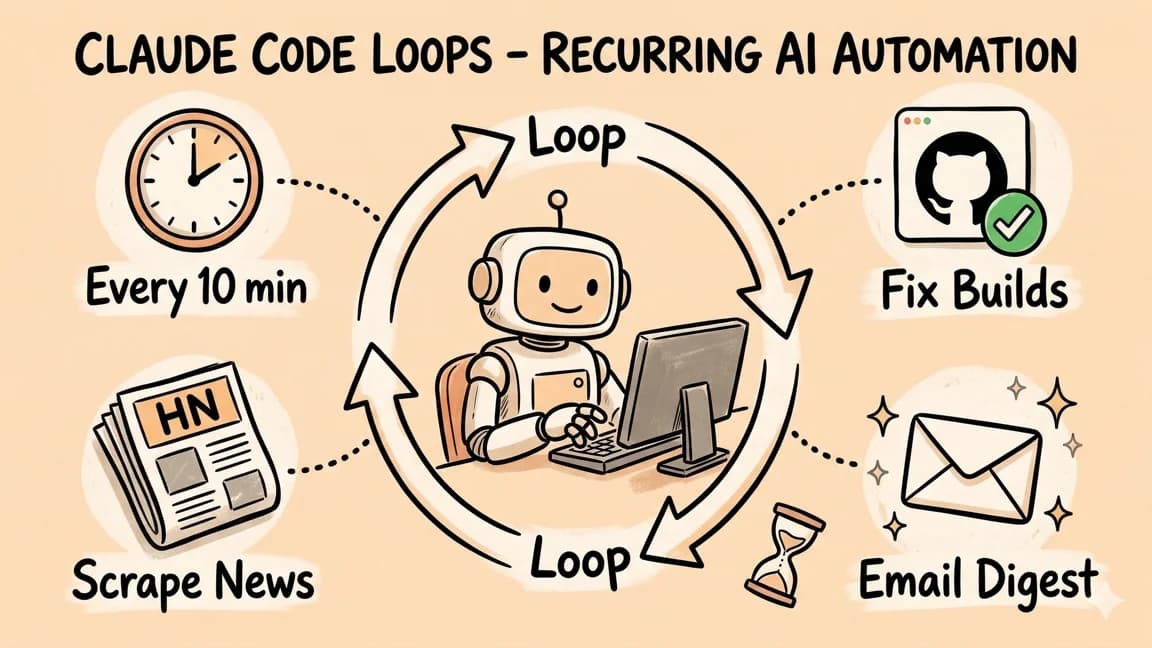
Claude Code Loops: Recurring Prompts That Actually Run
Claude Code now has a native Loop feature for scheduling recurring prompts - from one-minute intervals to three-day wi...

10 min read
MCP
Best MCP Servers in 2026: The Developer Shortlist
A practical ranked list of MCP servers worth installing first for Claude Code, Cursor, Copilot, Codex, and OpenCode: Git...
12 min read
MCP
The Complete Guide to MCP Servers
Everything you need to know about Model Context Protocol - how it works, how to install servers, how to build your own,...

10 min read
AI Agents
How to Build AI Agents in TypeScript
A practical guide to building AI agents with TypeScript using the Vercel AI SDK. Tool use, multi-step reasoning, and rea...
Build with the member tools

Get Smarter About AI Dev
New tutorials, open-source projects, and deep dives on coding agents - delivered weekly.
One email per weekReal code, not theoryFree forever