Claude Code: The Future of Coding?
Claude Code Mastery
20 parts- 1Claude Code: The Future of Coding?Current
- 2What Is Claude Code? The Complete Guide for 2026
- 360 Claude Code Tips and Tricks for Power Users
- 4Claude Code Sub Agents: Parallel AI Development
- 5Claude Code Worktrees: Parallel Development Without the Chaos
- 6Building Multi-Agent Workflows in Claude Code: A Practical Tutorial
- 7The Ralph Loop: Running Claude Code For Hours Autonomously
- 8Self-Improving Skills: Claude Code That Learns From Every Session
- 9Claude Code Usage Limits in 2026: The Practical Playbook for Pro and Max Teams
- 10Progressive Disclosure: How Claude Code Cut Token Usage by 98%
- 11Claude Code + Chrome: AI Agents That Use Your Browser
- 12Interview Mode: Let Claude Code Ask the Questions First
- 13Claude Code: Remote Control, Auto Memory, Plugins & More
- 14Claude Code Hooks Explained
- 15How to Use Claude Code with Next.js
- 16Claude Code Channels: Telegram, Discord, iMessage, and Webhooks
- 17How to Migrate from GitHub Copilot to Claude Code
- 18Building a SaaS with Claude Code: End-to-End Guide
- 19Create Beautiful UI with Claude Code: The Style Guide Method
- 20Claude Code Loops: Recurring Prompts That Actually Run
TL;DR
After 30 days of daily use, Claude Code has become my primary coding tool. It is not trying to be an IDE or a fancy editor. It is a terminal-based AI agent that writes code, runs commands, tests its ...
After 30 days of daily use, Claude Code has become my primary coding tool. It is not trying to be an IDE or a fancy editor with syntax highlighting and file trees. It is a terminal-based AI agent that writes code, runs commands, tests its own output, and iterates until the task is done. That simplicity is exactly what makes it powerful.
Official Sources#
| Source | What to verify |
|---|---|
| Claude Code overview | Product surfaces, core capabilities, and positioning |
| Getting started | Installation commands, system requirements, first session |
| Claude Code memory | CLAUDE.md hierarchy, auto memory, context loading |
| Claude Code settings | Interaction modes, permissions, configuration options |
| Anthropic pricing | Plan tiers, limits, and Opus access |
| Claude model card | Model capabilities and benchmark performance |
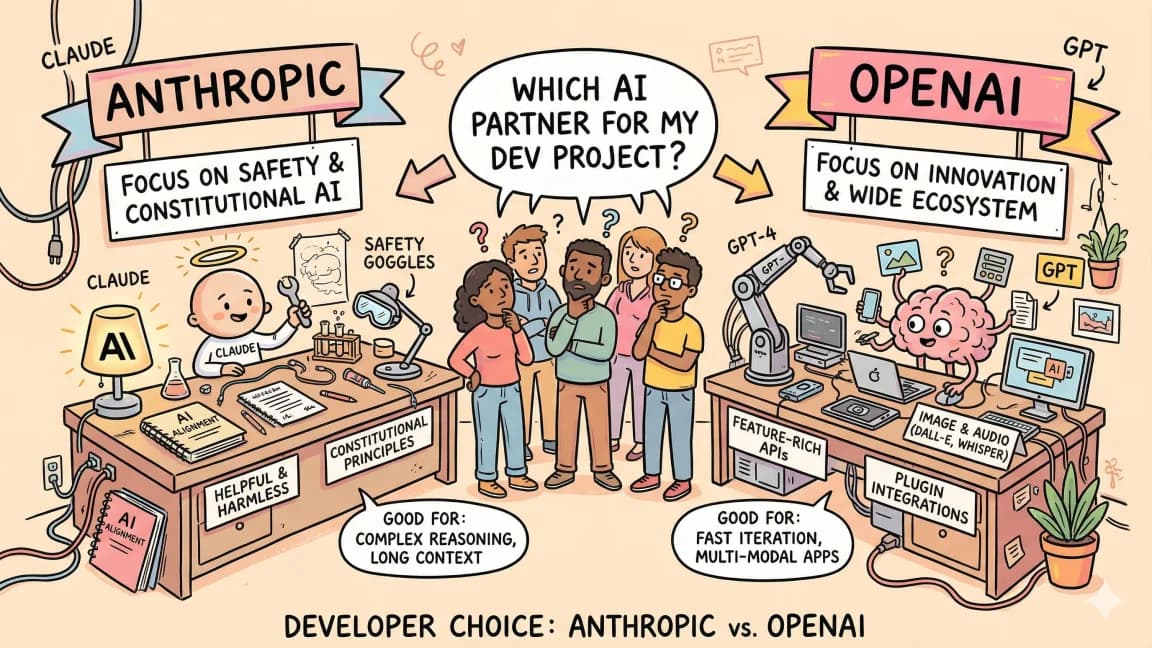
If you have been using Cursor, Windsurf, or GitHub Copilot, Claude Code will feel different. Not better or worse at first glance - just fundamentally different in its approach to AI-assisted development. And after a month of building with it, I think that difference matters more than most people realize.
The Rise of Claude Code#
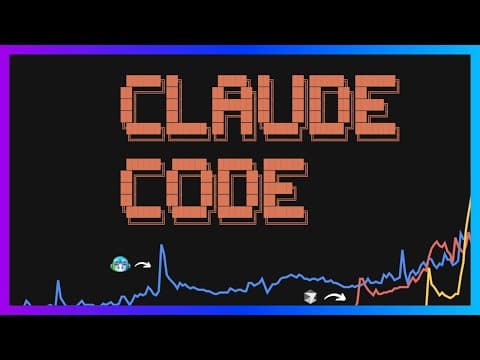
Looking at Google Trends data, the trajectory of AI coding tools follows a clear pattern. GitHub Copilot launched over four years ago but did not gain serious momentum until after ChatGPT demonstrated what large language models could actually do. Once GPT-4 arrived and models became genuinely capable at writing code, adoption accelerated.
For the broader agentic coding map, read Claude Code Agent Teams, Subagents, and MCP: The 2026 Playbook and Why Skills Beat Prompts for Coding Agents in 2026; they connect this article to the surrounding tool and workflow decisions.
Cursor had its breakout moment after announcing their Series A in mid-2024. Social media lit up with creative use cases. The team shipped features like Composer and Cursor Agent that pushed the boundaries of what IDE-integrated AI could accomplish. Today they are a multi-billion dollar company.
Claude Code entered the picture in February 2025, but the real inflection came with the release of Claude 4 - specifically Claude 4 Opus. That model's performance on agentic coding benchmarks like SWE-bench and TerminalBench validated what early users had been observing: Claude Code could sustain focused, autonomous coding sessions far longer than anything else on the market.
Rakuten publicly reported running Claude Code independently for 7 hours with sustained performance. That number sounded implausible at first. But after using it extensively, I have pushed sessions to 15-25 minutes of fully autonomous work without intervention. Given the right instructions and permissions, it just keeps going - writing code, testing, debugging, iterating.
What Anthropic Got Right#
The Terminal-First Form Factor#
Claude Code runs in your terminal. Any terminal. iTerm, the built-in macOS Terminal, a tmux session on a remote Linux box. There is no custom IDE to install, no extensions to configure, no opaque GUI layers between you and the model.
This matters for two reasons. First, the terminal is universal. Every developer already has one. Second, it acknowledges an honest truth about the current moment: we do not know what the ideal UX for AI-assisted coding looks like yet. Rather than betting on a specific interface paradigm, Anthropic built for the lowest common denominator and let the model's capabilities speak for themselves.
The Pricing Model#
Claude Code offers multiple tiers: Pro at $20/month for moderate usage, Max at $100/month with 5x output limits and Opus access, and Max at $200/month with 20x limits for power users. The higher tiers provide substantially better reasoning quality through access to Opus models and remove the usage anxiety that comes with hitting rate limits.
This is the first AI coding tool where I noticed a genuine step function in productivity compared to what I could accomplish with Cursor. That is my benchmark for stickiness with these tools - does it actually let me produce more work with fewer bugs and less manual intervention?
Codebase Navigation#
Claude Code takes a different approach to understanding your codebase compared to IDE-based tools. Instead of semantic chunking and vector embeddings, it relies on the model's ability to write and execute grep commands, regex searches, and file system traversal.
The creator of Claude Code, Boris Cherny, explained this in an interview: by leveraging standard Unix tools like grep and having the model write its own search commands, Claude Code achieves more effective codebase traversal than the embedding-based approaches used by other tools. The model is not searching a pre-indexed database - it is actively exploring your files the way a developer would, deciding what to look at based on what it has already found.
Getting Started#
Installation is a single command. After running it, you choose between using your own API key or logging into your Anthropic account to use the Max plan.
# macOS / Linux (recommended)
curl -fsSL https://claude.ai/install.sh | bash

# Windows (PowerShell)
irm https://claude.ai/install.ps1 | iex

# Homebrew alternative
brew install claude-code
Once installed, navigate to any project directory and run claude. It will ask if you trust the files in the current folder, then drop you into an interactive session.
Claude Code also ships as a desktop application and integrates with VS Code via an extension. But the terminal remains the primary interface - the other form factors are conveniences layered on top.
Note: Claude Code requires a Pro, Max, Team, or Enterprise subscription - the free Anthropic plan does not include Claude Code access.
The Three Modes#
Everything you need to know about operating Claude Code comes down to one keyboard shortcut: Shift+Tab. This cycles through three modes that cover virtually every interaction pattern:
Manual Mode#
Every file change and terminal command requires your explicit approval. Use this for high-stakes modifications - database migrations, production configurations, anything where a wrong move has real consequences. You see exactly what the model proposes before it executes.
Auto Mode#
The model runs freely, making changes and executing commands without asking for permission. This is where Claude Code shines for tasks where you have high confidence in the outcome: building a new component, scaffolding a feature, refactoring a well-tested module. You watch the output stream by and intervene only if something looks wrong.
Plan Mode#
The model thinks through the problem before touching any code. It outlines what it intends to do, identifies potential issues, and presents a structured plan for your review. This mode is particularly effective when the model already has context from earlier in the conversation - it can reason about what it knows and propose a thoughtful sequence of changes.
The practical workflow is fluid: start in manual mode for a new session, switch to auto once you trust the direction, drop into plan mode when approaching a complex problem. You might cycle through all three modes multiple times in a single session.
The Built-In Task List#
When you send a complex, multi-part request, Claude Code automatically generates a to-do list and works through it sequentially. This is not a separate feature you invoke - it is emergent behavior from how the model breaks down compound tasks.
For example, prompting "Create a header, footer, contact page, and blog page in a glassmorphism theme" produces a structured plan. Stress-testing that prompt through our prompt critic first is a cheap way to catch ambiguity before the agent runs with it:
- Create header component
- Create footer component
- Update layout to include header and footer
- Create contact page with form
- Create blog page with post listings
- Apply glassmorphism styling throughout
The model works through each item, creating files, updating imports, and testing along the way. If you run a development server in a separate terminal tab, you can watch the changes appear in real time as each to-do item completes.
This is where Claude Code pulls ahead of tools that require more hand-holding. You describe what you want at a high level, and the model decomposes, plans, and executes - handling the tedious parts (file creation, import management, route configuration) while you focus on whether the output matches your intent.
What Makes It Different#
The distinction between Claude Code and IDE-based tools like Cursor is not about which produces better code on any single prompt. It is about how far the model can get autonomously before requiring human intervention.
With Cursor, you are typically reviewing and approving changes at a granular level. With Claude Code in auto mode, you can describe a feature, step away for a few minutes, and come back to a working implementation. The model creates files, writes routes, builds components, tests them, and iterates on errors - all without stopping to ask for approval.
This capability maps directly to the benchmark results that initially seemed hard to believe. Sustained autonomous performance for extended periods is not just a benchmark curiosity - it translates to a fundamentally different development workflow where the AI handles implementation while you handle architecture and intent.
The Evolution of How We Write Code#
Looking at the history of programming, from punch cards in the 1950s through Fortran, C, JavaScript, TypeScript, and Rust, each generation has moved toward higher levels of abstraction. We went from machine code to human-readable syntax. We went from text editors to IDEs with autocomplete and refactoring tools.
Natural language is the next abstraction layer. The trajectory is unmistakable: more and more code will be generated from natural language descriptions over the coming years. Whether the tool that dominates this space is Claude Code, Cursor, Devin, or something that does not exist yet, the underlying shift is the same.
Similarly, the environments where we write code have evolved from Ed and Vim through Visual Studio, Sublime Text, VS Code, and now into AI-native tools. Claude Code represents one vision of where this is heading - a terminal-native agent that treats the entire development workflow as its domain, not just the text editing portion.
Who Should Use Claude Code#
Claude Code is not for everyone right now. If you prefer visual interfaces, file trees, and integrated debugging panels, Cursor or a similar IDE-based tool will feel more natural. Claude Code rewards developers who are comfortable in the terminal and willing to describe what they want rather than manually writing every line.
The sweet spot is developers working on medium to large projects who want to move faster on implementation while maintaining control over architecture. The three-mode system (manual, auto, plan) provides enough granularity to match your confidence level on any given task.
At $20/month for Pro or $100-200/month for Max tiers, the cost scales with your usage. But if it genuinely lets you produce more output with fewer bugs - and after months of daily use, I believe it does - the ROI calculation is straightforward. For a complete breakdown of plans and what you get at each tier, see the Claude Code pricing guide.
Frequently Asked Questions#
What is Claude Code and how does it differ from Cursor or Copilot?#
Claude Code is a terminal-based AI coding agent developed by Anthropic. Unlike IDE-integrated tools like Cursor or GitHub Copilot that work within your editor, Claude Code runs entirely in your terminal. It does not just suggest code - it actively writes files, runs commands, tests its own output, and iterates until the task is complete. This makes it fundamentally different: you describe what you want at a high level, and the agent handles the implementation autonomously.
How much does Claude Code cost?#
Claude Code offers three pricing tiers. Pro costs $20 per month and provides moderate usage limits. Max at $100 per month includes 5x output limits and access to Claude Opus models. Max at $200 per month provides 20x limits for power users who need extended autonomous sessions. Each tier removes usage anxiety and provides better reasoning quality through access to more capable models.
What are the three modes in Claude Code?#
Claude Code has three interaction modes cycled with Shift+Tab. Manual mode requires explicit approval for every file change and command - use this for high-stakes work. Auto mode lets the model run freely without permission, ideal for building features or refactoring. Plan mode has the model think through the problem and present a structured plan before touching code. Most sessions flow between all three modes based on your confidence level.
Can Claude Code really work autonomously for hours?#
Yes. Rakuten publicly reported running Claude Code independently for 7 hours with sustained performance. Individual sessions commonly reach 15-25 minutes of autonomous work without intervention. The key is providing clear instructions and appropriate permissions. The model creates files, writes routes, builds components, tests them, and iterates on errors without stopping to ask for approval.
Do I need a specific IDE to use Claude Code?#
No. Claude Code runs in any terminal - iTerm, the built-in macOS Terminal, Windows Terminal, or a tmux session on a remote server. There is no IDE to install or configure. It also offers a desktop application and VS Code extension as conveniences, but the terminal remains the primary interface. This universal approach means Claude Code works wherever you already work.
How does Claude Code understand my codebase?#
Instead of using semantic chunking and vector embeddings like IDE-based tools, Claude Code relies on the model's ability to write and execute grep commands, regex searches, and file system traversal. The model actively explores your files the way a developer would, deciding what to look at based on what it has already found. This approach achieves more effective codebase navigation than pre-indexed database searches.
Who should use Claude Code?#
Claude Code is ideal for developers comfortable in the terminal who want to move faster on implementation while maintaining control over architecture. If you prefer visual interfaces, file trees, and integrated debugging panels, IDE-based tools like Cursor may feel more natural. The sweet spot is medium to large projects where you want to describe features at a high level and let the agent handle the implementation details.
How do I install Claude Code?#
Installation is a single command: curl -fsSL https://claude.ai/install.sh | bash (macOS/Linux) or irm https://claude.ai/install.ps1 | iex (Windows PowerShell). Homebrew users can run brew install claude-code. After installing, choose between using your own API key or logging into your Anthropic account to use the Max plan. Navigate to any project directory, run claude, confirm you trust the files, and start prompting. The entire setup takes under a minute. Note that Claude Code requires a Pro, Max, Team, or Enterprise subscription.
Watch the Video#
Get the next deep dive like this in your inbox
One email a week on Claude Code and the rest of the AI dev stack. Free.
Read next on Claude Code
What Is Claude Code? The Complete Guide for 2026
Claude Code is Anthropic's AI coding agent for terminal, IDE, desktop, and browser workflows. Learn what it does, how it works, pricing, setup, MCP, skills, hooks, and subagents.
15 min read60 Claude Code Tips and Tricks for Power Users
The definitive collection of Claude Code tips - sub-agents, hooks, worktrees, MCP, custom agents, keyboard shortcuts, and dozens of hidden features most developers never discover.
25 min readClaude Code Sub Agents: Parallel AI Development
Claude Code subagents let you split coding work across specialized assistants with their own context, tools, and instructions. The trick is using them for bounded work, not theatrical agent swarms.
8 min readTechnical content at the intersection of AI and development. Building with AI agents, Claude Code, and modern dev tools - then showing you exactly how it works.