GitHub Copilot Coding Agent and CLI: Why GitHub Is Back in the Agent Race
TL;DR
GitHub Copilot is moving from autocomplete into asynchronous coding agents, terminal workflows, MCP, skills, and model choice. Here is what changed in 2026.
Official Sources#
| Resource | Link |
|---|---|
| GitHub Copilot Documentation | docs.github.com/copilot |
| Copilot CLI Documentation | docs.github.com - About Copilot CLI |
| Cloud Agent Documentation | docs.github.com - About Copilot Cloud Agent |
| Copilot Pricing | github.com/features/copilot/plans |
| GitHub MCP Server | github.com/github/github-mcp-server |
| Agent Skills Docs | docs.github.com - About Agent Skills |
GitHub Copilot spent years as the default AI coding assistant. Then the market shifted. Cursor made AI-native editing feel normal. Claude Code made terminal agents feel inevitable. Codex pushed asynchronous coding into ChatGPT and desktop workflows.
GitHub's response is now clear: Copilot is becoming an agent platform inside GitHub.
That is a bigger deal than another chat sidebar.
The Coding Agent Changes the Shape#
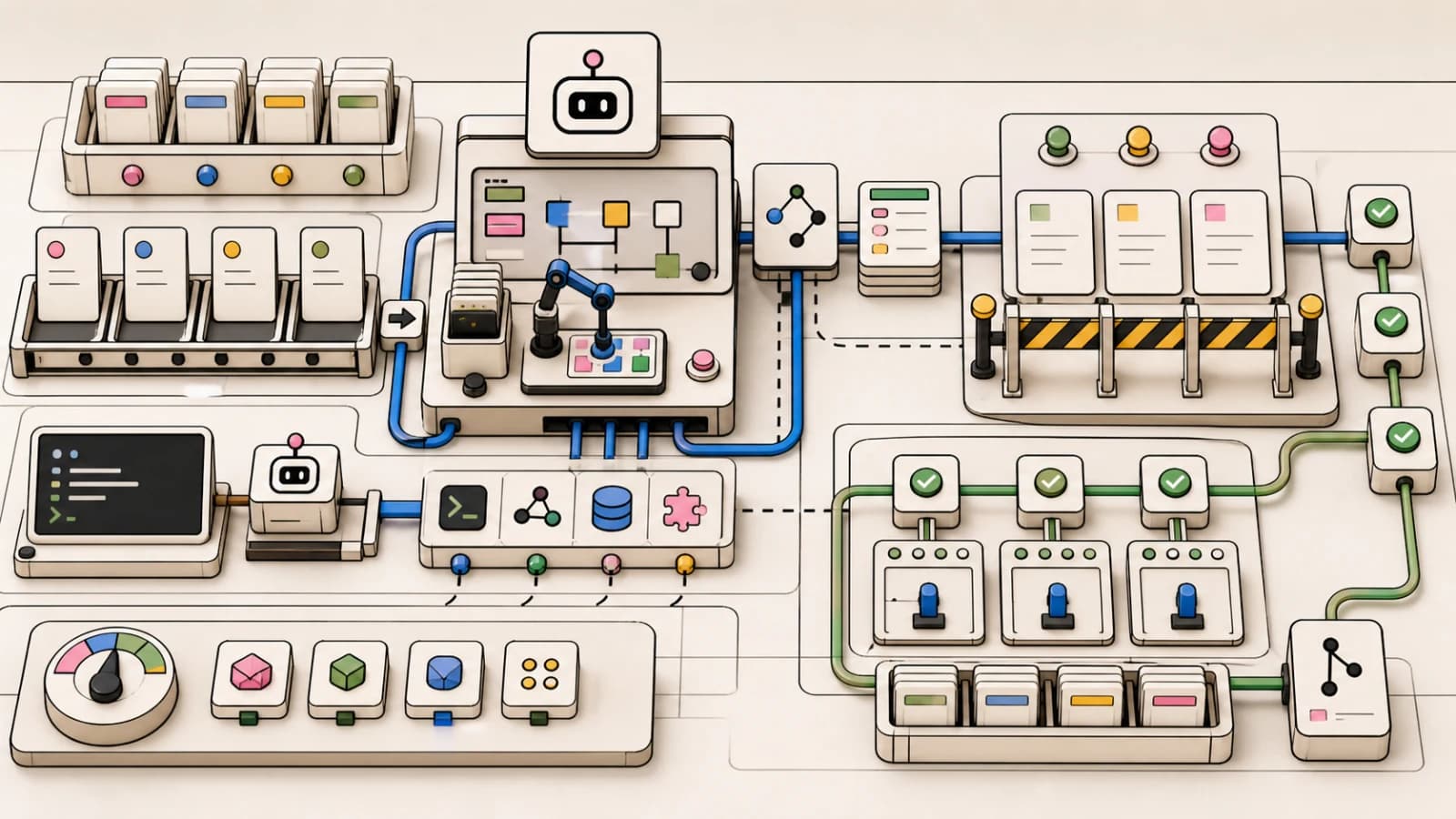
GitHub's coding agent announcement moved Copilot into asynchronous work. Instead of only asking for edits in the IDE, you can assign a GitHub issue to Copilot or start work from Copilot Chat in VS Code. The agent then works in the GitHub flow, pushes commits to a draft pull request, and exposes session logs so developers can review and iterate. GitHub's documentation now calls this feature the Copilot cloud agent.
For the larger agent workflow map, read GitHub Copilot in 2026: Still Worth It for TypeScript Developers? and AI Coding Tools Pricing in Q2 2026: What Actually Changed and Where Costs Surprise Teams; they give the architecture and implementation context this piece assumes.
That is the GitHub-native version of agent delegation.
Claude Code starts from the terminal. Codex starts from an agent workspace. Copilot starts from the issue and pull request workflow.
For teams already living in GitHub, that is powerful. The agent does not need to invent a task surface. Issues, branches, PRs, reviews, Actions, code owners, and permissions already exist.
Copilot CLI Makes the Terminal Strategic#
The second shift is Copilot CLI general availability. GitHub describes it as a terminal-native coding agent that can plan, build, review, remember across sessions, edit files, run tests, and iterate until the job is done.
That is not classic Copilot. That is a direct response to Claude Code, Codex CLI, Gemini CLI, and the broader terminal-agent wave.
The interesting detail is extensibility. Copilot CLI ships with GitHub's MCP server built in, supports custom MCP servers, plugins, and markdown-based agent skills. Skills can work across Copilot coding agent, Copilot CLI, and VS Code.
That gives GitHub a cross-surface agent story:
- Issue to coding agent
- Terminal to Copilot CLI
- Editor to VS Code
- MCP to external tools
- Skills to reusable workflows
This is the shape every serious coding assistant is converging on.
Model Choice Is Becoming Table Stakes#
GitHub is also moving faster on models. The GPT-5.4 Copilot changelog says GPT-5.4 is rolling out in Copilot for Pro, Pro+, Business, and Enterprise users, with improved performance on real-world, agentic, multi-step, tool-dependent coding work.
Copilot CLI also advertises access to models from Anthropic, OpenAI, and Google depending on plan and availability.
That matters because developers no longer want a single hidden model. They want to pick the right model for the task:
- Fast cheap model for small edits
- Strong reasoning model for architecture
- Codex model for long repo work
- Claude model for nuanced refactors
- Gemini model for large-context exploration
The tool layer matters, but model routing is becoming part of the product.
From the archive
Where GitHub Has a Real Advantage#
GitHub's advantage is not that its agent will always be smarter than every other agent. The advantage is that it owns the workflow graph around code.
GitHub already has:
- Issues
- Pull requests
- Reviews
- Actions
- Branch protection
- Code scanning
- Security alerts
- Repository permissions
- Organization policy
- Billing and audit trails
That makes it easier for Copilot to become acceptable inside larger companies. A terminal agent may be better for an individual developer. A GitHub-native agent may be easier for an organization to govern.
This is why the Copilot coding agent matters even if you personally prefer Claude Code or Codex. It makes asynchronous agent work legible to engineering managers, security teams, and platform teams.
Where It Still Needs to Prove Itself#
The risk is quality and cost.
As agents move from autocomplete to long-running tasks, pricing gets harder. A quick prompt and a multi-hour repo task do not cost the provider the same thing. GitHub has already been shifting the Copilot product toward premium requests, AI credits, and model-specific usage controls.
The second risk is review burden. If the agent opens a draft PR that still takes a senior engineer an hour to understand, it did not save enough time. The win condition is not "agent made a PR." The win condition is "agent made a reviewable PR with tests, rationale, and small enough scope."
Teams should evaluate Copilot coding agent on:
- PR size
- Test quality
- Session logs
- Ability to incorporate review feedback
- Respect for repo conventions
- Security posture
- Cost per accepted change
The Competitive Map#
Here is the simple positioning:
| Tool | Best surface |
|---|---|
| Claude Code | Local terminal orchestration |
| OpenAI Codex | Agent workspace and managed coding tasks |
| GitHub Copilot | GitHub-native issue to PR workflow |
| Cursor | AI-native IDE editing |
| Gemini CLI | Free large-context terminal work |
Copilot is not trying to become Cursor. It is trying to make GitHub itself agentic.
Keywords to Watch#
The GitHub search cluster is heating up:
- GitHub Copilot coding agent
- Copilot CLI
- Copilot agent mode
- GitHub coding agent
- Copilot MCP
- Copilot skills
- GPT-5.4 Copilot
- Copilot coding agent vs Claude Code
If you are building content around AI coding in 2026, this cluster deserves its own pillar. GitHub has distribution, enterprise trust, and the pull request workflow. That is enough to keep Copilot in the race even as specialized agents get better.
Frequently Asked Questions#
What is the GitHub Copilot coding agent?#
The GitHub Copilot coding agent is an asynchronous AI developer that works directly within the GitHub workflow. Instead of only assisting with inline completions, you can assign a GitHub issue to Copilot or start agent work from Copilot Chat. The agent then plans, writes code, runs tests, pushes commits to a draft pull request, and exposes session logs for human review. It integrates with GitHub Issues, branch protection, code owners, and Actions - making agent work visible and governable inside existing repository workflows.
How is Copilot CLI different from Claude Code or Codex CLI?#
Copilot CLI is GitHub's terminal-native coding agent that runs locally. Unlike Claude Code (Anthropic's terminal agent) or Codex CLI (OpenAI's agent), Copilot CLI ships with GitHub's MCP server built in and supports GitHub-specific features like native access to issues, PRs, and repository context. The key difference is integration depth: Copilot CLI is optimized for workflows that start and end in GitHub, while Claude Code emphasizes local orchestration and codebase-wide reasoning, and Codex focuses on managed cloud execution and workspace persistence.
Which models does GitHub Copilot support?#
Copilot now supports model choice across OpenAI GPT-5.4, Claude, and Gemini depending on your plan. Pro, Pro+, Business, and Enterprise users get access to GPT-5.4 with improved multi-step agentic coding. Copilot CLI specifically advertises models from Anthropic, OpenAI, and Google. Model routing is becoming part of the product - you can pick fast cheap models for small edits and stronger reasoning models for architecture decisions.
How much does GitHub Copilot cost in 2026?#
GitHub moved Copilot to usage-based billing built around AI credits. As of June 2026, the official plans page lists Free (2,000 completions per month plus limited chat), Pro at $10/month with $15 in monthly AI credits, Pro+ at $39/month with $70 in credits, and a Max tier at $100/month with $200 in credits. Business and Enterprise pricing now runs through sales on the same usage-based credit model rather than a public flat per-seat price. The coding agent and CLI are available on paid plans, and heavier agent workloads draw down AI credits. See the AI coding tools pricing comparison for full cost breakdowns.
Can Copilot coding agent replace human code review?#
No. The coding agent creates draft pull requests with commits, tests, and session logs - but a human still reviews before merge. The win condition is not that the agent made a PR, it is that the agent made a reviewable PR with tests, clear rationale, and small enough scope that senior engineers can approve it quickly. Evaluate the agent on PR size, test quality, respect for repo conventions, and cost per accepted change.
What are Copilot skills and how do they work?#
Copilot skills are markdown-based reusable workflows that extend what the agent can do. Each skill is a folder with a SKILL.md file containing YAML frontmatter and instructions, documented in GitHub's agent skills docs. Skills can define prompts, tool sequences, and expected behaviors. They work across Copilot coding agent, Copilot CLI, and VS Code - giving you a single skill definition that applies everywhere Copilot runs. This is GitHub's answer to Claude Code's CLAUDE.md and skills system. Skills combined with MCP servers let you customize Copilot for your team's specific stack and conventions.
Does GitHub Copilot support MCP servers?#
Yes. Copilot CLI ships with GitHub's official MCP server built in and supports custom MCP servers for external tools. The GitHub MCP server gives the agent native access to issues, pull requests, branches, and repository operations. You can add additional MCP servers for databases, APIs, browsers, or other services - the same servers that work with Claude Code and Cursor. See best MCP servers 2026 for server recommendations.
Is Copilot better for teams than Claude Code?#
For teams already on GitHub Enterprise, Copilot has structural advantages: issues, PRs, reviews, Actions, permissions, audit trails, and security scanning are already built in. A GitHub-native agent is easier for engineering managers and security teams to govern than a terminal agent that runs outside organizational controls. Claude Code may produce better individual output on complex tasks, but Copilot makes agent work legible to the organization. The choice depends on whether you optimize for individual power or organizational visibility.
Read next
GitHub Copilot in 2026: Still Worth It for TypeScript Developers?
Copilot has 77M users but the competition has changed. Here is how it works in 2026, what Copilot Workspace adds, and whether it is still the best choice.
5 min readThe 10 Best AI Coding Tools in 2026
From terminal agents to cloud IDEs - these are the AI coding tools worth using for TypeScript development in 2026.
8 min readAI Coding Tools Pricing Comparison 2026
Complete pricing breakdown for every major AI coding tool. Claude Code, Cursor, Copilot, Windsurf, Codex, Augment, and more. Free tiers, pro plans, hidden costs, and what you actually get for your money.
12 min readShare
Developers Digest
Technical content at the intersection of AI and development. Building with AI agents, Claude Code, and modern dev tools - then showing you exactly how it works.
300+ videos30K+ GitHub stars850+ articles
Related Tools
AI Coding

Jules
Google's asynchronous coding agent. Point it at a GitHub repo, it clones to a cloud VM, plans with Gemini, and opens a p...
View ToolAI CodingAgent

OpenAI Codex
OpenAI's coding agent for terminal, cloud, IDE, GitHub, Slack, and Linear workflows. Reads repos, edits files, runs comm...
View ToolAI Coding328K views

GitHub Copilot
The original AI coding assistant. 77M+ developers. Inline completions in VS Code and JetBrains. Copilot Workspace genera...
View ToolAI CodingOpen source

DeepSeek-TUI
Open-source terminal agent runtime with approval modes, rollback snapshots, MCP servers, LSP diagnostics, and a headless...
View ToolApps from Developers Digest
Developer ToolsIn Progress
Agent Benchmark Lab
Compare AI coding agents on reproducible tasks with scored, shareable runs.
View AppSaaS Products
Overnight Agents
Spec out AI agents, run them overnight, wake up to a verified GitHub repo.
View AppDeveloper Tools
Agent Hub
Every coding agent in one window. Stop alt-tabbing between Claude, Codex, and Cursor.
View AppRelated Guides
Guide
AI Agent Frameworks Compared: LangGraph vs CrewAI vs Mastra vs CopilotKit
Deep comparison of the top AI agent frameworks - LangGraph, CrewAI, Mastra, CopilotKit, AutoGen, and Claude Code.
AI AgentsGuide
gh CLI Integration - Claude Code
Full GitHub CLI support for automated PR and issue workflows.
Claude CodeGuide
Routines (Web) - Claude Code
Managed scheduling on Anthropic infrastructure with API and GitHub triggers.
Claude CodeRelated Videos
GitHub Copilot Spark Launch: New Rival to Cursor + v0? Full Update in 6 Minutes
Learn The Fundamentals Of Becoming An AI Engineer On Scrimba; https://v2.scrimba.com/the-ai-engineer-path-c02v?via=developersdigest Introducing GitHub Spark and Exciting GitHub Copilot Updates!...
Video·
Continue: Incredible Open Source Github Copilot Alternative. Use Groq + Llama-3, Ollama and more
Introducing Continue: The Open Source Alternative to GitHub Copilot for Coding The video introduces 'Continue,' an open source alternative to GitHub Copilot, designed to enhance coding with...
Video·
GitHub Copilot Chat
#Github #GithubCopilot #GitHubCopilotChat #VSCode #ProgrammingWorkflow #CodeProductivity In this video, we dive into GitHub Copilot Chat in VS Code, exploring its powerful capabilities and...
Video·
Related Posts
5 min read
GitHub Copilot
GitHub Copilot in 2026: Still Worth It for TypeScript Developers?
Copilot has 77M users but the competition has changed. Here is how it works in 2026, what Copilot Workspace adds, and wh...

8 min read
AI Coding
The 10 Best AI Coding Tools in 2026
From terminal agents to cloud IDEs - these are the AI coding tools worth using for TypeScript development in 2026.

12 min read
AI Coding
AI Coding Tools Pricing Comparison 2026
Complete pricing breakdown for every major AI coding tool. Claude Code, Cursor, Copilot, Windsurf, Codex, Augment, and m...

10 min read
Claude Code
Claude Code vs Codex vs Cursor vs OpenCode: Which Agent Ships More Code?
Four agents, same tasks. Honest trade-offs from a developer shipping production apps with all of them.
10 min read
AI Coding
State of AI Coding: April 2026
The AI coding market just passed 90% developer adoption. Here's what the data actually says about which tools are winnin...

8 min read
CLI
10 CLI Tools Reshaping AI Development in 2026
From Claude Code to Gladia, the ten CLIs every AI-native developer should know. Install commands, trade-offs, and when t...
Build with the member tools

Get Smarter About AI Dev
New tutorials, open-source projects, and deep dives on coding agents - delivered weekly.
One email per weekReal code, not theoryFree forever