Best MCP Servers in 2026: The Developer Shortlist

TL;DR
A practical ranked list of MCP servers worth installing first for Claude Code, Cursor, Copilot, Codex, and OpenCode: GitHub, Filesystem, Context7, Playwright, Postgres, Sentry, Supabase, Notion, Slack, and more.
Direct answer
Best MCP Servers in 2026: The Developer Shortlist
A practical ranked list of MCP servers worth installing first for Claude Code, Cursor, Copilot, Codex, and OpenCode: GitHub, Filesystem, Context7, Playwright, Postgres, Sentry, Supabase, Notion, Slack, and more.
Best for
Developers comparing real tool tradeoffs before choosing a stack.
Covers
Verdict, tradeoffs, pricing signals, workflow fit, and related alternatives.
Last updated: June 24, 2026
The ecosystem has exploded. There are hundreds of MCP servers available. Most are noise. This list covers the 15 that actually matter - the ones that make Claude Code, Cursor, and other AI coding tools significantly more useful for real development work.
Official Sources#
| Resource | Link |
|---|---|
| Model Context Protocol spec | modelcontextprotocol.io |
| MCP servers repository | GitHub: modelcontextprotocol/servers |
| GitHub MCP Server docs | docs.github.com/copilot/how-tos |
| Playwright MCP docs | playwright.dev/docs/getting-started-mcp |
| Context7 MCP docs | context7.com/docs |
| Sentry MCP | mcp.sentry.dev |
The best MCP servers are not the flashiest ones. They are the servers that give an AI coding agent useful context without turning your laptop, GitHub org, database, browser, and SaaS tools into one giant permission mistake.
Model Context Protocol is now the common plugin layer for tools like Claude Code, Cursor, VS Code Copilot, Claude Desktop, OpenCode, and other agent runtimes. The pitch is simple: configure a server once, and compliant clients can call the same tools through a standard protocol.
The hard part is choosing what to install. There are hundreds of MCP servers. Most are either demos, wrappers around a single API, or useful only for a narrow internal workflow. This shortlist focuses on servers that create durable leverage for developers: repo context, current docs, browser QA, database visibility, production errors, issue tracking, and team knowledge.
For the wider setup path, use this with the complete MCP server guide and the open-source MCP server shortlist.
Google Trends Signal#
Direct Google Trends access is still rate-limited in this automation run, so I am using Trends as a query-framing input rather than a source to cite. The durable search cluster is best MCP servers, MCP server GitHub, Context7 MCP, Playwright MCP, MCP servers Claude Code, MCP servers Cursor, and MCP server security.
That cluster matters because it is decision intent, not curiosity. Developers are no longer asking only what MCP is. They are asking which servers are worth trusting.
Quick Picks#
If you only install three MCP servers, start here:
- GitHub MCP for issues, pull requests, code, and repository workflows.
- Filesystem MCP for controlled local file access.
- Context7 MCP for current documentation and code examples.
If you build full-stack apps, add Playwright, Postgres, Sentry, and Supabase. If your team lives in project tools, add Notion, Slack, and Linear. If you do high-risk experimentation, add E2B or another sandboxed execution option.
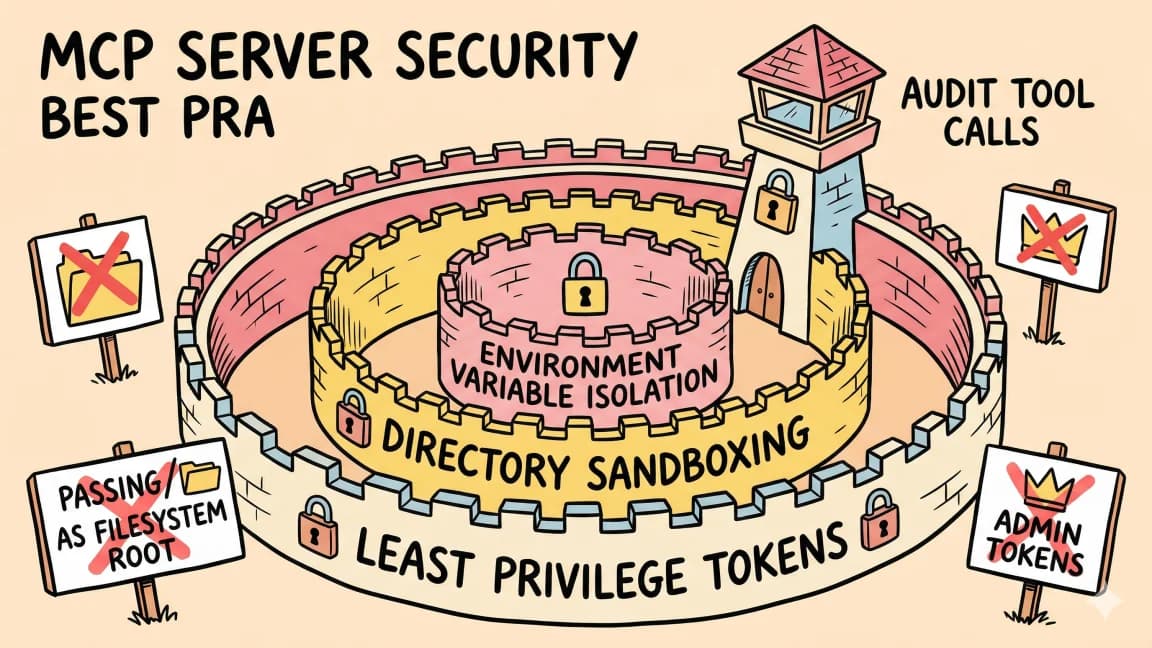
This is also the right place to read agent security before connecting tools. MCP is powerful because it gives agents tools. That is also why it needs least-privilege tokens, scoped folders, read-only database credentials, and a habit of disabling servers you are not using.
Ranking Criteria#
I used five filters for this list:
- Official or well-maintained source surface.
- Clear developer workflow value.
- Works across more than one MCP client.
- Has a meaningful permission boundary.
- Useful enough to stay enabled for repeated work.
This intentionally excludes many interesting servers. A server can be clever and still not belong in a default developer setup.
1. GitHub MCP#
GitHub MCP is the first server most engineering teams should install. GitHub's official MCP server connects agents to repositories, issues, pull requests, code search, workflows, and project activity. GitHub Docs now describe both remote and local setup paths, with the remote GitHub-hosted server recommended for most Visual Studio Code users.
Use it for:
- reading and summarizing pull requests
- creating issues from debugging sessions
- checking CI status before a final answer
- looking up repository files without copying links into chat
- turning investigation notes into a reviewable GitHub artifact
The security rule is simple: do not give an agent your everything token. Use a token or OAuth flow scoped to the repositories and actions it actually needs. For agent PR workflows, pair it with agent PR governance and merge discipline.
2. Filesystem MCP#
Filesystem is the boring server that makes everything else work. The official MCP examples include a Filesystem reference server for secure file operations with configurable access controls.
Use it when the agent needs to read notes, local docs, generated reports, logs, or sibling repos outside the current workspace. Keep the allowed directories tight. Passing your entire home directory is convenient once and dangerous forever.
Good filesystem setup looks like this:
- one repo path
- one docs path
- one scratch/output path
- no secrets folder
- no browser profile folder
- no cloud-drive root
This fits the same pattern as agent workspaces need filesystem contracts. Agents are better when their boundaries are visible in files.
3. Context7 MCP#
Context7 is one of the most practical MCP servers for coding because it attacks the biggest everyday failure mode: stale API knowledge. The server resolves a library and pulls current, version-specific documentation and examples into the agent context.
Use it for:
- framework setup questions
- SDK migration work
- API syntax checks
- version-specific examples
- reducing hallucinated imports and obsolete options
Context7 is especially useful with fast-moving stacks: Next.js, Vercel AI SDK, LangGraph, Prisma, Drizzle, Supabase, Stripe, and new AI SDKs. It pairs well with prompt engineering for coding because it turns "use current docs" from a vague instruction into a real tool call.
From the archive
How to Build Full-Stack TypeScript Apps With AI in 2026
Mar 19, 2026 • 7 min read
60 Claude Code Tips and Tricks for Power Users
Mar 19, 2026 • 25 min read
Claude Code vs Cursor in 2026: Which Should You Use?
Mar 19, 2026 • 5 min read
Claude vs GPT for Coding: Which Model Writes Better TypeScript?
Mar 19, 2026 • 9 min read
4. Playwright MCP#
Microsoft's Playwright MCP server gives agents browser automation through structured accessibility snapshots. That matters because browser QA should not depend on a model staring at screenshots and guessing what changed.
Use it for:
- opening local previews
- clicking real UI flows
- checking forms
- validating responsive behavior
- collecting accessibility-tree evidence
- reproducing a bug from a URL
Playwright MCP is high leverage and high risk. Browser agents can interact with logged-in apps, admin panels, billing flows, and destructive UI controls. Keep it off by default unless the task needs browser control, and use test accounts where possible. For public-site QA, it is one of the best additions to a coding agent loop.
5. Postgres MCP#
Database access is where MCP gets useful fast and risky fast. A Postgres MCP server lets agents inspect schemas, write queries, and explain data behavior without the developer switching into a database client.
Use it for:
- schema discovery
- migration planning
- analytics questions
- debugging production-like data
- validating whether app assumptions match stored data
The default should be read-only credentials pointed at a local database, staging copy, or read replica. If an agent can UPDATE, DELETE, or bypass row-level security, you have crossed from "assistant" into "operator." That may be appropriate for a controlled task, but it should never be the casual default.
6. Sentry MCP#
Sentry's MCP server is explicitly aimed at human-in-the-loop coding agents and debugging workflows. That makes it a strong fit for production bug work: the agent can pull issue context, stack traces, events, and affected releases into the same session where it edits code.
Use it for:
- investigating error spikes
- mapping stack traces to code paths
- finding regressions after deploys
- summarizing production impact
- drafting a fix plan from real events
Sentry context is sensitive. It can include URLs, user IDs, request metadata, and internal error details. Scope access carefully and avoid pasting raw production data into public artifacts.
7. Supabase MCP#
Supabase's official MCP server connects AI tools to Supabase projects for tasks like managing tables, fetching config, querying data, and inspecting project state. It is more specific than a generic Postgres server because Supabase apps often combine database, auth, storage, and edge functions.
Use it for:
- debugging auth setup
- inspecting tables and policies
- checking storage buckets
- reviewing edge function configuration
- understanding how the backend is wired
Treat the service role key like a production root key because it can bypass row-level security. For most agent workflows, a constrained project, staging environment, or read-limited credential is a better default.
8. Notion MCP#
Notion's MCP story has moved toward hosted remote access with OAuth, which is better than copy-pasting long-lived integration tokens into every agent config. The official Notion MCP server gives agents access to pages, databases, and docs in a way that fits planning and implementation workflows.
Use it for:
- reading PRDs
- turning meeting notes into implementation plans
- updating project docs after a shipped change
- checking acceptance criteria before coding
- keeping specs close to the repo workflow
The trick is selective sharing. Do not connect the entire workspace. Share the docs and databases that actually belong to the engineering workflow.
9. Slack MCP#
Slack MCP is useful when the agent needs team context, but it should not become an all-seeing workplace transcript reader. The strongest use case is narrow: summarize a thread, extract action items, draft an update, or pull a decision into an issue.
Use it for:
- release coordination
- incident summaries
- thread-to-ticket conversion
- status updates
- searching a known channel for recent context
Slack is where private business context lives. Keep public writing out of Slack-derived claims unless the user explicitly provides approved material. For internal coding work, prefer channel-level access over workspace-wide access.
10. Linear MCP#
Linear MCP servers are less standardized than GitHub or Sentry, but the workflow is obvious: agents can read issues, create tickets, update statuses, and connect implementation work back to planning.
Use it for:
- turning bug investigations into tickets
- checking acceptance criteria
- updating issue status after a PR
- drafting engineering notes
- linking implementation details back to product work
If your team uses Linear heavily, this is worth installing. If GitHub issues are your source of truth, skip Linear and keep the agent surface smaller.
11. Fetch MCP#
Fetch is the lightweight web-content server in the official MCP examples. It is useful when the agent needs to retrieve a page, API response, changelog, or raw file without full browser automation.
Use it for:
- reading docs pages
- checking JSON endpoints
- pulling changelogs
- grabbing release notes
- validating redirects
Fetch is not a browser and should not be treated like one. If the task needs login state, JavaScript execution, or UI interaction, use Playwright instead.
12. Sequential Thinking MCP#
Sequential Thinking is a reference MCP server for explicit step-by-step reasoning. It is not magic. It will not make a weak model into a senior engineer. But it can help an agent slow down on architectural decisions, debugging paths, migration plans, and ambiguous refactors.
Use it when the agent needs to:
- compare alternatives
- revise a plan
- debug a multi-cause failure
- decompose a large migration
- make tradeoffs explicit before editing files
For coding teams, this is most useful when paired with verification. A written reasoning trace is not a receipt. Tests, diffs, logs, and source links are receipts.
13. E2B MCP#
Sandboxed execution is useful when the agent needs to run risky experiments without touching your local machine. E2B-style cloud sandboxes can run code, install packages, and execute scripts in an isolated environment.
Use it for:
- prototyping unfamiliar packages
- running untrusted examples
- testing snippets
- executing data transforms
- trying shell commands before local use
Do not treat a sandbox as a security cure-all. It still has network access, package installation risk, and data-exfiltration concerns if you pass secrets into it.
Restart Claude Code after changing the config. It discovers servers on startup and logs which tools are available.
14. Git MCP#
Git is easy to underrate because every coding agent already works inside a repo. A dedicated Git MCP server can still be useful for structured history inspection, branch analysis, diff review, and repository metadata.
Use it for:
- reading commit history
- comparing branches
- generating changelog drafts
- explaining a regression window
- reviewing the exact diff before final output
This fits well with permissions, logs, and rollback. Git state is one of the strongest receipts an agent can leave behind.
15. Time MCP#
Time sounds too small to mention, but it prevents a surprising class of bad automation answers. The official MCP examples include a Time server for time and timezone conversion.
Use it for:
- schedule generation
- deployment windows
- incident timelines
- cron explanations
- cross-time-zone team coordination
This is a low-risk server and a good example of what MCP does well: tiny capabilities that make agents less wrong.
What Not to Install by Default#
Do not install every server in a directory. A crowded MCP config makes agents slower, noisier, and harder to audit.
Be especially careful with:
- payment and billing servers
- production database write access
- browser control on logged-in admin sessions
- workspace-wide Slack or Notion access
- servers that ask for broad cloud credentials
- abandoned community servers with no recent maintenance
The best MCP setup is small. Start with two or three servers, then add one only after you can name the job it will do.
Recommended Starter Stacks#
Solo Developer#
Install GitHub, Filesystem, Context7, Fetch, and Playwright. That covers repo work, local context, current docs, lightweight web retrieval, and browser QA.
Full-Stack Team#
Install GitHub, Filesystem, Context7, Playwright, Postgres, Sentry, and your backend provider server if you use Supabase. Keep database credentials read-only by default.
Product Engineering Team#
Install GitHub, Context7, Playwright, Sentry, Notion, Slack, and Linear. Scope team tools tightly so the agent sees the project context, not the entire company.
Agent Infrastructure Team#
Install GitHub, Filesystem, Context7, Playwright, Postgres, Sentry, E2B, Git, and Sequential Thinking. Pair them with explicit permission rules and a verification checklist.
FAQ#
What is the best MCP server to install first?#
GitHub MCP is the best first install for most developers because it connects directly to issues, pull requests, code, and repository workflow. If you mostly work locally, install Filesystem first and scope it to the current repo plus one docs folder.
Are MCP servers safe?#
MCP servers are as safe as the credentials, directories, and permissions you give them. Use least-privilege tokens, read-only database users, scoped folders, test accounts, and project-specific configs. Do not keep high-risk servers enabled when they are not needed.
Do MCP servers work with Claude Code and Cursor?#
Yes, MCP is supported across multiple AI coding clients, including Claude Code, Claude Desktop, Cursor, VS Code Copilot, and other agent tools. Some clients differ in how they configure remote servers, OAuth, approvals, and tool display, so always check the client docs before assuming full parity.
Should I use remote MCP servers or local MCP servers?#
Use remote servers when the vendor provides OAuth, hosted updates, and a clear trust boundary, as with GitHub or Notion. Use local servers when you need local files, local databases, private network access, or custom configuration. The security model is different, so choose per server rather than by ideology.
How many MCP servers should I run?#
Most developers should run three to seven. More than that usually means the agent has too many tools, too much latency, and too many ways to make a mistake. Keep a small default set and enable specialized servers only for the task that needs them.
What is the difference between MCP and function calling?#
Function calling is usually an application-specific interface between one model and one app. MCP is a protocol for exposing tools, resources, and prompts across compatible clients. For a deeper comparison, read MCP vs Function Calling.
Continue Reading#
Sources#
- Model Context Protocol examples
- Model Context Protocol servers repository
- GitHub MCP Server
- GitHub Docs: set up the GitHub MCP server
- Context7 MCP repository
- Context7 MCP client docs
- Playwright MCP docs
- Playwright MCP repository
- Sentry MCP
- Sentry MCP repository
- Supabase MCP repository
- Supabase MCP announcement
- Notion MCP Server
- Linear changelog: MCP server
Read next
What Is MCP (Model Context Protocol)? A TypeScript Developer's Guide
MCP lets AI agents connect to databases, APIs, and tools. Here is what it is and how to use it in your TypeScript projects.
5 min readHow to Use MCP Servers: The Complete Guide
MCP servers connect AI agents to databases, APIs, and tools through a standard protocol. Here is how to configure and use them with Claude Code and Cursor.
11 min readThe Complete Guide to MCP Servers
Everything you need to know about Model Context Protocol - how it works, how to install servers, how to build your own, and the best ones.
12 min readShare
Developers Digest
Technical content at the intersection of AI and development. Building with AI agents, Claude Code, and modern dev tools - then showing you exactly how it works.
300+ videos30K+ GitHub stars850+ articles
Related Tools
AI CodingOpen source

DeepSeek-TUI
Open-source terminal agent runtime with approval modes, rollback snapshots, MCP servers, LSP diagnostics, and a headless...
View ToolMCP Tools

MCP Inspector
Visual testing tool for Model Context Protocol servers. Like Postman for MCP - call tools, browse resources, and view...
View ToolMCP Tools
MCP CLI
Lightweight CLI for discovering and calling MCP servers. Dynamic tool discovery reduces token consumption from 47K to 40...
View ToolMCP Tools
MCP Hub
Centralized manager for MCP servers. Connect once to localhost:37373 and access all your servers through a single endpoi...
View ToolApps from Developers Digest
Developer ToolsPlus $20/mo
MCPaaS Plus
Run any MCP server without running infra. Private endpoints, no DevOps.
View AppDeveloper Tools
Agent Hub
Every coding agent in one window. Stop alt-tabbing between Claude, Codex, and Cursor.
View AppDeveloper ToolsIn Progress
Skill Builder
Turn a one-liner into a working Claude Code skill. From idea to installed in a minute.
View AppRelated Guides
Guide
Claude Code Setup Guide
Configure Claude Code for maximum productivity -- CLAUDE.md, sub-agents, MCP servers, and autonomous workflows.
AI AgentsGuide
Skill Frontmatter - Claude Code
Configure model, effort, tools, MCP servers, and invocation scope.
Claude CodeGuide
Subagent MCP Scoping - Claude Code
Route specific MCP servers only to specific subagents.
Claude CodeRelated Videos
Text-to-MCP Servers with Databutton
Build MCP Servers with Databutton It's been a huge few months for MCP! In this video, I'll show you how to build and deploy MCP servers using Databutton— all with just natural language....
Video·
AI Tools Every Developer Should Know in 2025
Courses: https://links.zerotomastery.io/Courses/DD/Jan25 AI Courses: https://links.zerotomastery.io/AICourses/DD/Jan25 Career Path Quiz: https://links.zerotomastery.io/CPQuiz/DD/Jan25 Prompt...
Video·
Related Posts

5 min read
MCP
What Is MCP (Model Context Protocol)? A TypeScript Developer's Guide
MCP lets AI agents connect to databases, APIs, and tools. Here is what it is and how to use it in your TypeScript projec...
11 min read
MCP
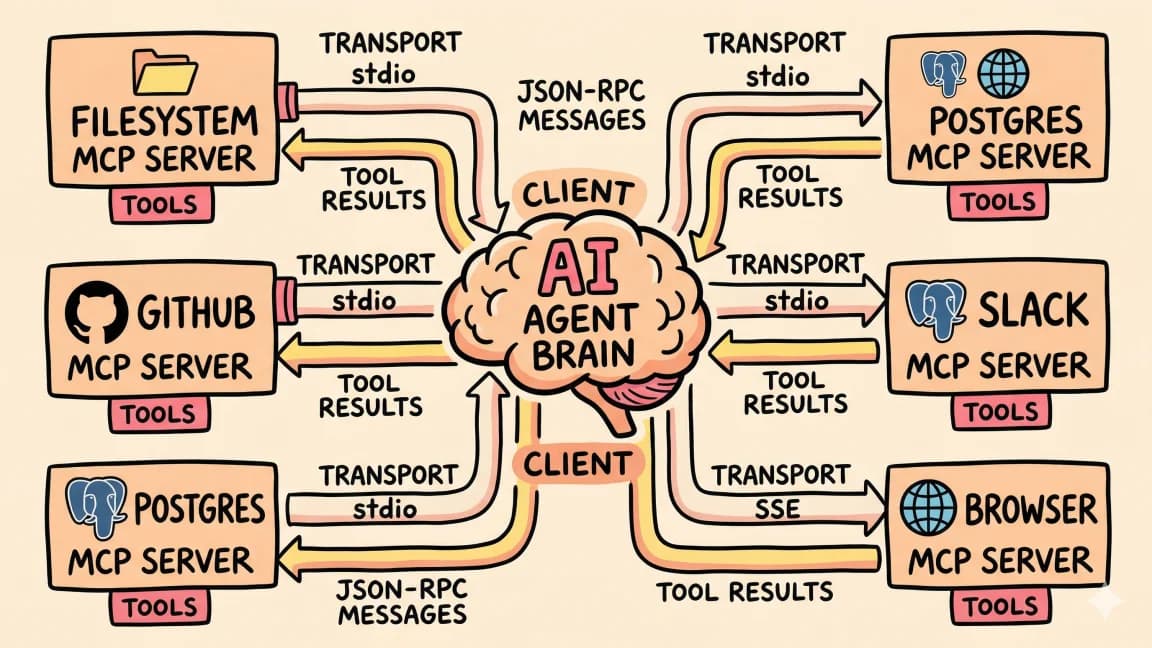
How to Use MCP Servers: The Complete Guide
MCP servers connect AI agents to databases, APIs, and tools through a standard protocol. Here is how to configure and us...
12 min read
MCP
The Complete Guide to MCP Servers
Everything you need to know about Model Context Protocol - how it works, how to install servers, how to build your own,...

12 min read
MCP
Open-Source MCP Servers Worth Installing in 2026
The MCP ecosystem crossed 22,000 servers in early 2026. Most are noise. Here are the open-source servers that have earne...

9 min read
AI Coding
Terminal Agents Are the New Developer Runtime
Terminal agents like Claude Code, Codex CLI, OpenCode, Copilot CLI, and DeepSeek-TUI are converging on the same runtime...
8 min read
AI Security
The Agent Security Checklist I Use Before Connecting Tools
Before an AI agent gets tools, files, APIs, MCP servers, or deployment access, decide what it can read, write, call, log...
Build with the member tools

Get Smarter About AI Dev
New tutorials, open-source projects, and deep dives on coding agents - delivered weekly.
One email per weekReal code, not theoryFree forever