Every AI Coding Tool Compared: The 2026 Matrix

AI Tools Deep Dive
20 parts- 1Claude Design: Anthropic's Bet That Designers and Developers Want the Same Tool
- 2The 10 Best AI Coding Tools in 2026
- 3Cursor: The AI-Powered Code Editor That Changed How Developers Work
- 4OpenAI Codex: Terminal and Cloud AI Coding Agent
- 5Gemini CLI: Free AI Coding With 1M Token Context
- 6Kimi K2: Fast, Cheap, and Efficient Coding
- 7GitHub Copilot in 2026: Still Worth It for TypeScript Developers?
- 8Aider vs Claude Code: Open Source vs Commercial AI Coding CLI
- 9Aider vs Claude Code in 2026: Git-First Open Source vs Subagent Runtime
- 10Every AI Coding Tool Compared: The 2026 MatrixCurrent
- 11Qwen3.6-27B Is the Local Coding Model to Test First
- 12Zed Just Made Parallel AI Agents a Native Editor Primitive
- 13Warp Open Sourced the Terminal. The Real Story Is Agent Operations
- 14AI Design Slop: 16 Patterns That Out Your App as Vibe-Coded
- 15The Claude Design Moment: AI Design Skills Just Got Their Breakout Week
- 16Codeburn: The First TUI That Actually Shows Where Your Claude Max Subscription Is Going
- 17Promptlock: Deterministic Prompt Versioning for LLM Apps
- 18Agent Replays with TraceTrail: Loom for Agent Runs
- 19Hookyard Shows Why Claude Code Hooks Need a Package Manager
- 20MCP Lens: Wireshark for Model Context Protocol Servers
TL;DR
15 AI coding tools across 4 architecture types, compared on pricing, model surface, strengths, weaknesses, and best use cases. The definitive comparison matrix for 2026.
The AI coding tool market in 2026 has more options than ever. Terminal agents, IDE agents, cloud agents, browser IDEs, UI generators, open-source CLIs. Every tool makes different architectural tradeoffs. Every tool is best at something and mediocre at something else.
This is the full comparison matrix. Fifteen tools, evaluated on the same criteria, organized by architecture type. No hype. No "it depends on your workflow" hedging. Concrete strengths, concrete weaknesses, concrete recommendations.
Last updated: October 1, 2026. The lineup, category sections and the model-surface column were restructured on October 1. Plan prices and model lists for the rows carried over from the September 30 edition were re-verified against vendor pages on September 30, and the rows added today carry their own verification dates. Before you buy, confirm current plans and model availability in the official docs and pricing pages below. For cost-first readers, start with /pricing, the AI coding tools pricing comparison, and the AI API pricing tracker.
What Changed on October 1, 2026#
This pass changes the lineup and the comparison shape, not the verified numbers from September 30. Four structural changes:
- Windsurf is folded into Devin. windsurf.com redirects to devin.ai and windsurf.com/pricing resolves to devin.ai/pricing. The editor surface is now Devin Desktop, alongside Devin Cloud and the Devin CLI. One Cognition account covers all three, so the matrix carries one Devin row instead of separate Windsurf and Devin rows.
- Five tools join the matrix: Google Antigravity (IDE, desktop, CLI and extensions), Claude Cowork (Anthropic's non-coding agent on the same Claude plans), Cline (the open-source VS Code agent), AWS Kiro (spec-driven IDE on Bedrock), and Zed (the Rust-native editor with portable agents). All five now have summary rows and full sections.
- "Best Model" becomes "Model surface". Plan pages now expose dozens of models per tool - the GitHub Copilot plans page lists 36 - so a single model cell undersells Copilot, Cursor and Codex. The column now describes the breadth and the billing pools.
- Cline replaces Continue.dev as the open-source IDE row. The two extensions occupy the same niche; Cline carries the larger agent surface today (MCP, terminal execution, multi-file edits, local models). Continue.dev remains a valid option, but it no longer gets equal billing in a 15-tool matrix.
The September 30 data notes stay below for context, followed by the July 28 notes.
What Changed on September 30, 2026#
The tool lineups and pricing pages moved again since the July edition. These are the changes that touch the rows below:
- Anthropic moved its frontier line to a .5 generation. claude.com/pricing now lists Opus 5.5 at $4/$20 per million tokens (fast mode at 2x pricing) and Sonnet 5.5 at $2/$10 as current models, with Fable 5.1 above them at $10/$50. Opus 5, Sonnet 5, and Fable 5 have moved to the legacy list.
- Claude plan pricing is now explicit: Pro at $17/mo billed annually or $20 monthly, Max 5x at $100, Max 20x at $200, Team Standard at $20/seat/mo and Team Premium at $100/seat/mo (annual rates, $25 and $125 monthly).
- Codex runs the GPT-6 family. The Codex pricing page lists GPT-6 Sol, GPT-6 Luna, and GPT-6 Astra, plus GPT-6.1 Sol, across Free, Go ($8/mo), Plus ($20/mo), Pro (from $100/mo), and Business ($20/user/mo annual) plans. GPT-5.5 retires from ChatGPT and Codex on October 14, 2026.
- Cursor's model pool is now Grok plus Composer. The Cursor model and pricing docs list Grok 4.7, Grok 4.6, Grok 4.5, and Composer 2.5 in the Cursor Models pool, with a separate Other Models pool billed at API rates. Plans are Pro $20, Pro Plus $60, Ultra $200, Teams Standard $40, and Teams Premium $120 per user per month.
- GitHub Copilot added Pro+ and Max tiers. Pro is $10, Pro+ $39, Max $100; usage runs on GitHub AI Credits (1 credit = $0.01). The plans page lists Claude Fable 5.1, Opus 5.5, GPT-6.1 Sol, Gemini 3.8 Flash, Grok 4.7, Kimi K3, and more, and gates third-party coding agents (Claude, Codex) to Pro+ and Max.
- Windsurf's site now points at Devin. windsurf.com/pricing redirects to devin.ai/pricing, and the current Cognition lineup is Devin Free ($0), Pro ($20/mo), Max ($200/mo), and Teams at $80/mo plus $40/mo per full dev seat, with SWE-2 as the current model.
- Codex, Copilot, and Cursor all publish per-model usage windows now, so plan-to-plan comparisons hinge on the model you run, not just the sticker price. See each tool's official page linked in the rows below.
- App builder entry prices: v0 Free ($5 monthly credits, 7 messages/day), Plus from $30/user/mo, Business $100/user/mo; Bolt Free, Pro $25/mo, Teams $30/member/mo; Lovable Free, Pro from $25/mo (100 monthly credits), Business from $50/mo; Replit Core $20/mo ($18 billed annually), Pro $100/mo ($90 billed annually).
The July 28 notes stay below for context.
What Changed on July 28, 2026#
The AI coding tool landscape shifted significantly since the June 4 edition of this matrix:
- Claude Opus 5 launched at $5/$25 per million tokens (same as Opus 4.8) with near-Fable-5 intelligence, resetting what "capable" means in Claude Code. Opus 4.6 is now legacy; Opus 5 is the default Max-tier model.
- Claude Sonnet 5 arrived with promotional pricing ($2/$10 per million tokens through Aug 31), making Sonnet 4.6 effectively superseded in the Claude lineup.
- Claude Code 2.1.207+ added auto-mode, letting the agent plan and execute multi-step tasks without per-step approval. Agent teams and sub-agents matured significantly.
- Cursor v3.11 introduced Side Chats - parallel agent conversations without derailing your main session. Cursor pricing restructured to Pro ($20), Pro+ ($60), Ultra ($200).
- Codex surpassed 8 million users and adopted GPT-5.6 Sol/Terra/Luna model family (replacing GPT-5.3). ChatGPT Work launched merging Codex with workspace features.
- Fable 5 went API-only on July 9. Subscription access via Claude.ai tiers was withdrawn. Now available only through API and remaining Max plan access.
- GitHub Copilot added agent mode with session spend limits and AI credit caps. Kimi K2.7 Code now on Copilot Business/Enterprise.
- Windsurf added Max tier at $200/mo, matching Cursor Ultra and Claude Code Max for unlimited usage.
- DeepSeek V4 retired legacy model names (deepseek-chat, deepseek-reasoner) on July 24. All migration deadlines passed.
- Kimi K3 (2.8T MoE, MIT license) launched open weights on Hugging Face at $3/$15 API pricing.
These changes propagate through every row below. See the individual sections for tool-specific updates.
If you only need the shortest decision path:
- Want the three-way coding-agent answer first: read Claude Code vs Cursor vs Codex.
- Want the budget-first answer: read AI coding tools pricing 2026.
- Want the migration-first answer: read Migrating from Cursor to Claude Code.
- Want a live page built around side-by-side comparisons: use /compare and /compare/matrix.
Official Sources#
Verify features and pricing against the vendor documentation:
| Tool | Documentation | Pricing |
|---|---|---|
| Claude Code | code.claude.com/docs | claude.com/pricing |
| Claude Cowork | claude.com/product/cowork | claude.com/pricing |
| Cursor | docs.cursor.com | cursor.com/pricing |
| Codex | developers.openai.com/codex | developers.openai.com/codex/pricing |
| GitHub Copilot | docs.github.com/copilot | github.com/features/copilot/plans |
| Devin (includes Windsurf) | docs.devin.ai | devin.ai/pricing |
| Google Antigravity | antigravity.google/docs | antigravity.google/pricing |
| Cline | GitHub | VS Code Marketplace (open source) |
| Kiro | kiro.dev/docs | kiro.dev (credit tiers) |
| Zed | zed.dev/docs | zed.dev/pricing |
| Aider | aider.chat | GitHub (open source) |
| v0 | v0.dev/docs | v0.dev/pricing |
| Bolt | support.bolt.new | bolt.new/pricing |
| Lovable | docs.lovable.dev | lovable.dev/pricing |
| Replit | docs.replit.com | replit.com/pricing |
All links verified October 1, 2026. Plan prices and model lists follow the row-level dates in the sections below; Kiro's credit tiers were last verified on kiro.dev on June 11, 2026.
If you want pricing details, see our complete pricing breakdown. If you want the short list, see the 10 best AI coding tools. For a personalized recommendation, the AI coding agent picker takes your stack and habits as input and points you at one tool. This post is the deep comparison for developers who want to understand every option before choosing.
How This Matrix Connects to the Rest of the Site#
This page is the routing layer. If a row raises a decision question, jump to the dedicated piece instead of trying to answer it from the table alone:
| If you are comparing... | Read next |
|---|---|
| Subscription cost and hidden limits | AI coding tools pricing 2026 and pricing comparison |
| Claude Code, Cursor, Codex, and OpenCode | Claude Code vs Codex vs Cursor vs OpenCode |
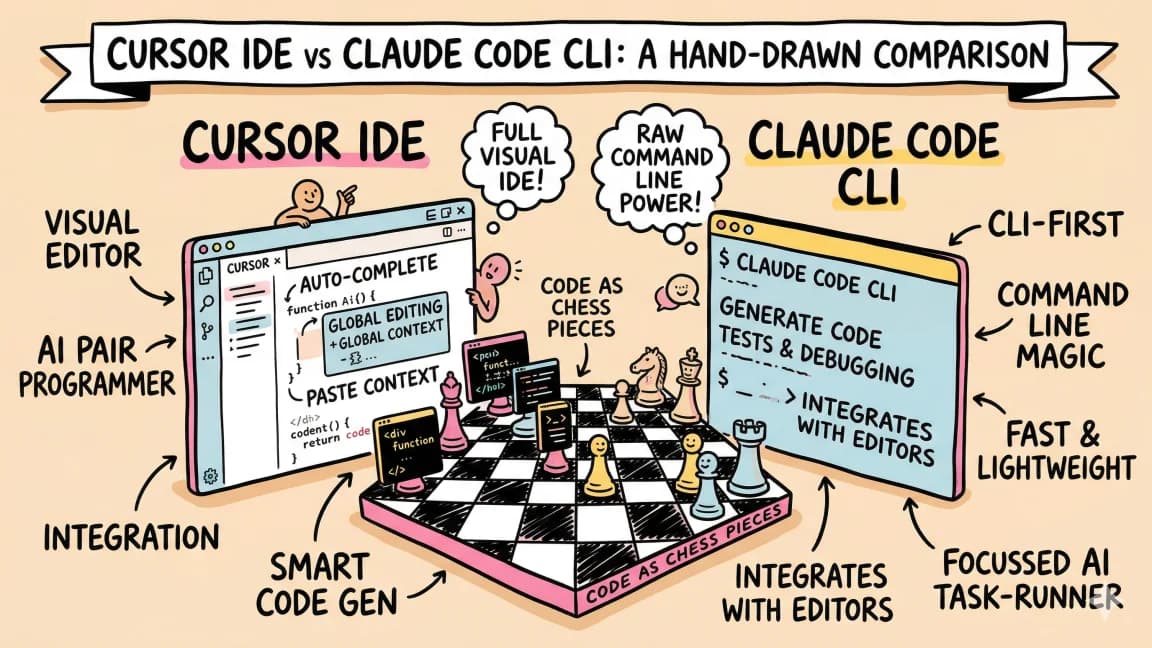
| Terminal agent vs IDE agent | Claude Code vs Cursor |
| OpenAI cloud agent vs Anthropic local loop | Codex vs Claude Code |
| Google Antigravity, Claude Code, and Codex | Antigravity CLI vs Claude Code vs Codex |
| Claude Cowork vs Claude Code | Cowork vs Claude Code and Cowork explained |
| The former Windsurf editor vs Cursor | Cursor vs Devin Desktop |
| Open-source agents and local models | What is Cline and Aider vs Claude Code |
| MCP and tool ecosystems | Complete MCP server guide and best MCP servers |
| Skills, memory, and reusable workflows | Why skills beat prompts |
The official docs still matter for final checks. Tool plans and model access move quickly, so pair the DevDigest analysis with the vendor pages before buying: Cursor pricing, OpenAI Codex plan docs, and Claude Code docs.
The Summary Matrix#
| Tool | Architecture | Pricing (individual) | Model surface | Context | Key Strength | Best For |
|---|---|---|---|---|---|---|
| Claude Code | Terminal agent | $17-200/mo | Claude only: Opus 5.5, Sonnet 5.5, Fable 5.1 | Full codebase | Reasoning + autonomy | Complex refactors, full-stack dev |
| Aider | Open-source CLI | Free (BYOK) | Any provider or local model | Repo map | Model flexibility | Budget-conscious, privacy-first |
| Cursor | IDE agent | $20-200/mo | Composer 2.5 and Grok 4.5-4.7 first-party, plus a separate pool for Claude, GPT-6 and Gemini | Open files + index | Speed + visual diffs | Rapid iteration, UI work |
| GitHub Copilot | IDE plugin | $10-100/mo | 36 models across Claude, GPT-6, Gemini, Grok and Kimi | Open files + repo | Ecosystem integration | GitHub-native teams |
| Google Antigravity | Agent-first IDE, desktop and CLI | Free; AI Pro $19.99/mo, Ultra from $99.99/mo | Gemini 3.1-3.8 plus Claude 4.6 and GPT-OSS-120b | Project-wide, multi-agent | Free multi-agent tier | Trying multi-agent work with no subscription |
| Cline | Open-source IDE extension | Free (BYOK) | Any provider or local model via Ollama | Open files + workspace | Open source + MCP | Teams that want control |
| Kiro | Spec-driven IDE | Free (50 credits); Pro $20/mo | Bedrock routing: Claude Sonnet 4.5 and Opus 4.8, Amazon Nova | Project + specs | Spec-first workflow | AWS shops, audit-friendly delivery |
| Zed | Editor with agents | Free; Zed Pro $10/mo | Bring your own agent through ACP, or Zed-hosted models | Open files + project | Agent portability | Developers who rotate agents |
| Codex | Cloud agent | Free-$500/mo | GPT-6 Sol, Luna and Astra, plus GPT-6.1 Sol | Full repo clone | Sandboxed execution | Async tasks, CI integration |
| Devin (Cognition, includes Windsurf) | Cloud, desktop and CLI | Free; Pro $20/mo, Max $200/mo | SWE-2 plus frontier models from OpenAI, Anthropic and Google | Full repo clone | Full autonomy across surfaces | Delegation-heavy workflows |
| Claude Cowork | Cloud agent (knowledge work) | Included in paid Claude plans from $17/mo | Claude only: Opus 5.5 and Sonnet 5.5 | Connected files + connectors | Non-code delegation | Docs, decks and research inside Claude |
| v0 | UI generator | From $30/user/mo | v0 Mini, Pro, Max and Max Fast | Component scope | UI generation speed | Prototyping UI components |
| Bolt | Browser IDE | $25/mo | Multiple, agent-selected | Project scope | Zero setup | Quick prototypes, learning |
| Lovable | App builder | $25/mo | Multiple | App scope | Non-dev friendly | MVPs, landing pages |
| Replit | Browser IDE + agent | $18-100/mo | Replit Agent | Project scope | Full stack in browser | Browser-only development |
Now the details on every tool.
Terminal Agents#
Terminal agents run in your shell, read your filesystem directly, and execute commands with the same access you have. No editor. No GUI. They operate autonomously on your entire codebase. If the category still feels fuzzy, the AI coding agent explainer separates terminal, IDE, cloud, app-builder, and managed-agent patterns before you pick a tool.
Claude Code (Anthropic)#
Architecture: Terminal-native agent. Runs in your shell. Reads all files, runs all commands, edits directly. No intermediary.
Model: Claude Opus 5.5 (Max tier, $4/$20 per million tokens on the API) or Sonnet 5.5 (Pro tier, $2/$10). Fable 5.1 sits above both at $10/$50. Opus 5, Sonnet 5, and Fable 5 are now listed as legacy models. On Pro, Fable runs on usage credits; on Max it is capped at 50% of weekly limits. Check the latest SWE-Bench Verified leaderboard before using any exact benchmark number.
Pricing: Pro at $17/mo billed annually ($20 monthly). Max at $100/mo (5x usage) or $200/mo (20x usage). Team Standard at $20/seat/mo and Team Premium at $100/seat/mo on annual billing ($25 and $125 monthly). Enterprise at $20/seat/mo plus usage at API rates. No free tier: Claude Code requires a paid plan or a Console account.
Key strengths:
The reasoning quality on complex tasks is unmatched. When a refactor touches 50 files and requires understanding type relationships across your entire codebase, Claude Code handles it where other tools produce broken diffs.
The sub-agent architecture lets you spawn parallel workers. One agent refactors the API, another writes tests, a third updates documentation. They run concurrently without stepping on each other.
The skills system is unique. Plain markdown files that teach Claude Code your workflows and conventions. They compound over time. Browse available skills at skills.developersdigest.tech.
MCP server support means Claude Code connects to databases, APIs, browsers, and any external tool through a standard protocol. The complete MCP guide covers the ecosystem.
Memory persists across sessions through CLAUDE.md files and the built-in memory system. The agent learns your codebase conventions and remembers them tomorrow.
Key weaknesses:
No visual diff review. You see results after the agent finishes, not during each edit. This requires trust in the output and a willingness to review diffs with standard git tools.
No inline completions. Claude Code does not suggest code as you type. It is a task-oriented agent, not a typing assistant.
Expensive at the Max tier. $200/mo is justified if you run it daily, but that is a real cost for hobby projects.
Best for: Full-stack TypeScript development, large refactors, autonomous multi-file edits, CI/CD integration, developers who prefer terminal workflows. For a head-to-head breakdown, see Claude Code vs Cursor vs Codex.
Aider (Open Source)#
Architecture: Open-source CLI. Runs in your terminal. Model-agnostic, so you bring your own API key for any provider.
Model: Any model you choose. Claude, GPT, Gemini, DeepSeek, Llama, Qwen, local models via Ollama. You pick the model, Aider handles the integration.
Pricing: Free. You pay only for the API calls to whatever model provider you use. A heavy day of coding with Claude Sonnet via API might cost $5-15.
Key strengths:
Model flexibility is the core differentiator. Swap models mid-session. Use a cheap model for simple edits and an expensive one for complex reasoning. Use local models for privacy-sensitive codebases. No vendor lock-in.
Git-first workflow. Every edit is a git commit with a descriptive message. Roll back any AI change with git undo. Your history stays clean and auditable without any extra effort.
The repo map system is smart about context. It builds a tree-sitter-based map of your codebase and includes only the relevant files in context. Token usage stays low even on large repos.
Active open-source community. New features and model integrations ship fast. If a new model drops, Aider usually supports it within days.
Key weaknesses:
No sub-agents, no parallel execution, no skills system. It is a single-agent tool. Complex multi-step workflows require manual orchestration.
No MCP support. You cannot connect Aider to databases, APIs, or external tools through a standard protocol.
Setup requires more configuration than commercial tools. You need API keys, model selection, and sometimes prompt tuning to get optimal results from your chosen model.
Reasoning quality depends entirely on the model you choose. Aider with Claude Opus is excellent. Aider with a budget model will produce budget results.
Best for: Budget-conscious developers, privacy-first teams running local models, open-source contributors who want transparency, developers who want model flexibility. See our Aider vs Claude Code deep dive.
IDE Agents#
IDE agents live inside your editor. They provide inline completions, visual diffs, chat panels, and multi-file editing. The feedback loop is tight and visual.
Cursor (Anysphere)#
Architecture: VS Code fork with AI built into every interaction. Inline completions, chat panel, and Composer for multi-file agent edits. Version 3.11 introduced Side Chats for parallel agent conversations. For the standalone Cursor overview, see what Cursor AI code editor is.
Model: Composer 2.5 in the Cursor Models pool, alongside Grok 4.7, Grok 4.6, and Grok 4.5. The separate Other Models pool adds third-party frontier models, including Claude Opus 5.5 and Fable 5.1, the GPT-5.6 family, and Gemini 3.8 Flash. The first-party models are optimized for code editing speed; third-party models bill at API rates.
Pricing: Hobby free. Pro at $20/mo. Pro Plus at $60/mo. Ultra at $200/mo. Teams Standard at $40/user/mo and Teams Premium at $120/user/mo. The Start plan (India only) is 649 rupees/mo and covers the Cursor Models pool only. Pro and above include two usage pools: Cursor Models and Other Models.
Key strengths:
The fastest feedback loop in AI coding. Select code, describe what you want, see inline diffs in real time. Accept or reject changes per hunk. The visual diff review lets you approve the 90% that is correct and fix the 10% that is not.
Composer 2.5 handles multi-file edits at speeds that feel instantaneous. When you need to rename an interface across 30 files, Composer shows you every diff simultaneously.
Cursor Rules define project conventions that persist across sessions. Combined with the context-aware index that understands your full project structure, it handles incremental edits on existing code better than any other tool.
The $20/mo Pro plan is the best single-tool value in AI coding. You get completions, chat, agent mode, and multi-file editing for the price of a lunch.
Key weaknesses:
Complex reasoning falls behind Claude Code on hard problems. When a task requires deep architectural understanding across a large codebase, Cursor's speed advantage disappears and the reasoning gap shows.
Editor-first. The CLI (agent) and cloud agents now exist, but the primary loop is still inside the editor, and the headless workflow is less mature than Claude Code's or Codex's native CLIs. For terminal-native automation, pair Cursor with one of those.
VS Code lock-in. If you use Neovim, JetBrains, or another editor, Cursor is not an option.
Best for: Rapid prototyping, UI iteration, incremental edits, developers who want visual feedback on every change. The Cursor vs Claude Code comparison covers the tradeoffs in detail.
GitHub Copilot (Microsoft/GitHub)#
Architecture: IDE plugin for VS Code, JetBrains, Neovim, and more. Inline completions, chat panel, and agent mode with terminal access.
Model: Multi-model. The plans page lists Claude Fable 5.1, Sonnet 5.5, Haiku 4.5, and Opus 5.5; OpenAI GPT-6 Sol, Luna, and Astra plus GPT-6.1 Sol; Google Gemini 3.5 through 3.8 Flash; xAI Grok 4.5 through 4.7; and Kimi K2.7 Code and K3. Free and Student plans use auto model selection only.
Pricing: Free (2,000 completions/mo and 50 chat requests). Pro at $10/mo, Pro+ at $39/mo, Max at $100/mo. Business at $19/seat/mo, Enterprise at $39/seat/mo. Usage runs on GitHub AI Credits (1 credit = $0.01): Pro includes 1,500/month total (1,000 base plus 500 flex), Pro+ 7,000, Max 20,000, Business 1,900 per user, Enterprise 3,900 per user. Code completions stay unlimited on paid plans.
Key strengths:
Ecosystem integration is unmatched. Copilot sees your GitHub issues, pull requests, CI results, and code review comments. When you reference a GitHub issue in a prompt, it pulls the full context automatically. No other tool has this level of platform integration.
Works in every major editor. VS Code, JetBrains IDEs, Neovim, Xcode. You do not have to switch editors to use it.
The $10/mo Pro plan ties Zed Pro as the cheapest paid tier on this list. For developers who want solid inline completions without heavy agent usage, it is the most affordable choice.
Third-party agents are built in at the top tiers. Pro+ and Max can delegate tasks to Claude by Anthropic and OpenAI Codex in preview, inside the same GitHub workflow.
IP indemnity at the Business tier protects companies against copyright claims on AI-generated code. This alone makes it the default for legal-conscious enterprises.
Agent mode (added in mid-2026) now supports multi-step autonomous execution with terminal access, narrowing the gap with Cursor and Claude Code on agent capabilities.
Key weaknesses:
Agent capabilities still trail Cursor and Claude Code on complex reasoning. The agent mode is functional for well-scoped tasks but less reliable for architectural decisions.
Model choice drives credit burn. A frontier model session on many files costs far more credits than a quick question to a lightweight model, and once the monthly allowance is spent you either wait for the reset, buy additional credits, or drop to a cheaper model. Third-party agents are gated to Pro+ and Max.
The free tier limits are tight enough to be frustrating. You get a taste, but daily development burns through 2,000 completions quickly.
Best for: Teams already on GitHub, enterprises that need IP indemnity, developers who want AI in JetBrains or Neovim, anyone looking for solid completions at $10/mo. Read the full GitHub Copilot guide.
Google Antigravity (Google)#
Architecture: Google's agentic development family ships as five surfaces: the Antigravity IDE, the agent-first Antigravity 2.0 desktop app, the agy CLI (the successor to Gemini CLI), extensions for VS Code, Visual Studio, JetBrains, Zed and Xcode, and a Python SDK. Agents run in local mode or in an isolated Git worktree, and multi-agent work lives in 2.0.
Model: Gemini 3.8 Flash, Gemini 3.7 Flash, Gemini 3.6 Flash, Gemini 3.1 Pro, Claude Sonnet 4.6 (thinking), Claude Opus 4.6 (thinking), and GPT-OSS-120b. Nano Banana 2 powers the built-in image tool for UI mockups and diagrams. Enterprise sign-in is Gemini-only.
Pricing: Free individual tier with basic weekly rate limits. Google AI Pro at $19.99/mo raises the limits and refreshes them every five hours, and Google AI Ultra from $99.99/mo adds the highest limits. Organizations run through Gemini Enterprise or a Google Cloud project on consumption pricing. There is no bring-your-own-key or bring-your-own-endpoint option.
Key strengths:
The free tier is the cheapest way to run a multi-agent workflow in 2026. Nothing else on this list gives you agent swarms without a subscription.
Multi-surface. The same account covers the IDE, the desktop app, the CLI, and extensions in editors you already use, so you are not locked into Google's editor.
Custom Agents are Markdown-defined specialists with scoped skills and command policies, and Remote Control drives sessions on another machine from a browser. Slash commands like /goal, /grill-me and /schedule cover long autonomous runs, pre-flight questions, and recurring work.
Key weaknesses:
Google does not publish request counts. The limits are described qualitatively and are correlated with how much work the agent does, so heavy users should plan around the quota rather than assume it.
No BYOK. You cannot plug in your own API key or endpoint for extra capacity.
The third-party models lag the frontier: Claude 4.6 and GPT-OSS-120b, not Claude 5.5 or GPT-6. Enterprise access is Gemini-only.
Best for: Developers who want to try agentic coding without a subscription, Google ecosystem teams, and anyone who wants one account across IDE, desktop and terminal. Read the full Google Antigravity guide and the Antigravity CLI comparison.
Cline (Open Source)#
Architecture: Open-source VS Code extension under the Apache 2.0 license. It adds agentic editing to the stock editor: multi-file changes, terminal command execution, iterative error recovery, and MCP server support. No fork, no bundled subscription.
Model: Fully bring-your-own-key. Claude, OpenAI, Gemini, Azure OpenAI and other providers, or local models through Ollama. Local models cost nothing after hardware and keep code on your machine.
Pricing: Free. Costs are whatever your model provider charges - a heavy month of Claude Sonnet work through the API runs roughly $20-50, and local models are free.
Key strengths:
Model freedom. You choose the model per task and switch providers without changing tools.
MCP extensibility opens databases, APIs, browsers and custom tools to the agent.
Privacy. With Ollama or another local backend, code never leaves your machine.
Open source. The Apache 2.0 license means you can audit and modify the extension.
Key weaknesses:
No bundled subscription means no negotiated rates, no included usage, and no built-in cost dashboard - you track API spend yourself.
The agent workflow is less polished than Cursor or Copilot, and setup takes longer because you configure providers and keys.
Support is community-driven: GitHub issues and Discord rather than a vendor support tier.
Best for: Developers who want the open-source path with model choice, privacy-sensitive teams, and VS Code users who do not want to switch editors. Read what Cline is.
Kiro (AWS)#
Architecture: Spec-driven IDE built on Amazon Bedrock. You write requirements in EARS notation, a design, and an implementation plan before the agent touches code. Agent hooks run work at defined points, and MCP is supported natively.
Model: Bedrock routing across Claude Sonnet 4.5 on the free tier, Claude Opus 4.8 on premium tiers, and Amazon Nova for high-throughput generation. Auto mode balances frontier models with caching for cost. Opus 4.6 and later are exclusive to Kiro after May 29, 2026 and are not available on Amazon Q Developer.
Pricing: Free at $0 with 50 credits/month (Claude Sonnet 4.5 and open-weight models). Pro at $20/mo (1,000 credits), Pro+ at $40 (2,000), Pro Max at $100 (5,000), and Power at $200 (10,000), with pay-per-use overage. Prices were last verified on kiro.dev on June 11, 2026; confirm current tiers before buying.
Key strengths:
The spec-first workflow is the differentiator. Requirements, design and plan are written and reviewable before code changes, which gives teams a documented trail.
Per-prompt credit visibility shows what each task costs as you work.
Native MCP and model routing on Bedrock, so it fits existing AWS billing and governance.
Key weaknesses:
Credit consumption has been unpredictable for some developers, and overage bills at pay-per-use rates.
It is AWS-centric. Outside AWS shops the ecosystem, integrations and community are smaller than the VS Code-based tools.
Prices move. The June 2026 verification may be stale by the time you read this.
Best for: AWS shops, teams that want specs and audit trails before code changes, and developers migrating off Amazon Q Developer before its April 30, 2027 end of support. Read the Kiro developer guide.
Zed (Zed Industries)#
Architecture: Rust-native editor with agents as a first-class feature rather than a bolt-on. A Threads sidebar runs parallel agent sessions in one window, each with its own scoped access, worktree isolation and model selection. Permission modes range from Ask (confirm every action) to Bypass for trusted work.
Model: Bring your own agent. Zed implements the Agent Client Protocol (ACP), so Claude Code, Codex and Gemini CLI run inside the editor on your existing subscriptions, and you can mix agents per thread. An optional Zed Pro plan adds Zed-hosted models.
Pricing: The editor is free and open source under the GPL. Zed Pro is $10/mo and adds hosted AI models plus unlimited edit predictions. External agents bill through whatever subscription or API key you already have.
Key strengths:
Agent portability. When a new model or agent lands, you open a new thread instead of switching editors. ACP keeps the keyboard shortcuts and project context the same across agents.
Parallel agents are native, not an extension. Claude can hold a long-context refactor while Codex takes a bugfix and a local Ollama model runs a throwaway experiment in the same window.
Speed. GPU-accelerated rendering and a Rust core make it the fastest editor on this list.
Key weaknesses:
You still pay for the underlying agents or models separately; Zed is the surface, not the subscription.
The extension ecosystem is smaller than VS Code's, so some tooling and themes do not exist yet.
It is not a VS Code fork, so there is a learning curve if you are switching from Cursor or Copilot.
Best for: Developers who rotate between Claude Code, Codex and other agents, performance-first editor users, and anyone who wants agent choice decoupled from editor choice. Read Zed: the open-source agentic IDE and parallel agents in Zed.
Cloud Agents#
Cloud agents run in remote sandboxes. You assign a task, the agent clones your repo into a container, works through the problem, and delivers results. Your local machine stays clean. The security tradeoff is different from local CLIs, so pair this section with the Codex cloud security playbook if you are evaluating it for a team.
Codex (OpenAI)#
Architecture: Cloud-hosted agent. Runs in a sandboxed container. Clones your repo, works autonomously, delivers PRs.
Model: GPT-6 Sol, GPT-6 Luna, and GPT-6 Astra depending on plan and usage tier, plus GPT-6.1 Sol. The GPT-6 family is current; GPT-5.6 Sol remains available at promotional rates through at least November 21, 2026, and GPT-5.5 retires from ChatGPT and Codex on October 14, 2026.
Pricing: Included in ChatGPT plans: Free ($0), Go ($8/mo), Plus ($20/mo), and Pro (from $100/mo, with tiers at $100, $200, or $500). Business is $20/user/mo billed annually ($25 monthly); Enterprise and Edu are custom. API-key use bills at API rates. Local message estimates per five-hour window are published per model, for example 15-150 for GPT-6 Sol on Plus.
Key strengths:
The sandbox model means zero risk to your local environment. The agent cannot corrupt your working directory or run destructive commands on your machine. Every task runs in isolation.
GitHub integration is tight. Codex reads your issues, understands your CI pipeline, and delivers pull requests that fit your review workflow. Assign it a GitHub issue and come back to a ready PR.
The CLI (codex exec) brings the same capabilities to your terminal. It reads your local project, reasons about changes, and executes them. For developers who want terminal-native access, the CLI is competitive with Claude Code on straightforward tasks.
GPT-6 Sol handles code well, especially for TypeScript and Python. The GPT-6 family replaced the GPT-5.x line across Codex, and GPT-6.1 Sol is the newest Sol-class model on the platform.
Key weaknesses:
Startup latency. Spinning up a container, cloning the repo, and installing dependencies adds overhead. Quick edits feel heavy compared to local agents. The value proposition is better for longer tasks where setup cost is amortized.
Network-isolated during execution. The agent cannot fetch live documentation or hit external APIs while coding. If a task requires accessing a database or third-party API, the sandbox model breaks down.
The reasoning quality on complex architectural tasks trails Claude Opus 5.5. GPT-6 Sol is strong but not the leader on hard problems, especially those requiring deep multi-step reasoning. See the Claude model comparison for the current lineup context.
Best for: Async task delegation, CI/CD integration, developers who want sandboxed execution, teams already in the OpenAI ecosystem. Read the full Codex guide.
Devin (Cognition, including Windsurf)#
Architecture: Cognition's lineup now spans three surfaces on one account: Devin Cloud (the original cloud-hosted autonomous agent with its own browser, terminal and editor), Devin Desktop (the former Windsurf editor, after windsurf.com began redirecting to devin.ai), and the Devin CLI. Cloud tasks run in a sandbox; the desktop surface runs an editor-based agent loop locally.
Model: SWE-2, Cognition's current model, plus frontier models from OpenAI, Claude, Gemini and other providers on Pro and above. Cognition does not publish the full orchestration stack behind the agent.
Pricing: Free ($0), Pro ($20/mo), Max ($200/mo), and Teams at $80/mo plus $40/mo per full dev seat (up to 200 users). Extra usage is purchased at API pricing. Enterprise is custom.
Key strengths:
One account, three surfaces. Devin Desktop keeps the editor-based workflow that Windsurf users had, and the same plan extends into the cloud agent and the CLI.
The most autonomous tool on this list. Devin operates like a junior developer with its own workstation: a browser, a terminal and an editor. You assign a task and Devin works through it end-to-end.
Good for delegating well-scoped, standalone tasks. "Set up a Stripe integration according to these docs" or "migrate this Express API to Hono" are tasks Devin handles without intervention.
The session replay is useful. You can watch what Devin did step by step: which pages it browsed, which commands it ran, which files it edited. Full transparency on the agent's decision process.
Key weaknesses:
The Windsurf-to-Devin transition is still settling, so plan names, model names and docs can lag behind. Verify current details at devin.ai/pricing before buying.
Team seats are priced per developer. Teams costs $80/mo plus $40/mo per full dev seat, and extra usage beyond quota bills at API pricing, so heavy fleets should model both the seat count and the overflow.
Model selection is limited relative to BYOK tools, and quality is inconsistent on complex tasks. Devin works well with clear specifications and established patterns; it struggles with ambiguous requirements and novel architectures.
Slow iteration. Because the core agent runs in the cloud, the feedback loop for corrections is longer than local tools. For the editor-side comparison, read Cursor vs Devin Desktop.
Best for: Teams with repetitive, well-scoped tasks to delegate, organizations testing autonomous agent workflows, and developers who want an AI IDE plus a cloud agent on one Cognition account. See the Windsurf vs Cursor comparison for the historical tradeoffs.
Claude Cowork (Anthropic)#
Architecture: Claude Cowork is Anthropic's agent for non-coding knowledge work, and it runs on the same account as Claude Code. You describe an outcome, Claude plans it, works across the files and connectors you allow, and hands back a deck, spreadsheet or document. Sessions run in the cloud, so tasks keep going when your laptop is closed, and /schedule handles recurring work. On Pro and Max, Cowork and chat are merging into one Claude, so you ask and Claude decides whether the request is a quick answer or a task.
Model: Claude only: Opus 5.5 and Sonnet 5.5, the same models Claude Code runs. No third-party models.
Pricing: No separate price and no free tier. Cowork is included in every paid Claude plan: Pro at $17/mo billed annually ($20 monthly), Max at $100 or $200, Team, and Enterprise.
Key strengths:
It delegates the work around the code: docs, decks, spreadsheets, research and recurring reports, with connectors to your files and a built-in browser for web tasks.
It shares the plan you already pay for if you use Claude Code, so the marginal cost of adding it is zero.
Manual, Auto and Skip permission modes let you tune how much review each action gets, and cloud sessions remove the "keep the app open" constraint from the launch version.
Key weaknesses:
It is not a coding tool. There is no repo-level agent loop, diff review, or test-running workflow like Claude Code's, so it does not replace a coding agent.
Multi-step tasks draw heavily on the plan's shared usage pool, and Auto mode consumes more because every action gets a safety review, so heavy Cowork use competes with coding usage.
No free tier. You need a paid Claude plan to use it at all.
Best for: Developers who also produce docs, decks and research, and want those delegated on the same Claude plan as their coding agent. Read Cowork explained and Cowork vs Claude Code.
Browser-Based Tools#
Browser tools require no local setup. Everything runs in the cloud. Open a browser tab and start building.
v0 (Vercel)#
Architecture: Browser-based UI generation tool. Describe a component, get production-ready React code.
Model: Four v0 models with published token rates: Mini ($0.20/$1.20 per million tokens), Pro ($2/$10), Max ($5/$25), and Max Fast ($10/$50).
Pricing: Free ($5 monthly credits, 7 messages/day). Plus from $30/user/mo, Business $100/user/mo, Enterprise custom. Credits are shared across a team and additional credits can be purchased.
Key strengths:
The fastest path from idea to UI component. Describe what you want in natural language, and v0 generates a complete React component with Tailwind CSS, proper accessibility attributes, and responsive behavior. The output quality on UI tasks is remarkably good.
Excellent for rapid prototyping. When you need to show a stakeholder what a feature will look like before investing in full implementation, v0 produces polished mockups in seconds.
The generated code is clean and usable. Unlike some generation tools that produce code you immediately want to rewrite, v0 output often slots directly into a production codebase.
Key weaknesses:
UI generation only. v0 does not handle backend logic, API routes, database schemas, or anything beyond the presentation layer. It is a component generator, not a full development tool.
Limited customization of the generation process. You describe what you want and accept (or regenerate) the result. There is no way to guide the agent through intermediate steps or constrain its approach.
Credits expire and pricing is opaque. It is hard to predict monthly costs when you do not know how many generations a project will need.
Best for: Rapid UI prototyping, generating component starting points, visual ideation. Not a replacement for a coding agent.
Bolt (StackBlitz)#
Architecture: Browser-based IDE with AI agent. Full development environment running in WebContainers.
Model: Multiple models available. The agent uses whichever model handles the current task type best.
Pricing: Free (300K tokens/day, 1M/month), Pro at $25/mo (10M tokens/month), Teams at $30/member/mo, Enterprise custom. Yearly billing discounts up to 28%.
Key strengths:
Zero local setup. Open a browser tab and you have a full development environment with a terminal, file explorer, and live preview. WebContainers run Node.js directly in the browser with surprising performance.
Good for quick prototypes and proof of concepts. When you want to build something fast without configuring a local dev environment, Bolt removes all the friction.
The agent handles full-stack tasks within the browser environment. Create a Next.js app, add API routes, wire up a database, deploy to a URL. The entire workflow happens without leaving the browser tab.
Key weaknesses:
Browser-based performance has limits. Large projects, heavy builds, and complex dependency trees slow down. The experience degrades on projects beyond a certain scale.
Not viable for production codebases. The browser environment cannot replicate the tooling, integrations, and workflows of a real development setup. It is a prototyping tool, not a daily driver.
Limited model quality compared to Claude Code, Cursor, or Codex. The AI capabilities are functional but not frontier.
Best for: Quick prototypes, learning and experimentation, building demos without local setup. See also Lovable for a similar approach with different tradeoffs.
Lovable#
Architecture: Browser-based app builder. Natural language to full application, with a visual editor for refinement.
Model: Multiple models. Optimized for app-level generation rather than component-level.
Pricing: Free (5 daily build credits capped at 30/month, plus a 20-credit monthly Cloud grant). Pro from $25/mo (100 monthly credits), Business from $50/mo, Enterprise custom. Plans are priced by credits, not seats, and top-ups are available on Pro and Business.
Key strengths:
The most accessible tool for non-developers. If you can describe what you want in plain language, Lovable builds it. Landing pages, forms, dashboards, CRUD apps. The output is surprisingly complete for the level of input required.
Visual editing lets you refine the generated application without writing code. Click on elements, change properties, adjust layouts. The experience is closer to Figma than to VS Code.
Fast time-to-deployed-app. Lovable handles deployment, so you go from description to live URL in minutes. For MVPs and landing pages, the speed is unmatched.
Key weaknesses:
The generated code is optimized for speed, not maintainability. If you plan to take the code into a real codebase and evolve it, expect significant refactoring.
Limited control over architecture and implementation details. You get what the model decides. Custom state management, specific library choices, or unusual patterns are hard to enforce.
Ceiling is low. Lovable builds simple apps well. Complex applications with real business logic, authentication flows, or multi-service architectures outgrow it quickly.
Best for: MVPs, landing pages, internal tools, non-developers who need to ship something. Not for production applications with complex requirements.
Replit#
Architecture: Browser-based IDE with Replit Agent. Full development, hosting, and deployment in one platform.
Model: Replit Agent (proprietary). Optimized for in-browser development workflows.
Pricing: Core at $20/mo ($18 billed annually), Pro at $100/mo ($90 billed annually), Enterprise custom. Plans include credit toward the most powerful models ($20 on Core, $100 on Pro).
Key strengths:
The most complete browser-based development platform. Editor, terminal, package management, hosting, deployment, and collaboration all in one tab. No local setup, no Vercel config, no separate hosting provider.
Replit Agent handles full-stack development tasks within the platform. It reads your project, makes changes, runs the app, and iterates on errors. The tight integration between agent and platform means the feedback loop is fast.
Collaborative by default. Share a link and someone else can see and edit your project in real time. For pair programming and team projects, the friction is near zero.
Good for learning. The combination of instant feedback, zero setup, and AI assistance makes Replit the easiest way for someone new to programming to build something that works.
Key weaknesses:
Performance ceiling on real projects. Browser-based development works for small to medium projects. Large TypeScript codebases with heavy build processes push the limits of what runs smoothly in a browser.
Vendor lock-in. Projects built on Replit run on Replit. Exporting and running locally works but is not seamless. The deployment infrastructure is proprietary.
The agent quality does not match dedicated tools. Replit Agent is competent but trails Claude Code, Cursor, and Codex on complex coding tasks.
Best for: Learning, collaborative projects, browser-only development, quick prototypes that need hosting included.
Architecture Comparison: Which Type Fits Your Workflow?#
The tool choice matters less than the architecture choice. Once you know which type of tool fits how you work, the specific tool selection narrows fast.
Terminal Agents (Claude Code, Aider)#
Choose if: You work in the terminal already. You want maximum autonomy. You need CI/CD integration. You run complex tasks that take minutes or hours. You work on large codebases where full-context reasoning matters.
Skip if: You want visual diffs. You prefer IDE-based workflows. You want inline completions as you type.
IDE Agents (Cursor, Copilot, Antigravity, Cline, Kiro, Zed)#
Choose if: You want visual feedback on every change. You iterate rapidly on UI components. You prefer accepting or rejecting individual changes. You want inline completions alongside agent capabilities.
Skip if: You need headless execution. You run agents in CI/CD. You prefer terminal workflows. Your tasks are complex enough that reasoning quality matters more than iteration speed.
Cloud Agents (Codex, Devin, Cowork)#
Choose if: You want to delegate tasks and review results asynchronously. You need sandboxed execution. You want PR-based delivery that fits your code review workflow. Your tasks are well-scoped and can be described upfront. Cowork extends the same pattern to non-coding work on the Claude plan.
Skip if: You need tight feedback loops. You iterate on requirements as you go. You work on tasks that require local environment access (databases, services, hardware).
Browser Tools (v0, Bolt, Lovable, Replit)#
Choose if: You need zero setup. You are prototyping or learning. You want to go from idea to deployed app as fast as possible. You work on smaller projects.
Skip if: You have a production codebase. You need full control over architecture and tooling. Performance matters. You work on large or complex projects.
The Multi-Tool Reality#
Most developers who have tried multiple tools end up using more than one. The tools are complementary, not competitive, once you understand the architecture boundaries.
A common stack: Claude Code for complex refactors and autonomous tasks. Cursor for rapid UI iteration and inline completions. Codex for async tasks you want to delegate overnight. v0 for prototyping UI components before implementing them properly. Add Cowork on the same Claude plan for the docs and decks around the code.
The agents are becoming interchangeable hardware inside a stable editor, too. Zed runs Claude Code, Codex and local models in parallel threads through the Agent Client Protocol, so the editor survives every model shuffle. See parallel agents in Zed.
The developers getting the most leverage from AI coding tools are not the ones who picked the "best" single tool. They are the ones who matched the right tool to the right task.
For tracing and debugging your AI coding workflows across tools, traces.developersdigest.tech provides visibility into what each agent did, which files it touched, and where it spent tokens. When you run multiple agents, observability becomes essential.
For reusable skills and prompt templates that work across Claude Code and other agents, browse skills.developersdigest.tech. Skills compound over time. The investment in teaching your tools your conventions pays off across every project.
Which Tool Should You Start With?#
If you only try one tool, make it match your existing workflow:
- You live in the terminal: Claude Code
- You live in VS Code: Cursor
- You want free and open source: Aider (CLI) or Cline (IDE extension)
- You want to delegate and review PRs: Codex or Devin
- You are on a tight budget: Copilot ($10/mo), or the free tiers on Antigravity, Devin, Cursor and Kiro
- You rotate between agents: Zed, which runs Claude Code, Codex and local models on your existing subscriptions
- You want zero setup right now: Bolt or Replit (browser)
- You need a quick UI prototype: v0
- You already pay for Claude: add Cowork for docs, decks and research
Then expand. The tools work better together than alone.
Frequently Asked Questions#
What is the best AI coding tool in 2026?#
There is no single best tool. The answer depends on your workflow. Claude Code leads for complex refactors and autonomous multi-file tasks. Cursor leads for rapid iteration and visual diff review. Codex leads for async delegation and PR-based delivery. Devin (Cognition, which now includes what was Windsurf) matches Cursor at $20/month with a free tier. Google Antigravity is the strongest free multi-agent option. Copilot has the widest editor support and the lowest paid tier at $10/month, and Cline is the open-source pick. For most developers, the best approach is using two or three tools that complement each other.
Is Claude Code worth $200 per month?#
For developers who use AI coding daily as their primary workflow, yes. The $200 Max tier provides 20x usage limits and access to Claude Opus 5.5, which delivers frontier-level coding at $4/$20 per million tokens on the API, a fraction of Fable 5.1's $10/$50. Developers who run Claude Code for 4 or more hours daily report that the equivalent API usage would cost $1,000 to $5,000 per month. The fixed subscription is a significant discount for heavy users. For occasional use, the Pro tier ($17/mo annual, $20 monthly) or Cursor at $20/month provides better value.
Can I use AI coding tools for free?#
Yes. Aider and Cline are fully open source and free; you only pay for API calls to your chosen model provider. Zed is a free editor if you bring your own agent subscription or a local model. Google Antigravity's free individual tier runs a multi-agent workflow at no cost under weekly limits, and Devin's free plan includes a light agent quota with unlimited inline edits and tab completions. Cursor's Hobby tier allows limited agent requests, Kiro's free tier includes 50 credits, and GitHub Copilot offers 2,000 completions and 50 chat requests per month. Bolt has a free tier (300K tokens/day, 1M/month) for browser-based development. For zero-cost AI coding, use Aider or Cline with a local model via Ollama for complete privacy and no ongoing costs.
Which AI coding tool is best for beginners?#
Cursor is the easiest starting point because it looks like VS Code and provides visual feedback on every change. You see inline diffs, accept or reject changes per hunk, and iterate quickly. Replit is even easier if you want zero local setup. Open a browser, describe what you want, and the agent builds it. GitHub Copilot is the gentlest integration if you already use VS Code or JetBrains and just want inline completions without a full workflow change.
Should I use Claude Code or Cursor?#
Use both. They serve different needs. Claude Code excels at complex refactors, autonomous multi-file tasks, and CI/CD integration. Cursor excels at rapid iteration, UI work, and visual diff review. The common pattern is to use Cursor for quick edits and UI development, then switch to Claude Code for larger architectural tasks. See the full Claude Code vs Cursor comparison.
What is the difference between terminal agents and IDE agents?#
Terminal agents like Claude Code and Aider run in your shell. They read your entire codebase, execute commands, and work autonomously. You review results after the agent finishes. IDE agents like Cursor and Copilot run inside your editor. They provide inline completions, visual diffs, and chat panels. You review changes as they happen. Terminal agents favor autonomy and scale. IDE agents favor tight feedback loops and visual control.
Can AI coding tools replace developers?#
No. Current tools are multipliers, not replacements. They handle routine implementation, boilerplate, and well-specified tasks effectively. They struggle with ambiguous requirements, novel architectures, and tasks that require deep domain understanding. Senior developers get more leverage from AI tools than junior developers because they know what to ask for and can evaluate the output. The tools make good developers faster. They do not make untrained operators into developers.
Which AI coding tool has the best model?#
Claude Opus 5.5 ($4/$20 per million tokens), available in Claude Code, is the strongest overall option for complex reasoning and coding benchmarks like SWE-Bench Verified, with Fable 5.1 ($10/$50) above it for the hardest problems. GPT-6.1 Sol in Codex performs well on straightforward coding tasks. Cursor's Composer 2.5 is optimized for speed and incremental edits rather than raw capability. Model quality matters most for complex tasks. For simple edits and completions, the model differences are less noticeable than the UI and workflow differences between tools. If breadth matters more than peak quality, Copilot's 36-model surface and Cursor's two usage pools give you more room to match a model to a task.
Continue Reading#
Get the next comparison like this in your inbox
One email a week on AI Coding and the rest of the AI dev stack. Free.
Read next on Cursor
The 10 Best AI Coding Tools in 2026
From terminal agents to cloud IDEs - these are the AI coding tools worth using for TypeScript development in 2026.
8 min readAI Coding Tools Pricing Comparison 2026
AI coding tools pricing, verified September 28, 2026: Claude Code, Codex, Cursor (including Composer 2.5), GitHub Copilot, Google Antigravity, Claude Cowork, Windsurf, and more. Free tiers, pro plans, hidden costs, and what you actually get for your money.
12 min readClaude Code vs Cursor vs Codex: Which Should You Use?
Terminal agent, IDE agent, local-plus-cloud agent. Three architectures compared - how to decide which fits your workflow, or why you should use all three.
8 min readNew here? Start with
Technical content at the intersection of AI and development. Building with AI agents, Claude Code, and modern dev tools - then showing you exactly how it works.