Cursor 2.0 & Composer: The Fastest AI Coding Model

TL;DR
Cursor 2.0 ships Composer, the first in-house Cursor coding model, and a multi-agent interface. How Composer was trained, why it is fast and how it compares.
Last updated: May 2, 2026
May 2026 Update: Cursor has evolved significantly since version 2.0. Version 3.2 (April 2026) introduced Composer 2, async subagents with
/multitask, improved worktrees, and multi-root workspaces for cross-repo changes. The Cursor SDK was also released, letting you build programmatic agents with the same runtime that powers the IDE. Cursor Security Review now offers always-on PR scanning and vulnerability detection. The core concepts in this article remain valid - Composer's speed advantage and agent-first workflow are still the foundation.
Cursor just released version 2.0 with their first in-house AI model called Composer. After researching the official docs and testing it, here's what actually matters.
What Changed#
Composer Model:
- First coding model built by Cursor team
- 4x faster than similarly intelligent models (GPT-4, Claude Opus)
- Completes most tasks in under 30 seconds
- Trained specifically for agentic coding workflows
For model-selection context, compare this with Cursor vs Claude Code in 2026 - Which Should You Use? and Every AI Coding Tool Compared: The 2026 Matrix; the useful question is not only benchmark quality, but where the model fits in a real developer workflow.
New Interface:
- Agent-first design (not file-first)
- Run multiple agents in parallel
- Git worktrees support for isolated agent workspaces
- Built-in browser tool for testing changes
Why Composer is Fast#
Cursor trained Composer with reinforcement learning on real software engineering tasks in large codebases. The model learned to:
- Use codebase-wide semantic search efficiently
- Parallelize tool calls when possible
- Fix linter errors automatically
- Write and execute unit tests
- Minimize unnecessary responses
Technical Details:
- Mixture-of-Experts (MoE) architecture
- Custom MXFP8 training kernels for speed
- Trained on thousands of NVIDIA GPUs
- No post-training quantization needed (trained at low precision)
The Multi-Agent Interface#
The new Cursor 2.0 interface is designed for working with agents, not files.
Key Features:
- Agent Panel - Shows all running agents (In Progress, Ready for Review)
- Parallel Execution - Run multiple agents without conflicts
- Quick Review - Easily review agent changes before merging
- Browser Tool - Agents can test their own changes
How It Works:
- Give agent a task (e.g., "Add mixed precision training")
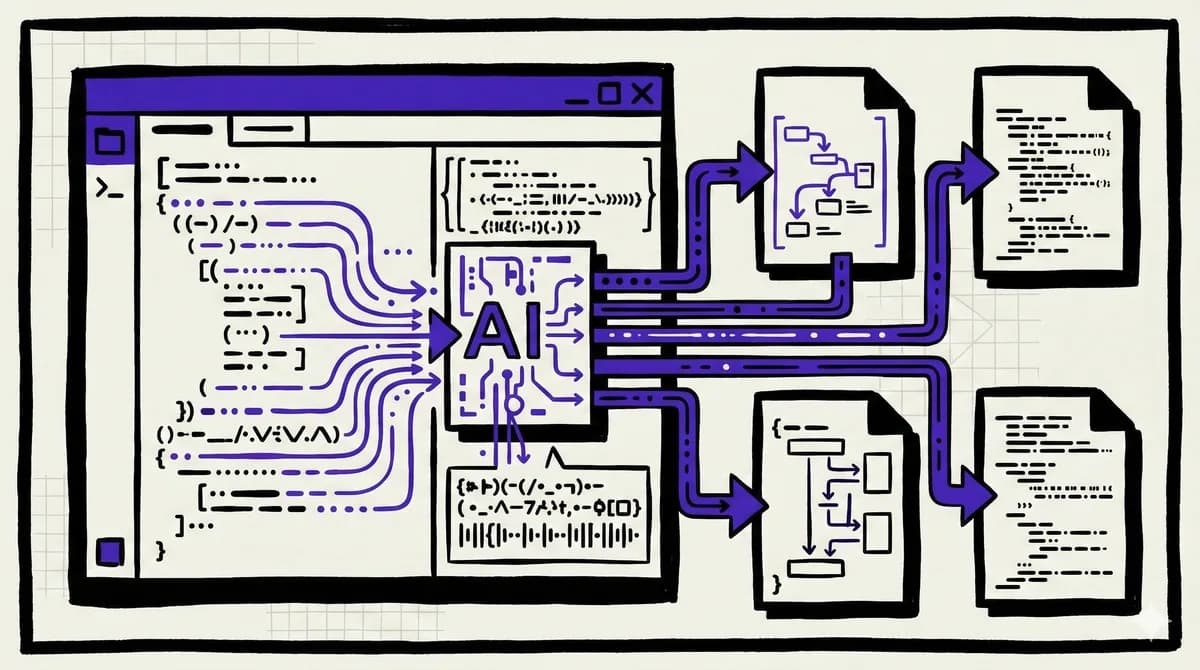
- Agent uses tools (search, edit, terminal)
- Agent iterates until complete
- Review changes in dedicated panel
- Merge or request modifications
Real-World Performance#
Based on Cursor's internal benchmark (Cursor Bench):
Composer vs Other Models:
- Faster than Haiku 4.5, Gemini Flash 2.5
- More accurate than recent open-source models (Qwen Coder, GLM 4.6)
- Approaches frontier model quality at 4x the speed
- Only GPT-5 and Sonnet 4.5 outperform it (but are much slower)
Speed Comparison:
- Most tasks complete in under 30 seconds
- vs 2-5 minutes for GPT-4 or Claude Opus
- Enables truly interactive agentic coding
Tools Composer Uses#
During training, Composer learned to use production Cursor tools:
```typescript // Semantic search across codebase semanticSearch("authentication logic")
// Edit files editFile("src/auth.ts", changes)
// Grep for patterns grep("API_KEY", recursive: true)
// Run terminal commands terminal("npm test") ```
The model was trained to call these efficiently and in parallel when possible.
The Training Process#
Reinforcement Learning Setup:
- Give model a coding task
- Model chooses which tools to call
- Reward based on correctness AND speed
- Model learns to be fast and accurate
Infrastructure:
- Custom PyTorch + Ray training system
- Asynchronous RL at scale
- Hundreds of thousands of concurrent sandboxed environments
- Same infrastructure as Cursor Background Agents
Who's Using It#
Over 50% of Fortune 500 companies use Cursor, including:
What They Say:
"It's official. I hate vibe coding. I love Cursor tab coding." - ThePrimeagen
"The most useful AI tool that I currently pay for, hands down, is Cursor." - shadcn
How to Use Composer#
In Chat/Composer Mode:
- Open Composer (Cmd+I)
- Select "Composer 1" from model dropdown
- Describe your task
- Watch it work through the problem
Agent Mode (New in 2.0):
- Use Agent panel instead of file tree
- Give high-level instructions
- Agent handles implementation details
- Review when ready
Compared to Claude Code / Windsurf#
Cursor 2.0:
- Fastest model (Composer)
- Multi-agent interface
- 30-second completions
- Git worktrees for isolation
- Uses Claude Sonnet 4.5
- More accurate, but slower
- Better for complex reasoning
- Terminal-based
- Agent-native IDE
- Cascade system
- Good for beginners
- More guided approach
The Verdict: If you need speed and can iterate, use Cursor Composer. If you need the absolute best reasoning, use Claude Sonnet 4.5 in Cursor or Claude Code.
Key Takeaways#
Composer Changes the Game:
- First model fast enough for truly interactive AI coding
- You can have a back-and-forth conversation with the model
- Completes simple tasks before you can context-switch
Multi-Agent Interface:
- Work on multiple features simultaneously
- No more waiting for one agent to finish
- Each agent has isolated workspace (git worktrees)
Production Ready:
- Used by Fortune 500 companies
- SOC 2 certified
- Trusted by millions of developers
Should You Switch?#
Use Cursor 2.0 if:
- You want the fastest AI coding experience
- You work on multiple features in parallel
- You prefer an interactive flow
- Speed matters more than perfection
Stick with alternatives if:
- You need the absolute smartest model (use Claude Code)
- You're on a tight budget (use Continue.dev with your own keys)
- You prefer terminal-based tools
Get Started#
Download Cursor 2.0: https://cursor.com/download
The Composer model is available to all Cursor users. Just select it from the model dropdown.
FAQ#
What is Cursor Composer and how is it different from other AI models?#
Composer is Cursor's first in-house AI model, trained specifically for agentic coding workflows. Unlike general-purpose models like GPT-4 or Claude, Composer was trained with reinforcement learning on real software engineering tasks in large codebases. This makes it 4x faster than similarly intelligent models while maintaining high accuracy. It learned to use codebase-wide semantic search, parallelize tool calls, fix linter errors automatically, and minimize unnecessary responses.
Is Cursor Composer free or does it require a paid plan?#
Composer is available to all Cursor users, including those on the free tier. However, free users have limited requests per month. Pro users ($20/month) get significantly more usage, while Business and Enterprise plans offer unlimited requests along with additional features like team collaboration and SSO.
Can I use other models in Cursor besides Composer?#
Yes. Cursor supports multiple models including Claude Sonnet 4.5, GPT-4, and various open-source models. You can select your preferred model from the model dropdown in any chat or composer session. Many developers use Composer for speed-critical tasks and switch to Claude or GPT-4 when they need stronger reasoning on complex problems.
What is the difference between Cursor Chat and Cursor Composer?#
Chat is for asking questions about your code, getting explanations, and having conversations. Composer (accessed via Cmd+I) is for making actual code changes. In Cursor 2.0+, Composer operates in Agent mode by default, meaning it can search your codebase, edit files, run terminal commands, and iterate until the task is complete. Chat is read-only while Composer can modify your project.
How do git worktrees work in Cursor?#
Git worktrees allow multiple agents to work in isolated workspaces without conflicting with each other or your main development environment. Each agent gets its own branch and working directory. When an agent finishes a task, you can review the changes and merge them into your main branch. This enables true parallel development where multiple features can be built simultaneously.
Can Cursor run multiple agents at once?#
Yes. Cursor 2.0 introduced multi-agent support, and version 3.2 added the /multitask command which spawns async subagents to parallelize requests. You can have multiple agents working on different features simultaneously, each in their own worktree. The Agents Window shows all running agents (In Progress, Ready for Review) so you can track their progress.
How does Cursor compare to Claude Code for coding tasks?#
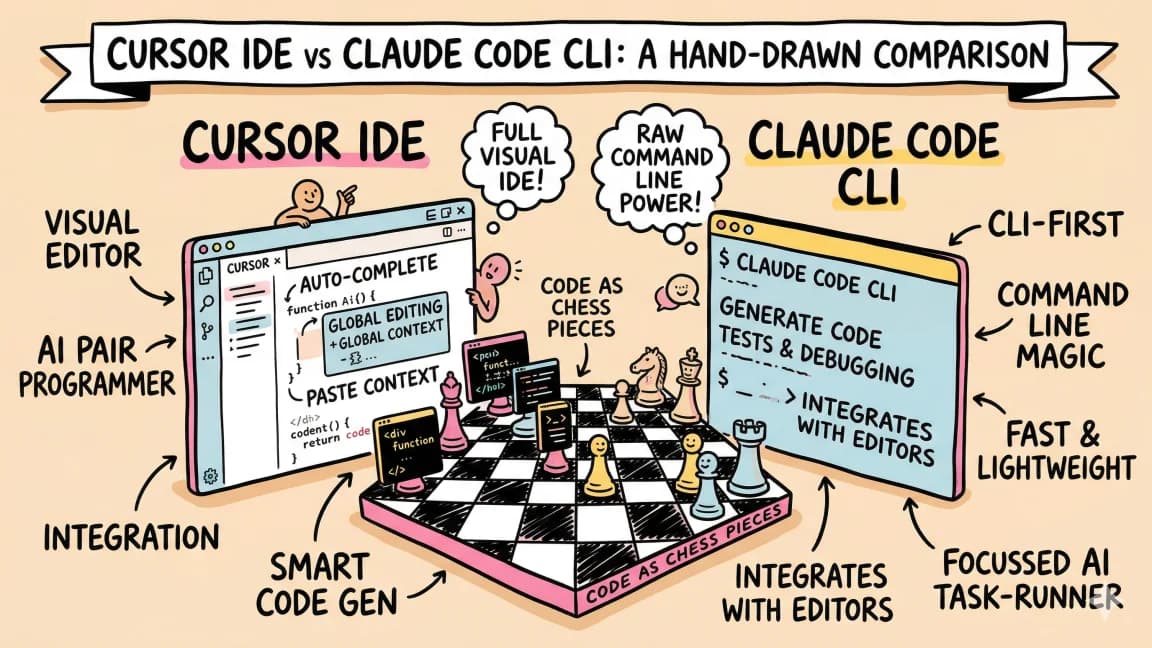
Cursor excels at speed - Composer completes most tasks in under 30 seconds versus 2-5 minutes for Claude Sonnet 4.5. Cursor also provides a full IDE experience with syntax highlighting, git integration, and visual diff review. Claude Code runs in the terminal and offers stronger reasoning on complex problems, plus native MCP server support and autonomous multi-hour workflows. Many developers use both: Cursor for interactive development and Claude Code for complex refactoring or overnight tasks.
What is the Cursor SDK and when should I use it?#
The Cursor SDK (released April 2026) lets you build programmatic agents using the same runtime, harness, and models that power Cursor. Install it with npm install @cursor/sdk and use TypeScript to create agents that can run locally or on Cursor's cloud VMs. Use it when you need to integrate Cursor's capabilities into CI/CD pipelines, build custom automation tools, or create agents for specific workflows that go beyond the IDE interface.
Official Sources#
| Resource | URL |
|---|---|
| Cursor Homepage | cursor.com |
| Cursor Documentation | docs.cursor.com |
| Cursor Changelog | cursor.com/changelog |
| Cursor Pricing | cursor.com/pricing |
| Cursor 2.0 Announcement | cursor.com/blog |
| Composer Model Details | cursor.com/blog |
| Download Cursor | cursor.com/download |
Get the next deep dive like this in your inbox
One email a week on Cursor and the rest of the AI dev stack. Free.
Read next on Cursor
Cursor Composer 2: Everything You Need to Know
Cursor just shipped Composer 2 - a major upgrade to their AI coding assistant. Here is what changed and why it matters.
5 min readWindsurf SWE-1.5 Launches Same Day as Cursor 2.0
On October 29th, both Cursor and Windsurf dropped their first in-house models on the same day. Composer vs SWE-1.5. Here's what the benchmarks actually show.
8 min readClaude Code vs Cursor in 2026: Which Should You Use?
Claude Code vs Cursor in 2026: Claude Code for autonomous terminal-first multi-file work, Cursor for editor-native iteration. Pricing and a decision framework.
11 min readNew here? Start with
Technical content at the intersection of AI and development. Building with AI agents, Claude Code, and modern dev tools - then showing you exactly how it works.