Getting Started with DevDigest CLI
Install the dd CLI and scaffold your first AI-powered app in under a minute: Next.js 16, Convex, Clerk, Autumn, Tailwind v4 and an agent-ready CLAUDE.md.
Last updated: March 8, 2026
Getting Started
Install
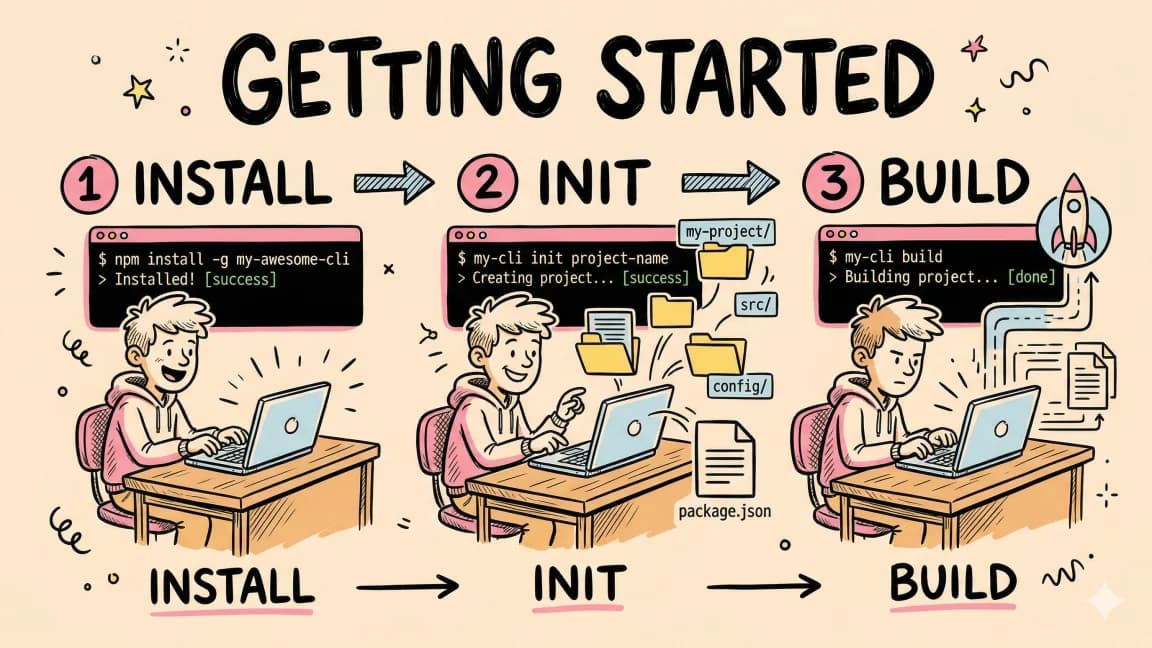
npm install -g devdigest
Create a project
dd init my-app
This scaffolds a complete app with:
- Next.js 16 -- React framework with App Router
- Convex -- Reactive backend with real-time sync
- Clerk -- Authentication (sign-in, sign-up, user management)
- Autumn -- Billing and subscriptions
- Tailwind CSS v4 -- Utility-first styling
- CLAUDE.md -- Agent-friendly project documentation
Next steps
cd my-app
# Add your API keys to .env.local
npx convex dev
npm run dev
Use with AI coding tools
The generated CLAUDE.md file makes your project immediately usable with any AI coding tool:
cd my-app
claude
Cursor: Open the project in Cursor -- it reads CLAUDE.md automatically.
Any MCP-compatible tool:
{
  "mcpServers": {
    "devdigest": {
      "command": "dd",
      "args": ["mcp"]
    }
  }
}
Copy this prompt for your AI agent
You are working on a Next.js 16 project scaffolded with the DevDigest CLI. Read the CLAUDE.md file for full stack details. The project uses Convex for the backend, Clerk for auth, and Autumn for billing. All environment variables are listed in .env.example.
FAQ
How do I install the DevDigest CLI?
Install it globally from npm with npm install -g devdigest, then run dd init my-app to create a project.
What does dd init scaffold?
dd init scaffolds a complete app with Next.js 16 on the App Router, Convex for the reactive backend, Clerk for authentication, Autumn for billing and subscriptions, Tailwind CSS v4 for styling, and a CLAUDE.md file with agent-friendly project documentation.
Can I use a dd project with Claude Code, Cursor or other MCP tools?
Yes. The generated CLAUDE.md makes the project usable with AI coding tools: run claude inside the project for Claude Code, open it in Cursor, or register dd mcp as a server in any MCP-compatible tool's mcpServers config.
Continue Reading
Technical content at the intersection of AI and development. Building with AI agents, Claude Code, and modern dev tools - then showing you exactly how it works.
Was this helpful?
Related Guides
Run AI Models Locally with Ollama and LM Studio
Install Ollama and LM Studio, pull your first model, and run AI locally for coding, chat, and automation - with zero cloud dependency.
Getting Started with Claude Code
Install Claude Code, configure your first project with CLAUDE.md, learn the essential commands and workflows, and start shipping code in under 5 minutes.
Chronicle Research Preview Setup Guide
Set up Codex Chronicle on macOS: enable it, grant Screen Recording and Accessibility access, and understand data storage, privacy, prompt injection and fixes.
Related Tools

Obsidian
Local-first markdown knowledge base with wikilinks. My entire DevDigest pipeline lives here - research, scripts, conte...
View Tool
DeepSeek-TUI
Open-source (MIT) terminal coding agent, renamed Codewhale, with Plan, Work, and Operate modes, approval postures, /undo...
View Tool
Lovable
AI app builder - describe what you want, get a deployed full-stack app with React, Supabase, and auth. No coding requi...
View Tool
v0
Vercel's generative UI tool. Describe a component, get production-ready React code with shadcn/ui and Tailwind. Iterate...
View ToolRelated Videos
Getting Started with Langchain.JS and Unstructured.IO in 6 Minutes
In this video I show you how you can quickly set up an application where you query a domain for a question by setting up a small langchain application with unstructured.io and HNSWLib (for...

The Power of Up-to-Date AI: Getting Started with Perplexity's Online LLM APIs
In this video, I will show you the new online LLMs that are now available through perplexity's api's. I will also run through an example in how you can get started with setting it up within...
Getting Started with Vercel's Next.js AI Chatbot In 5 Minutes
#vercel #openai #huggingface #anthropic #langchain #gpt4 #gpt3 #claude In this video I am taking a first look at the Vercel Next.js AI Boilerplate to get up and running in just minutes !...
Related Posts
Build Log: Turning the DevDigest Blog Into an Agent Content System
How the DevDigest blog became an agent content system: posts, tags, RSS, search, llms.txt, and content expansion reports...
Build Log: Adding Product Paths to a Content Site Without Making It Salesy
Build log on adding pricing, Pro, apps, sponsor, hiring, consulting, and newsletter paths to a content site, with an ant...
Build Log: How I Shipped a Tool Directory That Feeds Search, Compare, and RSS
How one DevDigest tool registry feeds tool pages, category filters, compare routes, RSS, JSON APIs, search, and sitemap...
6 Launches in One Day: The DD Empire Expansion
Five new apps and a Chrome extension shipped today. Here is what each one does, who it is for, and why we built them in...
DevDigest OS: The Thesis Behind Treating an Empire as One Operating System
DevDigest OS is the thesis behind /os and /suites: small single-purpose dev tools that share conventions and compound in...
The DevDigest App Ecosystem
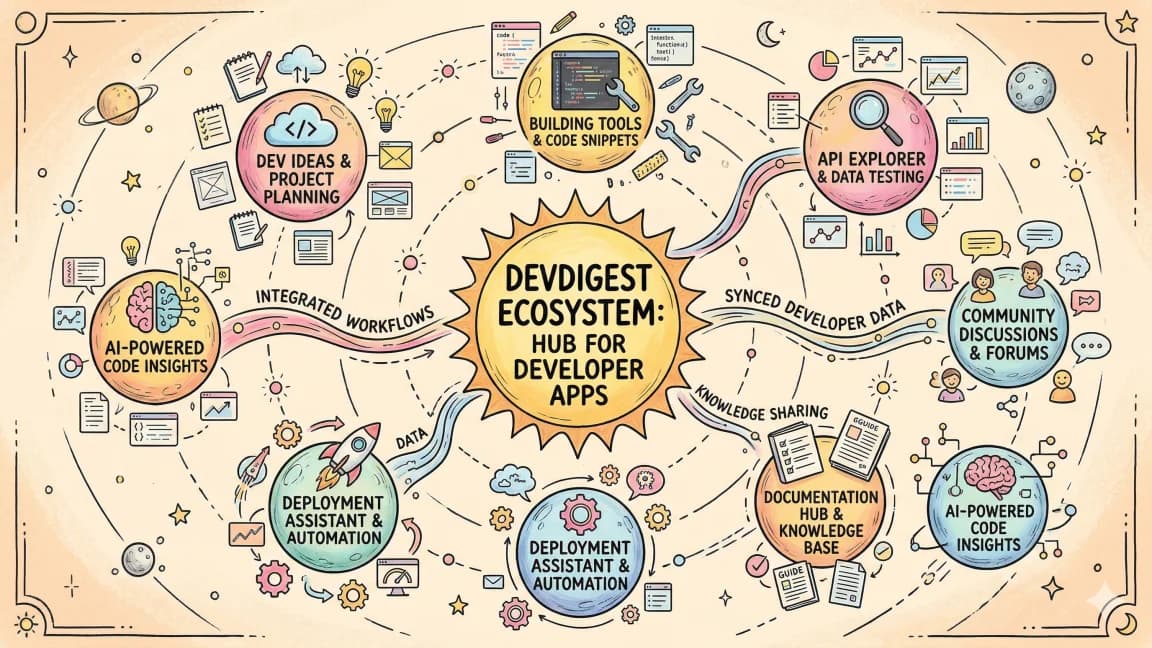
A tour of every app and tool in the Developers Digest network - from AI model comparisons to cron job scheduling.
