How to Write a CLAUDE.md: The Complete 2026 Guide

TL;DR
CLAUDE.md is the highest-leverage file in any Claude Code project.
Last updated: May 23, 2026. Verify current file format, memory hierarchy, and settings behavior against the official documentation before standardizing patterns across a team.
Official Sources#
| Source | What to verify |
|---|---|
| Claude Code memory | CLAUDE.md file format, location hierarchy, and memory types |
| Claude Code getting started | Install steps, first-session flow, and initial CLAUDE.md setup |
| Claude Code settings | Configuration options, environment variables, and user preferences |
| Anthropic pricing | Current plan limits and token budgets that affect CLAUDE.md size |
Fast paths:
- Pricing and plan selection: /pricing
- Comparisons: /compare
- Getting started guide: Claude Code Getting Started
Every Claude Code project has a CLAUDE.md. Most of them are bad. They read like a new hire handbook written by someone who has never onboarded a new hire - paragraphs of philosophy, vague intentions, promises about the roadmap. The agent reads the file, learns nothing actionable, and proceeds to guess. You get mediocre code. You blame the model.
The irony is that CLAUDE.md is the highest-leverage file in any repo you ship with Claude Code. It is the difference between a session where the agent knows which package manager you use, which files are sacred, and which commit conventions to follow - and a session where it reinvents your stack from scratch every turn. A good CLAUDE.md changes your shipping velocity. Here is what goes in one.
What CLAUDE.md actually is#
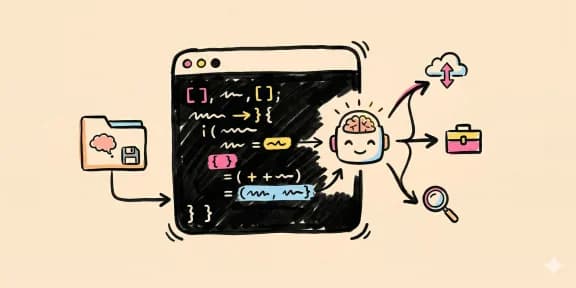
CLAUDE.md is a plain markdown file Claude Code reads on load. There is no schema, no required sections, no validator. The agent ingests it into the system prompt and treats it as persistent project memory for every message in the session.
For the design side of the same problem, read What Is Claude Code? The Complete Guide for 2026 with 60 Claude Code Tips and Tricks for Power Users; they show how agent-generated interfaces fail and how to give coding agents better visual constraints.
It lives in three places, in order of priority:
- Project root (
./CLAUDE.md) - the repo-specific rules that ship with the code. - Subdirectories (
./packages/web/CLAUDE.md) - scoped context the agent loads when it starts working inside that directory. - User global (
~/.claude/CLAUDE.md) - your personal defaults across every project.
All three get merged. The project file wins ties. You can also link out to other files using the @ syntax - @AGENTS.md at the top of a CLAUDE.md will inline the contents of AGENTS.md. This matters later.
The file is not a prompt. It is an onboarding doc for a new engineer who knows your language but has never seen your codebase. Write it that way.
The seven sections every CLAUDE.md should have#
1. Stack and tooling#
One paragraph or a table. Framework, language, database, deployment target, package manager. Include version numbers where they matter ([Next.js](/blog/nextjs-ai-app-stack-2026) 16, React 19, Tailwind v4). The agent will pick the wrong APIs if you leave this off. One rule: if you use pnpm and the agent runs npm install, your lockfile is now poisoned. Say it once, at the top. Example from a real dd-fitness/CLAUDE.md:
Next.js 16 + React 19 + TypeScript 5.9. Drizzle ORM on Neon PostgreSQL.
Clerk v7 for auth. Tailwind CSS v4. Vitest for tests. Zod for validation.
Always use pnpm, never npm or yarn.
2. Hard rules#
The things that never happen, with reasons. This is the section that prevents the most damage. Do not phrase them as preferences. Phrase them as laws. "No em dashes anywhere in code, content, or comments - use regular dashes with spaces." "No pink on cream - contrast fails." "No pushing without explicit approval." The reason matters because Claude will reason around a rule it does not understand. It will not reason around a rule it knows is load-bearing.
3. File structure#
A directory tree with one-line annotations. Not the full tree - the routes that matter. Where pages live, where components live, where content lives, where the backend lives. The agent navigates faster when you tell it where things are than when it has to glob and grep. Fifteen lines here saves ten tool calls per session.
4. Conventions#
Commit style, PR flow, test framework, linting rules, naming patterns. "Lowercase commit messages." "One feature per PR." "Commit after every meaningful change, do not batch up work." "Tests in src/__tests__/, mock @/lib/auth for API route tests." This is the glue between the agent's output and your team's (or your own) review process. Without it, every PR needs cosmetic cleanup.
5. Common tasks#
Step-by-step recipes for the things you do constantly. Add a blog post. Add a new page. Add a new tool. Bump a dependency. Include file paths. Include frontmatter templates. Include the verification step. This section is where velocity gets made - when the agent can follow a four-line recipe instead of asking five questions, you save a whole context window per task.
6. Context pointers#
Links out to related files, skills, and repos. @AGENTS.md. See GUMROAD-DESIGN-SYSTEM.md for full reference. Source of truth for commands lives at ~/Developer/devdigest-cli/README.md. Claude Code will follow these. You do not have to inline every design token and API contract - you just have to point.
7. Deployment#
How the code gets to production. Which env vars are required. What the CI gates are. Whether pushing triggers a deploy or whether someone clicks a button. Which domain and what host. This is the section most people skip, and it is the reason agents write env-var-dependent code that crashes at build time. Spell it out: "Coolify auto-deploys on push to main via webhook. Set DATABASE_URL, CLERK_SECRET_KEY, KIMI_API_KEY in Coolify UI before first deploy."
Examples, not abstractions#
Here is a real hard-rules block from a shipped project (this snapshot predates the project's move to a neutral, hard-edged system):
## CRITICAL RULES

**No private business info on site.** Never include sponsor deal amounts,
revenue figures, agency names, contract details, or internal business
metrics in any public content.

**No emojis, no gradients.** Gumroad design system uses solid colors, pill
buttons, offset-layer cards.

**No pink on cream.** Pink (#FF90E8) on cream (#F4F4F0) has terrible
contrast. Pink only on white or black backgrounds.

**No em dashes.** Never use em dashes anywhere in the codebase - code,
content, comments, markdown. Use regular dashes with spaces instead.
Four rules. Each has a reason. The agent now refuses to commit a change that violates any of them, and tells you why. Zero philosophy, zero room for interpretation.
Here is a real common-tasks block:
**"Add a blog post about X":**
1. Research the topic (web search or /devdigest:research)
2. Write content/blog/{slug}.md with proper frontmatter
3. Generate hero image at public/images/blog/{slug}/hero.webp
4. Verify it appears in blog listing and search

**"Add a new tool":**
1. Add to tools[] in lib/tools.ts
2. Auto-appears in /tools listing, search, and terminal
Six lines. Covers ninety percent of the recurring work on that repo. When someone says "write a post about Opus 4.7," the agent does not ask where blog posts live, what the frontmatter looks like, whether to add it to search, or where images go. It just ships.
What to leave out#
CLAUDE.md is not a journal. It is not a changelog. It is not the place for decisions you are still making, features you might ship, meeting notes, or team history. The rule is simple: if the information rots, it does not belong in CLAUDE.md.
Cut these:
- Roadmap and "future work" sections. They age out in a week. Keep them in
TODO.mdor an issue tracker. - Rationale for past decisions. Write an ADR. Link to it. Do not inline two paragraphs about why you picked Postgres.
- Team history, tribal knowledge, inside jokes. The agent does not have context for any of it and will misinterpret.
- Anything speculative. "We might add GraphQL later" teaches the agent to write speculative code. Delete it.
- Style guides longer than a paragraph. Move them to
[DESIGN.md](/blog/design-md-for-ai-agents)and reference with a link. - Every edge case you have ever hit. Keep the top five. The long tail goes in code comments where it belongs.
The test: open your CLAUDE.md six months from now. Every line should still be true. If a line might not be, delete it now.
Advanced patterns#
Per-subdirectory CLAUDE.md. In a monorepo, put a short CLAUDE.md in each package. Claude Code loads the subdir file when it starts working in that directory and merges it with the root file. This keeps the root file focused on project-wide rules and lets each package carry its own commands and conventions. Example: packages/web/CLAUDE.md says "Next.js 16, use pnpm, tests with vitest." packages/api/CLAUDE.md says "Fastify 5, use bun, tests with node:test." Root file says "monorepo with pnpm workspaces, push to main deploys both apps."
AGENTS.md layering. If you work across Claude Code and other agents (Codex, Cursor, Droid), write shared context in AGENTS.md and pull it into CLAUDE.md with @AGENTS.md at the top. That way a single source of truth covers every harness. One real example from dd-devdigest-site/AGENTS.md: a three-line note about Next.js 16 breaking changes, reused across every agent that touches the repo.
Since v2.1.277 you may not need the import at all: Claude Code reads AGENTS.md directly when no CLAUDE.md is on the path. Our guide to Claude Code's AGENTS.md support covers the modes and the precedence rule that catches people, and the instruction files matrix shows which other agents read AGENTS.md, CLAUDE.md or a file of their own.
Link out to voice files. For content and marketing repos, keep SOUL.md (about the user) and brand-voice.md (tone, banned language) alongside CLAUDE.md. The main file stays short, the voice files carry the opinionated content. Reference them - do not inline them.
Progressive disclosure via skills. Skills are markdown files with YAML frontmatter that Claude loads on demand when a trigger matches. If a workflow is too detailed for CLAUDE.md - a multi-step deployment, a content production pipeline, a QA audit routine - write a skill. Point to the skill from CLAUDE.md with one line. The agent loads the detail only when it needs it, which keeps your context window clean.
Commit hooks that enforce rules. A PreToolUse hook in settings.json can block a Write that violates a rule. This is belt and suspenders - the rule goes in CLAUDE.md so the agent knows, and in the hook so it cannot cheat. Example: a hook that blocks any write containing an em dash.
The meta rule: one glance#
Your CLAUDE.md should fit on one screen. Scroll once, maybe. If it is over 300 lines, you have two problems: it is not being read fully, and you are inlining content that belongs elsewhere.
When it gets too long:
- Split design details into
DESIGN.md. Link fromCLAUDE.md. - Split workflows into skills under
.claude/skills/. Reference by name. - Split deploy steps into
DEPLOY.md. Link. - Split per-package rules into subdirectory
CLAUDE.mdfiles. - Move "rationale" and "history" out entirely.
The goal is a file the agent can absorb in one pass and a file you can re-read in thirty seconds to remember why you made every choice. Across 24 shipped apps, the pattern that wins is the short one. Short, opinionated, example-driven, and updated every time you catch yourself answering the same question twice in a session.
The tools that help#
- The dd CLI ships with a
/initskill that scans your repo and drafts aCLAUDE.mdwith the right stack, file structure, and common tasks pre-filled. Works on any Node, Python, Go, or Rust project. - The CLAUDE.md generator is a web tool if you do not want to install anything - paste your stack and rules, get a formatted file back.
- The Skill Builder turns long workflows into reusable skills so your
CLAUDE.mdstays short.
Write your CLAUDE.md like you are writing an onboarding doc for an engineer who starts tomorrow, reads once, and then ships for a year. That is exactly what you are doing.
FAQ#
What is CLAUDE.md?#
CLAUDE.md is a plain markdown file that Claude Code reads on startup to understand your project. It acts as persistent project memory - containing your stack details, hard rules, file structure, conventions, and common tasks. The agent ingests it into the system prompt and uses it for every message in the session. Think of it as an onboarding doc for a new engineer who knows your language but has never seen your codebase.
Where does CLAUDE.md go?#
CLAUDE.md can live in three places, in priority order: the project root (./CLAUDE.md) for repo-specific rules, subdirectories (./packages/web/CLAUDE.md) for scoped context, and your user global (~/.claude/CLAUDE.md) for personal defaults across all projects. All three get merged, with the project file winning ties.
What are the essential sections in a CLAUDE.md?#
Every effective CLAUDE.md should have seven sections: (1) Stack and tooling - framework, language, database, package manager with versions; (2) Hard rules - absolute constraints with reasons; (3) File structure - annotated directory tree of important paths; (4) Conventions - commit style, PR flow, naming patterns; (5) Common tasks - step-by-step recipes for recurring work; (6) Context pointers - links to design systems, related docs; (7) Deployment - how code gets to production, required env vars.
How long should CLAUDE.md be?#
Your CLAUDE.md should fit on one screen, maybe with one scroll. If it exceeds 300 lines, split content into linked files: design details into DESIGN.md, workflows into skills, deploy steps into DEPLOY.md, per-package rules into subdirectory CLAUDE.md files. The goal is a file the agent can absorb in one pass and you can re-read in 30 seconds.
What should I NOT include in CLAUDE.md?#
Cut anything that rots: roadmaps and future work (put in TODO.md), rationale for past decisions (write ADRs), team history and tribal knowledge, speculative features, style guides longer than a paragraph (move to DESIGN.md), and exhaustive edge cases (keep top five, rest goes in code comments). If a line might not be true in six months, delete it now.
How do I use CLAUDE.md with other AI agents?#
Create an AGENTS.md file with shared context that works across Claude Code, Codex, Cursor, and other tools. Pull it into CLAUDE.md using @AGENTS.md at the top - this inlines the contents. Keep agent-specific rules in CLAUDE.md itself, shared project context in AGENTS.md.
How do I handle CLAUDE.md in a monorepo?#
Put a short CLAUDE.md in each package directory. Claude Code loads the subdirectory file when working in that directory and merges it with the root file. Root file covers project-wide rules (monorepo structure, workspace commands). Package files cover local rules (framework, test runner, package manager). Example: root says "pnpm workspaces, push deploys both apps" while packages/web says "Next.js 16, vitest tests" and packages/api says "Fastify 5, bun runtime."
How do I write hard rules that Claude actually follows?#
Phrase rules as laws, not preferences. Include the reason - Claude will reason around rules it does not understand but respects rules it knows are load-bearing. Example: "No pink on cream - contrast fails" works better than "Prefer not using pink on cream backgrounds." Keep rules concrete and actionable. For enforcement, combine CLAUDE.md rules with PreToolUse hooks that block violations.
Get the next deep dive like this in your inbox
One email a week on Claude Code and the rest of the AI dev stack. Free.
Read next on Claude Code
What Is Claude Code? The Complete Guide for 2026
Claude Code is Anthropic's AI coding agent for terminal, IDE, desktop and browser. What it does, how it works, setup, pricing, MCP, skills, hooks and subagents.
15 min readWhat Are Claude Code Skills? A Complete Beginner Guide
Claude Code skills are SKILL.md playbooks that load only when relevant. What they are, where they live, how to write one, and how they differ from CLAUDE.md.
11 min readClaude Code Hooks Explained
Claude Code hooks run shell commands at exact lifecycle points. Set up auto-format, dangerous-command blocking, tests before stopping and desktop notifications.
12 min readTechnical content at the intersection of AI and development. Building with AI agents, Claude Code, and modern dev tools - then showing you exactly how it works.