What Is the Model Context Protocol? A 2026 Primer
TL;DR
MCP isn't just a plugin format - it's a full JSON-RPC protocol for connecting LLMs to tools, resources, and prompts. Here's how it works under the hood, sourced from the official spec.
Official Sources#
| Resource | Link |
|---|---|
| MCP Specification (2025-06-18) | modelcontextprotocol.io/specification |
| MCP Introduction | modelcontextprotocol.io/introduction |
| TypeScript SDK | github.com/modelcontextprotocol/typescript-sdk |
| Python SDK | github.com/modelcontextprotocol/python-sdk |
| MCP Inspector | github.com/modelcontextprotocol/inspector |
| Anthropic MCP Announcement | anthropic.com/news/model-context-protocol |
Why a protocol, not another plugin format#
Every AI product has the same integration problem. The model needs to read a file, query a database, call an API, or pull a design from Figma. For most of 2023 and 2024, every vendor solved this with a proprietary plugin system. ChatGPT had plugins. Each IDE shipped its own tool-calling hooks. Every framework invented a different function-calling convention. The result was an N-by-M mess: M tools had to be reimplemented for N models.
For the broader MCP map, pair this with What Is MCP (Model Context Protocol)? A TypeScript Developer's Guide and The Complete Guide to MCP Servers; those pieces cover the concepts and server-selection layer behind this article.
The Model Context Protocol (MCP), announced by Anthropic on November 25, 2024 and since adopted by Claude, ChatGPT, Cursor, VS Code, Zed, Replit, and others, is the attempt to end that mess. It is not a plugin store. It is a wire-level protocol based on JSON-RPC 2.0, modeled loosely on the Language Server Protocol (LSP), and deliberately transport-agnostic.
If you have used tsserver through VS Code, you already know the shape. LSP lets any editor talk to any language by agreeing on a JSON-RPC contract. MCP does the same thing for LLM applications and their tools. Write a server once, and any MCP-compatible host can use it.
This primer is written for developers who want to understand the protocol itself: the methods, the lifecycle, the transports, the security model. Everything below is cross-referenced against the 2025-06-18 specification.
The protocol in one paragraph#
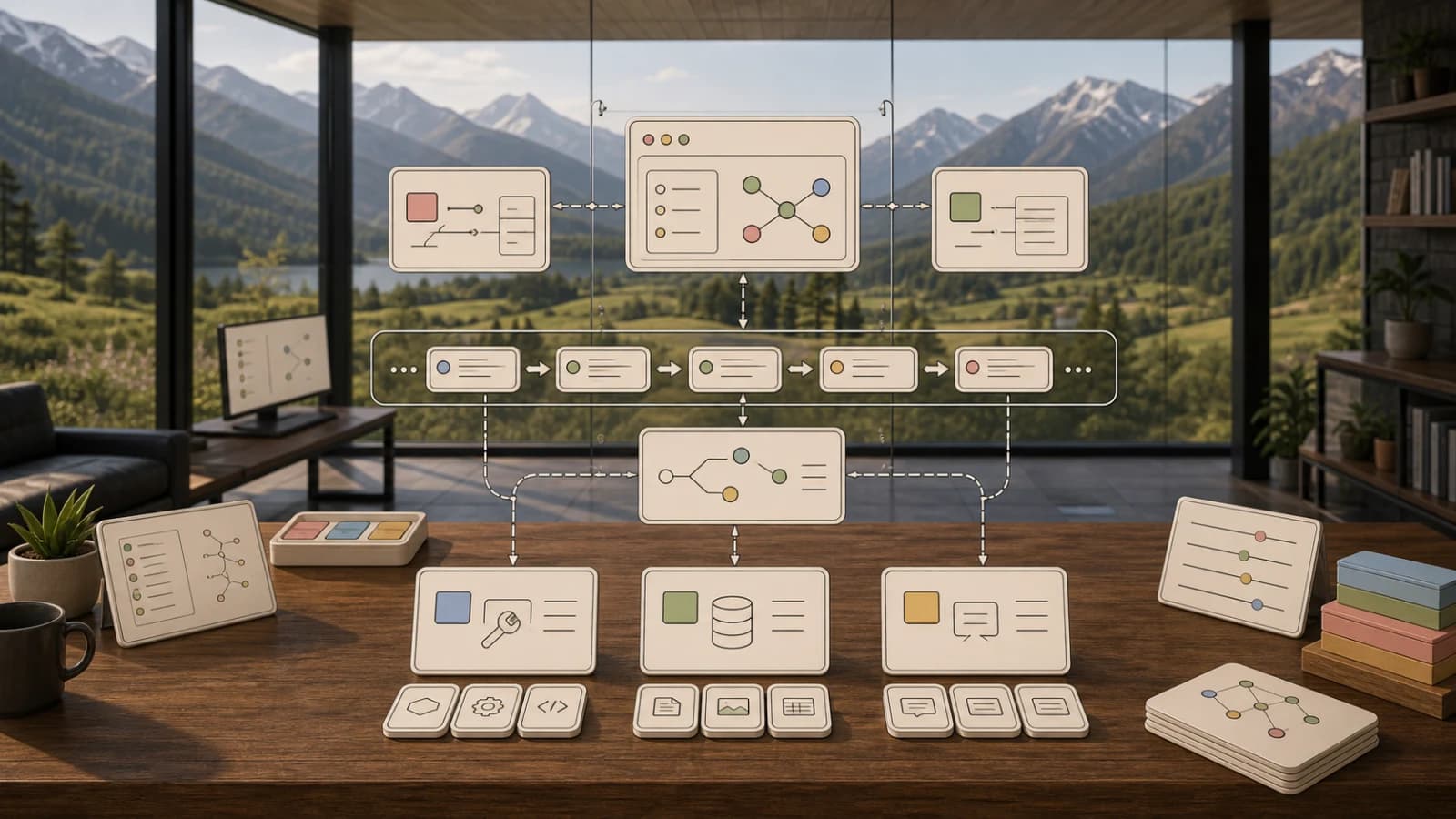
MCP is JSON-RPC 2.0 over a duplex transport, with stateful sessions and capability negotiation. There are three roles. The host is the LLM application the user interacts with (Claude Desktop, Cursor, Zed). The client is a connector inside the host, responsible for exactly one server. The server is the external process that exposes context and capabilities. Servers offer three primitive types - tools, resources, and prompts - and clients offer three of their own - sampling, roots, and elicitation. Every message is a UTF-8 JSON-RPC request, notification, or response.
That is the whole thing. The rest is detail.
Transports#
The spec currently defines two standard transport mechanisms, with custom transports allowed.
stdio is the default. The client spawns the server as a subprocess, writes JSON-RPC messages to stdin, and reads them from stdout. Each message is newline-delimited, with no embedded newlines. stderr is reserved for logging. This is what every local server on your machine uses. The spec says clients SHOULD support stdio whenever possible, and it is the right choice for anything running on the same host.
Streamable HTTP is the remote transport. It was introduced in the 2025-03-26 revision of the spec and replaces the older HTTP+SSE transport from the 2024-11-05 revision, which is now deprecated. A server exposes a single HTTP endpoint (conventionally /mcp) that accepts both POST and GET. The client sends JSON-RPC messages via POST. The server can respond with either Content-Type: application/json for a single response, or Content-Type: text/event-stream to open an SSE stream for multiple messages. The client can also open a GET stream to let the server push unsolicited notifications.
Streamable HTTP brings two things the old HTTP+SSE transport lacked. First, sessions. On initialization, the server can issue a session ID in an Mcp-Session-Id response header, and the client echoes it back on every subsequent request. If the server returns 404 with that session ID, the client knows to re-initialize. Second, resumability. Servers can attach id fields to SSE events, and clients can reconnect with a Last-Event-ID header to replay messages lost during a network hiccup.
One gotcha. When using HTTP, the client MUST include an MCP-Protocol-Version header on every request after initialization, for example MCP-Protocol-Version: 2025-06-18. If the server gets an unknown version, it returns 400 Bad Request. If the header is missing, the server assumes 2025-03-26 for backwards compatibility.
The lifecycle#
Every session goes through three phases: initialization, operation, shutdown.
Initialization is a handshake. The client sends an initialize request with the protocol version it supports, its capabilities, and its clientInfo. The server responds with its own protocolVersion, capabilities, serverInfo, and an optional instructions string. The client then sends a notifications/initialized notification. Only after that can normal operations begin.
Here is a real initialize request from the spec:
JSON
{
  "jsonrpc": "2.0",
  "id": 1,
  "method": "initialize",
  "params": {
    "protocolVersion": "2025-06-18",
    "capabilities": {
      "roots": { "listChanged": true },
      "sampling": {},
      "elicitation": {}
    },
    "clientInfo": {
      "name": "ExampleClient",
      "title": "Example Client Display Name",
      "version": "1.0.0"
    }
  }
}
And the server response:
JSON
{
  "jsonrpc": "2.0",
  "id": 1,
  "result": {
    "protocolVersion": "2025-06-18",
    "capabilities": {
      "logging": {},
      "prompts": { "listChanged": true },
      "resources": { "subscribe": true, "listChanged": true },
      "tools": { "listChanged": true }
    },
    "serverInfo": {
      "name": "ExampleServer",
      "version": "1.0.0"
    }
  }
}
Capability negotiation is how MCP stays flexible without becoming a kitchen sink. If the server does not declare prompts, the client must not call prompts/list. If the server declares resources without subscribe, the client cannot call resources/subscribe. This is how the protocol grows features without breaking old implementations.
Shutdown is not a message. For stdio, the client closes the server's stdin and waits for the subprocess to exit, escalating to SIGTERM and SIGKILL if needed. For HTTP, you close the connection. A well-behaved client also sends HTTP DELETE with the session ID to let the server clean up.
From the archive
Aider vs Claude Code in 2026: Git-First Open Source vs Subagent Runtime
Apr 18, 2026 • 10 min read
Claude Code Usage Limits in 2026: The Practical Playbook for Pro and Max Teams
Apr 18, 2026 • 9 min read
Claude Code vs Codex App in 2026: Local Agent Pairing vs Cloud Agent Orchestration
Apr 18, 2026 • 11 min read
Copilot Pro+ Premium Requests Explained in 2026: What Teams Miss in Pricing Comparisons
Apr 18, 2026 • 9 min read
The three server primitives#
Everything a server offers falls into one of three buckets. The distinction matters because it maps to who is in control.
Tools are model-controlled#
Tools are functions the LLM can call. The spec is blunt: "Tools in MCP are designed to be model-controlled, meaning that the language model can discover and invoke tools automatically." The client lists them with tools/list, the model picks one, and the client invokes it with tools/call.
A tool definition has a name, optional title, description, inputSchema (JSON Schema for arguments), and optional outputSchema and annotations. Tool results come back in a content array that can mix text, images, audio, resource links, and embedded resources. An isError: true flag signals tool execution failures, distinct from JSON-RPC protocol errors.
A tool call looks like this:
JSON
{
  "jsonrpc": "2.0",
  "id": 2,
  "method": "tools/call",
  "params": {
    "name": "get_weather",
    "arguments": { "location": "New York" }
  }
}
Annotations are worth calling out. Fields like readOnlyHint, destructiveHint, idempotentHint, and openWorldHint let servers describe what a tool does. The spec is explicit that clients MUST treat annotations as untrusted unless the server itself is trusted. A malicious server can claim a tool is read-only. Your host application is responsible for getting user consent regardless.
Resources are application-driven#
Resources are readable data. Think files, database rows, API responses, log entries. Each resource has a URI, and the client can call resources/list to enumerate them, resources/read to fetch one, and resources/templates/list to discover parameterized URIs using RFC 6570 templates.
Here is a read request and response:
JSON
{
  "jsonrpc": "2.0",
  "id": 2,
  "method": "resources/read",
  "params": { "uri": "file:///project/src/main.rs" }
}
JSON
{
  "jsonrpc": "2.0",
  "id": 2,
  "result": {
    "contents": [{
      "uri": "file:///project/src/main.rs",
      "mimeType": "text/x-rust",
      "text": "fn main() {\n    println!(\"Hello world!\");\n}"
    }]
  }
}
Resources support subscriptions. A client calls resources/subscribe with a URI and receives notifications/resources/updated whenever the underlying data changes. There is also notifications/resources/list_changed for catalog-level updates. The protocol registers a few URI schemes (https://, file://, git://) and leaves the door open for custom schemes.
The key distinction is control. Tools are model-controlled. Resources are application-driven. The host decides how to surface resources to the user: a tree view, a filter UI, or automatic inclusion based on heuristics. The model does not reach out and grab resources on its own.
Prompts are user-controlled#
Prompts are templated messages meant to be triggered by the user, typically as slash commands. A server lists them with prompts/list and returns their content with prompts/get, substituting any arguments the user provided. A prompt response is an array of messages, each with a role (user or assistant) and content (text, image, audio, or embedded resource).
This is the primitive that powers slash commands like /code_review in a chat UI. The user picks the prompt, the server fills it with context, and the resulting messages become the start of a conversation.
Client primitives, briefly#
Servers can ask the client for three things. Sampling lets the server request an LLM completion from the host, enabling agentic behaviors without the server needing its own API key. Roots let the server ask which filesystem or URI boundaries it is allowed to operate in. Elicitation, added in 2025-06-18, lets the server ask the user a direct question mid-session.
These are opt-in via capability negotiation and gated by user consent. The spec is explicit that users MUST explicitly approve any sampling request and should be able to see and edit the prompt before it is sent.
Building a server in ~30 lines#
The Python SDK, adapted from the official python-sdk README, reduces the whole thing to this:
Python
from mcp.server.fastmcp import FastMCP

mcp = FastMCP("Demo")

@mcp.tool()
def add(a: int, b: int) -> int:
    """Add two numbers"""
    return a + b

@mcp.resource("greeting://{name}")
def get_greeting(name: str) -> str:
    """Get a personalized greeting"""
    return f"Hello, {name}!"

if __name__ == "__main__":
    mcp.run(transport="stdio")
FastMCP introspects the function signature, generates the inputSchema, and wires up tools/list, tools/call, resources/list, and resources/read automatically. Run it with uv run mcp dev server.py to test against the MCP Inspector.
The TypeScript SDK is in a similar place, with a v1.x stable release and v2 in pre-alpha. Both SDKs support stdio and Streamable HTTP transports out of the box. For HTTP, you import a middleware package for your framework (Express, Hono, Node.js) and mount the MCP endpoint.
Security model#
MCP delegates enforcement to the host but ships with a clear set of MUST and SHOULD requirements. The four principles:
- User consent and control. Users must consent to every data access and tool invocation. Hosts must provide a UI to review and authorize.
- Data privacy. Hosts must not transmit resource data elsewhere without consent.
- Tool safety. Tools are arbitrary code execution. Descriptions and annotations must be treated as untrusted unless they come from a trusted server.
- LLM sampling controls. Every sampling request is user-approved, and users should be able to see and modify the prompt.
For HTTP transports, authorization is OAuth 2.1 based. MCP servers MUST implement OAuth 2.0 Protected Resource Metadata (RFC 9728) and return a WWW-Authenticate header on 401 responses pointing to /.well-known/oauth-protected-resource. Clients MUST use Resource Indicators (RFC 8707) to bind tokens to a specific MCP server, and MUST implement PKCE. Dynamic Client Registration (RFC 7591) is SHOULD-level, which matters because it is the piece that makes new server onboarding seamless. For stdio transports, authorization is explicitly out of scope: you use environment variables.
Token passthrough is forbidden. If an MCP server calls an upstream API, it uses a separate token issued for that upstream. The MCP server must never forward a client-issued token downstream. This closes the confused deputy class of attacks.
How MCP differs from what came before#
ChatGPT plugins were a manifest plus an OpenAPI spec, polled over HTTPS. There was no lifecycle, no capability negotiation, no subscriptions, no bidirectional messaging, and no primitive beyond tool calls. The ecosystem was locked to one vendor. MCP is the portable version.
Native tool calling (the tools parameter in Anthropic's API or OpenAI's function calling) is a model capability, not a protocol. The application defines tools in-process, sends them with every request, and executes them locally. MCP sits one layer above: it standardizes how an application acquires those tool definitions from an external process in the first place. The two compose. Claude Code uses native tool calling to invoke tools, and it gets many of those tools from MCP servers.
Cursor rules and similar per-editor context files are static. They bolt instructions into the system prompt. MCP is dynamic: a server can expose live resources, subscribe to updates, and push notifications when the world changes.
Where the protocol is going#
The spec moves on a roughly quarterly cadence. The 2024-11-05, 2025-03-26, and 2025-06-18 revisions each added meaningful surface area (HTTP+SSE, Streamable HTTP plus OAuth, elicitation plus structured tool output). Anthropic donated the protocol to a neutral Agentic AI Foundation in 2025, which should accelerate governance maturity.
Public roadmap items under discussion include richer streaming for long-running tool calls, better cancellation semantics, standardized telemetry, and an official registry for server discovery. If you build in this space, follow the specification repository on GitHub. The TypeScript schema in schema/YYYY-MM-DD/schema.ts is the source of truth that the human-readable spec is generated from.
What to build next#
If you are new to MCP, start by consuming it. Install the MCP Inspector, point it at an existing stdio server like @modelcontextprotocol/server-filesystem, and watch the JSON-RPC traffic. You will understand the protocol faster by reading the wire than by reading the spec.
Then write a server. Pick the smallest internal tool your team relies on - a health check, a deploy trigger, a query runner - and expose it with FastMCP or the TypeScript SDK. Thirty lines gets you a working server. From there, add a resource, add a subscription, swap stdio for Streamable HTTP, add OAuth. Each step maps to one section of the spec.
The protocol is small on purpose. That is its whole advantage.
References#
- Model Context Protocol specification, 2025-06-18
- Model Context Protocol specification, 2025-03-26
- MCP introduction
- Transports specification
- Lifecycle specification
- Authorization specification
- Tools concept
- Resources concept
- Prompts concept
- TypeScript SDK
- Python SDK
- Anthropic announcement, November 25 2024
- Anthropic donation to Agentic AI Foundation
- Why MCP moved from SSE to Streamable HTTP
FAQ#
What is the Model Context Protocol (MCP)?#
MCP is a JSON-RPC 2.0 protocol that standardizes how LLM applications connect to external tools, data sources, and prompts. Instead of each AI product building proprietary plugin systems, MCP provides a universal wire format. Write an MCP server once and it works with Claude, ChatGPT, Cursor, VS Code, Zed, and any other MCP-compatible host. It is modeled on the Language Server Protocol (LSP) that powers IDE language integrations.
How is MCP different from function calling?#
Function calling is a model capability where you define tools in your application code and send them with each API request. MCP sits one layer above: it standardizes how your application discovers and acquires tool definitions from external processes. The two compose. Claude Code uses native function calling to invoke tools, and many of those tool definitions come from MCP servers running as separate processes.
What are the three MCP server primitives?#
MCP servers expose three primitive types. Tools are functions the model can call autonomously. Resources are readable data like files, database rows, or API responses that the application decides when to surface. Prompts are templated messages triggered by the user, typically as slash commands. The distinction maps to control: tools are model-controlled, resources are application-driven, prompts are user-controlled.
How do I build an MCP server?#
The Python SDK with FastMCP reduces a working server to about 30 lines. Decorate functions with @mcp.tool() or @mcp.resource(), and FastMCP automatically generates the JSON Schema, wires up the protocol methods, and handles the transport. Run it with uv run mcp dev server.py to test against the MCP Inspector. The TypeScript SDK offers similar ergonomics. Both support stdio for local servers and Streamable HTTP for remote servers.
What transports does MCP support?#
MCP defines two standard transports. stdio is the default for local servers: the client spawns the server as a subprocess and exchanges newline-delimited JSON-RPC over stdin/stdout. Streamable HTTP is for remote servers: the client POSTs JSON-RPC to a single endpoint and receives responses via JSON or SSE streams. Streamable HTTP replaced the older HTTP+SSE transport in the 2025-03-26 spec revision and adds session management plus resumability.
Is MCP secure?#
MCP delegates enforcement to the host application but defines clear security requirements. Users must consent to every data access and tool invocation. Hosts must provide UI to review and authorize requests. Tool annotations like destructiveHint must be treated as untrusted unless the server itself is trusted. For HTTP transports, authorization uses OAuth 2.1 with PKCE and resource indicators. Token passthrough is explicitly forbidden to prevent confused deputy attacks.
Which AI tools support MCP?#
As of 2026, MCP is supported by Claude Desktop, Claude Code, ChatGPT, Cursor, VS Code (via extension), Zed, Replit, and many open-source LLM applications. Anthropic donated the protocol to the neutral Agentic AI Foundation in 2025, which has accelerated adoption. The ecosystem includes thousands of community-built servers for databases, APIs, file systems, and developer tools.
How do I test an MCP server?#
Use the MCP Inspector, an official debugging tool that connects to any MCP server and lets you browse tools, resources, and prompts, invoke them manually, and watch the raw JSON-RPC traffic. For Python servers, run uv run mcp dev server.py to launch with the Inspector. For TypeScript servers, use npx @modelcontextprotocol/inspector. Watching the wire protocol is the fastest way to understand how MCP works.
Continue Reading#
Read next
What Is MCP (Model Context Protocol)? A TypeScript Developer's Guide
MCP lets AI agents connect to databases, APIs, and tools. Here is what it is and how to use it in your TypeScript projects.
5 min readThe Complete Guide to MCP Servers
Everything you need to know about Model Context Protocol - how it works, how to install servers, how to build your own, and the best ones.
12 min readBest MCP Servers in 2026: The Developer Shortlist
A practical ranked list of MCP servers worth installing first for Claude Code, Cursor, Copilot, Codex, and OpenCode: GitHub, Filesystem, Context7, Playwright, Postgres, Sentry, Supabase, Notion, Slack, and more.
10 min readShare
Developers Digest
Technical content at the intersection of AI and development. Building with AI agents, Claude Code, and modern dev tools - then showing you exactly how it works.
300+ videos30K+ GitHub stars850+ articles
Related Tools
MCP Tools

MCP Inspector
Visual testing tool for Model Context Protocol servers. Like Postman for MCP - call tools, browse resources, and view...
View ToolAI ModelsNew

Claude Fable 5
Anthropic's first generally available Mythos-class model, released June 9, 2026. 1M context, 128K max output, $10/$50 pe...
View ToolAI Models
Claude Opus 4.8
Anthropic's recommended default for complex work, released May 28, 2026. 1M context, 128K output, $5/$25 per million tok...
View ToolAI ModelsOpen weights

DeepSeek V4
DeepSeek's open-weights frontier family, previewed April 24, 2026. V4-Pro is 1.6T total / 49B active params; V4-Flash is...
View ToolApps from Developers Digest
Related Guides
Guide
MCP Servers Explained
What MCP servers are, how they work, and how to build your own in 5 minutes.
AI AgentsGuide
Claude Code Setup Guide
Configure Claude Code for maximum productivity -- CLAUDE.md, sub-agents, MCP servers, and autonomous workflows.
AI AgentsGuide
Claude Code Complete Course
A complete, citation-backed Claude Code course with setup, prompting systems, MCP, CI, security, cost controls, and capstone workflows.
ai-developmentRelated Videos

OpenAI's New O1 Model and $200/Month ChatGPT Pro Tier: What's New?
Learn The Fundamentals Of Becoming An AI Engineer On Scrimba; https://v2.scrimba.com/the-ai-engineer-path-c02v?via=developersdigest OpenAI's New O1 Model and $200/Month ChatGPT Pro Tier: What's...
Video·
Anthropic's New Model Context Protocol in 10 Minutes
Learn The Fundamentals Of Becoming An AI Engineer On Scrimba; https://v2.scrimba.com/the-ai-engineer-path-c02v?via=developersdigest Anthropic's New Model Context Protocol (MCP): AI Data Integratio...
Video·
OpenAI's GPT 5.4 in 10 Minutes: 1M Context, Computer Use, Coding Gains, Benchmarks & Pricing
The video reviews OpenAI’s newly released GPT 5.4, highlighting access tiers (GPT 5.4 Thinking in ChatGPT Plus/Teams/Pro/Enterprise and GPT 5.4 in the $200/month tier) and API availability. It covers
Video·
Related Posts

5 min read
MCP
What Is MCP (Model Context Protocol)? A TypeScript Developer's Guide
MCP lets AI agents connect to databases, APIs, and tools. Here is what it is and how to use it in your TypeScript projec...
12 min read
MCP
The Complete Guide to MCP Servers
Everything you need to know about Model Context Protocol - how it works, how to install servers, how to build your own,...

10 min read
MCP
Best MCP Servers in 2026: The Developer Shortlist
A practical ranked list of MCP servers worth installing first for Claude Code, Cursor, Copilot, Codex, and OpenCode: Git...

11 min read
Claude Code
What Are Claude Code Skills? A Complete Beginner Guide
Skills are how you stop copy-pasting the same workflow into Claude Code every session. What they are, how to write one,...

13 min read
MCP
What Is an MCP Server? A Developer's Beginner Guide (2026)
MCP is the USB-C of AI agents. What the Model Context Protocol is, why Anthropic built it, and how to install your first...

13 min read
MCP
The MCP Server Ecosystem: A Developer's Guide for 2026
An opinionated guide to the MCP server ecosystem in 2026. Curated picks by category, real configuration examples, instal...
Build with the member tools

Get Smarter About AI Dev
New tutorials, open-source projects, and deep dives on coding agents - delivered weekly.
One email per weekReal code, not theoryFree forever