What Are Claude Code Skills? A Complete Beginner Guide

TL;DR
Claude Code skills are SKILL.md playbooks that load only when relevant. What they are, where they live, how to write one, and how they differ from CLAUDE.md.
Last updated: May 5, 2026
The Shape of the Problem#
You sit down, open Claude Code, and start a new session. You paste the same six-step checklist you pasted yesterday. "Run the test suite, then lint, then bump the version, then tag the commit, then push, then open the deploy URL." The model nods, does it, and the context window closes. Tomorrow, you will paste it again.
For the design side of the same problem, read What Is Claude Code? The Complete Guide for 2026 with 60 Claude Code Tips and Tricks for Power Users; they show how agent-generated interfaces fail and how to give coding agents better visual constraints.
This is the loop skills break.
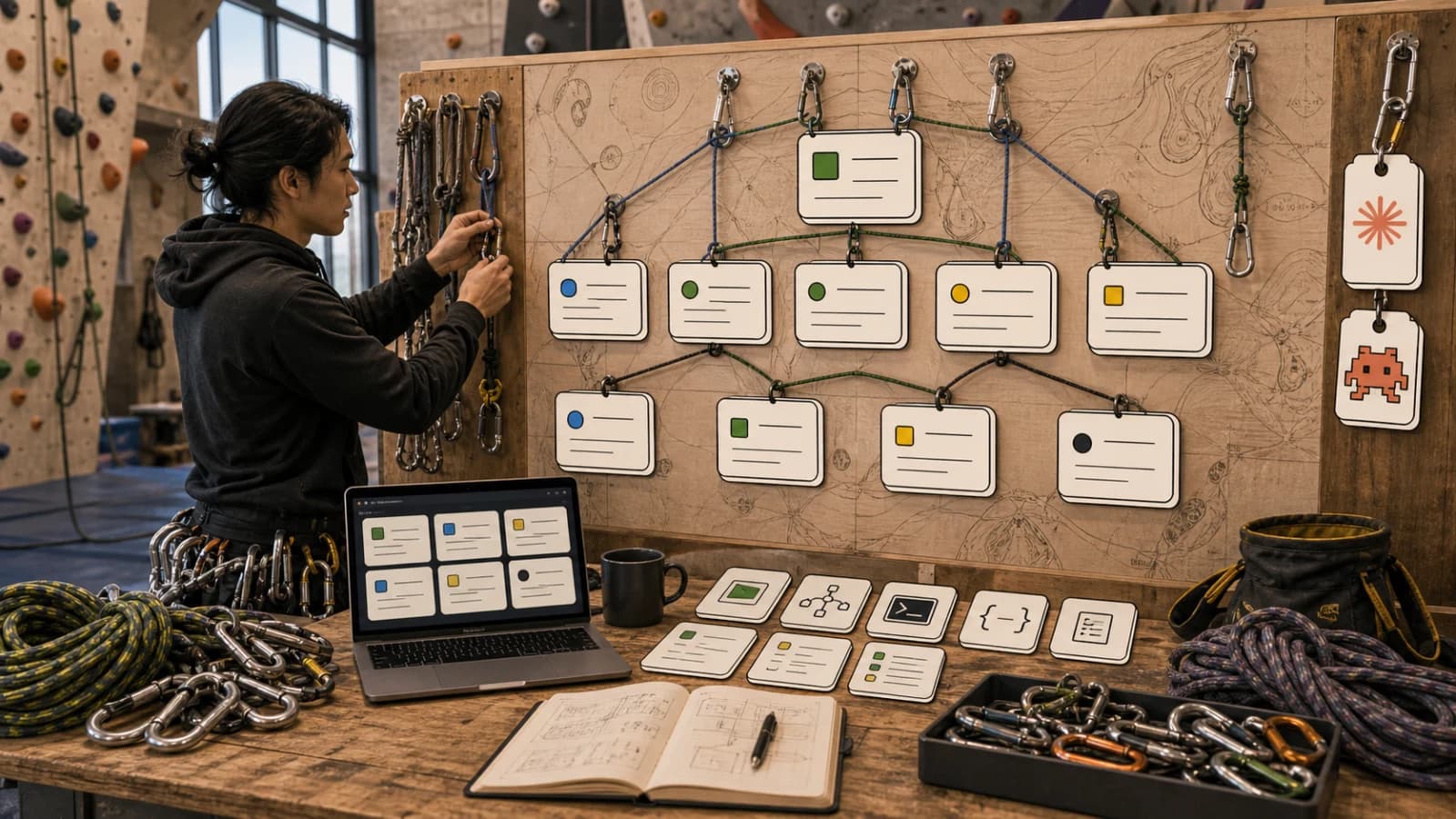
A skill is a folder with a SKILL.md file that Claude Code loads when it is relevant. You write the playbook once. Claude uses it whenever the task matches, or you call it directly with /skill-name. The full instructions only enter context when they are actually needed, so you can have fifty skills installed and pay almost nothing in tokens until one of them fires.
This guide walks through what skills are, the exact SKILL.md schema Anthropic documents, where skills live on disk, how invocation actually works, and how to write your first one. If you have not installed Claude Code yet, start with the Getting Started guide. Everything here is cross-checked against the Claude Code and Agent Skills documentation at the time of writing.
Official Sources#
| Resource | Link |
|---|---|
| Claude Code Skills Documentation | docs.anthropic.com/en/docs/claude-code/skills |
| Claude Code Plugins Documentation | docs.anthropic.com/en/docs/claude-code/plugins |
| Agent Skills API Overview | docs.anthropic.com/en/docs/agents-and-tools/agent-skills/overview |
| Agent Skills Open Standard | agentskills.io |
| Official Skills Repository | github.com/anthropics/skills |
| Claude Code Overview | docs.anthropic.com/en/docs/claude-code/overview |
What Is a Skill, Exactly#
From the official Claude Code docs: "Skills extend what Claude can do. Create a SKILL.md file with instructions, and Claude adds it to its toolkit. Claude uses skills when relevant, or you can invoke one directly with /skill-name."
That single sentence captures the two invocation modes. A skill is not a plugin, not an MCP server, and not a hook. It is a filesystem-based unit of procedural knowledge that Claude can discover and load on demand.
The docs are explicit about when to reach for one: "Create a skill when you keep pasting the same playbook, checklist, or multi-step procedure into chat, or when a section of CLAUDE.md has grown into a procedure rather than a fact. Unlike CLAUDE.md content, a skill's body loads only when it's used, so long reference material costs almost nothing until you need it."
That last sentence is the load-bearing one. CLAUDE.md content is always in context. A skill is a pointer in context that gets expanded only on use. Anthropic calls this pattern progressive disclosure: Level 1 is metadata (always loaded, roughly 100 tokens per skill), Level 2 is the skill body (loaded only when invoked, budgeted under 5k tokens), and Level 3 is bundled reference files and scripts (loaded only when referenced, effectively unlimited). The breakdown comes straight from the Agent Skills overview.
Agent Skills vs Claude Code Skills#
There is real confusion here, so let us pin it down.
Agent Skills is the open standard, originally developed by Anthropic and adopted across the industry. The format specification lives at agentskills.io. A skill is a folder with a SKILL.md file containing YAML frontmatter and markdown instructions. GitHub Copilot, Cursor, OpenCode, Goose, Codex, Gemini CLI, and many others all speak this format.
Claude Code Skills are Agent Skills running inside the Claude Code CLI. The Claude Code docs are explicit: "Claude Code skills follow the Agent Skills open standard, which works across multiple AI tools. Claude Code extends the standard with additional features like invocation control, subagent execution, and dynamic context injection."
Agent Skills via the Claude API is a third surface. Here, skills run inside Anthropic's code execution container. The API exposes pre-built skills (pptx, xlsx, docx, pdf) and custom skills uploaded through the /v1/skills endpoints. API skills used to require three beta headers (code-execution-2025-08-25, skills-2025-10-02, and files-api-2025-04-14); since August 19, 2026 Agent Skills and the Files API are generally available on the Claude API and none of them is required, as our Files API and Skills migration guide explains. Claude.ai exposes the same capability through its settings UI.
The file format is the same everywhere. The runtime is not. API skills have no network access. Claude Code skills have full network access. Claude.ai skills get varying network access depending on admin settings. The docs note: "Custom Skills do not sync across surfaces. Skills uploaded to one surface are not automatically available on others."
For this guide, we are talking about Claude Code skills: filesystem-based, live on your machine, triggered inside your terminal.
Anatomy of a Skill#
Every skill is a directory. SKILL.md is the entrypoint. Everything else is optional.
Here is the directory layout Anthropic shows in the Claude Code docs:
my-skill/
 SKILL.md           # Main instructions (required)
 template.md        # Template for Claude to fill in
 examples/
    sample.md      # Example output showing expected format
 scripts/
     validate.sh    # Script Claude can execute
SKILL.md has two parts: YAML frontmatter between --- markers, and markdown content after. The frontmatter tells Claude when to use the skill. The markdown is what Claude reads and follows once the skill is invoked.
Here is a real, working skill, lightly sanitized. This is a /clean skill that reclaims disk space by removing node_modules, build caches, and package manager junk:
---
description: Reclaim disk space by nuking node_modules, .next caches, and package manager caches. Safe, everything reinstalls on demand.
---

# /clean  Disk Space Reclaimer

Run these steps in order:

## 1. Show current disk usage
`!`df -h / | tail -1``

## 2. Scan for reclaimable space (run in parallel)
`!`find ~/Developer -name "node_modules" -type d -maxdepth 4 -prune 2>/dev/null | while read d; do du -s "$d" 2>/dev/null; done | awk '{s+=$1} END {printf "node_modules: %.1f GB\n", s/1048576}'``

## 3. Show the user a summary table and total, then ask for confirmation

## 4. On confirmation, run cleanup (parallel where possible)
`!`find ~/Developer -name "node_modules" -type d -prune -exec rm -rf {} + 2>/dev/null``

## 5. Show final disk usage
`!`df -h / | tail -1``

Report before/after free space.

## Notes
- Everything deleted is regenerated by `npm install` or `next dev`
- Do NOT delete `.env`, `.env.local`, or any config files
Three things to notice. First, the description is short and action-oriented. Second, there are real numbered steps, not vague guidance. Third, the !`command` syntax runs shell commands before Claude sees the prompt, so the output is injected as real data, not as a task for Claude to do itself. The docs call this dynamic context injection and note that it is preprocessing, not something Claude executes.
The Frontmatter Schema#
The Claude Code docs list every frontmatter field. I am quoting them directly because the schema matters and guessing at it is how skills mysteriously fail to load.
All fields are optional. Only description is recommended.
name(no). Display name. Defaults to the directory name. Lowercase letters, numbers, hyphens only, max 64 characters.description(recommended). What the skill does and when to use it. Claude uses this to decide when to apply the skill. Combined withwhen_to_use, it is truncated at 1,536 characters in the listing.when_to_use(no). Additional trigger context. Appended to description in the listing.argument-hint(no). Shown during autocomplete. Example:[issue-number].disable-model-invocation(no). Settrueto prevent Claude from auto-loading. Defaultfalse.user-invocable(no). Setfalseto hide from the/menu. Defaulttrue.allowed-tools(no). Tools Claude can use without asking permission. Space-separated string or YAML list.model(no). Model to use when the skill is active.effort(no). Effort level. Options:low,medium,high,xhigh,max.context(no). Set toforkto run in a forked subagent context.agent(no). Which subagent type to use whencontext: forkis set.hooks(no). Hooks scoped to this skill's lifecycle.paths(no). Glob patterns that limit when the skill is activated automatically.shell(no).bash(default) orpowershell.
For Agent Skills via the Anthropic API, the rules on name and description tighten: max 64 characters for name, max 1024 characters for description, and the name cannot contain the reserved words "anthropic" or "claude". These come from the Agent Skills overview.
Where Skills Live#
Where you put a skill determines who can use it. From the Claude Code docs:
| Location | Path | Applies to |
|---|---|---|
| Enterprise | Managed settings | All users in your organization |
| Personal | ~/.claude/skills/<skill-name>/SKILL.md | All your projects |
| Project | .claude/skills/<skill-name>/SKILL.md | This project only |
| Plugin | <plugin>/skills/<skill-name>/SKILL.md | Where plugin is enabled |
When skill names collide across levels, the docs specify the order: "enterprise > personal > project". Plugin skills are namespaced as plugin-name:skill-name so they cannot conflict.
Two important details often missed. First, the old .claude/commands/ directory still works. Per the docs: "Custom commands have been merged into skills. A file at .claude/commands/deploy.md and a skill at .claude/skills/deploy/SKILL.md both create /deploy and work the same way." If a skill and a command share a name, the skill wins.
Second, Claude Code watches these directories for changes. Adding or editing a skill "takes effect within the current session without restarting." The exception: creating a top-level skills directory that did not exist when the session started requires restarting Claude Code.
How Claude Decides Which Skill to Invoke#
This is the part that trips up every first-time skill author.
Claude does not grep your message for keywords. Claude reads the full list of skill names and descriptions as part of its system prompt, then uses normal reasoning to pick one. The docs are blunt about why that matters: "Check the description includes keywords users would naturally say."
So your description is not metadata for humans. It is a prompt for Claude. Write it the way you would brief a new hire on when to use a specific runbook. Something like "Deploy the application to production. Use when the user says 'ship it', 'deploy', or 'go live' on the current branch" tells Claude two things: what the skill does, and the phrases that should trigger it.
The docs also flag the sharp edge: "Skill descriptions are loaded into context so Claude knows what's available. All skill names are always included, but if you have many skills, descriptions are shortened to fit the character budget." The budget is 1% of the context window with a fallback of 8,000 characters. You can raise it with the SLASH_COMMAND_TOOL_CHAR_BUDGET environment variable, but the cleaner fix is to front-load the use case in the first 1,536 characters.
There are three ways to control invocation. Default: both you and Claude can invoke. disable-model-invocation: true: only you can invoke, via /skill-name. user-invocable: false: only Claude can invoke, which is useful for background context that is not a meaningful command.
Writing Your First Skill#
The Claude Code docs walk through building an explain-code skill. Here is the minimum viable version for your own workflow.
Step one: create the directory.
mkdir -p ~/.claude/skills/explain-code
Step two: write ~/.claude/skills/explain-code/SKILL.md.
---
name: explain-code
description: Explains code with visual diagrams and analogies. Use when explaining how code works, teaching about a codebase, or when the user asks "how does this work?"
---

When explaining code, always include:

1. **Start with an analogy**: Compare the code to something from everyday life
2. **Draw a diagram**: Use ASCII art to show the flow, structure, or relationships
3. **Walk through the code**: Explain step-by-step what happens
4. **Highlight a gotcha**: What's a common mistake or misconception?

Keep explanations conversational. For complex concepts, use multiple analogies.
Step three: test it. In Claude Code, ask "How does this code work?" on any file and Claude should load the skill automatically. Or invoke it directly with /explain-code src/auth/login.ts.
That is the whole loop. Write once. Reuse forever. Share by committing the file.
Skills vs CLAUDE.md vs Hooks vs MCPs#
All four extend Claude Code. They solve different problems.
CLAUDE.md is always in context. It is the right place for facts about your project: stack, conventions, where things live, what not to touch. If you find yourself writing a procedure in CLAUDE.md, move it to a skill. The docs are explicit about this tradeoff.
Skills are procedural knowledge loaded on demand. Checklists, runbooks, multi-step tasks. Their body only enters context when invoked.
Hooks are deterministic. They run on harness events like PostToolUse or Stop, executing shell commands without asking Claude. Hooks are what you use when you want something to happen automatically every time, not when Claude decides. A hook that runs Prettier after every Edit is not a skill, it is a hook.
MCP servers expose external tools as APIs Claude can call. A GitHub MCP server gives Claude create_issue and list_prs tools. A Postgres MCP server gives Claude database queries. Skills wrap procedures Claude already knows how to do. MCPs wrap capabilities Claude does not have access to otherwise.
A rough decision tree: procedure that varies in execution, use a skill. Deterministic automation, use a hook. External system access, use an MCP. Permanent project facts, use CLAUDE.md.
Where to Find Good Skills#
Three starting points.
Anthropic's public repository at github.com/anthropics/skills ships official skills including document processing, the Claude API skill, and others. This is the reference implementation.
The Agent Skills ecosystem lives at agentskills.io. The standard is supported by roughly thirty agent products, so skills written for one often work in others with no changes.
Community marketplaces package and distribute skills. Plugins on Claude Code can bundle multiple skills plus agents, hooks, and MCP servers. The plugin docs show the structure: a .claude-plugin/plugin.json manifest at the root, then a skills/ directory containing your skill folders. Plugin skills get namespaced as plugin-name:skill-name automatically, so you never have to worry about name collisions.
Skill Builder: Skip the Blank File#
Writing your first skill from scratch is annoying. You are guessing at schema, naming conventions, description wording, and whether to use bash injection or plain markdown.
The Skill Builder on Developers Digest generates a valid SKILL.md from a short description of what you want the skill to do. Paste in "I want a skill that audits Lighthouse scores for every page in my Next.js app and reports regressions." It returns a complete skill folder structure with frontmatter tuned for auto-invocation, a body that uses real shell injection for the audit run, and a suggested directory path for personal vs project scope.
Use it as a scaffold. Edit the output. Commit it. The first skill is the hardest. After that, you build a library.
The Shift#
The jump from chatting with Claude Code to using Claude Code with a skill library is the same jump as going from a blank terminal to a .zshrc with your favorite aliases. You stop doing the same thing twice. You start composing.
Skills are the portable unit. They follow an open standard, load only when needed, and compose with hooks and MCPs. Every repeated instruction you have typed into Claude Code is a skill waiting to be written.
Pick one. Write the frontmatter. Paste the steps. Save the file. Next session, type the trigger phrase and watch your own words come back as infrastructure.
FAQ#
What is the difference between a Claude Code skill and CLAUDE.md?#
CLAUDE.md content is always loaded into context at the start of every session - it is the right place for project facts, conventions, and short rules. A skill's body only loads when invoked, so long procedures cost almost nothing until needed. If something in CLAUDE.md has grown into a multi-step checklist or runbook, move it to a skill.
How many skills can I install before performance suffers?#
You can have dozens of skills installed with minimal cost. Claude reads only the name and description of each skill (roughly 100 tokens each) until one is invoked. The skill body loads on demand, so fifty skills cost the same as five in steady state.
Where should I put my skills - personal or project?#
Put skills in ~/.claude/skills/ for personal workflows you use across all projects (like disk cleanup, git shortcuts, or deployment scripts). Put skills in .claude/skills/ at the project root for team-shared workflows that belong in version control (like project-specific linting, release checklists, or codebase-aware audits).
How does Claude decide when to load a skill automatically?#
Claude reads all skill descriptions as part of its system prompt, then uses normal reasoning to decide if one applies. Your description is a prompt for Claude, not metadata for humans. Front-load keywords users would naturally say: "Deploy the application. Use when the user says 'ship it', 'deploy', or 'go live'."
Can I use Claude Code skills in other AI tools like Cursor or Codex?#
Yes. Claude Code skills follow the Agent Skills open standard at agentskills.io. The same SKILL.md format works in Cursor, Codex, Gemini CLI, OpenCode, Goose, and roughly thirty other tools. Write once, use everywhere - though runtime features like network access vary by host.
What is the !`command` syntax inside skills?#
It is dynamic context injection - the command runs before Claude sees the prompt, and the output is injected as real data. This is preprocessing, not something Claude executes. Use it to gather system state, run audits, or fetch data that the skill's instructions will reference.
How do I prevent a skill from running automatically?#
Add disable-model-invocation: true to the frontmatter. The skill will only run when you invoke it directly with /skill-name. Useful for destructive operations like cleanup scripts or deployments where you want explicit control.
Do skills work with the Claude API and Claude.ai, or only Claude Code?#
All three surfaces support skills, but they are separate runtimes. API skills run in Anthropic's code execution container with no network access. Claude.ai skills get admin-controlled network access. Claude Code skills have full network access on your machine. Skills do not sync across surfaces automatically - you manage each independently.
References#
- Extend Claude with skills (Claude Code docs)
- Create plugins (Claude Code docs)
- Agent Skills overview (Claude API docs)
- Agent Skills open standard (agentskills.io)
- Equipping agents for the real world with Agent Skills (Anthropic engineering)
- anthropics/skills repository (GitHub)
- What are Skills? (Claude Help Center)
Get the next deep dive like this in your inbox
One email a week on Claude Code and the rest of the AI dev stack. Free.
Read next on Claude Code
What Is Claude Code? The Complete Guide for 2026
Claude Code is Anthropic's AI coding agent for terminal, IDE, desktop and browser. What it does, how it works, setup, pricing, MCP, skills, hooks and subagents.
15 min readHow to Write a CLAUDE.md: The Complete 2026 Guide
CLAUDE.md is the highest-leverage file in any Claude Code project. Here's what goes in one, what doesn't, and the patterns that actually ship.
12 min readClaude Code Hooks Explained
Claude Code hooks run shell commands at exact lifecycle points. Set up auto-format, dangerous-command blocking, tests before stopping and desktop notifications.
12 min readTechnical content at the intersection of AI and development. Building with AI agents, Claude Code, and modern dev tools - then showing you exactly how it works.