The MCP Server Ecosystem: A Developer's Guide for 2026

TL;DR
An opinionated guide to the MCP server ecosystem in 2026. Curated picks by category, real configuration examples, installation commands, and honest assessments of what works and what does not.
Official Sources#
Use this guide as the curation layer, then verify server packages and configuration options against the official sources.
| Source | URL |
|---|---|
| MCP Protocol Specification | modelcontextprotocol.io |
| MCP TypeScript SDK | github.com/modelcontextprotocol/typescript-sdk |
| MCP Reference Servers | github.com/modelcontextprotocol/servers |
| Context7 MCP | context7.com |
| Neon MCP Server | neon.com/docs/ai/neon-mcp-server |
| Supabase MCP Server | supabase.com/docs/guides/ai-tools/mcp |
| Sentry MCP Server | mcp.sentry.dev |
| Cloudflare MCP Server | developers.cloudflare.com/agents/model-context-protocol |
| Linear MCP Server | linear.app/docs/mcp |
| Upstash MCP Server | upstash.com/docs/mcp |
The State of the Ecosystem#
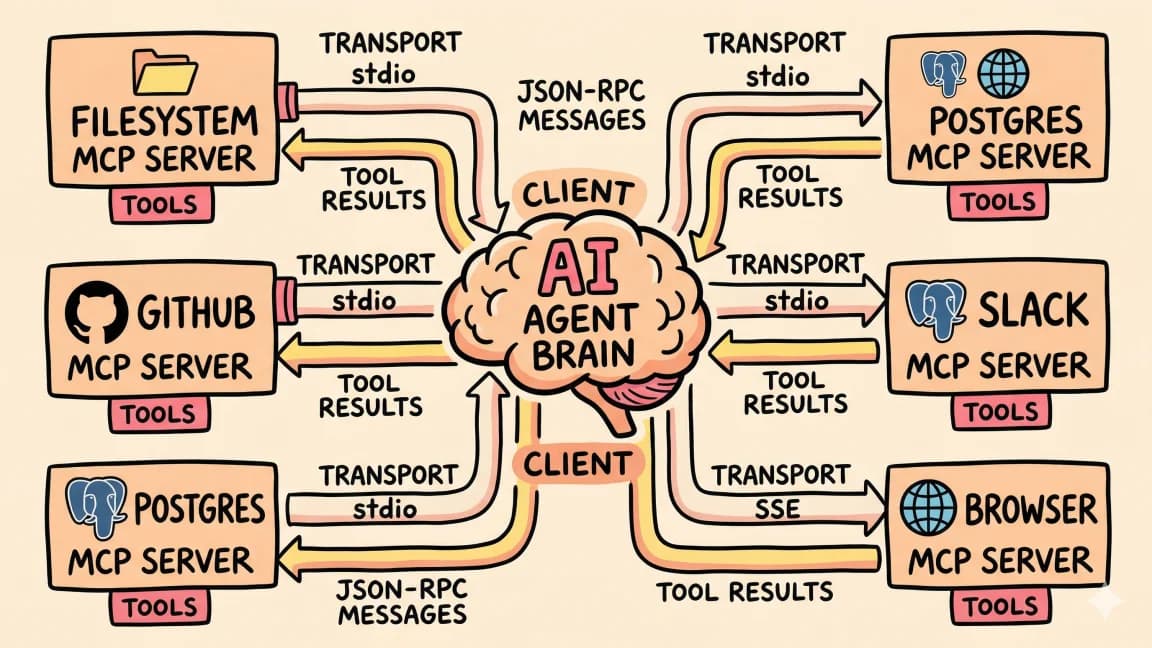
MCP was released by Anthropic in November 2024. Eighteen months later, PulseMCP indexes over 17,000 servers. OpenAI and Google adopted the protocol. It was donated to the Linux Foundation's Agentic AI Foundation. Pinterest deployed it in production for engineering workflows. Raycast supports it natively. The protocol won.
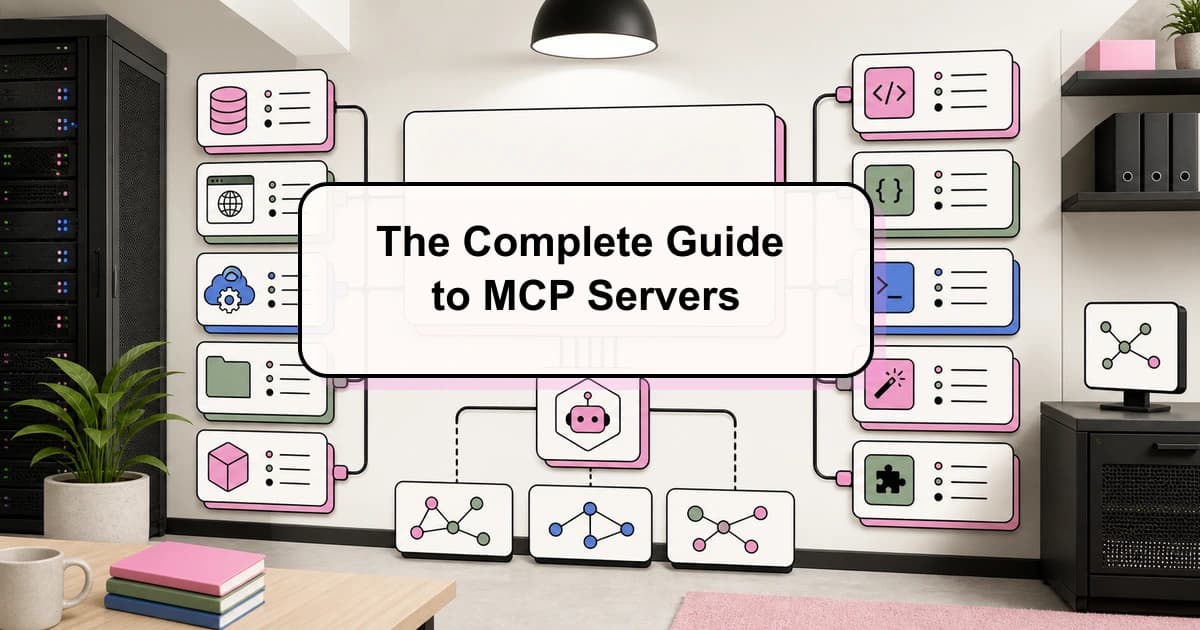
For the broader MCP map, pair this with What Is MCP (Model Context Protocol)? A TypeScript Developer's Guide and The Complete Guide to MCP Servers; those pieces cover the concepts and server-selection layer behind this article.
But 17,000 servers does not mean 17,000 useful servers. The vast majority are weekend projects, proof-of-concept demos, or abandoned repos with broken dependencies. The signal-to-noise ratio is terrible. Installing a random MCP server from a GitHub search is a coin flip between a productivity boost and a debugging session.
This guide cuts through the noise. It covers the servers that actually work in production workflows - tested, maintained, and useful for real development. Organized by category, with honest assessments, working configurations, and the opinionated rankings you will not find in a neutral directory listing. If you would rather answer a few questions and get a curated shortlist for your specific stack, the MCP picker is the fastest path.
How to Read This Guide#
Every server entry includes:
- What it does in plain language
- Install command you can copy-paste
- Configuration for Claude Code (works in Cursor and other MCP clients with minor format changes)
- Verdict - whether it is worth installing and for whom
All configurations use the Claude Code settings.json format. For Claude Code, add these to ~/.claude/settings.json or your project's .claude/settings.json under the mcpServers key:
{
  "mcpServers": {
    "server-name": {
      "command": "npx",
      "args": ["-y", "package-name"],
      "env": {}
    }
  }
}
Tier 1: Install These First#
These servers solve the most common pain points. If you use an AI coding tool daily, these should be in your config file already.
Context7 - Documentation Lookup#
The most popular MCP server in the ecosystem by a wide margin, and for good reason. Context7 fetches current documentation for any library, framework, or SDK directly into your agent's context. No more hallucinated API signatures. No more answers based on two-year-old training data.
{
  "context7": {
    "command": "npx",
    "args": ["-y", "@context7/mcp-server"]
  }
}
What it actually does: When your agent needs to look up how useActionState works in React 19, or what the current Prisma migration syntax is, it queries Context7's index of library documentation and returns the relevant sections. The documentation is pulled from official sources and kept current.
Verdict: Essential. Install this before anything else. The single biggest quality improvement for AI-generated code is giving the agent access to current documentation instead of relying on training data that may be months or years stale.
Playwright - Browser Automation#
The official Playwright MCP server gives your agent a real browser. It can navigate pages, fill forms, click buttons, take screenshots, and read page content - all through accessibility snapshots rather than pixel-level vision, which makes it fast and deterministic.
{
  "playwright": {
    "command": "npx",
    "args": ["-y", "@anthropic-ai/mcp-server-playwright"]
  }
}
What it actually does: Your agent can open a URL, interact with the page like a user, and extract information. This is transformative for testing web applications, scraping data from sites that require JavaScript rendering, and verifying that your UI changes look correct.
Common use cases:
- Smoke-testing your app after changes ("open localhost:3000 and verify the login flow works")
- Extracting data from web apps that do not have APIs
- Screenshot-based visual verification of UI components
- Filling out forms and testing multi-step workflows
Verdict: Essential for web developers. If you build anything that runs in a browser, install this.
GitHub - Repository Operations#
The official GitHub MCP server covers the full GitHub API surface: issues, pull requests, repositories, code search, and file operations. Your agent can create issues, review PRs, search code across repositories, and manage branches without leaving the conversation.
{
  "github": {
    "command": "npx",
    "args": ["-y", "@anthropic-ai/mcp-server-github"],
    "env": {
      "GITHUB_TOKEN": "ghp_your_token_here"
    }
  }
}
What it actually does: Instead of context-switching to the GitHub web UI, you can tell your agent "create an issue for the auth bug we just discussed" or "check if there are any open PRs that touch the billing module" and it handles the API calls directly.
Verdict: Essential for any team using GitHub. The time savings from not context-switching to the web UI compound quickly.
Filesystem - Cross-Project File Access#
The official Anthropic filesystem server lets your agent read and write files outside the current project directory. Claude Code already has file access within your project, but this server extends that reach to other directories you specify.
{
  "filesystem": {
    "command": "npx",
    "args": [
      "-y",
      "@anthropic-ai/mcp-server-filesystem",
      "/Users/you/notes",
      "/Users/you/other-project"
    ]
  }
}
What it actually does: Your agent can reference documentation in your notes directory, copy patterns from another project, or read configuration files that live outside the repo.
Verdict: Essential if you work across multiple projects or keep reference material outside your repos. The security model is solid - it only accesses the directories you explicitly list.
Tier 2: Install Based on Your Stack#
These servers are excellent but serve specific use cases. Install the ones that match your development workflow.
Web Scraping MCP Servers#
Several MCP servers offer web scraping capabilities, returning clean markdown from any URL. The best ones handle JavaScript-rendered pages, rate limiting, and content extraction automatically. Unlike Playwright (which gives you a full browser to control), scraping-focused servers are optimized for bulk content extraction.
What they do: Your agent can scrape any URL and get back clean markdown instead of raw HTML. Most also include a search function that finds relevant pages for a query. This is the tool your agent reaches for when it needs to research a topic, read a blog post, or extract structured data from a web page.
Verdict: Highly recommended for any workflow that involves web research. Most require an API key but free tiers are generous enough for personal use. If your agent does research tasks regularly, a scraping MCP server pays for itself immediately.
PostgreSQL / Neon - Database Operations#
Multiple MCP servers exist for PostgreSQL. The best option depends on whether you use a hosted provider or self-managed Postgres.
For Neon (serverless Postgres):
{
  "neon": {
    "command": "npx",
    "args": ["-y", "@neondatabase/mcp-server-neon"],
    "env": {
      "NEON_API_KEY": "your_neon_api_key"
    }
  }
}
For generic PostgreSQL:
{
  "postgres": {
    "command": "npx",
    "args": ["-y", "@anthropic-ai/mcp-server-postgres"],
    "env": {
      "POSTGRES_CONNECTION_STRING": "postgresql://user:pass@host:5432/db"
    }
  }
}
What it actually does: Your agent can query your database directly. Ask "what are the most common user roles in the database?" and it runs the SQL and returns the results. It can also inspect schemas, explain query plans, and help you write migrations based on the actual state of your database rather than outdated documentation.
Verdict: Install if you work with PostgreSQL regularly. Having your agent see the real schema and data (in development environments) produces dramatically better database code. Do not point this at production databases without read-only credentials.
Sentry - Error Monitoring#
The Sentry MCP server connects your agent to your error monitoring data. It can look up recent errors, read stack traces, find related issues, and help you understand what is breaking and why.
{
  "sentry": {
    "command": "npx",
    "args": ["-y", "@sentry/mcp-server"],
    "env": {
      "SENTRY_AUTH_TOKEN": "your_sentry_token",
      "SENTRY_ORG": "your-org"
    }
  }
}
What it actually does: Instead of opening the Sentry dashboard, searching for an error, reading the stack trace, and then pasting it into your agent, you say "look at the most recent unhandled exceptions in the API" and the agent pulls the data directly. It reads the stack trace, correlates it with your codebase, and suggests a fix.
Verdict: Install if you use Sentry. The debugging workflow becomes: "check Sentry for recent errors in the auth module and fix them" as a single prompt. Without this server, the same task requires manual data gathering and copy-pasting.
Supabase - Backend as a Service#
If your stack includes Supabase, the official MCP server gives your agent access to your project's database, auth, storage, and edge functions.
{
  "supabase": {
    "command": "npx",
    "args": ["-y", "@supabase/mcp-server"],
    "env": {
      "SUPABASE_URL": "https://your-project.supabase.co",
      "SUPABASE_SERVICE_KEY": "your_service_role_key"
    }
  }
}
Verdict: Essential if you use Supabase. Skip if you do not.
Upstash - Redis and Kafka#
Upstash provides serverless Redis and Kafka. Their MCP server lets your agent interact with your caches, queues, and real-time data pipelines.
{
  "upstash": {
    "command": "npx",
    "args": ["-y", "@upstash/mcp-server"],
    "env": {
      "UPSTASH_REDIS_REST_URL": "https://your-redis.upstash.io",
      "UPSTASH_REDIS_REST_TOKEN": "your_token"
    }
  }
}
Verdict: Install if you use Upstash. Particularly useful for debugging caching issues - your agent can inspect cache contents, check TTLs, and verify that your caching logic works correctly.
Tier 3: Specialized Workflow Servers#
These servers are not for everyone, but they are the best in their category for specific workflows.
Zapier - Cross-App Automation#
Zapier's MCP server connects your agent to almost 8,000 apps. Google Sheets, Slack, Jira, HubSpot, Notion, Airtable - if it has an API, Zapier probably has a connection.
{
  "zapier": {
    "command": "npx",
    "args": ["-y", "@anthropic-ai/mcp-server-zapier"],
    "env": {
      "ZAPIER_MCP_API_KEY": "your_zapier_key"
    }
  }
}
What it actually does: Your agent can trigger Zapier actions and read data from connected apps. "Post a summary of today's changes to the #engineering Slack channel." "Create a Jira ticket for the bug we found." "Add a row to the project tracking sheet."
Verdict: Powerful if your team uses Zapier already. The breadth of integrations is unmatched. The trade-off is latency - every action routes through Zapier's infrastructure, so it is slower than direct API integrations. Best for low-frequency, high-value automations rather than tight development loops.
Linear - Project Management#
Linear's MCP server gives your agent access to issues, projects, cycles, and team data. It can create issues, update status, assign work, and query your backlog.
{
  "linear": {
    "command": "npx",
    "args": ["-y", "@anthropic-ai/mcp-server-linear"],
    "env": {
      "LINEAR_API_KEY": "lin_api_your_key"
    }
  }
}
Verdict: Install if your team uses Linear. The "fix the bug and update the ticket" workflow becomes a single prompt. Without it, you fix the bug in Claude Code, then open Linear separately to update the ticket.
Cloudflare - Workers and Infrastructure#
Cloudflare's MCP server covers Workers, KV, R2, D1, and DNS. Your agent can deploy Workers, manage KV namespaces, query D1 databases, and update DNS records.
{
  "cloudflare": {
    "command": "npx",
    "args": ["-y", "@cloudflare/mcp-server"],
    "env": {
      "CLOUDFLARE_API_TOKEN": "your_cf_token",
      "CLOUDFLARE_ACCOUNT_ID": "your_account_id"
    }
  }
}
Verdict: Essential for Cloudflare-heavy stacks. If you deploy Workers regularly, this removes a significant amount of context-switching between your editor and the Cloudflare dashboard.
Notion - Knowledge Base#
Notion's MCP server lets your agent read and write pages, databases, and blocks. It can search your workspace, create new pages, and update existing content.
{
  "notion": {
    "command": "npx",
    "args": ["-y", "@anthropic-ai/mcp-server-notion"],
    "env": {
      "NOTION_API_KEY": "ntn_your_key"
    }
  }
}
Verdict: Useful if your team's documentation lives in Notion. Your agent can look up internal docs, update runbooks, and create post-mortems without you copy-pasting between apps.
Slack - Team Communication#
The Slack MCP server lets your agent read channels, post messages, search message history, and interact with threads.
{
  "slack": {
    "command": "npx",
    "args": ["-y", "@anthropic-ai/mcp-server-slack"],
    "env": {
      "SLACK_BOT_TOKEN": "xoxb-your-bot-token"
    }
  }
}
Verdict: Useful for team-integrated workflows. "Search Slack for any discussion about the payments migration" is faster than manually searching. The posting capability is handy for automated status updates. Be thoughtful about which channels the bot token has access to.
Tier 4: Niche but Worth Knowing#
Memory - Persistent Agent Knowledge#
The Memory MCP server gives your agent a key-value store that persists across sessions. It can save facts, preferences, and context that carry over between conversations.
{
  "memory": {
    "command": "npx",
    "args": ["-y", "@anthropic-ai/mcp-server-memory"],
    "env": {
      "MEMORY_FILE": "/Users/you/.claude/memory.json"
    }
  }
}
Verdict: Interesting for long-running projects where you want the agent to remember decisions and preferences across sessions. Less necessary if you already use CLAUDE.md and skills files for persistent context (which is the approach I prefer - explicit over implicit).
Puppeteer - Headless Browser#
An alternative to Playwright for browser automation, using Puppeteer under the hood. Some teams prefer it if they already have Puppeteer infrastructure.
{
  "puppeteer": {
    "command": "npx",
    "args": ["-y", "@anthropic-ai/mcp-server-puppeteer"]
  }
}
Verdict: Use Playwright instead unless you have a specific reason to prefer Puppeteer. The Playwright MCP server is more actively maintained and has better accessibility snapshot support.
Docker - Container Management#
Manage Docker containers, images, and compose stacks from your agent.
{
  "docker": {
    "command": "npx",
    "args": ["-y", "@anthropic-ai/mcp-server-docker"]
  }
}
Verdict: Useful for container-heavy workflows. Your agent can inspect running containers, read logs, and restart services. Less necessary if you use Claude Code's Bash tool to run Docker commands directly (which works fine for most cases).
SQLite - Local Database#
A lightweight server for working with SQLite databases. Good for prototyping and working with local data stores.
{
  "sqlite": {
    "command": "npx",
    "args": ["-y", "@anthropic-ai/mcp-server-sqlite", "--db-path", "/path/to/database.db"]
  }
}
Verdict: Install if you work with SQLite. The ability for your agent to inspect and query the actual database while writing code that interacts with it eliminates an entire class of bugs.
Configuration Strategy#
Start Minimal#
Do not install 15 MCP servers on day one. Each server is a process that starts with Claude Code, consumes memory, and adds latency to tool discovery. Start with Tier 1, add Tier 2 servers that match your stack, and only reach for Tier 3 and 4 when you have a specific need.
Project-Level vs Global Configuration#
Put servers you use across all projects in ~/.claude/settings.json:
{
  "mcpServers": {
    "context7": { "command": "npx", "args": ["-y", "@context7/mcp-server"] },
    "github": {
      "command": "npx",
      "args": ["-y", "@anthropic-ai/mcp-server-github"],
      "env": { "GITHUB_TOKEN": "ghp_xxx" }
    },
    "filesystem": {
      "command": "npx",
      "args": ["-y", "@anthropic-ai/mcp-server-filesystem", "/Users/you/notes"]
    }
  }
}
Put project-specific servers in .claude/settings.json at the project root:
{
  "mcpServers": {
    "neon": {
      "command": "npx",
      "args": ["-y", "@neondatabase/mcp-server-neon"],
      "env": { "NEON_API_KEY": "your_key" }
    },
    "sentry": {
      "command": "npx",
      "args": ["-y", "@sentry/mcp-server"],
      "env": { "SENTRY_AUTH_TOKEN": "your_token", "SENTRY_ORG": "your-org" }
    }
  }
}
This keeps your global config clean and prevents API keys for one project from leaking into another.
Security Considerations#
MCP servers run as processes on your machine with access to whatever credentials you provide. A few rules:
-
Use scoped tokens. Never give a server your GitHub personal access token with full repo access if it only needs read access to public repos. Create fine-grained tokens with the minimum required permissions.
-
Separate dev and prod credentials. The database MCP server should never connect to your production database. Use development or staging credentials only.
-
Audit server source code. Before installing a community MCP server, check the GitHub repo. Read the code. A malicious server with access to your filesystem token could exfiltrate code. Stick to official servers from Anthropic and major vendors, or audit community servers before installing.
-
Use environment variables, not hardcoded keys. Store API keys in your shell profile or a
.envfile and reference them in your MCP config. Never commit API keys to version control.
The Ecosystem's Trajectory#
The MCP ecosystem is following the same curve as npm packages circa 2014. Explosive growth in quantity. Wildly inconsistent quality. A small number of essential packages rising to dominance while thousands of alternatives languish.
The consolidation is already happening. Official servers from platform vendors (Anthropic, GitHub, Cloudflare, Sentry, Supabase, Linear) are winning because they are maintained by the teams that own the APIs. Community servers that do not achieve critical mass are going unmaintained within months.
The practical implication: favor official vendor servers over community alternatives. When both exist for the same service, the official one will be better maintained, more secure, and more complete. The community alternative might have a feature the official server lacks today, but that gap closes quickly.
The next wave is server composition - running multiple servers together in coordinated workflows. Your agent queries the database, finds an error pattern, searches Sentry for related exceptions, creates a GitHub issue, and posts a summary to Slack. Each step uses a different MCP server, but the workflow feels like a single coherent action. The protocol already supports this. The tooling to make it seamless is catching up.
Choose servers that solve problems you have today. Install them, configure them, and build workflows around them. That is how you get value from MCP - not by installing everything, but by integrating the right servers deeply into your daily development practice.
Frequently Asked Questions#
What is MCP and why should developers care?#
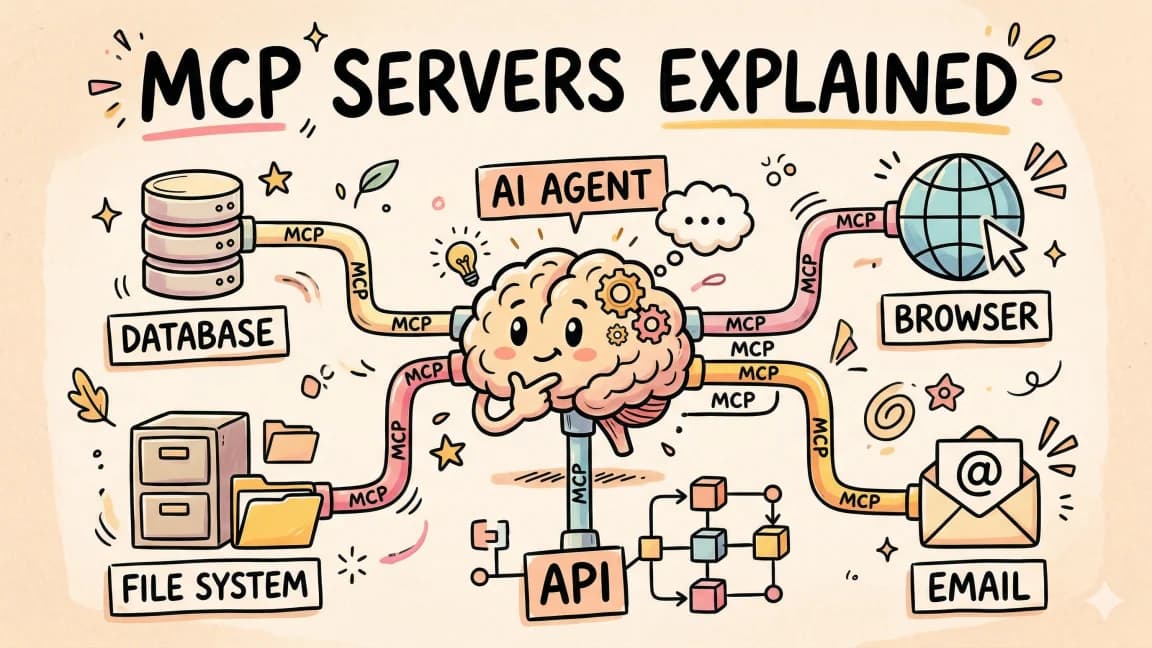
MCP (Model Context Protocol) is a standard protocol that lets AI coding tools connect to external services - databases, APIs, browsers, project management tools, and more. It was created by Anthropic, adopted by OpenAI and Google, and donated to the Linux Foundation. Developers should care because MCP servers dramatically expand what your AI assistant can do: query your database, browse the web, create GitHub issues, or post to Slack - all from within your coding session.
How many MCP servers should I install?#
Start with 3-5 essential servers (Context7, Playwright, GitHub, Filesystem) and add more only when you have specific needs. Each server is a process that consumes memory and adds latency to tool discovery. Installing 15 servers "just in case" slows down your workflow without adding value. Favor depth over breadth - learn to use a few servers well before expanding.
Where do I put MCP server configuration?#
Global servers you use across all projects go in ~/.claude/settings.json. Project-specific servers go in .claude/settings.json at your project root. This keeps your global config clean and prevents API keys from leaking between projects. Environment variables for sensitive credentials can reference your shell profile or a .env file.
Are community MCP servers safe to use?#
Use caution with community servers. MCP servers run as processes on your machine with access to whatever credentials you provide. Stick to official servers from Anthropic and major vendors (GitHub, Cloudflare, Supabase, Sentry, Linear) when possible. If you use community servers, audit the source code first, use scoped API tokens with minimal permissions, and never connect to production databases.
What is the difference between Playwright and Puppeteer MCP servers?#
Both provide browser automation, but the Playwright MCP server (from Anthropic) is recommended. It uses accessibility snapshots rather than pixel-level vision, making it faster and more deterministic. The Playwright server is also more actively maintained. Use Puppeteer only if you have existing Puppeteer infrastructure you need to integrate with.
Can MCP servers work with Cursor, not just Claude Code?#
Yes. MCP is a standard protocol supported by multiple AI coding tools. The configuration format varies slightly between tools, but the same MCP servers work with Claude Code, Cursor, Cline, and other MCP-compatible clients. Check your tool's documentation for the exact configuration syntax.
How do I debug MCP server issues?#
Check if the server process is running with ps aux | grep mcp. Verify your configuration syntax in settings.json. Test API credentials independently before adding them to MCP config. Use scoped, minimal-permission tokens to isolate authentication issues. Most failures are either configuration typos or credential problems rather than server bugs.
What MCP servers should a TypeScript developer install first?#
Start with Context7 (current documentation lookup), Playwright (browser testing), GitHub (repo operations), and Filesystem (cross-project file access). Add PostgreSQL/Neon if you use those databases, and Sentry if you use it for error monitoring. These cover the most common workflows for TypeScript web development without overloading your setup.
Get the next deep dive like this in your inbox
One email a week on MCP and the rest of the AI dev stack. Free.
Read next on Claude Code
The Complete Guide to MCP Servers
Everything you need to know about Model Context Protocol - how it works, how to install servers, how to build your own, and the best ones.
12 min readBest MCP Servers in 2026: The Developer Shortlist
A practical ranked list of MCP servers worth installing first for Claude Code, Cursor, Copilot, Codex, and OpenCode: GitHub, Filesystem, Context7, Playwright, Postgres, Sentry, Supabase, Notion, Slack, and more.
10 min readWhat Is MCP (Model Context Protocol)? The 2026 Developer Guide
MCP is the open standard for connecting AI apps to tools and data: servers expose tools, resources, and prompts over JSON-RPC, and any client can use them. What it is, how the stateless 2026-07-28 spec works, how to install a server in Claude Code or Cursor, and how to build one with the v2 TypeScript SDK.
14 min readTechnical content at the intersection of AI and development. Building with AI agents, Claude Code, and modern dev tools - then showing you exactly how it works.