AI Agent Memory Patterns
AI Agents Deep Dive
10 parts- 1AI Agents Explained: A TypeScript Developer's Guide
- 2How to Build AI Agents in TypeScript
- 3Multi-Agent Systems: How to Orchestrate Multiple AI Agents in TypeScript
- 4The Agentic Development Tech Stack for 2026
- 5How to Debug AI Agent Workflows
- 6AI Agent Memory PatternsCurrent
- 7Over-Editing: Why Your AI Coding Agent Rewrites What Isn't Broken
- 8Intent Debt: The AI-Era Debt Nobody Is Tracking
- 97 AI Agent Orchestration Patterns Every Developer Should Know
- 10The Agent Reliability Cliff: Why Your 10-Step Chain Only Succeeds 20% of the Time
TL;DR
Agents forget everything between sessions.
Official Sources#
| Resource | Link |
|---|---|
| Claude Code Memory & CLAUDE.md | docs.anthropic.com/claude-code/memory |
| Hugging Face Transformers.js | huggingface.co/docs/transformers.js |
| RAG Original Paper (Lewis et al.) | arxiv.org/abs/2005.11401 |
| Pinecone Documentation | docs.pinecone.io |
| Weaviate Documentation | weaviate.io/developers/weaviate |
| Chroma Documentation | docs.trychroma.com |
Every AI agent starts with amnesia. The context window is its entire working memory, and it resets to zero between sessions. Building useful agents means solving this problem.
Here are the memory patterns that work in production.
Pattern 1: File-Based Persistence (CLAUDE.md)#
The simplest memory system. Write what matters to a file. Read it at the start of every session.
For the larger agent workflow map, read AI Agents Explained: A TypeScript Developer's Guide and How to Build AI Agents in TypeScript; they give the architecture and implementation context this piece assumes.
// Write memory
async function remember(key: string, value: string) {
  const memory = JSON.parse(await fs.readFile("memory.json", "utf-8").catch(() => "{}"));
  memory[key] = { value, timestamp: Date.now() };
  await fs.writeFile("memory.json", JSON.stringify(memory, null, 2));
}

// Read memory
async function recall(): Promise<Record<string, string>> {
  const memory = JSON.parse(await fs.readFile("memory.json", "utf-8").catch(() => "{}"));
  return Object.fromEntries(Object.entries(memory).map(([k, v]: [string, any]) => [k, v.value]));
}
Claude Code uses this pattern with CLAUDE.md. Project rules, architecture decisions, coding standards - all persisted as plain text that the model reads at session start.
When to use: Project configuration, coding standards, persistent rules. Anything that does not change often but must be remembered across sessions.
Limitation: File size is limited by the context window. A 50KB CLAUDE.md consumes tokens that could be used for reasoning. Run yours through our token estimator if you are not sure how much headroom you have left.
Pattern 2: RAG (Retrieval-Augmented Generation)#
Instead of loading everything into context, index your knowledge and retrieve only what is relevant to the current query.
import { pipeline } from "@huggingface/transformers";

const embedder = await pipeline("feature-extraction", "mixedbread-ai/mxbai-embed-xsmall-v1");

// Index documents
async function index(docs: { id: string; text: string }[]) {
  const vectors = await Promise.all(
    docs.map(async (doc) => {
      const embedding = await embedder(doc.text, { pooling: "mean", normalize: true });
      return { id: doc.id, text: doc.text, vector: embedding.tolist()[0] };
    })
  );
  return vectors;
}

// Retrieve relevant docs for a query
async function retrieve(query: string, index: any[], topK = 3) {
  const queryVec = (await embedder(query, { pooling: "mean", normalize: true })).tolist()[0];

  return index
    .map((doc) => ({
      ...doc,
      score: cosineSimilarity(queryVec, doc.vector),
    }))
    .sort((a, b) => b.score - a.score)
    .slice(0, topK);
}
The agent gets relevant context without the full knowledge base consuming the window.
When to use: Large knowledge bases (documentation, codebases, conversation history). When the context window cannot hold everything.
Limitation: Retrieval quality depends on embedding model and chunking strategy. Bad retrieval means bad context.
Pattern 3: Conversation Summarization#
Long conversations overflow the context window. Instead of dropping old messages, summarize them.
async function summarizeHistory(messages: Message[]): Promise<string> {
  if (messages.length < 20) return ""; // No need to summarize short conversations

  const oldMessages = messages.slice(0, -10); // Keep last 10 intact
  const { text } = await generateText({
    model: anthropic("claude-haiku-4-5"),
    prompt: `Summarize this conversation history in 3-5 bullet points. Focus on decisions made, tasks completed, and current state:\n\n${oldMessages.map((m) => `${m.role}: ${m.content}`).join("\n")}`,
  });

  return text;
}

// Use in agent loop
const summary = await summarizeHistory(messages);
const contextMessages = [
  { role: "system", content: `Previous conversation summary:\n${summary}` },
  ...messages.slice(-10), // Recent messages in full
];
The agent retains awareness of the full conversation without the token cost.
When to use: Long-running agent sessions. Customer support agents. Multi-turn development sessions.
Pattern 4: Structured State#
Track agent state as a typed object, not free text. Serialize between sessions.
interface AgentState {
  task: string;
  status: "planning" | "executing" | "reviewing" | "done";
  filesModified: string[];
  testsRun: { file: string; passed: boolean }[];
  decisions: { what: string; why: string; timestamp: number }[];
  blockers: string[];
}

const initialState: AgentState = {
  task: "",
  status: "planning",
  filesModified: [],
  testsRun: [],
  decisions: [],
  blockers: [],
};

// Persist between steps
async function saveState(state: AgentState) {
  await fs.writeFile(".agent-state.json", JSON.stringify(state, null, 2));
}

async function loadState(): Promise<AgentState> {
  return JSON.parse(
    await fs.readFile(".agent-state.json", "utf-8").catch(() => JSON.stringify(initialState))
  );
}
The agent can resume exactly where it left off. Every decision is logged with reasoning.
When to use: Multi-step workflows that may be interrupted. CI/CD pipelines. Long-running automation.
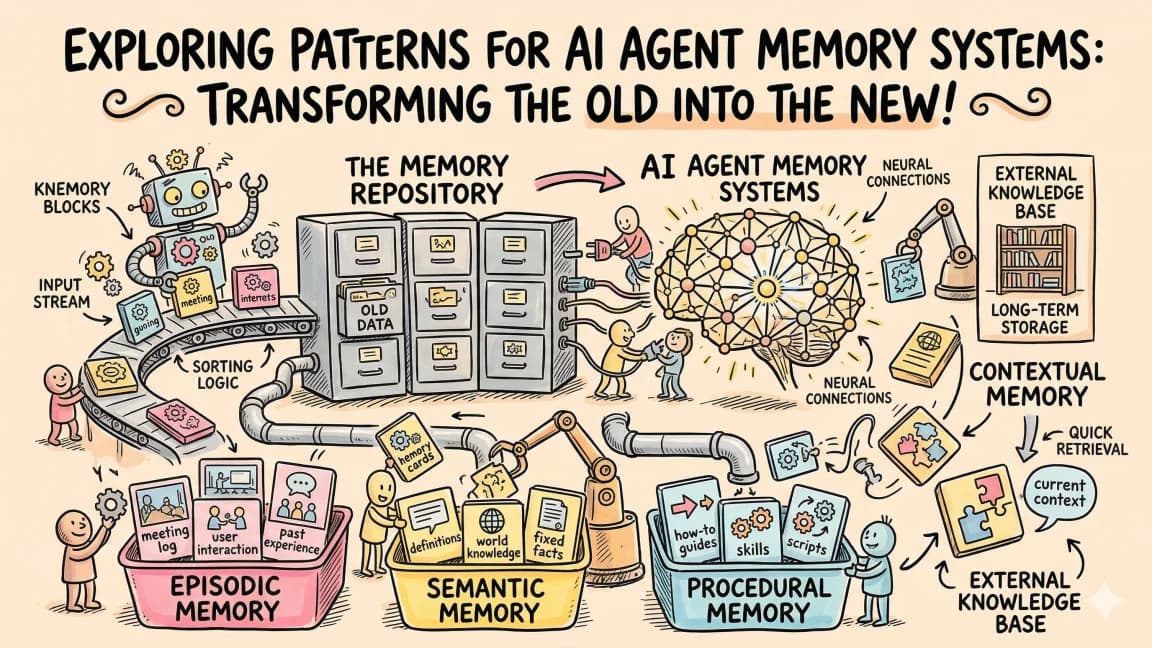
Pattern 5: Tiered Memory#
Different types of information need different retention strategies.
Working Memory (context window)
  - Current task, recent messages, active file contents
  - Lifetime: current session only

Short-Term Memory (session state file)
  - Files modified, tests run, decisions made
  - Lifetime: current task

Long-Term Memory (CLAUDE.md / RAG index)
  - Project rules, architecture, coding standards
  - Lifetime: permanent, updated occasionally

Episodic Memory (conversation logs)
  - Past conversations summarized
  - Lifetime: retained as summaries, raw logs archived
Each tier has different storage, retrieval, and eviction strategies.
Which Pattern to Use#
| Scenario | Pattern |
|---|---|
| Project configuration | File-based (CLAUDE.md) |
| Large documentation | RAG |
| Long conversations | Summarization |
| Multi-step workflows | Structured state |
| Production agents | Tiered (all of the above) |
Most production agents use a combination. CLAUDE.md for rules + RAG for knowledge + summarization for history + structured state for workflow tracking. When you would rather buy the memory layer than build it, compare the options in best AI agent memory providers in 2026: Mem0 vs Zep vs Letta vs Cloudflare.
Frequently Asked Questions#
Does Claude Code have built-in memory?#
Yes. CLAUDE.md files at project, user, and global levels provide persistent memory. Claude Code also has auto-memory that saves important context automatically. But these are file-based - not RAG or semantic search.
How much context should I reserve for memory vs reasoning?#
Keep memory under 30% of the context window. A 200K token window should use at most 60K for memory/context, leaving 140K for reasoning and tool outputs.
Can I use a vector database for agent memory?#
Yes. Pinecone, Weaviate, Chroma, and pgvector all work. For browser-based agents, Transformers.js can compute embeddings client-side. The key is matching the retrieval strategy to your query patterns.
What is the best chunking strategy for RAG?#
For code: chunk by function/class. For documentation: chunk by section (h2 headings). For conversations: chunk by topic shift. Overlapping chunks (50-100 token overlap) improve retrieval accuracy at the boundaries.
Related apps#
- Agent Eval Bench Plus - Evaluation harness for AI coding agents. Plus tier adds private benchmarks, CI hooks, and historical comparisons.
- Skill Builder - Build, test, and iterate agent skills from the terminal. Create Claude Code skills with interview or one-liner.
Related#
- Subscribe to DevDigest on YouTube for hands-on walkthroughs
Continue Reading#
- AI Agent Frameworks Compared - LangGraph, CrewAI, Mastra, CopilotKit, AutoGen and Claude Code side by side
Get the next deep dive like this in your inbox
One email a week on AI Agents and the rest of the AI dev stack. Free.
Read next on AI coding tools
AI Agents Explained: A TypeScript Developer's Guide
AI agents use LLMs to complete multi-step tasks autonomously. Here is how they work and how to build them in TypeScript.
6 min readMulti-Agent Systems: How to Orchestrate Multiple AI Agents in TypeScript
From swarms to pipelines - here are the patterns for coordinating multiple AI agents in TypeScript applications.
6 min readHow to Debug AI Agent Workflows
AI agents fail in ways traditional debugging cannot catch. Here are the tools and patterns for finding and fixing broken agent loops, tool failures, and context issues.
9 min readNew here? Start with
Technical content at the intersection of AI and development. Building with AI agents, Claude Code, and modern dev tools - then showing you exactly how it works.