MCP vs Function Calling: When to Use Each
TL;DR
MCP servers and function calling both let AI tools interact with external systems. They solve different problems.
MCP and function calling are not competing approaches. They operate at different layers. Function calling is a model capability - the model decides to call a function. MCP is a protocol - it standardizes how tools connect to AI systems. Understanding when to use each saves you from building the wrong abstraction.
Official Sources#
Always verify current specifications and API changes against the official documentation:
| Technology | Specification | SDK | Changelog |
|---|---|---|---|
| MCP | modelcontextprotocol.io | TypeScript SDK | MCP releases |
| Anthropic Tool Use | docs.anthropic.com | anthropic-sdk-typescript | Anthropic news |
| OpenAI Function Calling | platform.openai.com | openai-node | OpenAI changelog |
For implementation guides, see the MCP quickstart and Anthropic tool use guide.
Function Calling#
Function calling is built into the model API. You define tools as JSON schemas, send them alongside your prompt, and the model returns structured tool calls when it decides one is needed.
For the broader MCP map, pair this with What Is MCP (Model Context Protocol)? A TypeScript Developer's Guide and The Complete Guide to MCP Servers; those pieces cover the concepts and server-selection layer behind this article.
const response = await anthropic.messages.create({
  model: "claude-sonnet-4-6",
  messages: [{ role: "user", content: "What's the weather in Tokyo?" }],
  tools: [{
    name: "get_weather",
    description: "Get current weather for a city",
    input_schema: {
      type: "object",
      properties: {
        city: { type: "string" },
        units: { type: "string", enum: ["celsius", "fahrenheit"] },
      },
      required: ["city"],
    },
  }],
});
The model sees the tool definitions, decides if one is relevant, and returns a structured tool call. Your code executes the tool and returns the result. This loop can repeat multiple times.
When to use function calling:
- You are building an API-first application
- Your tools are specific to your application logic
- You control both the model call and the tool execution
- You need fine-grained control over the tool call loop
MCP (Model Context Protocol)#
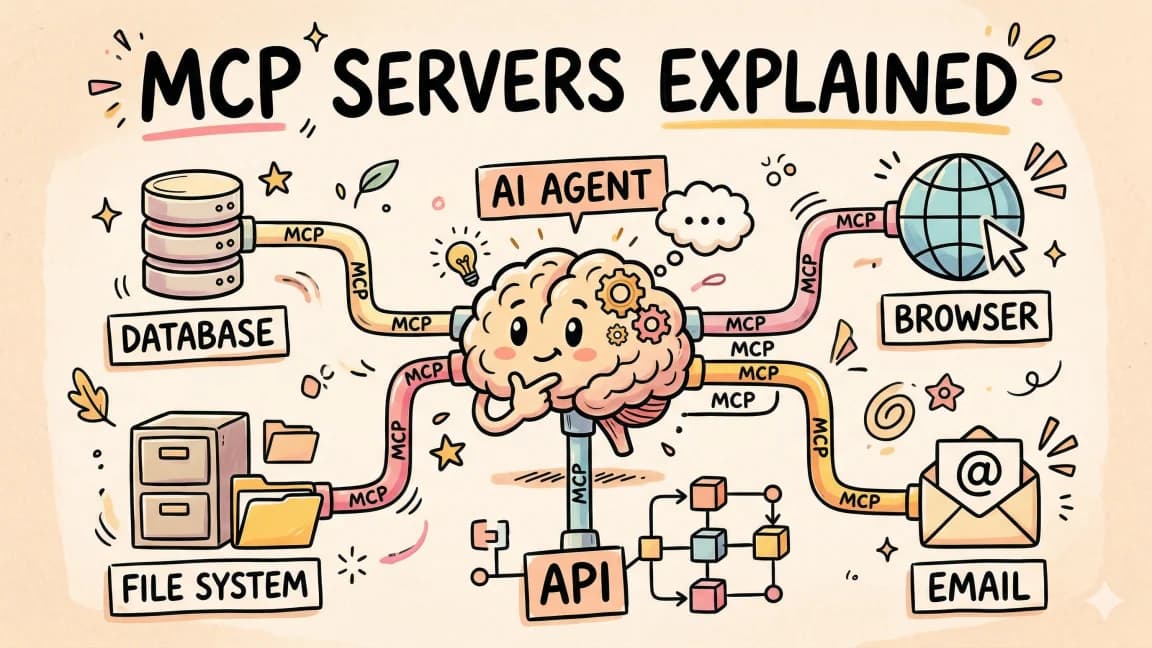
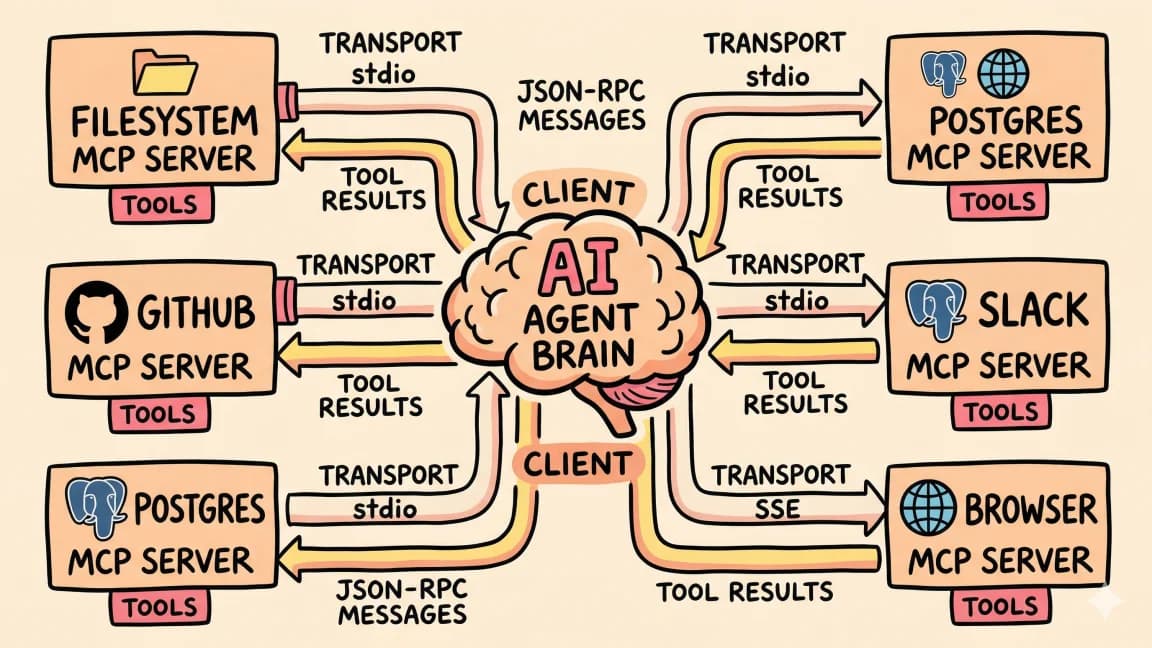
MCP is a protocol layer that sits between AI tools and external services. Instead of defining tools inline with your API call, MCP servers expose tools, resources, and prompts through a standardized interface.
// MCP server exposes tools via the protocol
const server = new McpServer({ name: "weather-server" });

server.tool("get_weather", { city: z.string(), units: z.enum(["celsius", "fahrenheit"]) },
  async ({ city, units }) => {
    const data = await fetchWeather(city, units);
    return { content: [{ type: "text", text: JSON.stringify(data) }] };
  }
);
Claude Code, Cursor, and other AI tools discover MCP servers and their capabilities automatically. The user does not wire up tool schemas manually.
When to use MCP:
- You want tools that work across multiple AI clients (Claude Code, Cursor, Windsurf)
- You are exposing external services (databases, APIs, file systems)
- You want tools to be discoverable and reusable
- You are building infrastructure that other developers will use
The Key Differences#
| Function Calling | MCP | |
|---|---|---|
| Level | Model API feature | Protocol layer |
| Scope | Per-request | Persistent server |
| Discovery | Manual (defined in code) | Automatic (server advertises) |
| Portability | Tied to your app | Works across AI clients |
| State | Stateless per call | Can maintain connections |
| Resources | Tools only | Tools + resources + prompts |
| Transport | HTTP/API | Stdio, HTTP, SSE |
When They Work Together#
The best architectures use both. MCP servers provide reusable tool infrastructure. Function calling handles application-specific logic.
User prompt
  -> Claude Code / AI Client
    -> MCP Server (database access, file system, external APIs)
    -> Function calling (app-specific business logic)
  -> Response
Example: your AI coding assistant uses an MCP server for database queries (reusable across projects) and function calling for your specific code generation logic (unique to your app).
Decision Framework#
Reach for function calling when:
- You are building a custom AI application
- Tools are tightly coupled to your business logic
- You need maximum control over the model interaction
- You are using the API directly (not through Claude Code or an IDE)
Reach for MCP when:
- You are connecting to an external service (database, API, SaaS tool)
- You want the tool to work in Claude Code, Cursor, and other clients
- You are building developer tooling or infrastructure
- You want other developers to use your integration
Use both when:
- Your application connects to external services (MCP) AND has custom logic (function calling)
- You are building a platform where some tools are reusable and others are app-specific
The Trend#
MCP is winning for infrastructure-level tools. Database access, browser automation, Slack integration, GitHub operations - these all make sense as MCP servers because they are reusable across projects and clients.
Function calling remains essential for application-specific logic. Your custom data pipeline, your specific API endpoints, your business rules - these belong in your application's function calling layer.
The line between them will blur as more AI clients support MCP natively, but the architectural distinction will remain: protocol for reusable infrastructure, API for application logic.
Frequently Asked Questions#
Can I use MCP without Claude Code?#
Yes. MCP is an open protocol. Cursor, Windsurf, Zed, and other tools support it. You can also use MCP servers directly via the TypeScript SDK in any Node.js application.
Is function calling being replaced by MCP?#
No. They solve different problems. Function calling is how models interact with tools at the API level. MCP is how tools expose themselves to AI clients. A single application often uses both.
Which is easier to set up?#
Function calling is simpler for quick prototypes - add a tool definition to your API call and handle the result. MCP requires running a separate server but pays off when you want the tool to work across multiple AI clients.
Do I need to learn both?#
If you are building AI applications, yes. Function calling is fundamental to how models use tools. MCP is becoming the standard for how tools connect to AI development environments.
Get the next comparison like this in your inbox
One email a week on MCP and the rest of the AI dev stack. Free.
Read next on Claude Code
What Is MCP (Model Context Protocol)? The 2026 Developer Guide
MCP is the open standard for connecting AI apps to tools and data: servers expose tools, resources, and prompts over JSON-RPC, and any client can use them. What it is, how the stateless 2026-07-28 spec works, how to install a server in Claude Code or Cursor, and how to build one with the v2 TypeScript SDK.
14 min readHow to Build MCP Servers in TypeScript
A step-by-step guide to building Model Context Protocol servers in TypeScript. Project setup, tool registration, resources, testing with Claude Code, and production patterns.
14 min readHow to Use MCP Servers: The Complete Guide
MCP servers connect AI agents to databases, APIs, and tools through a standard protocol. Here is how to configure and use them with Claude Code and Cursor.
11 min readTechnical content at the intersection of AI and development. Building with AI agents, Claude Code, and modern dev tools - then showing you exactly how it works.