AI Agent Frameworks Compared: LangGraph vs CrewAI vs Mastra vs CopilotKit
Deep comparison of the top AI agent frameworks - LangGraph, CrewAI, Mastra, CopilotKit, AutoGen, and Claude Code.
Last updated: June 10, 2026. Verify APIs, model support, and pricing against the official docs before you build.
Pick your framework in 30 seconds:
| Your primary need | Best framework |
|---|---|
| Stateful workflows with branches and loops | LangGraph |
| TypeScript-native agents with workflows, memory, RAG, and evals | Mastra |
| In-app agent UX with React state sync and human approvals | CopilotKit |
| Role-based pipelines (research → write → edit) | CrewAI |
| Multi-agent chat and iterative refinement | AutoGen |
| Operate on a real codebase from the terminal | Claude Code |
If you are choosing between coding agents specifically, skip to Claude Code vs Cursor vs Codex. If cost is the main constraint, start at /pricing.
If you only need the fast routing layer:
- Building an app-facing agent with shared state and approvals: start with Mastra vs CopilotKit vs LangGraph.
- Deciding between backend orchestration and coding agents: pair this guide with Claude Code vs Cursor vs Codex.
- Comparing framework cost and vendor lock-in: keep /pricing and AI coding tools pricing 2026 open beside this page.
- Choosing SDKs instead of full frameworks: read OpenAI Agents SDK TypeScript and then compare it against your orchestration choice here.
- Choosing a frontend app layer versus backend orchestration: pair this guide with LangChain vs Vercel AI SDK for the app-framework angle.
- Building the first tool surface around any agent: read Building Your First MCP Server.
This guide provides a practical comparison of the agent frameworks and agent-app layers that matter in 2026. We cover backend orchestration frameworks, frontend agent UX, code examples, strengths, weaknesses, and concrete guidance on when to pick each one.
The important update: Mastra and CopilotKit should not be lumped into the same bucket. Mastra is a TypeScript backend framework for agents, workflows, tools, memory, RAG, and evals. CopilotKit is the frontend/runtime layer for bringing agents into an application with shared state, frontend tools, AG-UI streaming, and human-in-the-loop UI.
Related decision pages:
- Mastra vs CopilotKit vs LangGraph - Build the same agent app three ways
- Mastra for Durable TypeScript Agents - Where Mastra fits as the backend agent layer
- When CopilotKit Is the UI Layer, Not the Agent Framework - The frontend/runtime layer around backend agents
- OpenAI Agents SDK TypeScript - Handoffs, guardrails, and tracing in a narrower SDK lane
- LangChain vs Vercel AI SDK - TypeScript app frameworks
- AI tool comparisons hub - Side-by-side comparison pages
- AI coding tools pricing 2026 - Cost breakdown
Official sources
Use this guide as the decision layer, then validate details against the official sources before committing to a framework.
| Framework | Official source |
|---|---|
| CrewAI | CrewAI docs and CrewAI GitHub |
| LangGraph | LangGraph docs and LangGraph GitHub |
| AutoGen | AutoGen docs and AutoGen GitHub |
| Claude Code | Claude Code docs |
| Mastra | Mastra framework docs, Mastra agents docs, and Mastra GitHub |
| CopilotKit | CopilotKit architecture docs, CopilotKit product page, and CopilotKit GitHub |
What is an agent framework?
An agent framework provides the scaffolding for building AI applications that go beyond single prompt-response interactions. At minimum, a framework handles:
- Agent definition - Creating agents with specific roles, instructions, and capabilities
- Tool integration - Giving agents the ability to call external functions, APIs, and services
- Orchestration - Coordinating multiple agents or multi-step workflows
- Memory - Maintaining context across steps and conversations
- Error handling - Recovering from failures, retrying, and graceful degradation
Without a framework, you end up writing all of this plumbing yourself. Frameworks let you focus on the business logic of your agents rather than the infrastructure.
Quick comparison
Before diving into each framework, here is a high-level comparison to orient your decision.
| Feature | CrewAI | LangGraph | Mastra | CopilotKit | AutoGen | Claude Code |
|---|---|---|---|---|---|---|
| Language | Python | Python, JS/TS | TypeScript | React, Angular, TS runtime | Python, .NET | TypeScript SDK / CLI |
| Architecture | Role-based crews | Graph-based state machine | Agents + typed workflows | Frontend + runtime + AG-UI agent backend | Conversation-based groups | Agentic loop + sub-agents |
| Learning curve | Low | High | Medium | Medium | Medium | Low |
| Multi-agent | Built-in crew system | Manual graph wiring | Supervisor agents and workflows | Connects to backend agent frameworks | GroupChat pattern | Sub-agent spawning |
| Model support | Any via LiteLLM | Any via integrations | Multi-provider model router | Depends on backend agent | Any via config | Claude models only |
| Tool definition | Decorated functions | Annotated functions | Typed tools, MCP tools | Frontend tools, backend tools, MCP apps | Function schemas | MCP servers + built-in tools |
| State management | Automatic crew state | Explicit graph state | Memory + persisted workflow state | Shared app-agent state over AG-UI | Conversation history | Conversation context + memory |
| Streaming | Limited | Full support | Agent and workflow streaming | AG-UI event stream | Limited | Full support |
| Production readiness | Growing | Mature | Strong TS production path | Strong app UX path | Growing | Production-grade |
| Best for | Team simulations, content pipelines | Complex stateful workflows | TypeScript agent products | In-app copilots and generative UI | Research, multi-agent chat | Code generation, dev automation |
| License | MIT | MIT | Apache 2.0 core | MIT core | CC-BY-4.0 docs, code MIT | Proprietary service, SDK open |
CrewAI
CrewAI takes a team metaphor and runs with it. You define agents as team members with specific roles (researcher, writer, reviewer), give them tools, and organize them into a "crew" that executes a sequence of tasks. The framework handles delegation, context passing between agents, and result aggregation.
Architecture
[Crew]
  |
  +-- Agent: Researcher (role, goal, tools)
  |     |
  |     +-- Task: "Research the topic"
  |
  +-- Agent: Writer (role, goal, tools)
  |     |
  |     +-- Task: "Write the article"
  |
  +-- Agent: Editor (role, goal, tools)
        |
        +-- Task: "Edit and polish"
CrewAI uses a sequential or hierarchical process model. In sequential mode, tasks execute one after another, with each agent's output feeding into the next agent's context. In hierarchical mode, a manager agent delegates tasks to workers and synthesizes results.
Code example
from crewai import Agent, Task, Crew, Process
from crewai_tools import SerperDevTool

# Define tools
search_tool = SerperDevTool()

# Define agents
researcher = Agent(
    role="Senior Research Analyst",
    goal="Find comprehensive, accurate information about {topic}",
    backstory="You are an experienced researcher with deep expertise "
              "in technology and AI. You excel at finding primary sources "
              "and verifying claims.",
    tools=[search_tool],
    verbose=True,
)

writer = Agent(
    role="Technical Writer",
    goal="Write a clear, engaging article based on the research",
    backstory="You write for a developer audience. You explain complex "
              "topics simply without dumbing them down. You always include "
              "code examples when relevant.",
    verbose=True,
)

reviewer = Agent(
    role="Editor",
    goal="Review the article for accuracy, clarity, and completeness",
    backstory="You have a sharp eye for technical inaccuracies, unclear "
              "explanations, and missing context. You suggest specific edits.",
    verbose=True,
)

# Define tasks
research_task = Task(
    description="Research {topic} thoroughly. Find the latest developments, "
                "key players, technical details, and practical applications. "
                "Cite your sources.",
    expected_output="A detailed research report with sections, key findings, "
                    "and source URLs.",
    agent=researcher,
)

writing_task = Task(
    description="Using the research report, write a 1500-word article about "
                "{topic}. Include an introduction, 3-4 main sections with "
                "code examples, and a conclusion.",
    expected_output="A complete, well-structured article in markdown format.",
    agent=writer,
)

review_task = Task(
    description="Review the article for technical accuracy, clarity, and "
                "completeness. Provide specific suggestions and a final "
                "edited version.",
    expected_output="A list of edits and the final polished article.",
    agent=reviewer,
)

# Create and run the crew
crew = Crew(
    agents=[researcher, writer, reviewer],
    tasks=[research_task, writing_task, review_task],
    process=Process.sequential,
    verbose=True,
)

result = crew.kickoff(inputs={"topic": "MCP servers"})
print(result)
Strengths
- Intuitive mental model. The crew/role metaphor maps directly to how people think about team collaboration. Non-technical stakeholders can understand the architecture.
- Low boilerplate. Getting a multi-agent pipeline running takes less than 50 lines of code. The framework handles context passing, agent coordination, and output formatting.
- Built-in tool ecosystem. CrewAI Tools provides ready-made tools for web search, file operations, code execution, and more. You can also wrap any Python function as a tool.
- Flexible process models. Sequential, hierarchical, and consensual process types cover most multi-agent patterns without custom orchestration code.
- Model agnostic. Works with OpenAI, Anthropic, Google, Ollama, and any provider supported by LiteLLM.
Weaknesses
- Limited control flow. Complex branching logic, conditional execution, and dynamic task creation are harder to express than in graph-based frameworks. You are mostly constrained to linear or tree-shaped workflows.
- Debugging opacity. When a crew produces bad output, tracing which agent made the wrong decision and why can be difficult. The verbose mode helps but produces a lot of noise.
- Token-heavy. The role/backstory/goal system generates large system prompts for each agent. In long crews, the cumulative token cost can be significant.
- Python only. No official TypeScript or JavaScript SDK. If your stack is Node-based, CrewAI is not a natural fit.
- Relatively new. The API surface changes frequently between versions. Production deployments need to pin versions carefully.
When to use CrewAI
Choose CrewAI when you need a multi-agent pipeline with well-defined roles and sequential (or hierarchical) task execution. It excels at content generation pipelines, research workflows, and any task where the "team of specialists" metaphor fits naturally. If you want the fastest path from idea to working multi-agent system, CrewAI is hard to beat.
LangGraph
LangGraph models agent workflows as directed graphs where nodes are processing steps and edges define the flow between them. It is the most flexible framework in this comparison and the one that gives you the most control over execution flow, state management, and error handling.
Architecture
[StateGraph]
  |
  +-- Node: "research" (function)
  |     |
  |     +-- Edge: if needs_more_info -> "research"
  |     +-- Edge: if complete -> "write"
  |
  +-- Node: "write" (function)
  |     |
  |     +-- Edge: -> "review"
  |
  +-- Node: "review" (function)
        |
        +-- Edge: if approved -> END
        +-- Edge: if needs_revision -> "write"
LangGraph uses a state machine pattern. You define a state schema, nodes that transform state, and edges (including conditional edges) that determine the next node based on the current state. This makes complex workflows with loops, branches, and dynamic routing straightforward.
Code example
from typing import TypedDict, Annotated
from langgraph.graph import StateGraph, END
from langchain_anthropic import ChatAnthropic
from langchain_core.messages import HumanMessage, SystemMessage

# Define the state schema
class AgentState(TypedDict):
    topic: str
    research: str
    draft: str
    review_feedback: str
    final_article: str
    revision_count: int

# Initialize the model
model = ChatAnthropic(model="claude-sonnet-4-20250514")

# Define node functions
def research_node(state: AgentState) -> dict:
    messages = [
        SystemMessage(content="You are a thorough research analyst."),
        HumanMessage(
            content=f"Research the topic: {state['topic']}. "
                    f"Provide detailed findings with sources."
        ),
    ]
    response = model.invoke(messages)
    return {"research": response.content}


def write_node(state: AgentState) -> dict:
    context = state.get("review_feedback", "")
    revision_note = (
        f"\n\nPrevious feedback to address:\n{context}"
        if context
        else ""
    )

    messages = [
        SystemMessage(
            content="You are a technical writer for developers."
        ),
        HumanMessage(
            content=f"Write a 1500-word article based on this research:\n\n"
                    f"{state['research']}{revision_note}"
        ),
    ]
    response = model.invoke(messages)
    return {
        "draft": response.content,
        "revision_count": state.get("revision_count", 0) + 1,
    }


def review_node(state: AgentState) -> dict:
    messages = [
        SystemMessage(
            content="You are a strict technical editor. Respond with either "
                    "'APPROVED' followed by the final text, or 'NEEDS_REVISION' "
                    "followed by specific feedback."
        ),
        HumanMessage(content=f"Review this article:\n\n{state['draft']}"),
    ]
    response = model.invoke(messages)

    if "APPROVED" in response.content[:20]:
        return {
            "final_article": response.content.replace("APPROVED", "").strip(),
            "review_feedback": "",
        }
    else:
        return {
            "review_feedback": response.content.replace(
                "NEEDS_REVISION", ""
            ).strip()
        }


# Define routing logic
def should_revise(state: AgentState) -> str:
    if state.get("final_article"):
        return "end"
    if state.get("revision_count", 0) >= 3:
        # Give up after 3 revisions
        return "end"
    return "revise"


# Build the graph
graph = StateGraph(AgentState)

# Add nodes
graph.add_node("research", research_node)
graph.add_node("write", write_node)
graph.add_node("review", review_node)

# Add edges
graph.set_entry_point("research")
graph.add_edge("research", "write")
graph.add_edge("write", "review")

# Conditional edge: review can loop back to write or finish
graph.add_conditional_edges(
    "review",
    should_revise,
    {
        "revise": "write",
        "end": END,
    },
)

# Compile and run
app = graph.compile()

result = app.invoke({
    "topic": "Building MCP servers in TypeScript",
    "research": "",
    "draft": "",
    "review_feedback": "",
    "final_article": "",
    "revision_count": 0,
})

print(result["final_article"])
Strengths
- Maximum control. Every aspect of the workflow is explicit: state schema, node functions, routing logic, and error handling. Nothing is hidden or magical.
- Complex workflows. Loops, branches, parallel execution, conditional routing, and dynamic node selection are first-class features. If you can draw it as a flowchart, you can build it in LangGraph.
- Stateful by design. The explicit state schema makes it easy to inspect, checkpoint, and resume workflows. You can save state to a database and resume later, which is essential for long-running tasks.
- Streaming support. Full streaming of intermediate steps and final output. You can show users what each node is doing in real time.
- Language support. Official Python and TypeScript/JavaScript SDKs, both production-quality.
- LangSmith integration. Built-in tracing and observability through LangSmith (LangChain's monitoring platform). Every node execution, LLM call, and state transition is logged and inspectable.
Weaknesses
- Steep learning curve. The graph/state-machine paradigm is powerful but takes time to internalize. Simple tasks that take 10 lines in CrewAI require 50+ lines in LangGraph.
- Verbose boilerplate. State schemas, node functions, edge definitions, and compilation add significant code overhead for simple workflows.
- LangChain dependency. LangGraph is part of the LangChain ecosystem. While it works standalone, the most useful integrations pull in LangChain dependencies. If you have opinions about LangChain, those opinions apply here too.
- Over-engineering risk. The flexibility of graphs makes it tempting to build overly complex workflows. Simple sequential pipelines do not need conditional edges and state machines.
- Documentation density. The docs are comprehensive but dense. Finding the right pattern for your use case can take digging.
When to use LangGraph
Choose LangGraph when your workflow has complex control flow - loops, branches, conditional execution, parallel paths, or human-in-the-loop checkpoints. It is the right choice for production systems where you need explicit state management, observability, and the ability to resume failed workflows. If your workflow is simple and sequential, LangGraph is overkill.
Mastra
Mastra is the TypeScript-native answer to a problem many full-stack teams hit: the Vercel AI SDK is excellent for model calls and streaming UI, but it does not try to be a complete agent workflow framework. LangGraph is powerful, but many TypeScript teams do not want to split product code between a Python agent service and a Next.js frontend. Mastra sits in that gap.
The official Mastra framework docs position it as an open-source TypeScript framework with agents, tools, memory, workflows, RAG, evals, tracing, and a local playground. That makes it closer to LangGraph than to a chat UI library, but with a web-app-oriented TypeScript developer experience.
Architecture
[Mastra]
  |
  +-- Agent: "support-agent" (instructions, model, tools, memory)
  +-- Workflow: "triage-ticket" (steps, branches, loops, suspend/resume)
  +-- Tools: typed functions, API calls, MCP tools
  +-- Memory: conversation history, user context, observational memory
  +-- Evals + tracing: score outputs and inspect runs
  +-- Studio: local testing and trace inspection
Mastra lets you compose open-ended agents with deterministic workflow steps. Use model calls where reasoning is needed, plain TypeScript functions where the step should be deterministic, and workflow control flow where you need reliability.
Code example
import { Agent } from "@mastra/core/agent";
import { createTool } from "@mastra/core/tools";
import { z } from "zod";

const lookupOrder = createTool({
  id: "lookup-order",
  description: "Look up an order by ID.",
  inputSchema: z.object({
    orderId: z.string().describe("The customer order ID"),
  }),
  execute: async ({ context }) => {
    const order = await getOrderById(context.orderId);
    return { status: order.status, eta: order.eta };
  },
});

export const supportAgent = new Agent({
  name: "support-agent",
  instructions: "Help customers answer order-status questions.",
  model: "anthropic/claude-sonnet-4-6",
  tools: {
    lookupOrder,
  },
});
In a larger application, that agent becomes one part of a Mastra project. You can register multiple agents, expose them through your server, connect MCP tools, add memory, and wrap agents inside workflows that handle approval, retries, and deterministic business logic.
Strengths
- TypeScript-native. Agents, tools, workflow steps, schemas, and app integrations all live in the same language as a modern Next.js or Node stack.
- Unified primitives. Agents, memory, tools, RAG, workflows, evals, tracing, and local testing are designed to work together instead of being stitched from unrelated packages.
- Workflow control. Sequential steps, parallel branches, conditional logic, loops, suspend/resume, and replay give you a production-oriented control layer.
- MCP and tool support. Tools can be shared across agents, and Mastra can connect agents to MCP-compatible servers.
- Production path. Built-in observability, scorers, evals, guardrails, and tracing make it easier to inspect why an agent failed.
Weaknesses
- Newer ecosystem. Mastra has momentum, but it is still younger than LangChain/LangGraph and does not have the same volume of third-party examples.
- TypeScript-first by design. That is a strength for web teams and a downside for Python-heavy data science teams.
- Framework weight. If all you need is one streamed model response with a tool call, Mastra is more structure than you need.
- Concept surface area. Agents, workflows, memory, RAG, evals, guardrails, Studio, MCP, and deployment options are useful, but teams need conventions to keep projects understandable.
When to use Mastra
Choose Mastra when you are building a TypeScript product that needs more than raw model calls: long-running workflows, memory, tool approval, RAG, evals, and production traceability. It is especially strong when your backend and frontend are both TypeScript and you want agent logic to live inside the same engineering culture as the rest of the app.
CopilotKit
CopilotKit is not a direct substitute for LangGraph or Mastra. It is the frontend stack and runtime bridge for agent-native applications. If Mastra answers "how should the agent reason and orchestrate work?", CopilotKit answers "how does that agent live inside my product UI?"
The official CopilotKit architecture docs describe a three-layer stack: a React frontend, a runtime mounted in your app server, and an AG-UI-compatible agent backend. The backend can be LangGraph, Mastra, CrewAI, Pydantic AI, Microsoft Agent Framework, the built-in agent, or a custom AG-UI implementation.
Architecture
[React product UI]
  |
  +-- Hooks: useAgent, useFrontendTool, useAgentContext, useThreads
  +-- UI: CopilotChat, CopilotSidebar, CopilotPopup, custom headless UI
  |
[CopilotKit runtime in your app server]
  |
  +-- Auth, tool calls, human-in-the-loop, AG-UI stream
  |
[Agent backend]
  |
  +-- Mastra, LangGraph, CrewAI, Pydantic AI, built-in agent, or custom AG-UI
AG-UI is the key abstraction. It standardizes messages, text deltas, state snapshots, state deltas, tool calls, lifecycle events, and human-in-the-loop pauses so your frontend does not have to know which agent framework is behind it.
Code example
import { useFrontendTool, useAgent } from "@copilotkit/react-core/v2";
import { z } from "zod";

export function OrderWorkbench() {
  const { agent } = useAgent({ agentId: "support-agent" });

  useFrontendTool(
    {
      name: "highlightOrder",
      description: "Highlight an order row in the current dashboard.",
      parameters: z.object({
        orderId: z.string().describe("The order ID to highlight"),
      }),
      handler: async ({ orderId }) => {
        focusOrderRow(orderId);
        return `Highlighted order ${orderId}`;
      },
    },
    [],
  );

  return (
    <button onClick={() => agent.runAgent()}>
      Ask agent to inspect this queue
    </button>
  );
}
This is the CopilotKit pattern: expose product state and UI actions to the agent instead of making the agent guess what is on screen. The backend agent can still be Mastra or LangGraph; CopilotKit handles the app-facing interaction model.
Strengths
- Best fit for in-app agents. It is built for product UIs where the agent needs to see state, call frontend tools, render UI, and pause for user approval.
- Framework-agnostic backend. CopilotKit can sit in front of Mastra, LangGraph, CrewAI, Pydantic AI, Microsoft Agent Framework, or a custom AG-UI backend.
- React-first ergonomics. Hooks and prebuilt UI components make it much faster to ship a real copilot experience than building the full chat/state/tool bridge yourself.
- Shared state. Agent state and application state can stay synchronized, which is the difference between a useful in-app copilot and a disconnected chatbot.
- Human-in-the-loop UI. Approval flows and interactive tool calls are a first-class part of the app experience.
Weaknesses
- Not your backend orchestrator. CopilotKit does not replace a workflow engine when you need durable backend state, branching logic, evals, or long-running jobs.
- Frontend surface area. You still have to design the UX carefully. Bad permissions or noisy tool affordances can make the copilot feel risky or distracting.
- Protocol learning curve. AG-UI is the right abstraction, but teams need to understand the runtime, frontend tools, agent IDs, and state events.
- Best with a real app. If you only need a terminal agent or backend batch process, CopilotKit is not the main tool.
When to use CopilotKit
Choose CopilotKit when the agent is part of a user-facing product: dashboards, editors, support consoles, research canvases, internal tools, or workflow apps. Pair it with Mastra when you want an all-TypeScript stack, or with LangGraph when the backend workflow needs graph-level state control.
AutoGen
AutoGen (by Microsoft) models multi-agent systems as conversations between agents. Instead of defining a graph or a task pipeline, you create agents and put them in a group chat where they talk to each other to solve problems. The framework handles turn-taking, message routing, and termination.
Architecture
[GroupChat]
  |
  +-- Agent: Assistant (LLM-based)
  |     "I'll write the code."
  |
  +-- Agent: Critic (LLM-based)
  |     "Here are issues with the code."
  |
  +-- Agent: Executor (code execution)
  |     "I ran it. Here's the output."
  |
  +-- Agent: UserProxy (human-in-the-loop)
        "Looks good, proceed."
AutoGen's conversation-based approach is natural for tasks that benefit from debate, critique, and iterative refinement. Agents exchange messages in a shared conversation, and a speaker-selection mechanism determines who speaks next.
Code example
from autogen import (
    AssistantAgent,
    UserProxyAgent,
    GroupChat,
    GroupChatManager,
)

# Configuration for the LLM
llm_config = {
    "config_list": [
        {
            "model": "claude-sonnet-4-20250514",
            "api_key": "your-api-key",
            "api_type": "anthropic",
        }
    ],
    "temperature": 0.3,
}

# Define agents
coder = AssistantAgent(
    name="Coder",
    system_message=(
        "You are a senior software engineer. You write clean, well-tested "
        "TypeScript code. When asked to build something, provide complete, "
        "runnable code. Always include error handling."
    ),
    llm_config=llm_config,
)

reviewer = AssistantAgent(
    name="Reviewer",
    system_message=(
        "You are a code reviewer. You examine code for bugs, security "
        "issues, performance problems, and adherence to best practices. "
        "Be specific in your feedback. When the code is good, say APPROVED."
    ),
    llm_config=llm_config,
)

tester = AssistantAgent(
    name="Tester",
    system_message=(
        "You are a QA engineer. You write unit tests for the code provided. "
        "Use vitest for TypeScript tests. Aim for edge cases and error "
        "conditions, not just happy paths."
    ),
    llm_config=llm_config,
)

# UserProxy executes code and provides human input
user_proxy = UserProxyAgent(
    name="UserProxy",
    human_input_mode="TERMINATE",
    max_consecutive_auto_reply=10,
    code_execution_config={
        "work_dir": "workspace",
        "use_docker": False,
    },
)

# Create group chat
group_chat = GroupChat(
    agents=[user_proxy, coder, reviewer, tester],
    messages=[],
    max_round=15,
    speaker_selection_method="auto",
)

manager = GroupChatManager(
    groupchat=group_chat,
    llm_config=llm_config,
)

# Start the conversation
user_proxy.initiate_chat(
    manager,
    message=(
        "Build a TypeScript CLI tool that converts CSV files to JSON. "
        "It should handle headers, quoted fields, and custom delimiters. "
        "Include error handling for malformed input."
    ),
)
Strengths
- Natural conversation flow. The group chat pattern feels intuitive for tasks that benefit from discussion, debate, and iterative refinement. Agents naturally build on each other's contributions.
- Code execution. Built-in support for running code in sandboxed environments (Docker or local). Agents can write code, execute it, see the output, and fix issues in a loop.
- Human-in-the-loop. The UserProxy agent makes it easy to insert human approval, feedback, or corrections at any point in the conversation.
- Flexible speaker selection. The framework can automatically decide which agent should speak next based on the conversation context, or you can define explicit turn-taking rules.
- Microsoft ecosystem. Deep integration with Azure OpenAI, and strong support from Microsoft Research. Active development and regular releases.
Weaknesses
- Unpredictable execution. The conversation-based approach means you do not always know how many turns a task will take or which agent will handle what. This makes cost estimation and timeout management harder than in deterministic frameworks.
- Token cost. Every agent sees the full conversation history. With 4 agents and 15 rounds, the context grows rapidly. Long conversations can burn through tokens fast.
- Limited structure. There is no built-in concept of "tasks" or "workflow steps." The structure emerges from the conversation, which can be both a strength (flexibility) and a weakness (unpredictability).
- Speaker selection issues. The auto speaker selection sometimes picks the wrong agent or gets stuck in loops. Custom speaker selection functions help but add complexity.
- Setup complexity. Configuration objects, agent definitions, and execution environments have many options. Getting the right configuration for your use case takes experimentation.
When to use AutoGen
Choose AutoGen when your problem benefits from iterative discussion between agents - code generation with review cycles, research with fact-checking, or any task where agents need to debate and refine each other's work. It is particularly strong for code-generation workflows where agents write, test, review, and fix code in a conversational loop. If you need deterministic, repeatable workflows, look elsewhere.
Claude Code
Claude Code is different from the other three frameworks. It is not a library you import into your code - it is a complete AI coding agent that runs in your terminal (or IDE, or web browser). You interact with it through natural language, and it reads your codebase, edits files, runs commands, and manages git operations.
What makes Claude Code relevant as an "agent framework" is its sub-agent system. You can spawn multiple Claude Code instances as sub-agents, each working on a separate task in parallel, coordinated by a parent agent. Combined with MCP servers for external tool integration and hooks for lifecycle automation, Claude Code functions as a full agent orchestration system.
Architecture
[Claude Code - Parent Agent]
  |
  +-- Sub-Agent: "Research the API docs"
  |     (reads files, searches web, returns summary)
  |
  +-- Sub-Agent: "Write the implementation"
  |     (edits files, runs tests, fixes errors)
  |
  +-- Sub-Agent: "Update the documentation"
  |     (reads code changes, updates README and docs)
  |
  +-- MCP Server: Database (query, insert, update)
  +-- MCP Server: Deployment (deploy, rollback, status)
  +-- Hooks: pre-commit linter, post-edit test runner
Code example (SDK usage)
While Claude Code is primarily a CLI tool, the Claude Code SDK lets you use it programmatically in TypeScript:
import { ClaudeCode } from "@anthropic-ai/claude-code";

const claude = new ClaudeCode();

// Simple one-shot task
const result = await claude.run({
  prompt: "Add input validation to the signup form in src/components/SignupForm.tsx",
  workingDirectory: "/path/to/project",
});

console.log(result.output);

// Multi-step workflow with sub-agents
async function buildFeature(featureDescription: string) {
  // Step 1: Research
  const research = await claude.run({
    prompt: `Analyze the current codebase and determine the best approach for: ${featureDescription}. Do not make any changes. Return a plan.`,
    workingDirectory: "/path/to/project",
  });

  // Step 2: Implement (using the research as context)
  const implementation = await claude.run({
    prompt: `Implement this feature based on the following plan:\n\n${research.output}\n\nWrite the code, run the tests, and fix any failures.`,
    workingDirectory: "/path/to/project",
  });

  // Step 3: Review
  const review = await claude.run({
    prompt: "Review all changes made in the last commit. Check for bugs, security issues, and missing test coverage. Fix any issues you find.",
    workingDirectory: "/path/to/project",
  });

  return { research, implementation, review };
}

const result = await buildFeature("Add dark mode support with system preference detection");
CLI workflow example
Most Claude Code usage happens interactively in the terminal:
# Start a session
cd ~/my-project
claude

# Inside the session, use natural language:
# "Add a rate limiter to the API endpoints"
# "Write tests for the payment module and fix any failures"
# "Refactor the auth middleware to use the new session system"

# Or use non-interactive mode for scripting:
claude -p "Add TypeScript strict mode to this project and fix all type errors"

# Spawn sub-agents for parallel work:
# (Inside a Claude Code session)
# "Parallelize this: research the Stripe API, write the webhook handler,
#  and update the docs - use sub-agents for each task"
Strengths
- Zero boilerplate. No framework setup, no agent definitions, no state schemas. Point it at a codebase and describe what you want.
- Full codebase understanding. Claude Code reads your entire project - files, imports, dependencies, git history, tests. It has context that API-based frameworks cannot match.
- Real tool execution. It actually runs commands, edits files, and verifies its work by running tests. This is not simulated tool use - it is real system interaction.
- MCP integration. Connect any MCP server to extend Claude Code's capabilities. Database access, deployment pipelines, monitoring dashboards - all available as tools.
- Sub-agent parallelism. Spawn multiple agents working on different tasks simultaneously. A parent agent coordinates and synthesizes the results.
- Hooks system. Automate pre/post actions: run linters before commits, execute tests after edits, trigger deployments after merges.
- Cross-platform. CLI, VS Code, JetBrains, desktop app, web interface, Slack, GitHub Actions - same agent, same config, multiple surfaces.
Weaknesses
- Claude-only. Locked to Anthropic's Claude models. You cannot swap in GPT, Gemini, or open-source models. If Claude goes down or Anthropic changes pricing, you have no fallback.
- Not a library. You cannot embed Claude Code's agent logic into your own Python or Node application the way you can with CrewAI or LangGraph. The SDK gives you programmatic access but not framework-level control over the agent loop.
- Cost. Claude Code uses Claude models, which are not free. Heavy usage on Max plan ($200/month) or API billing can get expensive compared to running open-source models with other frameworks.
- Less customizable orchestration. You describe what you want in natural language. You cannot define explicit state machines, conditional edges, or custom routing logic the way you can in LangGraph.
- Subscription required. Requires a Claude Pro, Max, Teams, or Enterprise subscription, or Anthropic API credits.
When to use Claude Code
Choose Claude Code when your primary task is software development - writing code, fixing bugs, refactoring, adding features, managing git. It is the most capable coding agent available and requires zero framework setup. For multi-agent orchestration beyond coding (content pipelines, data processing, business workflows), pair it with one of the other frameworks or use the SDK to build custom orchestration.
Decision framework
Use this flowchart to pick the right framework for your project.
Start here: What is your primary task?
If code generation and development automation:
- Use Claude Code. It understands codebases natively, runs real commands, and requires no setup. For complex multi-repo orchestration, add the SDK.
If content/research pipeline with defined roles:
- Use CrewAI. The crew metaphor maps perfectly to content workflows where specialists hand off work in sequence. Fastest time to working prototype.
If complex stateful workflow with branches and loops:
- Use LangGraph. When you need explicit control over execution flow, state checkpointing, conditional routing, and resumable workflows, LangGraph is the only choice that gives you full control.
If TypeScript product backend with agent workflows, memory, and evals:
- Use Mastra. When you want agents, tools, memory, RAG, workflows, and production evaluation in one TypeScript stack, Mastra is the cleanest fit.
If the agent needs to live inside a product UI:
- Use CopilotKit. When users need to see agent state, approve actions, trigger frontend tools, or work with generative UI, CopilotKit handles the app-facing layer. Pair it with Mastra or LangGraph for backend orchestration.
If iterative refinement through debate/critique:
- Use AutoGen. When agents need to discuss, critique, and iteratively improve each other's work, the conversation-based model is the most natural fit.
If you need multiple frameworks:
- This is common and fine. Use Claude Code for coding tasks, Mastra or LangGraph for backend orchestration, and CopilotKit when the agent needs to operate inside the application UI. They are not mutually exclusive.
Combining frameworks
In practice, production systems often combine frameworks. Here are patterns that work well:
Claude Code + LangGraph: Use LangGraph to define the overall workflow (research, implement, test, deploy) and spawn Claude Code sub-agents for the coding steps. LangGraph handles state management and routing; Claude Code handles the actual development.
CrewAI + Claude Code: Use a CrewAI crew for content generation (research, write, edit) and trigger Claude Code to implement any code examples or build any tools referenced in the content.
LangGraph + AutoGen: Use LangGraph for the high-level workflow graph and AutoGen group chats within specific nodes where agents need to discuss and iterate.
Mastra + CopilotKit: Use Mastra for the TypeScript agent backend, workflows, memory, evals, and tools. Use CopilotKit for the React app layer: shared state, frontend tools, approval UI, and streaming agent events.
LangGraph + CopilotKit: Use LangGraph for durable graph execution and CopilotKit for the product-facing research canvas, dashboard, or editor. This is the strongest option when Python graph orchestration needs a polished frontend.
Final comparison
| Dimension | CrewAI | LangGraph | Mastra | CopilotKit | AutoGen | Claude Code |
|---|---|---|---|---|---|---|
| Time to prototype | Hours | Days | Hours | Hours | Hours | Minutes |
| Production readiness | Medium | High | Medium-High | Medium-High | Medium | High |
| Debugging experience | Fair | Good | Good | Good for UI/runtime events | Fair | Good |
| Cost at scale | Varies by model | Varies by model | Varies by model | Varies by backend | Varies by model | Claude pricing |
| Community size | Large, growing | Large, mature | Growing | Growing | Large, growing | Very large |
| Documentation | Good | Dense but thorough | Strong and evolving | Strong and evolving | Improving | Excellent |
| TypeScript support | No | Yes | Native | Native frontend/runtime | No (Python/.NET) | Native SDK |
| Custom model support | Yes | Yes | Yes | Depends on backend | Yes | No, Claude only |
| Determinism | Low-Medium | High | Medium-High | Depends on backend | Low | Low-Medium |
| Max complexity | Medium | Very High | High | High app UX complexity | Medium | High |
There is no universally "best" framework. Each one reflects a different philosophy about how agents should work. CrewAI says agents are team members. LangGraph says agents are nodes in a graph. Mastra says agents are TypeScript product infrastructure. CopilotKit says the agent belongs inside the app UI. AutoGen says agents are participants in a conversation. Claude Code says the agent is your pair programmer.
Pick the philosophy that matches your problem, and you will build faster with fewer headaches.
FAQ
What is the best AI agent framework for TypeScript teams?
For a TypeScript-native backend, Mastra is usually the cleanest first choice because it packages workflows, tools, memory, and evals in one stack. If the real problem is an in-app copilot experience, pair a backend framework with CopilotKit rather than forcing the UI concern into the backend orchestration layer.
Should I use Claude Code instead of an agent framework?
Use Claude Code when the primary job is software development on a real codebase: refactors, debugging, test fixes, and development automation. Use an agent framework when you are building an agent product or workflow that other users or systems will run repeatedly.
When should I choose LangGraph over CrewAI?
Choose LangGraph when you need explicit state, branching, retries, checkpoints, or resumable execution. Choose CrewAI when the workflow is mostly a role-based pipeline and you want the fastest path to a working multi-agent prototype.
Is CopilotKit an agent framework or a UI layer?
It is best understood as the app-facing runtime and UI layer. CopilotKit shines when users need shared state, approvals, frontend tools, and a visible agent experience inside a product. Most teams still pair it with a backend framework such as Mastra or LangGraph.
What Changed in Mid-2026
The agent framework landscape shifted meaningfully between April and June 2026. Three developments are worth tracking if you are making a framework decision today.
Apache Burr entered the ASF incubator as a state-machine alternative to graph-based orchestration. Burr models agent workflows as explicit state machines rather than directed graphs, which appeals to teams that want stronger guarantees about reachability and termination. Our Burr vs LangGraph vs CrewAI comparison covers it in depth.
Anthropic Managed Agents introduced a category that did not exist when this guide was written: server-run agent loops where Anthropic's infrastructure manages execution, retries, and state persistence. This changes the calculus for teams choosing a framework primarily to avoid running their own orchestration layer - see managed agents vs LangGraph vs DIY.
Fable 5 pricing lands on June 22, 2026. Claude Fable 5 is Anthropic's Mythos-class flagship at $10/$50 per 1M input/output tokens - roughly double Opus 4.8. Teams that pin to the latest Claude model will see a cost step-change after the deadline. See what the June 22 deadline means and Fable 5 vs Opus 4.8.
Next steps
- CrewAI docs - Official documentation and tutorials
- LangGraph docs - Tutorials, how-to guides, and API reference
- Mastra docs - TypeScript agents, workflows, memory, RAG, evals, and deployment
- CopilotKit docs - Agent UI, AG-UI, frontend tools, runtime setup, and backend integrations
- AutoGen docs - Getting started and advanced patterns
- Claude Code docs - Setup, configuration, and best practices
- AI Agents Explained - Foundations of how AI agents work
- Multi-Agent Systems - Deep dive into multi-agent architectures
- Build an AI Agent Web App with LangGraph and CopilotKit - Full-stack app tutorial with a frontend agent bridge
- When CopilotKit Is the UI Layer, Not the Agent Framework - Where CopilotKit fits around Mastra, LangGraph, and custom agent backends
- Mastra for Durable TypeScript Agents - Where Mastra fits as the backend agent layer for TypeScript products
- Building Your First MCP Server - Build tools that any MCP-compatible agent can use
Decision hubs
- Head-to-head comparisons - Every tool-vs-tool and framework decision page in one place
- AI API pricing - Live model pricing and the cost calculator for budgeting the stack you pick
- Tools directory - Categories, tags, and reviews for every framework and agent covered here
- Best AI Agent Frameworks (2026) - The ranked shortlist, compared with code
- Intro to Agents 101 course - Build the same agent with eve, the Vercel AI SDK, Mastra, or Deep Agents
Technical content at the intersection of AI and development. Building with AI agents, Claude Code, and modern dev tools - then showing you exactly how it works.
Was this helpful?
Related Guides
Claude Code Setup Guide
Configure Claude Code for maximum productivity -- CLAUDE.md, sub-agents, MCP servers, and autonomous workflows.
MCP Servers Explained
What MCP servers are, how they work, and how to build your own in 5 minutes.
Building Your First MCP Server
Step-by-step guide to building an MCP server in TypeScript - from project setup to tool definitions, resource handling, testing, and deployment.
Related Tools

CopilotKit
Frontend stack for agent-native apps. React hooks, prebuilt copilot UI, AG-UI runtime, frontend tools, shared state, and...
View Tool
LangChain / LangGraph
Most popular LLM framework. 100K+ GitHub stars. Chains, RAG, vector stores, tool use. LangGraph adds stateful multi-agen...
View Tool
CrewAI
Multi-agent orchestration framework. Define agents with roles, goals, and tools, then assign them tasks in a crew. Pytho...
View Tool
Mastra
TypeScript-first AI agent framework. Agents, tools, memory, workflows, RAG, evals, tracing, MCP, and production deployme...
View ToolRelated Videos
Build an AI Agent Web App with LangGraph & CopilotKit in 30 Minutes
Check out CopilotKit on GitHub at https://go.copilotkit.ai/copilotkit to view the demo + more featured in this video. While you're there, star their repository and support open source. Building...
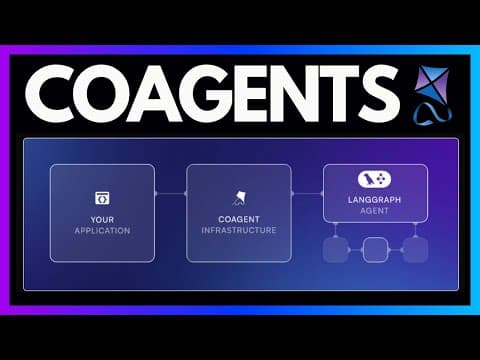
CoAgents: AI Agent Applications with LangGraph & CopilotKit
Visit and star️ CopilotKit's GitHub repo https://go.copilotkit.ai/coagents for all the resources and examples you need to get started with CoAgents; Explore, at your own pace, the next...
Building AI Powered Full-Stack Web Apps with CopilotKit + CrewAI
Check out CopilotKit on GitHub at https://go.copilotkit.ai/copilotkit to view the demo + more featured in this video. While you're there, star ⭐️ their repository and support open source....
Related Posts
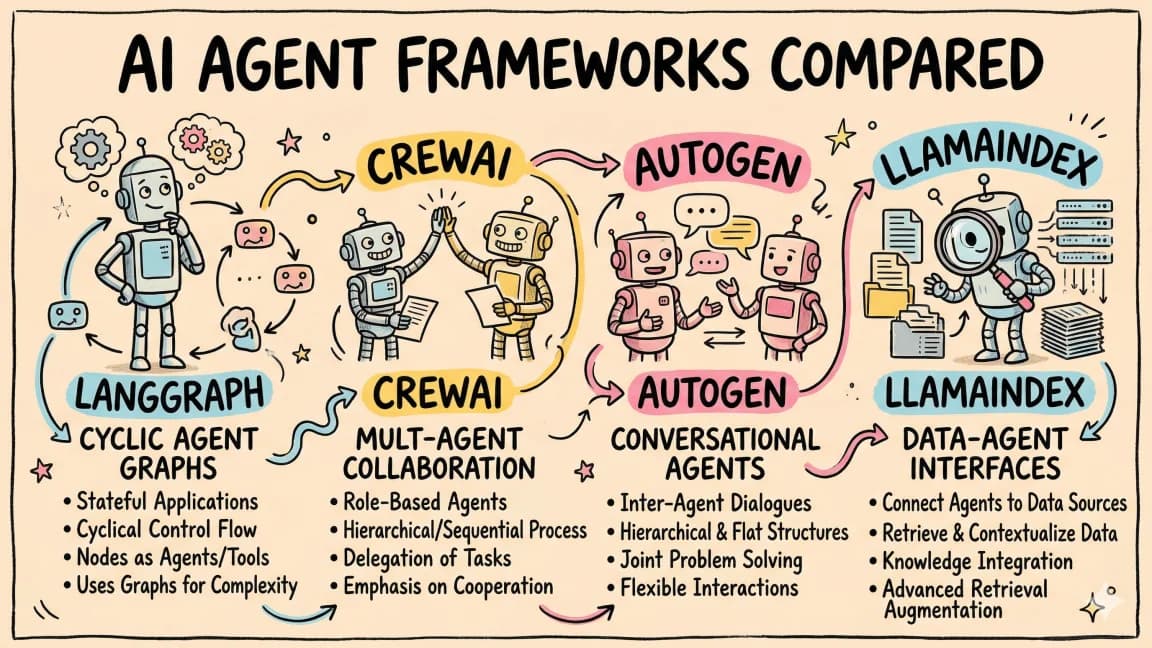
Mastra vs CopilotKit vs LangGraph: Build the Same Agent App Three Ways
A practical field note on where Mastra, CopilotKit, and LangGraph fit when you are building the same agent-native produc...
When CopilotKit Is the UI Layer, Not the Agent Framework
CopilotKit is strongest when you treat it as the product-facing agent UI layer: chat surfaces, frontend tools, shared st...
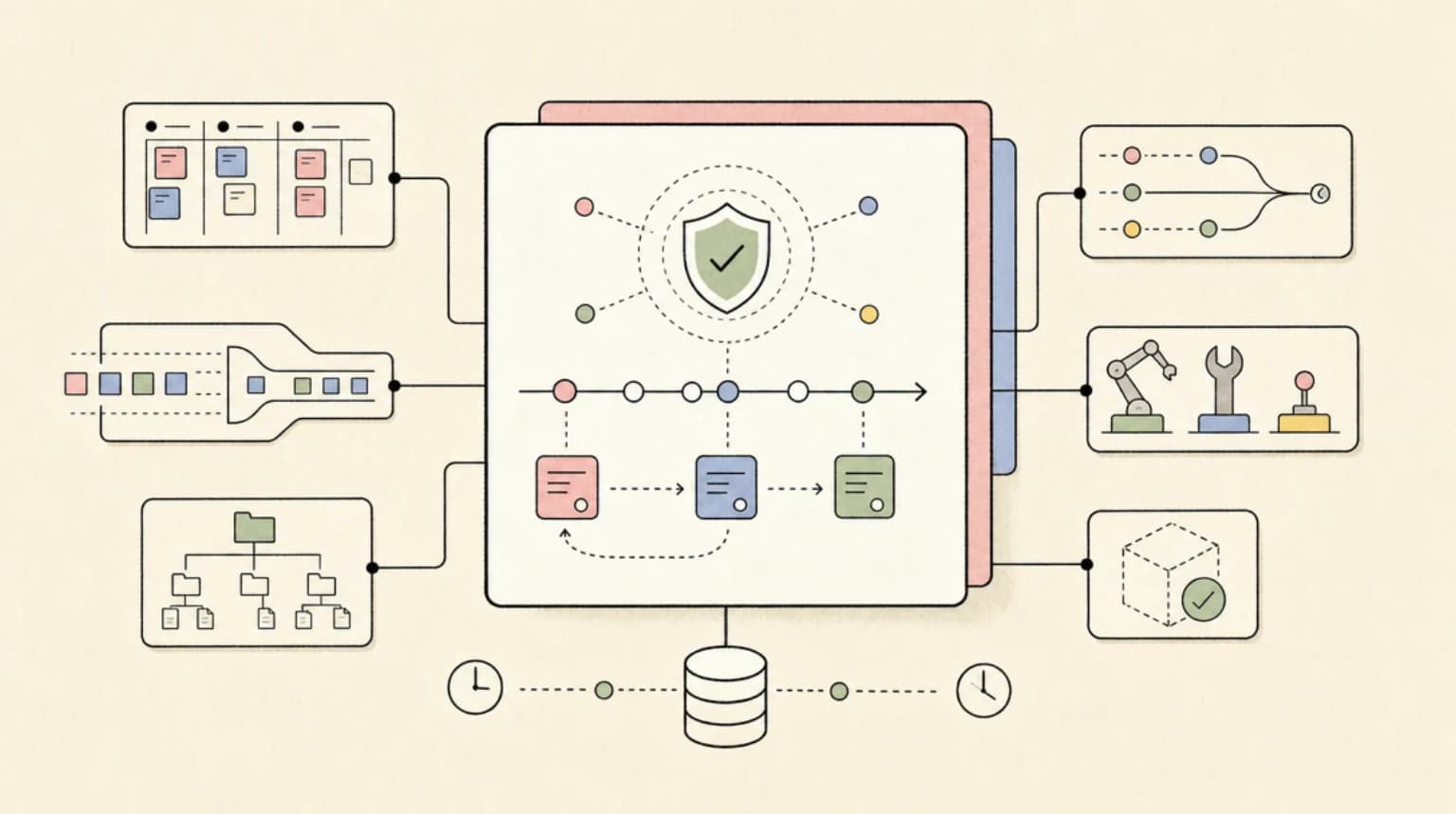
Durable AI Agent Frameworks Compared: One Run, Four Stacks
One agent run crashes mid tool call, waits two days for approval, then retries a charge. How LangGraph, Mastra, Pydantic...
Build an AI Agent Web App with LangGraph and CopilotKit
Wire a Python LangGraph agent into a Next.js frontend using CopilotKit's co-agent architecture. Full walkthrough coverin...
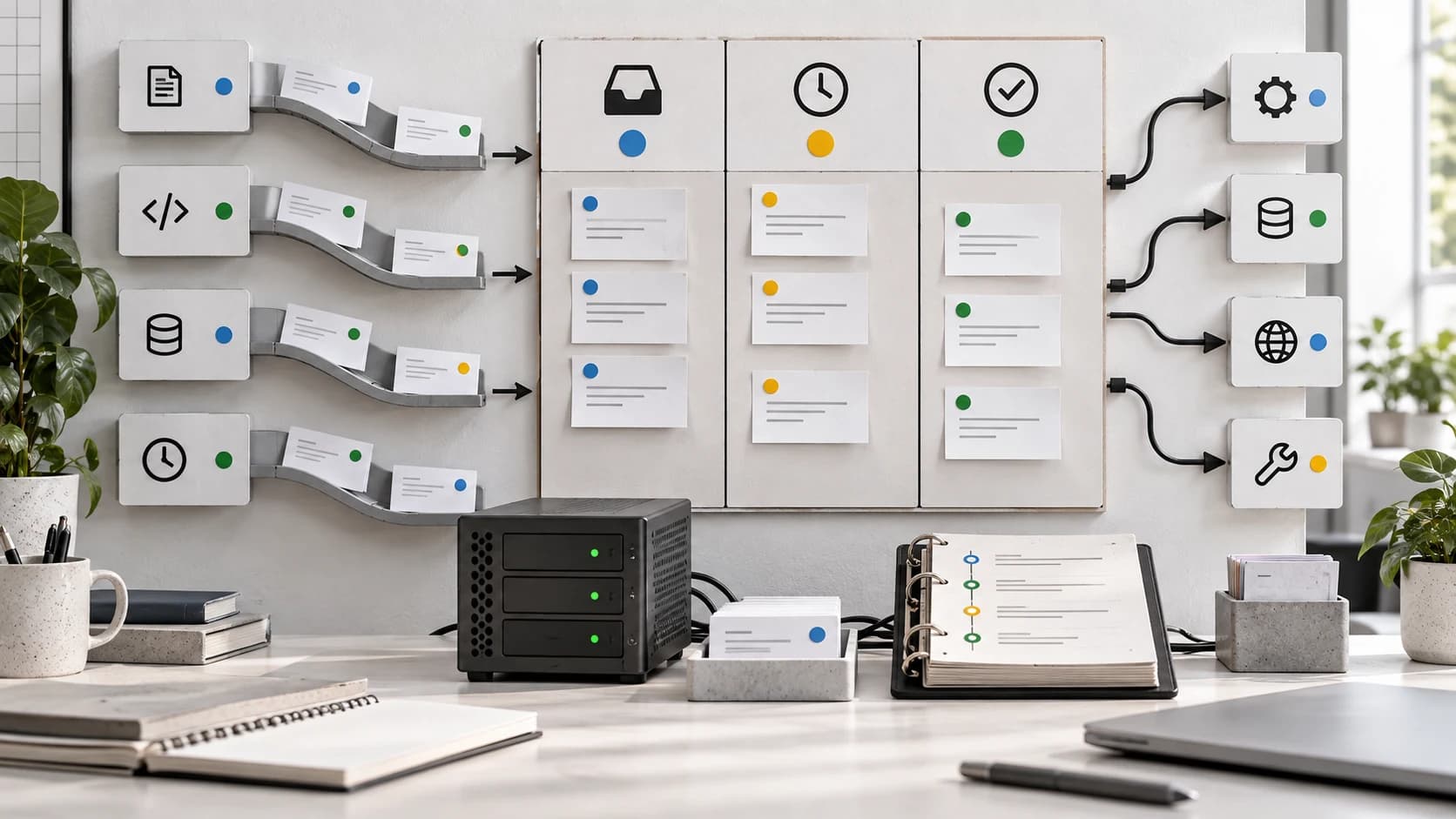
Pizza Bot Shows Why Background Agents Need Inboxes
AWS open-sourced Pizza Bot, a local-first inbox for long-running AI agent work. The useful lesson is not the brand. It i...

Self-Improving Agents in 5 Minutes: Reflect, Refine, Repeat
Agents that critique their own output, learn from mistakes, and get better over time - the three patterns that actually...
