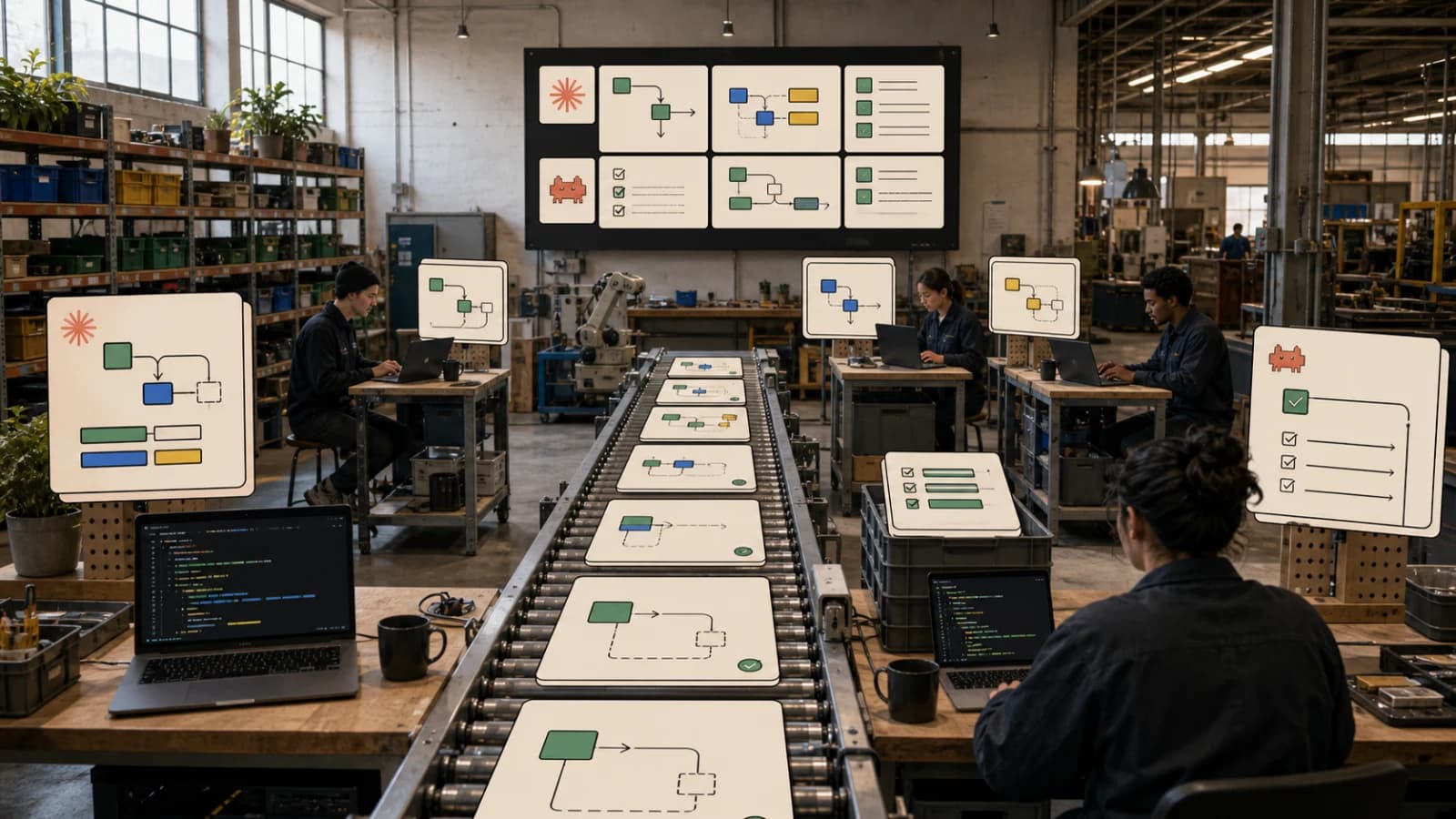
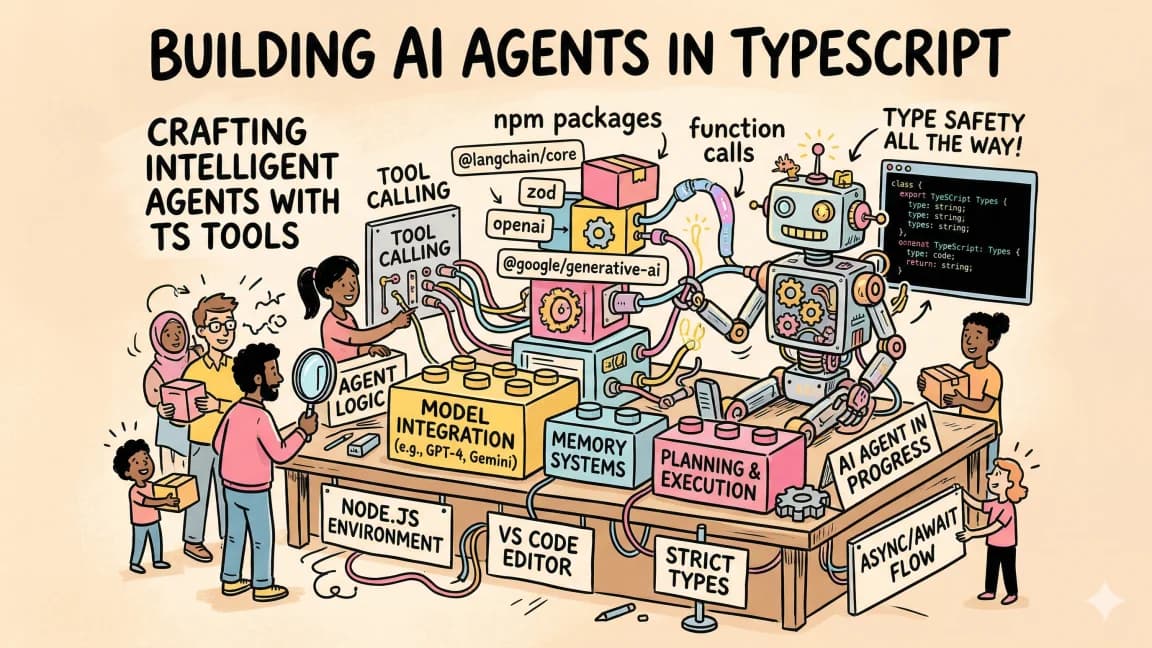
How to Coordinate Multiple AI Agents: 6 Patterns (2026)

TL;DR
How to coordinate multiple AI agents: six patterns from fan-out to handoffs and consensus, with verified code for Claude, CrewAI, LangGraph, AG2 and ADK.
Last updated: October 9, 2026 - re-checked every snippet against current docs: Claude calls now use claude-sonnet-5-5, the OpenAI Agents SDK handoff example passes Agent objects instead of strings, the AG2 config sets api_type, the Google ADK example uses gemini-3.8-flash and a real session, and Claude Code's Task tool is now called Agent.
To coordinate multiple AI agents, pick a coordination pattern first - fan-out/fan-in, pipeline, hierarchical delegation, blackboard, handoff chain, or consensus - based on how your subtasks depend on each other, then choose the framework that makes that pattern easiest to debug. Start with fan-out/fan-in on raw API calls (Promise.all() plus a merge step), and add a framework only when you need loops or shared state.
Official Sources#
| Resource | Link |
|---|---|
| CrewAI docs | docs.crewai.com |
| CrewAI GitHub | github.com/crewAIInc/crewAI |
| LangGraph docs | docs.langchain.com/oss/python/langgraph |
| LangGraph GitHub | github.com/langchain-ai/langgraph |
| AG2 (AutoGen) GitHub | github.com/ag2ai/ag2 |
| OpenAI Agents SDK docs | openai.github.io/openai-agents-python |
| OpenAI Agents SDK GitHub | github.com/openai/openai-agents-python |
| Google ADK docs | adk.dev |
| Google ADK GitHub | github.com/google/adk-python |
| Claude Code subagents docs | code.claude.com/docs/en/sub-agents |
The Coordination Problem#
Building a single AI agent is straightforward. You give it a system prompt, connect some tools, and let it run. But the moment you need two agents to share state, hand off tasks, or merge outputs, everything breaks. The agent that wrote the code has no idea the agent that researched the API found a breaking change. The planner generates a task list the executor cannot parse. The reviewer blocks on output the implementer never produced.
This is the coordination problem, and it is the single biggest bottleneck in production multi-agent systems in 2026. The frameworks have matured. The models are capable. What separates systems that work from systems that collapse is how agents communicate, share context, and resolve conflicts. For the simpler conceptual layer, read multi-agent systems in TypeScript before going deep on framework mechanics.
This guide covers every major coordination pattern in use today, with working code across the six dominant frameworks: CrewAI, LangGraph, AutoGen/AG2, OpenAI Agents SDK, Google ADK, and Claude Code's native agent system. By the end, you will know which pattern fits your use case and how to implement it without the false starts.
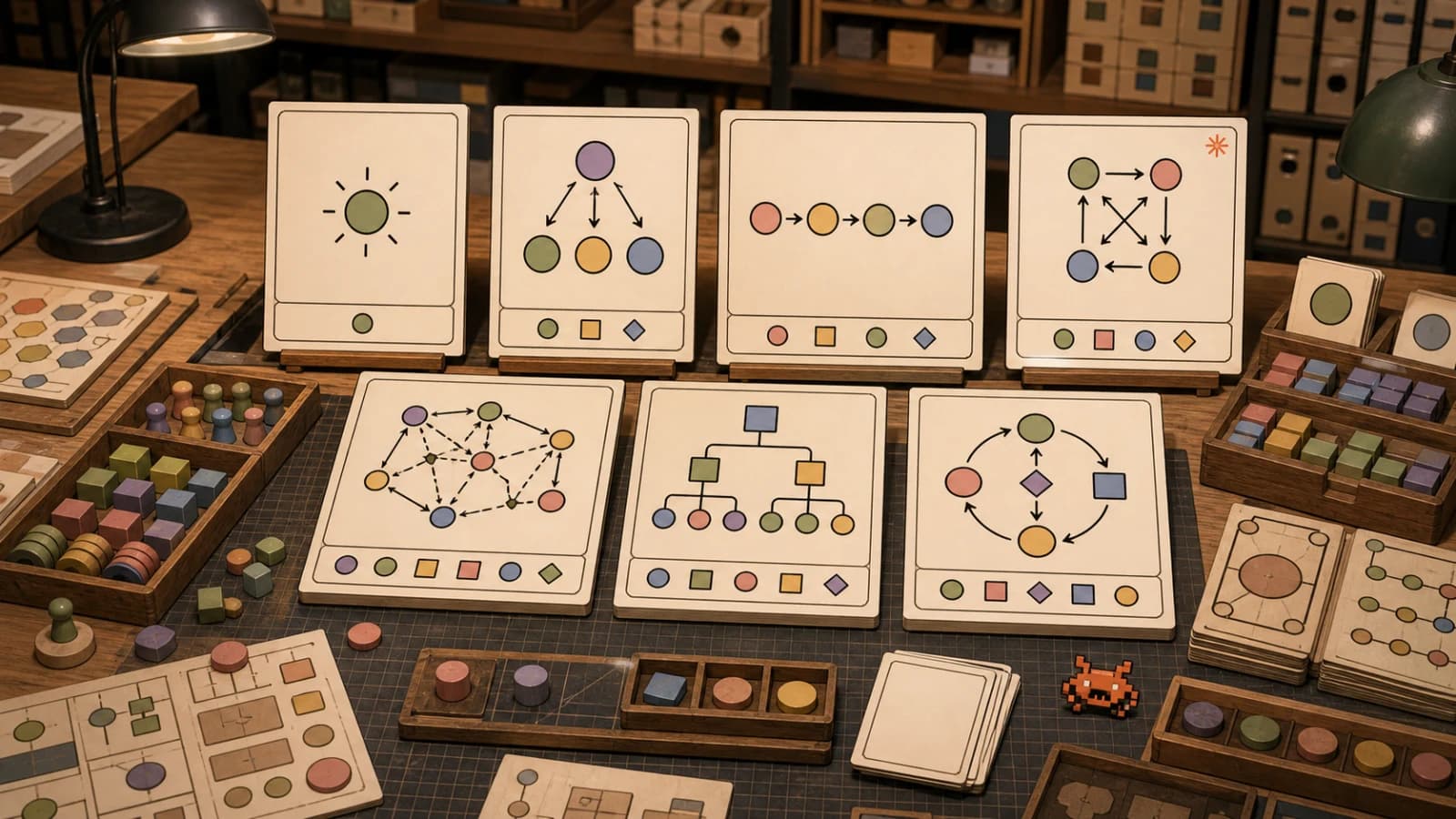
The Six Coordination Patterns#
Every multi-agent system in production uses one or more of these patterns. They are not framework-specific. They are architectural primitives that apply regardless of your toolchain. For the shared vocabulary, start with 7 AI agent orchestration patterns. If your use case is specifically coding work, pair this with building multi-agent workflows in Claude Code, the Claude Code agent teams playbook, and orchestrating a fleet of agents with Fable 5 for the manager-model pattern.
1. Fan-Out / Fan-In (Parallel Scatter-Gather)#
Deploy N agents simultaneously on independent subtasks, then merge their outputs. This is the simplest pattern and often the most effective.
When to use it: Research across multiple sources. Auditing different parts of a codebase. Generating alternative implementations. Any task where subtasks have zero dependencies on each other.
The trap: Most teams underestimate the merge step. Three agents producing three research summaries is easy. Reconciling contradictory findings, deduplicating information, and producing a coherent final output requires a dedicated aggregator - either another agent or a deterministic merge function. The agent swarms need receipts post covers the reviewable-output side of this failure mode.
// Fan-out / Fan-in with explicit aggregation
import Anthropic from "@anthropic-ai/sdk";

const client = new Anthropic();

interface AgentTask {
  name: string;
  prompt: string;
}

async function fanOutFanIn(tasks: AgentTask[], mergePrompt: string) {
  // Fan out: all agents run in parallel
  const results = await Promise.all(
    tasks.map(async (task) => {
      const response = await client.messages.create({
        model: "claude-sonnet-5-5",
        max_tokens: 4096,
        system: `You are a specialized ${task.name} agent. Be thorough and precise.`,
        messages: [{ role: "user", content: task.prompt }],
      });
      return {
        agent: task.name,
        output: response.content[0].type === "text" ? response.content[0].text : "",
      };
    })
  );

  // Fan in: aggregator merges all outputs
  const mergeInput = results
    .map((r) => `## ${r.agent}\n${r.output}`)
    .join("\n\n---\n\n");

  const merged = await client.messages.create({
    model: "claude-sonnet-5-5",
    max_tokens: 8192,
    system: "You are a synthesis agent. Merge the following agent outputs into a single coherent result. Resolve contradictions. Remove duplicates. Preserve all unique insights.",
    messages: [{ role: "user", content: `${mergePrompt}\n\n${mergeInput}` }],
  });

  return merged.content[0].type === "text" ? merged.content[0].text : "";
}

// Usage
const result = await fanOutFanIn(
  [
    { name: "docs-researcher", prompt: "Research the latest Next.js 16 App Router changes" },
    { name: "migration-analyst", prompt: "Find breaking changes between Next.js 15 and 16" },
    { name: "community-scanner", prompt: "Find common migration issues reported on GitHub" },
  ],
  "Create a comprehensive Next.js 16 migration guide from these research outputs."
);
2. Pipeline (Sequential Handoff)#
Agent A produces output that becomes Agent B's input. Each stage transforms, refines, or builds on the previous result. The output flows in one direction.
When to use it: Code generation followed by review. Research followed by synthesis followed by writing. Any workflow with clear stage dependencies.
The trap: Pipelines are fragile. If stage 2 produces malformed output, stage 3 crashes. Every pipeline needs validation between stages - either schema checks or a lightweight validator agent.
# Pipeline with inter-stage validation
from anthropic import Anthropic

client = Anthropic()

def run_pipeline(task: str, stages: list[dict]) -> str:
    current_input = task

    for i, stage in enumerate(stages):
        response = client.messages.create(
            model="claude-sonnet-5-5",
            max_tokens=stage.get("max_tokens", 4096),
            system=stage["system_prompt"],
            messages=[{"role": "user", "content": current_input}],
        )
        output = response.content[0].text

        # Validate output before passing to next stage
        if "validator" in stage:
            is_valid, error = stage["validator"](output)
            if not is_valid:
                # Retry with error context
                retry_response = client.messages.create(
                    model="claude-sonnet-5-5",
                    max_tokens=stage.get("max_tokens", 4096),
                    system=stage["system_prompt"],
                    messages=[
                        {"role": "user", "content": current_input},
                        {"role": "assistant", "content": output},
                        {"role": "user", "content": f"Validation failed: {error}. Fix and retry."},
                    ],
                )
                output = retry_response.content[0].text

        current_input = output

    return current_input

# Usage: plan -> implement -> review -> document
result = run_pipeline(
    task="Add rate limiting to the /api/generate endpoint",
    stages=[
        {
            "system_prompt": "You are an architect. Break this into implementation steps with file paths and code changes needed.",
            "validator": lambda x: (True, None) if "##" in x else (False, "Output must contain markdown headers for each step"),
        },
        {
            "system_prompt": "You are a senior developer. Implement each step from the plan. Output complete, working code.",
            "max_tokens": 8192,
        },
        {
            "system_prompt": "You are a code reviewer. Review for bugs, security issues, and edge cases. Output the corrected code with inline comments explaining changes.",
            "max_tokens": 8192,
        },
        {
            "system_prompt": "You are a technical writer. Write clear documentation for this feature: what it does, configuration options, and usage examples.",
        },
    ],
)
3. Hierarchical Delegation#
A supervisor agent receives a complex task, decomposes it, assigns subtasks to specialist agents, monitors progress, and assembles the final result. The supervisor can reassign failed tasks or adjust the plan mid-execution.
When to use it: Complex projects with interdependencies. Tasks that require adaptive planning - where the next step depends on what happened in the previous one.
The trap: The supervisor becomes a bottleneck if it tries to micromanage. Good hierarchical systems give subordinates autonomy within clear boundaries, only escalating to the supervisor on failures or ambiguous requirements.
// Hierarchical delegation with dynamic task assignment
interface SubAgent {
  name: string;
  capabilities: string[];
  systemPrompt: string;
}

interface Task {
  id: string;
  description: string;
  requiredCapabilities: string[];
  dependencies: string[];
  status: "pending" | "running" | "complete" | "failed";
  result?: string;
}

class Supervisor {
  private agents: SubAgent[];
  private tasks: Map<string, Task> = new Map();
  private results: Map<string, string> = new Map();

  constructor(agents: SubAgent[]) {
    this.agents = agents;
  }

  async decompose(goal: string): Promise<Task[]> {
    const response = await client.messages.create({
      model: "claude-sonnet-5-5",
      max_tokens: 4096,
      system: `You are a project manager. Decompose goals into tasks.
        Available specialists: ${this.agents.map((a) => `${a.name} (${a.capabilities.join(", ")})`).join("; ")}
        Output JSON: { "tasks": [{ "id": "t1", "description": "...", "requiredCapabilities": ["..."], "dependencies": [] }] }`,
      messages: [{ role: "user", content: goal }],
    });

    const parsed = JSON.parse(response.content[0].type === "text" ? response.content[0].text : "{}");
    return parsed.tasks;
  }

  findBestAgent(task: Task): SubAgent | undefined {
    return this.agents.find((agent) =>
      task.requiredCapabilities.every((cap) => agent.capabilities.includes(cap))
    );
  }

  async execute(goal: string): Promise<string> {
    const tasks = await this.decompose(goal);
    tasks.forEach((t) => this.tasks.set(t.id, { ...t, status: "pending" }));

    while ([...this.tasks.values()].some((t) => t.status === "pending")) {
      // Find tasks whose dependencies are all complete
      const ready = [...this.tasks.values()].filter(
        (t) =>
          t.status === "pending" &&
          t.dependencies.every((dep) => this.tasks.get(dep)?.status === "complete")
      );

      // Execute ready tasks in parallel
      await Promise.all(
        ready.map(async (task) => {
          const agent = this.findBestAgent(task);
          if (!agent) {
            task.status = "failed";
            return;
          }
          task.status = "running";

          // Include dependency results as context
          const context = task.dependencies
            .map((dep) => `Result of ${dep}: ${this.results.get(dep)}`)
            .join("\n");

          const response = await client.messages.create({
            model: "claude-sonnet-5-5",
            max_tokens: 4096,
            system: agent.systemPrompt,
            messages: [
              {
                role: "user",
                content: `${task.description}\n\nContext from previous tasks:\n${context}`,
              },
            ],
          });

          const result = response.content[0].type === "text" ? response.content[0].text : "";
          this.results.set(task.id, result);
          task.status = "complete";
        })
      );
    }

    return [...this.results.values()].join("\n\n---\n\n");
  }
}
4. Blackboard (Shared State)#
All agents read from and write to a shared state object. No agent directly communicates with another. Instead, they observe the state, decide if they have something to contribute, and write their contribution back. A controller monitors the state and triggers agents when relevant sections change.
When to use it: Problems where the solution emerges from multiple perspectives iterating on shared data. Code review cycles. Collaborative document editing. Systems where agents need to react to each other's work without explicit messaging.
The trap: Race conditions. Two agents writing to the same state key simultaneously. Use optimistic locking or a queue-based write system.
// Blackboard pattern with change-triggered agents
interface BlackboardState {
  [key: string]: {
    value: any;
    lastUpdatedBy: string;
    version: number;
  };
}

type AgentTrigger = {
  agent: SubAgent;
  watchKeys: string[];
  handler: (state: BlackboardState, changedKey: string) => Promise<Partial<BlackboardState>>;
};

class Blackboard {
  private state: BlackboardState = {};
  private triggers: AgentTrigger[] = [];
  private maxIterations: number;

  constructor(maxIterations = 10) {
    this.maxIterations = maxIterations;
  }

  register(trigger: AgentTrigger) {
    this.triggers.push(trigger);
  }

  async write(key: string, value: any, author: string) {
    const current = this.state[key];
    this.state[key] = {
      value,
      lastUpdatedBy: author,
      version: (current?.version ?? 0) + 1,
    };

    // Fire triggers for agents watching this key
    const watchers = this.triggers.filter(
      (t) => t.watchKeys.includes(key) && t.agent.name !== author
    );

    for (const watcher of watchers) {
      const updates = await watcher.handler(this.state, key);
      for (const [k, v] of Object.entries(updates)) {
        await this.write(k, v, watcher.agent.name);
      }
    }
  }

  getState(): BlackboardState {
    return structuredClone(this.state);
  }
}

// Usage: code review cycle
const board = new Blackboard(5);

board.register({
  agent: { name: "implementer", capabilities: ["code"], systemPrompt: "..." },
  watchKeys: ["review_feedback"],
  handler: async (state, changedKey) => {
    // Read feedback, produce revised code
    const feedback = state["review_feedback"].value;
    const currentCode = state["code"].value;
    // ... call LLM to revise code based on feedback
    return { code: revisedCode };
  },
});

board.register({
  agent: { name: "reviewer", capabilities: ["review"], systemPrompt: "..." },
  watchKeys: ["code"],
  handler: async (state, changedKey) => {
    const code = state["code"].value;
    // ... call LLM to review code
    return { review_feedback: feedback };
  },
});
5. Handoff Chain (Agent-to-Agent Transfer)#
One agent works on a task until it hits the boundary of its expertise, then transfers control (and full context) to a more appropriate agent. Unlike pipelines, handoffs are non-linear - Agent A might hand off to B, which hands off to C, which hands back to A.
This is the model that OpenAI Agents SDK and Claude Code's sub-agent system both use natively.
When to use it: Customer support routing. Complex debugging sessions where the problem crosses domains. Any workflow where the right specialist depends on runtime conditions.
# Handoff pattern using OpenAI Agents SDK
from agents import Agent, Runner

# Define specialists
frontend_agent = Agent(
    name="Frontend Specialist",
    instructions="You handle React, CSS, and browser-side issues. Hand off to the backend specialist for API or database problems.",
)

backend_agent = Agent(
    name="Backend Specialist",
    instructions="You handle API routes, database queries, and server logic. Hand off to the DevOps specialist for deployment or infrastructure problems.",
)

devops_agent = Agent(
    name="DevOps Specialist",
    instructions="You handle deployment, CI/CD, Docker, and infrastructure. Hand off to the frontend specialist if the issue is client-side.",
)

# handoffs takes Agent (or Handoff) objects, not names, so wire the cycle after all three exist
frontend_agent.handoffs = [backend_agent]
backend_agent.handoffs = [devops_agent]
devops_agent.handoffs = [frontend_agent]

# Triage agent decides the first specialist
triage_agent = Agent(
    name="Triage",
    instructions="Analyze the issue and hand off to the most appropriate specialist.",
    handoffs=[frontend_agent, backend_agent, devops_agent],
)

# Run - the SDK handles handoff routing automatically
result = await Runner.run(triage_agent, "The /api/users endpoint returns 500 but only in production")
6. Consensus (Vote and Merge)#
Multiple agents independently solve the same problem, then a judge agent evaluates the solutions and selects the best one (or synthesizes elements from multiple solutions). This is the pattern behind "tournament" approaches to code generation and the backbone of LMSYS-style evaluations.
When to use it: High-stakes code generation where correctness matters more than speed. Architectural decisions with multiple valid approaches. Any task where you want diversity of solutions before committing.
// Consensus pattern: generate, evaluate, select
async function consensus(
  task: string,
  numCandidates: number = 3,
  evaluationCriteria: string
): Promise<{ winner: string; reasoning: string }> {
  // Generate N independent solutions
  const candidates = await Promise.all(
    Array.from({ length: numCandidates }, (_, i) =>
      client.messages.create({
        model: "claude-sonnet-5-5",
        max_tokens: 4096,
        system: `You are solution generator #${i + 1}. Solve the task independently. Do not hedge - commit to a specific approach.`,
        messages: [{ role: "user", content: task }],
      })
    )
  );

  const solutions = candidates.map((c, i) => ({
    id: i + 1,
    content: c.content[0].type === "text" ? c.content[0].text : "",
  }));

  // Judge evaluates all solutions
  const judgeInput = solutions
    .map((s) => `## Solution ${s.id}\n${s.content}`)
    .join("\n\n---\n\n");

  const judgment = await client.messages.create({
    model: "claude-sonnet-5-5",
    max_tokens: 4096,
    system: `You are an expert evaluator. Compare the solutions against these criteria: ${evaluationCriteria}. Select the best one or synthesize the strongest elements from multiple solutions. Output JSON: { "winner": "solution content", "reasoning": "why this is best" }`,
    messages: [{ role: "user", content: judgeInput }],
  });

  return JSON.parse(judgment.content[0].type === "text" ? judgment.content[0].text : "{}");
}
Framework Implementation Guide#
Each framework implements these patterns with different primitives. Here is how the six major options handle coordination.
CrewAI: Role-Based Crews#
CrewAI models agents as team members with roles, goals, and backstories. Coordination happens through Crews (groups of agents executing a set of Tasks) and Flows (event-driven pipelines connecting multiple Crews).
from crewai import Agent, Task, Crew, Process
from crewai.flow.flow import Flow, listen, start

# Define agents with roles
researcher = Agent(
    role="Senior Research Analyst",
    goal="Find comprehensive technical information about the given topic",
    backstory="You are a veteran technical researcher who values accuracy over speed.",
    tools=[docs_lookup],  # any CrewAI tool you have configured
    verbose=True,
)

writer = Agent(
    role="Technical Writer",
    goal="Transform research into clear, actionable documentation",
    backstory="You write for practitioners who want to build, not theorize.",
    verbose=True,
)

reviewer = Agent(
    role="Technical Editor",
    goal="Ensure accuracy, completeness, and clarity",
    backstory="You have reviewed thousands of technical documents and have zero tolerance for hand-waving.",
    verbose=True,
)

# Define tasks with dependencies
research_task = Task(
    description="Research {topic} comprehensively. Include version numbers, code examples, and known limitations.",
    expected_output="A structured research report with sections, code blocks, and source citations.",
    agent=researcher,
)

writing_task = Task(
    description="Write a technical guide based on the research. Target audience: senior developers.",
    expected_output="A 2000+ word guide with introduction, sections, code examples, and conclusion.",
    agent=writer,
    context=[research_task],  # Receives research output as context
)

review_task = Task(
    description="Review the guide for technical accuracy, completeness, and readability.",
    expected_output="Reviewed guide with corrections applied and editor notes.",
    agent=reviewer,
    context=[writing_task],
)

# Assemble and run
crew = Crew(
    agents=[researcher, writer, reviewer],
    tasks=[research_task, writing_task, review_task],
    process=Process.sequential,  # or Process.hierarchical with a manager
    memory=True,  # Enable shared memory across agents
    planning=True,  # Enable planning agent for step-by-step execution
)

result = crew.kickoff(inputs={"topic": "WebSocket authentication patterns"})
CrewAI Flows connect multiple Crews into larger workflows with conditional routing:
class ContentPipeline(Flow):
    @start()
    def research_phase(self):
        research_crew = Crew(agents=[researcher], tasks=[research_task])
        self.state["research"] = research_crew.kickoff()

    @listen(research_phase)
    def writing_phase(self):
        if len(self.state["research"].raw) < 500:
            # Not enough research - send back for more
            return self.research_phase()
        writing_crew = Crew(agents=[writer], tasks=[writing_task])
        self.state["draft"] = writing_crew.kickoff()

    @listen(writing_phase)
    def review_phase(self):
        review_crew = Crew(agents=[reviewer], tasks=[review_task])
        self.state["final"] = review_crew.kickoff()

pipeline = ContentPipeline()
result = pipeline.kickoff()
LangGraph: State Machines#
LangGraph (1.2.14 on PyPI as of October 2026) models agent coordination as a directed graph with typed state. Nodes are functions. Edges are transitions. State is the communication channel.
from langgraph.graph import StateGraph, START, END
from typing import TypedDict, Annotated
from operator import add

class AgentState(TypedDict):
    task: str
    research: Annotated[list[str], add]
    code: str
    review: str
    final_output: str

# research_agent, code_agent and review_agent are any runnables that take {"messages": [...]}
def research_node(state: AgentState) -> dict:
    result = research_agent.invoke({"messages": [{"role": "user", "content": state["task"]}]})
    return {"research": [result["messages"][-1].content]}

def code_node(state: AgentState) -> dict:
    context = "\n".join(state["research"])
    result = code_agent.invoke({
        "messages": [{"role": "user", "content": f"Task: {state['task']}\nResearch: {context}"}]
    })
    return {"code": result["messages"][-1].content}

def review_node(state: AgentState) -> dict:
    result = review_agent.invoke({
        "messages": [{"role": "user", "content": f"Review this code:\n{state['code']}"}]
    })
    return {"review": result["messages"][-1].content}

def should_revise(state: AgentState) -> str:
    if "APPROVED" in state["review"]:
        return "finalize"
    return "code"  # Loop back for revision

# Build the graph
graph = StateGraph(AgentState)
graph.add_node("research", research_node)
graph.add_node("code", code_node)
graph.add_node("review", review_node)
graph.add_node("finalize", lambda s: {"final_output": s["code"]})

graph.add_edge(START, "research")
graph.add_edge("research", "code")
graph.add_edge("code", "review")
graph.add_conditional_edges("review", should_revise, {"finalize": "finalize", "code": "code"})
graph.add_edge("finalize", END)

app = graph.compile()
result = app.invoke({"task": "Build a rate limiter middleware for Express"})
LangGraph's strength is the explicit control flow. You can see exactly where agents loop, branch, and converge. The state machine is debuggable, serializable, and supports human-in-the-loop interruptions at any node.
AutoGen / AG2: Conversation-Based#
AG2 (formerly AutoGen, with community governance from Meta, IBM, and university researchers) models multi-agent coordination as conversations. Agents send messages to each other, and the framework manages turn-taking, termination conditions, and group dynamics.
import os
from autogen import ConversableAgent, GroupChat, GroupChatManager, LLMConfig

# Claude models need api_type "anthropic"; without it AG2 treats the config as OpenAI
llm_config = LLMConfig({
    "model": "claude-sonnet-5-5",
    "api_key": os.getenv("ANTHROPIC_API_KEY"),
    "api_type": "anthropic",
})

# Define conversational agents
planner = ConversableAgent(
    name="Planner",
    system_message="You break down complex tasks into actionable steps. Output numbered lists.",
    llm_config=llm_config,
)

coder = ConversableAgent(
    name="Coder",
    system_message="You write production-quality TypeScript. Always include error handling and types.",
    llm_config=llm_config,
)

critic = ConversableAgent(
    name="Critic",
    system_message="You review code for bugs, performance, and security. Be specific about issues.",
    llm_config=llm_config,
)

# Group chat with automatic speaker selection
group_chat = GroupChat(
    agents=[planner, coder, critic],
    messages=[],
    max_round=12,
    speaker_selection_method="auto",  # LLM decides who speaks next
)

manager = GroupChatManager(groupchat=group_chat, llm_config=llm_config)

# Kick off the conversation
planner.initiate_chat(
    manager,
    message="We need to add WebSocket support to our Express API with JWT authentication.",
)
AG2's MemoryStream architecture (introduced in the 2026 beta) makes every conversation event-driven and replayable. You can step through execution event by event for debugging, pause for human review, and resume.
Google ADK: Hierarchical Agent Trees#
Google's Agent Development Kit (ADK) models coordination as a hierarchy. A root agent delegates to child agents, which can have their own children. The framework handles routing, context passing, and result aggregation.
from google.adk.agents import Agent
from google.adk.runners import Runner
from google.adk.sessions import InMemorySessionService
from google.genai import types

# Leaf agents - specialists
research_agent = Agent(
    name="researcher",
    model="gemini-3.8-flash",
    description="Researches a topic and returns structured findings.",
    instruction="Research the given topic thoroughly. Return structured findings.",
)

code_agent = Agent(
    name="coder",
    model="gemini-3.8-flash",
    description="Writes clean, tested code from a specification.",
    instruction="Write clean, tested code based on specifications.",
)

# Parent agent - coordinator. ADK picks a sub-agent from its description.
coordinator = Agent(
    name="coordinator",
    model="gemini-3.8-flash",
    instruction="""You coordinate a development team.
    Transfer research tasks to researcher.
    Transfer coding tasks to coder.
    Synthesize results into a final deliverable.""",
    sub_agents=[research_agent, code_agent],
)

# Run: the session must exist before the runner uses it, and new_message is a Content object
async def main():
    session_service = InMemorySessionService()
    await session_service.create_session(app_name="dev-team", user_id="dev", session_id="s1")
    runner = Runner(agent=coordinator, app_name="dev-team", session_service=session_service)
    message = types.Content(role="user", parts=[types.Part(text="Build a CLI tool for transcoding video files")])
    async for event in runner.run_async(user_id="dev", session_id="s1", new_message=message):
        if event.is_final_response():
            print(event.content.parts[0].text)
ADK's advantage is deep integration with Google Cloud. Deploy to Vertex AI Agent Engine, Cloud Run, or GKE with managed infrastructure, built-in auth, and Cloud Trace observability out of the box.
Claude Code: Native Task Delegation#
Claude Code handles multi-agent coordination through its built-in Agent tool (called Task before version 2.1.63; Task(...) still works as an alias) and custom sub-agents defined in markdown files under .claude/agents/. No external framework needed. To run several at once without file collisions, see worktrees for parallel Claude Code agents.
<!-- .claude/agents/researcher.md -->
---
name: researcher
description: Researches technical topics from documentation and the codebase
tools: WebFetch, Read, Grep, Glob
---

You are a technical research specialist. When given a topic:
1. Read the latest documentation and release notes
2. Find working code examples
3. Identify common pitfalls and known issues
4. Return structured findings with source URLs
<!-- .claude/agents/implementer.md -->
---
name: implementer
description: Writes production code based on specifications
tools: Read, Edit, Write, Bash
---

You are a senior developer. Write clean, typed, tested code.
Follow the project's existing patterns. Check CLAUDE.md for conventions.
In practice, Claude Code's orchestrator spawns subagents through the Agent tool, in parallel where tasks are independent:
User: "Add WebSocket support to the API with JWT auth"

Claude Code (orchestrator):
  -> Agent 1 (researcher): "Find current best practices for WebSocket + JWT in Express"
  -> Agent 2 (researcher): "Check our existing auth middleware implementation"
  -> Agent 3 (implementer): "Scaffold the WebSocket server module" (after agents 1-2)
  -> Agent 4 (implementer): "Write integration tests" (after agent 3)
The key advantage is that Claude Code agents share the project context inherently. They can read CLAUDE.md, access the file system, and understand the codebase without external tooling or API wiring.
Choosing the Right Pattern#
The decision tree is simpler than it looks.
Start with fan-out/fan-in if your subtasks are independent. Most tasks are more parallelizable than you think. Research, auditing, code generation for separate modules, testing different approaches - all fan-out candidates.
Use a pipeline when you have clear sequential dependencies. The output of stage N is a required input for stage N+1. Content creation (research -> write -> review -> publish) is the classic pipeline.
Use hierarchical delegation when the task requires adaptive planning. A supervisor that can reassign work, handle failures, and adjust priorities mid-execution. Complex project management, multi-file refactoring, or any workflow that might need replanning.
Use blackboard when agents need to iterate on shared state without direct communication. Code review cycles, collaborative editing, and convergence problems where the right answer emerges from multiple passes.
Use handoffs for routing problems. Customer support, debugging, or any workflow where the right specialist depends on runtime conditions.
Use consensus when correctness matters more than speed. Security-critical code, architectural decisions, or anywhere a single agent's bias might produce a suboptimal result.
Production Considerations#
State Management#
Every framework handles state differently, and this is where production systems diverge from demos.
LangGraph gives you explicit, typed state with reducers. Every state mutation is tracked. You can checkpoint, resume, and replay entire workflows. This is the strongest state management story in the ecosystem; for the TypeScript side, see Mastra vs LangGraph.js.
CrewAI uses shared memory (short-term, long-term, entity, and contextual). Agents can reference past interactions and build on prior knowledge. The trade-off is less explicit control over what gets remembered.
AG2 uses MemoryStream, a pub/sub event bus that isolates state per conversation. Strong for concurrent users but requires more setup for cross-conversation persistence.
Claude Code uses the file system as state. Agents read and write files. Simple, debuggable, and zero infrastructure - but you need discipline about file organization.
Error Handling#
Agents fail. Models hallucinate. API calls time out. Production multi-agent systems need:
- Retry with context - when an agent fails, retry with the error message in context so it can self-correct
- Fallback agents - if the primary agent fails after retries, route to a different agent or model
- Circuit breakers - if an agent loop exceeds N iterations without progress, break and escalate
- Structured outputs - use JSON schemas or Pydantic models to validate agent outputs at every handoff point
// Production error handling pattern
async function resilientAgentCall(
  agent: SubAgent,
  input: string,
  maxRetries: number = 3
): Promise<string> {
  let lastError = "";

  for (let attempt = 0; attempt < maxRetries; attempt++) {
    try {
      const prompt = lastError
        ? `Previous attempt failed: ${lastError}\n\nOriginal task: ${input}`
        : input;

      const response = await client.messages.create({
        model: "claude-sonnet-5-5",
        max_tokens: 4096,
        system: agent.systemPrompt,
        messages: [{ role: "user", content: prompt }],
      });

      const output = response.content[0].type === "text" ? response.content[0].text : "";

      // Validate output structure
      if (agent.outputSchema) {
        agent.outputSchema.parse(JSON.parse(output));
      }

      return output;
    } catch (error) {
      lastError = error instanceof Error ? error.message : String(error);
    }
  }

  throw new Error(`Agent ${agent.name} failed after ${maxRetries} attempts: ${lastError}`);
}
Cost Control#
Multi-agent systems multiply your API costs. Three agents running in parallel cost 3x a single agent. A review loop that runs five iterations costs 5x a single pass.
Practical strategies:
- Use cheaper models for simple tasks. Route research and summarization to a small model such as Claude Haiku 5.5 (
claude-haiku-5-5). Reserve Sonnet 5.5 or Opus 5.5 for complex reasoning. What parallel Claude agents actually cost works the numbers. - Set iteration caps. Never let a review loop run indefinitely. Three iterations is usually enough.
- Cache aggressively. If multiple agents need the same context (file contents, API docs), fetch once and share.
- Monitor token usage per agent. The agent consuming the most tokens is either doing the most work or the most wasted work. Instrument and measure.
Observability#
You cannot debug a multi-agent system by reading logs. You need traces that show which agent ran when, what input it received, what output it produced, and how long it took.
LangGraph has built-in tracing through LangSmith. CrewAI supports verbose mode with per-agent logging. AG2 has step-through execution. For custom systems, OpenTelemetry spans per agent call give you the visibility you need.
The Pragmatic Path#
If you are starting from zero, here is the shortest path to production:
-
Start with fan-out/fan-in using raw API calls. No framework. Just
Promise.all()with a merge step. This handles 60% of multi-agent use cases. -
Add a framework when you need loops or state. If your agents need to iterate (review cycles, planning loops), LangGraph's state machine model makes those loops explicit and debuggable. If you want role-based teams with memory, CrewAI gets you there faster.
-
Use Claude Code's native agents for development workflows. If your multi-agent use case is "help me build software faster," Claude Code's sub-agent system is the most practical option because it already understands codebases, file systems, and development tools.
-
Use OpenAI Agents SDK for customer-facing handoff flows. The handoff primitive is first-class and the SDK is lightweight. Good for support bots, triage systems, and any application where requests need intelligent routing.
-
Use Google ADK if you are in the Google Cloud ecosystem. The deployment story to Vertex AI is seamless, and the hierarchical agent model maps well to organizational structures.
The framework choice matters less than the coordination pattern. Get the pattern right first, then pick the framework that makes that pattern easiest to implement and debug. Every framework listed here can implement every pattern. The question is which one makes your specific pattern feel natural rather than forced.
Build the simplest thing that works. Add complexity only when the simple thing fails. That advice applies to single-agent systems and multi-agent orchestration alike.
Frequently Asked Questions#
What is multi-agent AI orchestration?#
Multi-agent orchestration is the practice of coordinating multiple AI agents to work together on complex tasks. Instead of one agent doing everything, you decompose work across specialists - a researcher agent, a coding agent, a reviewer agent - and coordinate their outputs. The challenge is not building individual agents but making them communicate, share context, and resolve conflicts.
Which multi-agent framework should I use in 2026?#
It depends on your use case. For explicit control flow and debuggable state machines, use LangGraph. For role-based teams with shared memory, use CrewAI. For conversation-based coordination, use AutoGen/AG2. For customer-facing handoff flows, use OpenAI Agents SDK. For Google Cloud deployments, use Google ADK. For development workflows, use Claude Code's native sub-agents. Most teams start with raw API calls and Promise.all() before adopting a framework.
What is the difference between fan-out and pipeline patterns?#
Fan-out (scatter-gather) runs multiple agents in parallel on independent subtasks and merges their outputs. Pipeline runs agents sequentially where each stage transforms the previous output. Use fan-out when subtasks have no dependencies on each other (research, auditing, generating alternatives). Use pipeline when there are clear sequential dependencies (research then write then review).
How do I handle errors in multi-agent systems?#
Production multi-agent systems need four error handling strategies: retry with context (include the error message so the agent can self-correct), fallback agents (route to a different agent or model after retries fail), circuit breakers (break infinite loops after N iterations without progress), and structured output validation (use JSON schemas to validate agent outputs at every handoff point).
How expensive are multi-agent systems to run?#
Multi-agent systems multiply your API costs. Three agents running in parallel cost 3x a single agent. A review loop with five iterations costs 5x a single pass. Control costs by using cheaper models for simple tasks (Haiku 5.5 for research, Sonnet 5.5 for complex reasoning), setting iteration caps on loops, caching shared context across agents, and monitoring token usage per agent. For a worked example of the one-expensive-orchestrator, many-cheap-workers split, see the economics of agent fleets.
Can I use different AI models in the same multi-agent system?#
Yes. Most frameworks support mixing models. Route simple tasks (summarization, research) to faster, cheaper models. Reserve your most capable model for complex reasoning, code generation, and final synthesis. LangGraph, CrewAI, and custom implementations all support per-agent model configuration.
Continue Reading#
- AI Agent Frameworks Compared - LangGraph, CrewAI, Mastra, CopilotKit, AutoGen and Claude Code side by side
- 7 AI Agent Orchestration Patterns - the shared vocabulary behind these patterns
- Building Multi-Agent Workflows in Claude Code - the coding-agent version of this guide
- Multi-Agent Systems in TypeScript - the simpler conceptual layer before framework mechanics
- Agent Swarms Need Receipts - making multi-agent output reviewable
- The Economics of Agent Fleets - the one-expensive-orchestrator, many-cheap-workers split
- Intro to Agents 101 course - supervisor and sub-agents, parallel fan-out, and handoffs, built hands-on
- Best AI Agent Frameworks (2026) - the frameworks behind these patterns, compared with code
Get the next deep dive like this in your inbox
One email a week on AI Agents and the rest of the AI dev stack. Free.
Read next on AI coding tools
Building Multi-Agent Workflows in Claude Code: A Practical Tutorial
How to use Claude Code's Task tool, custom sub-agents, and worktrees to run parallel development workflows. Real prompt examples, agent configurations, and workflow patterns from daily use.
11 min readMulti-Agent Systems: How to Orchestrate Multiple AI Agents in TypeScript
From swarms to pipelines - here are the patterns for coordinating multiple AI agents in TypeScript applications.
6 min read7 AI Agent Orchestration Patterns Developers Should Know
Seven AI agent orchestration patterns for production, from single-agent baselines to multi-level hierarchies, each with a decision rule, sketch and tradeoffs.
10 min readNew here? Start with
Technical content at the intersection of AI and development. Building with AI agents, Claude Code, and modern dev tools - then showing you exactly how it works.