Building Multi-Agent Workflows in Claude Code: A Practical Tutorial
Claude Code Mastery
20 parts- 1Claude Code: The Future of Coding?
- 2What Is Claude Code? The Complete Guide for 2026
- 360 Claude Code Tips and Tricks for Power Users
- 4Claude Code Sub Agents: Parallel AI Development
- 5Claude Code Worktrees: Parallel Development Without the Chaos
- 6Building Multi-Agent Workflows in Claude Code: A Practical TutorialCurrent
- 7The Ralph Loop: Running Claude Code For Hours Autonomously
- 8Self-Improving Skills: Claude Code That Learns From Every Session
- 9Claude Code Usage Limits in 2026: The Practical Playbook for Pro and Max Teams
- 10Progressive Disclosure: How Claude Code Cut Token Usage by 98%
- 11Claude Code + Chrome: AI Agents That Use Your Browser
- 12Interview Mode: Let Claude Code Ask the Questions First
- 13Claude Code: Remote Control, Auto Memory, Plugins & More
- 14Claude Code Hooks Explained
- 15How to Use Claude Code with Next.js
- 16Claude Code Channels: Telegram, Discord, iMessage, and Webhooks
- 17How to Migrate from GitHub Copilot to Claude Code
- 18Building a SaaS with Claude Code: End-to-End Guide
- 19Create Beautiful UI with Claude Code: The Style Guide Method
- 20Claude Code Loops: Recurring Prompts That Actually Run
TL;DR
How to use Claude Code's Task tool, custom sub-agents, and worktrees to run parallel development workflows. Real prompt examples, agent configurations, and workflow patterns from daily use.
| Official Sources | |
|---|---|
| Claude Code Overview | Core features, Task tool, and architecture |
| Claude Code Sub-agents | Creating and configuring custom sub-agents |
| Anthropic Agent SDK | Multi-agent patterns and orchestration |
| Claude Code Memory (CLAUDE.md) | Project instructions and coordination rules |
| Git Worktrees Documentation | Official git worktree reference |
Why Multi-Agent Workflows Matter in Claude Code#
A single Claude Code session is powerful. But it processes tasks sequentially. While it researches an API, it is not writing code. While it writes code, it is not running tests. The ceiling on any single session is one task at a time, and complex projects have dozens of independent tasks that could run simultaneously.
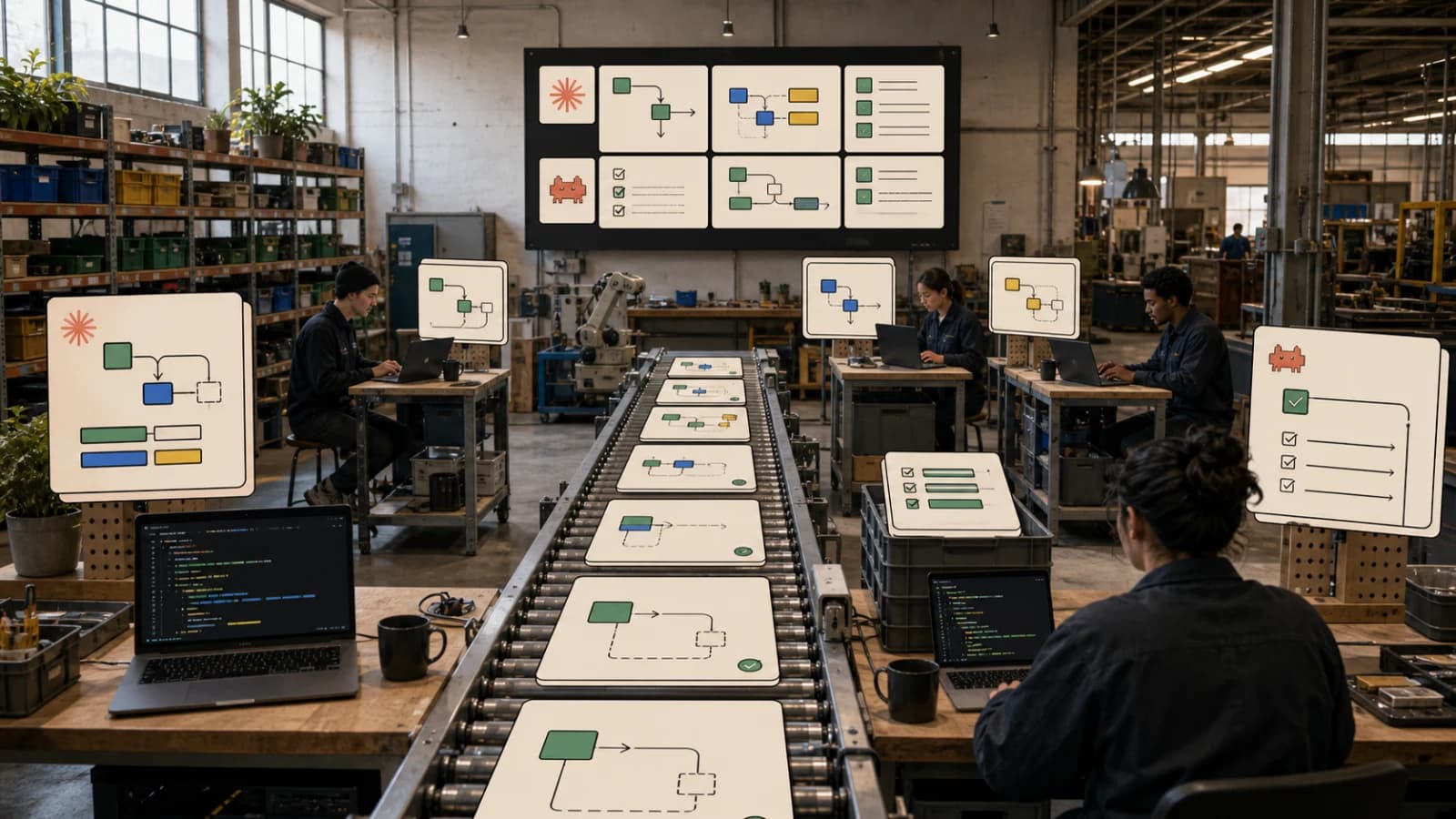
Multi-agent workflows break through that ceiling. Instead of one agent doing everything in sequence, you orchestrate a team of specialists. A researcher fetches documentation while an implementer scaffolds modules while a tester writes test cases. Three streams of work running in parallel, converging when they need to.
Claude Code has native support for this through three mechanisms: the Task tool (for spawning parallel sub-agents within a session), custom sub-agents (for reusable specialists defined in markdown), and worktrees (for running independent Claude Code sessions on separate git branches). This tutorial covers all three with real examples you can use today.
The Task Tool: Parallel Sub-Agents#
The Task tool is Claude Code's built-in mechanism for delegating work to parallel agents. When you give Claude Code a complex instruction, it can spawn up to 7 sub-agents simultaneously, each working on a portion of the problem.
You do not need to configure anything. The Task tool is available by default. The key is learning how to prompt Claude Code so it chooses to parallelize rather than work sequentially.
Prompts That Trigger Parallelism#
The difference between sequential and parallel execution often comes down to how you phrase the request.
Sequential (slow):
Add error handling to the API routes, then update the tests, then update the docs.
Claude Code reads "then" as a dependency chain and executes step by step.
Parallel (fast):
Do these three things in parallel:
1. Add error handling to all API routes in src/api/
2. Update the test suite in tests/ to cover the new error cases
3. Update the API documentation in docs/api.md with error response codes
The explicit "in parallel" instruction combined with numbered independent tasks tells Claude Code to spawn three Task agents.
Even better - give context on independence:
These tasks are independent and can run simultaneously:
1. Research the Stripe Billing API for usage-based pricing - just read docs, don't write code
2. Scaffold the database schema for a usage tracking system in src/db/schema.ts
3. Create the API route handlers in src/api/billing/ with placeholder logic

None of these depend on each other. Fan out.
Real Workflow: Feature Implementation#
Here is how a real feature implementation looks when you lean into parallelism. Say you need to add a notifications system to a Next.js app.
Step 1: Research + scaffold in parallel
Prompt:
I need to add a notifications system. Run these in parallel:

1. Research: look at our existing database schema in src/db/schema.ts
   and figure out what tables we need for notifications (read-only, no changes)

2. Research: check how we handle real-time updates elsewhere in the codebase -
   search for any WebSocket, SSE, or polling patterns we already use

3. Scaffold: create the empty file structure we'll need:
   - src/api/notifications/route.ts
   - src/components/NotificationBell.tsx
   - src/components/NotificationList.tsx
   - src/lib/notifications.ts
   - tests/notifications.test.ts
   Just create the files with TODO comments, no implementation yet.
Claude Code spawns three Task agents. Two research agents read the codebase (read-only, safe to parallel) while a third creates the file structure. All three finish in roughly the time it would take one to complete a single task.
Step 2: Implement in parallel
Once the research is done and the files exist, the next prompt builds on those results:
Based on the research results, implement these in parallel:

1. Database layer: add the notifications table to src/db/schema.ts
   and create the query functions in src/lib/notifications.ts
   (createNotification, getUnread, markAsRead, markAllRead)

2. API routes: implement the REST endpoints in src/api/notifications/route.ts
   GET /api/notifications - list unread
   POST /api/notifications/:id/read - mark one as read
   POST /api/notifications/read-all - mark all as read

3. UI components: build NotificationBell (icon with unread count badge)
   and NotificationList (dropdown with notification items, mark-as-read buttons)
   Use our existing design system components.

4. Tests: write tests for the database query functions and API routes.
Four agents work simultaneously. The database and API agents are writing different files. The UI agent works in the components directory. The test agent writes to the test directory. No conflicts because each agent operates in its own file scope.
When Task Agents Conflict#
Parallel agents work best when they touch different files. When two agents need to modify the same file, you get merge conflicts or one agent's changes overwrite the other's.
Avoid this pattern:
In parallel:
1. Add the notifications table to schema.ts
2. Add the billing table to schema.ts
Both agents modify the same file. One will win, and the other's changes disappear.
Do this instead:
Add both the notifications and billing tables to schema.ts.
Include all columns, indexes, and relations for both tables.
Let a single agent handle the file. Reserve parallelism for independent file scopes.
Custom Sub-Agents: Reusable Specialists#
The Task tool spawns generic agents. Custom sub-agents let you define specialists with specific expertise, tool access, and behavioral rules. They live as markdown files in .claude/agents/ and persist across sessions.
Creating Your First Sub-Agent#
Type /agents in Claude Code to create a new agent interactively, or create the markdown file directly:
<!-- .claude/agents/researcher.md -->
---
name: researcher
description: Deep research on technical topics using web search and documentation
tools:
  - WebSearch
  - WebFetch
  - Read
  - Grep
  - Glob
---

You are a technical research specialist for a software development team.

## What you do
- Search the web for current documentation, release notes, and best practices
- Read local files to understand existing codebase patterns
- Cross-reference multiple sources to verify accuracy
- Return structured findings with source URLs

## What you never do
- Modify any files (you have read-only access to the codebase)
- Write code (that's the implementer's job)
- Make architectural decisions (that's the orchestrator's job)

## Output format
Always structure your findings as:
1. Summary (3-5 sentences)
2. Key findings (bulleted list)
3. Code examples (if applicable)
4. Sources (URLs)
5. Caveats or known issues
<!-- .claude/agents/implementer.md -->
---
name: implementer
description: Writes production TypeScript/React code following project conventions
tools:
  - Read
  - Write
  - Edit
  - Bash
  - Glob
  - Grep
---

You are a senior TypeScript developer.

## Rules
- Read CLAUDE.md before writing any code
- Follow existing patterns in the codebase - match style, naming, structure
- Always include TypeScript types - no `any` unless absolutely necessary
- Handle errors explicitly - no silent catches
- Write code that is readable first, clever never

## Before writing code
1. Check if a similar pattern exists in the codebase (use Grep)
2. Read the files you plan to modify (use Read)
3. Understand the project structure (use Glob on relevant directories)

## After writing code
- Verify the file compiles by running the appropriate build/lint command
- If you created a new module, check that it's exported from the barrel file
<!-- .claude/agents/tester.md -->
---
name: tester
description: Writes and runs tests for TypeScript/React projects
tools:
  - Read
  - Write
  - Edit
  - Bash
  - Grep
  - Glob
---

You are a test engineer.

## Approach
- Write tests that verify behavior, not implementation
- Cover the happy path first, then edge cases, then error cases
- Use descriptive test names that read like documentation
- Mock external dependencies, never real APIs

## Process
1. Read the source code you're testing
2. Identify the public API surface
3. Write tests for each public function/component
4. Run the tests to verify they pass
5. If a test fails, fix the test or report the bug - never skip a failing test
Using Sub-Agents in Practice#
Once defined, Claude Code automatically delegates to sub-agents when it recognizes a matching task. You can also explicitly invoke them:
Use the researcher agent to find the current best practices
for implementing rate limiting in Next.js API routes.
Or reference them in a parallel workflow:
Fan out to these agents:
- researcher: find how Stripe handles webhook signature verification in Node.js
- implementer: create src/api/webhooks/stripe/route.ts with basic POST handler structure
- tester: write tests for webhook signature verification in tests/webhooks.test.ts
The Agent Library Pattern#
Over time, you build a library of specialists. Here are agents that work well for most TypeScript/Next.js projects:
| Agent | Tools | Purpose |
|---|---|---|
researcher | WebSearch, WebFetch, Read | Find docs, patterns, and best practices |
implementer | Read, Write, Edit, Bash | Write production code |
tester | Read, Write, Edit, Bash | Write and run tests |
reviewer | Read, Grep, Glob | Code review without modifications |
documenter | Read, Write, Edit | Write and update documentation |
debugger | Read, Bash, Grep | Investigate bugs, read logs, trace issues |
migrator | Read, Write, Edit, Bash, WebSearch | Handle dependency upgrades and migrations |
Keep agent files in version control. Share them across projects by placing global agents in ~/.claude/agents/. Project-specific agents go in .claude/agents/ at the project root.
Worktrees: True Parallel Sessions#
Task agents and sub-agents run within a single Claude Code session. Worktrees take parallelism further by running completely independent Claude Code sessions on separate git branches.
The Setup#
Git worktrees let you check out multiple branches simultaneously in different directories. Each worktree is a full working copy of your repo.
# Create worktrees for parallel feature development
git worktree add ../myproject-notifications feature/notifications
git worktree add ../myproject-billing feature/billing
git worktree add ../myproject-onboarding feature/onboarding
Now you have four directories:
myproject/- your main branchmyproject-notifications/- the notifications feature branchmyproject-billing/- the billing feature branchmyproject-onboarding/- the onboarding feature branch
Running Parallel Sessions#
Open a Claude Code session in each worktree. Each session is completely independent - different branch, different files, different agent context.
# Terminal 1
cd ../myproject-notifications && claude

# Terminal 2
cd ../myproject-billing && claude

# Terminal 3
cd ../myproject-onboarding && claude
Give each session its own task:
Session 1 (notifications):
Build a complete notifications system:
- Database table for notifications (type, message, read status, timestamps)
- API routes for CRUD operations
- NotificationBell component with unread count
- NotificationList dropdown component
- Mark as read functionality
Session 2 (billing):
Implement usage-based billing with Stripe:
- Usage tracking table in the database
- Stripe metered billing integration
- Usage dashboard component showing current period consumption
- API routes for usage data
Session 3 (onboarding):
Build a 4-step onboarding flow:
- Step 1: Profile info (name, role, company)
- Step 2: Preferences (notification settings, timezone)
- Step 3: Integrations (connect GitHub, Slack)
- Step 4: Team invite
- Progress indicator, skip/back/next navigation
Three features developed simultaneously. When each is done, you merge the branches:
git checkout main
git merge feature/notifications
git merge feature/billing
git merge feature/onboarding
git worktree remove ../myproject-notifications
git worktree remove ../myproject-billing
git worktree remove ../myproject-onboarding
When to Use Worktrees vs Task Agents#
Use Task agents when:
- Subtasks take seconds to minutes
- Agents need to share context (reading the same codebase state)
- The work is within a single feature or scope
- You want a single conversation tracking all the work
Use worktrees when:
- Features take 30+ minutes of agent time
- Features are completely independent (different files, different concerns)
- You want full session isolation (separate conversation history, separate branch state)
- You are building multiple features in parallel for a sprint
Advanced Patterns#
The Scout-Build-Verify Pattern#
This is the most reliable pattern for feature development. Three phases, each leveraging parallelism where possible.
Phase 1: Scout (parallel research)
Before writing any code, research these in parallel:
1. Read our current auth middleware and understand the pattern
2. Search for how we handle API errors in existing routes
3. Check what database migration tooling we use
4. Look at our test setup - framework, conventions, coverage config
Report findings. Do not modify anything.
Phase 2: Build (parallel implementation)
Based on the scout findings, implement in parallel:
1. Database migration and schema changes
2. API route handlers (separate files per resource)
3. UI components (separate files per component)
Each agent should reference the scout findings for consistency.
Phase 3: Verify (parallel testing)
In parallel:
1. Run the existing test suite to check for regressions
2. Write and run new tests for the features we just built
3. Run the linter and type checker on all modified files
4. Do a manual review of all changes - read every modified file
   and flag anything that looks wrong
The Iteration Loop#
For complex features, repeat the scout-build-verify cycle with increasing specificity:
Iteration 1: "Build the basic notifications system" (broad strokes)
Iteration 2: "Add real-time updates via SSE to the notification system" (specific enhancement)
Iteration 3: "Add notification preferences and quiet hours" (feature refinement)
Iteration 4: "Performance test the notification system under load" (hardening)
Each iteration uses the scout-build-verify pattern internally. The outer loop ensures you build incrementally rather than trying to ship everything at once.
CLAUDE.md as Agent Contract#
Your CLAUDE.md file is not just configuration - it is the contract that every agent (Task agent, sub-agent, or worktree session) reads before starting work. Put your coordination rules there:
## Agent Coordination Rules

### File Ownership
When running parallel agents, each agent owns specific directories:
- Database work: src/db/ and migrations/
- API work: src/api/ (one agent per resource subdirectory)
- UI work: src/components/ (one agent per component file)
- Tests: tests/ (mirrors the src/ structure)

Never have two agents modify the same file simultaneously.

### Commit Convention
Each agent should commit its work with a prefix:
- [research] for research-only tasks
- [feat] for new features
- [test] for test additions
- [fix] for bug fixes
- [docs] for documentation

### Quality Gates
Before marking a task complete, every agent must:
1. Run `npm run typecheck` on modified files
2. Run `npm run lint` on modified files
3. Verify no console.log statements remain in production code
Every agent session reads this file. It creates consistency across parallel workers without explicit communication between them.
The Daily Development Workflow#
Here is the workflow I use daily for building features with Claude Code multi-agent patterns:
Morning: Plan and scout
Read the project kanban at [path]. Pick the top 3 tickets.
For each ticket, do a quick scout: read relevant files,
identify what needs to change, estimate complexity.
Give me a summary of what we're building today.
Implementation: Parallel build
Let's build [ticket 1]. Fan out:
1. Research agent: check docs for [dependency] we need
2. Implementer: scaffold the file structure
3. Tester: write test stubs based on the ticket acceptance criteria
Then for the main implementation:
Now implement. The research is done, file structure exists, test stubs are ready.
Run implementer and tester in parallel:
- Implementer: fill in the actual logic for each file
- Tester: flesh out the test stubs into real tests as the implementer finishes files
End of day: Verify and clean up
In parallel:
1. Run the full test suite
2. Run linting and type checking
3. Review all changes made today - read every modified file
4. Update the project kanban with completed/in-progress status
Troubleshooting#
"Claude Code is not parallelizing my tasks"#
Check your prompt. If tasks have implicit dependencies ("do X then Y"), Claude Code serializes them. Rephrase to make independence explicit: "These are independent. Run simultaneously."
"Sub-agents keep re-reading files the orchestrator already read"#
This is expected. Each Task agent has its own context window. The orchestrator's context is not shared. If an agent needs information the orchestrator found, include it in the task prompt explicitly.
"Worktree sessions conflict when I merge"#
Keep features scoped to separate directories. If two features must touch the same file (like a shared schema), make one depend on the other - merge the first branch before starting the second.
"My agents produce inconsistent code styles"#
Your CLAUDE.md is the fix. Add explicit style rules, link to examples in the codebase, and include a "before you write code, read these files" instruction. Every agent reads CLAUDE.md, so shared conventions propagate automatically.
What This Looks Like at Scale#
A typical feature that takes 2-3 hours with sequential Claude Code usage can drop to 45-60 minutes with multi-agent workflows. The time savings come from three places:
- Parallel research - three research agents finish in the time of one
- Parallel implementation - agents writing to different files simultaneously
- Parallel verification - tests, linting, and review all running at once
The compounding effect is significant. Over a week of feature development, you ship 2-3x more than sequential workflows. Over a month, the velocity difference is dramatic.
The investment is modest: a few markdown files for sub-agents, some discipline around file ownership in parallel tasks, and CLAUDE.md rules that keep everything consistent. Once the patterns are in place, every project benefits from them.
Start with the Task tool and explicit parallel prompts. Add custom sub-agents as you identify recurring specialist roles. Graduate to worktrees when you are building multiple features simultaneously. Each layer adds throughput without adding complexity to any individual agent's job.
Frequently Asked Questions#
How do I make Claude Code run tasks in parallel?#
Use explicit parallel instructions in your prompt. Phrases like "in parallel," "simultaneously," or "fan out" trigger the Task tool. Number your tasks and state that they are independent. For example: "These tasks are independent and can run simultaneously: 1. Research X, 2. Scaffold Y, 3. Write tests for Z." Avoid words like "then" which imply sequential dependencies.
What is the maximum number of parallel agents Claude Code can spawn?#
Claude Code can spawn up to 7 Task agents simultaneously within a single session. For more parallelism, use git worktrees to run multiple independent Claude Code sessions, each on its own branch with full session isolation.
How do I create a custom sub-agent in Claude Code?#
Create a markdown file in .claude/agents/ with YAML frontmatter specifying the agent name, description, and allowed tools. The body of the file defines the agent's behavior, rules, and output format. For example, .claude/agents/researcher.md could define a research specialist with WebSearch and Read tools but no Write access. Type /agents in Claude Code to create agents interactively.
What is the difference between Task agents and worktrees?#
Task agents run within a single Claude Code session and share the same git branch. They are best for subtasks that take seconds to minutes and need shared context. Worktrees are completely independent Claude Code sessions on separate git branches - best for features taking 30+ minutes that are fully independent. Worktrees provide full isolation but require manual branch merging afterward.
How do I prevent parallel agents from conflicting?#
Assign each agent to different files or directories. Never have two agents modify the same file simultaneously. Define file ownership rules in your CLAUDE.md - for example, one agent owns src/db/, another owns src/api/, another owns src/components/. If two features must touch the same file, make them sequential rather than parallel.
What is the scout-build-verify pattern?#
A three-phase development pattern that maximizes parallelism. Phase 1 (Scout): run parallel research agents to understand the codebase, APIs, and requirements without modifying anything. Phase 2 (Build): run parallel implementation agents writing to different files based on scout findings. Phase 3 (Verify): run parallel testing, linting, and review agents to validate all changes. Repeat the cycle for iterative refinement.
How do sub-agents share context with the main session?#
They do not share context automatically. Each Task agent has its own context window. If an agent needs information the orchestrator found, include it explicitly in the task prompt. For persistent shared context, use CLAUDE.md as the "contract" that every agent reads - put coordination rules, style guides, and conventions there.
Can I use multi-agent workflows in any project?#
Yes. The Task tool is available by default in Claude Code. Custom sub-agents require creating markdown files in .claude/agents/. Worktrees require git. The patterns work best in projects with clear file boundaries where different features touch different parts of the codebase. Projects with heavily shared files benefit less from parallelism.
Further reading#
Continue Reading#
Get the next deep dive like this in your inbox
One email a week on Claude Code and the rest of the AI dev stack. Free.
Read next on Claude Code
How to Coordinate Multiple AI Agents: 6 Patterns (2026)
How to coordinate multiple AI agents: six patterns from fan-out to handoffs and consensus, with verified code for Claude, CrewAI, LangGraph, AG2 and ADK.
14 min readClaude Code Sub Agents: Parallel AI Development
Claude Code subagents let you split coding work across specialized assistants with their own context, tools, and instructions. The trick is using them for bounded work, not theatrical agent swarms.
8 min readClaude Code Worktrees: Parallel Development Without the Chaos
Anthropic brought git worktrees to Claude Code. Spawn multiple agents working on the same repo simultaneously - no merge conflicts, no context pollution, and your main branch stays clean.
6 min readTechnical content at the intersection of AI and development. Building with AI agents, Claude Code, and modern dev tools - then showing you exactly how it works.