How to Use Claude Code with Next.js

Claude Code Mastery
20 parts- 1Claude Code: The Future of Coding?
- 2What Is Claude Code? The Complete Guide for 2026
- 360 Claude Code Tips and Tricks for Power Users
- 4Claude Code Sub Agents: Parallel AI Development
- 5Claude Code Worktrees: Parallel Development Without the Chaos
- 6Building Multi-Agent Workflows in Claude Code: A Practical Tutorial
- 7The Ralph Loop: Running Claude Code For Hours Autonomously
- 8Self-Improving Skills: Claude Code That Learns From Every Session
- 9Claude Code Usage Limits in 2026: The Practical Playbook for Pro and Max Teams
- 10Progressive Disclosure: How Claude Code Cut Token Usage by 98%
- 11Claude Code + Chrome: AI Agents That Use Your Browser
- 12Interview Mode: Let Claude Code Ask the Questions First
- 13Claude Code: Remote Control, Auto Memory, Plugins & More
- 14Claude Code Hooks Explained
- 15How to Use Claude Code with Next.jsCurrent
- 16Claude Code Channels: Telegram, Discord, iMessage, and Webhooks
- 17How to Migrate from GitHub Copilot to Claude Code
- 18Building a SaaS with Claude Code: End-to-End Guide
- 19Create Beautiful UI with Claude Code: The Style Guide Method
- 20Claude Code Loops: Recurring Prompts That Actually Run
TL;DR
A practical guide to using Claude Code in Next.js projects. CLAUDE.md config for App Router, common workflows, sub-agents, MCP servers, and TypeScript tips that actually save time.
Next.js is the most common framework people use with Claude Code. App Router, server components, API routes, TypeScript everywhere. The combination is natural. But most developers drop Claude into a Next.js project and immediately start fighting it.
Wrong file conventions. Client components where server components should be. Tailwind classes that don't match your config. Routes that don't follow your patterns.
The fix isn't better prompts. It's better project configuration. Here's how to set up Claude Code so it actually understands your Next.js project.
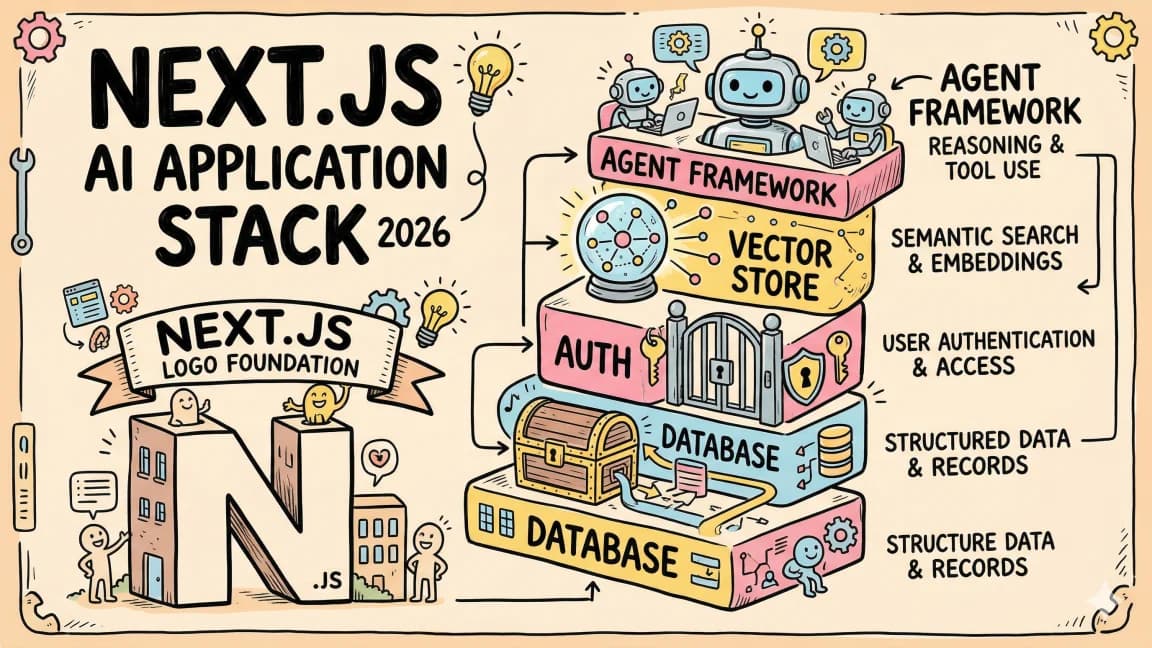
Source check: this guide assumes the current Claude Code documentation, Next.js App Router docs, React server component model, and Tailwind CSS docs. If you are still choosing the stack around Claude Code, start with Next.js AI app stack 2026, then compare the broader agent market in State of AI Coding: April 2026.
Official Sources#
| Resource | Link |
|---|---|
| Claude Code Overview | docs.anthropic.com/en/docs/claude-code/overview |
| Claude Code Getting Started | docs.anthropic.com/en/docs/claude-code/getting-started |
| Claude Code Memory (CLAUDE.md) | docs.anthropic.com/en/docs/claude-code/memory |
| Claude Code Sub-Agents | docs.anthropic.com/en/docs/claude-code/sub-agents |
| Claude Code MCP Integration | docs.anthropic.com/en/docs/claude-code/mcp |
| Next.js App Router Docs | nextjs.org/docs/app |
| Next.js Server Components | nextjs.org/docs/app/building-your-application/rendering/server-components |
| Next.js Route Handlers | nextjs.org/docs/app/building-your-application/routing/route-handlers |
| React Server Components | react.dev/reference/rsc/server-components |
| Tailwind CSS Docs | tailwindcss.com/docs |
| Anthropic Pricing | anthropic.com/pricing |
Setting Up Claude Code in a Next.js Project#
If you already have Claude Code installed, skip to the CLAUDE.md section. If not, the setup takes about 60 seconds.
# Install Claude Code globally
npm install -g @anthropic-ai/claude-code

# Navigate to your Next.js project
cd your-nextjs-app

# Start Claude Code
claude
Claude Code indexes your project on first run. For a typical Next.js app, this takes a few seconds. It reads your package.json, tsconfig.json, next.config.ts, tailwind.config.ts, and the full directory tree. It understands your project before you type a single prompt.
The key thing most people miss: Claude Code works best when it has context about your conventions. That's where CLAUDE.md comes in.
CLAUDE.md Configuration for Next.js#
CLAUDE.md is a markdown file at the root of your project that Claude Code reads automatically at the start of every session. Think of it as a briefing document. It tells Claude how your project works, what conventions to follow, and what to avoid.
Here's a production-ready CLAUDE.md for a Next.js App Router project:
# Project Name

Next.js 15 app with App Router, TypeScript, Tailwind CSS, and Prisma.

## Stack

- Next.js 15 (App Router, Server Components by default)
- React 19
- TypeScript (strict mode)
- Tailwind CSS v4
- Prisma + PostgreSQL
- NextAuth.js v5 for authentication

## Architecture

app/                    # App Router pages and layouts
  (marketing)/          # Route group for public pages
  (dashboard)/          # Route group for authenticated pages
  api/                  # API route handlers
components/
  ui/                   # Reusable UI primitives (Button, Card, Input)
  features/             # Feature-specific components
lib/
  db.ts                 # Prisma client singleton
  auth.ts               # NextAuth config
  utils.ts              # Shared utilities
  validations/          # Zod schemas

## Conventions

- Server Components by default. Only add "use client" when you need
  interactivity, browser APIs, or React hooks.
- All data fetching happens in Server Components or Server Actions.
- API routes use route handlers (route.ts), not pages/api.
- Validate all inputs with Zod schemas from lib/validations/.
- Use next/image for all images. Never use raw <img> tags.
- Use next/link for all internal navigation.
- CSS: Tailwind utility classes only. No CSS modules, no styled-components.
- File naming: kebab-case for files, PascalCase for components.

## Component Patterns

- Pages export default async function (Server Component)
- Client components go in separate files with "use client" directive
- Shared layouts use layout.tsx with children prop
- Loading states use loading.tsx (Suspense boundary)
- Error boundaries use error.tsx with "use client"

## Testing

- Vitest for unit tests
- Playwright for e2e tests
- Run: npm run test (unit), npm run test:e2e (e2e)
- All new features need at least one test

## Common Gotchas

- Don't import server-only code in client components
- Don't use useState/useEffect in server components
- Always handle loading and error states
- Use dynamic imports for heavy client components
- Environment variables: NEXT_PUBLIC_ prefix for client-side access
Adapt this to your actual stack. The key sections are Architecture (so Claude knows where files go), Conventions (so it follows your patterns), and Common Gotchas (so it doesn't make mistakes you've already solved).
You can also create nested CLAUDE.md files. Drop one in app/api/ with API-specific conventions. Drop one in components/ui/ with component patterns. Claude reads the nearest CLAUDE.md relative to the files it's working on.
Common Workflows#
Adding a New Page#
This is the most frequent task. Tell Claude what the page should do and it handles the App Router conventions.
Add a /pricing page with three tiers (Free, Pro, Enterprise).
Use the existing Card component from components/ui.
Server component, no client-side state needed.
Claude creates app/pricing/page.tsx with proper metadata exports, the right imports, and follows your Tailwind patterns. It knows to use generateMetadata for SEO because it read your other pages.
For dynamic routes:
Add a blog detail page at /blog/[slug].
Fetch the post from the database using the slug param.
Include generateStaticParams for the 20 most recent posts.
Add a loading.tsx skeleton and error.tsx boundary.
Claude generates all four files: page.tsx, loading.tsx, error.tsx, and updates any shared types. It uses generateStaticParams correctly because your CLAUDE.md says "App Router."
For SEO-oriented pages, pair this workflow with the AI coding tools pricing comparison, Codex vs Claude Code, and LangChain vs Vercel AI SDK examples. Those posts show the comparison-page structure that is already working for search.
Creating API Routes#
Create a POST /api/webhooks/stripe route handler that verifies
the Stripe signature, handles checkout.session.completed events,
and updates the user's subscription status in the database.
Claude creates app/api/webhooks/stripe/route.ts with proper Next.js route handler syntax. It uses NextRequest, returns NextResponse, handles the raw body correctly for Stripe signature verification, and follows your Prisma patterns.
The important detail: Claude knows the difference between Pages Router API routes (pages/api/) and App Router route handlers (app/api/.../route.ts). If your CLAUDE.md says App Router, it won't generate the wrong format.
Building Components#
Create a DataTable component that takes generic typed data,
supports sorting, pagination, and column filtering.
Server-side rendering for the initial data, client-side
interactivity for sort/filter/paginate.
Claude splits this correctly: a server component wrapper that fetches data and passes it to a client component that handles interactivity. It adds "use client" only to the interactive part. It types the generic properly with TypeScript.
For simpler components:
Build a command palette component (Cmd+K). Search across pages,
blog posts, and docs. Use the existing search index from
lib/search.ts.
Claude creates the client component with proper keyboard event handling, focus management, and accessibility attributes. It imports from your existing code rather than reinventing things.
Sub-Agents for Frontend and Backend Work#
Claude Code supports sub-agents - spawning focused agents for parallel work. This is powerful for full-stack Next.js projects where frontend and backend changes are independent.
The Pattern#
When you have a feature that touches both the API layer and the UI, tell Claude to parallelize:
Build a user settings page.

For the backend:
- Create a GET and PATCH /api/settings route handler
- Add a Zod schema for settings validation
- Write a Prisma query for updating user preferences

For the frontend:
- Create app/(dashboard)/settings/page.tsx
- Build a SettingsForm client component with react-hook-form
- Add optimistic updates with useOptimistic
- Include loading.tsx and error.tsx
Claude spawns sub-agents: one handles the API routes and database layer, another builds the UI components. They work in parallel, and Claude coordinates the shared types between them.
When to Use Sub-Agents#
- New features with API + UI: settings pages, CRUD interfaces, dashboards
- Refactors across layers: renaming a data model that touches schema, API, and components
- Test writing: one agent writes unit tests, another writes e2e tests
- Migration work: one agent updates the database schema, another updates the TypeScript types and components
When Not to Use Them#
- Simple single-file changes
- Changes where files depend on each other sequentially (the migration must finish before the component update makes sense)
- Debugging, where you need to trace through the full stack
MCP Servers Useful for Next.js#
MCP servers extend Claude Code's capabilities beyond reading and writing files. Here are the ones that matter for Next.js development.
Database: Prisma / Postgres MCP#
If you use Prisma, the Prisma MCP server lets Claude query your database directly. Instead of guessing at your schema, it reads it. Instead of writing queries blind, it can test them.
{
  "mcpServers": {
    "prisma": {
      "command": "npx",
      "args": ["prisma-mcp-server"]
    }
  }
}
Claude can now inspect your schema, run test queries, and verify that its Prisma code actually works against your database.
Browser Testing: Playwright MCP#
The Playwright MCP server lets Claude interact with your running dev server. It can navigate pages, click buttons, fill forms, and take screenshots.
{
  "mcpServers": {
    "playwright": {
      "command": "npx",
      "args": ["@anthropic-ai/mcp-playwright"]
    }
  }
}
This is useful for:
- Visual verification after building a component
- Testing form submission flows end-to-end
- Catching layout issues Claude can't see from code alone
- Verifying responsive behavior at different viewport sizes
Filesystem + Git: Built-in#
Claude Code already has filesystem and git capabilities built in. No MCP server needed. It can read files, write files, run shell commands, and commit changes. For Next.js specifically, this means it can:
- Run
npm run buildto verify no TypeScript errors - Run
npm run lintto check ESLint rules - Run your test suite after making changes
- Check
next buildoutput for route analysis
Fetch / HTTP: For API Testing#
The fetch MCP server lets Claude make HTTP requests to your running dev server. Test your API routes without leaving the terminal.
{
  "mcpServers": {
    "fetch": {
      "command": "npx",
      "args": ["@anthropic-ai/mcp-fetch"]
    }
  }
}
Start your dev server, tell Claude to hit your endpoints, and it verifies the responses match expectations. Faster feedback loop than writing test files for exploratory work.
TypeScript + Next.js Tips#
Strict Mode Is Your Friend#
Enable strict mode in tsconfig.json. Claude Code works significantly better with strict TypeScript because the type errors give it clear signals about what's wrong.
{
  "compilerOptions": {
    "strict": true,
    "noUncheckedIndexedAccess": true
  }
}
When Claude writes code that violates a type constraint, it sees the error immediately and fixes it. Without strict mode, subtle bugs slip through.
Tell Claude About Your Type Patterns#
Add a section to CLAUDE.md about how you handle types:
## Type Patterns

- API responses use shared types from lib/types/api.ts
- Form data validated with Zod, inferred types with z.infer<typeof schema>
- Database types auto-generated by Prisma (never edit manually)
- Component props defined inline for simple cases, extracted to
  types/ for shared ones
- Use satisfies for type-safe object literals
- Prefer Record<string, T> over {[key: string]: T}
This prevents Claude from defining types in random places or using inconsistent patterns.
Server vs. Client Type Boundaries#
The server/client boundary in Next.js is where most type bugs live. Claude handles this well if you're explicit about the pattern:
## Server/Client Boundary

- Server Components receive data as props from parent server components
  or fetch it directly. No "use client" unless absolutely needed.
- Client Components receive serializable props only. No passing
  functions, classes, or Maps across the boundary.
- Server Actions are defined with "use server" and accept FormData
  or serializable arguments.
- Use separate type files for server-only and shared types.
Path Aliases#
Configure path aliases in your tsconfig.json so Claude uses clean imports:
{
  "compilerOptions": {
    "paths": {
      "@/*": ["./src/*"],
      "@/components/*": ["./src/components/*"],
      "@/lib/*": ["./src/lib/*"]
    }
  }
}
Claude picks these up automatically and uses @/components/Button instead of ../../../components/Button. Cleaner code, fewer merge conflicts.
Leverage next build#
One of the most underused workflows: tell Claude to run next build after making changes. The build output catches:
- Type errors across the entire project
- Invalid server/client component boundaries
- Missing "use client" directives
- Dead code and unused imports (with the right ESLint config)
- Route conflicts and missing pages
Run next build and fix any errors.
Claude iterates until the build passes. This single command catches more bugs than most manual review processes.
Putting It All Together#
Here's a real workflow. You want to add a dashboard page with charts and data tables.
- Start Claude Code in your project root
- Claude reads your CLAUDE.md automatically
- You describe the feature
Build a /dashboard page that shows:
- Monthly revenue chart (line chart)
- Recent transactions table (sortable, paginated)
- KPI cards at the top (revenue, users, conversion rate)

Use the existing Prisma schema for transactions.
Chart library: recharts. Already installed.
This needs to be a mix of server and client components.
- Claude plans the approach: server component page that fetches data, client components for the chart and interactive table, KPI cards as server components since they're static
- It creates the files, following your conventions from CLAUDE.md
- It runs
next buildto verify everything compiles - If you have the Playwright MCP server, it navigates to
/dashboardand takes a screenshot for visual verification
The whole thing takes minutes. Not hours. And it follows your patterns because you told it your patterns.
Frequently Asked Questions#
Do I need Claude Max or does Pro work for Next.js development?#
Both work. Claude Code Max gives you more usage limits and access to Opus, which handles complex multi-file changes better. Pro with Sonnet is fine for everyday Next.js work. Use Opus for large refactors, architectural changes, or when sub-agents are involved.
Does Claude Code work with Next.js Pages Router?#
Yes. Put "Pages Router" in your CLAUDE.md and Claude generates pages/ directory files, getServerSideProps, getStaticProps, and pages/api/ routes. But if you're starting a new project, use App Router. Claude Code handles it better because the conventions are more explicit.
How does Claude Code handle next/image and next/font?#
Claude handles them well as long as you specify configuration in CLAUDE.md. Tell it which image loader you use, whether you have a custom next.config.ts for remote patterns, and which fonts you've set up. Claude follows the config automatically.
Can Claude Code set up a Next.js project from scratch?#
Yes. Run npx create-next-app@latest with your preferred options, then Claude can scaffold the entire project structure: authentication, database, layouts, components, and more. It's most effective on existing projects where it has context to match, but greenfield setup works well too.
Does Claude Code understand Next.js middleware?#
Yes. Specify in CLAUDE.md that you use middleware for auth redirects, rate limiting, or other use cases. Claude generates middleware.ts at the root with the correct matcher config that matches your existing patterns.
How do I prevent Claude from adding "use client" everywhere?#
Put it in your CLAUDE.md: "Server Components by default. Only add 'use client' when you need interactivity, browser APIs, or React hooks." Claude follows this consistently. If it adds "use client" unnecessarily, point it out once and it learns to avoid that pattern.
Does Claude Code understand Next.js caching and revalidation?#
Yes. Claude generates revalidatePath, revalidateTag, and fetch cache options correctly. If you use ISR, specify your revalidation strategy in CLAUDE.md so it matches your patterns for revalidate intervals and on-demand revalidation.
How does Claude Code work with monorepos like Turborepo?#
Create a CLAUDE.md at the monorepo root describing the workspace structure, plus one in each app/package with specific conventions. Claude reads the nearest CLAUDE.md relative to the files it's editing. This works well for apps/web, apps/api, packages/ui patterns common in Turborepo setups.
Get the next deep dive like this in your inbox
One email a week on Claude Code and the rest of the AI dev stack. Free.
Read next on Claude Code
Building a SaaS with Claude Code: End-to-End Guide
How to go from idea to deployed SaaS product using Claude Code as your primary development tool. Project setup, feature building, deployment, and iteration.
10 min readThe Next.js AI App Stack for 2026
The definitive full-stack setup for building AI-powered apps in 2026. Next.js 16, Vercel AI SDK, Convex, Clerk, and Tailwind - why each piece matters and how they fit together.
12 min read60 Claude Code Tips and Tricks for Power Users
The definitive collection of Claude Code tips - sub-agents, hooks, worktrees, MCP, custom agents, keyboard shortcuts, and dozens of hidden features most developers never discover.
25 min readTechnical content at the intersection of AI and development. Building with AI agents, Claude Code, and modern dev tools - then showing you exactly how it works.