Interview Mode: Let Claude Code Ask the Questions First
Claude Code Mastery
20 parts- 1Claude Code: The Future of Coding?
- 2What Is Claude Code? The Complete Guide for 2026
- 360 Claude Code Tips and Tricks for Power Users
- 4Claude Code Sub Agents: Parallel AI Development
- 5Claude Code Worktrees: Parallel Development Without the Chaos
- 6Building Multi-Agent Workflows in Claude Code: A Practical Tutorial
- 7The Ralph Loop: Running Claude Code For Hours Autonomously
- 8Self-Improving Skills: Claude Code That Learns From Every Session
- 9Claude Code Usage Limits in 2026: The Practical Playbook for Pro and Max Teams
- 10Progressive Disclosure: How Claude Code Cut Token Usage by 98%
- 11Claude Code + Chrome: AI Agents That Use Your Browser
- 12Interview Mode: Let Claude Code Ask the Questions FirstCurrent
- 13Claude Code: Remote Control, Auto Memory, Plugins & More
- 14Claude Code Hooks Explained
- 15How to Use Claude Code with Next.js
- 16Claude Code Channels: Telegram, Discord, iMessage, and Webhooks
- 17How to Migrate from GitHub Copilot to Claude Code
- 18Building a SaaS with Claude Code: End-to-End Guide
- 19Create Beautiful UI with Claude Code: The Style Guide Method
- 20Claude Code Loops: Recurring Prompts That Actually Run
TL;DR
The best Claude Code sessions start with questions, not code. Spec-driven development forces requirements discovery upfront - interview first, spec second, code last.
Official Sources#
| Resource | Link |
|---|---|
| Claude Code Overview | code.claude.com/docs |
| AskUserQuestion tool reference | code.claude.com/docs/en/tools-reference |
| Claude Code Skills | docs.anthropic.com/claude-code/skills |
| Claude Code Memory | docs.anthropic.com/claude-code/memory |
| Anthropic Pricing | anthropic.com/pricing |
| Claude Models | docs.anthropic.com/models |
Most developers start wrong. You fire up Claude Code, paste a prompt, and hit enter. Claude makes assumptions. Lots of them. By the time the code appears, you realize you wanted OAuth instead of sessions, or a third-party auth service instead of rolling your own.
Then you rework everything.
Spec-driven development flips this. Let Claude ask the questions first.
The Problem With One-Shot Prompts#
When you ask Claude to "add authentication to my app," it has to guess. Is it a SPA? Mobile app? What's your auth strategy? JWT? Sessions? OAuth? Do you need multi-tenancy? Should you use a managed service like Clerk or WorkOS?
For the broader agentic coding map, read Claude Code Agent Teams, Subagents, and MCP: The 2026 Playbook and Why Skills Beat Prompts for Coding Agents in 2026; they connect this article to the surrounding tool and workflow decisions.
You didn't specify. Claude didn't ask. It shipped code based on assumptions that were cheap to change before being built, but expensive after.
This is the hidden cost of prompt-driven development: you're making critical architectural decisions implicitly, discovering them later during code review when fixing them means throwing away tokens and time.
Interview First, Spec Second, Code Last#
The antidote: let Claude interview you.
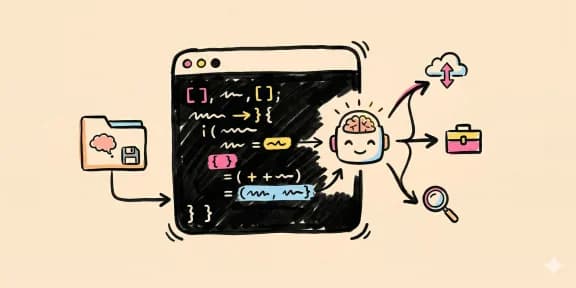
This idea, shared by Tariq at Anthropic, is straightforward: instead of guessing what you want, Claude uses the Ask User Question tool to drill into requirements. Not obvious questions - deep ones.
One developer reported Claude asked 40+ questions before finalizing the spec. 40 questions they never would have answered upfront, but that made the spec bulletproof.
The workflow looks like this:
- Provide a minimal prompt ("I'm building a Next.js marketing site for developers")
- Let Claude interview you using Ask User Question tool - technical decisions, UI/UX concerns, trade-offs
- Output a detailed spec (not code)
- Start a new session to execute against that spec
This forces decisions to the surface when they're cheap to change.
How It Works in Practice#
You create a skill that triggers the interview automatically. The prompt is simple:
"Read the spec.md and interview me using the Ask User Question tool about technical implementation, UI and UX concerns, trade-offs. Make sure questions aren't obvious. Be in-depth and continue until complete. Then write the spec to the file."
Claude asks. You answer. It synthesizes into a formal spec. No code yet.
This is not a replacement for Plan Mode (which you should still use). Think of interview mode as the precursor to planning - nail requirements first, then plan implementation.
How the tool behaves, per the Claude Code tools reference (re-checked October 10, 2026): AskUserQuestion asks multiple-choice questions, you can pick an option or type your own text through the Other row, and questions stay open until you answer them. If you want an unanswered question to close and let Claude continue without you, set the askUserQuestionTimeout setting to 60s, 5m or 10m. For an interview you want the default, so Claude waits for your answers instead of guessing.
Why This Actually Saves Time#
Counterintuitive: slowing down speeds you up.
The longer you spend planning, the less time reworking. Because you're narrowing the solution space before Claude burns tokens generating code.
Instead of discovering buried assumptions during code review, you confront them when they're cheap to change. Instead of you guessing and Claude correcting, Claude asks clarifying questions instead of making assumptions.
This is a fundamental shift in how agentic AI works. Traditional prompt engineering demanded perfect instructions upfront. Spec-driven development lets AI help you discover what you actually want - because you probably don't know all the nuances before talking it through.
The Real Win#
You get control back.
Most AI coding tools work top-down: you specify, they build. Here, it's bidirectional. Claude doesn't assume. It asks. You don't have to guess. You decide.
For large features, this changes everything. For a complex auth system, CMS integration, or multi-tenant setup, the difference between building once and building twice is hours of wasted effort.
Next time you have a large feature, try it. Don't cram everything into one prompt. Let Claude interview you. You'll be shocked how many requirements you didn't even know you had.
Further Reading#
- Tariq's original insight: Search "spec-driven development Claude Code" on Twitter for the original thread
- In Claude Code: Try creating a skill that triggers interview mode - the Ask User Question tool is built in and designed for exactly this workflow
- Go deeper: the Claude Code Power User course covers authoring skills like this one, plus subagents and hooks
Frequently Asked Questions#
What is interview mode in Claude Code?#
Interview mode is a workflow where you let Claude Code ask you clarifying questions before writing any code. Instead of giving a one-shot prompt and letting Claude make assumptions, you use the Ask User Question tool to have Claude drill into requirements, technical decisions, and trade-offs. The output is a detailed spec, not code - code comes in a separate session after requirements are locked.
How do I enable interview mode in Claude Code?#
Create a skill (markdown file in .claude/commands/) with a prompt like: "Read the spec.md and interview me using the Ask User Question tool about technical implementation, UI/UX concerns, and trade-offs. Continue until requirements are complete, then write the spec." When you invoke this skill, Claude switches into interview mode and asks questions instead of generating code.
Why is interview mode better than a detailed prompt?#
You do not know all your requirements upfront. A detailed prompt forces you to guess. Interview mode surfaces decisions you did not know you needed to make - authentication strategy, error handling approach, edge cases, accessibility needs. Discovering these during a 5-minute interview is cheap. Discovering them after 500 lines of generated code is expensive.
How many questions should Claude ask in interview mode?#
There is no fixed number. Some developers report Claude asking 40+ questions for complex features. The goal is comprehensiveness, not speed. A thorough interview covers technical architecture, UI/UX decisions, edge cases, constraints, and trade-offs. Stop when you feel confident the spec is complete enough to implement without ambiguity.
What is the difference between interview mode and plan mode?#
Plan mode (Shift+Tab in Claude Code) outputs an implementation plan before writing code - which files to change, in what order. Interview mode comes before planning - it locks down requirements so the plan is based on complete information. Use interview mode first for complex features, then switch to plan mode for the implementation phase.
Does interview mode work for small tasks?#
For simple, well-defined tasks - fixing a typo, adding a utility function, renaming a variable - interview mode is overkill. Use it for features with multiple moving parts: authentication systems, payment integrations, multi-step workflows, anything where architectural decisions matter. The rule of thumb: if you could imagine building it two different valid ways, interview first.
Can I skip questions during the interview?#
Yes. If a question is not relevant or you want Claude to make its own decision, say so. "Use your best judgment" or "Not relevant to this feature" are valid answers. The interview should clarify what matters, not waste time on minutiae. Claude adapts based on your responses.
Where do I store the spec after the interview?#
Most developers use a spec.md file in the project root or in a docs/ directory. The spec becomes the source of truth for the next session. When you start a new Claude Code session to implement, reference the spec: "Implement the feature described in spec.md." The separation between interview session and implementation session keeps context clean.
Watch the Video#
Get the next deep dive like this in your inbox
One email a week on Claude Code and the rest of the AI dev stack. Free.
Read next on Claude Code
60 Claude Code Tips and Tricks for Power Users
60 Claude Code tips and tricks for power users: sub-agents, hooks, worktrees, MCP, custom agents, keyboard shortcuts and features most developers miss.
25 min readPrompt Engineering for AI Coding Tools
Prompt engineering for AI coding tools is task design: specs, repo context, constraints, examples, verification and reviewable receipts, not clever wording.
9 min readWhat Is Claude Code? The Complete Guide for 2026
Claude Code is Anthropic's AI coding agent for terminal, IDE, desktop and browser. What it does, how it works, setup, pricing, MCP, skills, hooks and subagents.
15 min readTechnical content at the intersection of AI and development. Building with AI agents, Claude Code, and modern dev tools - then showing you exactly how it works.