Claude Computer Use: AI That Controls Your Desktop
TL;DR
Anthropic's computer use feature lets Claude see your screen, move the cursor, click, and type.
Official Sources#
| Source | What to verify |
|---|---|
| Computer Use Documentation | Setup, tool specification, and implementation patterns |
| Computer Use Reference Implementation | Docker setup and working example code |
| Anthropic API Reference | Messages API and beta headers for computer use |
| Anthropic Pricing | Model pricing for Opus, Sonnet, and Haiku |
| Model Deprecations | Model version support and beta header changes |
What Computer Use Actually Is#
Claude can control a computer the way you do. It takes screenshots to see what is on screen, moves the mouse, clicks buttons, and types text. No API integration required. If it is visible on the desktop, Claude can interact with it.
Anthropic released this as a beta feature, initially with Claude 3.5 Sonnet. It has since expanded to Claude Opus 4.5, Opus 4.6, Sonnet 4.6, and Haiku 4.5. On WebArena - a benchmark for autonomous web navigation across real websites - Claude achieves state-of-the-art results among single-agent systems.
This is not browser automation in the Playwright or Selenium sense. Those tools operate in headless environments with no visual context. Computer use gives Claude eyes on the actual display and hands on the actual input devices.
How It Works#
The computer use tool provides four capabilities:
- Screenshot capture - Claude sees what is currently displayed on screen
- Mouse control - click, drag, scroll, and move the cursor to precise coordinates
- Keyboard input - type text and execute keyboard shortcuts
- Desktop interaction - interact with any application, not just browsers
The flow is simple. You send a message to the API with the computer use tool enabled. Claude decides it needs to see the screen, requests a screenshot, analyzes the image, then returns an action like "click at coordinates (450, 320)" or "type 'hello world'". Your application executes that action, takes a new screenshot, and sends it back. The loop continues until the task is complete.
import anthropic

client = anthropic.Anthropic()

response = client.messages.create(
    model="claude-opus-4-6",
    max_tokens=1024,
    tools=[
        {
            "type": "computer_20251124",
            "name": "computer",
            "display_width_px": 1024,
            "display_height_px": 768,
            "display_number": 1
        }
    ],
    messages=[
        {
            "role": "user",
            "content": "Open the calculator app and compute 1847 * 23"
        }
    ],
    betas=["computer-use-2025-11-24"]
)
The beta header is required. Use computer-use-2025-11-24 for the latest models.
When to Use It#
Computer use shines for tasks that cross application boundaries. Things that would normally require a human to alt-tab, copy, paste, and click through UI flows.
Good fits:
- Filling out forms across different web apps
- Testing UI workflows end-to-end
- Automating desktop applications that have no API
- Data entry from one system to another
- QA testing with visual verification
Bad fits:
- Anything you can do through an API (use the API instead - it is faster and more reliable)
- High-frequency trading or real-time systems (screenshot latency matters)
- Tasks involving sensitive credentials (Claude can see what is on screen)
The sweet spot is visual tasks that require judgment. A script can click a button, but only a vision model can decide which button to click based on context.
Security Considerations#
This feature has real security implications. Claude can see everything on screen and control input devices. Anthropic recommends:
- Use a dedicated VM or container with minimal privileges
- Never expose sensitive data like passwords or credentials on screen
- Limit internet access to an allowlist of domains
- Keep a human in the loop for consequential actions - financial transactions, account changes, terms of service
Anthropic added automatic classifiers that flag potential prompt injections in screenshots. If a webpage tries to trick Claude through on-screen text, the classifier catches it and asks for user confirmation before proceeding. You can opt out of this for fully autonomous use cases, but the default behavior adds an important safety layer.
Practical Example: Multi-App Workflow#
Here is a real scenario. You need to pull data from a spreadsheet, enter it into a web form, verify the result, and log the outcome. Without computer use, you would build three integrations. With computer use:
messages = [
    {
        "role": "user",
        "content": """
        1. Open the Google Sheet in Chrome tab 1
        2. Read the client names from column A
        3. Switch to the CRM tab
        4. For each client, search and update their status to 'Active'
        5. Take a screenshot after each update for verification
        """
    }
]
Claude handles the tab switching, reading, typing, and verification visually. No Sheets API. No CRM API. Just screen interaction.
Combining with Other Tools#
Computer use works alongside other Claude tools. Pair it with:
- Bash tool - run terminal commands alongside visual tasks
- Text editor tool - edit files while also interacting with GUI applications
- MCP servers - combine structured data access with visual interaction
The reference implementation from Anthropic includes a Docker container with all three tools configured together. It is the fastest way to experiment.
git clone https://github.com/anthropics/anthropic-quickstarts.git
cd anthropic-quickstarts/computer-use-demo
docker compose up
What is Next#
Computer use keeps improving with each model release. Haiku 4.5 actually surpasses Sonnet 4 at computer use tasks while running at a fraction of the cost. The trajectory is clear: faster, cheaper, more reliable desktop interaction with every generation.
For developers building automation tools, the implication is significant. Any application with a UI is now an application with an API - you just need to point Claude at the screen.
FAQ#
Is computer use free to use?#
Computer use is available through the Claude API with standard per-token pricing. There is no additional charge for the computer use capability itself. You pay for the tokens in your messages, including the base64-encoded screenshots that get sent back and forth.
Does computer use work with Claude Code?#
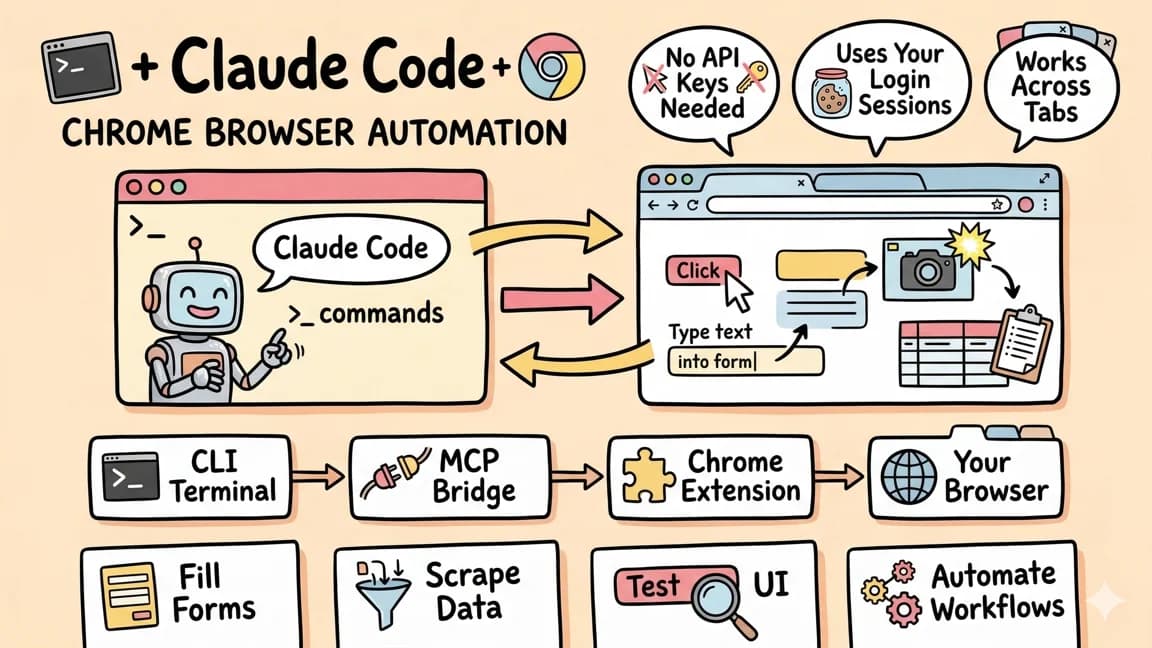
Yes. Claude Code has integrated computer use directly, so you can ask Claude Code to interact with desktop applications alongside its normal file editing and terminal capabilities. This is separate from the Chrome automation feature, which specifically targets browser interaction.
Can Claude use my actual computer or does it need a VM?#
Both work. Claude can control your actual desktop, but Anthropic strongly recommends using a sandboxed environment like a VM or Docker container for safety. The reference implementation provides a Docker setup out of the box.
How fast is computer use compared to traditional automation?#
Slower than API calls or scripted automation. Each step requires a screenshot capture, image analysis, and action execution. Expect 2-5 seconds per action depending on the model and screenshot resolution. The tradeoff is flexibility - computer use works with any application without integration code.
Which Claude models support computer use?#
Claude Opus 4.6, Sonnet 4.6, Opus 4.5, Sonnet 4.5, Haiku 4.5, and earlier Claude 4 models all support computer use. Haiku 4.5 is particularly notable - it surpasses larger models on computer use benchmarks while being significantly faster and cheaper.
Continue Reading#
Get the next deep dive like this in your inbox
One email a week on Claude Code and the rest of the AI dev stack. Free.
Read next on Claude Code
Claude Code + Chrome: AI Agents That Use Your Browser
Claude Code can now control Chrome using your existing authenticated sessions. No API keys needed. Gmail, Sheets, Figma - your agent works across tabs like you do.
7 min readClaude Code: Remote Control, Auto Memory, Plugins & More
Anthropic dropped a batch of updates across Claude Code and Cowork - remote control from your phone, scheduled tasks, plugin repos, auto memory, and stats showing 4% of GitHub public commits now come from Claude Code.
5 min readWhat Is Claude Code? The Complete Guide for 2026
Claude Code is Anthropic's AI coding agent for terminal, IDE, desktop, and browser workflows. Learn what it does, how it works, pricing, setup, MCP, skills, hooks, and subagents.
15 min readTechnical content at the intersection of AI and development. Building with AI agents, Claude Code, and modern dev tools - then showing you exactly how it works.