How to Build an AI Agent in 2026: A Practical Guide
TL;DR
A step-by-step guide to building AI agents that actually work. Choose a framework, define tools, wire up the loop, and ship something real.
| Official Sources | |
|---|---|
| Vercel AI SDK Docs | sdk.vercel.ai/docs |
| Vercel AI SDK Agents Guide | sdk.vercel.ai/docs/ai-sdk-core/agents |
| LangChain.js Documentation | js.langchain.com/docs |
| LangChain Agents Guide | js.langchain.com/docs/tutorials/agents |
| Claude Agent SDK | docs.anthropic.com/en/docs/agents |
| Anthropic Tool Use Guide | docs.anthropic.com/en/docs/build-with-claude/tool-use |
What Changed in 2026#
A year ago, building an AI agent meant wiring together API calls, managing context windows by hand, and hoping your prompt engineering held up in production. The tooling was fragile. The abstractions leaked.
That era is over. Three frameworks have matured into production-ready platforms for building agents: the Vercel AI SDK, LangChain, and the Claude Agent SDK. Each takes a different approach. Each solves different problems. And the decision of which one to use shapes everything about how your agent works.
This guide walks you through the full process - from understanding what an agent actually is, to choosing a framework, to building and testing a working agent. No toy examples. No "hello world" chatbots dressed up as agents. Real systems that reason, act, and produce results.
What Makes Something an Agent#
An agent is not a chatbot with tools bolted on. A chatbot takes a message in and returns a message out. An agent takes a goal and figures out how to accomplish it.
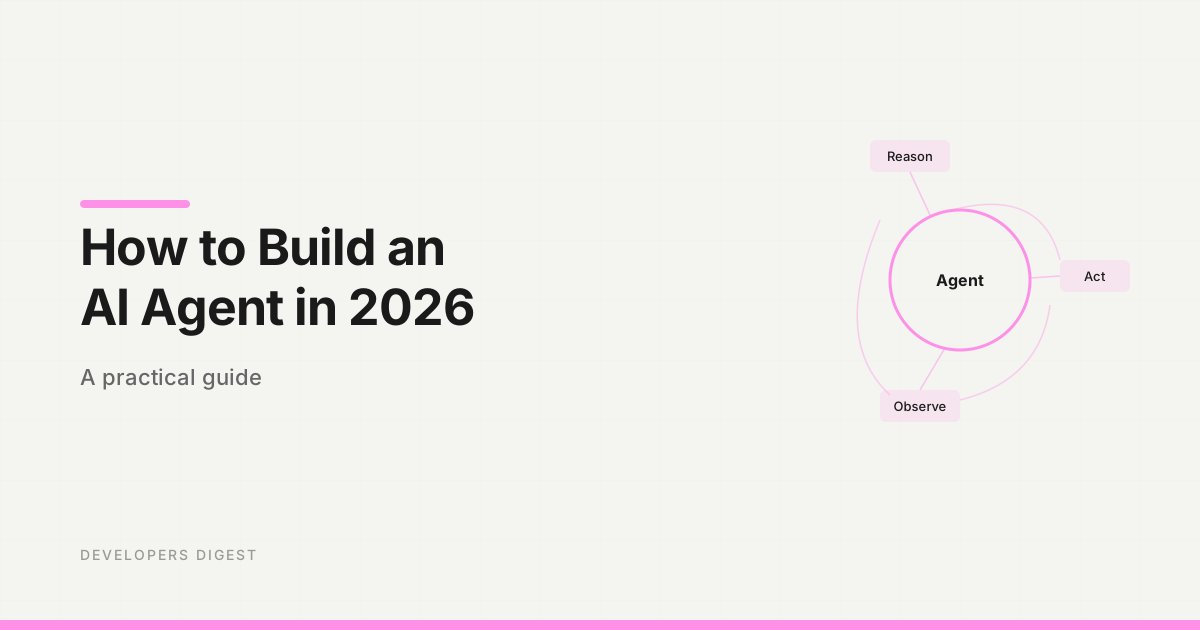
The difference is the loop. An agent:
- Receives an objective
- Reasons about what to do next
- Takes an action (calls a tool, reads data, writes output)
- Observes the result
- Decides whether to continue or stop
- Repeats until the objective is met
This is the ReAct pattern - Reason plus Act. The model controls the flow. You define the tools and constraints. The model decides when to use them, in what order, and how to interpret the results.
The simplest agent you can build has three components: a model, a set of tools, and a loop that lets the model call those tools repeatedly. Everything else - streaming, multi-agent delegation, memory, guardrails - builds on top of that foundation.
Choosing a Framework#
Three frameworks dominate agent development in 2026. They are not interchangeable. Each makes fundamental tradeoffs that matter depending on what you are building.
Vercel AI SDK#
Best for: agents embedded in web applications.
The AI SDK is the TypeScript-first choice for building agents that live inside Next.js, SvelteKit, or any web framework. It handles streaming natively, integrates with React through the useChat hook, and provides a clean abstraction over tool calling and multi-step execution.
import { streamText, tool } from "ai";
import { anthropic } from "@ai-sdk/anthropic";
import { z } from "zod";

const result = streamText({
  model: anthropic("claude-sonnet-4-20250514"),
  system: "You are a research agent. Use tools to gather data, then synthesize.",
  prompt: "Find the top 3 TypeScript testing libraries by GitHub stars.",
  tools: {
    searchGitHub: tool({
      description: "Search GitHub repositories",
      parameters: z.object({
        query: z.string(),
        sort: z.enum(["stars", "updated"]),
      }),
      execute: async ({ query, sort }) => {
        const res = await fetch(
          `https://api.github.com/search/repositories?q=${query}&sort=${sort}`
        );
        return await res.json();
      },
    }),
  },
  maxSteps: 8,
});
The maxSteps parameter is what turns a single API call into an agent loop. Without it, the model makes one tool call and stops. With it, the model can chain multiple calls, react to intermediate results, and converge on an answer.
Strengths: streaming to the browser, React integration, structured output with Zod, model-agnostic (swap between Claude, GPT, Gemini with one line).
Limitations: designed for request-response web patterns. Less suited for long-running background agents or complex multi-agent orchestration.
If you are building an agent that runs inside a web app and needs to stream results to a UI, start here. The Vercel AI SDK guide covers the full API.
LangChain#
Best for: complex workflows with pre-built integrations.
LangChain provides the largest ecosystem of pre-built components - document loaders, vector stores, retrieval chains, output parsers, and agent executors. If your agent needs to interact with specific services (Notion, Slack, Confluence, various databases), LangChain probably has a community integration for it.
import { ChatAnthropic } from "@langchain/anthropic";
import { createReactAgent } from "@langchain/langgraph/prebuilt";
import { Calculator } from "@langchain/community/tools/calculator";
import { tool } from "@langchain/core/tools";
import { z } from "zod";

const model = new ChatAnthropic({
  model: "claude-sonnet-4-20250514",
});

const getRepoStars = tool(
  async ({ repo }) => {
    const res = await fetch(`https://api.github.com/repos/${repo}`);
    const data = await res.json();
    return String(data.stargazers_count);
  },
  {
    name: "get_repo_stars",
    description: "Get the GitHub star count for a repository in owner/name form",
    schema: z.object({ repo: z.string() }),
  }
);

const tools = [getRepoStars, new Calculator()];

const agent = createReactAgent({
  llm: model,
  tools,
});

const result = await agent.invoke({
  messages: [
    {
      role: "user",
      content: "How many more GitHub stars does langchain-ai/langgraphjs have than vercel/ai?",
    },
  ],
});
LangGraph, the graph-based agent framework built on top of LangChain, is where the real power lives. It lets you define agent workflows as state machines with conditional edges, parallel branches, and human-in-the-loop checkpoints.
Strengths: massive integration ecosystem, LangGraph for complex stateful workflows, good observability with LangSmith.
Limitations: heavier abstraction layer, steeper learning curve, can feel over-engineered for simple agents.
Claude Agent SDK#
Best for: autonomous agents with delegation and sub-agent patterns.
The Claude Agent SDK is Anthropic's framework for building agents that run autonomously - not inside a web request, but as standalone processes that can run for minutes or hours. It is the framework behind Claude Code's agent capabilities.
import { Agent, tool } from "claude-agent-sdk";
import { z } from "zod";

const researchAgent = new Agent({
  name: "researcher",
  model: "claude-sonnet-4-20250514",
  instructions: "Research the given topic thoroughly using available tools.",
  tools: [
    tool({
      name: "web_search",
      description: "Search the web for information",
      parameters: z.object({ query: z.string() }),
      execute: async ({ query }) => {
        // Search implementation
      },
    }),
  ],
});

const result = await researchAgent.run(
  "What are the most significant advances in AI agent frameworks this year?"
);
The SDK's distinguishing feature is delegation. An agent can spawn sub-agents, assign them tasks, and synthesize their results. This enables multi-agent architectures where a planning agent coordinates specialist agents - one for research, one for code generation, one for testing.
Strengths: built for long-running autonomous work, native sub-agent delegation, designed for Claude's strengths.
Limitations: Claude-specific (no model swapping), newer ecosystem with fewer community integrations.
For hands-on agent generation with the Claude Agent SDK, try the Agent Generator - it scaffolds agent projects from natural language descriptions.
The Decision Matrix#
| Factor | AI SDK | LangChain | Claude Agent SDK |
|---|---|---|---|
| Web app integration | Best | Good | Manual |
| Streaming to UI | Native | Supported | Manual |
| Pre-built integrations | Few | Many | Few |
| Multi-agent patterns | Basic | LangGraph | Native |
| Learning curve | Low | High | Medium |
| Long-running agents | Limited | Good | Best |
| Model flexibility | Any model | Any model | Claude only |
Pick the AI SDK if your agent lives in a web app and streams to a React UI.
Pick LangChain if you need pre-built integrations with specific services or complex graph-based workflows.
Pick the Claude Agent SDK if you are building autonomous agents that run independently, delegate work, or operate for extended periods.
Building Your First Agent#
Let's build a practical agent: a codebase analyzer that reads a project, identifies architectural patterns, and produces a structured report. This is useful, non-trivial, and demonstrates the core agent concepts.
We will use the Vercel AI SDK because it has the lowest setup friction, but the patterns translate to any framework.
Step 1: Define Your Tools#
Tools are functions the model can call. Every tool needs a clear description (the model reads this to decide when to use it), typed parameters, and an execute function.
import { tool } from "ai";
import { z } from "zod";
import { readdir, readFile } from "fs/promises";
import { join, extname } from "path";

const listDirectory = tool({
  description: "List files and directories at a given path",
  parameters: z.object({
    path: z.string().describe("Directory path relative to project root"),
  }),
  execute: async ({ path }) => {
    const entries = await readdir(join(PROJECT_ROOT, path), {
      withFileTypes: true,
    });
    return entries.map((e) => ({
      name: e.name,
      type: e.isDirectory() ? "directory" : "file",
      extension: e.isFile() ? extname(e.name) : null,
    }));
  },
});

const readSourceFile = tool({
  description: "Read the contents of a source file",
  parameters: z.object({
    path: z.string().describe("File path relative to project root"),
  }),
  execute: async ({ path }) => {
    const resolved = join(PROJECT_ROOT, path);
    if (!resolved.startsWith(PROJECT_ROOT)) {
      return { error: "Path traversal not allowed" };
    }
    const content = await readFile(resolved, "utf-8");
    return {
      path,
      content: content.slice(0, 8000), // Limit context size
      lines: content.split("\n").length,
    };
  },
});

const searchFiles = tool({
  description: "Search for files matching a glob pattern",
  parameters: z.object({
    pattern: z.string().describe("Glob pattern like '**/*.ts' or 'src/**/*.tsx'"),
  }),
  execute: async ({ pattern }) => {
    const { glob } = await import("glob");
    const files = await glob(pattern, { cwd: PROJECT_ROOT });
    return { matches: files.slice(0, 50), total: files.length };
  },
});
Notice the safety boundary in readSourceFile - the path traversal check prevents the model from reading files outside the project. Always constrain what your tools can access.
Step 2: Wire Up the Agent#
import { generateObject } from "ai";
import { anthropic } from "@ai-sdk/anthropic";

const analysisSchema = z.object({
  framework: z.string().describe("Primary framework detected"),
  language: z.string().describe("Primary language"),
  architecture: z.string().describe("Architecture pattern"),
  entryPoints: z.array(z.string()).describe("Main entry point files"),
  dependencies: z.object({
    runtime: z.array(z.string()),
    dev: z.array(z.string()),
  }),
  patterns: z.array(
    z.object({
      name: z.string(),
      description: z.string(),
      files: z.array(z.string()),
    })
  ),
  recommendations: z.array(z.string()),
});

async function analyzeProject(projectPath: string) {
  const { object } = await generateObject({
    model: anthropic("claude-sonnet-4-20250514"),
    schema: analysisSchema,
    system: `You are a senior software architect. Analyze the given project
by exploring its file structure, reading key configuration files, and
examining source code. Produce a thorough architectural analysis.`,
    prompt: `Analyze the project at: ${projectPath}`,
    tools: { listDirectory, readSourceFile, searchFiles },
    maxSteps: 20,
  });

  return object;
}
The generateObject function forces the model to return data matching your Zod schema. No string parsing. No hoping the JSON is valid. The SDK handles validation and retries automatically.
With maxSteps: 20, the agent can explore the file tree, read package.json, examine tsconfig, look at source files, and build a complete picture before producing its analysis.
Step 3: Add Guardrails#
Production agents need boundaries. Without them, you get runaway loops, excessive API costs, and unpredictable behavior.
const TOKEN_BUDGET = 100_000;
const MAX_TOOL_CALLS = 50;
let toolCallCount = 0;

// Wrap each tool with accounting
function withGuardrails<T>(originalTool: T): T {
  const wrapped = { ...originalTool };
  const originalExecute = (wrapped as any).execute;
  (wrapped as any).execute = async (...args: any[]) => {
    toolCallCount++;
    if (toolCallCount > MAX_TOOL_CALLS) {
      return { error: "Tool call limit reached. Produce your final answer." };
    }
    return originalExecute(...args);
  };
  return wrapped;
}
Other guardrails to consider:
- Timeouts: kill the agent after a maximum wall-clock time
- Read-only tools: if the agent should only analyze, do not give it write tools
- Token budgets: track cumulative token usage and stop before you blow past limits
- Human-in-the-loop: for destructive actions, require confirmation before executing
Tool Integration Patterns#
The tools you give your agent determine what it can do. Here are patterns that work well across frameworks.
API wrappers with error handling#
const fetchAPI = tool({
  description: "Call an external REST API endpoint",
  parameters: z.object({
    url: z.string().url(),
    method: z.enum(["GET", "POST"]),
    body: z.string().optional(),
  }),
  execute: async ({ url, method, body }) => {
    try {
      const res = await fetch(url, {
        method,
        headers: { "Content-Type": "application/json" },
        body,
        signal: AbortSignal.timeout(10_000),
      });
      if (!res.ok) {
        return { error: `HTTP ${res.status}: ${res.statusText}` };
      }
      const data = await res.json();
      return { status: res.status, data };
    } catch (err) {
      return { error: `Request failed: ${(err as Error).message}` };
    }
  },
});
Always return errors as structured data instead of throwing. When a tool throws, the agent loses context about what went wrong. When it returns an error object, the model can reason about the failure and try a different approach.
Database queries with safety constraints#
const queryDatabase = tool({
  description: "Run a read-only SQL query against the application database",
  parameters: z.object({
    sql: z.string().describe("SQL SELECT query"),
  }),
  execute: async ({ sql }) => {
    const normalized = sql.trim().toUpperCase();
    if (!normalized.startsWith("SELECT")) {
      return { error: "Only SELECT queries are allowed" };
    }
    if (normalized.includes("DROP") || normalized.includes("DELETE")) {
      return { error: "Destructive operations are not permitted" };
    }
    const result = await pool.query(sql);
    return {
      rows: result.rows.slice(0, 100),
      rowCount: result.rowCount,
      truncated: result.rowCount > 100,
    };
  },
});
Limit result sizes. An agent that pulls 10,000 rows into its context window is going to produce garbage output and burn through your token budget.
MCP server connections#
If you are using MCP servers, your agent gets tools for free. Configure a Postgres MCP server and the agent can query your database without you writing any tool code. Configure a GitHub MCP server and it can read issues, open PRs, and manage repos.
This is where the agent ecosystem is heading - standardized tool interfaces through MCP rather than custom tool definitions for every integration.
Testing Your Agent#
Agent testing is different from unit testing. The model's behavior is non-deterministic. The same input can produce different tool call sequences. You need to test at multiple levels.
Tool-level tests#
Test each tool in isolation. These are standard unit tests - given specific inputs, verify the outputs.
describe("listDirectory", () => {
  it("returns files and directories with correct types", async () => {
    const result = await listDirectory.execute({ path: "src" });
    expect(result).toContainEqual(
      expect.objectContaining({ type: "directory" })
    );
    expect(result).toContainEqual(
      expect.objectContaining({ type: "file", extension: ".ts" })
    );
  });
});
Agent-level tests#
For the agent itself, test with deterministic inputs and verify the output structure rather than exact content.
describe("analyzeProject", () => {
  it("identifies a Next.js project correctly", async () => {
    const result = await analyzeProject("./fixtures/nextjs-app");
    expect(result.framework).toContain("Next");
    expect(result.language).toBe("TypeScript");
    expect(result.entryPoints.length).toBeGreaterThan(0);
  });

  it("stays within tool call budget", async () => {
    toolCallCount = 0;
    await analyzeProject("./fixtures/large-monorepo");
    expect(toolCallCount).toBeLessThanOrEqual(MAX_TOOL_CALLS);
  });
});
Evaluation sets#
For production agents, build an evaluation set - a collection of inputs with expected outputs that you run against every code change. Track metrics like task completion rate, average tool calls per task, and output quality scores.
The DevDigest Academy covers agent evaluation in depth, including how to build automated eval pipelines that catch regressions before they ship.
From Single Agent to Multi-Agent#
Once your single agent works reliably, the next step is composition. A planning agent that delegates to specialist agents. A research agent that spawns parallel search agents. A code generation agent that hands off to a review agent.
Multi-agent patterns are where the Claude Agent SDK shines. Its delegation model lets you define agents with distinct roles and have a coordinator route tasks between them.
But start simple. One agent. A handful of well-defined tools. Clear guardrails. Get that working in production before you add complexity.
Frequently Asked Questions#
What is the best language for building AI agents?#
TypeScript and Python are the two dominant choices. TypeScript has the Vercel AI SDK, the Claude Agent SDK, and strong typing through Zod schemas. Python has LangChain, CrewAI, and the broadest ecosystem of ML libraries. For web-integrated agents, TypeScript is the stronger choice. For data science and ML-heavy agents, Python wins.
How much does it cost to run an AI agent?#
Costs depend on the model, the number of steps, and the context window size. A simple agent running Claude Sonnet for 5-10 steps typically costs $0.01-0.05 per execution. Complex agents running 50+ steps with large context can cost $0.50-2.00 per run. Use token budgets and step limits to control costs.
Can AI agents run in production?#
Yes. Companies are running agents in production for customer support, code review, data analysis, and content generation. The keys are guardrails (tool call limits, timeouts, budget caps), observability (log every tool call and model response), and graceful degradation (handle failures without crashing).
What is the difference between an AI agent and a chatbot?#
A chatbot processes one message and returns one response. An agent operates in a loop - it receives a goal, breaks it into steps, takes actions, observes results, and keeps going until the goal is met. The model controls the execution flow. For a deeper conceptual overview, see AI Agents Explained.
Do I need MCP to build an agent?#
No. MCP is a protocol for standardizing tool connections, but you can build agents with custom tool definitions. MCP becomes valuable when you want to reuse tool integrations across multiple agents and clients without duplicating code. See the MCP guide for details.
What to Build Next#
You have the foundation: a framework choice, tool patterns, guardrails, and testing strategies. The next step is picking a real problem and solving it.
Good first agents to build:
- Documentation search agent - indexes your docs and answers questions with citations
- Code review agent - reads diffs, checks for issues, produces structured feedback
- Data analysis agent - connects to your database and answers business questions
- Deployment agent - checks CI status, runs tests, and manages releases
Start narrow, add tools incrementally, and test at every step. The Agent Generator can scaffold a starting point from a plain-English description of what you want to build.
For the complete TypeScript implementation details, see How to Build AI Agents in TypeScript. For the broader landscape of agent tooling, see Multi-Agent Systems.
Continue Reading#
Get the next deep dive like this in your inbox
One email a week on AI Agents and the rest of the AI dev stack. Free.
Read next on AI coding tools
How to Build AI Agents in TypeScript
A practical guide to building AI agents with TypeScript using the Vercel AI SDK. Tool use, multi-step reasoning, and real patterns you can ship today.
10 min readAI Agents Explained: A TypeScript Developer's Guide
AI agents use LLMs to complete multi-step tasks autonomously. Here is how they work and how to build them in TypeScript.
6 min readMulti-Agent Systems: How to Orchestrate Multiple AI Agents in TypeScript
From swarms to pipelines - here are the patterns for coordinating multiple AI agents in TypeScript applications.
6 min readNew here? Start with
Technical content at the intersection of AI and development. Building with AI agents, Claude Code, and modern dev tools - then showing you exactly how it works.