Gemini Deep Research: Google's AI Research Agent
TL;DR
Google's Gemini Advanced includes a deep research feature that searches dozens of websites, verifies information across multiple sources, and generates detailed cited reports.
Official Sources#
| Source | Description |
|---|---|
| Gemini Deep Research overview | Official Google help article on using Deep Research in Gemini |
| Gemini Advanced Features | Gemini Advanced subscription page with feature overview |
| Google AI Blog | Official Google AI announcements and releases |
| Gemini Pricing | Google One AI Premium plan pricing (includes Gemini Advanced) |
Google's Gemini Advanced, available on the $20/month tier, includes a deep research feature powered by Gemini 1.5 Pro. Unlike standard AI search where the model queries a handful of sites and returns a quick summary, deep research takes a fundamentally different approach. It plans a multi-step research strategy, searches the internet methodically, verifies findings across multiple sources, and produces a comprehensive report that you can export directly to Google Docs or Sheets.
This is not a search engine that gives you links. It is a research agent that does the work you would normally spend hours doing manually.
How It Works#
The process starts with a query. For example: "Do an analysis of the Magnificent Seven companies and their overall representation within the S&P 500." Before the model starts searching, it generates a research plan and presents it for your review.
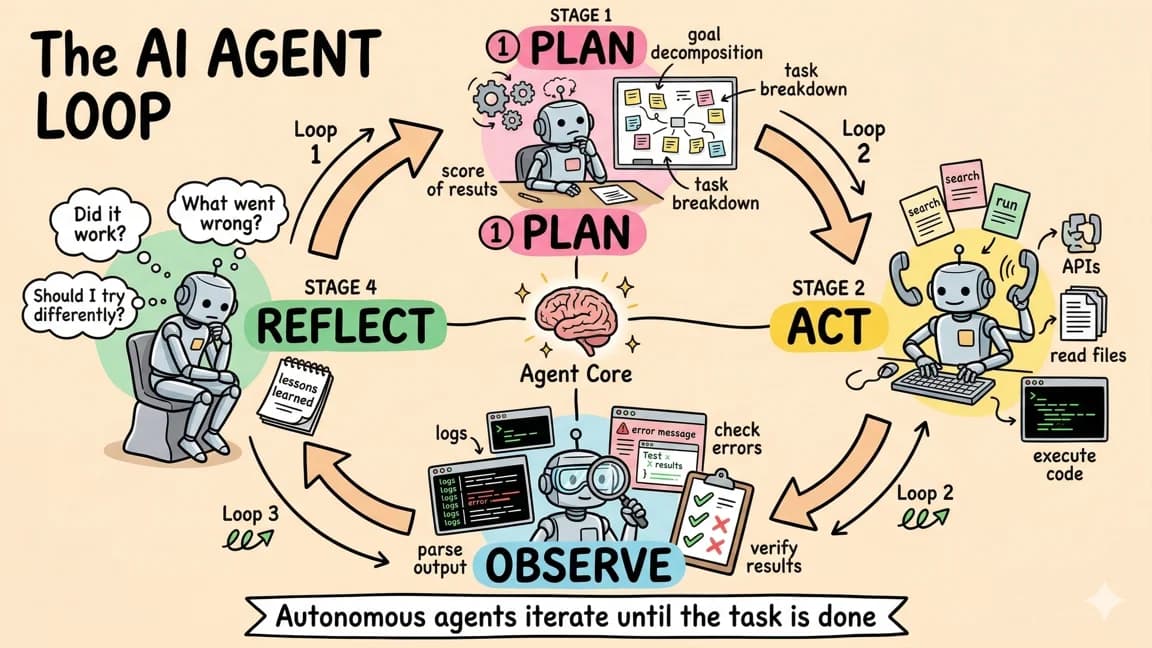
For the larger agent workflow map, read AI Agents Explained: A TypeScript Developer's Guide and How to Build AI Agents in TypeScript; they give the architecture and implementation context this piece assumes.
The plan breaks down into discrete steps:
- Identify the current members of the Magnificent Seven
- Find the market capitalization of each company
- Determine the total capitalization of the S&P 500
- Calculate the percentage representation
- Gather historical data for context
- Compile everything into a structured report
You review the plan, and if it looks right, you click "Start Research." The model then begins systematically executing each step, searching the web and analyzing the results as it goes.
The Research Process#
What sets Gemini Deep Research apart from standard AI search tools is the depth and verification of its process. When tools like ChatGPT Search or Perplexity handle a query, they typically hit 5 to 15 results immediately, extract relevant text, and synthesize a response. Gemini Deep Research takes a slower, more thorough approach.
Depending on the complexity of the query, the model might visit a dozen websites or well over a hundred. It does not just scrape pages blindly. It reads each source, evaluates whether the content actually meets the criteria of what you are asking for, and decides whether to continue searching or move on to the next step of the plan.
The verification behavior is the most interesting part. When the model finds a data point on one source, it appears to cross-reference it against other sources before including it in the final report. This is different from simply presenting the first answer it finds. The model actively seeks confirmation, which reduces the risk of including inaccurate or outdated information.
The practical implication of this thoroughness is time. Most queries take at least a minute to complete, and complex research tasks can run for several minutes. This is not a tool for quick answers. It is designed for situations where accuracy and depth matter more than speed.
Parallel Research Queries#
One feature that significantly improves the workflow is the ability to run multiple deep research queries simultaneously. You are not limited to one query at a time. Open a new browser tab, start another research task, and both run in parallel.
This is particularly useful when researching a topic from multiple angles. If you are preparing a report on a company, you might run separate queries for financial performance, competitive positioning, recent news, and leadership changes. Running these in parallel instead of sequentially cuts your total research time substantially.
At the time of testing, there did not appear to be a rate limit on deep research queries either. Many AI tools impose usage caps that force you to wait between requests. Gemini Deep Research does not seem to have this restriction, at least not during normal use. This makes it viable for extended research sessions where you need to explore many facets of a topic.
Report Quality and Output#
The reports generated by deep research are structured, detailed, and properly cited. The Magnificent Seven analysis, for example, produced a six-page document that included:
- Individual market capitalizations for each company
- The total S&P 500 market capitalization ($17.6 trillion as of December 31, 2024)
- A percentage breakdown showing these seven companies represent 34.6% of the entire index
- Historical data going back to 2014 showing how the concentration has grown over time
- Inline source annotations for every claim
The inline citations are particularly valuable. Each factual claim in the report links back to its source, making it straightforward to verify any specific data point. This is table stakes for professional research output, and Gemini handles it cleanly.
Google Workspace Integration#
The tight integration with Google's productivity suite is where Gemini Deep Research has a clear advantage over competitors. Two export options stand out:
Google Docs Export#
One click opens the full research report directly in Google Docs. The formatting, tables, and citations transfer cleanly. This means you can go from a research query to a shareable, editable document without any copy-pasting or reformatting. For professionals who already live in Google Workspace, this eliminates a meaningful friction point.
The exported document is a real Google Doc, not a view-only preview. You can edit it, share it with collaborators, add comments, and integrate it into your existing document workflow. This makes Gemini Deep Research practical for team research where multiple people need to review and build on findings.
Google Sheets Export#
For data-heavy queries, especially financial analysis, the ability to export directly to Google Sheets is significant. If your research involves tables of numbers, market data, or comparative metrics, having that data drop directly into a spreadsheet where you can create charts, run calculations, and build models saves a considerable amount of manual data entry.
This integration is something that neither OpenAI's Deep Research nor Perplexity offers natively. They produce reports that you have to manually transfer into your preferred productivity tools. Google's advantage here is owning both the AI research tool and the productivity suite it exports to.
Comparison With Other Research Tools#
The AI research agent space has gotten crowded quickly. Here is how the major players compare:
| Feature | Gemini Deep Research | OpenAI Deep Research | Perplexity | DeepSeek Deep Research |
|---|---|---|---|---|
| Price | $20/mo (Gemini Advanced) | $200/mo (ChatGPT Pro) | Free tier available | Free |
| Sources per query | Dozens to 100+ | Dozens to 100+ | 5-15 | Varies |
| Export to Docs | Native (Google Docs) | No | No | No |
| Export to Sheets | Native (Google Sheets) | No | No | No |
| Parallel queries | Yes | No (one at a time) | Yes | Yes |
| Rate limits | None observed | Limited by plan | Free tier limited | Varies |
| Research plan preview | Yes | Yes | No | No |
The pricing difference is the most striking distinction. Gemini Deep Research is included in the $20/month Gemini Advanced plan, while OpenAI's Deep Research requires the $200/month ChatGPT Pro subscription. For the specific use case of deep research, Gemini offers comparable quality at one-tenth the price.
When to Use Deep Research#
Gemini Deep Research excels in specific scenarios:
Financial analysis - Gathering market data, company metrics, and historical trends across multiple sources. The Sheets export makes this particularly efficient.
Competitive research - Mapping out a competitive landscape requires data from many sources. The model's ability to visit 100+ sites and cross-reference information makes it well-suited for building competitor profiles.
Academic and technical research - Understanding a complex topic by synthesizing information from papers, documentation, articles, and forums. The citation system ensures you can trace any claim back to its source.
Due diligence - Investigating a company, product, or investment opportunity. The thoroughness of the verification process reduces the risk of relying on a single source.
Report preparation - When you need a structured, cited document that is ready to share. The Google Docs export eliminates the formatting step.
Limitations#
The tool has some constraints worth noting:
- Speed - Queries take 1 to 5+ minutes depending on complexity. This is not a tool for quick lookups.
- Recency - The model searches the web, but web indexing has inherent delays. Very recent events (hours old) may not be reflected in results.
- Hallucination risk - Despite the verification process, AI models can still produce incorrect information. The citation system helps you catch this, but you should still verify critical claims.
- No real-time data - Stock prices, weather, and other real-time data sources are not handled as well as static information. The model is better at analyzing historical and relatively stable information.
The Bigger Picture#
The launch of Gemini Deep Research, alongside similar features from OpenAI, DeepSeek, and others, signals that AI research agents are becoming a standard category of tool. The value proposition is clear: tasks that previously required hours of manual web research, reading, note-taking, and synthesis can now be completed in minutes with reasonable accuracy.
For Google specifically, the tight Workspace integration creates a workflow advantage that competitors will have difficulty matching. When your research tool feeds directly into your document editor, spreadsheet, and collaboration platform, the total workflow improvement is larger than the research capability alone.
The $20/month price point also makes this accessible to individual professionals, students, and small teams who would not pay $200/month for OpenAI's comparable offering. In the competition for AI research tools, Google's pricing and integration strategy positions Gemini Deep Research as the value leader.
Frequently Asked Questions#
How much does Gemini Deep Research cost?#
Gemini Deep Research is included in the $20/month Gemini Advanced plan. Unlike OpenAI's Deep Research which requires the $200/month ChatGPT Pro subscription, Google's offering provides comparable research depth at one-tenth the price.
How long does a Gemini Deep Research query take?#
Queries typically take 1 to 5+ minutes depending on complexity. Simple queries finish around the one-minute mark, while comprehensive research tasks involving 100+ sources can run for several minutes. This is not designed for quick lookups - it is optimized for thoroughness over speed.
Can I run multiple Deep Research queries at the same time?#
Yes. Gemini Deep Research supports parallel queries - open multiple browser tabs and run separate research tasks simultaneously. There does not appear to be a rate limit on the number of concurrent queries during normal use.
What makes Gemini Deep Research different from Perplexity or standard AI search?#
Standard AI search tools query 5 to 15 sources and return quick summaries. Gemini Deep Research takes a fundamentally different approach: it generates a research plan, visits dozens to 100+ websites, cross-references claims across multiple sources for verification, and produces a structured, cited report. The depth and verification process are closer to manual research than typical AI search.
Can I export Deep Research reports?#
Yes, and this is one of Gemini's key advantages. You can export reports directly to Google Docs (with formatting and citations preserved) or Google Sheets (for data-heavy queries). Neither OpenAI Deep Research nor Perplexity offers native export to productivity tools - Google's ownership of both the AI and Workspace platforms creates workflow efficiency competitors cannot match.
How accurate is Gemini Deep Research?#
The cross-referencing and source verification make it more reliable than single-source AI search, but AI models can still produce incorrect information. Every claim includes inline citations linking to the original source, making it straightforward to verify specific data points. You should still verify critical claims before using them in professional work.
What types of research is Gemini Deep Research best for?#
It excels at financial analysis (market data and historical trends with Sheets export), competitive research (mapping landscapes across many sources), academic and technical research (synthesizing papers, docs, and forums with citations), due diligence (thorough investigation with verification), and report preparation (ready-to-share Google Docs output).
Does Gemini Deep Research work with real-time data?#
It handles relatively static and historical information better than real-time data. Stock prices, weather, and very recent events (hours old) may not be reflected accurately because web indexing has inherent delays.
Watch the Video#
Continue Reading#
- Developer Fired by Google for Building Google Workspace CLI
- Noam Shazeer Joins OpenAI After Two Years Back at Google
- NotebookLM: Google''s AI-Powered Research and Podcast Tool
- OpenAI Deep Research: The AI Agent That Does Your Homework
- SearchOS Shows Deep Research Agents Need Shared State
- 10 Trending AI Dev Tools, Week of April 28 2026
Get the next deep dive like this in your inbox
One email a week on Google and the rest of the AI dev stack. Free.
Read next on AI coding tools
OpenAI Deep Research: The AI Agent That Does Your Homework
OpenAI's Deep Research is an AI agent inside ChatGPT that plans and executes multi-step research workflows, browsing dozens of websites and producing cited reports in minutes instead of hours.
7 min readChatGPT Tasks: Scheduled AI Agents Inside ChatGPT
OpenAI added scheduled tasks and reminders to ChatGPT, turning it from a chat interface into something closer to a personal AI agent. Here is how it works, what it can do today, and where this is heading.
8 min readChatGPT Atlas: OpenAI's Built-In Web Browser
OpenAI has entered the browser wars with ChatGPT Atlas, a web browser that embeds ChatGPT directly into the browsing experience. This is not a simple sidebar addition or extension - Atlas reimagines ...
3 min readNew here? Start with
Technical content at the intersection of AI and development. Building with AI agents, Claude Code, and modern dev tools - then showing you exactly how it works.