ChatGPT Atlas: OpenAI's Built-In Web Browser
TL;DR
ChatGPT Atlas is the OpenAI web browser with ChatGPT built in. How it works with your logged-in documents, its agent mode for site tasks and who can use it.
Last updated: June 4, 2026
| Official Sources | |
|---|---|
| OpenAI ChatGPT | Product homepage |
| ChatGPT Pricing | Plus and Pro plans |
| OpenAI Platform Docs | API and developer reference |
| OpenAI News | Product announcements |
| OpenAI Help Center | Support and setup guides |
What Is ChatGPT Atlas?#
OpenAI has entered the browser wars with ChatGPT Atlas, a web browser that embeds ChatGPT directly into the browsing experience. This is not a simple sidebar addition or extension - Atlas reimagines how users interact with the web by making conversational AI the primary interface for search, document access, and website automation.
For model-selection context, compare this with OpenAI Codex: Cloud AI Coding With GPT-5.3 and OpenAI vs Anthropic in 2026 - Models, Tools, and Developer Experience; the useful question is not only benchmark quality, but where the model fits in a real developer workflow.
The browser operates on a simple premise: instead of navigating through menus, tabs, and forms, users can describe what they want to accomplish in plain language. Atlas handles the execution, whether that means searching for information, editing documents, or completing multi-step tasks across different websites.
Accessing Your Documents with Natural Language#
One of Atlas's standout features is its ability to interact with proprietary documents across web applications. When logged into services like Google Docs, users can query their own files using natural language. The browser understands context from your authenticated sessions and can surface information from documents you have access to.
Beyond simple search, Atlas can perform actions on these documents. Users can request summaries of lengthy reports, suggest edits to drafts, or execute formatting changes - all through conversational prompts. The browser bridges the gap between your private document repositories and AI assistance without requiring manual copy-pasting or file uploads.
This functionality addresses a common friction point in AI workflows. Previously, getting AI assistance on a Google Doc meant exporting content, feeding it to ChatGPT, then copying changes back. Atlas eliminates those steps by operating directly within the authenticated web environment.
A Reorganized Search Experience#
Atlas segments search results into distinct categories that mirror traditional search engines but with integrated AI augmentation. The interface breaks down into:
- Home Screen: A natural language query interface where users ask questions directly
- Browser: Traditional web results (the "ten blue links" paradigm)
- Images: Visual search results
- Videos: Video content search
- News: Current events and news articles
What differentiates Atlas from conventional search is the augmented chat experience layered on top of every result. Clicking any link preserves your conversation history, allowing you to ask follow-up questions about specific pages or compare information across multiple sites without losing context.
The browser maintains a persistent AI assistant that has visibility into your current page, browsing history within the session, and the ability to reference previous queries. This continuity means you can start with a broad research question, narrow down to specific sources, and request the AI to synthesize findings without restarting the conversation thread.
Agent Capabilities and Website Automation#
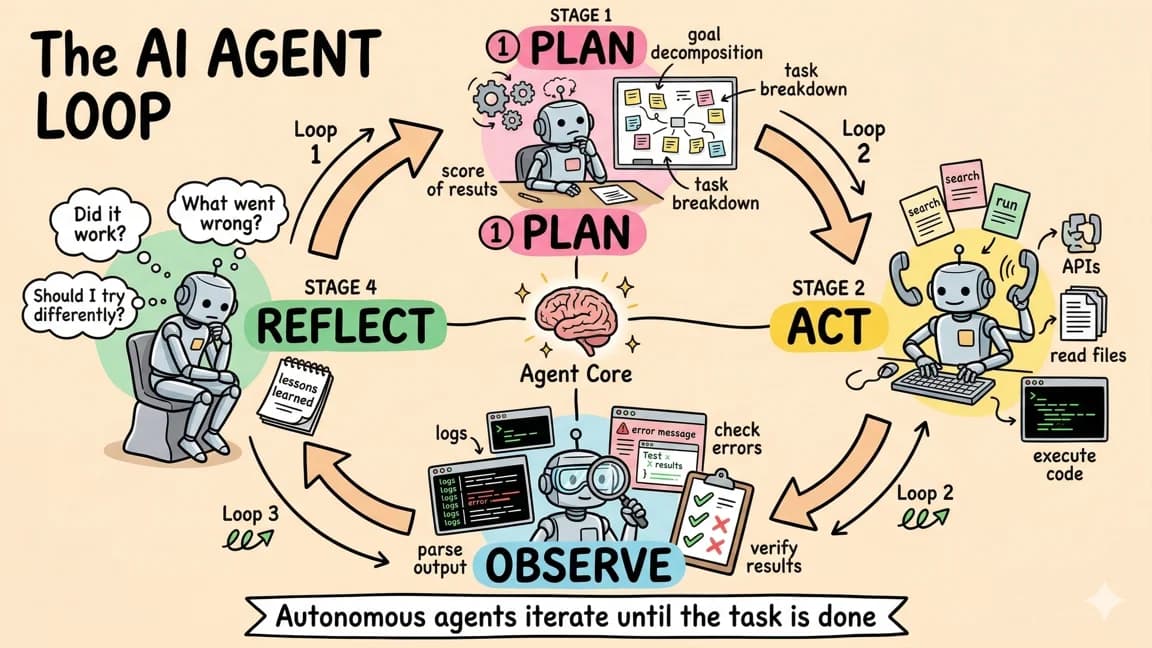
Where Atlas moves beyond search and into automation is its agent functionality. The browser can take context from a page and execute actions on behalf of the user. This capability transforms passive browsing into active task completion.
The demonstration scenario involves planning a haunted house party. Atlas examines a guest list from a document, searches for an appropriate recipe based on the number of attendees, extracts the ingredient list from the recipe page, then navigates to Instacart and adds those specific items to the cart. The agent performs actual UI interactions - clicking buttons, selecting options, and navigating forms.
This same functionality applies to everyday tasks like email composition. Users can highlight text in a web-based email client and instruct Atlas to revise the content, adjust tone, or expand on specific points. The browser modifies the text directly within the page rather than generating a separate response that requires manual transfer.
The implications for workflow automation are substantial. Tasks that previously required switching between multiple tabs, copying data manually, or using specialized integration tools can now be described in a single sentence and executed by the browser. Atlas effectively functions as a human-like operator that can see the screen and interact with web interfaces.
Availability and Platform Support#
ChatGPT Atlas is not available to free-tier users. Access requires a ChatGPT Plus or Pro subscription, placing it behind OpenAI's paid membership wall. This aligns with OpenAI's strategy of introducing advanced features to subscribers first before considering broader rollout.
Platform availability is currently limited to macOS. OpenAI is rolling out Atlas to Mac users at launch, with Windows support planned for a future release. The macOS-first approach mirrors the company's previous product launches, though the timeline for Windows expansion remains unspecified.
The browser represents OpenAI's most aggressive move into the application layer, competing directly with established browsers like Chrome, Safari, and Edge rather than operating as a plugin or add-on. By controlling the browser environment, OpenAI can implement deeper AI integration than browser extensions permit, including direct DOM manipulation, session-aware automation, and seamless authentication with AI services.
The Competitive Landscape#
Atlas enters a market where AI-enhanced browsing is becoming standard. Microsoft has integrated Copilot into Edge, Google has been experimenting with AI features in Chrome, and numerous startups have attempted AI-first browsers. OpenAI's differentiation lies in the depth of integration - ChatGPT is not an add-on but the foundational architecture.
The agent capabilities distinguish Atlas from competitors focused primarily on summarization or search enhancement. While other browsers offer to summarize a page or answer questions about visible content, Atlas actively manipulates websites to complete objectives. This positions it closer to robotic process automation tools than traditional web browsers.
Whether users adopt Atlas will depend on their comfort with ceding direct control to AI agents. The convenience of automated grocery shopping or document editing comes with trade-offs in transparency and manual oversight. As these capabilities expand, users will need to evaluate which tasks warrant automation versus direct interaction.
Watch the Video#
Frequently Asked Questions#
What is ChatGPT Atlas?#
ChatGPT Atlas is OpenAI's dedicated web browser with ChatGPT built directly into the browsing experience. Unlike browser extensions or sidebars, Atlas makes conversational AI the primary interface for search, document access, and website automation. Users describe tasks in natural language and the browser executes them, including clicking buttons, filling forms, and navigating between sites.
Is ChatGPT Atlas free?#
No. ChatGPT Atlas requires a ChatGPT Plus or Pro subscription. Free-tier ChatGPT users do not have access. This follows OpenAI's pattern of introducing advanced features to paying subscribers first before considering broader availability.
What platforms does ChatGPT Atlas support?#
At launch, Atlas is available only on macOS. Windows support is planned but OpenAI has not announced a specific release date. The macOS-first approach mirrors previous OpenAI product launches like the ChatGPT desktop app.
How does Atlas differ from ChatGPT in a browser extension?#
Browser extensions operate within the constraints of the host browser and have limited access to page interactions. Atlas controls the entire browser environment, enabling direct DOM manipulation, session-aware automation, authenticated access to your documents across web apps, and the ability to execute multi-step tasks across different websites. It is a full browser with AI integration, not an add-on to Chrome or Safari.
Can Atlas access my Google Docs and other documents?#
Yes. When you are logged into services like Google Docs within Atlas, the browser can query and interact with your documents using natural language. You can ask for summaries, request edits, or execute formatting changes directly through conversational prompts. Atlas operates within your authenticated sessions, eliminating the need to copy content to ChatGPT manually.
What kind of automation can Atlas perform?#
Atlas functions as an AI agent that can complete multi-step tasks across websites. Demonstrated capabilities include reading a guest list from a document, searching for recipes, extracting ingredient lists, then adding those items to an Instacart cart. It can also compose and edit emails, fill out forms, and perform any task that would normally require manual clicking and typing across multiple web pages.
How does Atlas compare to Microsoft Edge Copilot or Google AI in Chrome?#
Microsoft Edge Copilot and Google's Chrome AI features focus primarily on summarization, search enhancement, and answering questions about visible content. Atlas goes further with active website manipulation to complete objectives. It positions closer to robotic process automation tools than to AI assistants that only read and summarize pages. The tradeoff is that Atlas requires ceding more direct control to the AI agent.
Is Atlas safe to use for sensitive tasks?#
Atlas inherits security considerations from both web browsers and AI agents. Since it operates within authenticated sessions and can perform actions on your behalf, users should evaluate which tasks warrant automation versus direct manual control. OpenAI has not published detailed security architecture for Atlas agent capabilities. For high-stakes tasks like financial transactions, manual oversight remains advisable.
Sources#
Get the next deep dive like this in your inbox
One email a week on OpenAI and the rest of the AI dev stack. Free.
Read next
ChatGPT Agent: OpenAI's Operator Meets Deep Research
ChatGPT Agent combines Operator-style actions with deep research in one agent. What it can produce, how it works, its pricing and limits for developers.
7 min readGPT-5: OpenAI's Most Capable Model
GPT-5 routes each query by complexity instead of making developers pick a reasoning mode. Its benchmarks, front-end coding gains and four API models explained.
7 min readOpenAI vs Anthropic in 2026 - Models, Tools, and Developer Experience
A developer's comparison of OpenAI and Anthropic ecosystems - models, coding tools, APIs, pricing, and which to choose for different use cases.
18 min readNew here? Start with
Technical content at the intersection of AI and development. Building with AI agents, Claude Code, and modern dev tools - then showing you exactly how it works.