ChatGPT Desktop Now Reads Your VS Code, Terminal, and Xcode
TL;DR
ChatGPT desktop on macOS can now read VS Code, Xcode, Terminal and iTerm2. How to set it up, what the read-only beta does today and where it falls short.
Last updated: May 23, 2026
Official Sources#
| Resource | What to verify |
|---|---|
| Work with Apps in the ChatGPT macOS app | Supported apps, setup steps, permissions |
| ChatGPT desktop app | Download, system requirements, feature overview |
| ChatGPT release notes | Feature updates and changelog |
| Using ChatGPT on macOS | macOS-specific features and shortcuts |
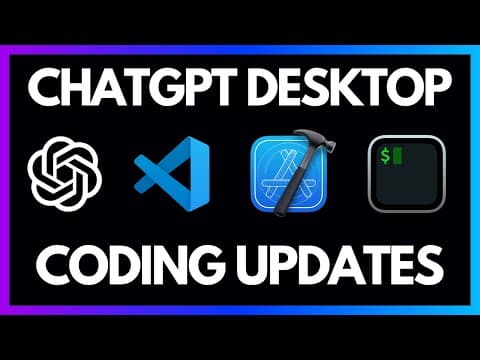
OpenAI released a new capability in the ChatGPT desktop app for macOS that lets the model read context directly from applications running on your machine. At launch, the supported applications are VS Code, Xcode, Terminal, and iTerm2. You can pin one or more of these apps to a ChatGPT conversation, and the model can see what is on screen in those applications without you copying and pasting anything.
This sounds like a small quality-of-life improvement. In practice, it is the foundation for something much larger. The current version is read-only. The model can see your code and terminal output, but it cannot write files, execute commands, or make changes directly. That limitation matters a lot today, but what OpenAI has signaled about the direction - diffs, file writes, voice-driven development - is more interesting than the current feature set.
How to Set It Up#
The setup requires a few steps on macOS. For VS Code, you need to install a specific extension from OpenAI. Open your command palette with Command+Shift+P, type "vsx", and select the option to install extensions from VSIX. OpenAI provides the extension file, and once installed, the ChatGPT desktop app can read VS Code context.
For model-selection context, compare this with OpenAI Codex: Cloud AI Coding With GPT-5.3 and OpenAI vs Anthropic in 2026 - Models, Tools, and Developer Experience; the useful question is not only benchmark quality, but where the model fits in a real developer workflow.
For iTerm2 and Terminal, no additional installation is needed. The ChatGPT app uses macOS accessibility permissions to read the content of these applications. When you first try to connect an app, you will be prompted to grant permission through System Settings under Privacy and Security.
Once permissions are granted, you will see a new icon in the ChatGPT app showing all supported installed applications. Click one to add it to the current conversation context. You can add multiple applications at once, so the model can see your code editor and terminal simultaneously.
What It Can Do Today#
The core capability is context awareness. Instead of copying code from your editor and pasting it into ChatGPT, the model can see what is in your active file. Ask "what is in example.ts" and it reads the file contents directly from VS Code.
The terminal integration follows the same pattern. If you run a command and get an error, you can ask "what is the error" and the model reads your terminal output, identifies the problem, and suggests a fix. This is particularly useful for cryptic build errors or dependency conflicts where the error message alone does not make the problem obvious.
Having multiple applications connected simultaneously is where this starts to become genuinely useful. The model can see your code in VS Code, see the error output in iTerm2, and correlate the two. It understands that the error in the terminal relates to the code in a specific file, and it can suggest targeted fixes without you providing any additional context.
What It Cannot Do (Yet)#
The limitations of the current beta are significant. The model can read but not write. It can tell you exactly what code to change, but you still have to copy the suggestion and paste it into your editor. It can generate a terminal command, but you have to copy it and run it yourself.
This creates an awkward workflow. You get the benefit of not having to copy context into ChatGPT, but you still have to copy the response back out. The round trip is faster than before, but it is still a manual process.
Compare this to tools like Cursor, where the model reads your code, generates a diff, and applies it with a single keypress. Or Claude Code, which can execute terminal commands directly. The ChatGPT desktop integration is playing in the same space but starting from a much more limited position.
OpenAI's Roman mentioned in the announcement that they are exploring the ability to show diffs, write files, and potentially use voice to describe features you want to add. These are all capabilities that would close the gap with dedicated AI coding tools. But they are not available yet.
Practical Use Cases#
Error Debugging#
The strongest use case right now is debugging. You run your application, something breaks, and instead of copying the error message and relevant code into a chat window, you just ask ChatGPT what went wrong. It reads the terminal output, cross-references with your code, and gives you a specific fix.
For complex errors that involve multiple files or obscure configuration issues, having the model see your full terminal history and active files simultaneously is genuinely helpful. The context eliminates the need to guess which information is relevant.
Code Explanation#
If you are working in an unfamiliar codebase, being able to point ChatGPT at a file and ask "what does this do" without copying anything is a nice workflow improvement. Combine it with the terminal to ask about running scripts, build commands, or deployment configurations.
Learning and Exploration#
For developers who are learning a new framework or language, the integration makes it easy to ask contextual questions. "How do I add routing to this Swift app" becomes more useful when the model can see the actual Xcode project structure and existing code.
The Bigger Picture#
The read-only limitation makes this feature feel like a preview more than a finished product. The value is not in what it does today but in the trajectory it signals.
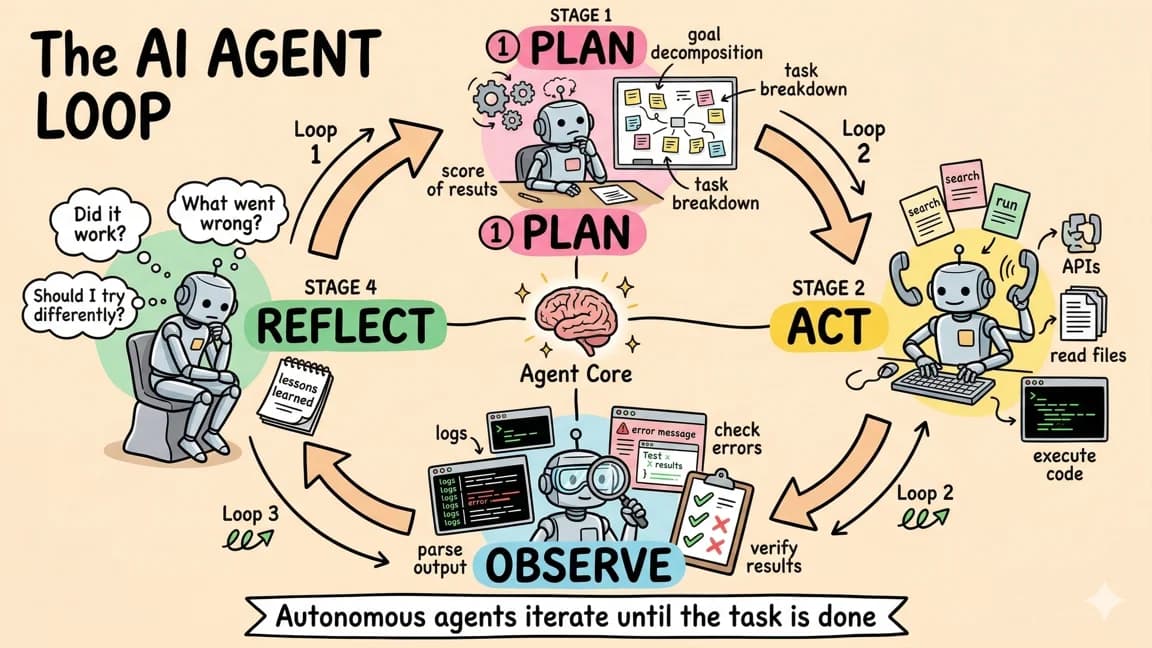
Consider what this becomes with file write access: you describe a change, the model reads your codebase, generates the edits, and applies them directly to your files. Add voice input, and you are talking to your computer about what to build while it writes the code. Add terminal execution, and the model can run commands, check the output, and iterate until the build passes.
That is the vision OpenAI is building toward. The current release is step one - establishing the permission model and context pipeline. The permissions are the hard part. Once the macOS accessibility framework is in place and users have granted access, adding write capabilities is an incremental change.
This also fits into OpenAI's broader strategy of making ChatGPT the interface for everything. Tasks for scheduling. Web search for research. And now application context for development work. Each feature on its own is incremental. Together, they are building toward an AI assistant that understands your full workflow context - your calendar, your inbox, your codebase, and your terminal.
How It Compares#
At the time of this feature's release, the AI coding tool landscape includes several approaches to the same fundamental problem: how do you give an AI model enough context about your code to be genuinely helpful?
Cursor solves this by being the editor. The model has full access to your codebase because it is built into the IDE.
GitHub Copilot solves it with deep VS Code integration. The extension has access to open files, workspace context, and recently edited code.
ChatGPT's approach is different. It sits outside the editor entirely and uses the operating system's accessibility layer to read application content. This has the advantage of working with multiple applications simultaneously - VS Code and Terminal, or Xcode and iTerm2. But it has the disadvantage of being a separate application that you have to switch to.
The ideal workflow probably combines these approaches. Use Cursor or Copilot for inline coding assistance where speed and tight integration matter. Use ChatGPT for higher-level questions that span multiple tools, or for situations where you want to reference both your code and your terminal output in a single conversation.
Should You Use This Today?#
If you are already a ChatGPT Plus subscriber and use the macOS desktop app, enabling this feature is a no-brainer. It costs nothing extra and eliminates some copy-paste friction. The setup takes about two minutes.
If you are evaluating whether this replaces a dedicated AI coding tool, the answer is no. Not yet. The read-only limitation means you are still doing too much manual work. Tools that can read and write code within the editor remain more efficient for actual development.
But keep watching this feature. The infrastructure is in place. The permissions model is established. When OpenAI adds file writes, terminal execution, and voice control, this becomes a fundamentally different proposition. The gap between "ChatGPT can see your code" and "ChatGPT can edit your code" is smaller than it appears.
Frequently Asked Questions#
What is the ChatGPT Work with Apps feature?#
Work with Apps is a feature in the ChatGPT macOS desktop app that lets the model read context directly from applications running on your machine. Instead of copying and pasting code or error messages, ChatGPT can see what is on screen in VS Code, Xcode, Terminal, and iTerm2. You pin applications to a conversation, and the model can reference their content when answering your questions.
How do I set up ChatGPT with VS Code?#
You need to install an OpenAI extension in VS Code. Open the command palette with Command+Shift+P, type "vsx", and select the option to install extensions from VSIX. Once installed, open the ChatGPT desktop app and click the apps icon to connect VS Code. For Terminal and iTerm2, grant accessibility permissions through System Settings under Privacy and Security.
Can ChatGPT write code directly to my files?#
Not currently. The Work with Apps integration is read-only. ChatGPT can see your code and suggest changes, but you must copy those suggestions and paste them into your editor manually. OpenAI has indicated they are exploring file write capabilities, diff views, and terminal command execution for future releases.
Which applications does ChatGPT desktop support?#
At launch, the supported applications are VS Code, Xcode, Terminal, and iTerm2 on macOS. You can connect multiple applications simultaneously, allowing ChatGPT to see your code editor and terminal output in the same conversation. Support for additional applications may expand in future updates.
How does this compare to Cursor or GitHub Copilot?#
Cursor and Copilot are integrated directly into your editor with full read and write access. They can generate code diffs and apply changes with a single keypress. ChatGPT's Work with Apps feature sits outside the editor and is currently read-only, making it more useful for cross-application context like debugging terminal errors against your code. For inline coding assistance, dedicated AI coding tools remain more efficient.
Is the ChatGPT VS Code integration available on Windows?#
At the time of this writing, the Work with Apps feature is available only in the ChatGPT macOS desktop app. It uses macOS accessibility APIs to read application content. OpenAI may expand platform support in future releases, but Windows users should check the official documentation for current availability.
What are the best use cases for this feature today?#
Debugging is the strongest use case. When you get a build error, ChatGPT can read both your terminal output and your code to identify the problem without you copying anything. Code explanation and learning are also useful - point ChatGPT at unfamiliar code and ask what it does. For active development with frequent code changes, tools with write access like Cursor are more efficient.
Do I need ChatGPT Plus to use Work with Apps?#
Yes. The Work with Apps feature is available to ChatGPT Plus and higher tier subscribers using the macOS desktop app. If you already have a subscription and use the desktop app, enabling this feature adds no extra cost. The setup takes about two minutes.
Get the next comparison like this in your inbox
One email a week on OpenAI and the rest of the AI dev stack. Free.
Read next on AI coding tools
ChatGPT Agent: OpenAI's Operator Meets Deep Research
ChatGPT Agent combines Operator-style actions with deep research in one agent. What it can produce, how it works, its pricing and limits for developers.
7 min readChatGPT Tasks: Scheduled AI Agents Inside ChatGPT
ChatGPT Tasks lets you schedule reminders and recurring jobs in plain language. See how it works, practical use cases, current limits and where it is heading.
8 min readClaude Computer Use: AI That Controls Your Desktop
Anthropic's computer use feature lets Claude see your screen, move the cursor, click, and type. Here is how it works, when to use it, and how to set it up.
6 min readNew here? Start with
Technical content at the intersection of AI and development. Building with AI agents, Claude Code, and modern dev tools - then showing you exactly how it works.