Lovable: Building Full-Stack Web Apps with AI and Supabase
TL;DR
Lovable is an AI full-stack application builder that integrates directly with Supabase for authentication, database management, and real-time data.
| Official Sources | |
|---|---|
| Lovable | Homepage and app builder |
| Lovable Documentation | Getting started and feature guides |
| Lovable Pricing | Plans and credit system |
| Lovable Changelog | Recent updates and features |
| Supabase | Backend platform homepage |
| Supabase Auth Documentation | Authentication setup and React components |
| Supabase Database Documentation | Tables, migrations, and schema management |
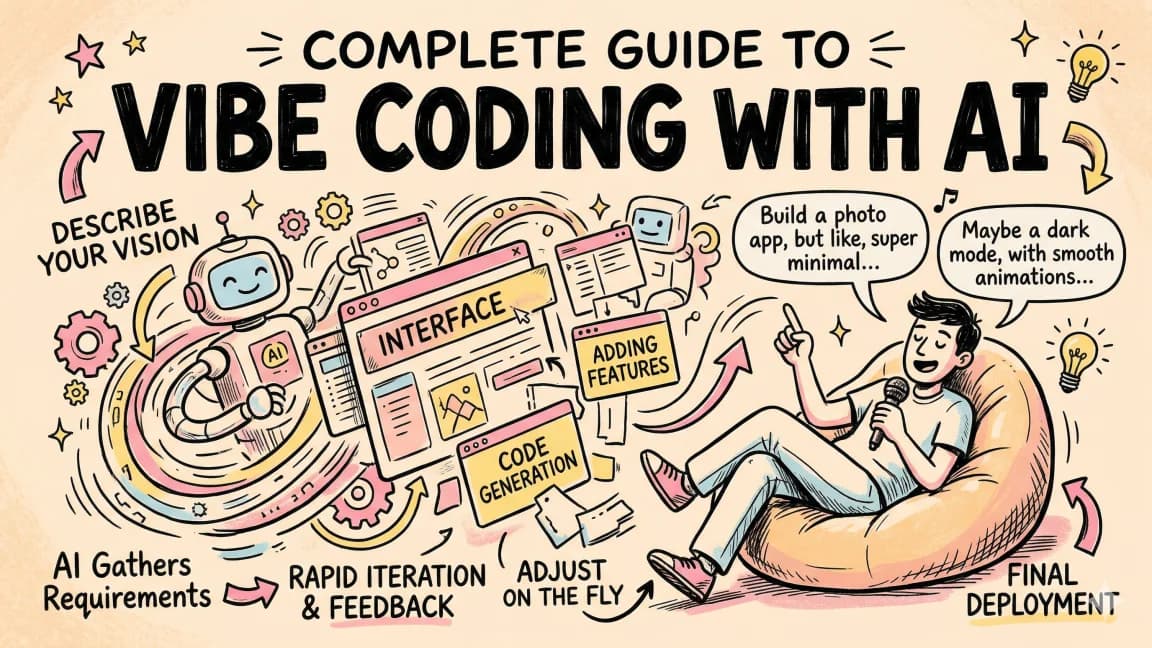
Lovable is an AI-powered full-stack application builder, and the thing that separates it from the growing crowd of similar tools is its native Supabase integration. You describe what you want to build in natural language, and Lovable generates the frontend, connects to Supabase for authentication and database management, runs migrations, and handles the back-and-forth of fixing errors along the way.
To test this, the goal was to build a course platform similar to Udemy or Coursera from scratch using nothing but natural language prompts. No manual coding. No switching between files. Just describing what the platform should look like and how it should behave.
Getting Started#
The first prompt was straightforward: "I want to build out a course platform similar to Udemy or Coursera for my brand. The brand colors are black, purple, and blue." While Lovable started generating the application, a Supabase project was created in parallel. This is the pattern for any Lovable project that needs a backend: start both simultaneously and connect them once both are ready.
For the design side of the same problem, read AI Design Slop: 15 Patterns That Out Your App as Vibe-Coded with Create Beautiful UI with Claude Code: The Style Guide Method; they show how agent-generated interfaces fail and how to give coding agents better visual constraints.
Lovable broke down the initial request and started building immediately. It created Tailwind-based components, a course card component, an index page, and populated the interface with hardcoded course data as placeholders. Within the first generation, the app had a browsable course listing with category filters and an "Become an Instructor" section.
The result from a single prompt was a functional starting point, but it needed navigation and footer elements. A follow-up prompt handled that: "Create a navigation and a footer and remove the prices from the courses." Lovable streamed the code changes in real time, and the interface updated with a navigation bar, course browser, and footer.
Supabase Integration#
Connecting Supabase is where Lovable differentiates itself. Inside the Lovable interface, there is a Supabase button. Click it, authorize access to your Supabase organization, and select the project you want to connect. Lovable gathers the database structure, tables, and security settings automatically.
Once connected, you can start making requests that involve the database. The first database-backed feature was authentication: "Make the sign-in button work with Supabase." Lovable generated the authentication flow using Supabase's React components, set up the routing, and handled the SDK integration.
Supabase provides a solid authentication SDK with pre-built React components similar to Clerk. The components handle account creation, login, email verification, and session management. You can configure SMTP settings in Supabase for emails and enable or disable various SSO providers through the Supabase dashboard.
The authentication implementation had a few build errors on the first attempt. Lovable showed TypeScript errors related to the auth component's appearance props. But here is where the workflow shines: press "F" (the keyboard shortcut for fix) and Lovable reads the error from the terminal, understands the context, and attempts a fix. It took two or three fix cycles to resolve the issue, which turned out to be a syntax error with extra markdown backticks in a code snippet.
This error-fixing loop is one of Lovable's strongest features. Errors are inevitable when generating code with LLMs. What matters is how quickly you can iterate past them. A single keyboard shortcut that passes the error context back to the model and generates a fix is about as low-friction as it gets.
Database Migrations from Natural Language#
Once authentication was working and users could sign up, the next step was building the actual course infrastructure. The prompt: "If a user is signed in, show them a dashboard of the current courses they are working on."
Lovable generated the UI for the dashboard and then produced SQL migration scripts for the database tables needed to support it. This is where things get interesting. The migration scripts appear in the interface, but they do not run automatically. You have to click "Apply Migration" to execute them. This is the right design choice. Automated database changes would be dangerous. The approval step lets you review what is about to happen before committing.
After applying the migration, the Supabase schema visualizer showed the new tables: courses, user_courses, and the relationships between them. The table editor in Supabase confirmed the data structure.
Subsequent prompts added more complexity:
- "I want to add a browse courses page and a page showing a YouTube embed video as well as a playlist for each course."
- "I want a new table that has all the details for course content. There will be videos, markdown, and each course can have a mixed variety of the two. Also remove the hardcoded elements on the courses page."
- "Add within our database the React and Redux master class and the Python course with some data material for each course."
Each prompt generated both frontend code and database changes. The migrations created the course_content table with support for different content types. The seed data populated courses with real lesson structures. When a migration failed (which happened once), pressing "F" let Lovable fix the SQL and retry.
The Build Process#
After 12 prompts, the platform had:
- User authentication via Supabase
- A course browsing page with dynamic data from the database
- Individual course detail pages with YouTube video embeds and lesson playlists
- An enrollment system (click "Enroll" and a record appears in
user_courses) - A user dashboard showing enrolled courses
- Course content management with support for videos and markdown
- Seed data for multiple courses with realistic lesson structures
The schema visualizer in Supabase showed four interconnected tables: users, courses, user_courses, and course_content. All relationships were properly set up with foreign keys and IDs.
One detail worth noting: when you edited data directly in Supabase (adding an exclamation mark to a course title, for example), the change reflected immediately in the Lovable preview. The connection between the frontend and the database is live, not cached. This makes iterating on content straightforward since you can modify data in Supabase's table editor and see the result instantly.
Error Handling Reality Check#
LLMs are not deterministic. They make errors. The interesting metric is not whether errors happen (they will) but how the tool handles them. Across 12 prompts, there were roughly 3-4 build failures. Each one was resolved within one or two fix cycles using the "F" shortcut.
The errors were mostly syntactic: extra characters in generated code, TypeScript type mismatches, and SQL syntax issues. None of them required understanding the codebase or manually debugging. The fix workflow is fast enough that errors feel like minor speed bumps rather than blockers.
This matches the experience with other AI code generation tools. Cursor, Windsurf, and similar tools all produce errors that need correction. The question is how much friction the correction process introduces. Lovable's single-key fix shortcut is one of the more streamlined approaches.
GitHub and Deployment#
Lovable includes a GitHub integration. Click the GitHub button, and it creates a private repository with your project code. The repository is a standard codebase that you can clone, run locally, and develop further in any editor.
When you push changes to the GitHub repository, Lovable can pull in the context from the repo for future prompts. The platform supports repositories up to roughly 100,000 lines of code, which is sufficient for most applications you would build in this style.
Deployment is also built in. You can publish directly from Lovable, getting a hosted version of your application on a lovable.app subdomain. For production use, you would likely want to deploy to your own infrastructure, but the built-in publishing is useful for demos and testing.
How Lovable Compares#
The AI app builder space is crowded. Bolt.new, v0, Replit Agent, and others all offer some version of "describe what you want and get an app." Lovable's differentiator is the depth of its Supabase integration. Other tools can generate frontend code effectively, but Lovable's ability to handle database migrations, authentication setup, and data management through natural language prompts is a step beyond what most competitors offer.
| Capability | Lovable | Bolt.new | v0 | Replit Agent |
|---|---|---|---|---|
| Frontend generation | Yes | Yes | Yes | Yes |
| Database integration | Native (Supabase) | Manual | No | Built-in (Replit DB) |
| Auth setup | Natural language | Manual | No | Manual |
| Migrations | Generated + reviewed | No | No | No |
| GitHub sync | Yes | No | No | Yes (Git) |
| Error fix workflow | One-key fix (F) | Manual | N/A | Manual |
| Publishing | Built-in | Built-in | Preview only | Built-in |
The one-key fix workflow and the migration review process are the workflow details that compound into significant time savings over a multi-prompt build session. Every error that can be resolved with a single keypress instead of manual debugging saves minutes. Over dozens of prompts, those minutes add up.
When to Use Lovable vs. an IDE#
Lovable is strongest in the prototyping and MVP phase. When you need to go from idea to working application quickly, the natural language workflow eliminates the overhead of project setup, boilerplate, dependency management, and database configuration. Building a course platform from scratch in 12 prompts is genuinely impressive.
For production applications that require precise control over performance, security, and architecture, a traditional IDE workflow (with AI assistance from tools like Cursor or Claude Code) will give you more control. Lovable generates code that works, but production applications need code that is audited, tested, and optimized for specific requirements.
The ideal workflow might be a hybrid: use Lovable to build the initial prototype and validate the concept, then export the codebase to a GitHub repository and continue development in a full IDE. Lovable gives you the fast start. Your IDE gives you the fine-grained control.
UI Polish and the Last Mile#
One honest observation: after 12 prompts, the course platform was functional but not production-ready from a design perspective. The layouts worked, the data flowed correctly, and the features operated as expected. But the visual polish - spacing, typography, color consistency, micro-interactions - needed more work.
This is true of every AI app builder on the market right now. They are excellent at getting you to 80% quickly. The last 20% of design polish still requires human attention and iterative refinement. You can continue refining through prompts, but at some point, it becomes more efficient to open the code in an editor and make targeted CSS adjustments.
The speed of getting to that 80% point is what makes tools like Lovable valuable. A course platform with authentication, database management, enrollment, video playback, and a content management system built in 12 prompts is a starting point that would have taken days or weeks to reach through manual development.
FAQ#
What is Lovable and how does it differ from other AI app builders?#
Lovable is an AI-powered full-stack application builder that generates complete web applications from natural language prompts. Its key differentiator is native Supabase integration - while tools like Bolt.new, v0, and Replit Agent can generate frontend code, Lovable handles database migrations, authentication setup, and data management through natural language. You describe what you want, and Lovable generates frontend components, connects to Supabase, runs migrations, and fixes errors automatically.
How does Lovable's Supabase integration work?#
Inside the Lovable interface, click the Supabase button, authorize access to your Supabase organization, and select your project. Lovable automatically gathers your database structure, tables, and security settings. From there, prompts like "Make the sign-in button work with Supabase" generate the full authentication flow using Supabase's React components, including account creation, login, email verification, and session management.
What happens when Lovable generates code with errors?#
Errors are expected with LLM-generated code. Lovable's workflow handles this with a single keyboard shortcut: press "F" and Lovable reads the error from the terminal, understands the context, and attempts a fix. Most errors (TypeScript mismatches, SQL syntax issues, extra characters) resolve within one or two fix cycles without requiring manual debugging.
How does Lovable handle database changes?#
Lovable generates SQL migration scripts from natural language prompts, but migrations do not run automatically. You must click "Apply Migration" to execute them. This approval step lets you review database changes before committing - an important safety feature. Failed migrations can be fixed using the same "F" shortcut that handles code errors.
Can I export my Lovable project to work on it elsewhere?#
Yes. Lovable includes GitHub integration - click the GitHub button to create a private repository with your project code. The repository is a standard codebase you can clone, run locally, and develop further in any editor. Lovable supports repositories up to roughly 100,000 lines of code and can pull context from your repo for future prompts.
How does Lovable compare to Bolt.new, v0, and Replit Agent?#
Lovable's advantage is the depth of Supabase integration. Bolt.new requires manual database setup. v0 focuses on UI components without backend features. Replit Agent has built-in database support but requires manual auth configuration. Lovable handles frontend generation, native database integration, natural language auth setup, migration generation with review, GitHub sync, one-key error fixing, and built-in publishing.
When should I use Lovable vs. a traditional IDE with AI assistance?#
Lovable excels in prototyping and MVP phases when you need to go from idea to working application quickly. The natural language workflow eliminates project setup, boilerplate, and database configuration overhead. For production applications requiring precise control over performance, security, and architecture, a traditional IDE with tools like Cursor or Claude Code provides more fine-grained control. The ideal workflow is hybrid: use Lovable for the initial prototype, then export to GitHub and continue in a full IDE.
What are Lovable's limitations for production applications?#
After building a functional application, the visual polish - spacing, typography, color consistency, micro-interactions - typically needs more work. Lovable (like all AI app builders) is excellent at reaching 80% quickly, but the last 20% of design polish requires human attention. At some point, targeted CSS adjustments in an editor become more efficient than continued prompting.
Watch the Video#
Continue Reading#
Get the next deep dive like this in your inbox
One email a week on Lovable and the rest of the AI dev stack. Free.
Read next
Zoer: Full-Stack App in 5 Minutes with Vibe Coding
Zoer is a text-to-app platform that generates database schema, backend, and deployment from a prompt. How it compares to Lovable and Bolt as a vibe-coding alternative, and who it is actually best for versus a full framework like Next.js.
6 min readHow to Build Full-Stack TypeScript Apps With AI in 2026
A practical guide to building Next.js apps using Claude Code, Cursor, and the modern TypeScript AI stack.
7 min readVibe Coding in 2026: Build Fast Without Losing the Plot
Vibe coding works when you pair natural-language building with repo context, tests, diff review, security checks, and rollback. Here is the practical workflow for Claude Code, Cursor, Codex, v0, Lovable, and Bolt.
10 min readNew here? Start with
Technical content at the intersection of AI and development. Building with AI agents, Claude Code, and modern dev tools - then showing you exactly how it works.