AI Design Slop: 16 Patterns That Mark a Site as Vibe-Coded
AI Tools Deep Dive
20 parts- 1Claude Design: Anthropic's Bet That Designers and Developers Want the Same Tool
- 2The 10 Best AI Coding Tools in 2026
- 3Cursor: The AI-Powered Code Editor That Changed How Developers Work
- 4OpenAI Codex: Terminal and Cloud AI Coding Agent
- 5Gemini CLI Guide: 1M Token Context and Who Can Still Use It
- 6Kimi K2: Fast, Cheap, and Efficient Coding
- 7GitHub Copilot in 2026: Still Worth It for TypeScript Developers?
- 8Aider vs Claude Code: Open Source vs Commercial AI Coding CLI
- 9Aider vs Claude Code in 2026: Git-First Open Source vs Subagent Runtime
- 10Every AI Coding Tool Compared: The 2026 Matrix
- 11Qwen3.6-27B Is the Local Coding Model to Test First
- 12Zed Just Made Parallel AI Agents a Native Editor Primitive
- 13Warp Open Sourced the Terminal. The Real Story Is Agent Operations
- 14AI Design Slop: 16 Patterns That Mark a Site as Vibe-CodedCurrent
- 15The Claude Design Moment: AI Design Skills Just Got Their Breakout Week
- 16Codeburn: The First TUI That Actually Shows Where Your Claude Max Subscription Is Going
- 17Promptlock: Deterministic Prompt Versioning for LLM Apps
- 18Agent Replays with TraceTrail: Loom for Agent Runs
- 19Hookyard Shows Why Claude Code Hooks Need a Package Manager
- 20MCP Lens: Wireshark for Model Context Protocol Servers
TL;DR
AI design slop is the set of 16 landing page patterns that mark a site as vibe-coded. Adrian Krebs scored 1,590 Show HN pages: 22% heavy, 32% mild, 46% clean.
Last updated: October 6, 2026
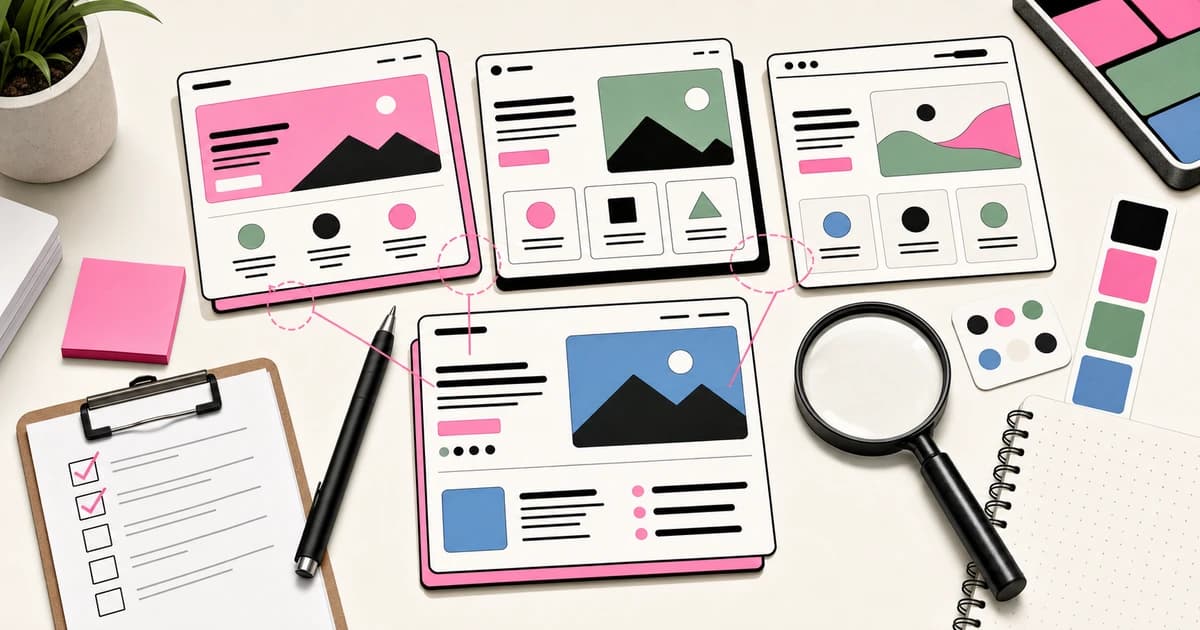
AI design slop is the recognizable set of 16 visual patterns that AI-generated landing pages share, such as Inter everywhere, lavender-purple accents, permanent dark mode, gradients, and identical icon-topped feature cards. Adrian Krebs scored 1,590 Show HN landing pages against them: 22% triggered four or more patterns (heavy), 32% triggered two or three (mild), and 46% triggered zero or one (clean). You avoid it by making deliberate palette, type, and layout choices instead of accepting the model's defaults.
Official Sources#
| Source | What it covers |
|---|---|
| Adrian Krebs' AI Design Slop Research | The Show HN audit (expanded to 1,590 submissions), the 16-pattern scoring rubric, and the slop/clean bucketing methodology |
| Inter Typeface | The default font that appears in most AI-generated landing pages, designed by Rasmus Andersson |
| shadcn/ui Documentation | The component library whose defaults leak into AI-generated interfaces via copy-paste workflows |
| WCAG Contrast Guidelines | The W3C accessibility standard that generated dark themes routinely fail |
| Playwright Documentation | The browser automation framework used for the deterministic DOM and CSS scoring method |
| Hacker News Show HN Guidelines | The submission rules for the Show HN stream where the 1,590 landing pages were sourced |
The visual fingerprint of a Claude-generated landing page#
If you have been browsing Show HN for the past six months you have felt this without being able to name it. The pages look fine. They are coherent. They are polished. And they all somehow look like the same page.
Adrian Krebs gave the feeling a name and a measurement. His Scoring Show HN submissions for AI design patterns hit the top of HN, finishing the discussion at 333 points and 235 comments. He ran 1,590 Show HN landing pages through Playwright (the audit started at 500 pages and Krebs expanded the dataset), scored each one against sixteen DOM and CSS patterns that designers he talked to described as tells, and binned the results.
The numbers:
- 22% of pages were heavy slop, triggering four or more of the sixteen patterns.
- 32% were mild, triggering two or three patterns.
- 46% were clean, zero or one pattern.
More than half of what you see on Show HN right now has a visual fingerprint that says "generated by a chat interface without an opinion." That is a lot. It is also why the Show HN stream has started to feel samey. The generator is the same. The defaults leak through.
The 16 patterns#
Krebs grouped the tells into four buckets. This is the full list, because if you are shipping with Claude Code or Cursor right now, this is the checklist you should be running your own landing page against.
Fonts#
- Inter used for everything, especially the centered hero headline
- The same font combos over and over: Space Grotesk, Instrument Serif, and Geist
- Serif italic used as the accent font for one hero word in an otherwise-Inter page
Inter is a wonderful typeface. It has also become the Helvetica of the LLM era. Every generated landing page defaults to it unless you specifically ask for something else. If you want to stand out, start by not using Inter.
Colors#
- "VibeCode Purple" - a specific shade of lavender-purple that leaks out of most image generation and a lot of text-to-landing-page prompts
- Permanent dark mode with medium-grey body text and all-caps section labels
- Barely-passing body-text contrast in dark themes
- Gradients everywhere
- Large colored glows and colored box-shadows
Dark mode with purple accents is the default aesthetic the LLMs reach for when you do not specify one. It feels "modern" in a way that is so universal it has become invisible. The contrast issue is the biggest functional problem - generated dark themes routinely ship body text that fails WCAG AA.
Layout quirks#
- Centered hero set in a generic sans
- Badge positioned right above the hero H1
- Colored borders on cards, usually on the top or left edge
- Identical feature cards with an icon on top
- Numbered "1, 2, 3" step sequences
- Stat banner rows
- Sidebar or nav with emoji icons
- All-caps headings and section labels
The colored-left-border card is the most specific tell in the list. A designer Krebs quoted said "colored left borders are almost as reliable a sign of AI-generated design as em-dashes for text." Once you notice it you cannot stop noticing it.
CSS patterns#
The two dominant CSS fingerprints are shadcn/ui defaults and glassmorphism. shadcn in particular is a library that is explicitly designed to be copy-pasted by AI agents, which means every AI-generated landing page without stylistic intervention converges on the shadcn visual. Glassmorphism is the frosted-glass card treatment that had a moment in 2022 and has been the LLM default ever since.
The method is worth stealing#
The part of Krebs' write-up I want to highlight is the scoring method. It is cheap, reproducible, and something you could run against your own site this afternoon.
- Playwright loads each page in a headless browser.
- A small in-page script walks the DOM and reads computed styles.
- Every pattern is a deterministic CSS or DOM check. No LLM judge looking at screenshots.
The last point is important. Letting an LLM grade AI slop by eye would introduce the exact bias you are trying to measure. Deterministic checks against computed styles take the LLM out of the scoring loop. Krebs reports 5-10 percent false positives on manual QA, which is tolerable for bucketing.
If you want to adapt this for your own internal use, the checklist is small enough to implement in a few hours. Write sixteen functions that each answer "does this page trigger this pattern." Run them against your homepage, your pricing page, your docs. Bucket the result. Decide where you want to be. The AI coding tools pricing cluster is a good example because comparison pages need both clarity and restraint.
Why it matters when you are shipping#
A few counter-arguments to head off before they come up.
"But my landing page works." Yes. That is Krebs' read too. He explicitly says AI design slop is not bad, just uninspired. Validating a business was never about fancy design. The pre-LLM equivalent was everyone using Bootstrap. The practical failure mode is not that slop pages do not convert, it is that they stop standing out in a sea of identical slop pages. Differentiation gets more expensive, not less, as the defaults improve.
"I care about shipping, not design." Then ship ugly on purpose rather than ship slop by accident. An ugly page with a clear point of view is more memorable than a generic page with no point of view. If you are resource-constrained, the cheapest way to stand out is to pick a single strong opinion (a loud color, a bold type choice, an uncommon layout) and commit to it. A slop page is the expensive option, because it uses up design budget without giving you distinctive assets at the end. Generating bespoke assets inside the agent loop, as in this Claude Code asset workflow, only helps when the prompt is carrying that point of view.
"This is just taste-gatekeeping." It is and it isn't. The patterns on Krebs' list are measurable. They are the output of a generator with known biases. Noticing them and making deliberate choices against them is not gatekeeping, it is taste calibration in an era where the default aesthetic is being mass-produced. You can still choose shadcn and a purple accent. Just do it because you want to, not because that is what the model gave you.
Watch: the fix running inside an agent loop#
Everything above is diagnosis. Here is the cure demonstrated end to end: we wired Higgsfield's MCP into Claude Code as the agent's creative backend, then had it rebuild a plain pizza shop site with generated food imagery, a custom hero video, and zero stock placeholders. This is what "ship with a point of view" looks like when the agent is doing the shipping.
The full setup (models, MCP config, CLI commands, and the parallel generation workflow) is in the companion post: Make Claude Code 10x Better at Design. The same pipeline scales to a full storefront - GPT-6 Astra built a yoga store with product shots and a video hero in a single agent run.
What the clean 46% are doing#
Krebs does not go deep on what separates the clean 46% from the slop-heavy fifth. To land in the clean bucket, do three things.
They pick a color palette that is not the LLM default. Warm earth tones, or high-contrast black-and-a-single-bright, or a Gumroad-ish cream-and-pink, or a Stripe-ish grey-and-blue. Anything with a point of view. Explicitly not the default lavender.
They pick a type system that is not Inter. Geist, Haas Grotesk, Untitled Sans, Söhne, Inktrap, Migra, anything else. Pair it with a body font that is not also Inter. The contrast wakes the page up.
They use one strong layout primitive and repeat it. Not seven feature cards with seven different icon treatments. Not three stat banners and four step sequences and a sidebar with emojis. One primitive, repeated until it becomes the site's visual signature. This is the single highest-leverage discipline on the list.
There is one pattern underneath all three: clean sites encode their choices somewhere durable instead of re-deciding on every prompt. That is the idea behind the DESIGN.md pattern. Write the palette, the type system, and the layout primitive down once as a file your agent reads every session, and the sixteen tells stop leaking through by default.
The tool you can build this weekend#
Krebs teased a potential open source of the scoring code and said "let me know if there is interest." This is worth asking for. A small CLI that runs a Playwright scoring pass over any URL and returns a slop score is a useful piece of infrastructure. It belongs next to Lighthouse in the pre-launch checklist.
If he ships it, great. If he does not, it is a weekend project for someone else to build. The primitives exist. The scoring rubric is public. The market is every single developer who just shipped a landing page this week with Cursor and is wondering if the reason their launch tweet fell flat is that they accidentally shipped slop.
Put differently: you can now measure the visual output of your AI stack against a sixteen-item checklist. The measurement is cheap. The fix is mostly just making deliberate choices. That is a better loop than hoping your design instincts have survived a year of chat-interface defaults.
Read the original#
The full essay with screenshots is at adriankrebs.ch/blog/design-slop. It takes ten minutes and it will permanently change how you read a Show HN stream.
FAQ#
What is AI design slop?#
AI design slop refers to the visual patterns and aesthetic choices that AI tools like Claude, Cursor, and v0 default to when generating landing pages and web interfaces. These patterns are not bad individually, but they have become so common that they create a samey, uninspired look across AI-generated sites. The term comes from "vibe coding" culture where developers ship quickly without strong design opinions, letting the AI defaults leak through.
How do I know if my landing page has AI design slop?#
Run your page against the 16-pattern checklist: Inter font everywhere, repeated font combos like Space Grotesk and Instrument Serif, serif italics for accent words, lavender-purple accents, dark mode with low-contrast body text, gradients and glows, centered hero with badge above the H1, colored left borders on cards, identical feature cards with icons, numbered step sequences, stat banners, sidebar with emoji icons, and all-caps section labels. If you trigger four or more patterns, your page is in the heavy slop category.
Is AI design slop actually bad for conversions?#
Not necessarily. Adrian Krebs' research explicitly notes that slop pages are not bad, just uninspired. They can still convert fine. The problem is differentiation - when more than half of Show HN pages trigger the same patterns, standing out becomes harder. The practical failure mode is not that slop pages do not work, it is that they no longer create memorable brand impressions in a sea of similar pages.
How do I avoid AI design slop when using Claude Code or Cursor?#
Make three deliberate choices before generating: pick a color palette that is not the default lavender (try earth tones, cream-and-pink, or high-contrast black-and-bright), use a typeface that is not Inter (Geist, Söhne, Untitled Sans), and commit to one strong layout primitive repeated throughout rather than multiple card styles and section types. Feed these constraints to your AI tool in your system prompt or CLAUDE.md file.
What is the "colored left border" AI design pattern?#
The colored left border card is one of the most reliable AI design tells. It appears as a card or blockquote with a 3-4px colored stripe on the left edge, usually in purple, blue, or a gradient. Designers have described it as "almost as reliable a sign of AI-generated design as em-dashes are for AI-generated text." Once you notice it, you will see it on nearly every AI-generated landing page.
Can I use shadcn/ui without creating AI design slop?#
Yes, but it requires intentional customization. shadcn is explicitly designed to be copy-pasted by AI agents, which is why the library's defaults show up in so much AI-generated output. To avoid the samey look: customize the color tokens, adjust the border radius values, modify the shadow depths, and pick non-default variants for components. The library is meant to be a starting point for customization, not a finished design system.
Further reading#
- Zed's Parallel Agents: The Editor Catches Up
- Over-Editing: Why Your AI Agent Rewrites What Isn't Broken
- Best AI Coding Tools in 2026
Related apps#
- Subagent Studio - Visual designer for Claude Code subagent definitions. Build, test, and export configs.
- Agent Hub - One control panel for Claude Code, Codex, Gemini, Cursor, and 10+ AI coding harnesses. Desktop app for Mac.
Related#
- Subscribe to DevDigest on YouTube for hands-on walkthroughs
Continue Reading#
- Kimi K3 Websites: What Vision in the Loop Actually Means
- Zoer: Full-Stack App in 5 Minutes with Vibe Coding
- Thinking in Python: Bruce Eckel Revives His 2008 Book With Claude in 2026 - what a heavily edited AI-assisted artifact looks like, with the edit log to prove it
Get the next deep dive like this in your inbox
One email a week on Design and the rest of the AI dev stack. Free.
Read next on AI coding tools
DESIGN.md: The Contract That Keeps AI Agents On Brand
A repo-root DESIGN.md gives Claude Code, Codex, and other agents the design rules they need to honor so generated UI does not drift into generic territory.
9 min readHow to Make Claude Code 10x Better at Design: Image and Video Assets From the Agent Loop
Make Claude Code better at design by putting image and video generation in the agent loop with Higgsfield MCP and CLI, so sites ship with real assets.
8 min readZed Just Made Parallel AI Agents a Native Editor Primitive
Zed Parallel Agents adds a native Threads Sidebar that runs multiple AI agents in one window, with per-thread agent choice and worktree isolation.
7 min readNew here? Start with
Technical content at the intersection of AI and development. Building with AI agents, Claude Code, and modern dev tools - then showing you exactly how it works.