Gemini CLI: Free AI Coding With 1M Token Context

AI Tools Deep Dive
20 parts- 1Claude Design: Anthropic's Bet That Designers and Developers Want the Same Tool
- 2The 10 Best AI Coding Tools in 2026
- 3Cursor: The AI-Powered Code Editor That Changed How Developers Work
- 4OpenAI Codex: Terminal and Cloud AI Coding Agent
- 5Gemini CLI: Free AI Coding With 1M Token ContextCurrent
- 6Kimi K2: Fast, Cheap, and Efficient Coding
- 7GitHub Copilot in 2026: Still Worth It for TypeScript Developers?
- 8Aider vs Claude Code: Open Source vs Commercial AI Coding CLI
- 9Aider vs Claude Code in 2026: Git-First Open Source vs Subagent Runtime
- 10Every AI Coding Tool Compared: The 2026 Matrix
- 11Qwen3.6-27B Is the Local Coding Model to Test First
- 12Zed Just Made Parallel AI Agents a Native Editor Primitive
- 13Warp Open Sourced the Terminal. The Real Story Is Agent Operations
- 14AI Design Slop: 16 Patterns That Out Your App as Vibe-Coded
- 15The Claude Design Moment: AI Design Skills Just Got Their Breakout Week
- 16Codeburn: The First TUI That Actually Shows Where Your Claude Max Subscription Is Going
- 17Promptlock: Deterministic Prompt Versioning for LLM Apps
- 18Agent Replays with TraceTrail: Loom for Agent Runs
- 19Hookyard Shows Why Claude Code Hooks Need a Package Manager
- 20MCP Lens: Wireshark for Model Context Protocol Servers
TL;DR
Google's Gemini CLI gives you free access to Gemini with a 1 million token context window. Here is how to set it up and use it for TypeScript projects.
Official Sources#
| Resource | Link |
|---|---|
| Gemini CLI Documentation | google-gemini.github.io/gemini-cli |
| Quota and Pricing | Gemini CLI Quota |
| GitHub Repository | google-gemini/gemini-cli |
| Google AI Studio | aistudio.google.com |
| Gemini API Documentation | ai.google.dev/gemini-api |
| Gemini Models Overview | ai.google.dev/gemini-api/docs/models |
Last verified: 2026-08-06
Google shipped an open-source CLI for Gemini and made it free. Not free-tier-with-limits free. Genuinely free - 60 requests per minute, 1,000 requests per day, backed by Gemini 2.5 Pro. One of the strongest coding models of its generation. The same model with a 1 million token context window.
For TypeScript developers, this changes the math on which tools you reach for.
Source check: the official Gemini CLI docs and quota/pricing page list the personal-account free tier at 60 requests per minute and 1,000 requests per day. Use this guide with AI coding tools pricing comparison, Claude Code usage limits, and Aider vs Claude Code if you are deciding which coding CLI should handle which workload.
What Gemini CLI Is#
Gemini CLI is an open-source, terminal-native AI coding agent from Google. If you want to understand how products like this are structured, the Building CLIs with TypeScript course walks through the underlying patterns. Install Gemini CLI globally and run it in any project directory:
For the next layer of context, read Every AI Coding Tool Compared: The 2026 Matrix and The 10 Best AI Coding Tools in 2026; they show how reusable agent knowledge turns one-off wins into repeatable workflow.
Install
npm install -g @google/gemini-cli
# or
npx @google/gemini-cli
It authenticates through your Google account. No API key setup. No billing configuration. Sign in with gemini and you are coding in seconds.
The CLI operates like other agentic coding tools - it reads your files, understands your project structure, generates code, runs commands, and iterates on errors. The difference is the model behind it and the price tag attached to it.
The 1 Million Token Advantage#
Context window size determines what an AI coding tool can hold in its head at once. Most tools cap out around 128K to 200K tokens. Gemini 2.5 Pro gives you 1 million.
In practical terms, that means you can load an entire TypeScript monorepo into a single session. Not just the file you are working on. Not just the nearby modules. The whole project - every type definition, every utility function, every test file, every configuration.
Terminal
# Point Gemini at your entire project
gemini

# It can reason across your full codebase in one pass
> Refactor the auth module to use the new token format.
> Update every file that imports from auth/types.ts.
For TypeScript specifically, this matters because the language is inherently cross-referential. Types flow through interfaces, generics propagate across module boundaries, and a change in one type definition can ripple through dozens of files. A model that can see all of those files simultaneously catches issues that a smaller context window misses entirely.
Free Tier Breakdown#
The free tier runs on Gemini 2.5 Pro through Google AI Studio. The limits are generous:
- 60 requests per minute - more than enough for interactive coding sessions
- 1,000 requests per day - sufficient for a full workday of development
- 1 million token context - the full model capability, not a reduced version
There is no credit card required. No trial period. No degraded model. You get the same Gemini 2.5 Pro that powers Google's paid API, accessed through your personal Google account.
For comparison, Claude Code on the Max plan starts at $100/month. Cursor Pro is $20/month. Gemini CLI is $0/month with a context window that dwarfs both.
The better comparison is workload routing, not winner-take-all. Use Gemini CLI when a large repository or long research context would burn paid quota. Use Claude Code when you need mature subagents, hooks, and memory. Use the pricing calculator to sanity-check how those choices compound over a month.
From the archive
GitHub Copilot in 2026: Still Worth It for TypeScript Developers?
Mar 19, 2026 • 5 min read
How to Build AI Agents in TypeScript
Mar 19, 2026 • 10 min read
How to Use MCP Servers: The Complete Guide
Mar 19, 2026 • 11 min read
LangChain vs Vercel AI SDK: Which TypeScript AI Framework Should You Use?
Mar 19, 2026 • 5 min read
TypeScript Workflow#
Gemini CLI picks up your project context automatically. Drop a GEMINI.md file in your project root (similar to CLAUDE.md for Claude Code) and define your conventions:
Markdown
# GEMINI.md

This is a Next.js 16 project with TypeScript strict mode.

## Conventions
- Use Zod for all runtime validation
- Prefer server components, use "use client" only when necessary
- All API routes return typed responses using shared types from lib/types.ts
- Tests use Vitest with React Testing Library

## Project Structure
- app/ - Next.js App Router pages
- lib/ - Shared utilities and types
- components/ - React components
- convex/ - Backend functions and schema
With this file in place, every Gemini session starts with your project's rules loaded. The CLI reads it automatically on startup.
A typical TypeScript workflow looks like this:
Terminal
# Start a session in your project
cd ~/Developer/my-app
gemini

# Generate a typed API client from your OpenAPI spec
> Generate a fully typed API client from openapi.yaml.
> Use Zod schemas for runtime validation.
> Export all types from lib/api-types.ts.

# Refactor across the codebase
> Migrate all useState calls in the dashboard to useReducer.
> Keep the same component interfaces.

# Debug type errors
> Fix all TypeScript errors in the project.
> Run tsc --noEmit and resolve each one.
The CLI handles file reads, writes, and shell commands. It will run tsc to check its own work, fix errors, and iterate until the build passes.
MCP Support#
Gemini CLI supports the Model Context Protocol. You can connect external tools - databases, APIs, documentation servers - and the CLI will use them as part of its workflow.
JSON
// .gemini/settings.json
{
  "mcpServers": {
    "postgres": {
      "command": "npx",
      "args": ["-y", "@modelcontextprotocol/server-postgres"],
      "env": {
        "DATABASE_URL": "postgresql://localhost:5432/mydb"
      }
    }
  }
}
This means you can query your database, fetch documentation, or interact with external services without leaving the Gemini session. The model calls the MCP tools as needed during code generation.
Gemini CLI vs Claude Code#
Both are terminal-native AI coding agents. Both read your codebase, generate code, and run commands. The differences come down to model characteristics and pricing.
Context window. Gemini wins here decisively. 1 million tokens vs Claude Code's 200K. For large TypeScript projects, this means fewer sessions where the model loses track of distant dependencies.
Code quality. Claude Sonnet 4.6 and Opus 4.6 produce excellent TypeScript output - strong type inference, idiomatic patterns, minimal hallucination. Gemini 2.5 Pro is competitive but tends to be more verbose in its implementations.
Tool ecosystem. Claude Code has a mature skill system, sub-agents, worktrees, and deep integration with Anthropic's model family. Gemini CLI is newer and still building out its feature set, but MCP support gives it extensibility from day one.
Price. Gemini CLI is free. Claude Code Max starts at $100/month. If budget is a constraint, this is not a close comparison.
The practical move: use both. Gemini CLI for large-context tasks, exploratory coding, and high-volume iteration where you would burn through a paid quota. Claude Code for precision work, complex refactors, and tasks where Anthropic's models have a quality edge. They are complementary tools, not competitors.
Getting Started#
Three steps:
Terminal
# 1. Install
npm install -g @google/gemini-cli

# 2. Authenticate
gemini

# 3. Start coding
> Scaffold a Next.js 16 app with TypeScript, Tailwind, and Convex.
Add a GEMINI.md to your project root with your conventions. Connect any MCP servers you use. Start building.
For a curated directory of CLI coding tools including Gemini CLI, Claude Code, Codex, and others, check out clis.developersdigest.tech.
Continue Reading#
- Gemini CLI to Antigravity CLI Migration Guide: The June 18 Deadline - Google's next-generation replacement for Gemini CLI and what the migration involves
- Gemini 3.5 Pro Developer Guide: 2M Context Window and Deep Think Mode - the newer Gemini model family and what changed since Gemini 2.5 Pro
- Antigravity CLI vs Claude Code vs Codex: The Terminal Agent Field Guide - how Google's agentic terminal tools compare with the rest of the field
- NotebookLM Is Now Gemini Notebook: What Changes and What Stays
- Developer Fired by Google for Building Google Workspace CLI
- Noam Shazeer Joins OpenAI After Two Years Back at Google
FAQ#
Is Gemini CLI really free?#
Yes. The free tier runs on Gemini 2.5 Pro through Google AI Studio with no credit card required. You get 60 requests per minute and 1,000 requests per day - enough for a full workday of development. There is no trial period or degraded model version.
How does Gemini CLI compare to Claude Code?#
Gemini CLI has a larger context window (1 million tokens vs 200K) and is free, while Claude Code starts at $100/month on the Max plan. Claude Code has a more mature ecosystem with skills, sub-agents, and worktrees. Many developers use both - Gemini for large-context tasks and high-volume iteration, Claude Code for precision work where Anthropic's models have a quality edge.
What is GEMINI.md and do I need one?#
GEMINI.md is a project configuration file similar to CLAUDE.md for Claude Code. Place it in your project root to define coding conventions, project structure, and rules. The CLI reads it automatically on startup. It is optional but recommended for consistent output.
Does Gemini CLI support MCP servers?#
Yes. Configure MCP servers in .gemini/settings.json to connect databases, APIs, documentation servers, and other external tools. The CLI calls MCP tools as needed during code generation.
Can Gemini CLI run shell commands?#
Yes. It reads files, writes code, runs shell commands, and iterates on errors. It will run tsc to check its own TypeScript output, fix type errors, and continue until the build passes.
Why does the 1 million token context matter for TypeScript?#
TypeScript is inherently cross-referential - types flow through interfaces, generics propagate across modules, and changes ripple through many files. A 1 million token window lets the model see your entire codebase simultaneously, catching issues that smaller context windows miss entirely.
How do I authenticate Gemini CLI?#
Run gemini in your terminal and follow the Google account sign-in flow. No API key setup or billing configuration required. Authentication happens through your personal Google account.
Can I use Gemini CLI with my own API key?#
Yes. If you need higher rate limits or want to use a paid tier, you can configure your own Google AI Studio API key. The free tier limits are generous enough for most individual developers.
Read next
The 10 Best AI Coding Tools in 2026
From terminal agents to cloud IDEs - these are the AI coding tools worth using for TypeScript development in 2026.
8 min readWhat Is Claude Code? The Complete Guide for 2026
Claude Code is Anthropic's AI coding agent for terminal, IDE, desktop, and browser workflows. Learn what it does, how it works, pricing, setup, MCP, skills, hooks, and subagents.
15 min readAI Coding Tools Pricing Comparison 2026
Complete pricing breakdown for every major AI coding tool. Claude Code, Cursor, Copilot, Windsurf, Codex, Augment, and more. Free tiers, pro plans, hidden costs, and what you actually get for your money.
12 min readShare
Developers Digest
Technical content at the intersection of AI and development. Building with AI agents, Claude Code, and modern dev tools - then showing you exactly how it works.
300+ videos30K+ GitHub stars850+ articles
Related Tools
AI CodingFree

Gemini CLI
Google's open-source coding CLI. Free tier with Gemini 2.5 Pro. Supports tool use, file editing, shell commands. 1M toke...
View ToolAI Models

Gemini
Google's frontier model family. Gemini 2.5 Pro has 1M token context and top-tier coding benchmarks. Gemini 3 Pro pushes...
View ToolAI Coding

Aider
Open-source AI pair programming in your terminal. Works with any LLM - Claude, GPT, Gemini, local models. Git-aware ed...
View ToolAI Coding

Sourcegraph Cody
AI coding assistant with deep codebase context. Indexes your entire repo graph for accurate answers. VS Code and JetBrai...
View ToolApps from Developers Digest
Developer Tools
Agent Hub
Every coding agent in one window. Stop alt-tabbing between Claude, Codex, and Cursor.
View AppSaaS ProductsIn Progress
SSL Watch
Free SSL + DNS + domain expiry monitor with email/Slack alerts. One paste, lifetime peace of mind.
View AppDirectories
CLI Directory
Find the right CLI without trawling GitHub. Search, filter, install.
View AppRelated Guides
Guide
PR Status in Footer - Claude Code
Clickable PR link in the footer with review state color coding.
Claude CodeGuide
Getting Started with DevDigest CLI
Install the dd CLI and scaffold your first AI-powered app in under a minute.
Getting StartedGuide
Run AI Models Locally with Ollama and LM Studio
Install Ollama and LM Studio, pull your first model, and run AI locally for coding, chat, and automation - with zero cloud dependency.
Getting StartedRelated Videos
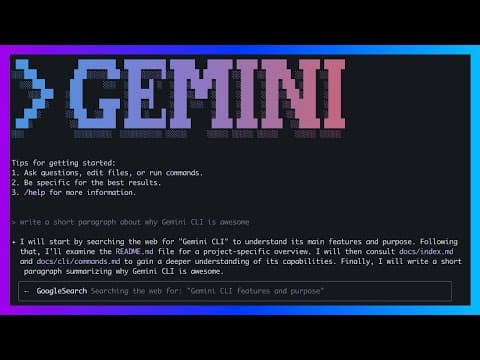
Gemini CLI in 6 Minutes: Google's Free and Open-Source Coding Assistant
Google's Free and Open-Source Coding Assistant In this video, we explore Google's newly released Gemini CLI, a free and open-source competitor to Claude Code. Learn how to get started with...
Video·

Gemini Pro API in Google AI Studio - Free Access in 3 Minutes!
In this video I wanted to direct my audience to the Google AI Studio as well as the news that just came out that the Gemini Pro Model is now available for free through there api (up to 60 queries...
Video·

Zed: The Open Source Agentic IDE - Use Claude Code, Codex & Gemini CLI in one place
Check out Zed here! https://zed.dev In this video, we dive into Zed, a robust open source code editor that has recently introduced the Agent Client Protocol. This new open standard allows...
Video·
Related Posts

8 min read
AI Coding
The 10 Best AI Coding Tools in 2026
From terminal agents to cloud IDEs - these are the AI coding tools worth using for TypeScript development in 2026.

15 min read
Claude Code
What Is Claude Code? The Complete Guide for 2026
Claude Code is Anthropic's AI coding agent for terminal, IDE, desktop, and browser workflows. Learn what it does, how it...

12 min read
AI Coding
AI Coding Tools Pricing Comparison 2026
Complete pricing breakdown for every major AI coding tool. Claude Code, Cursor, Copilot, Windsurf, Codex, Augment, and m...

14 min read
Claude Code
How to Use Claude Code with Next.js
A practical guide to using Claude Code in Next.js projects. CLAUDE.md config for App Router, common workflows, sub-agent...

15 min read
AI Coding
Every AI Coding Tool Compared: The 2026 Matrix
12 AI coding tools across 4 architecture types, compared on pricing, strengths, weaknesses, and best use cases. The defi...

5 min read
Aider
Aider vs Claude Code: Open Source vs Commercial AI Coding CLI
Aider is open source and works with any model. Claude Code is Anthropic's commercial agent. Here is how they compare for...
Build with the member tools

Get Smarter About AI Dev
New tutorials, open-source projects, and deep dives on coding agents - delivered weekly.
One email per weekReal code, not theoryFree forever