Cursor vs Codex: IDE Agent vs Terminal and Cloud Agent for TypeScript

TL;DR
Cursor is editor-first. Codex is terminal, cloud, and PR-first. Here is when to use each for TypeScript projects.
Direct answer
Cursor vs Codex: IDE Agent vs Terminal and Cloud Agent for TypeScript
Cursor is editor-first. Codex is terminal, cloud, and PR-first. Here is when to use each for TypeScript projects.
Best for
Developers comparing real tool tradeoffs before choosing a stack.
Covers
Verdict, tradeoffs, pricing signals, workflow fit, and related alternatives.
Cursor and Codex both write TypeScript.
Official Sources#
Always verify current pricing and features against the official documentation:
Pricing and model access change frequently. The official pages are the source of truth.
Last updated: June 8, 2026. Cursor's current pricing docs now emphasize included API-priced agent usage instead of a simple request narrative, and OpenAI's current Codex help plus rate-card docs remain the cleanest source for plan access and overflow pricing. Verify pricing and feature claims against the official sources above before you standardize a workflow.
If you only need the fast decision path:
- Budget first: start at /pricing and AI coding tools pricing comparison
- Three-way workflow choice: start at Claude Code vs Cursor vs Codex
- Codex-specific context: pair this page with the OpenAI Codex guide
Both use frontier models. But they optimize for different work surfaces, and that shapes everything about how you use them.
Cursor is an editor-first agent. It runs inside a VS Code fork, with Composer 2 as its in-house model and cloud agents for async work. You prompt it, it edits your files inline, you review diffs visually and accept or reject changes. The feedback loop is tight because the primary workflow happens in your editor.
Codex is a terminal and cloud coding agent. The CLI can run locally from your terminal, inspect your repository, edit files, and run commands. Codex also supports cloud tasks, IDE extension workflows, GitHub review, and Slack integration through the broader Codex product.
Here is when each one wins.
Cursor: The IDE Agent#
Inline Editing With Composer 2#
For the larger agent workflow map, read the OpenAI Codex guide and OpenAI vs Anthropic in 2026 - Models, Tools, and Developer Experience; they give the architecture and implementation context this piece assumes.
Cursor's strength is the integration between the AI and your editor. You highlight code, describe a change, and Composer 2 rewrites it in place. You see the diff immediately. Accept, reject, or re-prompt.
TypeScript
// Highlight this function and prompt: "Add retry logic with exponential backoff"
async function fetchData(url: string): Promise<Response> {
  const res = await fetch(url);
  if (!res.ok) throw new Error(`HTTP ${res.status}`);
  return res;
}

// Composer 2 rewrites it inline:
async function fetchData(url: string, maxRetries = 3): Promise<Response> {
  for (let attempt = 0; attempt < maxRetries; attempt++) {
    try {
      const res = await fetch(url);
      if (!res.ok) throw new Error(`HTTP ${res.status}`);
      return res;
    } catch (err) {
      if (attempt === maxRetries - 1) throw err;
      await new Promise((r) => setTimeout(r, 2 ** attempt * 1000));
    }
  }
  throw new Error("Unreachable");
}
You see both versions side by side. Green lines added, red lines removed. No context switching between terminal and editor. This is where Cursor's IDE integration pays off the most.
Multi-File Composition#
Composer mode handles multi-file edits well. Describe a feature, and Cursor scaffolds across multiple files at once:
Code
"Add a /api/notifications endpoint with Zod validation,
a NotificationService class, and integration tests.
Follow the patterns from the existing /api/users route."
Composer 2 reads your existing patterns, generates the route handler, service layer, types, and tests. You review each file's diff individually. If the service looks good but the tests need work, accept one and re-prompt the other.
Speed and Iteration#
Composer 2 is built for tight editor loops. In a prompt-heavy session where you send many small requests, that speed compounds. You stay in flow.
The pricing still supports heavy iteration, but the budgeting language is more explicit now. Cursor's docs frame Pro as including $20 of agent usage at model API prices, Pro+ as $70, and Ultra as $400, each with bonus capacity Cursor may add beyond the guaranteed baseline. You can swap models mid-session for tasks that need deeper reasoning, then switch back to Composer 2 for routine edits, but that model choice now shows up directly in how fast you consume the included budget.
Multi-Agent Parallel Work#
Cursor can run multiple agents with branch isolation. Each agent operates on an independent branch. Composer 2 is the fast default model you can run in those parallel slots.
Code
Agent 1: "Refactor the auth middleware to use the new session types"
Agent 2: "Add pagination to the projects list endpoint"
Agent 3: "Write unit tests for the billing module"
All three can run concurrently. Each finishes with a branch you can review and merge. Codex cloud tasks can also run asynchronously, but the ergonomics are PR/task oriented instead of editor-tab oriented.
From the archive
Codex: The Terminal and Cloud Agent#
Fire-and-Forget Tasks#
Codex is built for tasks you can hand off from a terminal, cloud task, IDE extension, GitHub, Slack, or Linear. While this comparison focuses on TypeScript coding, Codex is expanding beyond just code to handle research, documents, and operational tasks that have files, tools, and review loops. Give it a scoped issue or CLI prompt, and it can implement the fix, run tests, and return a reviewable diff.
Terminal
# From the CLI
codex exec "Fix the type error in src/api/billing.ts where
SubscriptionPlan is missing the 'trialDays' field.
Update the Zod schema and all tests."
Codex reads your tsconfig.json, identifies the type error, traces it through the codebase, fixes the schema, updates dependent code, and runs tsc and your test suite. In a cloud task, the result is a reviewable branch or PR. In the CLI, the result is a local diff you can inspect.
This workflow shines for backlogs. If you have 15 well-defined issues in GitHub, you can tag Codex on each one. It works through them asynchronously. You batch-review the PRs when they land.
Local and Cloud Isolation#
Codex has two distinct modes. The CLI runs locally in the selected directory and can read, change, and run code on your machine. Cloud tasks run in configured environments, which gives you cleaner isolation for PR-style work.
For TypeScript projects, this means Codex can:
- Run
tscwith your exact compiler settings - Execute
vitestorjesttest suites - Install dependencies via npm/pnpm/yarn
- Run linters and formatters
Cloud task access depends on the environment you configure:
- Localhost-only services may not be available unless you reproduce them in the environment
- Database access should be explicit, scoped, and safe for agent work
- Internet access and integrations should be treated as policy decisions, not assumptions
The tradeoff is clear. Use the CLI when local services and immediate app checks matter. Use cloud tasks when isolation, branch review, and async completion matter more.
GitHub-Native Workflow#
Codex integrates directly with GitHub issues and pull requests. For teams that manage work through GitHub, this feels natural:
- Developer opens an issue: "Add rate limiting to POST /api/projects"
- Codex picks it up, reads the codebase, implements rate limiting
- PR lands with a summary of what changed and why
- Team reviews, requests changes in PR comments
- Codex reads the review comments and pushes fixes
This is closer to how you interact with a junior developer than how you interact with a tool. You define the task, review the output, and iterate through comments.
Handling Large Refactors#
Codex handles TypeScript refactors well because it can run the full build pipeline in a local checkout or cloud task:
Terminal
codex exec "Migrate all API routes from the legacy express-validator
to Zod schemas. Update the error handling to return typed error
responses matching the ApiError interface. Run tsc and vitest after
each file to verify. Do not change any endpoint behavior."
For cloud tasks, the environment is isolated and the branch is your checkpoint. For local CLI work, git diff is your checkpoint before you commit anything.
TypeScript-Specific Comparison#
Both tools handle TypeScript, but they handle it differently.
| Capability | Cursor | Codex |
|---|---|---|
| Type checking | Runs tsc via integrated terminal | Runs tsc through the CLI or cloud task runner |
| Test execution | Local test runner, immediate results | Local or configured cloud runner, reviewable diff |
| Hot reload verification | Yes, sees dev server output | CLI can use local services; cloud tasks need configured environments |
| tsconfig awareness | Reads from workspace | Reads from repo clone |
| Monorepo support | Full workspace awareness | Navigates project references |
| Type inference quality | Composer 2 is concise | Codex output can be more explicit |
| Zod/schema generation | Strong pattern matching | Strong but occasionally verbose |
The type inference difference is worth noting. Composer 2 tends to write TypeScript the way an experienced developer would, leaning on inference where it is unambiguous. Codex output can add explicit type annotations that are technically correct but unnecessary:
TypeScript
// Composer 2 output
const users = await db.query.users.findMany();

// Codex output (same logic, more annotations)
const users: Array<InferSelectModel<typeof schema.users>> =
  await db.query.users.findMany();
Both work. One is cleaner. This is a minor difference that surfaces mostly in review.
Pricing#
| Plan | Monthly Cost | What You Get |
|---|---|---|
| Cursor Pro | $20 | Includes $20 of model-priced agent usage, unlimited tabs, background agents, and Bugbot |
| Cursor Pro+ | $60 | Includes $70 of model-priced agent usage plus higher practical headroom |
| Cursor Ultra | $200 | Includes $400 of model-priced agent usage for power users and automation-heavy workflows |
| Codex Plus | $20 | Codex on web, CLI, IDE extension, iOS, cloud integrations, and current Codex models |
| Codex Pro | From $100 | Higher Codex usage limits than Plus |
| Codex API key | Usage-based | CLI, SDK, and IDE extension access with token-based pricing |
Cursor Pro and Codex Plus both start at $20/month. Cursor also has Pro+ and Ultra tiers for heavier model usage, while Codex usage can expand through higher ChatGPT plans or explicit API-key and business-credit paths.
Codex pricing is now broader than a single paid Pro plan: Codex is included across ChatGPT Free, Go, Plus, Pro, Business, Edu, and Enterprise, with API-key usage available for automation-heavy setups.
For TypeScript developers shipping production code, both pay for themselves quickly. A single refactor that would take a day of manual work justifies months of either subscription.
When to Use Each#
Use Cursor when:
- You are actively writing and editing code
- You want visual diffs and inline suggestions
- You need fast iteration with immediate feedback
- You are building UI components with hot reload
- You want to swap between models mid-session
- You prefer a $20/month editor-first plan before scaling to heavier usage tiers
Use Codex when:
- You have a backlog of well-defined issues or shell tasks
- You want async task completion while you do other work
- You prefer PR-based review over inline diffs
- Cloud-task isolation matters for security or compliance
- Your team already lives in GitHub issues and PRs
- You want to hand off contained tasks completely
Use both when:
- You ship full-stack TypeScript and want every advantage
- Cursor handles your active development sessions
- Codex burns through your issue backlog asynchronously
- You review Codex PRs between Cursor editing sessions
The Bottom Line#
Cursor is a tool you work with in the editor. Codex is a tool you can run locally or delegate to cloud tasks. Cursor keeps you in the loop at every step with inline diffs and visual feedback. Codex can take the task off your plate and come back with a reviewable diff.
Neither replaces the other. The best TypeScript workflow in 2026 uses both: Cursor for the hands-on work where you need speed and control, Codex for the backlog items where you need throughput and isolation.
Try them on the same task and compare. The Developers Digest Arena lets you run AI coding tools head to head on real TypeScript challenges.
Frequently Asked Questions#
What is the main difference between Cursor and Codex?#
Cursor is an IDE agent that edits code inline in your VS Code-based editor. You see diffs immediately, accept or reject changes, and iterate fast. Codex can run locally in the CLI or as cloud tasks that work asynchronously and return reviewable diffs. Cursor keeps you in the editor loop; Codex is stronger when you want terminal or task delegation.
Which is better for TypeScript development?#
Both handle TypeScript well, but they serve different workflows. Cursor excels at active development with visual diffs, hot reload verification, and fast iteration. Codex excels at async delegation, including contained CLI tasks and backlogs of GitHub issues. Many teams use both - Cursor for hands-on work, Codex for task delegation.
How much do Cursor and Codex cost?#
Cursor Pro costs $20/month, Pro+ costs $60/month, and Ultra costs $200/month, with the current docs framing those tiers around included model-priced agent usage rather than only raw request counts. Codex pricing includes Free, Go, Plus, Pro, Business, Edu, Enterprise, and API-key options. Plus starts at $20/month, while higher usage depends on Pro, workspace plans, or the Codex rate card.
Can Codex run tests and type checking?#
Yes. Codex can execute tsc, run test suites such as Vitest or Jest, install dependencies, and run linters. The CLI can work against your local checkout, while cloud tasks run in configured environments that should explicitly model any services they need.
Does Cursor support multiple AI models?#
Yes. Cursor defaults to Composer 2 but lets you swap to OpenAI, Claude, Gemini, and Cursor models mid-session. This is useful when you need deeper reasoning for complex tasks, then want to switch back to Composer 2 for routine edits.
Can I use Cursor and Codex together?#
Yes, and many developers do. Use Cursor for interactive development sessions where you need speed and visual feedback. Use Codex to burn through a backlog of well-defined issues asynchronously. Review Codex PRs between Cursor editing sessions for a workflow that maximizes throughput.
Which is better for large refactors?#
Codex handles large refactors well because it can run the full build pipeline and return a reviewable diff. Cursor can also handle refactors with multi-file composition, but you stay involved throughout the process. Choose based on whether you want to guide the refactor in your editor or delegate it to a CLI/cloud task.
How does Codex integrate with GitHub?#
Codex integrates directly with GitHub issues and pull requests. You can tag Codex on an issue, and it will clone the repo, implement the fix, run tests, and open a PR. Teams can iterate through PR review comments - Codex reads review feedback and pushes fixes, similar to working with a junior developer.
Read next
OpenAI Codex: Terminal and Cloud AI Coding Agent
Codex works from the terminal, cloud tasks, IDEs, GitHub, Slack, and Linear. Here is how to use it and how it compares to Claude Code.
5 min readCodex Is Becoming a General-Purpose AI Agent, Not Just a Coding Tool
OpenAI is turning Codex from a coding assistant into a broader agent workspace for files, apps, browser QA, images, automations, and repeatable knowledge work.
8 min readClaude Code vs Cursor vs Codex: Which Should You Use?
Terminal agent, IDE agent, local-plus-cloud agent. Three architectures compared - how to decide which fits your workflow, or why you should use all three.
8 min readShare
Developers Digest
Technical content at the intersection of AI and development. Building with AI agents, Claude Code, and modern dev tools - then showing you exactly how it works.
300+ videos30K+ GitHub stars850+ articles
Related Tools
AI CodingAgent

OpenAI Codex
OpenAI's coding agent for terminal, cloud, IDE, GitHub, Slack, and Linear workflows. Reads repos, edits files, runs comm...
View ToolAI Coding
C
Conductor
Mac app for running parallel Claude Code, Codex, and Cursor agents in isolated workspaces. Watch every agent work at onc...
View ToolAI Coding

Windsurf
Codeium's AI-native IDE. Cascade agent mode handles multi-file edits autonomously. Free tier with generous limits. Stron...
View ToolAI Coding
Codex CLI
OpenAI's open-source terminal coding agent built in Rust. Runs locally, reads your repo, edits files, and executes comma...
View ToolApps from Developers Digest
Developer Tools
Agent Hub
Every coding agent in one window. Stop alt-tabbing between Claude, Codex, and Cursor.
View AppDeveloper Tools
DD Traces
See exactly what your agent did, locally. No cloud, no signup.
View AppDeveloper ToolsPlus $20/mo
Cost Tape Cloud
Know what each agent run cost before the bill arrives. Budgets and alerts included.
View AppRelated Guides
Guide
Building Your First MCP Server
Step-by-step guide to building an MCP server in TypeScript - from project setup to tool definitions, resource handling, testing, and deployment.
AI AgentsGuide
AI Agent Frameworks Compared: LangGraph vs CrewAI vs Mastra vs CopilotKit
Deep comparison of the top AI agent frameworks - LangGraph, CrewAI, Mastra, CopilotKit, AutoGen, and Claude Code.
AI AgentsGuide
Claude Code Setup Guide
Configure Claude Code for maximum productivity -- CLAUDE.md, sub-agents, MCP servers, and autonomous workflows.
AI AgentsRelated Videos
ChatGPT Canvas Full Review & Comparison to Claude, Cursor, V0, Replit Agent & Bolt.new
Learn The Fundamentals Of Becoming An AI Engineer On Scrimba; https://v2.scrimba.com/the-ai-engineer-path-c02v?via=developersdigest My AI-powered Video Editor; https://dub.sh/dd-descript ...
Video·

Introducing GPT-5 Codex: Optimized Agentic Coding for Developers
In this episode, we explore the newly released GPT-5 Codex by OpenAI, a specialized version of GPT-5 designed for agentic coding tasks. Codex offers advanced features, including enhanced code...
Video·
OpenAI's New TypeScript Agents SDK
Getting Started with OpenAI's New TypeScript Agents SDK: A Comprehensive Guide OpenAI has recently unveiled their Agents SDK within TypeScript, and this video provides a detailed walkthrough...
Video·
Related Posts

5 min read
OpenAI
OpenAI Codex: Terminal and Cloud AI Coding Agent
Codex works from the terminal, cloud tasks, IDEs, GitHub, Slack, and Linear. Here is how to use it and how it compares t...

8 min read
Codex
Codex Is Becoming a General-Purpose AI Agent, Not Just a Coding Tool
OpenAI is turning Codex from a coding assistant into a broader agent workspace for files, apps, browser QA, images, auto...

8 min read
Claude Code
Claude Code vs Cursor vs Codex: Which Should You Use?
Terminal agent, IDE agent, local-plus-cloud agent. Three architectures compared - how to decide which fits your workflow...
9 min read
Claude Code
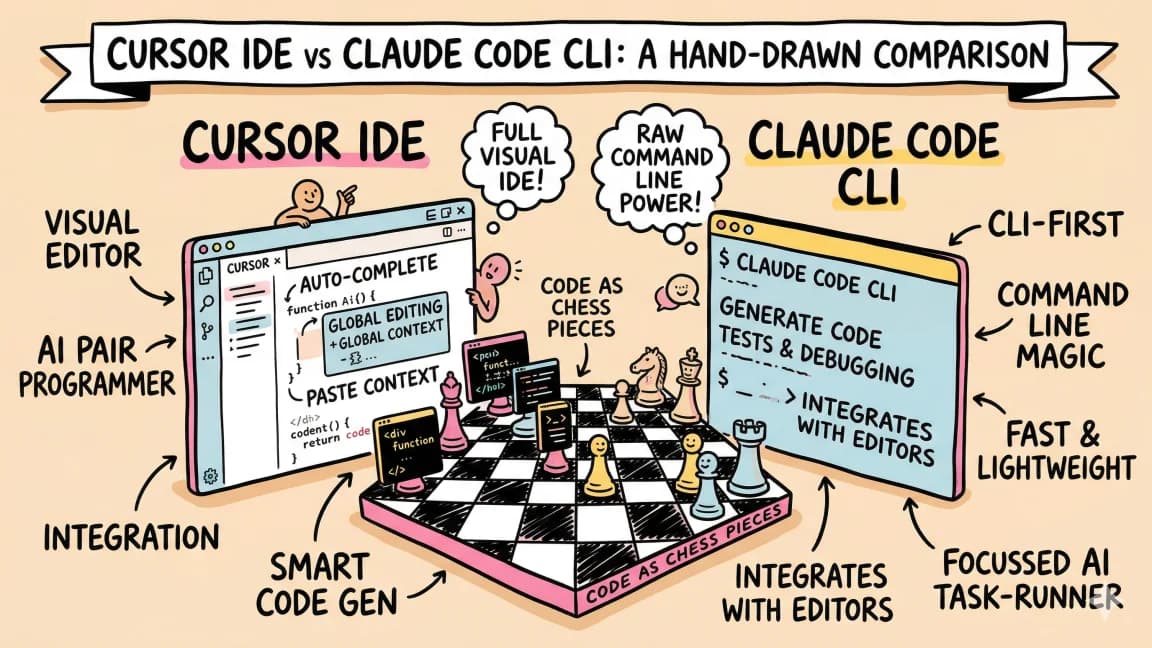
Cursor vs Claude Code in 2026 - Which Should You Use?
A detailed comparison of Cursor and Claude Code from someone who uses both daily. When to use each, how they differ, and...

15 min read
AI Coding
Every AI Coding Tool Compared: The 2026 Matrix
12 AI coding tools across 4 architecture types, compared on pricing, strengths, weaknesses, and best use cases. The defi...

8 min read
AI Coding
The 10 Best AI Coding Tools in 2026
From terminal agents to cloud IDEs - these are the AI coding tools worth using for TypeScript development in 2026.

12 min read
AI Coding
AI Coding Tools Pricing Comparison 2026
Complete pricing breakdown for every major AI coding tool. Claude Code, Cursor, Copilot, Windsurf, Codex, Augment, and m...
Build with the member tools

Get Smarter About AI Dev
New tutorials, open-source projects, and deep dives on coding agents - delivered weekly.
One email per weekReal code, not theoryFree forever