OpenAI Codex: Terminal and Cloud AI Coding Agent

AI Tools Deep Dive
20 parts- 1Claude Design: Anthropic's Bet That Designers and Developers Want the Same Tool
- 2The 10 Best AI Coding Tools in 2026
- 3Cursor: The AI-Powered Code Editor That Changed How Developers Work
- 4OpenAI Codex: Terminal and Cloud AI Coding AgentCurrent
- 5Gemini CLI: Free AI Coding With 1M Token Context
- 6Kimi K2: Fast, Cheap, and Efficient Coding
- 7GitHub Copilot in 2026: Still Worth It for TypeScript Developers?
- 8Aider vs Claude Code: Open Source vs Commercial AI Coding CLI
- 9Aider vs Claude Code in 2026: Git-First Open Source vs Subagent Runtime
- 10Every AI Coding Tool Compared: The 2026 Matrix
- 11Qwen3.6-27B Is the Local Coding Model to Test First
- 12Zed Just Made Parallel AI Agents a Native Editor Primitive
- 13Warp Open Sourced the Terminal. The Real Story Is Agent Operations
- 14AI Design Slop: 16 Patterns That Out Your App as Vibe-Coded
- 15The Claude Design Moment: AI Design Skills Just Got Their Breakout Week
- 16Codeburn: The First TUI That Actually Shows Where Your Claude Max Subscription Is Going
- 17Promptlock: Deterministic Prompt Versioning for LLM Apps
- 18Agent Replays with TraceTrail: Loom for Agent Runs
- 19Hookyard Shows Why Claude Code Hooks Need a Package Manager
- 20MCP Lens: Wireshark for Model Context Protocol Servers
TL;DR
Codex works from the terminal, cloud tasks, IDEs, GitHub, Slack, and Linear. Here is how to use it and how it compares to Claude Code.
Official Sources#
| Resource | Link |
|---|---|
| Codex overview | developers.openai.com/codex |
| Codex CLI | developers.openai.com/codex/cli |
| Codex pricing | developers.openai.com/codex/pricing |
| Codex plan access | Using Codex with your ChatGPT plan |
| ChatGPT rate card | ChatGPT rate card for Business, Enterprise, and Edu |
| Codex cloud tasks | developers.openai.com/codex/cloud |
| Codex changelog | developers.openai.com/codex/changelog |
What Codex Is#
Last updated: June 5, 2026. Codex plan access now spans ChatGPT Free, Go, Plus, Pro, Business, Edu, and Enterprise, while API-key usage remains the cleaner fit for automation-heavy teams that need explicit spend control.
If you only need the fast decision path:
- Picking between local and cloud execution: compare this guide with Claude Code vs Codex.
- Picking between Codex, Cursor, and Claude Code together: use Claude Code vs Cursor vs Codex.
- Picking based on budget first: open /pricing and AI coding tools pricing comparison.
- Picking based on recurring engineering work: use Codex Automations.
- Picking based on cloud-task guardrails and enterprise controls: use OpenAI Codex cloud security playbook.
OpenAI Codex is an AI coding agent that can work from the terminal, cloud tasks, IDEs, GitHub, Slack, and Linear. You give it a scoped task, it reads the codebase, edits files, runs commands, and returns a reviewable diff or branch depending on the workflow.
For model-selection context, compare this with Codex vs Claude Code in April 2026: Which Agent for Which Job and OpenAI vs Anthropic in 2026 - Models, Tools, and Developer Experience; model quality matters most when it is tied to a concrete coding workflow. If you are asking whether Codex can do more than code, read Codex as a general-purpose AI agent.
It is not an autocomplete tool. It is not inline suggestions. Codex operates as a full agent: reading files, running commands, installing dependencies, executing tests, and iterating on failures. In the CLI, that happens in your local checkout. In Codex cloud tasks, it happens in a configured environment.
The CLI is the fastest interface for local developer work. You install it via npm, authenticate with your OpenAI account, and run codex exec "your prompt" from within a repository. Codex reads your project structure, understands the codebase, and executes against it.
Local and Cloud Execution#
Codex has two practical execution modes. The CLI runs locally in the directory you choose. Cloud tasks run in an isolated environment connected to your repository and integrations.
Cloud execution has clear advantages for issue backlogs, code review follow-ups, and PR-style work. Your local machine stays clean, the branch is the checkpoint, and the task can keep running while you do something else.
The tradeoff is environment fidelity. Local CLI work can reach your local dev server, test database, and running services. Cloud tasks need those dependencies represented in the configured environment.
Treat network access as an explicit policy choice. Cloud tasks should only receive the internet, secrets, and service access they actually need.
If cloud execution is the blocker, keep this guide paired with the OpenAI Codex cloud security playbook. The practical question is not only "can Codex run remotely" but "what repo, secret, network, and approval boundaries should remote work actually get."
From the archive
OpenAI vs Anthropic in 2026 - Models, Tools, and Developer Experience
Mar 19, 2026 • 18 min read
Prompt Engineering for AI Coding Tools
Mar 19, 2026 • 9 min read
Open Source Has a Bot Problem: Prompt Injection in Contributing.md
Mar 19, 2026 • 8 min read
Vercel AI SDK: Build Streaming AI Apps in TypeScript
Mar 19, 2026 • 5 min read
GitHub Integration#
Codex connects directly to your GitHub repositories. You can trigger tasks from the CLI, from the ChatGPT web interface, or by tagging Codex in a GitHub issue or pull request.
The most practical workflow for TypeScript projects:
- Open an issue describing a bug or feature
- Tag Codex in a comment
- Codex clones the repo, creates a branch, implements the change, and opens a PR
- You review the diff and merge
This works well for contained tasks: fixing a type error, adding a utility function, writing tests for an existing module, updating dependencies. The PR includes the full diff and a summary of what the agent did and why.
For larger features, you can scope the work with an agent.md file in your repository root. This file acts as persistent instructions, similar to a CLAUDE.md for Claude Code. You define coding standards, architectural preferences, and constraints. Codex reads this file before starting any task.
TypeScript Workflow#
Codex handles TypeScript projects well. It reads tsconfig.json, respects your compiler options, and runs tsc to validate its output. If type errors surface, the agent iterates until the build passes.
A typical TypeScript workflow with Codex:
Terminal
# Install the CLI
npm install -g @openai/codex

# Authenticate
codex auth

# Run a task against your current repo
codex exec "Add input validation to the createUser function in src/api/users.ts. Use zod schemas. Add tests."
Codex reads the existing code, identifies the function signature and its callers, generates a zod schema matching the expected input shape, wraps the function with validation, and writes test cases. It runs the test suite to confirm nothing breaks.
For monorepos with multiple tsconfig files, Codex navigates the project references correctly. It understands workspace configurations for pnpm, npm, and yarn workspaces.
Where it falls short: Codex sometimes generates overly verbose TypeScript. Extra type annotations where inference would suffice, unnecessary generics, redundant null checks. You will want to review and tighten the output.
Pricing#
Codex pricing now spans ChatGPT Free, Go, Plus, Pro, Business, Edu, Enterprise, and API-key usage, but those surfaces are not interchangeable.
- Interactive individual use: Go, Plus, and Pro are the cleanest starting points when you want Codex available inside your existing ChatGPT workflow.
- Team rollout: Business, Edu, and Enterprise matter when workspace controls, approval flows, and shared usage policies are the real constraint.
- Automation-heavy work: API-key usage is still the clearest path when you need deterministic budget controls, metered spend, and integration with scripts or recurring jobs.
For heavy CLI usage, token consumption still matters. A typical Codex task can read many files, implement a feature, run tests, and iterate. If you want the cheapest interactive starting point, compare the current Plus tier against API-key usage. If you run Codex all day or across a team, compare higher ChatGPT plans against direct API billing and the ChatGPT rate-card model.
Codex vs Claude Code#
Both are agentic coding tools. Both read your codebase, make changes, and iterate on errors. The core differences come down to architecture, workflow, and where each tool excels.
Execution model. Codex can run locally through the CLI or remotely through cloud tasks. Claude Code runs locally on your machine. Use local agents when immediate access to databases, servers, browsers, and logs matters. Use cloud tasks when branch isolation and async completion matter more.
Context. Claude Code operates inside your terminal session. It sees your working directory, your git state, your running processes. Codex CLI sees the selected local checkout, while cloud tasks see the repository and configured environment. Claude Code can chain commands, install tools, and interact with MCP servers.
TypeScript tooling. Both handle TypeScript well. Claude Code benefits from being able to run your dev server locally and verify changes in real time. Codex validates against your build configuration but cannot render a page or hit a local API.
Autonomy. Codex is designed for fire-and-forget tasks. Hand it an issue, walk away, review the PR later. Claude Code is better for interactive development where you steer the agent with follow-up prompts, review intermediate output, and adjust direction mid-task.
Integration surface. Claude Code connects to MCP servers, giving it access to browsers, databases, external APIs, and custom tools. Codex integrates tightly with GitHub but has a narrower integration surface.
For a deeper look at model capabilities across these tools, see the model comparison on SubAgent.
When to Use Each#
Use Codex when you want hands-off task execution: bug fixes from issues, test generation, dependency updates, code review automation. The GitHub integration makes it natural for teams that manage work through issues and PRs.
Use Claude Code when you want interactive, iterative development: building features with real-time feedback, debugging with access to logs and local services, working across multiple files with full project context.
The tools are not mutually exclusive. Running both on the same codebase is a valid workflow. Codex handles the backlog of well-defined tasks while Claude Code drives the exploratory, high-context work.
If you want to practice that workflow step by step, the Agentic Coding course walks through Claude Code, Codex CLI, decomposition, and real agentic development patterns.
Frequently Asked Questions#
What is OpenAI Codex?#
OpenAI Codex is an AI coding agent for terminal, cloud, IDE, GitHub, Slack, and Linear workflows. It reads a codebase, edits files, runs commands, and returns a reviewable diff, branch, or pull request depending on how you start the task. It is an agentic tool, not an autocomplete engine.
How much does OpenAI Codex cost?#
Codex pricing includes ChatGPT Free, Go, Plus, Pro, Business, Edu, Enterprise, and API-key options. Plus starts at $20/month, Pro starts at $100/month for higher usage limits, and API-key usage is billed separately at standard API rates.
What is the difference between Codex and Claude Code?#
Codex can run locally through the CLI or remotely through cloud tasks, with GitHub support for fire-and-forget tasks like bug fixes and PR generation. Claude Code runs locally on your machine with direct filesystem access, MCP server support, and interactive development capabilities. Codex is best for terminal and async task delegation; Claude Code is best for iterative, high-context work.
Can Codex work with TypeScript projects?#
Yes. Codex reads your tsconfig.json, respects compiler options, runs tsc to validate output, and iterates until the build passes. It handles monorepos with multiple tsconfig files and understands pnpm, npm, and yarn workspace configurations.
Continue Reading#
Read next
Codex Automations: Where Scheduled AI Agents Actually Help
Codex automations are useful when recurring engineering work has clear inputs, reviewable outputs, and safe boundaries. Here is the practical playbook.
9 min readCodex Is Becoming a General-Purpose AI Agent, Not Just a Coding Tool
OpenAI is turning Codex from a coding assistant into a broader agent workspace for files, apps, browser QA, images, automations, and repeatable knowledge work.
8 min readCursor vs Codex: IDE Agent vs Terminal and Cloud Agent for TypeScript
Cursor is editor-first. Codex is terminal, cloud, and PR-first. Here is when to use each for TypeScript projects.
5 min readShare
Developers Digest
Technical content at the intersection of AI and development. Building with AI agents, Claude Code, and modern dev tools - then showing you exactly how it works.
300+ videos30K+ GitHub stars850+ articles
Related Tools
AI CodingAgent

OpenAI Codex
OpenAI's coding agent for terminal, cloud, IDE, GitHub, Slack, and Linear workflows. Reads repos, edits files, runs comm...
View ToolAI Coding
Codex CLI
OpenAI's open-source terminal coding agent built in Rust. Runs locally, reads your repo, edits files, and executes comma...
View ToolAI Models

ChatGPT
OpenAI's flagship. GPT-4o for general use, o3 for reasoning, Codex for coding. 300M+ weekly users. Tasks, agents, web br...
View ToolAI Coding

Droid
Factory AI's terminal coding agent. Runs Anthropic and OpenAI models in one subscription. Handles full tasks end-to-end...
View ToolApps from Developers Digest
Developer Tools
Agent Hub
Every coding agent in one window. Stop alt-tabbing between Claude, Codex, and Cursor.
View AppDeveloper Tools
DD Traces
See exactly what your agent did, locally. No cloud, no signup.
View AppDeveloper ToolsIn Progress
Migrate
Beat the August 2026 Assistants API sunset. Paste old code, get Responses API.
View AppRelated Guides
Guide
Run AI Models Locally with Ollama and LM Studio
Install Ollama and LM Studio, pull your first model, and run AI locally for coding, chat, and automation - with zero cloud dependency.
Getting StartedGuide
Building Your First MCP Server
Step-by-step guide to building an MCP server in TypeScript - from project setup to tool definitions, resource handling, testing, and deployment.
AI AgentsGuide
Terminal CLI - Claude Code
The primary command-line entry point for Claude Code sessions.
Claude CodeRelated Videos
OpenAI Open Sources Codex: The CLI Coding Agent
Exploring Codex: AI Coding in Terminal In this video, I explore Codex, a new lightweight CLI tool for AI coding that runs in the terminal. This tool, possibly a response to Anthropic's CLI,...
Video·
Introducing GPT-5 Codex: Optimized Agentic Coding for Developers
In this episode, we explore the newly released GPT-5 Codex by OpenAI, a specialized version of GPT-5 designed for agentic coding tasks. Codex offers advanced features, including enhanced code...
Video·
OpenAI's New TypeScript Agents SDK
Getting Started with OpenAI's New TypeScript Agents SDK: A Comprehensive Guide OpenAI has recently unveiled their Agents SDK within TypeScript, and this video provides a detailed walkthrough...
Video·
Related Posts
9 min read
Codex
Codex Automations: Where Scheduled AI Agents Actually Help
Codex automations are useful when recurring engineering work has clear inputs, reviewable outputs, and safe boundaries....
8 min read
Codex
Codex Is Becoming a General-Purpose AI Agent, Not Just a Coding Tool
OpenAI is turning Codex from a coding assistant into a broader agent workspace for files, apps, browser QA, images, auto...

5 min read
Cursor
Cursor vs Codex: IDE Agent vs Terminal and Cloud Agent for TypeScript
Cursor is editor-first. Codex is terminal, cloud, and PR-first. Here is when to use each for TypeScript projects.
8 min read
Claude Code
Claude Code vs Cursor vs Codex: Which Should You Use?
Terminal agent, IDE agent, local-plus-cloud agent. Three architectures compared - how to decide which fits your workflow...

8 min read
AI Coding
The 10 Best AI Coding Tools in 2026
From terminal agents to cloud IDEs - these are the AI coding tools worth using for TypeScript development in 2026.
9 min read
Codex
Codex Changelog April 2026: Goals, Browser Use, GPT-5.5, and Safer Agents
OpenAI's April 2026 Codex changelog shows a clear product shift: Codex is becoming a full agent workspace with goals, br...

14 min read
Claude Code
How to Use Claude Code with Next.js
A practical guide to using Claude Code in Next.js projects. CLAUDE.md config for App Router, common workflows, sub-agent...
8 min read
Anthropic
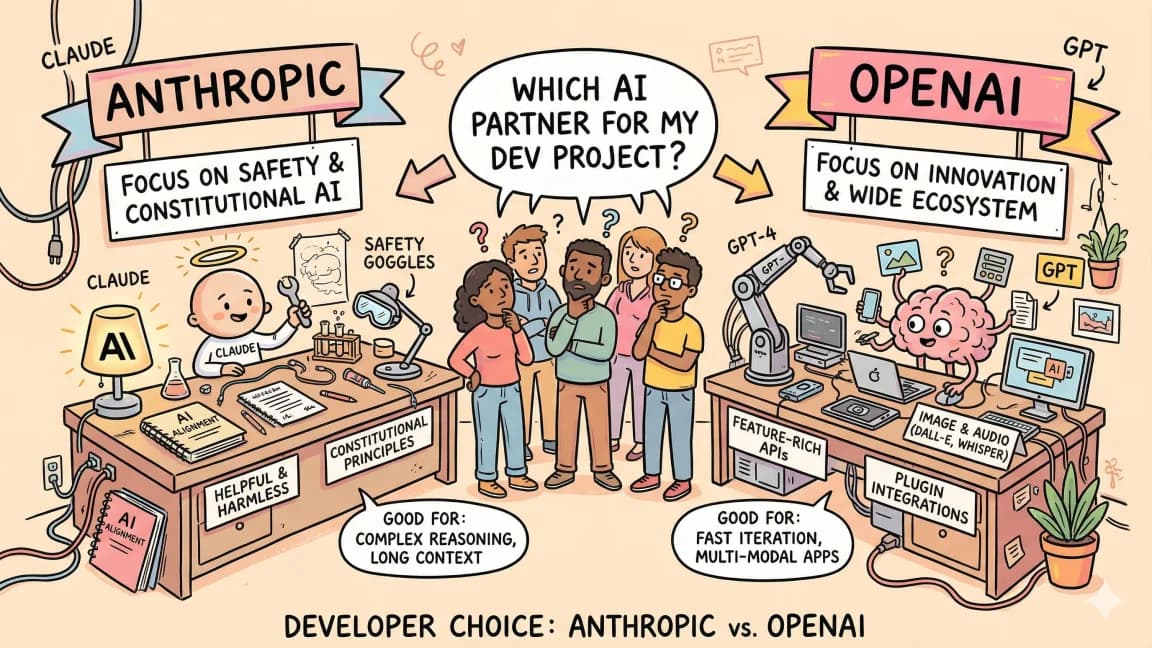
Anthropic vs OpenAI: Developer Experience Compared
Two platforms, two philosophies. Here is how Anthropic and OpenAI compare on APIs, SDKs, documentation, pricing, and the...
Build with the member tools

Get Smarter About AI Dev
New tutorials, open-source projects, and deep dives on coding agents - delivered weekly.
One email per weekReal code, not theoryFree forever