Claude Design: Anthropic's Bet That Designers and Developers Want the Same Tool
Prefer video? Watch the full tutorial with code walkthroughs.
Watch VideoAI Tools Deep Dive
20 parts- 1Claude Design: Anthropic's Bet That Designers and Developers Want the Same ToolCurrent
- 2The 10 Best AI Coding Tools in 2026
- 3Cursor: The AI-Powered Code Editor That Changed How Developers Work
- 4OpenAI Codex: Terminal and Cloud AI Coding Agent
- 5Gemini CLI: Free AI Coding With 1M Token Context
- 6Kimi K2: Fast, Cheap, and Efficient Coding
- 7GitHub Copilot in 2026: Still Worth It for TypeScript Developers?
- 8Aider vs Claude Code: Open Source vs Commercial AI Coding CLI
- 9Aider vs Claude Code in 2026: Git-First Open Source vs Subagent Runtime
- 10Every AI Coding Tool Compared: The 2026 Matrix
- 11Qwen3.6-27B Is the Local Coding Model to Test First
- 12Zed Just Made Parallel AI Agents a Native Editor Primitive
- 13Warp Open Sourced the Terminal. The Real Story Is Agent Operations
- 14AI Design Slop: 16 Patterns That Out Your App as Vibe-Coded
- 15The Claude Design Moment: AI Design Skills Just Got Their Breakout Week
- 16Codeburn: The First TUI That Actually Shows Where Your Claude Max Subscription Is Going
- 17Promptlock: Deterministic Prompt Versioning for LLM Apps
- 18Agent Replays with TraceTrail: Loom for Agent Runs
- 19Hookyard Shows Why Claude Code Hooks Need a Package Manager
- 20MCP Lens: Wireshark for Model Context Protocol Servers
TL;DR
Claude Design generates a full design system from your repo, ships one-shot pricing pages, and exports clean HTML/CSS to your coding agent. Here is what it actually does, where it slots in for developers, and why this is more interesting than another AI UI generator.
Official Sources#
| Resource | URL |
|---|---|
| Claude Design | design.claude.ai |
| Anthropic Claude Overview | anthropic.com/claude |
| Claude Code Documentation | docs.anthropic.com/claude-code |
| Anthropic Pricing | anthropic.com/pricing |
| Claude Models Documentation | docs.anthropic.com/models |
| Anthropic News | anthropic.com/news |
Anthropic shipped Claude Design and the framing is unusual. It is not a Figma clone, not a v0 competitor, and not a wrapper around a chat box that emits Tailwind. It is a design surface that reads your repo, builds a style guide from what is actually in the codebase, and then generates UI that respects it. For developers who have been hand-rolling DESIGN.md files and pasting screenshots into Claude Code for the last six months, this is the productized version of that workflow.
I spent a session with it for the Claude Design in 12 Minutes video and the short version is: this is the first AI design tool that feels like it was built by people who watch developers work, not by people who watch designers work.
What Claude Design actually is#
Claude Design is a hosted product from Anthropic that combines three things most teams currently glue together by hand.
- A design system extractor. Point it at a Git repo or a Figma file and it scans the existing UI, pulls out colors, typography, spacing, components, and writes them into a structured file system that the model uses as context for everything that comes next.
- A high-fidelity generation surface. Prompts produce real, editable layouts with multiple variants. Pricing pages, hero sections, slide decks, prototypes, dashboards.
- A handoff layer. Export to Canva, PDF, PowerPoint, or, more interestingly for us, raw HTML and CSS that drops straight into a coding agent like Claude Code or Cursor.
The model under the hood is Opus 4.7, which Anthropic has tuned for higher-resolution visual reasoning. That matters more than the marketing makes it sound. The tool can take a screenshot of its own output, evaluate it, and iterate. The QA loop is built in.
The repo scan is the unlock#
Most AI design tools start from zero. You type "build me a SaaS landing page" and you get the median aesthetic of the internet: blue-to-purple gradient, rounded cards, Lucide icons, three-column features grid. We covered that failure mode in AI design slop and how to spot it.
Claude Design starts from your code. When I pointed it at the Developers Digest site repo, it produced a style guide that matched the actual product within about ninety seconds. Cream background, ink type, the pink accent, the offset card pattern, Geist font stack, no gradients. None of that came from a prompt. It came from reading the Tailwind config, the components directory, and the rendered pages.
The output is a structured set of files the model uses as context for every subsequent generation. You can edit them directly. You can also commit them.
Terminal
# After the repo scan, the design system lands as editable files
design-system/
  tokens.json          # colors, type scale, spacing, radii
  components/
    button.html        # canonical button variants
    card.html
    nav.html
  guidelines.md        # voice, layout rules, do/don't list
This is the same shape as the DESIGN.md pattern that has been spreading through the Claude Code ecosystem, except generated and maintained for you. The Developers Digest version also has a design-system reference so the written contract and shipped UI stay connected.
The one-shot pricing page#
The headline demo is generating a pricing page in one shot. I have done this exercise enough times in raw Claude Code to be skeptical. The result was good enough that I shipped a variant of it.
Three layout options came back: a standard three-tier card grid, a comparison table with feature rows, and a single-tier focus layout for a one-product pitch. Each one used the actual product palette. Each one had editable "tweaks" exposed as inline controls, the same kind of UI dial you get in Figma when you adjust a component property, except the underlying mutation is a model call.
The screenshot-based edits are where it stops feeling like a chat interface. You drop a screenshot in, point at a region, and ask for a change. The model resolves the pointed-at element to a DOM node and edits the underlying markup. Voice input works the same way. "Make this section more compact and move the testimonials above the FAQ" with a circle drawn around the section produces the right diff.
From the archive
Claude Opus 4.7: The Developer's Guide to Anthropic's New Flagship
Apr 29, 2026 • 10 min read
Claude Vision API: Image Analysis At Production Scale
Apr 29, 2026 • 13 min read
Cloudflare Agent Memory: A Developer's Guide to the New Primitive
Apr 29, 2026 • 9 min read
Flagship: Cloudflare Feature Flags for AI Apps
Apr 29, 2026 • 9 min read
Where this slots in for developers#
I do not think Claude Design is going to replace your coding agent. I think it slots in front of it, in the place where most teams are currently flailing.
The handoff is the proof. Generate the design in Claude Design. Export the HTML and CSS. Drop the assets into your repo. Hand the files to Claude Code with a prompt like "convert this static export into a working Next.js page using our existing components and routing." That last step is where coding agents earn their keep, and the design tool stops being a wrapper.
Here is the rough loop I have been running.
Terminal
# 1. Generate in Claude Design, export to /tmp
mv ~/Downloads/claude-design-export.zip /tmp/cd-export.zip
unzip /tmp/cd-export.zip -d /tmp/cd-export

# 2. Hand off to Claude Code in the project repo
claude -p "Take the static HTML in /tmp/cd-export and rebuild it as a \
Next.js page at app/pricing/page.tsx using our existing components in \
@/components/ui. Match the styling but use our Tailwind tokens, not \
inline styles."
The split makes sense. Claude Design owns the visual decisions and the iteration loop. Claude Code owns the integration into your actual codebase. Neither one is good at the other half.
The 3D banner moment#
The demo that got the loudest reaction in the comments was the 3D hero banner with parallax. A single prompt, ten seconds of streaming, and a layered scene came out with depth, motion on scroll, and a real sense of composition. It is not production-ready in every case, but it is the first time I have seen a prompt-to-hero flow where the result did not need a complete rewrite.
The streaming UI matters here too. You watch the design assemble in real time. When something is going wrong, you cancel before the full generation completes. That is a small UX detail that turns into a real time saver across a session.
What is missing#
A few honest gaps.
It is not local. Everything runs in Anthropic's cloud, which means private repos go through their pipeline. For most teams that is fine, for some it is a non-starter. The same caveat applies to anything in the Claude Managed Agents line.
The export is HTML and CSS, not React or Vue. You get clean markup, but you still bring your own framework adapter. This is probably correct, since the alternative is a tool that generates broken Next.js components and tries to look smart about it.
There is no real version control inside the product yet. You can save designs, but the diff between version A and version B is not first class. For a product whose entire pitch is iteration, that is the next obvious feature.
Why the bigger picture matters#
Anthropic is doing something specific with this launch and the Claude Skills marketplace and Co-work. They are building a layer above the model where the work product is structured artifacts, not chat transcripts. Design files. Style guides. Skills. Sub-agents. The model is becoming the smallest unit, and the company is shipping the surfaces around it.
For developer tools, this matters because the moat in 2026 is not the model. The moat is the structured context you keep around the model. A design system that lives in your repo and gets read every time you generate UI is moat. A skill that turns three thousand tokens of instructions into a reusable behavior is moat. A coding agent that knows your codebase is moat.
Claude Design is the first time I have seen Anthropic ship a product where the structured artifact, not the chat window, is the primary UI.
Quick start for developers#
If you want to try it without committing a project repo, here is the path of least resistance.
- Start a throwaway repo with the look you want to match. A landing page with your brand colors, type, and three or four real components is enough.
- Push it to GitHub, point Claude Design at it, let it scan.
- Generate one page. Inspect the style guide it created. Edit anything wrong by hand.
- Generate a second page using the same system. Confirm the consistency holds.
- Export, hand off to Claude Code, ship.
That loop took me about forty minutes the first time and about ten minutes the second time. The cost is mostly cognitive, not financial. Anthropic has not published per-design pricing yet, and inside the Max plan it appears to count against the same usage budget as everything else. We covered the broader Claude usage limits playbook recently, the same caveats apply.
Bottom line#
Claude Design is not the most flashy thing Anthropic shipped this quarter. The Skills marketplace and Co-work probably matter more for the long arc. But Claude Design is the cleanest single-product example of where AI tooling is heading: read the user's existing artifacts, generate new artifacts that fit, hand off cleanly to the next tool in the chain.
For developers who already have a Claude Code workflow, this is the missing piece in front of it. Try the repo scan, ship one page through the full loop, decide for yourself.
Watch the full walkthrough on the Developers Digest YouTube channel and let me know in the comments which part of the workflow you want to see broken down further.
FAQ#
What is Claude Design and how is it different from v0 or Figma AI?#
Claude Design is Anthropic's hosted design tool that reads your existing codebase to extract a design system, then generates new UI that matches your actual product style. Unlike v0 or Figma AI, it starts from your repo instead of starting from zero, which means the output respects your existing colors, typography, spacing, and component patterns without needing a detailed prompt.
How does Claude Design integrate with Claude Code?#
Claude Design exports clean HTML and CSS that you can drop directly into your project. The recommended workflow is to generate the design in Claude Design, export the files, then hand them to Claude Code with a prompt like "convert this static export into a working Next.js page using our existing components." Claude Design handles the visual decisions; Claude Code handles the integration into your actual codebase.
What file formats does Claude Design export?#
Claude Design exports to HTML and CSS, PDF, PowerPoint, and Canva. For developers, the HTML/CSS export is the most useful since it provides clean markup you can hand off to a coding agent. The export is not framework-specific - you get vanilla HTML and CSS, not React or Vue components - so you bring your own adapter.
Is Claude Design free or does it require a paid plan?#
Claude Design is included in Anthropic's Max plan and counts against the same usage budget as other Claude tools. Anthropic has not published separate per-design pricing. If you already pay for Claude Max, Claude Design does not cost extra beyond what you are already using.
Can Claude Design read private GitHub repos?#
Yes, Claude Design can scan private repos, but everything runs in Anthropic's cloud. Your code goes through their pipeline, which is fine for most teams but may be a non-starter for organizations with strict data residency or compliance requirements. The same caveat applies to other Claude Managed Agents like Co-work.
What does the repo scan actually produce?#
After scanning your repo, Claude Design produces a structured design system folder with tokens.json (colors, type scale, spacing, radii), component HTML files (canonical button, card, nav variants), and guidelines.md (voice, layout rules, do/don't list). This is similar to the DESIGN.md pattern used in the Claude Code ecosystem, except generated and maintained automatically.
Does Claude Design support version control or design history?#
Not yet. You can save designs, but there is no first-class diff between version A and version B inside the product. For a product built around iteration, version control is the next obvious feature. For now, you can export and commit your designs to Git to track changes externally.
What model powers Claude Design?#
Claude Design runs on Opus 4.7, which Anthropic has tuned for higher-resolution visual reasoning. The model can take a screenshot of its own output, evaluate it, and iterate - so the QA loop is built in. This makes the screenshot-based editing flow work, where you drop an image and point at a region to request changes.
Continue Reading#
- Claude Opus 4.5: Anthropic''s Most Intelligent Model
- Claude Sonnet 5 Launch Analysis: The Most Agentic Sonnet Yet
- Claude Sonnet 5 vs Sonnet 4.6: Should You Upgrade?
- Magic Patterns: Why Design Wins in a World of AI Code Generators
- Magic Patterns: Effortless UI Design with AI
- Open Design Shows the Next Agent Wrapper
Read next
The Claude Design Moment: AI Design Skills Just Got Their Breakout Week
Four Claude-Design-adjacent repos entered the trending week with a combined 8,300+ stars. Huashu-design, open-codesign, awesome-claude-design, cc-design. Here is what is actually happening, and why the pattern matters.
7 min readCreate Beautiful UI with Claude Code: The Style Guide Method
AI-generated interfaces tend to look the same - gradient-heavy, emoji-laden, and generic. The style guide method gives you a reusable design system that keeps every page consistent and on-brand, whet...
8 min readAI Design Slop: 16 Patterns That Out Your App as Vibe-Coded
Adrian Krebs scored 1,590 Show HN landing pages against 16 AI design patterns. 22% were heavy slop, 32% mild, 46% clean. Here is the pattern list, the method, and why it matters even when you are the one shipping.
7 min readShare
Developers Digest
Technical content at the intersection of AI and development. Building with AI agents, Claude Code, and modern dev tools - then showing you exactly how it works.
300+ videos30K+ GitHub stars850+ articles
Try These Tools
Related Tools
AI FrameworksNew

Claude Agent SDK
Anthropic's Python SDK for building production agent systems. Tool use, guardrails, agent handoffs, and orchestration. R...
View ToolAI CodingDaily Driver

Claude Code
Anthropic's agentic coding CLI. Runs in your terminal, edits files autonomously, spawns sub-agents, and maintains memory...
View ToolAI ModelsNew
Claude Fable 5
Anthropic's first generally available Mythos-class model, released June 9, 2026. 1M context, 128K max output, $10/$50 pe...
View ToolAI Coding
Z
Zed
High-performance code editor built in Rust with native AI integration. Sub-millisecond input latency. Built-in assistant...
View ToolApps from Developers Digest
Developer ToolsIn Progress
Skill Builder
Turn a one-liner into a working Claude Code skill. From idea to installed in a minute.
View AppDeveloper Tools
Agent Hub
Every coding agent in one window. Stop alt-tabbing between Claude, Codex, and Cursor.
View AppDeveloper ToolsPlus $20/mo
Skills Pro
Unlock pro skills and share private collections with your team.
View AppRelated Guides
Guide
Write Tool - Claude Code
Create or overwrite files; requires permission for existing paths.
Claude CodeGuide
Migrating from Cursor to Claude Code
A concrete step-by-step guide to moving your development workflow from Cursor to Claude Code - settings, rules, keybindings, and the habits that transfer.
Getting StartedGuide
MCP Tool Search - Claude Code
Deferred tool loading reduces context overhead for large MCP suites.
Claude CodeRelated Videos
Anthropic's Cowork: Claude Code for the Rest of Your Work
In this video, we dive into Anthropic's newly launched Cowork, a user-friendly extension of Claude Code designed to streamline work for both developers and non-developers. This discussion includes an
Video·

Anthropic's Claude Opus 4.5 in 5 Minutes
In this video, we dive into Anthrop's latest release, Claude Opus 4.5, touted as the best model for coding agents and computer use. We review the blog post and significant announcements, such...
Video·
Building Anthropic Claude 3.5 Sonnet Artifacts: Step-by-Step Tutorial
In this video, I'll teach you how to create a feature similar to Anthropic Claude Artifacts. I'll explain how to stream artifacts to the right side of the screen and complete responses on the...
Video·
Related Posts
7 min read
Claude Code
The Claude Design Moment: AI Design Skills Just Got Their Breakout Week
Four Claude-Design-adjacent repos entered the trending week with a combined 8,300+ stars. Huashu-design, open-codesign,...
8 min read
Claude Code
Create Beautiful UI with Claude Code: The Style Guide Method
AI-generated interfaces tend to look the same - gradient-heavy, emoji-laden, and generic. The style guide method gives y...
7 min read
Design
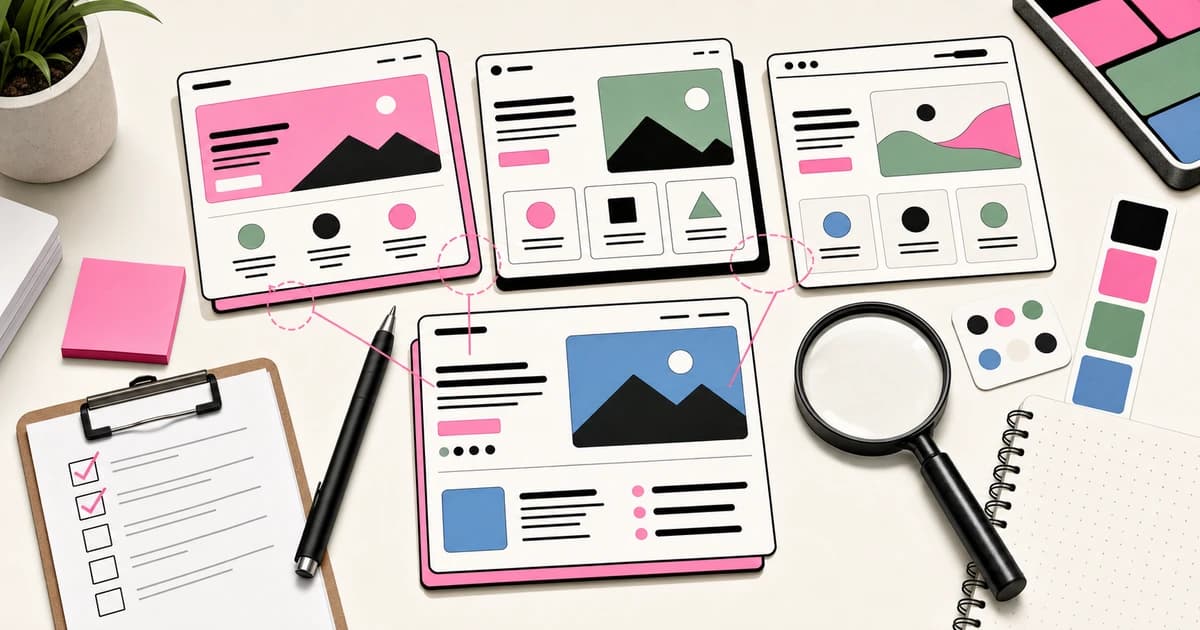
AI Design Slop: 16 Patterns That Out Your App as Vibe-Coded
Adrian Krebs scored 1,590 Show HN landing pages against 16 AI design patterns. 22% were heavy slop, 32% mild, 46% clean....
7 min read
Claude
Claude Opus 5 in 8 Minutes: What Developers Need to Know
Claude Opus 5 ships today with Frontier-Bench SOTA, near-Fable-5 coding at half the price, and self-verification that ca...
8 min read
Claude
Claude Opus 4.8 Is an Agent Honesty Release
Claude Opus 4.8 looks like a benchmark bump, but the developer story is better honesty, dynamic workflows, and effort co...
5 min read
News
Anthropic Cuts Fable 5 Biology Fallbacks by 85%: What the Safeguard Tuning Means for Developers
Anthropic retuned Claude Fable 5's biology classifiers on August 7, cutting biology-related fallbacks by about 85% while...
Build with the member tools

Get Smarter About AI Dev
New tutorials, open-source projects, and deep dives on coding agents - delivered weekly.
One email per weekReal code, not theoryFree forever