Cursor: The AI-Powered Code Editor That Changed How Developers Work
AI Tools Deep Dive
20 parts- 1Claude Design: Anthropic's Bet That Designers and Developers Want the Same Tool
- 2The 10 Best AI Coding Tools in 2026
- 3Cursor: The AI-Powered Code Editor That Changed How Developers WorkCurrent
- 4OpenAI Codex: Terminal and Cloud AI Coding Agent
- 5Gemini CLI Guide: 1M Token Context and Who Can Still Use It
- 6Kimi K2: Fast, Cheap, and Efficient Coding
- 7GitHub Copilot in 2026: Still Worth It for TypeScript Developers?
- 8Aider vs Claude Code: Open Source vs Commercial AI Coding CLI
- 9Aider vs Claude Code in 2026: Git-First Open Source vs Subagent Runtime
- 10Every AI Coding Tool Compared: The 2026 Matrix
- 11Qwen3.6-27B Is the Local Coding Model to Test First
- 12Zed Just Made Parallel AI Agents a Native Editor Primitive
- 13Warp Open Sourced the Terminal. The Real Story Is Agent Operations
- 14AI Design Slop: 16 Patterns That Mark a Site as Vibe-Coded
- 15The Claude Design Moment: AI Design Skills Just Got Their Breakout Week
- 16Codeburn: The First TUI That Actually Shows Where Your Claude Max Subscription Is Going
- 17Promptlock: Deterministic Prompt Versioning for LLM Apps
- 18Agent Replays with TraceTrail: Loom for Agent Runs
- 19Hookyard Shows Why Claude Code Hooks Need a Package Manager
- 20MCP Lens: Wireshark for Model Context Protocol Servers
TL;DR
Cursor is an AI code editor built on VS Code. A hands-on look at Composer multi-file edits, Command+K inline editing, model selection and pricing tiers.
Last updated: May 23, 2026
Official Sources#
| Resource | Link |
|---|---|
| Cursor Docs | docs.cursor.com |
| Cursor Pricing | cursor.com/pricing |
| Cursor Changelog | cursor.com/changelog |
| Cursor Composer Docs | docs.cursor.com/tab/composer |
| Cursor Settings Reference | docs.cursor.com/settings |
| Cursor Keyboard Shortcuts | docs.cursor.com/keyboard-shortcuts |
May 2026 Update: Cursor has evolved significantly since this guide was originally published. Current highlights include Cursor 3.2 with Composer 2 (their in-house model, 4x faster than GPT-4), async subagents via
/multitask, improved git worktrees for parallel agent work, multi-root workspaces for cross-repo changes, and the Cursor SDK for building programmatic agents. Pricing now includes Pro ($20/mo), Pro+ with premium requests, and Business tiers. The core concepts below remain valid - the VS Code foundation, composer workflow, and inline editing are still central to Cursor's experience - but the AI capabilities have advanced substantially.
Cursor has gone from an early-stage open-source project to one of the most talked-about developer tools in the AI coding space. When it first launched, it was a relatively simple code editor with some AI features bolted on. Now it is a full-featured IDE with deep integration of frontier language models, a composer view for multi-file edits, and an inline editing workflow that genuinely changes how fast you can build software.
What makes Cursor different from just using GitHub Copilot inside VS Code is the degree to which AI is woven into the editing experience. It is not an autocomplete plugin. It is an editor built from the ground up around the idea that you should be able to describe changes in natural language, see diffs applied across multiple files, and iterate on those changes without leaving the editor.
From VS Code to Cursor#
If you are a VS Code user, the migration is nearly seamless. Cursor is built on the same foundation, so your extensions, keybindings, themes, and settings all carry over. The interface looks and feels familiar because it is familiar. The team made a deliberate choice not to reinvent the editor chrome. Instead, they focused their energy on the AI features layered on top.
For broader context, pair this with Cursor vs Claude Code in 2026 - Which Should You Use? and Every AI Coding Tool Compared: The 2026 Matrix; those companion pieces show where this fits in the wider AI developer workflow.
This means you do not have to learn a new tool from scratch. You open Cursor, and everything you know about VS Code still applies. The file explorer, the terminal, the command palette, split views, the settings menu - all of it works the same way. The difference is what happens when you start talking to the AI.
Pricing and Access#
Cursor offers a free tier to get started. You get a 2-week free trial with 2,000 completions, 50 slow premium requests, and 200 uses of Cursor's smaller model. This is enough to get a real feel for the tool before committing to a paid plan.
The Pro tier runs $20 per month. With that you get unlimited completions, 50 fast premium completions per month, and unlimited slow premium requests. The distinction between fast and slow matters in practice. Fast requests use dedicated inference capacity and return results almost immediately. Slow requests queue behind other users and can take a few extra seconds.
Premium requests apply to frontier models like GPT-4o and Claude 3.5 Sonnet. The smaller models, including Cursor's own model (sometimes called Cursor Small), use a separate credit pool. This tiered approach means you can use the smaller, cheaper model for routine edits and save your premium credits for the situations where you need the strongest model available.
Composer View: Multi-File Editing#
The composer view is the feature that sets Cursor apart from every other AI coding tool at the time of its release. Instead of editing one file at a time with inline suggestions, the composer lets you describe a set of changes that span multiple files, and the model applies diffs across all of them simultaneously.
Here is a concrete example. Say you have a Next.js application with a header component, a footer component, and a main page. You notice three things: the page title disappears on mobile, the footer nav items should stack into two columns on small screens, and you want a subtle gradient on the background. In a traditional workflow, you would open each file, make the changes manually, and test between each edit.
In Cursor's composer, you type all three requests at once. The model analyzes the codebase, identifies which files need changes, and generates diffs for each one. You see a preview of every change before accepting anything. You can tab through the diffs one by one, and for each one, you press Command+Enter to accept. Reject the ones you do not want. Once you accept, the changes are applied and you refresh the page to see the results.
This workflow is dramatically faster than the file-by-file approach. For a set of three related UI changes, what would normally take 10 to 15 minutes of manual editing collapses into about 30 seconds of describing what you want and reviewing the output.
Inline Editing with Command+K#
Beyond the composer, Cursor has a powerful inline editing mode triggered by Command+K. This is closer to the traditional AI coding assistant experience, but with a few key differences.
You can highlight a block of code and describe what you want changed. The model generates a diff, and you see exactly what will change before accepting. This is useful for targeted edits where you know exactly which code needs to change but want the AI to handle the implementation.
The inline editor also works for generating code from scratch. Highlight an empty area, describe a component or function, and the model writes it. This works well for boilerplate, utility functions, and UI components where you know the shape of what you want but do not want to type it out manually.
One particularly useful feature: if you break your code and see errors in the Problems panel, you can click "Fix with AI" directly from the error. The model reads the error message, inspects the relevant code, and applies a fix. For TypeScript type errors spread across multiple files, this can save significant time.
Model Selection#
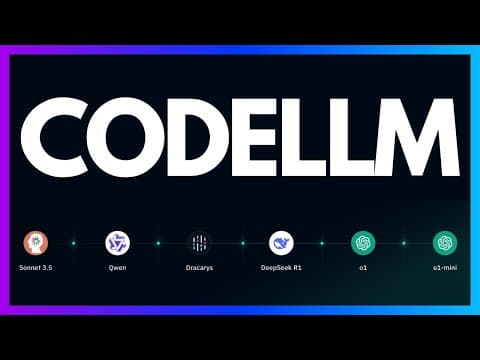
Cursor gives you control over which model handles each request. At the time of recording, the available options include Claude 3.5 Sonnet, GPT-4o, GPT-4o Mini, and Cursor's own smaller model. Each has different strengths.
For complex multi-file refactors and architectural decisions, Claude 3.5 Sonnet and GPT-4o tend to produce the best results. For quick inline edits, formatting changes, and simple generations, the smaller models work fine and save your premium credits.
You can also bring your own API keys. If you have an OpenAI or Anthropic API key, you can plug it directly into Cursor and use it instead of the built-in credit system. This is useful for teams that already have API access and want to manage their own usage.
The Chat Interface#
Cursor includes a chat panel accessible with Command+L. This is not just a ChatGPT wrapper. The chat has the ability to reference specific files, folders, your entire codebase, web search results, git history, and documentation.
The file and folder context is the most useful part. You can drag in three files and say "make some suggestions on how this can be improved." The model reads the code and returns specific, actionable improvements. For each suggestion, there is an "Apply" button that generates a diff you can accept or reject. This turns the chat from a conversation into an interactive refactoring tool.
Web search integration means you can ask questions like "what is the latest version of Next.js" without leaving your editor. The model searches the web and returns a current answer. This eliminates the constant context-switching between your editor and a browser tab.
Who Is Cursor For?#
One of the most interesting things about Cursor is how broad its audience is. Beginners can use the composer to build entire pages by describing what they want. Backend engineers who do not work with CSS regularly can scaffold frontend layouts in seconds. Experienced developers can use the inline editor and chat to move faster on the tedious parts of coding while maintaining full control over the important decisions.
The speed advantage is real even for experienced developers. It is not about the AI being smarter than you. It is about the AI handling the mechanical work while you focus on the design and architecture. Writing a landing page layout, setting up boilerplate, generating CRUD endpoints, fixing type errors across a refactor - these are tasks where the AI saves meaningful time without introducing risk.
If you are coming from GitHub Copilot, the jump to Cursor is worth trying. Copilot is excellent for inline completions, but Cursor's composer view and multi-file editing are a fundamentally different workflow. It is the difference between having autocomplete that finishes your sentences and having a pair programmer that can read your entire codebase and apply changes across it.
Terminal Commands#
A small but useful feature: Command+K also works in the integrated terminal. If you forget the exact command to install a package or run a script, you can describe what you want and the model generates the terminal command. This is helpful for tools with complex CLI flags or for developers who switch between package managers.
Practical Considerations#
Cursor is not perfect. The model sometimes misunderstands the scope of a change, or generates code that is syntactically correct but does not match your project's conventions. The chat suggestions are not always actionable. And for very large codebases, the context window limitations of the underlying models can mean the AI misses relevant code in distant files.
But these are limitations of the current generation of language models, not of Cursor specifically. As the models improve, tools like Cursor are positioned to benefit directly. The editing interface, the diff preview system, the multi-file composer - these are the scaffolding that turns raw model capability into a usable workflow.
Where Cursor Fits in the Ecosystem#
Cursor sits in an increasingly crowded space alongside Windsurf, Zed, and the growing list of AI-native editors. What distinguishes it is the polish of the editing experience. The keyboard shortcuts are well thought out. The diff previews are clear. The composer handles multi-file changes gracefully. These details matter when you are using a tool for eight hours a day.
The AI coding editor landscape is evolving rapidly. Models are getting better, context windows are getting larger, and the integration points between AI and the development workflow are multiplying. Cursor's bet is that the editor is the right place to coordinate all of this. Based on the current trajectory, that bet looks solid.
Frequently Asked Questions#
Is Cursor free to use?#
Cursor offers a free tier with a 2-week trial that includes 2,000 completions, 50 slow premium requests, and 200 uses of Cursor's smaller model. After the trial, you can continue with limited free features or upgrade to Pro at $20 per month for unlimited completions and premium model access.
Is Cursor better than VS Code?#
Cursor is built on VS Code, so you get all the same features plus deep AI integration. If you use VS Code with GitHub Copilot, Cursor offers a more comprehensive AI experience with multi-file editing, composer view, and inline diffs. Your extensions, keybindings, and settings all transfer directly.
What models does Cursor support?#
Cursor supports multiple frontier models including Claude 3.5 Sonnet, GPT-4o, GPT-4o Mini, and Cursor's own smaller model. You can choose which model to use for each request, or bring your own API keys from OpenAI or Anthropic.
What is Cursor Composer?#
Cursor Composer is a multi-file editing feature that lets you describe changes spanning multiple files at once. The model analyzes your codebase, identifies which files need changes, and generates diffs for all of them simultaneously. You review and accept each change individually.
Can I use Cursor for any programming language?#
Yes. Cursor works with any language that VS Code supports since it is built on the same foundation. The AI features work across all common programming languages including JavaScript, TypeScript, Python, Go, Rust, and more.
How does Cursor compare to GitHub Copilot?#
GitHub Copilot focuses on inline completions as you type. Cursor offers a broader workflow with composer view for multi-file edits, inline editing with Command+K, chat with codebase context, and the ability to apply AI suggestions as reviewable diffs. The two serve different parts of the AI coding workflow.
What is Cursor's Composer 2 model?#
Composer 2 is Cursor's in-house AI model released in 2026. It is trained specifically for agentic coding workflows using reinforcement learning on real software engineering tasks. Cursor claims it is 4x faster than similarly intelligent models like GPT-4 while approaching frontier model quality. It uses a Mixture-of-Experts architecture and can parallelize tool calls.
What is the current Cursor pricing in 2026?#
Cursor offers a free tier with limited features, Pro at $20/month with unlimited completions and 50 fast premium requests, Pro+ with additional premium model access (including Claude Opus and GPT-5), and Business tiers for teams. Premium requests apply to frontier models while smaller models use a separate credit pool.
Can Cursor run multiple agents in parallel?#
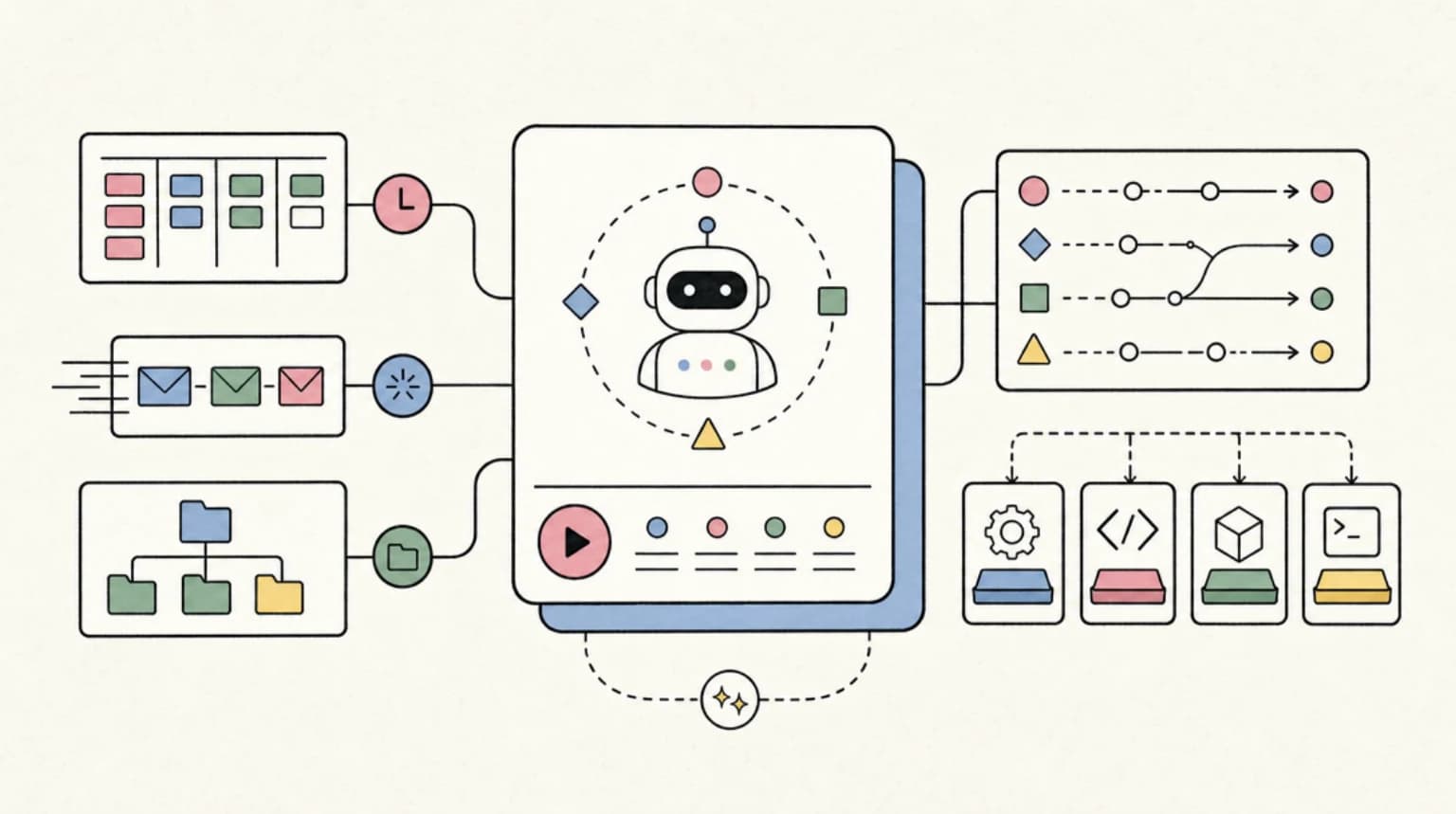
Yes. Cursor 3.x introduced async subagents via the /multitask command and improved git worktrees support. You can run multiple agents working on different tasks simultaneously, each in its own isolated workspace. The agent panel shows all running agents with their status (In Progress, Ready for Review).
How does Cursor compare to Claude Code?#
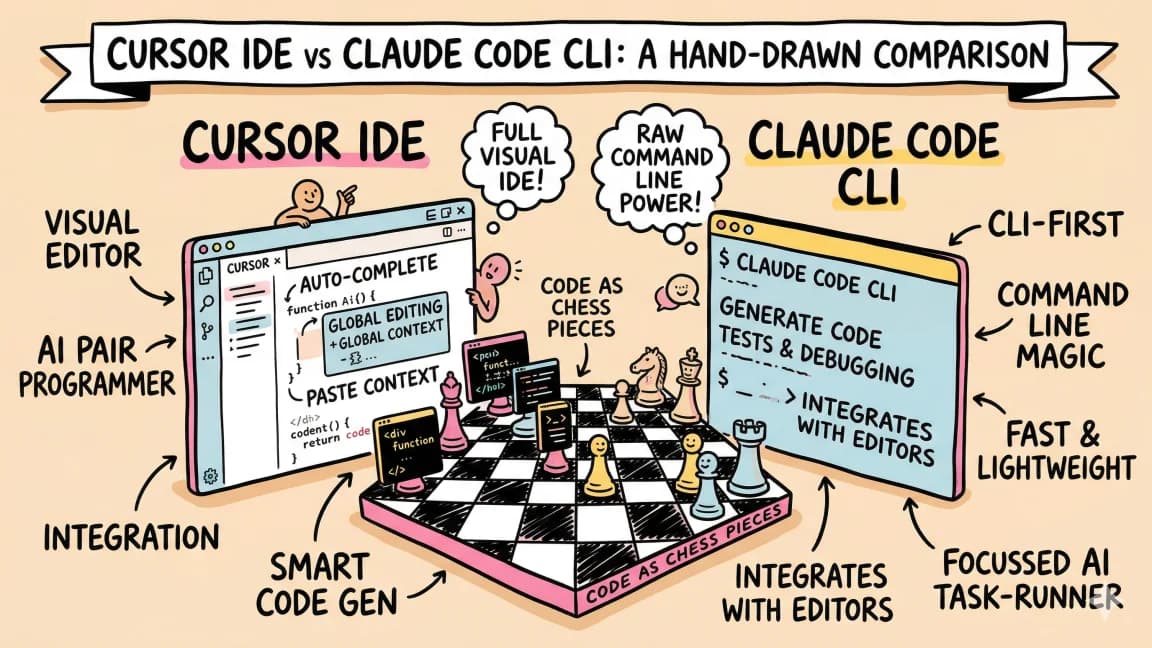
Cursor is a full IDE with visual interface, while Claude Code is a terminal-based agent. Cursor excels at visual workflows with inline diffs and composer view. Claude Code excels at autonomous long-running tasks and deep codebase understanding. Many developers use both - Cursor for interactive editing and Claude Code for complex refactors or overnight work.
Does Cursor have an SDK?#
Yes. The Cursor SDK was released in 2026, letting you build programmatic agents with the same runtime that powers the IDE. This enables custom workflows, CI/CD integration, and automated coding tasks outside the editor interface.
Continue Reading#
Get the next deep dive like this in your inbox
One email a week on Cursor and the rest of the AI dev stack. Free.
Read next on Cursor
Claude Code vs Cursor in 2026: Which Should You Use?
Claude Code vs Cursor in 2026: Claude Code for autonomous terminal-first multi-file work, Cursor for editor-native iteration. Pricing and a decision framework.
11 min readWindsurf vs Cursor: Which AI IDE for TypeScript Developers?
Windsurf vs Cursor for TypeScript. Windsurf, now Devin Desktop, has Cascade and Cursor has Composer 2.5 - how they compare on context, pricing and models.
6 min readThe 10 Best AI Coding Tools in 2026
From terminal agents to cloud IDEs - these are the AI coding tools worth using for TypeScript development in 2026.
8 min readNew here? Start with
Technical content at the intersection of AI and development. Building with AI agents, Claude Code, and modern dev tools - then showing you exactly how it works.