NotebookLM: Google's AI-Powered Research and Podcast Tool
TL;DR
Google's NotebookLM turns your documents into interactive research notebooks and AI-generated podcasts. Combined with the Illuminate experiment, these tools are redefining how people learn from dense material.
Last updated: June 11, 2026
Official Sources#
| Resource | Link |
|---|---|
| NotebookLM | notebooklm.google.com |
| NotebookLM Help Center | support.google.com/notebooklm |
| Google Illuminate | illuminate.google.com |
| Google AI Blog | blog.google/innovation-and-ai/technology/ai |
| Google AI Plans | one.google.com/about/google-ai-plans |
| Gemini API Documentation | ai.google.dev/gemini-api/docs |
Google released NotebookLM with a feature that caught the attention of the entire AI community: the ability to turn any collection of documents into an NPR-style podcast, complete with two AI hosts having a natural conversation about the material. The tool was not heavily marketed. Google put it out there, and people organically discovered it and started sharing the results. Even Andrej Karpathy described the experience as a "ChatGPT-type moment."
But the podcast generation is only part of what NotebookLM offers. At its core, it is a research and learning tool that lets you upload documents, ask questions about them, and get cited answers from your own data. The podcast feature is the viral hook. The document intelligence underneath is the real product.
What NotebookLM Actually Does#
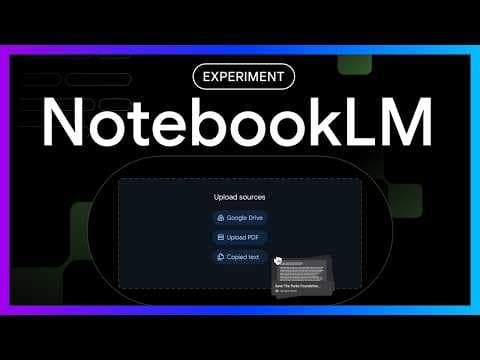
NotebookLM is available at notebooklm.google.com. You create a new notebook, upload your sources, and the tool builds an interactive research environment around them. The sources can be diverse:
For broader context, pair this with Every AI Coding Tool Compared: The 2026 Matrix and What Is an AI Coding Agent? The Complete 2026 Guide; those companion pieces show where this fits in the wider AI developer workflow.
- PDF files
- Markdown documents
- Audio files
- Google Drive documents
- Web links (including YouTube URLs)
- Pasted text
You can add up to 50 different sources per notebook on the free tier (paid Google AI plans raise this to 300). That is a substantial amount of context. For a research project, you might load in a dozen academic papers, several blog posts, a few YouTube transcripts, and some raw notes. NotebookLM ingests all of it and creates a unified interface for exploring the content.
Once your sources are loaded, the sidebar organizes them and highlights key topics that the tool has identified. From there, you have two primary interaction modes: conversational Q&A and podcast generation.
Conversational Document Q&A#
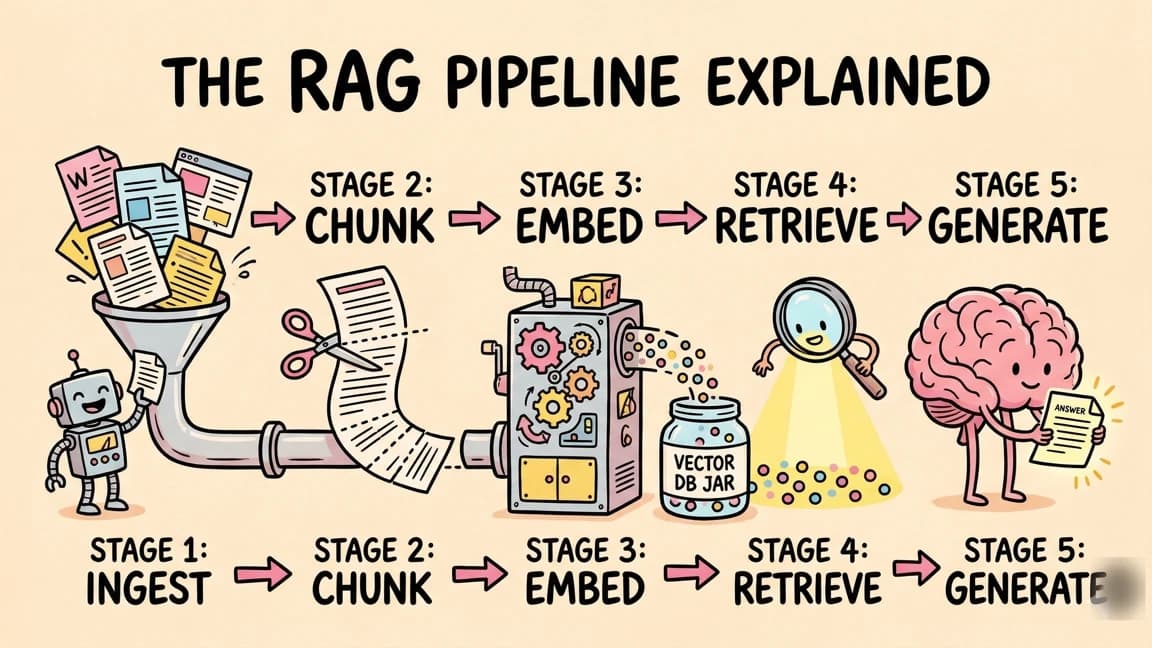
The Q&A interface works like other retrieval-augmented generation (RAG) tools, but the execution is polished. You type a question, and the model searches through your uploaded documents to find the answer. The response includes citations that link directly to the specific passages in your source material.
For example, if you loaded a collection of historical documents about the invention of the light bulb and asked "What year was the light bulb invented?", NotebookLM would search through the source material, find the relevant passages, and give you a succinct answer with references. You can click through to see exactly which documents and which passages the answer came from.
This citation system is what makes the Q&A mode useful for serious research. You are not just getting an AI-generated answer that might be hallucinated. You are getting an answer that is grounded in your specific source material, with a clear audit trail showing where each piece of information came from.
The tool also generates follow-up questions after each response, similar to what you see in Perplexity. These suggested follow-ups are contextual, based on both your question and the available source material. They are a surprisingly effective way to explore a topic you are not deeply familiar with yet. You can let the suggested questions guide you through the material.
The Audio Overview (Podcast Generation)#
The feature that went viral is the audio overview. Click "Notebook Guide" and then "Load Conversation," and NotebookLM generates a podcast-style audio discussion based on everything in your notebook. Two AI hosts have a natural back-and-forth conversation about the key topics, insights, and interesting details from your sources.
The quality is what surprised people. The hosts do not sound like text-to-speech robots reading a script. They interrupt each other, express surprise, make jokes, and emphasize points in ways that feel genuinely conversational. The NPR comparison is apt. It sounds like a well-produced segment where two knowledgeable hosts are discussing a topic they find genuinely interesting.
Here is what makes this powerful: the podcasts are generated entirely from your specific source material. You are not getting a generic overview of a topic. You are getting a detailed discussion of the exact documents you uploaded. This means you can:
- Turn a 100-page research paper into a 10-minute podcast that covers the key findings, methodology, and implications in an engaging format.
- Synthesize multiple sources by loading different documents and hearing how the hosts connect ideas across them.
- Learn passively by listening to the podcast during a commute or workout instead of reading dense documents at a desk.
The educational applications are obvious. A student can load course materials, lecture notes, and assigned readings into a single notebook and generate a podcast that reviews everything before an exam. A professional can load industry reports and competitor analyses and get a synthesized overview while driving to work. A researcher can use it to quickly understand a new field by loading foundational papers and listening to the AI hosts explain the key concepts.
Google Illuminate#
Alongside NotebookLM, Google launched Illuminate as an experimental extension. Available at illuminate.google.com, it takes a similar approach but with a more streamlined interface focused specifically on podcast generation from PDFs.
The workflow is simple:
- Paste in a PDF document
- Configure the output:
- Audience level: Beginner, General, or Expert
- Length: Quick (less than 5 minutes), Medium (5-10 minutes), or Long (10+ minutes)
- Tone: Semi-professional or Casual
- Click Generate
Within moments, you have an audio discussion tailored to your specifications. The ability to choose audience level is particularly valuable. An expert-level podcast on a machine learning paper will use technical terminology and focus on methodology details. A beginner-level version of the same paper will explain concepts from first principles and use analogies.
At launch, Illuminate offered 20 generations per day, which is generous for exploration. The generation process takes only a few minutes, making it practical to iterate. If the first podcast was too high-level, you can regenerate it at a beginner level. If it was too short, increase the length.
Why This Matters for Learning#
The traditional model for consuming dense information is reading. You sit down with a document, read it linearly, highlight passages, take notes, and try to retain the key points. This works, but it is time-intensive and does not scale well when you need to process many documents.
NotebookLM introduces two new consumption modes that complement reading:
Interactive Q&A lets you skip to the specific information you need without reading the entire document. Instead of scanning 50 pages to find the one data point you need, you ask a question and get a cited answer in seconds. This is not replacing deep reading. It is augmenting it by letting you jump to the relevant sections first and then read deeply around the areas that matter most.
Audio overviews let you consume information in contexts where reading is impractical. Commuting, exercising, cooking, or any other activity where your eyes are busy but your ears are free. The podcast format also engages different cognitive processes than reading. Hearing two people discuss a topic, emphasize certain points, and react to surprising findings creates a different kind of comprehension than silently reading the same material.
Together, these modes mean you can approach a complex research topic in layers. Listen to the podcast first for a high-level overview. Then use Q&A to dig into specific areas. Then read the source documents themselves for the details that matter most. Each layer reinforces the others.
Practical Applications#
Academic Research#
Load all the papers for a literature review into a single notebook. Generate a podcast that synthesizes the key themes, areas of agreement, and open questions. Use Q&A to trace specific claims back to their source papers. This workflow can compress days of reading into hours of more targeted research.
Business Intelligence#
Upload industry reports, earnings transcripts, and news articles about a market segment. The podcast gives you a briefing you can listen to before a meeting. The Q&A lets you quickly answer specific questions that come up during preparation.
Learning New Fields#
When entering a new technical domain, the volume of material to read can be overwhelming. Load the top 10 introductory resources into NotebookLM and let the podcast give you a structured overview. This gives you enough context to ask better questions and read more efficiently.
Content Creation#
If you are creating content about a topic, loading your research into NotebookLM and generating a podcast can reveal interesting angles and connections that you might not have noticed while reading the sources individually. The AI hosts sometimes emphasize surprising findings or draw unexpected parallels that spark new ideas.
Personal Data Analysis#
An underexplored use case is loading your own data. Upload your YouTube analytics, your writing portfolio, your business metrics, or any personal dataset. The Q&A can help you spot patterns, and the podcast can give you an outside perspective on your own information.
Sharing and Collaboration#
Notebooks in NotebookLM can be shared with others. This means a research team can build a shared notebook, upload their collective sources, and everyone gets access to the same Q&A and podcast capabilities. A professor can create a notebook for a course and share it with students, giving them an AI research assistant tuned specifically to the course material.
The sharing model also means that the podcasts themselves can be distributed. Generate an audio overview of a complex topic and share the link with colleagues who need to get up to speed quickly. It is more engaging than forwarding a PDF with "please read this before Tuesday's meeting."
Current Limitations and Considerations#
- Source limit - 50 sources per notebook is generous but could be constraining for very large research projects.
- Audio quality - While impressive, the AI voices occasionally mispronounce technical terms or proper nouns. This is noticeable but does not significantly impact comprehension.
- No real-time data - NotebookLM works with the documents you upload, not live web data. It will not include information that was published after your sources were created.
- Hallucination risk - Like all LLM-based tools, there is a risk of the model generating information that is not actually in your sources. The citation system helps catch this, but it is worth verifying important claims.
- Pricing tiers - The free tier covers 50 sources per notebook and 3 audio overviews per day. The paid Google AI plans raise the caps - Pro moves you to 300 sources per notebook and 20 audio overviews per day, per the official limits table.
What Comes Next#
The trajectory of NotebookLM points toward a future where every document, dataset, and media file you encounter can be instantly transformed into an interactive, queryable, listenable knowledge base. The podcast feature is the most visible innovation, but the underlying capability of turning unstructured documents into structured, searchable, synthesizable knowledge is what will have the most lasting impact.
When a new model launch happens and a dense 100-page research paper drops, you could feed it into NotebookLM and have a polished audio overview in minutes. When you need to prepare for a meeting about a topic outside your expertise, you could load the relevant materials and have both a podcast briefing and a Q&A interface ready in the time it would take to skim the first document.
Google's advantage here is the same one that benefits Gemini Deep Research: integration with the broader Google ecosystem. NotebookLM sources can come from Google Drive. Illuminate can process any PDF. The natural extensions include integration with Google Docs for output, Google Calendar for scheduled research briefings, and Google Workspace for team collaboration on research notebooks.
NotebookLM's free tier and the Illuminate experiment cost nothing to try. Load in something you have been meaning to read but have not gotten to, and let the AI hosts walk you through it. The experience of hearing your own research material discussed in a natural, engaging podcast format is genuinely compelling.
FAQ#
Is NotebookLM free to use?#
NotebookLM has a free tier that includes core features like document upload, Q&A, and audio overview generation (3 audio overviews per day, 50 sources per notebook). Subscribers on the paid Google AI plans (Plus, Pro, and Ultra) get higher usage limits - Pro raises that to 20 audio overviews per day and 300 sources per notebook. The free tier is sufficient for most individual research and learning use cases.
How many sources can I upload to NotebookLM?#
You can add up to 50 sources per notebook on the free tier, and up to 300 per notebook on the paid Google AI plans. Sources can include PDFs, Google Docs, Google Slides, web URLs, YouTube videos, audio files, and pasted text. Each source can be up to 500,000 words, which covers most research papers, books, and long-form documents.
What is the difference between NotebookLM and Google Illuminate?#
NotebookLM is a full research environment with Q&A capabilities, source organization, and podcast generation. Google Illuminate is a streamlined tool focused specifically on generating audio discussions from PDFs. Illuminate offers more granular control over podcast output - you can choose audience level (beginner to expert), length (5-15+ minutes), and tone. Use NotebookLM for comprehensive research workflows; use Illuminate when you just need a quick audio summary of a single document.
Can I customize the NotebookLM podcast voices or hosts?#
The AI hosts and their conversational style are generated automatically. You cannot select specific voices or change the host personalities. However, the hosts adapt their language complexity and technical depth based on the source material. Technical papers result in more technical discussions. Accessible articles result in more casual conversations.
How does NotebookLM compare to ChatGPT for document analysis?#
NotebookLM is purpose-built for document-grounded research. Every answer includes citations linking directly to source passages, making it easy to verify claims. ChatGPT can analyze uploaded documents but does not have the same citation system or podcast generation capability. NotebookLM is better for research workflows where traceability matters. ChatGPT is more flexible for general conversation and tasks beyond document analysis.
Can I share NotebookLM notebooks with others?#
Yes, notebooks can be shared with specific people or made accessible via link. Shared users can view the sources, use the Q&A interface, and generate their own audio overviews. This makes NotebookLM useful for research teams, study groups, or sharing briefings with colleagues. The original creator controls edit permissions.
What file types does NotebookLM support?#
Supported source types include PDF files, Google Docs, Google Slides, web URLs, YouTube video URLs (transcripts are extracted), audio files (with transcription), and plain text pasting. Most common research document formats work. The tool handles scanned PDFs with OCR, though accuracy depends on scan quality.
How long does it take to generate a NotebookLM podcast?#
Audio overview generation typically takes 2-5 minutes depending on the volume of source material. Illuminate podcast generation is similar. The processing time is fast enough to iterate - if the first podcast is not what you wanted, you can regenerate with different settings or add more context to your sources.
Watch the Video#
Get the next deep dive like this in your inbox
One email a week on Google and the rest of the AI dev stack. Free.
Read next
Gemini Deep Research: Google's AI Research Agent
Google's Gemini Advanced includes a deep research feature that searches dozens of websites, verifies information across multiple sources, and generates detailed cited reports. Here is how it works and how it compares to other AI research tools.
8 min readWhat is RAG? Retrieval Augmented Generation Explained
How RAG works, why it matters, and how to implement it in TypeScript. The technique that lets AI models use your data without fine-tuning.
8 min readThe Complete Guide to MCP Servers
Everything you need to know about Model Context Protocol - how it works, how to install servers, how to build your own, and the best ones.
12 min readNew here? Start with
Technical content at the intersection of AI and development. Building with AI agents, Claude Code, and modern dev tools - then showing you exactly how it works.