My AI Developer Workflow in 2026
TL;DR
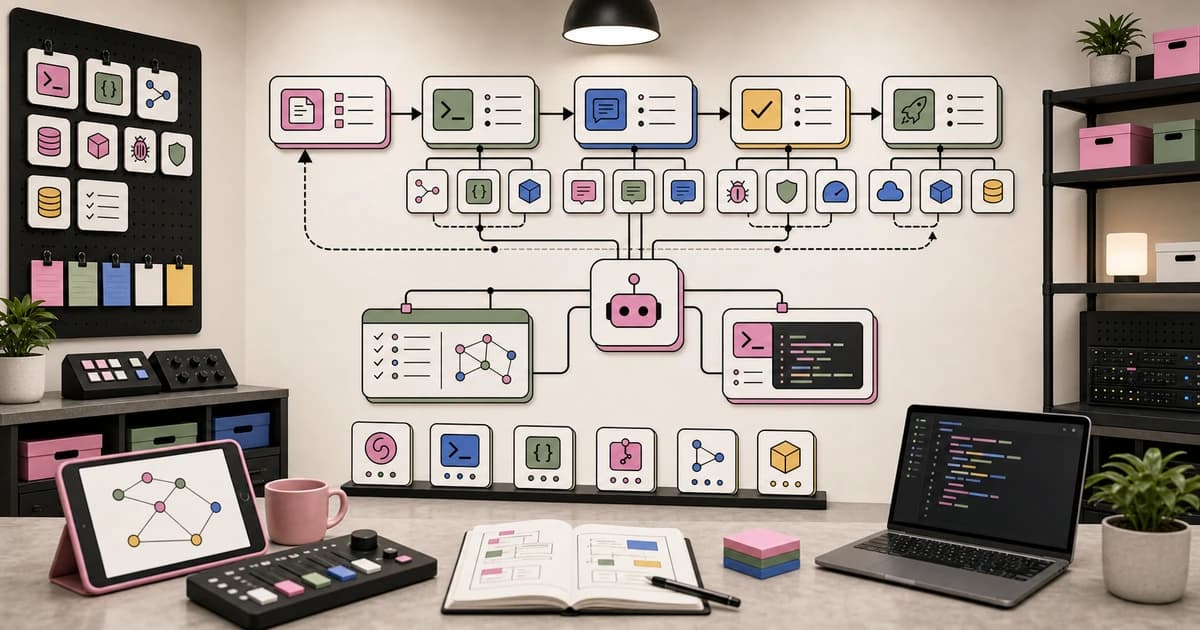
The exact tools, patterns, and processes I use to ship code 10x faster with AI. From morning briefing to production deploy.
Official Sources#
| Resource | Link |
|---|---|
| Claude Code Documentation | code.claude.com/docs |
| Claude Code Settings | Settings Reference |
| Claude Code Max Plan | Pricing |
| Cursor Documentation | cursor.com/docs |
| Cursor Pricing | cursor.com/pricing |
| Obsidian Documentation | help.obsidian.md |
| Vercel Documentation | vercel.com/docs |
| Model Context Protocol | MCP Specification |
The Stack#
I ship production TypeScript every day using four core tools. Everything else feeds into or around them.
Claude Code is the primary coding agent. It runs in the terminal, reads my entire codebase, writes and edits files, runs tests, and commits. I use the Max plan, which gives me access to the best models Anthropic ships. Most of my coding happens here.
Cursor handles visual work. When I need to see a diff side by side, review a complex UI change, or make quick edits across scattered files, Cursor's interface is faster than reading terminal output. I use it as a review layer, not a primary authoring tool.
Obsidian is the knowledge base. Every project has notes. Every video has research files, scripts, and production assets. Daily journals track what I worked on. The vault is the single source of truth for everything that is not code.
Vercel deploys everything. Push to main, it builds. No CI/CD configuration, no Docker files, no server management. The deploy step is invisible, which is exactly what I want.
There are secondary tools in the mix: Firecrawl for web scraping, Screen Studio for screen recordings, Descript for video editing, Wispr Flow for voice dictation. But the core four handle 90% of the daily workflow. You can see the full list on my uses page or browse the developer toolkit.
Morning Routine#
The day starts before I sit down. An automated briefing system runs at 6 AM, pulls data from multiple sources, and sends me an HTML email with everything I need to know.
The briefing checks:
- Email for anything urgent from overnight
- GitHub for open PRs, CI failures, and new issues
- Calendar for the day's meetings and deadlines
- Obsidian kanban boards for in-progress work
By the time I open my laptop, I already know what needs attention. Failed CI runs get fixed first. Sponsor emails get flagged for response. Everything else goes into the day's plan.
I open Obsidian, review the kanban board, and pick 2-3 priorities. This takes five minutes. The briefing system removed the 30-minute morning ritual of checking email, Slack, GitHub, and calendars manually.
The entire system is a TypeScript project that runs as a cron job. It gathers data in parallel from each source, formats it into a clean email template, and sends it via Gmail API. Building it took an afternoon. It saves me 30 minutes every morning.
The Build Loop#
Every coding session follows the same five-step pattern. It sounds rigid, but the structure is what makes it fast.
Step 1: Plan#
Before writing any code, I use Claude Code's plan mode. I describe what I want to build in plain language, and the agent outlines the approach: which files to create, which to modify, what the data flow looks like, and what edge cases to handle.
This step catches architectural mistakes before they become expensive. If the plan includes something wrong, like reaching for a library I do not use or proposing a database schema that conflicts with the existing one, I correct it here. Correcting a plan costs nothing. Correcting implemented code costs time.
The plan also primes the context window. Claude Code now has the full picture of what we are building, why, and how. That context carries through the entire session. If you want to see exactly how much of the window your plan is eating, drop it into our token estimator before the session starts.
Step 2: Build#
With the plan approved, I let Claude Code work. It creates files, writes functions, installs dependencies, and wires components together. For straightforward features, this runs autonomously for minutes at a time.
The key insight here is trust. Early on, I made the mistake of hovering over every line the agent wrote. Now I let it finish, then review. Interrupting mid-task breaks the agent's chain of reasoning and produces worse results than letting it complete and iterating.
Sub agents make this more powerful. For larger tasks, Claude Code spawns specialized workers: one for the frontend components, one for the API routes, one for the database schema. Each works in its own context, focused on its own domain. The results merge cleanly because the plan defined clear boundaries.
Step 3: Review#
This is where Cursor earns its place. I open the project, review the diffs visually, and check for issues the agent might have missed. Naming conventions, import ordering, component structure, accessibility attributes.
I also run the app locally and click through the new feature manually. AI agents are excellent at generating code that compiles. They are less reliable at generating code that feels right in the browser. Spacing, transitions, loading states, error boundaries: these need human eyes.
If something looks off, I either fix it directly in Cursor or go back to Claude Code with a targeted correction. "The button padding is wrong" or "this query runs on every render, memoize it."
Step 4: Test#
Run the test suite. Fix failures. This is straightforward but critical.
Claude Code handles test fixes well. I paste the error output, and it traces the failure back to the root cause. Most test failures after an agent-built feature come from one of two sources: the agent used a mock that does not match the real implementation, or the agent changed a function signature without updating all callers.
For projects without existing tests, I ask Claude Code to write them as part of the build step. The plan should include "write tests for X" as a discrete task.
Step 5: Ship#
Commit with a meaningful message. Push to main. Vercel handles the rest.
I commit after every meaningful change, not at the end of a session. Small, frequent commits make rollbacks trivial and make the git log useful as documentation.
Code
git add -A && git commit -m "add user preferences panel with theme selector"
git push
Vercel picks up the push, builds the project, runs the checks, and deploys to production. The feedback loop from "code written" to "live in production" is under two minutes.
From the archive
The Solo Developer's AI Toolkit in 2026
Mar 19, 2026 • 8 min read
Aider vs Claude Code: Open Source vs Commercial AI Coding CLI
Mar 19, 2026 • 5 min read
Astral Joins OpenAI: What It Means for Python Developers
Mar 19, 2026 • 4 min read
How to Build Full-Stack TypeScript Apps With AI in 2026
Mar 19, 2026 • 7 min read
Parallel Agent Patterns#
The single biggest multiplier in my workflow is running agents in parallel. When a task has independent parts, I do not do them sequentially.
Here is a concrete example. I need to add three new blog posts to this site. Each post is independent. They do not share data, templates, or logic. In a sequential workflow, I would write one, then the next, then the next. With parallel agents, I spawn three workers and all three posts get written simultaneously.
The pattern scales. When I run a site audit, I spawn four agents in parallel: one checks design consistency, one checks content gaps, one checks for broken links, and one audits SEO metadata. Each returns a report. I merge them into a single action list.
For a new feature that touches the database, the API, and the frontend, I define clear interfaces first, then spawn agents for each layer. The database agent creates the schema and migrations. The API agent builds the endpoints against the schema types. The frontend agent builds the UI against the API types. Because the interfaces are defined upfront, the pieces snap together.
The constraint is independence. If task B depends on the output of task A, they cannot run in parallel. But most development work decomposes into more independent pieces than people realize. A landing page and a dashboard page. Three API endpoints for different resources. Documentation, tests, and implementation.
I routinely spawn 5-10 agents for larger tasks. The wall clock time drops dramatically. What used to take a full afternoon finishes in an hour.
Context Management#
AI coding tools are only as good as the context you give them. I have a system for this.
CLAUDE.md#
Every project has a CLAUDE.md file at the root. This is the first thing Claude Code reads when it starts a session. It contains:
- The tech stack and architecture overview
- Design system rules (colors, spacing, component patterns)
- File conventions and naming standards
- Common tasks with step-by-step instructions
- Things to avoid (specific anti-patterns, banned libraries)
Writing this file before writing code is the single highest-leverage activity in an AI-assisted workflow. Ten minutes of CLAUDE.md saves hours of corrections. Try the CLAUDE.md generator if you want a starting point.
Memory Files#
Claude Code supports persistent memory across sessions. Corrections I make, preferences I state, patterns I approve: these get captured and replayed at the start of future sessions.
This means I correct the agent once on a naming convention, and it remembers forever. I do not re-explain my preferences. The system learns continuously from how I work.
Custom Skills#
Repeated workflows become skills: markdown files that encode a multi-step process. I have skills for writing blog posts, running QA audits, deploying to production, processing emails, and dozens of other tasks.
A skill is just a system prompt with instructions. But because it is stored in a file and version-controlled, it compounds. Every improvement to a skill applies to every future invocation. Over months, skills get sharp. They encode exactly how I want things done, with exactly the right constraints.
MCP Servers#
The Model Context Protocol connects Claude Code to external services. I use MCP servers for browser automation, web search, Linear project management, and more. Each server gives the agent structured access to a specific tool or API.
The MCP config generator helps you set these up. The key is selective access. Do not give every agent access to every server. A research agent needs web search. A coding agent needs file system access. A deployment agent needs cloud provider APIs. Scope them correctly.
Content Pipeline#
Code is only half of what I ship. The other half is content: videos, blog posts, social threads, open-source repos. The AI workflow applies here too.
Research. I use Firecrawl and web search agents to gather information on a topic. They scrape documentation, pull recent news, and summarize findings into structured notes in Obsidian. A research task that used to take two hours finishes in 20 minutes.
Script writing. Video scripts live in Obsidian as markdown. I use Wispr Flow for voice dictation when I want to think out loud, then let Claude clean up the transcript into a structured script. The faceless format means every script is written for voiceover. No face cam, no talking head. Just clear explanations over screen recordings and animations.
Recording. Screen Studio captures everything. It handles zoom, cursor effects, and export settings in one tool. I record the screen while narrating the script.
Editing. Descript turns the recording into a polished video. It transcribes automatically, so I edit by editing text. Remove a sentence from the transcript, the video cuts match. It is the fastest editing workflow I have found.
Distribution. Every published video turns into multiple pieces: a blog post on this site, social posts for X, a newsletter mention, and sometimes a GitHub repo. One piece of work, many distribution channels. The content pipeline is partially automated: agent teams handle the distribution while I move on to the next project.
Key Principles#
After a year of building this way, these are the principles that stuck.
1. Let the Agent Try First#
Do not micromanage. State the goal, provide context, and let the agent work. Intervene only when it is stuck or heading in a clearly wrong direction. The agent's first attempt is usually 80% correct, and fixing the remaining 20% is faster than writing 100% yourself.
2. Write CLAUDE.md Before Writing Code#
Context is everything. A well-written CLAUDE.md file prevents entire categories of mistakes. It is not documentation. It is instructions for your coding partner. Make it specific, opinionated, and complete.
3. Commit After Every Meaningful Change#
Small commits. Frequently. Each one should represent a coherent unit of work. This makes rollbacks trivial, makes the git log useful, and gives you clean save points to return to if the agent goes off track.
4. Use Parallel Agents for Independent Work#
Decompose tasks into independent pieces. Run them simultaneously. Review the results. Merge. This is the single biggest time multiplier in the workflow. Sequential work is the enemy of throughput.
5. Automate Repeated Workflows Into Skills#
If you do something more than twice, encode it. Write a skill file. Version control it. Let it improve over time. The compound effect of dozens of well-tuned skills is enormous. Each one saves minutes. Together they save hours every week.
6. Bias Toward Shipping#
Perfection is the enemy of shipping. Get the feature to "good enough," deploy it, and iterate based on real usage. AI tools make iteration so cheap that waiting for perfection is wasteful. Ship, observe, improve.
Results#
The honest assessment: I ship 3-5x more code than I did before adopting this workflow. That is not a precise measurement. It is a gut sense based on the volume of features, blog posts, and projects that leave my machine compared to two years ago.
The bottleneck shifted. It used to be writing code. Now it is reviewing and directing. The limiting factor is not how fast I can type or how well I know an API. It is how clearly I can describe what I want and how quickly I can evaluate what I get.
This is a fundamental change in the developer role. You spend less time inside the code and more time above it. Architecture, product decisions, quality standards, user experience. The agent handles implementation. You handle intent.
The tools are still improving. Models get smarter every quarter. Agent harnesses get more capable. MCP servers connect to more services. The workflow I described here will look primitive in a year. But the principles, letting the agent work, managing context deliberately, running tasks in parallel, shipping frequently, will hold.
If you are just starting with AI coding tools, pick one. Claude Code if you live in the terminal. Cursor if you prefer a visual IDE. Write a CLAUDE.md file. Let the agent build something small. Review the output. Iterate. The muscle memory builds fast.
The tools are ready. The question is whether your workflow is.
Frequently Asked Questions#
What tools do you use for AI-assisted development?#
The core stack is Claude Code for terminal-based coding, Cursor for visual editing and diff review, Obsidian for knowledge management, and Vercel for deployment. Claude Code handles the majority of coding work - reading files, writing code, running tests, and committing. Cursor serves as a review layer for visual diffs. Obsidian stores all project notes, research, and documentation.
How do you structure your AI coding workflow?#
Every coding session follows five steps: plan, build, review, test, ship. First, use plan mode to outline the approach before writing code. Then let the agent build autonomously. Review the diffs visually and test the feature manually. Run the test suite and fix failures. Finally, commit and push to deploy. This structure catches architectural mistakes early and produces reliable results.
What is CLAUDE.md and why is it important?#
CLAUDE.md is a markdown file at your project root that Claude Code reads at the start of every session. It contains your tech stack, design system rules, file conventions, and things to avoid. Writing this file before writing code is the highest-leverage activity in an AI workflow - ten minutes of CLAUDE.md saves hours of corrections. Use the CLAUDE.md generator for a starting point.
How do parallel agents speed up development?#
When a task has independent parts, you spawn multiple agents to work on them simultaneously instead of sequentially. For example, three independent blog posts can be written by three parallel agents. A site audit can use four agents - one for design, one for content, one for links, one for SEO. This pattern can reduce wall-clock time from hours to minutes for larger tasks.
Can beginners use this AI developer workflow?#
Yes, but start simple. Pick one tool - Claude Code for terminal users, Cursor for IDE users. Write a CLAUDE.md file describing your stack. Let the agent build something small. Review the output and iterate. The muscle memory builds fast. As you get comfortable, add parallel agents, custom skills, and MCP servers. The core principles apply at every skill level.
How much faster is AI-assisted development?#
The honest assessment is 3-5x more output compared to traditional development. This is not a precise measurement - it is based on the volume of features, posts, and projects shipped. The bottleneck shifts from writing code to reviewing and directing. You spend less time inside the code and more time on architecture, product decisions, and quality standards.
What are Claude Code skills and how do you use them?#
Skills are markdown files that encode multi-step workflows. They turn repeated tasks into reusable commands - writing blog posts, running QA audits, deploying to production. Each skill is a system prompt with specific instructions, stored in a file and version-controlled. Over time, skills get sharper and encode exactly how you want things done. The compound effect saves hours every week.
How do you handle context and memory across AI sessions?#
Three layers: CLAUDE.md for project-level rules (committed to git), Claude Code's memory system for persistent preferences across sessions, and custom skills for repeated workflows. When you correct the agent once, it remembers forever through the memory system. Combined with MCP servers for external service access, these layers give the agent all the context it needs without re-explaining every session.
Read next
The Agentic Development Tech Stack for 2026
Coding changed more in the past two years than in the previous decade. We moved from manual typing to autocomplete, then to multi-file edits.
12 min readThe 10 Best AI Coding Tools in 2026
From terminal agents to cloud IDEs - these are the AI coding tools worth using for TypeScript development in 2026.
8 min readShip Code While You Sleep: The Overnight Agent Workflow
How to spec agent tasks that run overnight and wake up to verified, reviewable code. The spec format, pipeline, and review workflow.
11 min readShare
Developers Digest
Technical content at the intersection of AI and development. Building with AI agents, Claude Code, and modern dev tools - then showing you exactly how it works.
300+ videos30K+ GitHub stars850+ articles
Try These Tools
Related Tools
Productivity

Raycast
Keyboard-first Mac launcher with built-in AI. 32+ models, 1,500+ extensions, clipboard history, window management, snipp...
View ToolAI Models

Claude Opus 4.7
Anthropic's flagship reasoning model. Best-in-class for coding, long-context analysis, and agentic workflows. 1M token c...
View ToolProductivitySelf-hosted

n8n
Workflow automation platform with native AI agent building. Visual editor plus JavaScript/Python code nodes, 500+ integr...
View ToolProductivityNew
A
AgentCanvas
A hosted infinite canvas your headless AI agents drive over MCP. Any MCP-speaking agent - Claude Code, Codex, Cursor, or...
View ToolApps from Developers Digest
Developer ToolsIn Progress
Workflow Autopilot Builder
Define AI-assisted business automations without locking the workflow to one vendor.
View AppDeveloper ToolsIn Progress
Agent Workflow Hub
Queue and organize repeatable agent workflows before they become production automations.
View AppDeveloper ToolsIn Progress
Prompt Ops Dashboard
Track prompt versions, test runs, ownership, and deployment readiness for AI workflows.
View AppRelated Guides
Guide
Claude Code Setup Guide
Configure Claude Code for maximum productivity -- CLAUDE.md, sub-agents, MCP servers, and autonomous workflows.
AI AgentsGuide
Claude Code Complete Course
A complete, citation-backed Claude Code course with setup, prompting systems, MCP, CI, security, cost controls, and capstone workflows.
ai-developmentGuide
Migrating from Cursor to Claude Code
A concrete step-by-step guide to moving your development workflow from Cursor to Claude Code - settings, rules, keybindings, and the habits that transfer.
Getting StartedRelated Videos
Streamline Your Git Workflow with GitKraken and Claude Code
Try out GitKraken here: https://gitkraken.cello.so/myw3K67IkCr to get 50% GitKraken Pro. In this video, we explore GitKraken, a robust Git GUI that not only visualizes your Git repository...
Video·
AI Tools Every Developer Should Know in 2025
Courses: https://links.zerotomastery.io/Courses/DD/Jan25 AI Courses: https://links.zerotomastery.io/AICourses/DD/Jan25 Career Path Quiz: https://links.zerotomastery.io/CPQuiz/DD/Jan25 Prompt...
Video·
Build Your Own AI Review & Documentation Workflows in 8 Minutes
Workflow Automation with Patched: Beyond the Inner Loop of Software Development https://www.patched.codes/ https://github.com/patched-codes/patchwork https://docs.patched.codes/overview In...
Video·
Related Posts

12 min read
AI
The Agentic Development Tech Stack for 2026
Coding changed more in the past two years than in the previous decade. We moved from manual typing to autocomplete, then...

8 min read
AI Coding
The 10 Best AI Coding Tools in 2026
From terminal agents to cloud IDEs - these are the AI coding tools worth using for TypeScript development in 2026.
11 min read
AI Agents
Ship Code While You Sleep: The Overnight Agent Workflow
How to spec agent tasks that run overnight and wake up to verified, reviewable code. The spec format, pipeline, and revi...

10 min read
MCP
Best MCP Servers in 2026: The Developer Shortlist
A practical ranked list of MCP servers worth installing first for Claude Code, Cursor, Copilot, Codex, and OpenCode: Git...
12 min read
MCP
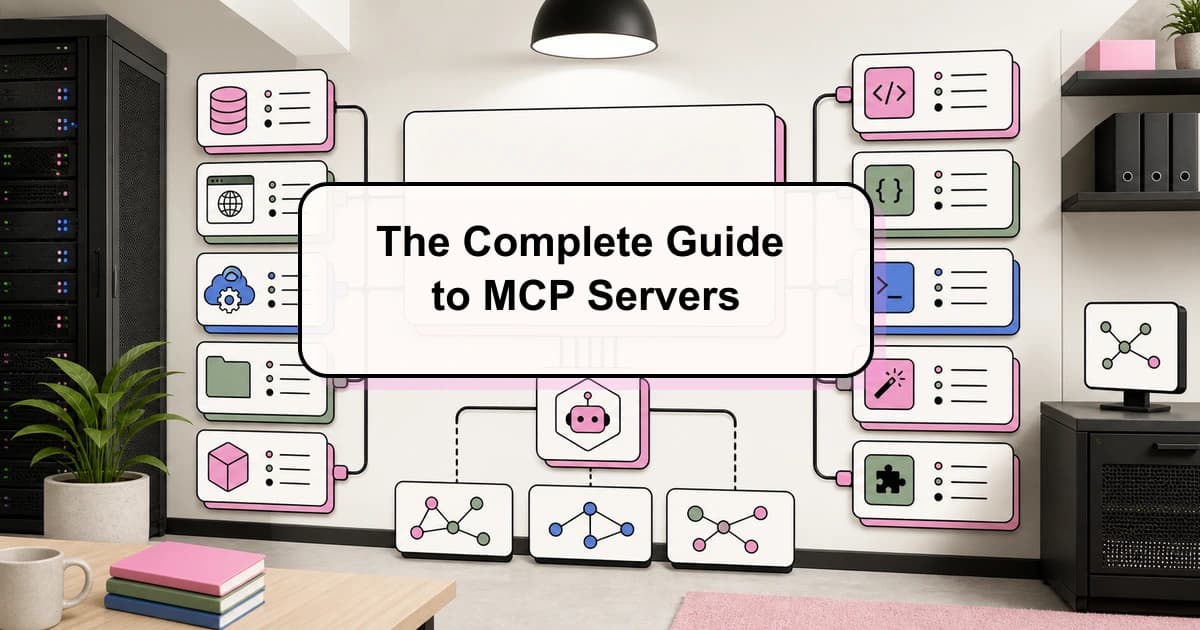
The Complete Guide to MCP Servers
Everything you need to know about Model Context Protocol - how it works, how to install servers, how to build your own,...
25 min read
Claude Code
60 Claude Code Tips and Tricks for Power Users
The definitive collection of Claude Code tips - sub-agents, hooks, worktrees, MCP, custom agents, keyboard shortcuts, an...
Build with the member tools

Get Smarter About AI Dev
New tutorials, open-source projects, and deep dives on coding agents - delivered weekly.
One email per weekReal code, not theoryFree forever