How to Build Full-Stack TypeScript Apps With AI in 2026

TL;DR
A practical guide to building Next.js apps using Claude Code, Cursor, and the modern TypeScript AI stack.
Official Sources#
| Resource | Link |
|---|---|
| Next.js Documentation | nextjs.org/docs |
| Convex Documentation | docs.convex.dev |
| Clerk Documentation | clerk.com/docs |
| Claude Code Overview | docs.anthropic.com/en/docs/claude-code |
| Cursor Documentation | docs.cursor.com |
| Vercel Documentation | vercel.com/docs |
The Stack That Wins#
Most "build with AI" tutorials skip the part that actually matters: picking the right foundation. Your AI coding tools are only as good as the stack underneath them. Choose services that reduce boilerplate, and the AI has less room to hallucinate. For the strategic version of this stack choice, read the agentic development stack and the Next.js AI app stack guide.
Here is the stack that works in 2026:
- Next.js 16 for the frontend, API routes, and server components
- Convex for the database, real-time sync, and server functions
- Clerk for authentication, organizations, and billing
- Claude Code for scaffolding and heavy lifting
- Cursor for polish, iteration, and visual refinement
- Vercel for deployment
Each of these tools is TypeScript-native. That matters. When your entire stack shares a type system, AI tools can reason about your code end-to-end. A Convex schema informs your API routes, which inform your React components. The AI sees one language, one type graph, one project. The same principle is why the TypeScript patterns for AI developers guide focuses on explicit schemas, discriminated unions, and typed tool boundaries.
Step 1: Scaffold With Claude Code#
Start in the terminal. Claude Code works best when you give it a clear, bounded task with real context.
Terminal
npx create-convex@latest my-app --template nextjs-clerk
cd my-app
This gives you a Next.js project pre-wired with Convex and Clerk. The installation includes rules files that teach your AI tools how the stack works. Now open Claude Code and give it your first prompt:
Code
Set up a SaaS app with:
- Clerk auth with Google OAuth
- Convex schema for projects (name, description, userId, createdAt)
- A protected dashboard that lists the user's projects
- A create project form with validation
Claude Code will generate the Convex schema, mutations, queries, middleware, and React components in one pass. The key is that it has real files to work with. It reads your convex/ directory, understands the Clerk integration, and produces code that fits.
A few rules for better results:
Be specific about data. "A projects table" is vague. "A projects table with name (string, required), description (string, optional), userId (string, indexed), and createdAt (number)" gives the AI what it needs to generate correct schema definitions and TypeScript types.
Set up API keys first. Configure your Clerk publishable key, Convex URL, and any third-party API keys before you start prompting. AI tools produce better code when they can validate against real endpoints.
Keep prompts focused. One feature per prompt. "Add a project creation form with Zod validation" is better than "build the whole dashboard with forms, tables, search, and pagination." If you want a starting set of focused-feature prompts to crib from, our prompt library is grouped by exactly this kind of task.
Step 2: Build Features Iteratively#
Once the foundation exists, you layer features. Each prompt builds on the last.
Code
Add a settings page where users can update their display name
and notification preferences. Store preferences in Convex.
Use Clerk's useUser() for the current user.
Then:
Code
Add real-time collaboration: when a user edits a project,
other team members see changes instantly via Convex subscriptions.
Then:
Code
Add role-based access. Organization admins can delete any project.
Members can only edit their own. Use Clerk's org permissions.
Each prompt is small and testable. You verify the output, commit, and move on. This mirrors how experienced developers work with AI tools: small iterations, frequent verification, version control at every checkpoint.
The TypeScript compiler catches most structural mistakes immediately. If Claude Code generates a mutation that expects a field your schema does not have, tsc flags it before you even run the app. This feedback loop is why TypeScript matters so much for AI-assisted development.
From the archive
60 Claude Code Tips and Tricks for Power Users
Mar 19, 2026 • 25 min read
Claude Code vs Cursor in 2026: Which Should You Use?
Mar 19, 2026 • 5 min read
Claude vs GPT for Coding: Which Model Writes Better TypeScript?
Mar 19, 2026 • 9 min read
Cursor Composer 2: Everything You Need to Know
Mar 19, 2026 • 5 min read
Step 3: Polish With Cursor#
Cursor excels at the refinement phase. Where Claude Code is best for generating new files and wiring up integrations, Cursor's inline editing and multi-file awareness make it ideal for:
- Tightening component layouts and spacing
- Fixing type errors across multiple files at once
- Refactoring repetitive patterns into shared utilities
- Adding loading states, error boundaries, and edge case handling
Open your project in Cursor and use the agent panel. Start with visual issues:
Code
The project cards look flat. Add subtle shadows, consistent padding,
and a hover state that lifts the card slightly.
Make it match the rest of the Tailwind design system.
Then move to code quality:
Code
Extract the Convex query patterns in the dashboard into a custom hook.
Add proper loading and error states to every data-fetching component.
Cursor's speed advantage shows up here. Refinement is inherently iterative. You make a change, check the result, adjust, repeat. Faster completions mean tighter loops.
Step 4: Deploy to Vercel#
Deployment with this stack is three commands:
Terminal
npx convex deploy
vercel --prod
Convex deploys your backend functions and schema to production. Vercel deploys your Next.js app. Clerk has a toggle in the dashboard to switch from development to production mode.
Set your environment variables in Vercel:
Code
NEXT_PUBLIC_CLERK_PUBLISHABLE_KEY=pk_live_...
CLERK_SECRET_KEY=sk_live_...
NEXT_PUBLIC_CONVEX_URL=https://your-project.convex.cloud
Push to main, and Vercel auto-deploys. Your app is live with authentication, real-time data, and a production database. No Docker, no Kubernetes, no infrastructure to manage.
When to Use Which Tool#
The biggest mistake developers make with AI coding tools is using one tool for everything. Each tool has a sweet spot:
Claude Code is best for greenfield scaffolding, complex integrations, and tasks that require reading and modifying many files. It runs in your terminal, has access to your full project, and generates code that fits your existing patterns. Use it when you need to wire up a new feature end-to-end.
Cursor is best for iteration, refactoring, and visual polish. Its inline editing and fast completions make it ideal for the dozens of small adjustments that turn a working prototype into a polished product. Use it when the feature exists but needs refinement.
Both tools together produce the fastest workflow. Scaffold with Claude Code, iterate with Cursor. The handoff is natural: Claude Code generates the files, you open them in Cursor, and refine from there. For the direct decision path, see Claude Code vs Cursor and the broader Claude Code vs Cursor vs Codex breakdown.
When you want the working shape of an idea before committing to a full project, a scaffold is more than you need. For that first look, App Builder turns a prompt into a single-file app with a live preview you can watch run and revise in chat, no toolchain to stand up first.
The TypeScript Advantage#
This workflow depends on TypeScript. Without static types, AI tools produce code that looks right but breaks at runtime. With TypeScript, the compiler acts as an automated reviewer that catches mistakes the AI makes.
Convex takes this further. Its schema definitions generate TypeScript types that flow through your entire application. When you change a field name in your schema, every query, mutation, and component that references it gets a type error. The AI can then fix all of those errors in one pass because the type system tells it exactly what changed.
This is why the "TypeScript everywhere" approach works so well with AI. The type system is the context. It tells the AI what your data looks like, what your functions accept, and what your components expect. More context means better code generation.
What This Looks Like in Practice#
A realistic timeline for a production SaaS using this workflow:
- Hour 1: Scaffold the project, configure auth, define schema, generate the dashboard
- Hour 2: Add core features (CRUD operations, real-time updates, file uploads)
- Hour 3: Add billing with Clerk, organization support, role-based access
- Hour 4: Polish the UI, add error handling, write edge case tests
- Hours 5-6: Deploy, configure production environment, test the payment flow
Six hours to a deployed, authenticated, real-time SaaS application with billing. That is not a demo. That is a product you can put in front of customers.
The tools are not magic. You still need to understand what you are building, verify every output, and make architectural decisions. But the mechanical work of writing boilerplate, configuring services, and wiring components together is now handled by AI.
Go Deeper#
If you want to learn these tools in depth, check out the courses on this site:
- AI Development Fundamentals covers API integration, streaming, and production patterns
- Vercel AI SDK walks through building AI-powered interfaces with TypeScript
- Agentic Coding dives into multi-step AI workflows and autonomous code generation
The stack is set. The tools are ready. The only variable left is what you decide to build.
Frequently Asked Questions#
What is the best stack for building apps with AI in 2026?#
The recommended stack is Next.js 16 for the frontend, Convex for the database and real-time sync, Clerk for authentication, Claude Code for scaffolding, and Cursor for iteration. This stack is fully TypeScript-native, which allows AI tools to reason about your code end-to-end. The shared type system between your database schema, API routes, and React components reduces AI hallucinations and catches errors at compile time.
Should I use Claude Code or Cursor?#
Use both. Claude Code excels at greenfield scaffolding, complex integrations, and tasks that touch many files. It runs in your terminal with full project access. Cursor excels at iteration, refactoring, and visual polish with fast inline editing. The ideal workflow is to scaffold with Claude Code, then refine with Cursor.
How long does it take to build a SaaS app with AI tools?#
With the TypeScript stack described in this guide, you can go from zero to a deployed SaaS with authentication, real-time data, and billing in about six hours. This includes the dashboard, CRUD operations, organization support, role-based access, and production deployment. The AI handles boilerplate and wiring while you make architectural decisions and verify output.
Do I need to know how to code to build apps with AI?#
You need enough programming knowledge to review AI output, catch bugs, and make architectural decisions. AI tools accelerate development but do not replace understanding. Developers who know TypeScript, React, and database design get dramatically better results than those prompting blind. The AI amplifies your existing knowledge - it does not substitute for it.
Why does TypeScript matter for AI-assisted development?#
TypeScript provides the context AI tools need to generate accurate code. The compiler catches structural mistakes immediately, acting as an automated reviewer. When your schema, API, and components share types, the AI can reason about your entire application. A type error tells both you and the AI exactly what went wrong and where. Without static types, AI code looks correct but breaks at runtime.
Can I use this stack with other AI coding tools?#
Yes. The Convex, Clerk, and Next.js stack works with any AI coding tool that can read TypeScript files. Copilot, Codex, Windsurf, and other tools all benefit from the same TypeScript-native architecture. Claude Code and Cursor are recommended because they offer the best agentic capabilities for multi-file operations, but the stack is tool-agnostic.
What is the cost of this stack?#
Convex and Clerk both have generous free tiers suitable for development and early production. Vercel has a free hobby tier for deployment. Claude Code requires an Anthropic subscription (Pro at $20/mo or Max at $200/mo). Cursor Pro is $20/mo. A production SaaS with real users will cost $40-50/month minimum for the AI tools, plus usage-based costs for Convex and Clerk as you scale.
How do I handle errors and edge cases with AI-generated code?#
Add error handling as a dedicated iteration step after core features work. Prompt your AI tool to "add proper loading and error states to every data-fetching component" and let it update multiple files in one pass. The TypeScript compiler surfaces missing error handling as type errors when you use strict null checks. Always review AI-generated error boundaries before shipping to production.
Read next
The Next.js AI App Stack for 2026
The definitive full-stack setup for building AI-powered apps in 2026. Next.js 16, Vercel AI SDK, Convex, Clerk, and Tailwind - why each piece matters and how they fit together.
12 min readBuilding a SaaS with Claude Code: End-to-End Guide
How to go from idea to deployed SaaS product using Claude Code as your primary development tool. Project setup, feature building, deployment, and iteration.
10 min readVibe Coding in 2026: Build Fast Without Losing the Plot
Vibe coding works when you pair natural-language building with repo context, tests, diff review, security checks, and rollback. Here is the practical workflow for Claude Code, Cursor, Codex, v0, Lovable, and Bolt.
10 min readShare
Developers Digest
Technical content at the intersection of AI and development. Building with AI agents, Claude Code, and modern dev tools - then showing you exactly how it works.
300+ videos30K+ GitHub stars850+ articles
Try These Tools
Related Tools
AI Coding68K views

Lovable
AI app builder - describe what you want, get a deployed full-stack app with React, Supabase, and auth. No coding requi...
View ToolAI Coding

Bolt
StackBlitz's in-browser AI app builder. Full-stack apps from a prompt - runs Node.js, installs packages, and deploys....
View ToolAI Coding

Replit Agent
Full-stack AI dev environment in the browser. Describe an app, get a deployed project with database, auth, and hosting....
View ToolAI FrameworksEssential

Vercel AI SDK
The TypeScript toolkit for building AI apps. Unified API across OpenAI, Anthropic, Google. Streaming, tool calling, stru...
View ToolApps from Developers Digest
Related Guides
Guide
Building Your First MCP Server
Step-by-step guide to building an MCP server in TypeScript - from project setup to tool definitions, resource handling, testing, and deployment.
AI AgentsGuide
Getting Started with DevDigest CLI
Install the dd CLI and scaffold your first AI-powered app in under a minute.
Getting StartedGuide
Interactive Mode - Claude Code
Real-time prompt loop with history, completions, and multiline input.
Claude CodeRelated Videos

Build Full-Stack Apps with Deep Agent in 8 Minutes
Check out Deep Agent here: https://deepagent.abacus.ai/ In this video, learn how to build a full stack application using Deep Agent, a platform by Abacus AI. We'll create a Twitter clone with...
Video·

Build Full-Stack Apps in Minutes with Hostinger Horizons
Get a free trial TODAY with Hostinger Horizons and use my code DEVDIGEST to get 10% off your first month: https://www.hostinger.com/devdigest In this video, I'm showcasing Hostinger Horizons,...
Video·
Building AI Powered Full-Stack Web Apps with CopilotKit + CrewAI
Check out CopilotKit on GitHub at https://go.copilotkit.ai/copilotkit to view the demo + more featured in this video. While you're there, star ⭐️ their repository and support open source....
Video·
Related Posts
12 min read
Next.js
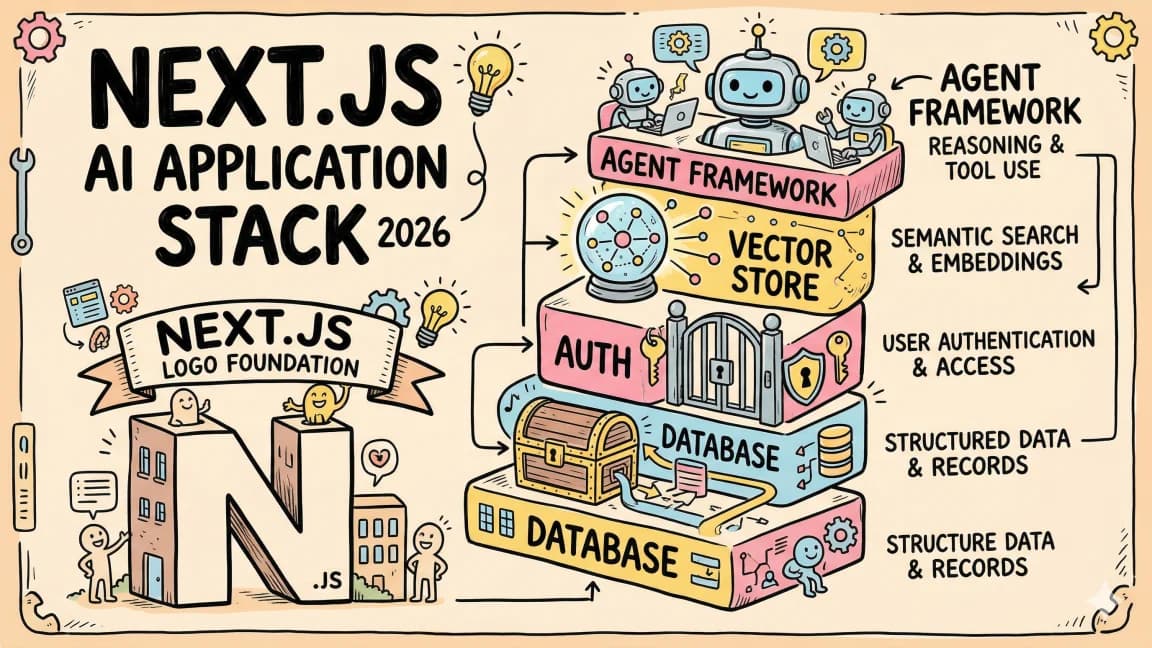
The Next.js AI App Stack for 2026
The definitive full-stack setup for building AI-powered apps in 2026. Next.js 16, Vercel AI SDK, Convex, Clerk, and Tail...

10 min read
Claude Code
Building a SaaS with Claude Code: End-to-End Guide
How to go from idea to deployed SaaS product using Claude Code as your primary development tool. Project setup, feature...
10 min read
Vibe Coding
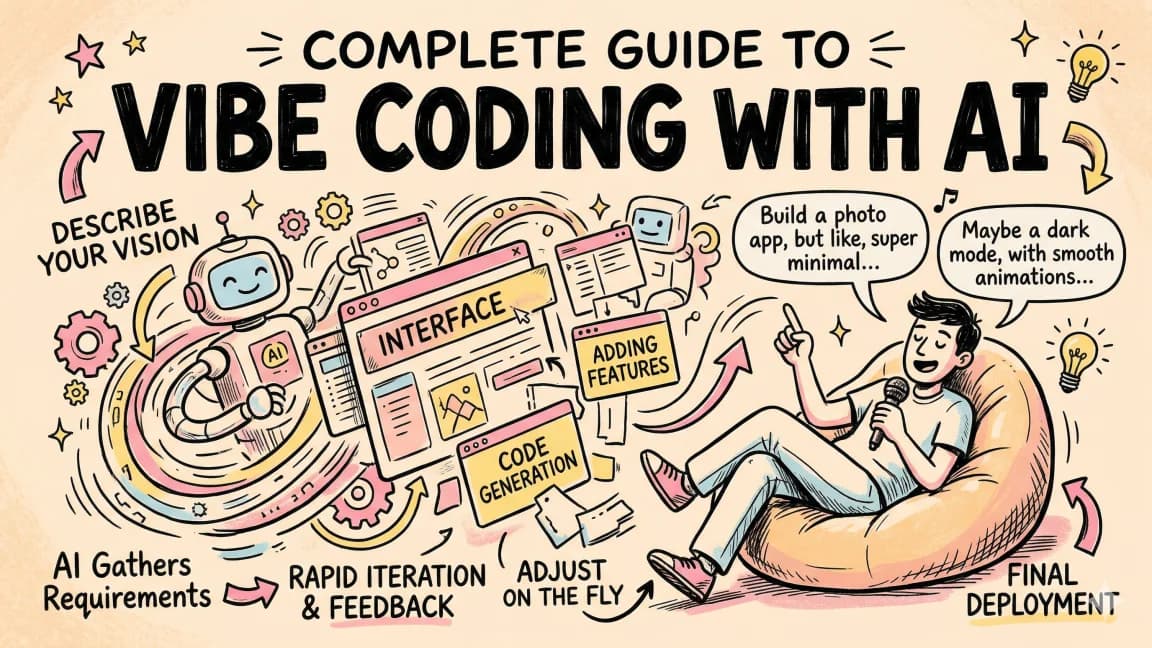
Vibe Coding in 2026: Build Fast Without Losing the Plot
Vibe coding works when you pair natural-language building with repo context, tests, diff review, security checks, and ro...

14 min read
Claude Code
How to Use Claude Code with Next.js
A practical guide to using Claude Code in Next.js projects. CLAUDE.md config for App Router, common workflows, sub-agent...

15 min read
Claude Code
What Is Claude Code? The Complete Guide for 2026
Claude Code is Anthropic's AI coding agent for terminal, IDE, desktop, and browser workflows. Learn what it does, how it...

8 min read
AI Coding
The 10 Best AI Coding Tools in 2026
From terminal agents to cloud IDEs - these are the AI coding tools worth using for TypeScript development in 2026.
Build with the member tools

Get Smarter About AI Dev
New tutorials, open-source projects, and deep dives on coding agents - delivered weekly.
One email per weekReal code, not theoryFree forever