Claude Code vs Cursor in 2026: Which Should You Use?
TL;DR
Claude Code is agent-first. Cursor is editor-first with CLI agents. Both write TypeScript. Here is how to pick the right one.
Direct answer
Claude Code vs Cursor in 2026: Which Should You Use?
Claude Code is agent-first. Cursor is editor-first with CLI agents. Both write TypeScript. Here is how to pick the right one.
Best for
Developers comparing real tool tradeoffs before choosing a stack.
Covers
Verdict, tradeoffs, pricing signals, workflow fit, and related alternatives.
Official Sources#
Verify current features, pricing, and plan limits against the official documentation before you buy.
| Tool | Documentation | Pricing | Verified |
|---|---|---|---|
| Claude Code | Claude Code Overview | Anthropic Pricing | July 27, 2026 |
| Cursor | Cursor Docs | Cursor Pricing | July 27, 2026 |
| Claude Code CLI | CLI Reference | Included with Claude subscription | July 27, 2026 |
| Cursor CLI | Cursor CLI | Included with Cursor subscription | July 27, 2026 |
| Claude Code Sub-agents | Sub-agents Docs | Max plan required for parallel agents | July 27, 2026 |
| Cursor Composer | Composer Guide | Available on all Cursor plans | July 27, 2026 |
Both tools write TypeScript. Both ship real code. But they work in fundamentally different ways, and picking the wrong one for your workflow costs you hours every week.
Claude Code is an agentic coding tool with a strong terminal-first workflow. You give the CLI a prompt, it reads your codebase, edits files, runs tests, and commits. The official Claude Code documentation also lists IDE, desktop, and browser surfaces, so the real distinction is agent-first project work rather than editor-native autocomplete.
Cursor is a VS Code fork with AI built into the editor. Inline completions, a chat panel, multi-file Composer edits, and visual diffs you can accept or reject line by line are still the core draw. Cursor also has an official Cursor CLI, so the comparison is about the default workflow, not whether Cursor can run outside the desktop app.
Here is when each one wins.
What Changed in July 2026#
This post was originally written in March 2026 and refreshed July 27. Since the initial comparison, both tools have evolved significantly:
- Claude Opus 5 launched July 24 at $5/$25 per MTok, matching Opus 4.8 pricing with near-Fable-5 reasoning. Available in Claude Code through Pro and Max plans. Opus 4.8 is now legacy.
- Cursor added Pro/Pro+/Ultra tiers under the Individual $20/mo plan, giving clearer tiers for agent-heavy usage. Cursor also added Grok model support and Opus 5 in its model roster.
- Claude Code 2.1.207+ released with auto mode default on Bedrock/Vertex/Foundry, shell-injection hardening, and improved terminal reliability.
- Cursor 3.11 Side Chats launched July 10, enabling parallel research conversations without derailing the main session. See the Cursor 3.11 developer guide.
- Claude Code agent teams and sub-agents matured through multiple releases, with managed agents now supporting scheduled runs, backend job execution, and multi-agent orchestration. See the agent teams playbook.
Prices verified July 27, 2026. See the AI coding tools pricing comparison for the full rate card.
Where Claude Code Wins#
Autonomous Refactors#
You have a TypeScript codebase with 200 files. You need to migrate from an old API client to a new one. The function signatures changed. The error handling changed. The types changed.
In Cursor, you would open Composer, describe the migration, and watch it edit maybe 10-15 files at a time. Then you review, accept, re-prompt for the next batch, repeat. It works, but you are the bottleneck.
In Claude Code:
Code
claude -p "Migrate all usages of OldApiClient to NewApiClient.
The new client uses .execute() instead of .call(),
returns Result<T> instead of raw T,
and errors are typed as ApiError instead of Error.
Update all imports, function calls, error handlers, and tests.
Run tsc after each batch of changes to verify."
It reads every file, builds a plan, applies changes, runs tsc to catch type errors, fixes what breaks, and keeps going. You come back to a green build. No babysitting.
This pattern scales. Rename a database column and update every query, resolver, and test that touches it. Swap out a logging library. Upgrade a major dependency. Claude Code handles the full loop: edit, check, fix, repeat.
CI and Build Pipelines#
Claude Code runs where your code runs. Terminal. SSH. CI containers. That matters.
Terminal
# In a GitHub Action
claude -p "The build is failing. Read the error log at /tmp/build.log,
identify the issue, fix it, and push a commit."
This is not a theoretical workflow. You can wire Claude Code into a CI step that self-heals failing builds. It reads logs, understands the error, edits the source, and pushes. Cursor now also positions its CLI for headless scripts and GitHub Actions, so Claude Code's edge is the maturity of its terminal repair loop and Claude-native automation surface, not exclusive access to CI.
Multi-Step Automation#
Claude Code chains operations naturally. A single prompt can:
- Scaffold a new API route with proper TypeScript types
- Generate Zod validation schemas from those types
- Write integration tests
- Run the tests
- Fix any failures
- Commit the result
Code
claude -p "Add a POST /api/projects endpoint.
Use the existing patterns from /api/users for structure.
Zod validation on the request body.
Write tests using the existing test helpers in __tests__/.
Run vitest to verify. Fix any failures."
Each step informs the next. The agent sees test output, reads error messages, and adapts. This kind of sequential reasoning with tool use is where Claude Code's architecture pays off.
Shell-Native Scripted Workflows#
Claude Code's CLI stays especially useful when you want to script it, pipe into it, schedule it, and compose it with other tools.
Terminal
# Review every PR in a repo
gh pr list --json number,title | \
  jq -r '.[].number' | \
  xargs -I {} claude -p "Review PR #{} in this repo. Focus on type safety and error handling."
Terminal
# Generate types from an OpenAPI spec, then build a client
curl -s https://api.example.com/openapi.json | \
  claude -p "Generate TypeScript types from this OpenAPI spec.
  Then build a type-safe client wrapper using fetch.
  Put types in src/api/types.ts and client in src/api/client.ts."
Cursor CLI gives Cursor a real answer for scripts and automation. Claude Code still wins when the workflow starts from shell output, build logs, repo-wide edits, and long repair loops. Another IDE-based tool worth considering is Windsurf, which takes a flow-based approach to multi-step tasks.
From the archive
Claude vs GPT for Coding: Which Model Writes Better TypeScript?
Mar 19, 2026 • 9 min read
Cursor Composer 2: Everything You Need to Know
Mar 19, 2026 • 5 min read
Cursor vs Claude Code in 2026 - Which Should You Use?
Mar 19, 2026 • 9 min read
Cursor vs Codex: IDE Agent vs Terminal and Cloud Agent for TypeScript
Mar 19, 2026 • 5 min read
Where Cursor Wins#
Visual Editing and Inline Suggestions#
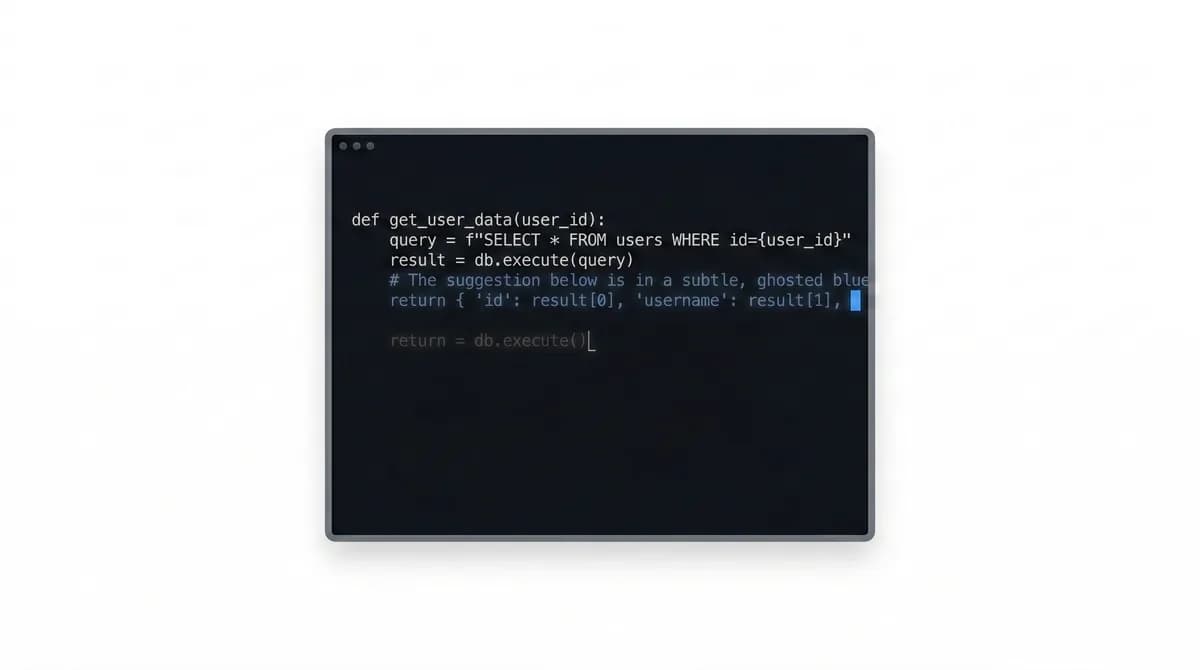
When you are writing new TypeScript code from scratch, Cursor's inline completions are hard to beat. You type a function signature, and it fills in the implementation. You start a type definition, and it predicts the shape.
TypeScript
// You type this:
interface ProjectConfig {
  name: string;
  // Cursor autocompletes the rest based on your codebase context
The tab-complete flow keeps you in the editor. You see the suggestion, hit Tab, keep typing. The latency is low enough that it feels like pair programming rather than prompt engineering.
Claude Code does not do inline completions. It operates at the prompt level, not the keystroke level.
Reviewing Diffs Visually#
Cursor shows you exactly what changed with a visual diff. Green lines added, red lines removed. You click Accept or Reject on each hunk. For careful, line-by-line review of AI-generated code, this is faster than reading a git diff in the terminal.
When Composer edits five files, you see all five diffs side by side. You can reject one change, accept the rest, and re-prompt. The feedback loop is tight and visual.
Claude Code applies changes directly to files. You can review with git diff after the fact, but there is no interactive accept/reject step during generation.
Onboarding and Exploration#
If you are new to a codebase, Cursor's chat panel is genuinely useful. Highlight a function, ask "what does this do," get an explanation with context from the surrounding files. Click through to related code. Ask follow-up questions.
Code
// Highlight a complex TypeScript generic:
type InferRouteParams<T extends string> =
  T extends `${string}:${infer Param}/${infer Rest}`
    ? { [K in Param]: string } & InferRouteParams<Rest>
    : T extends `${string}:${infer Param}`
    ? { [K in Param]: string }
    : {};

// Right-click → "Explain this code"
// Cursor walks through the recursive conditional type step by step
You could do this in Claude Code by pasting the code into a prompt. But the friction is higher. Cursor's integration with the editor makes exploratory questions feel natural.
Rapid Prototyping with Immediate Feedback#
For the "build a quick component and see it" loop, Cursor's Composer plus a running dev server is fast. You describe what you want, Composer writes it, the dev server hot-reloads, you see the result. Tweak the prompt, iterate.
Claude Code can do this too, but you are switching between terminal and browser rather than seeing everything in one window.
The Hybrid Approach#
Most productive TypeScript developers in 2026 use both.
Claude Code for:
- Large refactors across many files
- CI/CD automation and self-healing builds
- Scripted, repeatable workflows
- Tasks you want to run unattended
- Anything that benefits from terminal composability
Cursor for:
- Writing new code with inline completions
- Visual diff review
- Exploring unfamiliar codebases
- Quick UI iteration with hot reload
- Pair-programming style sessions
The tools are not competing for the same slot. Claude Code is agent-first. Cursor is editor-first with agent surfaces around the IDE, cloud, and CLI. With Opus 5 now available in both tools (native in Claude Code, via model roster in Cursor), the model gap narrowed - the choice is more about workflow than pure reasoning quality.
Cost#
Claude Code is included across all paid plans. Pro is $20/month (annual) with Sonnet access, or $100/month (Max 5x) and $200/month (Max 20x) for Opus 5 access and higher usage. Opus 5 now provides near-Fable-5 reasoning at the same API pricing as Opus 4.8 ($5/$25 per MTok). Cursor Individual is $20/month with Pro/Pro+/Ultra tiers, where Pro+ ($60/mo) adds $70 of agent usage and Ultra ($200/mo) adds $400. Both pricing pages can change plan limits and usage rules, so check Claude pricing and Cursor pricing before buying. For the full breakdown across all tools, see AI coding tools pricing comparison 2026.
If you are building production TypeScript applications, both can pay for themselves quickly. The time savings on a single multi-file refactor can cover the annual cost of Cursor. A single CI automation that catches and fixes a build failure at 2 AM can justify Claude Code.
Running both can start around the combined price of the monthly Pro plans, then rise with Max, Ultra, team plans, or on-demand usage. Treat the exact plan mix as a usage decision instead of a fixed bundle price. See the cost per feature analysis for how reasoning quality per dollar compares across tiers.
The Decision Framework#
Pick Claude Code if your work is mostly:
- Backend TypeScript (APIs, services, infrastructure)
- Maintaining and refactoring large codebases
- Automation-heavy workflows
- Team environments with CI/CD pipelines
Pick Cursor if your work is mostly:
- Frontend TypeScript (React, Next.js components)
- Greenfield development
- Visual, component-driven iteration
- Exploring codebases you did not write
Pick both if you ship full-stack TypeScript and want the fastest workflow available. For a wider view of the landscape, including Codex, Gemini CLI, and Windsurf, see our best AI coding tools in 2026 roundup.
Frequently Asked Questions#
Is Claude Code better than Cursor for coding?#
Neither is universally better. Claude Code excels at autonomous multi-file tasks, refactoring, and backend work from the terminal. Cursor excels at visual editing, UI iteration, and interactive refinement in an IDE. Most productive developers use both. If you want to try Claude Code, start with the Getting Started guide.
Can I use Claude Code and Cursor together?#
Yes, and this is the recommended setup for full-stack TypeScript. Use Claude Code for autonomous tasks, large refactors, and CI automation. Use Cursor for visual UI work, quick edits, and exploring unfamiliar codebases. They do not conflict.
How much do Claude Code and Cursor cost together?#
Claude Code is included in all paid plans: Pro at $20/month (annual) or Max at $100/month (5x) and $200/month (20x). Cursor Individual is $20/month with Pro/Pro+/Ultra tiers. Typical combined cost for daily use is $120/month (Claude Max 5x + Cursor Pro). Check the Claude pricing and Cursor pricing pages before buying because limits and plan rules change. See the full pricing comparison for the complete breakdown.
Does Cursor use Claude models?#
Cursor gives you access to multiple AI models including Claude Opus 5, Sonnet 5, GPT-5.6 Sol/Terra/Luna, and Grok through its Pro plan. The specific models available change as Cursor updates its partnerships. Claude Code exclusively uses Anthropic's Claude models (currently Sonnet 5 as default, Opus 5 on Max plans).
Try them side by side. The Developers Digest Arena lets you compare AI coding tools head to head with real tasks.
Read next
Claude Code vs Cursor vs Codex: Which Should You Use?
Terminal agent, IDE agent, local-plus-cloud agent. Three architectures compared - how to decide which fits your workflow, or why you should use all three.
8 min readThe 10 Best AI Coding Tools in 2026
From terminal agents to cloud IDEs - these are the AI coding tools worth using for TypeScript development in 2026.
8 min readWhat Is Claude Code? The Complete Guide for 2026
Claude Code is Anthropic's AI coding agent for terminal, IDE, desktop, and browser workflows. Learn what it does, how it works, pricing, setup, MCP, skills, hooks, and subagents.
15 min readShare
Developers Digest
Technical content at the intersection of AI and development. Building with AI agents, Claude Code, and modern dev tools - then showing you exactly how it works.
300+ videos30K+ GitHub stars850+ articles
Related Tools
AI Coding
C
Conductor
Mac app for running parallel Claude Code, Codex, and Cursor agents in isolated workspaces. Watch every agent work at onc...
View ToolProductivity
C
Codeburn
Interactive TUI dashboard that shows exactly where your Claude Code and Cursor tokens are going, in real time.
View ToolProductivityNew
A
AgentCanvas
A hosted infinite canvas your headless AI agents drive over MCP. Any MCP-speaking agent - Claude Code, Codex, Cursor, or...
View ToolAI CodingDaily Driver

Claude Code
Anthropic's agentic coding CLI. Runs in your terminal, edits files autonomously, spawns sub-agents, and maintains memory...
View ToolApps from Developers Digest
Developer Tools
Agent Hub
Every coding agent in one window. Stop alt-tabbing between Claude, Codex, and Cursor.
View AppDeveloper ToolsIn Progress
ctx-peek
Inspect Claude Code transcripts to see which files, tools, and tokens are filling the context window.
View AppDeveloper ToolsIn Progress
Skill Builder
Turn a one-liner into a working Claude Code skill. From idea to installed in a minute.
View AppRelated Guides
Guide
Migrating from Cursor to Claude Code
A concrete step-by-step guide to moving your development workflow from Cursor to Claude Code - settings, rules, keybindings, and the habits that transfer.
Getting StartedGuide
Subagent Tool Restrictions - Claude Code
Limit which tools a subagent can access.
Claude CodeGuide
Terminal CLI - Claude Code
The primary command-line entry point for Claude Code sessions.
Claude CodeRelated Videos

Open Design: Turn Websites into Design Assets for Cursor & Claude Code
Open Design: Open-Source n8n App That Turns Any Website into a Brand Kit, Design System, HTML + Images The video introduces Open Design, an MIT-licensed full-stack template that combines AI and n8n a...
Video·

Generate Videos in Codex + Claude Code with This...
Check out HeyGen! https://heygen.1stcollab.com/developersdigest The video introduces HeyGen, an AI video generation platform with a rich API and a CLI that lets developers create, fetch, and manipula...
Video·

10x Design in Claude Code and Codex
Try Higgsfield: https://higgsfield.ai/s/higgsfield-general-campaign-developersdigest-juDMTi AI coding agents can build entire websites in minutes, but the default results often still look generic and...
Video·
Related Posts

8 min read
Claude Code
Claude Code vs Cursor vs Codex: Which Should You Use?
Terminal agent, IDE agent, local-plus-cloud agent. Three architectures compared - how to decide which fits your workflow...

8 min read
AI Coding
The 10 Best AI Coding Tools in 2026
From terminal agents to cloud IDEs - these are the AI coding tools worth using for TypeScript development in 2026.

15 min read
Claude Code
What Is Claude Code? The Complete Guide for 2026
Claude Code is Anthropic's AI coding agent for terminal, IDE, desktop, and browser workflows. Learn what it does, how it...

15 min read
AI Coding
Every AI Coding Tool Compared: The 2026 Matrix
12 AI coding tools across 4 architecture types, compared on pricing, strengths, weaknesses, and best use cases. The defi...

12 min read
AI Coding
AI Coding Tools Pricing Comparison 2026
Complete pricing breakdown for every major AI coding tool. Claude Code, Cursor, Copilot, Windsurf, Codex, Augment, and m...

5 min read
Aider
Aider vs Claude Code: Open Source vs Commercial AI Coding CLI
Aider is open source and works with any model. Claude Code is Anthropic's commercial agent. Here is how they compare for...
Build with the member tools

Get Smarter About AI Dev
New tutorials, open-source projects, and deep dives on coding agents - delivered weekly.
One email per weekReal code, not theoryFree forever