Tool Use in the Claude API: Production Patterns for Reliable Agents

TL;DR
Master tool use in the Claude API. Schema design, retry logic, multi-step loops, and the failure modes that only show up at 10k calls a day.
Official Sources#
| Source | Description |
|---|---|
| Claude Tool Use Documentation | Anthropic's official guide to tool use including schema format, multi-tool calls, and best practices |
| Anthropic TypeScript SDK | Official SDK with typed tool definitions and message handling |
| Define Tools Guide | Anthropic's guide to tool schemas, descriptions, and input examples for common tool patterns |
| Claude Messages API Reference | API reference for the messages endpoint including tool_use and tool_result blocks |
| Prompt Caching Guide | Anthropic's guide to caching tool definitions and reducing input token costs |
| Computer Use Documentation | Reference for Claude's built-in computer use tool patterns |
Tool Use Is Powerful And Fragile#
Tool use is the feature that turns Claude from a chatbot into an agent. It is also the feature that, deployed casually, fails silently in ways that are hard to root-cause. We have run Claude tool use through production paths handling tens of thousands of daily calls across DD products, and almost every outage has been traced to one of a small number of patterns: ambiguous schemas, missing error handling on the executor side, runaway loops, or tools the model thought existed.
This is the production playbook. Schema design, the execution layer, multi-step loops, security, and what to monitor. Code samples are TypeScript with the official Anthropic SDK because that is what most of our deployed agents run on.
We walked through a live build of one of these in our Building Reliable Claude Agents video. This is the deeper writeup.
How The Tool Use Loop Actually Works#
You pass tools to messages.create. Claude either responds with text, or with one or more tool_use blocks. You execute the tool, send back a tool_result block in the next user message, and the loop continues until Claude stops requesting tools.
The thing nobody tells you up front: Claude can hallucinate a tool call. It is rare on Sonnet 4.5 and above, but it happens, especially when your tool schemas overlap or when the user request is ambiguous. Your executor has to handle "tool name not found" as a normal case, not a crash. We will get to that.
A minimal correct loop looks like this:
TypeScript
import Anthropic from "@anthropic-ai/sdk";

const client = new Anthropic();

const tools: Anthropic.Tool[] = [
  {
    name: "get_weather",
    description:
      "Get the current weather for a specific city. Returns temperature in Celsius and a short conditions string.",
    input_schema: {
      type: "object",
      properties: {
        city: {
          type: "string",
          description: "City name, e.g. 'San Francisco' or 'Tokyo'",
        },
      },
      required: ["city"],
    },
  },
];

async function runAgent(userMessage: string) {
  const messages: Anthropic.MessageParam[] = [
    { role: "user", content: userMessage },
  ];

  for (let iter = 0; iter < 10; iter++) {
    const response = await client.messages.create({
      model: "claude-sonnet-4-5",
      max_tokens: 1024,
      tools,
      messages,
    });

    messages.push({ role: "assistant", content: response.content });

    if (response.stop_reason !== "tool_use") {
      return response;
    }

    const toolResults: Anthropic.ToolResultBlockParam[] = [];
    for (const block of response.content) {
      if (block.type !== "tool_use") continue;
      const result = await executeTool(block.name, block.input);
      toolResults.push({
        type: "tool_result",
        tool_use_id: block.id,
        content: JSON.stringify(result),
        is_error: result.error !== undefined,
      });
    }

    messages.push({ role: "user", content: toolResults });
  }

  throw new Error("Max iterations exceeded");
}
Note three deliberate choices: a hard iteration cap, is_error set on the result when the tool fails, and tool_use_id matched correctly per call. Skip any of these and you are one bad day from an outage.
Designing Schemas That Do Not Get Misused#
Schema quality is the single biggest predictor of tool-use reliability. The model picks tools based on names, descriptions, and parameter docs. If two tools sound similar, it will pick wrong, and the failure is invisible until a user complains.
Bad:
TypeScript
{ name: "search", description: "Search for information." }
{ name: "lookup", description: "Look up information." }
Good:
TypeScript
{
  name: "search_internal_kb",
  description:
    "Search Acme's internal knowledge base of product docs and runbooks. Use for questions about Acme features, APIs, or internal processes. Do not use for general web search.",
}
{
  name: "search_web",
  description:
    "Search the public web via Google. Use for current events, third-party software, or anything not covered by the internal KB.",
}
Rules of thumb we have converged on:
- Names should be verb-noun and disambiguated by domain.
get_user,get_user_by_email,list_users_in_org- notget,find,lookup. - Descriptions should say when not to use the tool. This is the highest-leverage line in any tool description.
- Parameter descriptions should include format examples. Especially for dates, IDs, and enums.
- Use
enumaggressively on string parameters with a fixed set of valid values. The model respects enums far more reliably than prose constraints. - Mark required fields explicitly. Optional fields invite hallucinated defaults.
A diagnostic worth running: take your tool list, paste it into Claude with the user message "which tool would you call for X?" for ten realistic prompts. If it picks wrong on any, the schemas are ambiguous.
From the archive
Vercel's Agentic Infrastructure Stack Explained
Apr 29, 2026 • 12 min read
Vercel's New Durable Execution Programming Model: A Developer's Guide
Apr 29, 2026 • 10 min read
Agent Replays with TraceTrail: Loom for Agent Runs
Apr 28, 2026 • 8 min read
Best Claude Code Skills in 2026: A Curated Directory
Apr 28, 2026 • 10 min read
A Production-Grade Execution Layer#
The naive executor is tools[name](input). The production executor handles: unknown tool names, schema validation, timeouts, retries, structured error responses, and logging. Here is the shape we run.
TypeScript
import { z, ZodSchema } from "zod";

interface ToolDef<I, O> {
  name: string;
  schema: ZodSchema<I>;
  handler: (input: I) => Promise<O>;
  timeoutMs: number;
}

const registry = new Map<string, ToolDef<any, any>>();

function register<I, O>(def: ToolDef<I, O>) {
  registry.set(def.name, def);
}

async function executeTool(name: string, rawInput: unknown) {
  const def = registry.get(name);
  if (!def) {
    return { error: `Unknown tool: ${name}. Available: ${[...registry.keys()].join(", ")}` };
  }

  const parsed = def.schema.safeParse(rawInput);
  if (!parsed.success) {
    return { error: `Invalid input: ${parsed.error.message}` };
  }

  const start = Date.now();
  try {
    const result = await Promise.race([
      def.handler(parsed.data),
      new Promise((_, rej) =>
        setTimeout(() => rej(new Error("timeout")), def.timeoutMs)
      ),
    ]);
    log("tool_call", { name, durationMs: Date.now() - start, ok: true });
    return { data: result };
  } catch (err) {
    log("tool_call", { name, durationMs: Date.now() - start, ok: false, err: String(err) });
    return { error: `Tool failed: ${err instanceof Error ? err.message : String(err)}` };
  }
}
The critical detail: errors come back as data, not exceptions. When you send is_error: true in the tool_result, Claude reads the error message and usually does the sensible thing - retries with corrected input, picks a different tool, or tells the user. Throwing an exception kills the loop.
This is also where you do retries. Transient network errors on a downstream API should retry inside the handler with exponential backoff. Permanent errors (4xx, validation) should return the error to Claude and let the model decide. The mental model: the handler is responsible for transient retries, Claude is responsible for semantic recovery.
Multi-Step Workflows And Loop Control#
Real agents chain calls. The user asks "summarize last week's support tickets and email me the top three categories." That is list_tickets → categorize → send_email. Three sequential tool calls with state flowing between them.
Two failure modes show up here:
- Infinite loops. The model gets stuck calling the same tool with slightly different inputs. Always cap iterations. We use 10 for user-facing flows, 25 for batch jobs.
- State drift. The model loses track of intermediate results in long chains. The fix is to summarize state explicitly: have the agent emit a
current_statetext block between tool calls, or have the orchestrator append a synthetic "so far you have learned: ..." message every N iterations.
For workflows above ~5 steps, consider not solving the orchestration with a single agent loop. Decompose into a planner that emits a DAG and an executor that runs nodes. We covered this pattern in Seven AI Agent Orchestration Patterns.
Security: Tools Are An Attack Surface#
A tool is anything Claude can invoke. The user can influence what Claude invokes. So a user can, transitively, influence your tools. This is prompt injection 101 and it bites every team that ships tool use without thinking about it.
Hardening checklist we apply to every tool:
- Allowlist what each tool can touch. A
read_filetool should be scoped to a sandbox directory. Aquery_dbtool should only see specific tables. Never trust the LLM to constrain itself. - Validate inputs at the boundary. Zod or equivalent. Reject anything outside the schema before the handler runs.
- No string-concatenated SQL or shell commands. Parameterize. If a tool builds a shell command, Claude can be coerced into building a malicious one.
- Rate-limit per session. A runaway agent loop should not be able to hammer your downstream APIs. Per-tool, per-session limits with hard fails.
- Log everything. Every tool call, every input, every result. You will need this for incident response, not for debugging.
- Treat tool descriptions as untrusted documentation. If a downstream MCP server sends you a tool with a hostile description, you will execute it. Audit imported tool definitions.
The red-team test: assume the user message is hostile. Can they extract data they should not see, or trigger an action they should not be able to trigger? If yes, scope the tool tighter.
Scaling Tool Definitions#
Performance and reasoning quality degrade with more tools. The breakpoints we have observed:
- Up to ~20 tools: no measurable degradation
- 20-50 tools: occasional wrong-tool selection on ambiguous queries
- 50-100 tools: noticeable slowdown in selection, more hallucinated calls
- 100+ tools: you need a router
For agents with large tool surfaces (e.g., MCP servers exposing 50+ resources each), use a two-stage pattern: first call selects a tool category with a small fixed tool list, second call exposes only the tools in that category. This is roughly how Claude Code handles its bundled toolset internally.
Cost-wise, every tool definition lives in the system prompt and ships on every request. Cache them. The prompt caching guide covers exactly how to put tool definitions inside a cache block so a 50-tool agent does not bleed money on input tokens.
What To Monitor#
Four metrics that catch almost every tool-use regression in production:
- Tool call success rate per tool. A drop on one tool usually means a downstream API change.
- Average iterations per session. A creep upward means the model is working harder for the same outcomes - usually a schema regression.
- Hallucinated tool name rate. Every time
executeToolreturns "Unknown tool". Should be near zero. Spikes mean someone deployed a tool list change that broke a code path. - Tool latency P95. Slow tools cascade through the loop. Cap with timeouts and watch the P95 per tool.
The easy mistake is monitoring only the agent's overall success rate. By the time that drops, you have hours of broken sessions. Tool-level metrics catch problems within minutes.
Closing Checklist#
- All tool names verb-noun and unambiguous
- Descriptions include "do not use for X"
- Schemas use enums and required fields aggressively
- Executor returns errors as data, not exceptions
- Hard iteration cap on every loop
- Inputs validated at the handler boundary
- Per-tool rate limits and timeouts
- Tool definitions cached via prompt caching
- Per-tool success/latency metrics in your dashboard
- Red-team review of every tool with side effects
Tool use is a sharp edge. Treat it like one and it scales cleanly. For the next layer up - long-running, stateful integrations - see our guide to building MCP servers.
FAQ#
What is the difference between tool use and function calling?#
Tool use is Anthropic's term for what OpenAI calls function calling. The concepts are identical: you define a schema describing available tools, the model decides when to invoke them, and your code executes the actual function and returns results. The wire format differs between providers, but the pattern is the same. When migrating between Claude and GPT, the main work is mapping schema formats and result block structures.
How do I stop Claude from calling the wrong tool?#
Wrong-tool selection almost always traces to ambiguous schemas. Fix it by making tool names verb-noun specific (search_internal_kb not search), adding "do not use for X" clauses to descriptions, and using enum for parameters with fixed valid values. Test by pasting your tool list into Claude with ten realistic prompts and checking which tool it selects. If it picks wrong on any, the schemas need disambiguation.
How many tools can I define before performance degrades?#
Up to about 20 tools, there is no measurable degradation. Between 20-50, you may see occasional wrong-tool selection on ambiguous queries. Between 50-100, latency increases and hallucinated calls become more common. Above 100 tools, use a two-stage router pattern where the first call selects a tool category and the second call exposes only tools in that category. This is how Claude Code handles its large internal toolset.
What happens when Claude calls a tool that does not exist?#
Return a structured error in the tool_result with is_error: true and a message like "Unknown tool: X. Available tools: A, B, C." Claude will read this and usually either retry with a valid tool or explain to the user. Never throw an exception on unknown tools - that kills the loop. Hallucinated tool names are rare on Sonnet 4.5+ but your executor must handle them gracefully.
Should tool errors be exceptions or data?#
Return errors as data with is_error: true in the tool_result. When Claude sees an error result, it can retry with corrected input, pick a different tool, or explain the failure to the user. Throwing exceptions kills the agent loop and requires you to build retry logic outside the model's reasoning. The model is often better at semantic recovery than your hardcoded retry rules.
How do I prevent runaway loops from burning tokens?#
Set a hard iteration cap on every agent loop - 10 iterations for interactive flows, 25 for batch jobs. Also set per-tool timeouts so slow tools do not block the loop indefinitely. Monitor average iterations per session; a creep upward means the model is working harder for the same outcomes, usually signaling a schema regression or downstream API change.
How do I cache tool definitions to reduce costs?#
Tool definitions ship in the system prompt on every request. Use Anthropic's prompt caching to put your tool definitions inside a cache block. The first request pays full input token cost, subsequent requests within the cache window pay 90% less for cached portions. For a 50-tool agent running hundreds of sessions, this saves thousands of dollars monthly. See the prompt caching guide linked in Official Sources.
What is the biggest security risk with tool use?#
Prompt injection through tool inputs. The user influences what Claude invokes, so a hostile user can attempt to coerce Claude into calling tools with malicious parameters. Mitigate by validating all inputs at the handler boundary with Zod or equivalent, never building SQL or shell commands from string concatenation, allowlisting what each tool can access, and rate-limiting per session. Assume every user message is hostile and verify your tools cannot be abused.
Read next
Prompt Caching in the Claude API: A Production Guide
Cut Claude API spend by up to 90% with prompt caching. Real numbers, TypeScript SDK code, and the gotchas Anthropic's docs gloss over.
11 min readAgent Architecture: Building Multi-Step AI Workflows That Survive Production
A practical architecture for multi-step Claude agents. Loop patterns, state management, error recovery, and the production gotchas that turn a five-step demo into a 20 percent success rate at scale.
11 min readClaude Vision API: Image Analysis At Production Scale
How to ship Claude's vision API in production. OCR, charts, UI audits, real cost numbers, TypeScript SDK code, and the gotchas that bite at 100k images a month.
13 min readShare
Developers Digest
Technical content at the intersection of AI and development. Building with AI agents, Claude Code, and modern dev tools - then showing you exactly how it works.
300+ videos30K+ GitHub stars850+ articles
Related Tools
AI FrameworksNew

Claude Agent SDK
Anthropic's Python SDK for building production agent systems. Tool use, guardrails, agent handoffs, and orchestration. R...
View ToolAI Frameworks

OpenAI Agents SDK
Lightweight Python framework for multi-agent systems. Agent handoffs, tool use, guardrails, tracing. Successor to the ex...
View ToolAI Frameworks
A
Agency Swarm
Multi-agent orchestration framework built on the OpenAI Agents SDK. Define agent roles, typed tools, and directional com...
View ToolProductivityNew
A
AgentCanvas
A hosted infinite canvas your headless AI agents drive over MCP. Any MCP-speaking agent - Claude Code, Codex, Cursor, or...
View ToolApps from Developers Digest
Developer ToolsIn Progress
Subagent Studio
Design subagents visually instead of editing YAML by hand.
View AppDeveloper ToolsIn Progress
Agent Workflow Hub
Queue and organize repeatable agent workflows before they become production automations.
View AppDeveloper ToolsIn Progress
Skill Builder Hub
Author, test, score, and govern reusable AI agent skills before production registry.
View AppRelated Guides
Guide
Permission Rules - Claude Code
Granular allow/ask/deny rules per tool with wildcard patterns.
Claude CodeGuide
Claude Code Setup Guide
Configure Claude Code for maximum productivity -- CLAUDE.md, sub-agents, MCP servers, and autonomous workflows.
AI AgentsGuide
Building Your First MCP Server
Step-by-step guide to building an MCP server in TypeScript - from project setup to tool definitions, resource handling, testing, and deployment.
AI AgentsRelated Videos

Buzz: Open-Source Collaboration for Humans + AI Agents
Buzz by Block: Open-Source Slack-Style Collaboration for Humans + AI Agents (Demo & Setup) Check out Arcade: https://arcade.dev.plug.dev/xiDRwlA Repo: https://github.com/block/buzz The video introd...
Video·

Agents 101: How to Build and Deploy Anything with AI Agents
Build Anything with Vercel, the Agentic Infrastructure Stack Check out Vercel: https://vercel.plug.dev/cwBLgfW The video shows a behind-the-scenes walkthrough of how the creator rapidly builds and d...
Video·

Magic Patterns: Why Design Wins in a World of AI Code Generators... The ULTIMATE Text-to-UI Tool
Check out Magic Patterns: https://magicpatterns.1stcollab.com/developersdigest_4 In this video, I share insights inspired by the CEO of Figma on the importance of design in the age of AI-generated...
Video·
Related Posts

11 min read
AI Agents
Agent Architecture: Building Multi-Step AI Workflows That Survive Production
A practical architecture for multi-step Claude agents. Loop patterns, state management, error recovery, and the producti...

11 min read
Claude API
Claude Batch API: Cutting Async Workload Costs In Half
How to ship Claude's Batch API in production. 50% cost savings, TypeScript SDK code, JSONL request format, and the async...

13 min read
Claude API
Claude Vision API: Image Analysis At Production Scale
How to ship Claude's vision API in production. OCR, charts, UI audits, real cost numbers, TypeScript SDK code, and the g...

12 min read
Claude API
Extended Thinking in Claude: When Deep Reasoning Pays For Itself
A production guide to Claude's extended thinking mode. Real cost math, TypeScript SDK code, and the tasks where reasonin...
13 min read
MCP
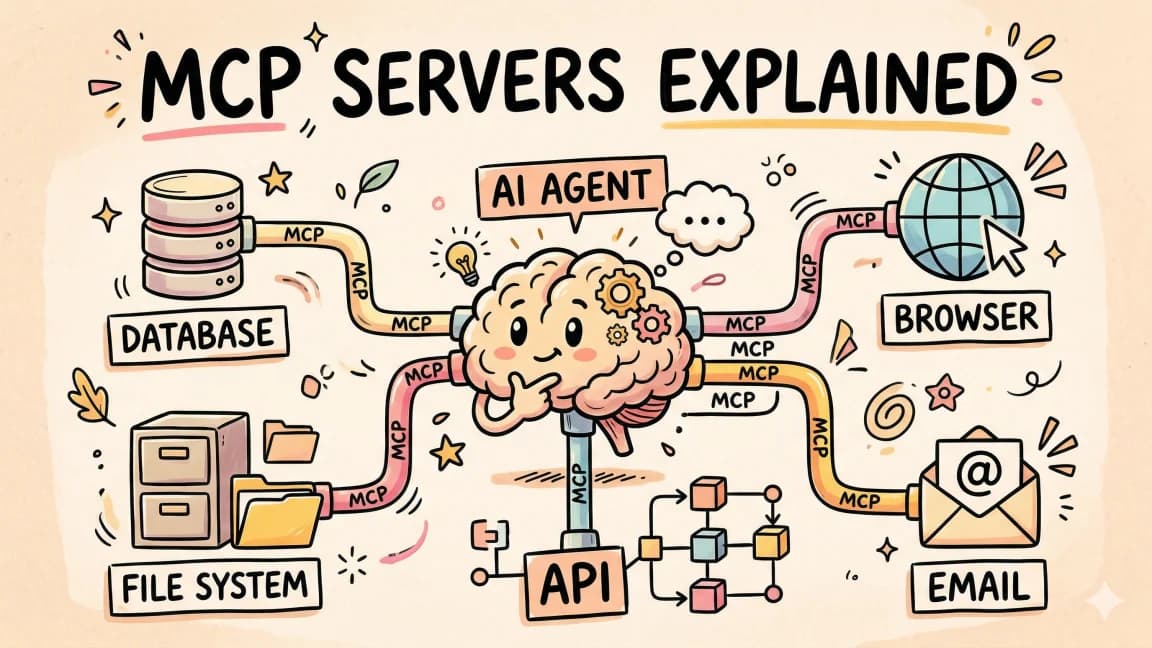
Model Context Protocol: A Production Guide To Building MCP Servers
Build MCP servers that connect Claude to your databases, APIs, and tools. Architecture, TypeScript SDK code, debugging,...

11 min read
Claude API
Prompt Caching in the Claude API: A Production Guide
Cut Claude API spend by up to 90% with prompt caching. Real numbers, TypeScript SDK code, and the gotchas Anthropic's do...
Build with the member tools

Get Smarter About AI Dev
New tutorials, open-source projects, and deep dives on coding agents - delivered weekly.
One email per weekReal code, not theoryFree forever