Model Context Protocol: A Production Guide To Building MCP Servers
TL;DR
Build MCP servers that connect Claude to your databases, APIs, and tools. Architecture, TypeScript SDK code, debugging, and the production gaps the spec doesn't cover.
Official Sources#
| Resource | Link |
|---|---|
| MCP Documentation | modelcontextprotocol.io |
| MCP TypeScript SDK | github.com/modelcontextprotocol/typescript-sdk |
| MCP Inspector | npmjs.com/@modelcontextprotocol/inspector |
| MCP Server Quickstart | modelcontextprotocol.io/docs/develop/build-server |
| Claude Code MCP Docs | code.claude.com/docs/en/mcp |
| MCP Servers Repository | github.com/modelcontextprotocol/servers |
Beyond The Marketing: What MCP Actually Solves#
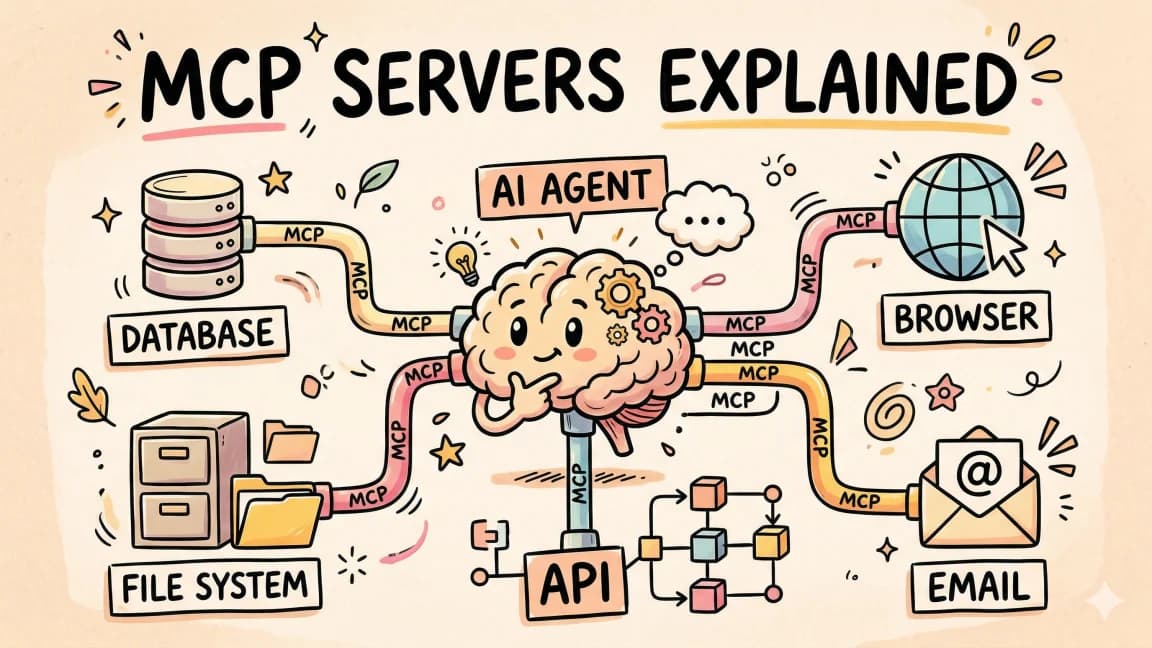
The Model Context Protocol is the bit of plumbing that turns Claude from "an LLM with tools you wrote inline" into "an LLM that can talk to any system on your network through a standardized contract." That sentence sounds like it could be a press release, so here is the engineering version: MCP is a JSON-RPC-over-stdio (or SSE, or HTTP) protocol that lets a client - Claude Desktop, Claude Code, the Agent SDK, or your own - connect to a server that exposes resources (data Claude can read) and tools (actions Claude can take), with capability negotiation, structured errors, and persistence.
The reason it matters: you can write a tool layer once and reuse it across every Claude surface and, increasingly, across other agents. The reason most teams misuse it: they build an MCP server when they should have shipped inline tool use, or vice versa.
We did the MCP Deep Dive: Building Extensible Agents video on the channel walking through a live MCP build. This is the production-grade companion. We build a real server, debug it, talk about transports, and cover the spec gaps you will hit the first week in production.
MCP vs Inline Tool Use#
A short heuristic before we go deeper, because this is the question I get most often:
- Inline tool use: small number of tools, tightly coupled to the agent, no reuse across surfaces, no persistence. Ship the tools as code in your agent process.
- MCP server: tools belong to a system (database, internal API, dev environment). Multiple agents or surfaces will use them. There is state worth persisting between calls. Long-running processes are involved.
Building an MCP server for a three-tool weather agent is overkill. Building inline tool use to expose your entire production database to Claude Code is going to be unmaintainable. Pick the right layer.
For a deeper look at when each pays off, the MCP vs function calling post covers the trade-offs and the DD MCP Lens debugger shows the kind of tooling you will eventually want when you are running real MCP servers.
Architecture In Practice#
The protocol has three pieces:
- Client - Claude Desktop, Claude Code, your custom app via the Anthropic SDK's MCP integration.
- Transport -
stdiofor local processes,streamable HTTP(formerly SSE) for remote servers. - Server - your code. Exposes resources, tools, and prompts.
Capability negotiation happens during the initialize handshake. The client says what it supports; the server says what it offers. Both sides know what is on the table before any real work starts. This is what lets the protocol evolve without breaking older clients.
Two distinctions worth burning in:
- Resource vs Tool. Resources are read-only data sources with URIs (
postgres://customers/123). Tools are actions (run_migration,send_email). Use resources for "let Claude read this," use tools for "let Claude do this." Mixing them up is the most common architectural mistake in early MCP servers. - stdio vs HTTP. Stdio is for local-only servers Claude Desktop launches as subprocesses. HTTP is for remote servers shared across users or machines. Stdio is simpler, has zero auth concerns, and starts/stops with the client. HTTP is what you ship for anything multi-user or persistent.
Building Your First MCP Server In TypeScript#
The official @modelcontextprotocol/sdk is the path of least resistance for a real server. Here is a minimal Postgres-backed server exposing customer rows as resources and a query_revenue tool. It is short, but every piece is the production shape.
TypeScript
import { Server } from "@modelcontextprotocol/sdk/server/index.js";
import { StdioServerTransport } from "@modelcontextprotocol/sdk/server/stdio.js";
import {
  CallToolRequestSchema,
  ListResourcesRequestSchema,
  ListToolsRequestSchema,
  ReadResourceRequestSchema,
} from "@modelcontextprotocol/sdk/types.js";
import { Pool } from "pg";
import { z } from "zod";

const pool = new Pool({ connectionString: process.env.DATABASE_URL });

const server = new Server(
  { name: "acme-customers", version: "0.1.0" },
  { capabilities: { resources: {}, tools: {} } }
);

server.setRequestHandler(ListResourcesRequestSchema, async () => {
  const { rows } = await pool.query(
    "SELECT id, name FROM customers ORDER BY name LIMIT 100"
  );
  return {
    resources: rows.map((r) => ({
      uri: `postgres://customers/${r.id}`,
      name: r.name,
      mimeType: "application/json",
    })),
  };
});

server.setRequestHandler(ReadResourceRequestSchema, async (req) => {
  const id = req.params.uri.replace("postgres://customers/", "");
  const { rows } = await pool.query("SELECT * FROM customers WHERE id = $1", [id]);
  if (!rows.length) throw new Error(`Customer ${id} not found`);
  return {
    contents: [
      {
        uri: req.params.uri,
        mimeType: "application/json",
        text: JSON.stringify(rows[0], null, 2),
      },
    ],
  };
});

const QueryRevenueInput = z.object({
  customer_id: z.string(),
  start_date: z.string(),
  end_date: z.string(),
});

server.setRequestHandler(ListToolsRequestSchema, async () => ({
  tools: [
    {
      name: "query_revenue",
      description:
        "Sum revenue for a customer between two ISO dates (inclusive). Returns USD cents.",
      inputSchema: {
        type: "object",
        properties: {
          customer_id: { type: "string" },
          start_date: { type: "string", description: "YYYY-MM-DD" },
          end_date: { type: "string", description: "YYYY-MM-DD" },
        },
        required: ["customer_id", "start_date", "end_date"],
      },
    },
  ],
}));

server.setRequestHandler(CallToolRequestSchema, async (req) => {
  if (req.params.name !== "query_revenue") {
    throw new Error(`Unknown tool: ${req.params.name}`);
  }
  const input = QueryRevenueInput.parse(req.params.arguments);
  const { rows } = await pool.query(
    `SELECT COALESCE(SUM(amount_cents), 0) AS total
     FROM invoices
     WHERE customer_id = $1 AND invoice_date BETWEEN $2 AND $3`,
    [input.customer_id, input.start_date, input.end_date]
  );
  return {
    content: [{ type: "text", text: JSON.stringify({ total_cents: rows[0].total }) }],
  };
});

const transport = new StdioServerTransport();
await server.connect(transport);
Wire this up in claude_desktop_config.json:
JSON
{
  "mcpServers": {
    "acme-customers": {
      "command": "node",
      "args": ["/abs/path/to/dist/server.js"],
      "env": { "DATABASE_URL": "postgres://..." }
    }
  }
}
Restart Claude Desktop, and the customers list shows up as resources, the tool shows up in the tool palette. That is the basic shape. Everything from here is making it production-ready.
From the archive
NVIDIA Nemotron 3 Super: A Developer's Guide to the 120B Hybrid MoE
Apr 29, 2026 • 9 min read
Open-Source MCP Servers Worth Installing in 2026
Apr 29, 2026 • 12 min read
OpenAI AgentKit in Production: An Honest Builder's Review
Apr 29, 2026 • 11 min read
OpenAI Privacy Filter: Production PII Redaction Guide
Apr 29, 2026 • 10 min read
Real-World Integration Patterns#
Three patterns we have shipped variations of:
Private data access. The example above. Database rows, internal API responses, file system contents - anything the model should be able to read without you exporting it. The key design choice: expose row-level resources, not schemas. Let Claude pull only what it needs, not the whole table.
Multi-service orchestration. A single MCP server that fronts five internal microservices. Tools become the public API of your platform, not the public API of each service. This is where MCP shines for internal devtools - you ship one server, expose curated actions, and every Claude surface in the company can use it.
Long-running processes. Tools that kick off background jobs and return a job ID, paired with a resource that exposes the job status. This is where MCP beats inline tool use cleanly: the model can poll the resource until the job finishes, and the server holds the state.
Things to handle in production:
- Timeouts. Default Claude client timeouts are tight. Long-running tools should return job IDs immediately and stream status via a resource, not block.
- Retries. The protocol does not retry. If a tool call fails, the model decides whether to retry. Make your error messages actionable.
- Versioning. Bump the server
versionfield and add new tools alongside old ones. Do not silently change tool semantics - clients cache schemas.
Debugging And Observability#
The MCP Inspector is the first tool to reach for. Run it against your server before you ever connect Claude:
Terminal
npx @modelcontextprotocol/inspector node dist/server.js
It opens a UI showing the protocol handshake, lists your resources and tools, and lets you invoke them with arbitrary inputs. Half the bugs we hit in early MCP servers are visible in the inspector before they are visible in Claude.
Beyond the inspector, three production must-haves:
- Structured logs on every request.
tool_name,duration_ms,ok,error. Stdio servers should log to stderr - Claude Desktop captures it. - Health probes for HTTP servers. Plain
GET /healthreturning 200. Cheap insurance. - Replay capture. Log the exact JSON-RPC request and response for every call. When something goes wrong, you can replay it offline against the inspector.
Common issues we see, in rough frequency order:
- Schema mismatches. The model sends a parameter shape your handler does not accept. Almost always because the description is ambiguous. Tighten with enums and required fields, same as inline tools.
- Timeouts. A query takes 30 seconds, the client gives up at 10. Decompose into job + status pattern.
- Auth failures on remote servers. Bearer tokens expire, refresh logic is missing. Build refresh into the transport layer, not the handler.
- Stale tool lists in the client. Some clients cache
tools/listaggressively. Restart the client after schema changes during dev.
Scaling Beyond One Server#
Once you have more than one MCP server, things to watch:
Tool name collisions. Two servers exposing search will confuse the client. Namespace by server (acme-customers__query_revenue) - most clients do this automatically, but some do not. Check your client's behavior.
Load balancing. For HTTP servers, run multiple instances behind a load balancer. JSON-RPC requests are mostly stateless. Where you have state (subscriptions, long-running jobs), pin sessions or move state to a shared store.
Auth. stdio inherits the user's local trust. HTTP servers need real auth. The current dominant pattern is OAuth 2.1 with the client doing a browser-based flow on first connect. The MCP spec has a section on this; follow it, do not roll your own.
Rate limiting. Per-tool, per-client rate limits. A runaway agent should not be able to DOS your server. Hard caps in the transport, not in each handler.
Ecosystem reality check. As of mid-2026 there are dozens of open-source MCP servers worth using off the shelf - Postgres, GitHub, filesystem, Slack - and many more that are stale or half-built. Check the last commit date and the issue tracker before you depend on one. We maintain a curated list of the top MCP servers that matter for exactly this reason.
Production Checklist#
- Resources for read-only data, tools for actions, no overlap
- All tool inputs validated with Zod or equivalent at the handler boundary
- Long-running tools return job IDs, status exposed as a resource
- Stderr logging with structured fields on every request
- MCP Inspector smoke test in CI
- Versioned server name, additive schema changes only
- Auth (OAuth 2.1 or signed tokens) for any HTTP-transport server
- Per-tool rate limits and timeouts at the transport
- Replay capture for debugging
- Documented client config snippet in your README
MCP is the right tool when your integration is something a system owns and should be reusable across agents. It is the wrong tool when you have three handlers tightly coupled to one prompt. Get the boundary right, and the rest of the spec is straightforward engineering.
For more on the broader Claude developer stack, see our guides on tool use patterns and prompt caching.
FAQ#
What is the difference between MCP resources and MCP tools?#
Resources are read-only data sources with URIs (like postgres://customers/123) that let Claude read information. Tools are actions (like run_migration or send_email) that let Claude do things. Use resources when Claude needs to read data, tools when Claude needs to take action. Mixing them up is the most common architectural mistake in early MCP servers.
When should I use an MCP server instead of inline tool use?#
Use inline tool use for a small number of tools tightly coupled to one agent with no reuse across surfaces. Use an MCP server when tools belong to a system (database, internal API, dev environment), multiple agents will use them, there is state worth persisting between calls, or long-running processes are involved. Building an MCP server for a three-tool weather agent is overkill; building inline tool use to expose your entire production database is unmaintainable.
What transport should I use - stdio or HTTP?#
Stdio is for local-only servers that Claude Desktop launches as subprocesses. It is simpler, has zero auth concerns, and starts/stops with the client. HTTP (streamable HTTP, formerly SSE) is for remote servers shared across users or machines. Use stdio during development and for single-user local tools. Use HTTP for anything multi-user, persistent, or deployed to a server.
How do I handle long-running operations in MCP?#
Do not block the tool call. Instead, have the tool return a job ID immediately, then expose the job status as a resource that Claude can poll. Default Claude client timeouts are tight (often 10 seconds), so queries that take 30 seconds will fail. The job-plus-status pattern keeps the request fast and lets the model decide when to check back.
How do I debug an MCP server before connecting it to Claude?#
Use the MCP Inspector: npx @modelcontextprotocol/inspector node dist/server.js. It opens a UI showing the protocol handshake, lists your resources and tools, and lets you invoke them with arbitrary inputs. Half the bugs we hit in early MCP servers are visible in the inspector before they surface in Claude.
What are the most common MCP server bugs?#
In rough frequency order: schema mismatches (the model sends parameters your handler does not accept because descriptions are ambiguous), timeouts (a query takes longer than the client allows), auth failures on remote servers (bearer tokens expire without refresh logic), and stale tool lists in the client (some clients cache tools/list aggressively, so restart after schema changes).
How do I handle authentication for remote MCP servers?#
Stdio servers inherit the user's local trust and need no auth. HTTP servers need real authentication. The current dominant pattern is OAuth 2.1 with the client doing a browser-based flow on first connect. The MCP spec has a section on this - follow it rather than rolling your own. Also implement per-tool, per-client rate limits so a runaway agent cannot DOS your server.
How do I version my MCP server without breaking clients?#
Bump the server version field and add new tools alongside old ones. Do not silently change tool semantics - clients cache schemas. Make schema changes additive only. When you need to deprecate a tool, keep it working while adding the replacement, then remove the old tool in a later version after clients have migrated.
Read next
What Is MCP (Model Context Protocol)? A TypeScript Developer's Guide
MCP lets AI agents connect to databases, APIs, and tools. Here is what it is and how to use it in your TypeScript projects.
5 min readWhat Is an MCP Server? A Developer's Beginner Guide (2026)
MCP is the USB-C of AI agents. What the Model Context Protocol is, why Anthropic built it, and how to install your first server in Claude Code or Cursor. Fact-checked against the official MCP spec.
13 min readHow to Use MCP Servers: The Complete Guide
MCP servers connect AI agents to databases, APIs, and tools through a standard protocol. Here is how to configure and use them with Claude Code and Cursor.
11 min readShare
Developers Digest
Technical content at the intersection of AI and development. Building with AI agents, Claude Code, and modern dev tools - then showing you exactly how it works.
300+ videos30K+ GitHub stars850+ articles
Related Tools
MCP Tools

MCP Inspector
Visual testing tool for Model Context Protocol servers. Like Postman for MCP - call tools, browse resources, and view...
View ToolMCP Tools
MCP CLI
Lightweight CLI for discovering and calling MCP servers. Dynamic tool discovery reduces token consumption from 47K to 40...
View ToolMCP Tools
MCP Hub
Centralized manager for MCP servers. Connect once to localhost:37373 and access all your servers through a single endpoi...
View ToolMCP Tools

Smithery
Registry and hosting platform for MCP servers. 6,000+ servers indexed. One-command install and configuration via CLI. Su...
View ToolApps from Developers Digest
Directories
MCP Directory
Find an MCP server, copy the install line, you're done.
View AppDeveloper ToolsPlus $20/mo
MCPaaS Plus
Run any MCP server without running infra. Private endpoints, no DevOps.
View AppDeveloper ToolsIn Progress
ctx-peek
Inspect Claude Code transcripts to see which files, tools, and tokens are filling the context window.
View AppRelated Guides
Guide
Claude Code Setup Guide
Configure Claude Code for maximum productivity -- CLAUDE.md, sub-agents, MCP servers, and autonomous workflows.
AI AgentsGuide
Skill Frontmatter - Claude Code
Configure model, effort, tools, MCP servers, and invocation scope.
Claude CodeGuide
Building Your First MCP Server
Step-by-step guide to building an MCP server in TypeScript - from project setup to tool definitions, resource handling, testing, and deployment.
AI AgentsRelated Videos
Anthropic's New Model Context Protocol in 10 Minutes
Learn The Fundamentals Of Becoming An AI Engineer On Scrimba; https://v2.scrimba.com/the-ai-engineer-path-c02v?via=developersdigest Anthropic's New Model Context Protocol (MCP): AI Data Integratio...
Video·

Nimbalyst: The Open-Source Visual Workspace for Building with Codex and Claude Code
Nimbalyst Demo: A Visual Workspace for Codex + Claude Code with Kanban, Plans, and AI Commits Try it: https://nimbalyst.com/ Star Repo Here: https://github.com/Nimbalyst/nimbalyst This video demos N...
Video·

Building Full-Stack Web Applications with Memex: An In-Depth Guide
Check out Memex: https://memex.tech/?utm_source=cc&utm_medium=dg&utm_campaign=dg1&utm_content=youtube In this video, we explore Memex, a versatile platform for building full-stack web applications...
Video·
Related Posts
7 min read
News
Agent Plugins 1.0.0: One Package Format for Agent Skills and MCP Servers
Vercel, OpenAI, GitHub, Microsoft, AWS, and Cursor collaborated on Agent Plugins 1.0.0, an open standard that packages A...
7 min read
News
Vercel MCP Ships the 2026-07-28 Spec: The MCP Migration Clock Starts
Vercel MCP now serves both the stateless 2026-07-28 protocol and the 2025 protocol from one endpoint, with mcp-handler 2...
9 min read
MCP
MCP Apps vs Tool Calling vs Standalone UIs: Interactive Interfaces for Agent Tools Compared
MCP Apps shipped with the 2026-07-28 final spec - sandboxed interactive UIs for MCP servers. How they compare to standar...
11 min read
MCP
The MCP 2026-07-28 Rewrite: What Breaks and How to Migrate
The 2026-07-28 Model Context Protocol spec is the largest revision since launch: a stateless core, deprecated Roots/Samp...

9 min read
MCP
MCP Goes Stateless: The 2026-07-28 Migration Guide
The MCP 2026-07-28 final spec is here - sessions are gone, the protocol is stateless. Here is what changed, what broke,...
7 min read
Claude
Claude Knowledge Work Plugins Turn Agent Setup Into Team Infrastructure
Anthropic's knowledge-work plugin repo is trending because it packages skills, connectors, slash commands, and sub-agent...
Build with the member tools

Get Smarter About AI Dev
New tutorials, open-source projects, and deep dives on coding agents - delivered weekly.
One email per weekReal code, not theoryFree forever