The AI-Native Development Workflow: How Top Developers Actually Work in 2026
TL;DR
The AI-native development workflow restructures how you plan, build, review and ship code around agents. The five-layer stack and daily rhythm explained.
Last updated: May 24, 2026
Official Sources#
| Resource | Link |
|---|---|
| Claude Code Overview | docs.anthropic.com |
| Claude Code Memory & CLAUDE.md | docs.anthropic.com |
| Claude Code Sub-agents | docs.anthropic.com |
| Cursor Documentation | docs.cursor.com |
| GitHub Copilot Docs | docs.github.com |
| Anthropic Pricing | anthropic.com/pricing |
There is a growing gap between developers who use AI tools and developers who work AI-natively. The first group bolts AI onto their existing workflow. They use Copilot for autocomplete, occasionally paste code into ChatGPT, and consider themselves AI-assisted. Their productivity increases by 20 to 30 percent.
The second group has restructured their entire workflow around AI agent capabilities. They plan differently, build differently, review differently, and deploy differently. Their productivity increases by 5x to 10x. The difference is not the tools. It is the workflow.
This is what AI-native development actually looks like in 2026. Not a tool recommendation list, but a workflow definition based on how the most productive developers operate.
The Five-Layer Stack#
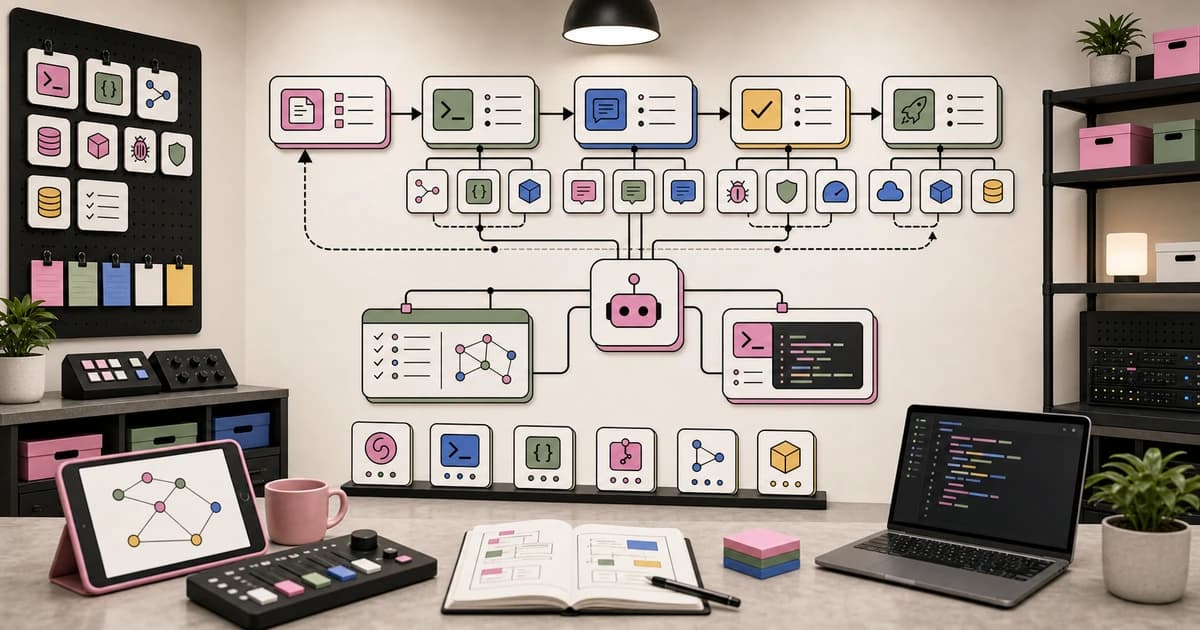
AI-native development operates across five layers. Each layer has a primary tool, a primary function, and a specific role in the development cycle.
Layer 5: Execution    - Cron agents, overnight agents, CI/CD agents
Layer 4: Data         - Context files, memory systems, skill libraries
Layer 3: Review       - Code review, diff analysis, merge decisions
Layer 2: IDE          - Visual editing, file navigation, UI work
Layer 1: Terminal     - Primary agent, codebase operations, orchestration
Most developers operate on Layers 1 and 2 only. They have a terminal agent and an IDE. The developers who achieve 10x productivity operate across all five layers simultaneously.
Layer 1: The Terminal Agent#
The terminal is the command center of AI-native development. Not because the terminal is inherently better than an IDE, but because terminal agents have the widest operational surface. They can read any file, execute any command, modify any part of the codebase, and spawn sub-processes. No permission dialogs. No sandboxing. Full system access.
Claude Code is the reference implementation of a terminal agent. It reads the entire codebase, understands the project structure, edits files, runs tests, commits code, and operates autonomously for extended periods. The terminal agent handles the majority of coding work: feature implementation, bug fixes, refactoring, test writing, and infrastructure changes.
The terminal agent's workflow is prompt-driven:
> Implement user preferences with a settings page. Read the existing
  patterns in src/actions/ and src/components/ and follow them.
  Add a preferences table to the schema. Create server actions for
  CRUD operations. Build the settings UI. Write tests.
A single prompt like this triggers a multi-step execution that would take a developer 1 to 2 hours manually. The agent reads the codebase, understands the patterns, implements the feature across multiple files, and verifies its work. The developer reviews the output instead of writing it.
Key practices for Layer 1:
- Always start with plan mode. Have the agent outline its approach before executing.
- Provide project context via CLAUDE.md. The agent should know your architecture, conventions, and constraints before it writes a line of code.
- Let the agent complete its work before intervening. Frequent interruptions break multi-step reasoning.
- Use sub-agents for independent tasks within a larger feature.
Layer 2: The IDE#
The IDE is the visual layer. It provides file navigation, syntax highlighting, diff visualization, and the ability to make targeted edits across multiple files simultaneously.
In an AI-native workflow, the IDE is not the primary authoring tool. It is the primary review and navigation tool. The terminal agent writes most of the code. The IDE lets you see what changed, navigate the codebase visually, and make quick adjustments that are faster to type than to describe.
Cursor is the most popular IDE for AI-native development because it combines traditional editing with agent capabilities. But the key insight is that the IDE agent and the terminal agent serve different functions:
| Capability | Terminal Agent | IDE Agent |
|---|---|---|
| Full codebase context | Yes | Partial (open files + index) |
| Autonomous execution | Yes (minutes to hours) | Yes (seconds to minutes) |
| Multi-file refactoring | Yes | Yes |
| Visual diff review | No (text output) | Yes |
| UI/component work | Possible but slow | Fast (visual feedback) |
| Command execution | Full system access | Sandboxed |
The optimal workflow uses both: terminal agent for implementation, IDE agent for review and visual adjustments.
Key practices for Layer 2:
- Use the IDE to review terminal agent output, not to duplicate its work.
- For UI work, the IDE's visual feedback loop is faster. Switch to the IDE for component styling, layout adjustments, and visual polish.
- Keep the IDE's AI features focused on targeted edits. "Change this button color" is an IDE task. "Refactor the authentication system" is a terminal task.
Layer 3: The Review Layer#
AI-native development generates code faster than traditional development. This means review becomes the bottleneck. The review layer is the process and tooling for evaluating agent-generated code before it ships.
Most developers review AI-generated code the same way they review human-written code: line by line, file by file. This is too slow for the volume of changes an agent produces. A 30-minute agent session might modify 20 files. Line-by-line review of 20 files takes longer than writing the code manually.
Structured review is the AI-native approach. Instead of reading every line, focus review on five risk categories:
-
Security boundaries. Does every API route check authentication? Are user inputs validated? Is data properly scoped to the requesting user?
-
Data mutations. What writes to the database? Are there race conditions? Is data integrity maintained?
-
Error handling. What happens when external services fail? Are errors caught and reported? Do users see helpful messages instead of stack traces?
-
Type safety. Are types properly defined? Any
anytypes that should be specific? Do function signatures match their implementations? -
Business logic. Does the implementation match the spec? Are edge cases handled? Do the numbers add up (pricing, limits, calculations)?
Everything else - file structure, naming conventions, import ordering, code style - is low-risk and can be spot-checked rather than reviewed exhaustively.
Key practices for Layer 3:
- Review by risk category, not by file. Security first, then data mutations, then error handling.
- Use AI to review AI. Have a separate agent session analyze the diff for security issues, missing error handling, and type problems.
- Review the tests, not just the implementation. If the tests cover the risk categories, the implementation is more trustworthy.
- Time-box reviews. If a feature takes 5 minutes to specify and 30 minutes to build, the review should take 10 to 15 minutes, not an hour.
Layer 4: The Data Layer#
The data layer is what separates AI-assisted development from AI-native development. It is the persistent information architecture that makes every agent interaction smarter than the last.
The data layer has three components:
Context files. CLAUDE.md, project rules, architecture documents. These load at session start and give the agent awareness of the project before the first prompt.
Memory systems. MEMORY.md, session snapshots, correction logs. These accumulate knowledge across sessions. What was decided, what failed, what the developer prefers.
Skill libraries. Reusable instructions for specific tasks. Deployment procedures, testing strategies, content creation workflows. Skills encode expert knowledge in a format that any agent session can use.
The data layer is an investment that compounds. A project with no data layer requires the developer to re-explain context every session. A project with a mature data layer requires almost no re-explanation because the agent already knows everything it needs to know.
.claude/
  CLAUDE.md           # Project architecture and conventions
  MEMORY.md           # Accumulated knowledge and decisions
  skills/
    deploy.md         # Deployment procedure
    test.md           # Testing strategy
    review.md         # Code review checklist
    add-feature.md    # Feature implementation workflow
  context/
    2026-04-08.md     # Yesterday's session snapshot
    2026-04-07.md     # Day before
Key practices for Layer 4:
- Update context files as part of every significant change. If you change the database, update the architecture section of CLAUDE.md.
- Write session snapshots at the end of every working session. The next session reads them to pick up where you left off.
- Extract skills from repetitive tasks. If you have explained a process to the agent three times, it should be a skill.
- Prune aggressively. Outdated context is worse than no context because the agent follows it faithfully.
Layer 5: The Execution Layer#
The execution layer is where AI-native development becomes truly autonomous. Agents run without human supervision: overnight builds, scheduled maintenance, CI/CD pipelines, and monitoring agents.
Overnight agents handle tasks that benefit from uninterrupted execution. Before going to bed, you write a spec describing what needs to happen. An agent picks it up, executes it, and leaves a report for the morning. The spec format is crucial because the agent has no way to ask clarifying questions.
## Overnight Spec: Add Export Feature

Objective: Users can export their data as CSV from the settings page.

Context:
- Data tables: users, cronJobs, cronRuns
- Export should include all user-owned data
- Use server actions, not API routes
- Follow existing patterns in src/actions/

Acceptance criteria:
- Export button on /settings page
- Clicking exports a .csv file to the browser
- CSV includes all cronJobs and their runs for the last 30 days
- Empty state handled (no data to export message)
- Tests pass: npm run test

Verification:
- Build passes: npm run build
- Tests pass: npm run test
- Dev server runs without errors
Cron agents handle recurring tasks. Daily dependency updates, scheduled database cleanup, periodic health checks, report generation. These run on a schedule and either handle the task silently or alert when human intervention is needed.
CI/CD agents extend traditional CI/CD with intelligence. Instead of fixed pipelines, agents analyze what changed and determine what needs testing, what needs review, and what can ship automatically.
Key practices for Layer 5:
- Write specs, not prompts. Specs have objectives, context, acceptance criteria, and verification steps. Prompts are ambiguous.
- Start with low-risk overnight tasks. Documentation updates, test coverage improvements, dependency updates. Build confidence before assigning critical features.
- Always include verification steps. The agent should prove its work is correct, not just claim it is.
- Review overnight output in the morning with fresh eyes. The combination of overnight execution and morning review consistently produces better outcomes than same-session execution and review.
The Daily Rhythm#
Here is what an AI-native development day looks like in practice.
Morning (30 minutes)#
- Read the overnight agent report. Review what it built.
- Read session snapshots from yesterday. Orient yourself.
- Check the memory file for recent decisions and pending items.
- Review the kanban board. Pick 2 to 3 priorities for the day.
- Merge overnight work if it passes review. Deploy if appropriate.
Deep Work Block 1 (2 to 3 hours)#
- Open the terminal agent. Load the highest-priority task.
- Start with plan mode. Review the agent's proposed approach.
- Approve and let the agent execute.
- While the agent works on the primary task, switch to the IDE for a secondary task: visual polish, small bug fixes, UI adjustments.
- Review the agent's output when it completes. Merge or request changes.
- Commit after each completed feature.
Midday (30 minutes)#
- Update MEMORY.md with morning decisions.
- Write any new skills extracted from the morning work.
- Update CLAUDE.md if architecture changed.
- Quick deploy of completed features.
Deep Work Block 2 (2 to 3 hours)#
- Continue with the day's priorities. Same terminal-agent-led workflow.
- Use parallel worktrees if the remaining tasks are independent.
- Run tests. Fix failures. Commit.
Evening (30 minutes)#
- Write a session snapshot covering the day's work.
- Write overnight specs for 1 to 2 tasks.
- Start the overnight agents.
- Update the kanban board.
- Review tomorrow's priorities.
Total active coding time: 4 to 6 hours. Total agent-assisted output: equivalent to 20 to 40 hours of traditional development. The multiplier comes from the agent handling implementation while the developer focuses on decisions, reviews, and specifications.
What Changes About the Developer's Job#
AI-native development changes what skills matter.
Skills That Matter More#
Specification writing. The ability to describe what you want in precise, unambiguous terms. This is the new "coding." Developers who can write clear specs get better results from agents than developers who write vague prompts and then correct the output.
Architecture thinking. Agents implement. Developers architect. The ability to choose the right database, the right API pattern, the right state management approach, and the right service boundaries becomes more important when the implementation is automated.
Review acumen. Reading code quickly, identifying risk areas, and making merge decisions. The volume of code to review increases dramatically. Developers who can review 20 files in 15 minutes and catch the important issues are more productive than those who take an hour and catch everything.
System design. Designing the data layer, the skill library, and the agent workflows. This meta-skill determines how effectively the AI tools work for your specific projects.
Skills That Matter Less#
Typing speed. Irrelevant when the agent writes most of the code.
Syntax memorization. The agent knows the syntax. You do not need to remember whether it is Array.prototype.flatMap or Array.prototype.flat().map().
Boilerplate generation. Scaffolding, configuration files, CRUD endpoints, form components. The agent handles all of this faster than any human can type it.
Tool-specific expertise. Deep knowledge of webpack configuration, Terraform syntax, or Docker networking. The agent has this knowledge. You need to know what you want, not how to express it in the tool's language.
Skills That Stay the Same#
Debugging. Agents help, but complex bugs still require human reasoning about system behavior, timing, and state.
User empathy. Understanding what users need and translating that into product requirements. No agent does this.
Communication. Explaining technical decisions to non-technical stakeholders. Writing documentation that humans can understand. Collaborating with teammates. For the boilerplate first draft of project docs, our README generator handles the scaffolding so you can spend the time on the parts that need a human.
Taste. Knowing when something feels right or wrong. This applies to UI design, API design, error messages, and user flows. Agents optimize for correctness. Humans optimize for elegance.
Common Anti-Patterns#
Anti-Pattern 1: AI as Autocomplete#
Using AI agents for line-by-line suggestions instead of feature-level work. This captures 10% of the productivity gain and misses the other 90%. If your primary interaction with AI is accepting tab completions, you are leaving most of the value on the table.
Anti-Pattern 2: No Context Investment#
Starting every session by re-explaining the project. No CLAUDE.md, no memory file, no skills. Each session is a cold start. The agent makes mistakes it should not make because it does not know your conventions.
Anti-Pattern 3: Over-Supervision#
Watching the agent work and interrupting every few seconds. "No, use this import." "Wait, that is the wrong file." "Stop, let me explain." This is slower than writing the code yourself because you are paying the overhead of both human work and agent work without the benefit of either.
The fix: write a clearer spec and let the agent execute it. If the output is wrong, improve the spec for next time.
Anti-Pattern 4: No Review#
Blindly merging agent output because "the AI wrote it so it must be right." Agent code has consistent failure patterns that require human review. Skipping review does not save time. It creates bugs that take more time to fix than the review would have taken.
Anti-Pattern 5: Single-Layer Operation#
Using only the terminal agent or only the IDE agent. Each layer serves a different function. Using only one is like using only a hammer when you have a full toolbox.
The Transition Path#
Moving from traditional development to AI-native development is not an overnight switch. Here is the progression.
Week 1: Terminal agent basics. Install Claude Code or equivalent. Use it for one feature per day. Learn plan mode. Learn how to write effective prompts.
Week 2: Context investment. Write a CLAUDE.md for your main project. Start a MEMORY.md. Notice how the agent's output improves with context.
Week 3: Review workflow. Develop a structured review process. Practice reviewing by risk category. Time yourself to establish a baseline.
Week 4: Parallel development. Try worktrees. Run two agent sessions simultaneously on independent features. Experience the productivity jump from parallelism.
Month 2: Data layer maturation. Extract your first 5 to 10 skills. Write session snapshots consistently. Notice the cumulative effect of persistent context.
Month 3: Execution layer. Write your first overnight spec. Run your first cron agent. Extend your productive hours beyond the time you are at the keyboard.
Each step builds on the previous one. Skipping ahead (trying overnight agents before you have a solid CLAUDE.md) produces frustration because the foundation is not there. Follow the progression and each layer will feel natural by the time you reach it.
The Productivity Multiplier#
The five-layer stack is not about working harder. It is about applying leverage at every stage of the development process. The terminal agent provides implementation leverage. The IDE provides visual leverage. The review layer provides quality leverage. The data layer provides knowledge leverage. The execution layer provides time leverage.
Combined, these layers transform the developer's role from "person who writes code" to "person who directs code production." The output per hour increases not because the developer types faster but because every hour of developer attention produces 5 to 10 hours of agent execution.
This is what AI-native development means. Not using AI tools within a traditional workflow. Building a new workflow that could not exist without AI tools. The developers who make this transition are not just faster. They are operating on a different axis of productivity entirely.
Frequently Asked Questions#
What is AI-native development?#
AI-native development is a workflow where the entire development process is restructured around AI agent capabilities. Instead of using AI as an add-on to traditional coding, AI-native developers use terminal agents as their primary implementation tool, maintain persistent context through CLAUDE.md and memory files, and run execution-layer agents overnight. The productivity gain is 5x to 10x compared to traditional development, versus the 20 to 30 percent improvement from simply using AI for autocomplete.
What is the difference between AI-assisted and AI-native development?#
AI-assisted development bolts AI tools onto an existing workflow - Copilot for autocomplete, occasionally pasting code into ChatGPT. AI-native development restructures the entire workflow: the terminal agent handles implementation, the IDE handles visual review, the data layer stores persistent context, and the execution layer runs agents autonomously. The difference is not the tools but how work is organized around agent capabilities.
How do I start with AI-native development?#
Start with the terminal agent layer. Install Claude Code or an equivalent tool and use it for one feature per day. In week two, write a CLAUDE.md file for your project to provide persistent context. Week three, develop a structured review process. Week four, try parallel worktrees. By month two, extract skills from repetitive tasks. Month three, write your first overnight spec. Each layer builds on the previous one.
What is CLAUDE.md and why is it important?#
CLAUDE.md is a project context file that loads at the start of every agent session. It contains your architecture decisions, coding conventions, and project constraints. Without it, you re-explain context every session. With a mature CLAUDE.md, the agent already knows your database schema, API patterns, and style preferences before the first prompt. It is the foundation of the data layer and makes every agent interaction smarter.
What should my daily workflow look like?#
Morning: review overnight agent output, read session snapshots, merge completed work. Deep work blocks: use the terminal agent for implementation, switch to the IDE for visual work, review and commit. Midday: update MEMORY.md and CLAUDE.md. Evening: write session snapshots, write overnight specs, start overnight agents. Total active time is 4 to 6 hours, with agent-assisted output equivalent to 20 to 40 hours of traditional development.
How do I review AI-generated code efficiently?#
Review by risk category, not by file. Check security boundaries first: authentication, input validation, data scoping. Then data mutations: database writes, race conditions, data integrity. Then error handling: external service failures, user-facing messages. Then type safety. Everything else - naming, imports, style - is low-risk and can be spot-checked. A feature that takes 30 minutes to build should take 10 to 15 minutes to review, not an hour.
What are overnight agents and how do I use them?#
Overnight agents run tasks while you sleep. You write a detailed spec with objectives, context, acceptance criteria, and verification steps. The agent picks it up, executes it, and leaves a report for the morning. Start with low-risk tasks: documentation updates, test coverage improvements, dependency updates. Always include verification steps so the agent proves its work is correct. Review overnight output with fresh eyes in the morning.
What developer skills matter more in AI-native development?#
Specification writing matters more - the ability to describe what you want in precise, unambiguous terms. Architecture thinking matters more because agents implement while developers design. Review acumen matters more because the volume of code to review increases. System design for the data layer and skill libraries matters more. Typing speed, syntax memorization, and boilerplate generation matter less because agents handle these automatically.
Continue Reading#
Get the next deep dive like this in your inbox
One email a week on AI Development and the rest of the AI dev stack. Free.
Read next on Claude Code
Build Log: Turning the DevDigest Blog Into an Agent Content System
How the DevDigest blog became an agent content system: posts, tags, RSS, search, llms.txt, and content expansion reports, plus what not to automate blindly.
9 min readMy AI Developer Workflow in 2026
The exact tools, patterns, and processes I use to ship code 10x faster with AI. From morning briefing to production deploy.
9 min readThe Agentic Development Tech Stack for 2026
Coding changed more in the past two years than in the previous decade. We moved from manual typing to autocomplete, then to multi-file edits.
12 min readTechnical content at the intersection of AI and development. Building with AI agents, Claude Code, and modern dev tools - then showing you exactly how it works.