Context Engineering: The Highest-Leverage Skill in AI-Assisted Development

TL;DR
Context engineering is designing the persistent context around every AI interaction: CLAUDE.md files, system prompts, skill libraries and memory systems.
Last updated: May 2, 2026. Verify current CLAUDE.md format, memory hierarchy, and skill configuration against the official Anthropic documentation.
Official Sources#
Use this guide for the conceptual framework, then verify implementation details against the primary sources:
| Topic | Official Source |
|---|---|
| CLAUDE.md format | Memory and project context |
| Claude Code overview | What is Claude Code |
| Settings reference | Claude Code settings |
| Skills | Claude Code Skills |
| Hooks | Claude Code Hooks |
| MCP integration | MCP overview |
Prompt engineering had its moment. It was the skill of 2023. Craft the right question, get a better answer. But prompt engineering addresses a single interaction. You write a prompt, the model responds, and the context evaporates. Every new session starts cold.
Context engineering is what replaced it. Instead of optimizing individual prompts, you design the persistent information architecture that surrounds every AI interaction. The CLAUDE.md file that loads at session start. The skill library that gives your agent specialized capabilities. The memory system that accumulates knowledge across sessions. The system prompt that defines behavior before the first message is sent. For the older prompt-centric pattern this replaces, see the prompt engineering for coding guide.
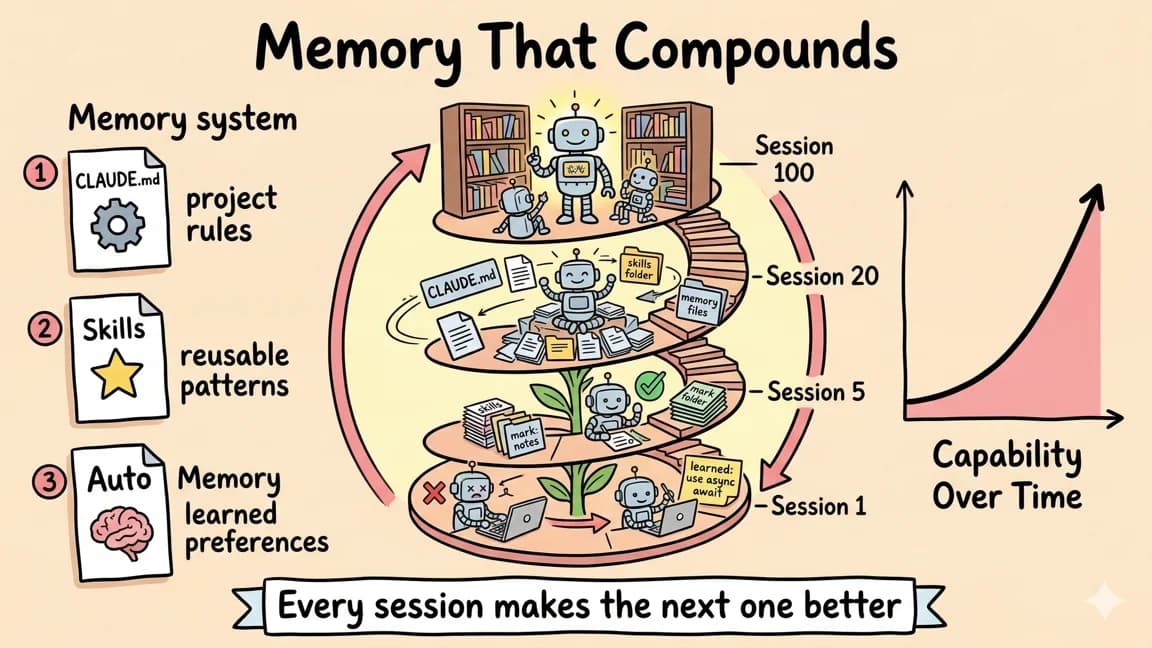
This is the highest-leverage skill in AI-assisted development because it compounds. A well-engineered context makes every interaction better. A poorly engineered one makes every interaction worse, and most developers never realize the gap exists. The same compounding logic shows up in why skills beat prompts and continual learning in Claude Code.
What Context Engineering Actually Is#
Context engineering is the practice of designing, structuring, and maintaining the information that an AI agent consumes before and during a task. It covers four layers:
Layer 1: System prompts. The foundational instructions that define how the agent behaves. What it should do, what it should never do, how it should format responses, what tools it can use.
Layer 2: Project context. The persistent knowledge about your specific codebase, architecture, conventions, and constraints. This is where CLAUDE.md files and similar configuration live.
Layer 3: Skill libraries. Reusable, composable instructions for specific tasks. Writing a blog post. Deploying to production. Running a QA audit. Each skill encapsulates domain knowledge that would otherwise need to be re-explained every session.
Layer 4: Memory systems. The mechanisms for accumulating and retrieving knowledge across sessions. What the agent learned last time. What decisions were made. What failed and why.
Most developers interact with Layer 1 (system prompts) and stop there. The compounding advantage comes from investing in all four layers.
The CLAUDE.md File: Your Project's Operating Manual#
CLAUDE.md is the most impactful single file you can create in any project. It loads automatically at the start of every Claude Code session, giving the agent immediate awareness of your project's architecture, conventions, and constraints. For a tactical template, use the complete CLAUDE.md guide alongside this higher-level context model.
Here is what a bad CLAUDE.md looks like:
# My Project

This is a Next.js app with Tailwind and Prisma.
Use TypeScript. Follow best practices.
This tells the agent almost nothing useful. "Follow best practices" is the context engineering equivalent of telling a new hire to "do good work." It provides no actionable constraints.
Here is what a good CLAUDE.md looks like:
# ProjectName

Next.js 16 app with App Router. Neon (Postgres) via Drizzle ORM.
Clerk for auth. Tailwind with custom design tokens.
Deployed on Coolify (Hetzner VPS).

## Critical Rules

- Never use em dashes in any content or code comments
- No emojis anywhere in the codebase
- All API routes must check auth via `auth()` from @clerk/nextjs/server
- Database migrations go through `drizzle-kit push` only, never raw SQL

## Architecture

| Layer | Tech | Notes |
|-------|------|-------|
| Framework | Next.js 16 | App Router, Turbopack |
| Database | Neon + Drizzle | Schema in src/db/schema.ts |
| Auth | Clerk | OAuth, org support |
| Payments | Stripe via Autumn | Credits-based billing |
| AI | Kimi k2.5 | OpenAI-compatible client |

## Data Flow

1. User action triggers server action in `src/actions/`
2. Server action validates input with Zod
3. Drizzle query against Neon
4. Revalidate affected paths
5. Client component re-renders via React Server Components

## File Conventions

- Server actions: `src/actions/{domain}.ts`
- DB queries: `src/db/queries/{domain}.ts`
- Components: `src/components/{domain}/`
- Pages: `app/{route}/page.tsx`

## Common Tasks

### Add a new database table
1. Add schema to `src/db/schema.ts`
2. Run `npx drizzle-kit push`
3. Add queries to `src/db/queries/{domain}.ts`
4. Add server actions to `src/actions/{domain}.ts`

### Deploy
Push to main. Coolify auto-deploys via webhook.
The difference is specificity. The good CLAUDE.md gives the agent everything it needs to make correct decisions without asking you. Architecture choices, file conventions, deployment process, and critical constraints that would otherwise require multiple rounds of correction.
The Anatomy of Effective Project Context#
After maintaining CLAUDE.md files across dozens of projects, patterns emerge. The most effective project context files share five characteristics.
1. Constraints Before Capabilities#
Lead with what the agent should never do. Constraints prevent costly mistakes. Capabilities enable efficiency. Both matter, but a constraint violation (pushing to production, deleting data, using a deprecated API) causes more damage than a missed optimization.
## Critical Rules

- NEVER push to remote unless explicitly asked
- NEVER modify .env files
- NEVER use the deprecated v1 API endpoints
- All database changes require migration files, not direct schema edits
Constraints should be absolute, not aspirational. "Try to keep functions under 50 lines" is a suggestion. "All API responses must include a requestId field" is a constraint. The agent can follow constraints. It cannot reliably follow suggestions because there is no clear boundary.
2. Architecture as Decision Context#
When the agent knows your architecture, it stops proposing alternatives you have already rejected. Without architecture context, every session risks the agent suggesting Prisma when you use Drizzle, or REST endpoints when you use tRPC, or client-side fetching when you use server components.
The most effective format is a combination of a quick-reference table and a data flow description. The table gives the agent the vocabulary. The data flow tells it how pieces connect.
3. File Conventions as Navigation#
Agents navigate codebases by convention. If your server actions always live in src/actions/, the agent finds them immediately. If they are scattered across the codebase with no pattern, the agent wastes tokens searching.
Document where things go. The payoff is immediate because the agent writes new code in the right location on the first attempt instead of requiring corrections.
4. Common Tasks as Playbooks#
The "Common Tasks" section is the most underrated part of a CLAUDE.md. It encodes the multi-step workflows that you would otherwise explain verbally every time.
"Add a new API endpoint" is not a single action. It involves creating a route file, adding validation, connecting to the database, adding error handling, updating types, and potentially updating the API documentation. Encoding this sequence means the agent executes it correctly without you supervising each step.
5. Living Documentation#
A CLAUDE.md that is written once and never updated becomes inaccurate, and inaccurate context is worse than no context. The agent trusts what it reads. If the file says you use Prisma but you migrated to Drizzle last month, every database-related suggestion will be wrong.
The best practice is to make updating the CLAUDE.md part of every significant change. Swap databases? Update the CLAUDE.md. Change the deployment process? Update the CLAUDE.md. Adopt a new convention? Update the CLAUDE.md. Some teams add this to their PR checklist.
System Prompts: The Foundation Layer#
System prompts operate below project context. They define the agent's fundamental behavior: how it communicates, what tools it uses, how it handles ambiguity. If CLAUDE.md is the project manual, the system prompt is the agent's personality and operating protocol.
The most common mistake with system prompts is treating them as a dump for every instruction you can think of. Long, rambling system prompts dilute the important instructions with noise. The agent assigns roughly equal weight to everything in the system prompt, so a 5,000-token prompt with 200 tokens of critical instructions means the critical instructions get 4% of the attention.
Good System Prompt Structure#
1. Identity and role (2-3 sentences)
2. Critical constraints (numbered list, under 10 items)
3. Output format preferences (code style, response structure)
4. Tool usage instructions (when to use which tool)
5. Error handling behavior (what to do when uncertain)
Bad System Prompt Patterns#
The encyclopedia. 10,000 tokens covering every possible scenario. The agent cannot prioritize because everything is presented with equal weight.
The vague directive. "Be helpful and write clean code." This adds zero information beyond the model's default behavior.
The contradictory set. "Always explain your reasoning" combined with "Keep responses concise." These conflict, and the agent picks whichever it encounters last or whichever is more convenient per response.
The outdated reference. Instructions that reference deprecated APIs, old file structures, or retired services. The agent follows them faithfully and produces broken code.
The fix for all of these is the same: treat your system prompt as code. Review it. Test it. Refactor it. Version control it.
Skill Libraries: Composable Expertise#
Skills are the composable building blocks of context engineering. Each skill encapsulates the instructions, context, and references needed for a specific task. Instead of re-explaining how to write a blog post every time, you invoke a skill that contains the format, conventions, frontmatter template, and quality standards.
The key design principle for skills is progressive disclosure. The agent should not load every skill into context at session start. It should see a list of available skills (name and one-line description) and load the full definition only when needed.
# Skill: deploy

Deploy the application to production.

## Steps

1. Run `npm run build` and verify no errors
2. Run `npm run test` and verify all pass
3. Check git status - all changes must be committed
4. Push to main branch
5. Verify deployment at https://app.example.com
6. Run smoke tests: health endpoint, auth flow, core feature

## Constraints

- Never deploy on Friday after 3 PM
- Never deploy if any test fails
- Always check the build output for warnings about bundle size

## Rollback

If smoke tests fail:
1. `git revert HEAD`
2. Push to main
3. Verify rollback deployment
4. Open an issue describing the failure
This skill is self-contained. Any agent that reads it can execute the deployment process without additional context. The constraints prevent common mistakes. The rollback procedure handles failures.
Skill Composition#
The real power emerges when skills compose. A "ship feature" meta-skill might invoke:
- The "test" skill to verify the codebase is clean
- The "deploy" skill to push to production
- The "monitor" skill to watch for errors post-deploy
- The "document" skill to update the changelog
Each component skill is independently useful and independently testable. The meta-skill orchestrates them into a workflow. This is the same composition pattern that makes Unix pipes powerful: small, focused tools chained together.
Skill Accumulation#
The most valuable property of skills is that they accumulate. Every time you solve a problem, you can extract the solution into a skill. Over months, your skill library becomes a comprehensive encoding of your team's knowledge and processes.
A developer who has been context engineering for six months might have 50 to 100 skills covering everything from "set up a new microservice" to "handle a customer escalation" to "write a technical blog post." Each skill represents hours of accumulated knowledge compressed into minutes of agent execution time.
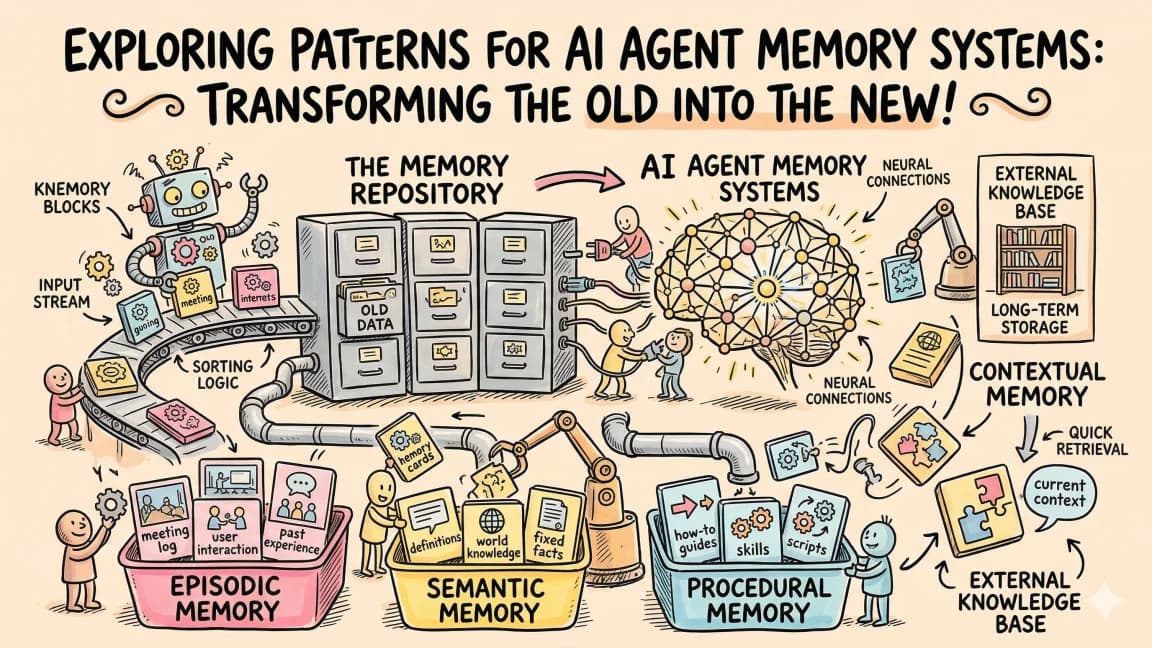
Memory Systems: Knowledge That Persists#
Memory is the mechanism that connects sessions. Without memory, every interaction starts from zero. With memory, the agent carries forward what it learned.
There are three practical memory patterns for context engineering.
Pattern 1: Append-Only Memory Files#
The simplest pattern. A file (often called MEMORY.md) that the agent reads at session start and appends to when it learns something new.
# Memory

## Project Decisions
- 2026-03-15: Chose Drizzle over Prisma for type-safe queries
- 2026-03-20: Switched from REST to tRPC for internal APIs
- 2026-04-01: Added rate limiting via Upstash Redis

## Patterns That Work
- Server actions with Zod validation catch 90% of input errors
- Parallel sub-agents for independent test suites cut CI time in half

## Patterns That Failed
- Client-side data fetching caused hydration mismatches with SSR
- Caching tRPC responses broke real-time updates
The append-only constraint is important. It prevents the agent from overwriting historical context. You can prune the file periodically, but the agent should only add, never delete.
Pattern 2: Structured Context Files#
For larger projects, a single memory file becomes unwieldy. Structured context splits memory into domain-specific files.
.context/
  architecture.md    # System design decisions
  conventions.md     # Coding standards and patterns
  incidents.md       # Past failures and fixes
  dependencies.md    # External service notes
  performance.md     # Optimization history
Each file is small enough to load on demand. The agent reads the relevant file based on the current task instead of loading everything.
Pattern 3: Session Snapshots#
When a session ends, capture a snapshot of what was accomplished, what decisions were made, and what remains to be done. This creates a chain of context that spans across sessions.
# Session 2026-04-09 14:30

## Completed
- Added user preferences table to schema
- Created settings page with form validation
- Connected preferences to AI prompt generation

## Decisions
- Stored preferences as JSONB instead of separate columns
- Used React Hook Form instead of native form handling

## Next Steps
- Add preference sync across devices
- Write tests for preference-dependent AI prompts
- Update onboarding flow to collect initial preferences
The next session reads this snapshot and picks up exactly where the previous one left off. No re-explaining, no context loss, no wasted time re-establishing what happened.
Good Context vs. Bad Context: Real Examples#
Example 1: Deployment Instructions#
Bad:
Deploy the app when ready.
Good:
## Deploy

1. Verify: `npm run build && npm run test`
2. Commit all changes to main
3. Push: `git push origin main`
4. Coolify auto-deploys via webhook (takes ~3 min)
5. Verify: `curl -s https://app.example.com/api/health`
6. If health check fails, check Coolify logs at https://coolify.example.com
The bad version assumes the agent knows your deployment process. The good version eliminates ambiguity.
Example 2: Code Style#
Bad:
Write clean, maintainable TypeScript.
Good:
## Code Style

- Functions: named exports, async when touching DB or external services
- Error handling: throw typed errors from `src/lib/errors.ts`, never raw strings
- Imports: absolute paths via `@/` alias, never relative beyond one level
- Types: colocate with the module, export from barrel files per domain
- Tests: colocate as `{module}.test.ts`, use vitest, mock external services
The bad version is indistinguishable from the model's default behavior. The good version encodes specific conventions that differ from defaults.
Example 3: Database Operations#
Bad:
We use Postgres. Be careful with migrations.
Good:
## Database (Neon + Drizzle)

Schema: `src/db/schema.ts` (single source of truth)
Migrations: `npx drizzle-kit push` (dev), `npx drizzle-kit generate` (prod)

Rules:
- Never write raw SQL except in Drizzle `sql` template literals
- Always add `NOT NULL` constraints unless the field is genuinely optional
- Always add indexes on foreign keys and frequently filtered columns
- New tables must have `createdAt` and `updatedAt` timestamps
- Enum values: add new values only, never rename or remove existing ones
The bad version creates anxiety without actionable guidance. The good version gives the agent concrete rules it can follow mechanically.
Measuring Context Quality#
Context engineering is not a write-once activity. You need to measure whether your context is actually working.
Signal 1: Correction Frequency#
Track how often you correct the agent on the same issue. If you keep saying "use Drizzle, not Prisma," your architecture context is either missing or unclear. Every repeated correction is a context engineering bug.
Signal 2: First-Attempt Accuracy#
When the agent generates code, how often is the first attempt correct? Low first-attempt accuracy means the agent lacks necessary context. High first-attempt accuracy means your context is doing its job.
Signal 3: Token Efficiency#
Good context reduces total token usage by preventing wrong turns. If the agent consistently goes down the wrong path and then backtracks, that is wasted tokens caused by insufficient context. Monitor your token usage trends as you improve your context files.
Signal 4: Onboarding Speed#
Give a new team member (or a fresh agent session with no history) your context files and a task. How quickly do they produce correct output? Fast onboarding means your context is comprehensive. Slow onboarding means gaps exist.
The Context Engineering Workflow#
Here is the daily workflow that makes context engineering compound over time.
Morning: Read MEMORY.md and session snapshots. Orient yourself on what happened in the last session. Check if any context files need updates.
During work: When you correct the agent, note the correction. Do not just fix the output. Fix the context that caused the wrong output. Add the missing constraint, convention, or instruction to the appropriate context file.
End of session: Write a session snapshot. What was accomplished, what was decided, what comes next. Update MEMORY.md with any significant learnings.
Weekly: Review your skill library. Are there tasks you performed manually that should be skills? Are existing skills outdated? Prune what is no longer relevant. Add what is missing.
This workflow takes 10 to 15 minutes per day. The return is hours of saved time from reduced corrections, faster agent execution, and knowledge that persists instead of evaporating.
Why This Is the Highest-Leverage Skill#
Context engineering multiplies the effectiveness of everything else. Better prompts help one interaction. Better context helps every interaction. A skill library that took 20 hours to build might save 5 minutes per task across 10 tasks per day for months. The math compounds aggressively.
More importantly, context engineering is durable. Models improve, tools change, but the discipline of designing persistent information architectures transfers across every AI system. The CLAUDE.md you write today teaches you principles that apply to whatever system ships next year.
The developers who will be most productive with AI in 2026 and beyond are not the ones writing the cleverest prompts. They are the ones who have invested in context that makes clever prompts unnecessary. When the agent already knows your architecture, conventions, constraints, and processes, the prompt becomes simple: "Add user preferences to the settings page." The context does the rest.
That is the promise of context engineering. Not better questions, but better defaults. Not smarter prompts, but smarter environments. The context you build today is the leverage you have tomorrow.
Frequently Asked Questions#
What is context engineering?#
Context engineering is the practice of designing, structuring, and maintaining the persistent information that an AI agent consumes before and during a task. Unlike prompt engineering, which optimizes individual interactions, context engineering creates durable information architectures that improve every interaction. It covers four layers: system prompts, project context (like CLAUDE.md files), skill libraries, and memory systems.
What is a CLAUDE.md file?#
A CLAUDE.md file is a project-level configuration file that Claude Code reads automatically at the start of every session. It contains your project's architecture, conventions, constraints, and common workflows. A well-written CLAUDE.md eliminates the need to re-explain your codebase every session and prevents the agent from making decisions that violate your project's rules.
How do I write a good CLAUDE.md file?#
Start with constraints before capabilities - what the agent should never do. Include a clear architecture table showing your tech stack. Document file conventions so the agent knows where to find and place code. Add common task playbooks for multi-step workflows like deployment or adding new features. Keep it updated whenever your project changes. Aim for specificity over vague guidelines like "follow best practices."
What is the difference between prompt engineering and context engineering?#
Prompt engineering optimizes a single interaction - you craft a better question to get a better answer, but the context evaporates when the session ends. Context engineering builds persistent information that improves every interaction. A well-engineered CLAUDE.md file, skill library, and memory system means you can give simple prompts like "add user authentication" and the agent already knows your framework, conventions, and deployment process.
How do skills work in context engineering?#
Skills are reusable, composable instructions for specific tasks. Instead of explaining how to deploy your app every time, you create a deploy skill that contains the exact steps, constraints, and rollback procedures. Skills should use progressive disclosure - the agent sees a list of available skills (name and one-line description) and loads the full definition only when needed. Skills accumulate over time, encoding your team's knowledge into executable instructions.
What is memory in context engineering?#
Memory is the mechanism that connects AI sessions. Without memory, every interaction starts from zero. Three practical patterns exist: append-only memory files (like MEMORY.md) that log decisions and learnings, structured context files split by domain (architecture.md, conventions.md, incidents.md), and session snapshots that capture what was accomplished and what comes next at the end of each session.
How do I measure context quality?#
Track four signals: correction frequency (how often you correct the agent on the same issue), first-attempt accuracy (how often the first code generation is correct), token efficiency (wasted tokens from wrong turns indicate insufficient context), and onboarding speed (how quickly a fresh session produces correct output). Every repeated correction is a context engineering bug that should be fixed.
Is context engineering worth the time investment?#
Yes. The time investment is 10 to 15 minutes per day for the workflow, plus the initial setup of your CLAUDE.md and skill library. The return is hours of saved time from reduced corrections, faster agent execution, and knowledge that persists instead of evaporating. A skill library that took 20 hours to build might save 5 minutes per task across 10 tasks per day for months. The math compounds aggressively.
Get the next deep dive like this in your inbox
One email a week on Context Engineering and the rest of the AI dev stack. Free.
Read next on Claude Code
AI Agent Memory Patterns
AI agent memory patterns that fix forgetting between sessions: CLAUDE.md persistence, RAG retrieval, conversation summarization, structured and tiered memory.
9 min readProgressive Disclosure: How Claude Code Cut Token Usage by 98%
Progressive disclosure lets agents load tools only when needed. How Cloudflare, Anthropic and Cursor cut token usage, and how to do it in Claude Code.
10 min readSelf-Improving Skills: Claude Code That Learns From Every Session
Self-improving Claude Code skills reflect on sessions, extract your corrections and update their skill file with confidence levels, so mistakes stop repeating.
7 min readTechnical content at the intersection of AI and development. Building with AI agents, Claude Code, and modern dev tools - then showing you exactly how it works.