Build Log: Adding Product Paths to a Content Site Without Making It Salesy
TL;DR
A field note on adding pricing, Pro, apps, sponsors, partners, hiring, consulting, newsletter, and weekly rollup paths to DevDigest without turning the site into vague growth copy.
The dangerous moment for a content site is when it starts needing product pages.
Not because product pages are bad.
Because they are where precise editorial taste usually gets replaced by vague growth language.
Suddenly the site that used to say useful things about tools, agents, costs, prompts, infrastructure, and workflows starts saying things like "unlock your potential" and "supercharge your journey."
That is not a product strategy. It is a fog machine.
The current DevDigest work is the opposite: add product paths without making the whole site feel like a funnel. It follows the same operating logic laid out in the DevDigest OS thesis and the case study on building DD with AI.
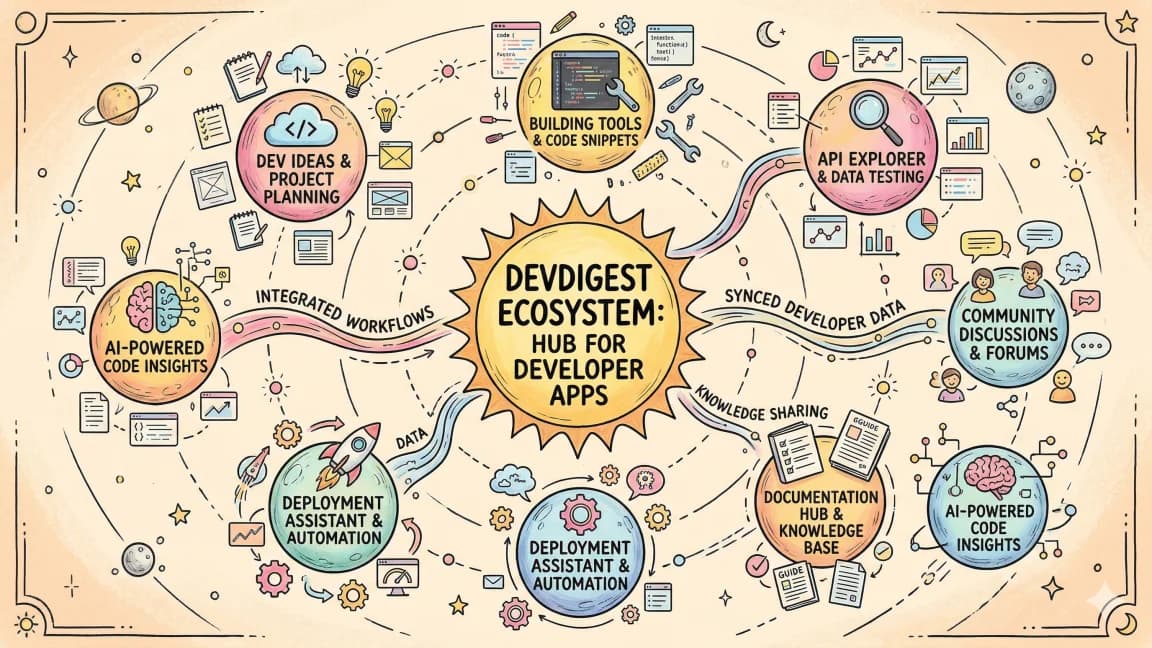
The routes now exist: /pricing, /pro, /apps, /sponsor, /partners, /hire, /consulting, /newsletter, and /weekly.
This build log is about the constraint behind those pages.
Each path has to answer a real question, fit the existing content system, and avoid pretending the business is more mature than it is.
The Problem#
DevDigest began as a content surface: blog posts, guides, tools, videos, comparisons, and developer workflow notes.
That shape is honest. Readers arrive with a problem:
- Should I use Claude Code, Codex, Cursor, or something else?
- What does this new agent framework actually do?
- How should I think about MCP servers, skills, hooks, context, and cost?
- Which tool is worth trying this week?
The answer is usually an article, a guide, a comparison, a tool entry, or a video.
But once a site has enough repeat readers and enough adjacent products, content alone is not the full map anymore.
People also need to know:
- Is there a paid plan?
- What is included for free?
- Where are the apps?
- Can my company sponsor the newsletter or channel?
- Can I partner with DevDigest?
- Can I hire J or bring him in for consulting?
- Where do I subscribe?
- Where is the weekly update?
Those are normal questions.
The mistake would be answering them by turning every page into a conversion page.
What Actually Shipped#
The shipped work is not one giant "monetization" page.
It is a set of small, explicit paths:
- /pricing explains the free surface and the paid plan shape.
- /pro is the Developers Digest Pro early access list. It is not framed as a fully launched product.
- /apps is the app directory and product inventory.
- /sponsor is for sponsorship and media opportunities.
- /partners is for business development and collaboration.
- /hire is a direct work-with-J route.
- /consulting is the advisory and implementation route.
- /newsletter is the subscription path.
- /weekly is the weekly content rollup.
That list matters because each page has a different job.
If all of these collapse into one CTA, the site becomes mushy. A sponsor does not need the same page as a solo developer deciding whether to join a Pro waitlist. A consulting buyer does not need the same page as someone looking for the weekly update. An app browser does not need to be sold the newsletter before they can inspect the product catalog.
Specific paths are less slick, but they are easier to trust.
The Rule: Name the Commercial Intent#
The first rule was simple: do not hide the commercial intent.
If a page is about pricing, call it pricing.
If a page is about sponsorship, call it sponsor.
If a page is about consulting, call it consulting.
Developers can smell euphemism. They do not need "solutions," "growth partnerships," or "transformation experiences" when the actual thing is a paid plan, an ad slot, a partner inquiry, or a consulting engagement.
Clear route names do two useful things.
First, they reduce reader anxiety. Nobody has to decode what the page is for.
Second, they keep the writing honest. A /pricing page cannot pretend it is only educational. A /sponsor page cannot pretend there is no business ask. A /hire page should not bury the fact that the reader is there to evaluate fit.
The page name is a forcing function.
Pro Is Early Access, Not a Victory Lap#
The easiest place to overclaim is /pro. The six paid products in a day build log covers the same discipline of shipping a narrow, honest offer instead of a fully-baked pitch.
That route exists. The offer shape exists. The early access list exists.
That does not mean Pro should be talked about like a mature subscription business with finished retention data, a polished customer base, and a year of proof.
So the language has to stay careful.
The current honest framing is: Developers Digest Pro is an early access list for a paid layer around the free content system. The public site remains free. Pro is additive. Pricing can be explained, the intended feature set can be described, and readers can join the waitlist before it opens.
That is enough.
There is no need to fake momentum.
In fact, the honest version is more interesting: this is what it looks like when a content site starts adding a paid layer before it has the luxury of pretending everything is settled.
Pricing Has to Protect the Free Site#
/pricing has a harder job than it looks.
Most pricing pages are written as if the paid tier is the product and the free surface is bait.
That would be wrong for DevDigest.
The free surface is the main product for most readers: posts, guides, videos, tools, comparisons, glossary pages, and app discovery. The paid layer only works if it does not poison the reason people came here in the first place.
So the pricing page needs to make the boundary legible:
- what stays free,
- what Pro is meant to add,
- where the early access state begins,
- what the paid promise does not replace.
That is not just copywriting. It is product architecture.
If the pricing page implies that the useful part of the site is moving behind a wall, it damages the trust that made the site worth monetizing.
Apps Are Inventory, Not a Hero Claim#
/apps is the cleanest proof that product paths can stay practical.
The app directory is not a generic portfolio page saying "we build developer tools."
It is an inventory.
Each app has a name, category, status, link, description, and place in the broader DevDigest system. Some are live. Some are in progress. Some are utilities. Some are larger product bets.
That matters because the page does not need to inflate itself. The reader can inspect the objects.
The best product pages on a content site behave more like registries than billboards.
They answer:
- What exists?
- What state is it in?
- Who is it for?
- Where does it connect to the rest of the site?
If the answer is weak, the fix is to improve the product or its explanation, not to add louder copy.
Sponsor, Partners, Hire, and Consulting Are Different Buyers#
The business-facing routes are easy to lump together, but they should stay separate.
/sponsor is for someone evaluating audience fit, format, inventory, and whether DevDigest is a credible channel for a campaign.
/partners is for someone thinking beyond a single placement: co-marketing, product collaboration, distribution, or some other shared project.
/hire is for a direct work inquiry around J.
/consulting is for advisory or implementation help where the value is expertise, not inventory.
Those four pages can share context, but they should not share one vague pitch.
The decision-maker is different.
The proof needed is different.
The next action is different.
Keeping them split is less elegant from a nav-design perspective, but it is more accurate from a buyer-intent perspective.
Newsletter and Weekly Are Retention Paths#
/newsletter and /weekly are not the same thing as the commercial pages.
They are retention paths.
The newsletter route is the durable subscription surface. It answers, "How do I keep getting this?"
The weekly route is the current editorial rollup. It answers, "What changed this week?"
That distinction is small but useful.
A newsletter page can be evergreen.
A weekly page should feel current, dated, and tied to the rhythm of publication.
These pages help the product paths because they keep the site from becoming purely transactional. The commercial layer only makes sense if the editorial layer stays alive.
The Anti-Salesy Checklist#
The working checklist is blunt.
1. Use the Route Name as the Promise#
If the path is /pricing, answer pricing questions.
If the path is /apps, show apps.
If the path is /sponsor, help a sponsor decide.
Do not make readers walk through a brand manifesto before they get the thing they clicked for.
2. Prefer Concrete Surfaces Over Abstract Benefits#
"Priority search" is better than "move faster."
"Join the Pro waitlist" is better than "unlock the future."
"Sponsor DevDigest" is better than "activate developer mindshare."
Abstract benefits are not banned. They just have to be earned by concrete surfaces.
3. Admit State#
If something is early access, say early access.
If something is in progress, say in progress.
If an app is a directory entry and not a mature SaaS product, make that clear.
The fastest way to make a developer site feel fake is to describe prototypes like enterprise products.
4. Keep the Editorial Spine Visible#
Every product path should still feel connected to the core DevDigest system: articles, guides, tools, apps, videos, weekly updates, and practical developer workflow notes.
The commercial pages are doors into the system, not replacements for it.
5. Do Not Invent Proof#
No unverifiable audience stats.
No fake customer language.
No audience-size shortcuts unless the site can actually back them up from local, current data.
The internet already has enough suspicious social proof.
The Real Product Decision#
The real product decision here is not "add monetization."
It is "make every intent addressable without corrupting the editorial tone."
That means the site can now handle several reader modes:
- learn from the blog,
- browse tools,
- inspect apps,
- subscribe to the newsletter,
- read the weekly update,
- join the Pro early access list,
- evaluate sponsorship,
- propose a partnership,
- hire or consult with J.
Those are different modes. The site should not pretend they are one funnel.
This is the part I think more content sites get wrong.
They wait too long to add product paths, then panic and bolt on a generic conversion layer. The result feels alien to the original readers because it is written for an imaginary marketing persona instead of the people already using the site.
The better move is smaller and more boring:
Add the route.
State the job.
Keep the claim narrow.
Link it into the rest of the system.
Then update it when the product becomes more real.
What I Would Watch Next#
The next pass is not more hype.
It is alignment.
The nav, search index, sitemap, related posts, app directory, pricing copy, Pro waitlist, sponsor path, and newsletter surfaces should all agree about what exists and what state it is in, the same alignment problem tracked in DD empire expansion.
That is the unglamorous work that keeps a content site from drifting into a pile of disconnected landing pages.
DevDigest can have product paths.
It can have pricing.
It can have Pro early access.
It can have sponsor, partner, hire, and consulting routes.
But the tone has to stay the same: practical, specific, skeptical, and grounded in what shipped.
The moment the site starts sounding like it is selling a fantasy version of itself, the product layer is doing damage.
The goal is simpler.
Make the useful paths visible.
Do not make them weird.
Continue Reading#
Get the next deep dive like this in your inbox
One email a week on DevDigest and the rest of the AI dev stack. Free.
Read next on AI coding tools
Build Log: Turning the DevDigest Blog Into an Agent Content System
The DevDigest blog is no longer just a folder of markdown files. It is becoming a small content operating system: posts, tags, RSS, search, llms.txt, route discovery, content expansion reports, and app-linked build logs.
9 min readBuild Log: How I Shipped a Tool Directory That Feeds Search, Compare, and RSS
The DevDigest tools directory is not just a list of links. One registry now feeds tool pages, category filters, comparison routes, RSS, JSON APIs, search, sitemap discovery, and content expansion loops.
9 min readDevDigest OS: The Thesis Behind Treating an Empire as One Operating System
What if your dev tools weren't separate apps but one operating system? The thesis behind /os and /suites - small, sharp tools that compound into a coherent layer.
9 min readNew here? Start with
Technical content at the intersection of AI and development. Building with AI agents, Claude Code, and modern dev tools - then showing you exactly how it works.