The New AI Coding Stack I Would Pick Today
TL;DR
If I were rebuilding my AI coding workflow on May 30, 2026, I would not pick one magic tool. I would pick a layered stack: terminal agent, editor, background agent, Mastra, CopilotKit, MCP, context, security, and cost controls.
If I were rebuilding my AI coding setup today, I would not start with the question most people ask.
The question is usually:
Which AI coding tool should I use?
That question is too small now.
The useful question is:
Which stack gives me fast local edits, long-running delegation, app-level agents, reviewable logs, and bounded cost?
That is a stack question, not a tool question.
As of May 30, 2026, this is the stack I would pick. If you want the update filter before the shopping list, read the model, IDE, CLI, and agent framework changes that actually matter.
Last updated: October 9, 2026. The free terminal-agent suggestion now points to Antigravity CLI instead of Gemini CLI: since June 18, 2026 Gemini CLI no longer serves free or Google AI Pro/Ultra users (Google's announcement) and needs a paid Gemini API key, Vertex AI or a Code Assist seat. See the migration guide.
Sources Worth Reading#
| Source | What it clarifies |
|---|---|
| Claude Code overview | Claude Code is the terminal-native agentic coding tool, with shell, repo, MCP, and scriptable workflow fit. |
| Claude Code security | Local agent adoption needs permission modes, sandboxing, write restrictions, and review discipline. |
| Anthropic Max plan | Max is the practical heavy-use tier for individual Claude Code users, with 5x and 20x usage options. |
| Anthropic higher Claude Code limits | May 2026 increased Claude Code five-hour rate limits and removed peak-hour reduction for Pro and Max accounts. |
| Cursor pricing | Cursor remains the simplest AI editor recommendation for visual review and tight edit loops. |
| Cursor secure indexing | Cursor's strongest editor-layer signal is context plumbing, not only chat or autocomplete. |
| OpenAI Codex app | Codex is positioned around multi-agent work, worktrees, skills, automations, and review queues. |
| OpenAI Codex product page | Codex is increasingly a multi-surface coding agent, not only a cloud PR bot. |
| GitHub Copilot plans | Copilot is now best understood as a governed platform with cloud agent, AI credits, policies, and enterprise controls. |
| GitHub Copilot budget controls | Shared AI credits and automated sessions make budget policy part of the engineering architecture. |
| Vercel AI SDK 5 | Simple TypeScript AI features still belong in a lightweight SDK before they become workflow infrastructure. |
| CopilotKit with Mastra | CopilotKit can expose Mastra agents to users through AG-UI, shared state, and interactive app surfaces. |
| CopilotKit Generative UI | Agent UI now includes tool rendering, state rendering, A2UI, MCP Apps, and app-state synchronization. |
| Mastra agents | Mastra gives TypeScript teams agents with memory, tools, MCP, logging, tracing, evals, and workflows. |
| Mastra workflows | Mastra workflows are the repeatable, auditable process layer for agentic backends. |
| Mastra human-in-the-loop | Approval belongs in workflow design, not as a late UI prompt after the agent already acted. |
| Model Context Protocol | MCP standardizes tool connection, but production teams still need indexing, auth, logging, and failure handling. |
| OpenAI prompt injection guidance | Security has to constrain what manipulated agents can do, not only classify bad prompts. |
Pricing and access change quickly. Treat the exact plan numbers as a source check, not timeless advice.
The Stack#
Here is the short version.
| Layer | My pick | Why |
|---|---|---|
| Terminal agent | Claude Code Max | Best default for deep local repo work, refactors, tests, and multi-step implementation. |
| AI editor | Cursor Pro | Best default for visual diff review, UI iteration, and fast in-editor feedback. |
| Background agent | Codex | Best default for isolated, parallel work that can land as reviewable artifacts. |
| GitHub-native governance | GitHub Copilot Business or Enterprise | Best fit when the team already needs GitHub policy, audit, agent access control, and centralized rollout. |
| App framework | Next.js + Vercel | Best boring default for the product surface around AI features. |
| Auth and product backend | Clerk + Convex or Supabase | Pick managed services so agents spend less time generating auth and database plumbing. |
| Backend agent framework | Mastra | Best TypeScript pick when the agent needs workflows, memory, tools, MCP, evals, and traces. |
| Agent UI layer | CopilotKit | Best fit when users need to see, steer, approve, and collaborate with an agent inside the app. |
| Tool protocol | MCP | The standard tool layer to connect agents to docs, files, services, and internal systems. |
| Context layer | Repo maps + skills + local notes | Reduce repeated context discovery and make team taste portable. |
| Safety layer | Run ledger + permission policy | Every serious agent run needs permissions, logs, proof, and rollback. |
| Cost layer | Usage ledger + monthly review | Agent work is infra now. Measure it like infra. |
This is not the cheapest stack.
It is the stack I would choose if I cared about shipping speed without giving up review, security, and cost discipline.
The Take#
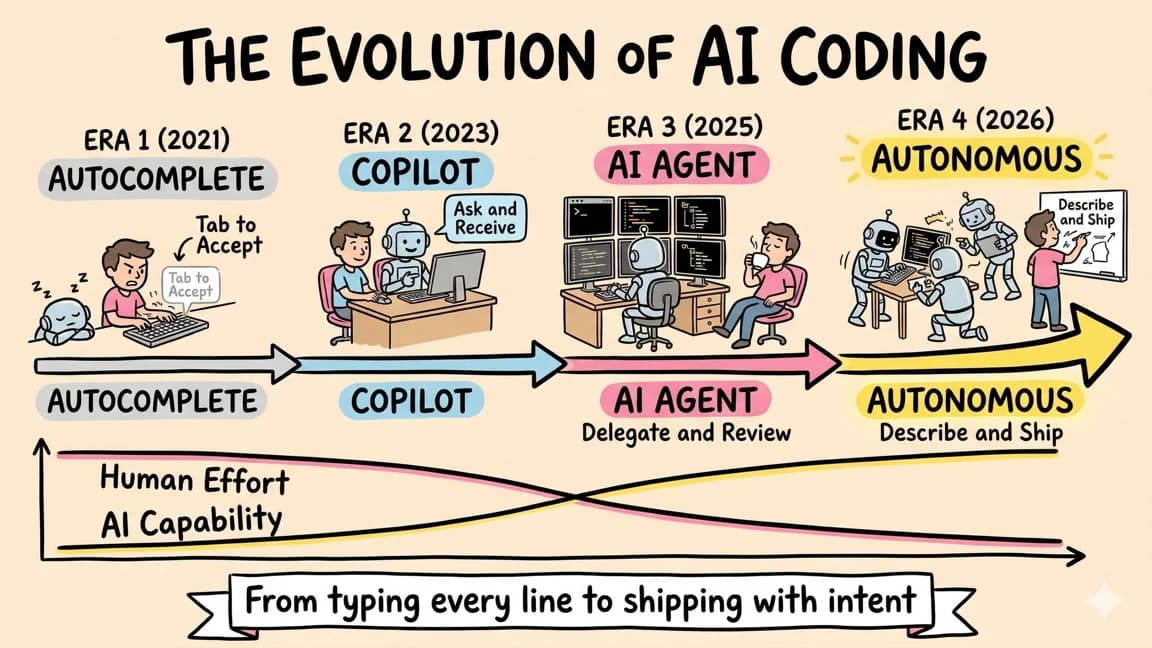
The best AI coding setup is no longer one subscription.
It is a layered workflow:
Cursor for active editing.
Claude Code for local autonomous work.
Codex for background delegation.
Mastra for product agent backends.
CopilotKit for agent-facing product UI.
MCP for tools.
Run ledgers for trust.
Usage ledgers for cost.
That sounds like more moving parts than "just use one tool." It is.
But serious work already has different shapes.
Some work needs a tight feedback loop. Some work needs a terminal agent that can run tests and inspect the repo. Some work should happen in a sandbox while you do something else. Some work needs an agent inside your product, not your editor. Some work needs audit trails because the agent can touch real systems.
One tool will not be best at all of that.
The stack wins because each layer has a job.
Layer 1: Claude Code for Local Agent Work#
Claude Code is still my default heavy-lift agent.
The reason is not that every answer from Claude is magic. The reason is architectural: it lives in the terminal, sees the repo, runs commands, uses MCP, and fits naturally into the way senior engineers already work.
Use it for:
- multi-file implementation,
- refactors,
- test repair,
- migration prep,
- repo exploration,
- writing focused docs from code,
- spawning subagents across independent slices.
If I could only buy one premium coding subscription for serious local engineering work, I would still start with Claude Code Max.
The caveat is cost and capacity. Anthropic's Max plan gives 5x or 20x usage options, and the May 2026 compute update increased Claude Code limits. That helps, but it does not remove the need for discipline. Claude Code can burn through context quickly when the task is vague or the repo is large.
So my rule is simple:
Use Claude Code for work where shell access and repo-wide judgment matter.
Do not use it as an expensive autocomplete engine.
Layer 2: Cursor for Visual Editing#
Cursor is still the editor I would keep open next to the terminal.
Not because it replaces Claude Code. It does not.
Cursor is the visual loop:
- adjust a component,
- inspect diffs,
- accept one hunk and reject another,
- refine CSS,
- ask a question about open files,
- keep momentum while you are actively shaping the code.
Claude Code is better when I want to hand off a bounded task and come back to verified output. Cursor is better when I am still making taste decisions.
This split matters especially on frontend work. Visual polish, information density, responsive layout, and copy rhythm usually need iteration. A terminal agent can do the work, but the editor loop makes the review cheaper.
My default:
Claude Code builds the first working version.
Cursor sharpens the visible surface.
Layer 3: Codex for Background Work#
Codex is the background lane.
OpenAI's Codex app is explicitly framed around multiple agents, worktrees, skills, automations, and review queues. The product direction is clear: not just "write code for me," but "let me supervise many agent runs."
Use Codex for work that can be isolated:
- issue cleanup,
- documentation backfill,
- small bug fixes,
- tests for stable code,
- dependency research,
- migration drafts,
- parallel implementation attempts.
The important word is isolated.
Codex is most useful when the job can run in its own workspace and come back with a reviewable artifact. If the task depends on your local database, private machine state, live app session, or messy uncommitted work, Claude Code or Cursor will usually be a better fit.
My default:
Codex gets background tasks with clear acceptance criteria.
Claude Code gets local tasks with live repo context.
Cursor gets active editing and polish.
Layer 4: GitHub Copilot When Governance Matters#
GitHub Copilot is no longer only the autocomplete brand.
The official plan docs now surface Copilot cloud agent, agent mode, code review, MCP, third-party agents, AI credits, policy control, and enterprise rollout. That makes Copilot most interesting for teams that already live in GitHub and need governance more than another standalone coding agent.
For solo developers, I would not make Copilot the center of the stack unless you strongly prefer GitHub-native workflows.
For companies, I would evaluate it differently:
- Can admins control which agents and models are available?
- Can usage be tracked by org, team, or user?
- Can repository policies prevent risky agent access?
- Can agent work remain inside normal PR review?
- Can finance understand the AI credit model?
That is Copilot's real lane: governed adoption at scale.
Layer 5: Next.js, Clerk, and Convex for Product Plumbing#
The application stack still matters because agents inherit your architecture.
If your app stack is messy, every agent task becomes harder. If auth is custom, billing is custom, database access is custom, and deployment is custom, the agent spends more effort rediscovering private patterns.
For most new AI products, I would start boring:
- Next.js for the app,
- Vercel for deploys,
- Clerk for auth and organizations,
- Convex or Supabase for backend data,
- Stripe only when the pricing model is ready.
That is close to the existing agentic dev stack and solo developer AI toolkit, but with one update: I would now separate app plumbing from agent plumbing.
The product app needs users, routes, auth, billing, data, and deployment.
The agent system needs workflows, tools, memory, evals, traces, approval, and rollback.
Do not blur those two too early.
There is a middle lane too: simple AI features.
If the feature is a chat box, extraction endpoint, autocomplete helper, or one-step tool loop, I would start with a lightweight TypeScript SDK such as the Vercel AI SDK before introducing Mastra. The SDK lane is for "the model responds." The Mastra lane is for "the agent runs a process."
Layer 6: Mastra for Backend Agent Workflows#
Mastra is the backend agent framework I would reach for first in a TypeScript product.
Not for every AI feature.
For a simple chat endpoint, use the simplest SDK that works. A direct model call or Vercel AI SDK route is often enough.
Use Mastra when the agent run starts needing structure:
- workflow steps,
- branches,
- parallel execution,
- memory,
- typed tools,
- MCP,
- suspend/resume,
- evals,
- tracing,
- runtime context,
- guardrails.
The line is this:
If the feature is one response, keep it simple.
If the feature is a repeatable agent process, use Mastra.
The practical example is customer support, sales ops, internal research, codebase analysis, or product onboarding. Those are not one prompt. They are processes with decisions, data access, human checkpoints, and audit requirements.
That is where Mastra belongs.
Layer 7: CopilotKit for the Agent UI#
CopilotKit is where I would put the user-facing agent interaction.
This is the most common mistake in agent app architecture: teams build a decent backend agent, then expose it as a generic chat box. The user cannot see state, cannot approve the risky step in context, cannot inspect tool output cleanly, and cannot steer the run except by typing another paragraph.
CopilotKit and AG-UI are aimed at that boundary.
Use CopilotKit when the app needs:
- shared state between UI and agent,
- custom tool-call rendering,
- human-in-the-loop approvals,
- agent progress in the product surface,
- generative UI components,
- a frontend layer around Mastra, LangGraph, or another backend agent.
This is why CopilotKit is the UI layer, not the whole agent framework.
My default architecture:
Mastra handles backend agent workflow.
CopilotKit handles user-agent collaboration.
That pairing is more useful than forcing either tool to do the other's job.
Layer 8: MCP for Tool Access#
MCP is the default tool protocol layer.
The practical value is not "install 80 servers." That is how you create a security problem and a context tax.
The practical value is portable tool access:
- docs,
- database reads,
- local files,
- ticket systems,
- GitHub,
- observability,
- internal APIs.
My rule:
Start with three MCP servers maximum.
Each one needs a reason, a permission boundary, and a rollback story.
For most developers, the first three are:
- filesystem or repo docs,
- GitHub,
- one product-specific service.
Anything beyond that should earn its place.
Layer 9: Context as Infrastructure#
The new stack needs a context layer.
Not a giant prompt. Not a dumping ground.
A useful context layer has:
- project instructions,
- skills,
- local docs,
- code maps,
- route maps,
- known runbooks,
- source links,
- decision records.
This is where the older advice about CLAUDE.md, Cursor rules, skills, and MCP starts to converge. The model is not the memory system. The repo should carry the memory system.
For larger repos, I would also test local code graphs or indexes. The goal is not to make the graph the source of truth. The goal is to route the agent toward the right files before it wastes a thousand tool calls rediscovering the same structure.
That is the shape behind local code graphs as the next agent context layer.
Layer 10: Security as a Run Ledger#
The stack is incomplete without a security loop.
Every meaningful agent run should produce a small ledger:
goal:
agent:
workspace:
permissions:
files touched:
commands run:
external tools used:
approvals requested:
tests passed:
known risks:
rollback:
This does not need to be fancy. It can live in a PR description.
But it needs to exist.
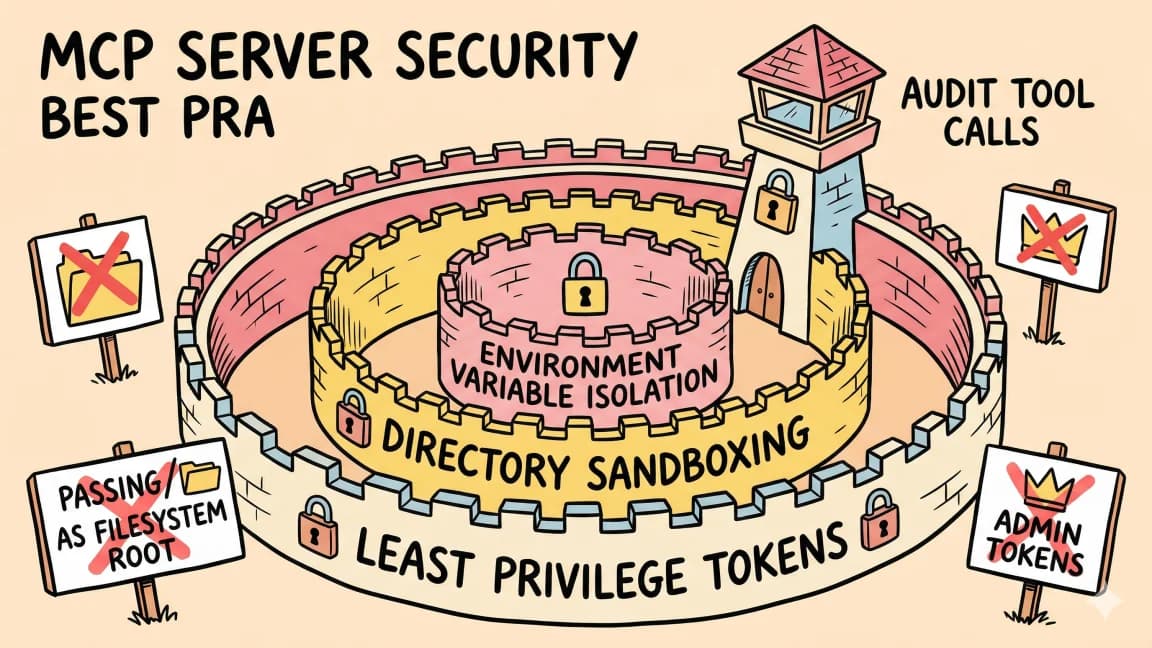
OpenAI's prompt injection guidance makes the key point: you cannot rely only on filtering hostile content. You need to limit what a manipulated agent can do. For coding agents, that means permissions, tool boundaries, logs, approvals, and rollback.
The run ledger is the smallest practical artifact that ties those together.
Pair it with permissions, logs, and rollback and the agent security checklist.
Layer 11: Cost as a Monthly Ritual#
AI coding costs are not a subscription line anymore.
They are workload costs.
The same $20 or $200 plan can be cheap or expensive depending on what you use it for. A good agent run can replace a day of work. A bad run can burn context, rewrite working code, and create a review queue.
So I would track:
- cost per shipped feature,
- cost per merged PR,
- failed run rate,
- median review time,
- number of agent runs abandoned,
- expensive model usage by task type.
Then once a month, change the stack.
That is the point of the Q2 pricing update and AI cost calculator: stop treating pricing pages as the plan. Your workflow is the plan.
The Three Stack Versions#
Not everyone needs the same setup.
Bootstrap Stack#
Use this when money matters more than maximum throughput:
| Layer | Pick |
|---|---|
| Editor | Cursor free tier, Windsurf free tier, or VS Code |
| Terminal agent | Antigravity CLI free tier, Aider, or another free/cheap agent |
| App stack | Next.js, Vercel free, Clerk free, Convex or Supabase free |
| Agent framework | No framework until the workflow needs it |
| Security | Manual run ledger in PR descriptions |
The goal is to ship the first version without creating a monthly bill you resent.
Serious Solo Stack#
This is what I would use for a solo developer shipping real products:
| Layer | Pick |
|---|---|
| Terminal agent | Claude Code Max |
| Editor | Cursor Pro |
| Background work | Codex when the task is isolated |
| App stack | Next.js, Vercel, Clerk, Convex or Supabase |
| Agent backend | Mastra only for repeatable agent workflows |
| Agent UI | CopilotKit when users collaborate with the agent |
| Security | Run ledger, command boundaries, source checks |
| Cost | Monthly usage review |
This is the highest leverage stack for a builder who can review their own work.
Small Team Stack#
Use this when multiple people, repos, and policies are involved:
| Layer | Pick |
|---|---|
| Local agent | Claude Code for senior ICs and maintainers |
| Editor | Cursor or VS Code with team rules |
| Cloud agent | Codex or Copilot cloud agent for issue-to-PR work |
| Governance | GitHub Copilot Business or Enterprise if GitHub controls matter |
| Agent backend | Mastra for TypeScript workflows |
| Agent UI | CopilotKit for product surfaces |
| Tooling | MCP with explicit allowlists |
| Security | Permission profiles, logs, PR ledgers, rollback |
| Cost | Team-level usage review and re-tiering |
The team version is not about giving everyone every tool. It is about matching tools to lanes.
What I Would Not Do#
I would avoid four traps.
1. Do Not Standardize Too Early#
Run one month of real work before declaring a company-wide standard.
Teams often standardize on the tool with the best demo. Then the real cost shows up in review time, usage limits, environment setup, and unmerged agent PRs.
2. Do Not Build Every Agent App as Chat#
Chat is a fallback UI.
If the agent is doing structured work, show structured state. Show the plan. Show the tool calls. Show the approval card. Show the diff. Show the receipt.
That is why CopilotKit matters.
3. Do Not Use Mastra for One Model Call#
Mastra is useful when the agent needs workflow infrastructure.
If all you need is one streamed answer, do not add a framework because it feels more serious.
4. Do Not Connect Tools Without a Ledger#
The moment an agent gets tools, the product changes.
It can do things now. That means it needs scope, logs, and rollback.
The Stack I Would Pick Today#
For my own work, the answer is:
Claude Code Max
Cursor Pro
Codex for background tasks
Next.js + Vercel
Clerk
Convex or Supabase
Mastra for backend agent workflows
CopilotKit for product agent UI
MCP with tight allowlists
local repo context and skills
run ledgers
monthly cost review
The important part is not the exact vendor list.
The important part is the separation of jobs.
One layer writes and edits. One layer delegates. One layer owns the product backend. One layer exposes the agent to users. One layer controls tools. One layer records what happened.
That is the new AI coding stack.
Not a magic assistant.
A workflow system you can operate.
FAQ#
What is the best single AI coding tool to start with?#
If you can only afford one subscription, start with Claude Code Max or Cursor Pro based on your workflow preference. Claude Code is the stronger default for terminal-native developers who do multi-file implementation, tests, and repo-wide refactors. Cursor is the stronger default for developers who prefer visual diff review, tight edit loops, and UI iteration. Do not try to pick one tool for every job. Upgrade to a layered stack as your usage grows.
How much should a solo developer budget for AI coding tools in 2026?#
A practical budget range is $40 to $220 per month depending on intensity. The bootstrap version is nearly free using Antigravity CLI's free tier, Windsurf free tier, or VS Code with open-source agents. The serious solo stack runs about $120 to $220 with Claude Code Max ($100 or $200), Cursor Pro ($20), and Codex access through ChatGPT Plus or Pro ($20 to $200). Track cost per shipped feature, not just subscription totals.
When should I use Codex instead of Claude Code?#
Use Codex for background work that can be isolated: issue cleanup, docs backfill, small bug fixes, test coverage, dependency research, or parallel implementation attempts. Use Claude Code when the task needs live repo context, shell access, or deep multi-file refactors. Codex is best when the job can run in its own workspace and come back as a reviewable artifact. Claude Code is best when the work needs your local state.
Do I need a framework like Mastra for every AI feature?#
No. Use a lightweight SDK like Vercel AI SDK for simple AI features: one streamed answer, one tool call, a chat box, or an autocomplete helper. Use Mastra when the agent needs workflows, memory, typed tools, MCP, evals, traces, suspend/resume, or a backend runtime that can be audited. The line is this: if the feature is one response, keep it simple. If the feature is a repeatable agent process, use Mastra.
What is the difference between CopilotKit and Mastra?#
Mastra is the backend agent and workflow layer. It handles agent logic, tools, memory, MCP, evals, traces, and workflow execution. CopilotKit is the product UI layer. It handles sidebar UI, shared app state, approval cards, frontend tools, and generative UI. The common architecture is Mastra for backend reasoning plus CopilotKit for user-agent collaboration. They are neighboring layers, not substitutes.
How many MCP servers should I connect to my coding agent?#
Start with three MCP servers maximum. Each one needs a clear reason, a permission boundary, and a rollback story. The practical first three are: filesystem or repo docs, GitHub, and one product-specific service. Anything beyond that should earn its place. Installing 80 servers creates a security problem and a context tax.
What security measures should I use with AI coding agents?#
Every meaningful agent run should produce a small ledger: goal, agent, workspace, permissions, files touched, commands run, external tools used, approvals requested, tests passed, known risks, and rollback path. Limit what a manipulated agent can do, not only what prompts look suspicious. Use permission modes, sandboxing, write restrictions, tool allowlists, and review discipline. The run ledger is the smallest practical artifact that ties it together.
Is GitHub Copilot still relevant in 2026?#
Yes, but in a different lane. Copilot is now best understood as a governed platform with cloud agent capabilities, AI credits, policy controls, and enterprise rollout. For solo developers, it is not the center of the stack. For companies that need GitHub-native governance, audit, per-org usage tracking, and repository policies, Copilot Business or Enterprise is the fit.
Get the next deep dive like this in your inbox
One email a week on AI Coding and the rest of the AI dev stack. Free.
Read next on Claude Code
The Model, IDE, CLI, and Agent Framework Changes That Actually Matter
The AI coding market is noisy. The changes that matter are easier to spot when you separate model capability, editor loops, terminal agents, background agents, agent frameworks, UI layers, context, security, and cost.
10 min readState of AI Coding: What Changed This Month
May 2026 was not about one more coding model leaderboard. The useful signal was control planes, UI-agent contracts, durable TypeScript workflows, usage economics, and runtime security.
10 min readClaude Code vs Cursor vs Codex: Which Should You Use?
Terminal agent, IDE agent, local-plus-cloud agent. Three architectures compared - how to decide which fits your workflow, or why you should use all three.
8 min readTechnical content at the intersection of AI and development. Building with AI agents, Claude Code, and modern dev tools - then showing you exactly how it works.