Original Video Start Here : https://www.youtube.com/watch?v=brElptE736k Repo: https://github.com/developersdigest/Anthropic-Claude-Clone-in-Next.JS-and-Langchain Download Ollama here: https://ollama.ai/ https://ollama.ai/library https://www.patreon.com/DevelopersDigest
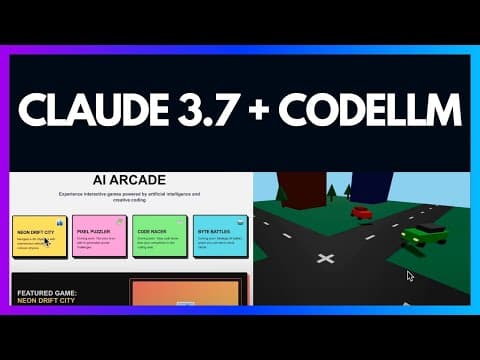
--- type: transcript date: 2023-10-03 youtube_id: ZLFfQwyJSdI --- # Transcript: Unlocking Llama 2 & Mistral AI in Next.js Claude Clone in this video I'm going to be showing you how to incorporate both mistl AI 70b parameter model that just came out last week as well as Lama 2's uh 13B perimeter model all within this nextjs application so this is a familiar look you might recognize it as claud's UI so a couple months ago I built out a clone of clads UI with a few nice little features where you can toggle between uh different model so if you want to use open AI uh or if you want to use another model I set up a number of different things within here where there's embedding of text documents uh you can store them on super base there's also uh an implementation and some boiler plate for incorporating open AI functions if that's something that you're interested in so I'd encourage you if you haven't watched this video before or um if you don't want to watch this video I'd encourage you to at least pull down the and take a look at this so this is going to be where I'm going to be starting off to incorporate this features so I'm just going to demonstrate it here so if I just say uh tell me a oneline joke so what this will do as I change the selector in the top leftand corner here these responses are actually being generated locally on my machine and so one thing about my machine so I don't have a M2 Mac or an M1 Mac or anything like that I have an Intel based Mac that's about 2 years old it has 16 gigs of memory so nothing fancy so to get up and running with olama you simply need to go to. download this once it's downloaded it just takes a couple steps and then from there you can go ahead and go to their models page and decide which model you'd like to pull down and run locally so in this example like I mentioned I'm going to be showing you mistol as well as llama 23b so if you want to run it from the command line you can just simply run this but essentially what we're going to be uh doing under the hood is we're just going to be quering this inference server that we have locally for these end points so what you can do is if you just pull down this repository that's going to be the starting off point for this video and we'll just go through the steps here together so the first thing that you're going to do once you've um downloaded the repository just go ahead and uh mpm install or bun install whatever you're using to manage your packages and what you're going to want to do is at least update the Lang chain version so um I can go into this repo and actually update it for you but at time of recording uh I haven't done that quite yet so just go ahead and install the latest version of Lang chain because we are going to be leveraging that on our back end so the first thing that I did here is I just brought down a couple images for both the Llama model as well as the mistal logo so I just put those within the folder of all the other logos that we using throughout the application whether it's for the embedding selection or those actual model selectors in the top right hand corner so once you have those you can simply head over to your page and all that we're going to be changing on our front end is the model selection array here so within this if you just simply add in uh a couple more items within this array so we're going to add in mistal we're going to have some alt text and then we're going to have the source which points to our directory of images here and then this model key here now this is going to be what we actually send to our back end and this is going to be how our back end handles the condition of which model to use so the thing with this is if we look at our UI you're able to toggle back and forth so say if you want to have a message with llama and then go to gbt 3.5 like it set up with this open AI logo Toggler here I can just say tell me uh one line joke and then you'll see here so this response here is GPD 3.5 whereas this one was uh llama 2 so if we just hop back here um that's all that we're going to be doing on the front end portion that's the only tweak that we have to make to incorporate new models now for the back end uh I broke this out so I didn't want to change any of the comments of the original setup here um I'm going to be going through just a handful of things that you need to set this up so the first thing that we're going to do is we're going to import olama from Lang chain so this was recently incorporated into Lang chain directly and what we're going to do is we're just going to declare a function and what we're going to be doing here is so we're going to be declaring our olama instance here where we're pointing it to so by default this is the port that is listening on and then the selected model is what gets passed in from from the array here so whether it's mistal or litu so once we have all that all that we're going to be doing is we're going to be getting it set up in a bite stream that we're ultimately going to be sending and iterating through and streaming to our front end so a lot of this you can largely just ignore but just know that that's what it's going to be doing and the reason we have it set up as a function here is because we have the two conditions and we're just going to reuse that logic for both because there's just a couple uh things that are different between them so next I didn't have in the original example pulling out the latest model above the condition that's outside GPD 3.5 so I'm just pulling out the latest message here and I'm just suspending that above all the different conditions so you see we have our Cloud to 100K we have GPT 3.5 with all the different function calling and then to add in others all that we have to do is we're just going to add another uh else if here and we're going to specify so if the model that's selected is mistal what we're going to do is we're going to send that selected model to our function with the latest message we're going to wait for it um to do its thing and then we're going to be streaming out that response to our front end so that's essentially it and the Llama um 2 version is also going to be the same thing so we're just going to have that function trigger all the logic that we need and then we're going to be streaming that text response to the front end and what we're going to be using for this streaming uh text response is the versel AI Library so that's what we're uh Levering here to actually have that UI uh iterate through on the front end so that's pretty much it to implement these things uh like I said so what is uh sort of nice about this is it does give you a really easy way to toggle between the models so say if you want uh to use llama 2 for certain things and misil for other things and maybe GPD 3.5 or GPD 4 for things this is just an easy way to get going so I plan on adding to this project I'm going to be doing uh videos here and there where iterate on projects like this if you'd like to see other features that you've seen in other uh applications whether it's uh perplexity or Bing or Google or whatever let me know in the comments below I'll do my best to try and create open source versions of the different features that you're looking at setting up within your projects but otherwise if you found this video useful please like comment share and subscribe and also consider becoming a subscriber on patreon as well otherwise until the next one
Technical content at the intersection of AI and development. Building with AI agents, Claude Code, and modern dev tools - then showing you exactly how it works.
Weekly deep dives on AI agents, coding tools, and building with LLMs - delivered to your inbox.
Free forever. No spam.
Subscribe FreeNew tutorials, open-source projects, and deep dives on coding agents - delivered weekly.