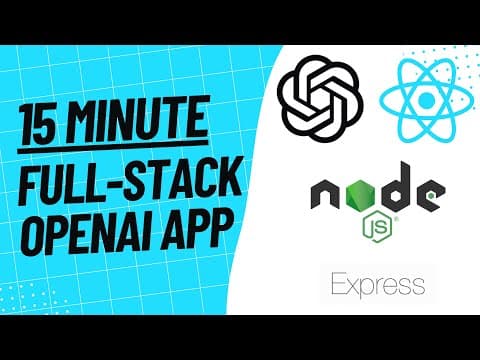
In this video I will show you how to make a full stack OpenAI App with both GPT 3 and DALL E using Node.js and Socket.io CSS Gist Here: https://gist.github.com/developersdigest/872477af77d6433a88721c0b01c32f42
--- type: transcript date: 2023-02-08 youtube_id: BY7fXggGZus --- # Transcript: Build a Full Stack OpenAI App with JavaScript and Node.js in 6 Minutes! in this I'm going to be showing you how to build a full stack openai chat app with gpt3 and Dolly in under 6 minutes so for the tech stack that we're going to be using we're going to be using all of this and without further Ado let's dive right into it so the first thing that we're going to do is open up visual studio code and open up a terminal instance once we're in there we're going to make a directory called chat app we're going to go into the directory and we're going to make a file back njs and a DOT EnV once we have that we're going to make another folder called public then we're going to make an index.html style CSS and index.js once that's set up we're going to hop over to our index.html file link our style sheet and create a container for where the messages are going to come in once we have that we're going to create a form within the form we're going to have two drop downs one where you can select a name one where you can select the model whether it's dolly or GPT we're going to have a input where you can input your message and then we're going to have a button where you send the form finally we're going to include the socket IO CDN and then we're going to link our front end Javascript file so since CSS isn't the focus of this video I'm just going to include the styles that I'm using in this example you can go to the link below or you can go to this link in the description of the video where I'll include this whole simple CSS file that you can just go and reach for the next thing we're going to do is set up our client-side JavaScript in our index.js so the first thing we're going to do is establish a connection to our socket i o server that we're going to be setting up we're going to get all the Dom elements that we're going to be interacting with once we have those we're going to set up an event listener on the submission of the form then we're going to reference the values for the model and the name that we're going to be toggling between once we have that we're going to disable the default behavior of the form and then emit a chat message if there's a length within the input and then finally clear that input next we're going to be leveraging socket io2 listen for a chat message to come back from the server and then once we have that chat message we're going to create an Li within our UL list we're going to use the logo if the name is gpt3 or Dolly and if it's gpd3 we're going to append a message if it's Dolly we're going to include the message within an image tag and if it's another input we're just going to include the name and the message then finally we're going to add that lla to the message list and then we're going to scroll to the bottom of the chat window next we're going to be heading over to the open AI website we're going to be getting our API key here so if you haven't made an account already go ahead and do so we're going to go to the API Link at the top of the page then once we're there either log in or sign up do whatever you need to do and then once you've done that you'll be greeted with this page so once you're on this page here just go to the top right corner click view API Keys then once you're there create a new secret key copy that over once we have that we're going to hop over to our DOT EnV and what we're going to type is open AI underscore API underscore key and paste in your key there next we're going to be building out our backend.js file so the first thing that we're going to do is we're going to require a number of packages so we're going to be requiring Express HTTP socket IO openai and Dot EnV next what we're going to do is we're going to load in the environment variables next we're going to write this to establish our server next we're going to create the openai API client then we're going to serve the static files that we created in the public directory and when the user hits localhost they're going to serve up that index.html file so next what we're going to do we're going to create a function where it takes in the name model and prompt and from here this is where we're going to be sorting a little bit about what we want to do here and what model model we want to interact with so first it's going to decide whether the user decides between dolly or gpt3 and then it's simply going to query the respective models so if it's an image it's going to return the image URL and if it's using a gpt3 it's going to return the text response foreign and then once we have that text response we're going to send that back to the client with this i o dot emit finally we're going to listen for the connection of a user when they first hit the site we're going to listen for a chat message and then we're also going to return and omit that chat message to everyone and then query our prompt AI and then finally we're just going to listen for the server next we're going to install that list of packages that we saw in the last clip there so we're going to first initialize our directory and then we're going to install socket IO openai.env and express once we have those we're just going to start our server now that we started our server we're going to pop over to Chrome and go to localhost 3000 feel free to open this up in multiple tabs or multiple windows and play around with it so this is what we just built if you enjoyed this video please like comment subscribe and until the next one
Technical content at the intersection of AI and development. Building with AI agents, Claude Code, and modern dev tools - then showing you exactly how it works.
Weekly deep dives on AI agents, coding tools, and building with LLMs - delivered to your inbox.
Free forever. No spam.
Subscribe FreeNew tutorials, open-source projects, and deep dives on coding agents - delivered weekly.