Anthropic has released Git Wortrees in Claude Code, bringing a feature previously available in the Claude Desktop app directly into the CLI. The script explains Git worktrees as a way to check out multiple branches of the same repository simultaneously in different directories while sharing the same Git data, and shows the prerequisites to use them (a Git-initialized directory with at least one commit). It demonstrates running `claude-worktree` in multiple terminals to create isolated working directories and make different HTML changes in parallel, then examines the generated folder structure with unique worktree paths. The episode also shows how to use worktree isolation with Claude Code subagents to parallelize tasks—spawning five subagents to create five different SaaS landing page variations—and highlights benefits like avoiding conflicts and offloading context from the main thread. It covers creating and configuring subagents via natural language and via files with front matter (name, description, model such as Haiku, and the new `isolation: worktree` setting), where subagent definitions can live globally or within a project under `.claude/agents`, and notes that tool access can be whitelisted (including MCP tools). The video closes by suggesting use cases such as testing, migrations, and exploring divergent implementation paths, and thanks the Anthropic team before a standard like/comment/subscribe outro. For those asking, I use Wispr Flow ( https://ref.wisprflow.ai/ddai ) for speech-to-text 00:00 GI Worktrees land in Claude Code (what’s new) 00:26 What Git worktrees are & why agents benefit 00:56 Hands-on setup: initialize repo, commit, and run worktree in CLI 01:24 Demo: two parallel edits in separate worktrees (no conflicts) 01:42 Where worktrees live: .cloud folder, paths, and git data sharing 02:08 Scaling with subagents: spawn 5 landing-page variants in parallel 03:48 More use cases: testing, migrations, and exploring divergent ideas fast 05:18 Create a subagent via natural language + enable worktree isolation 05:40 Subagent file anatomy: front matter, isolation flag, and tool whitelists 07:01 Wrap-up and closing thoughts
Weekly deep dives on AI agents, coding tools, and building with LLMs - delivered to your inbox.
Free forever. No spam.
Subscribe FreeNew tutorials, open-source projects, and deep dives on coding agents - delivered weekly.

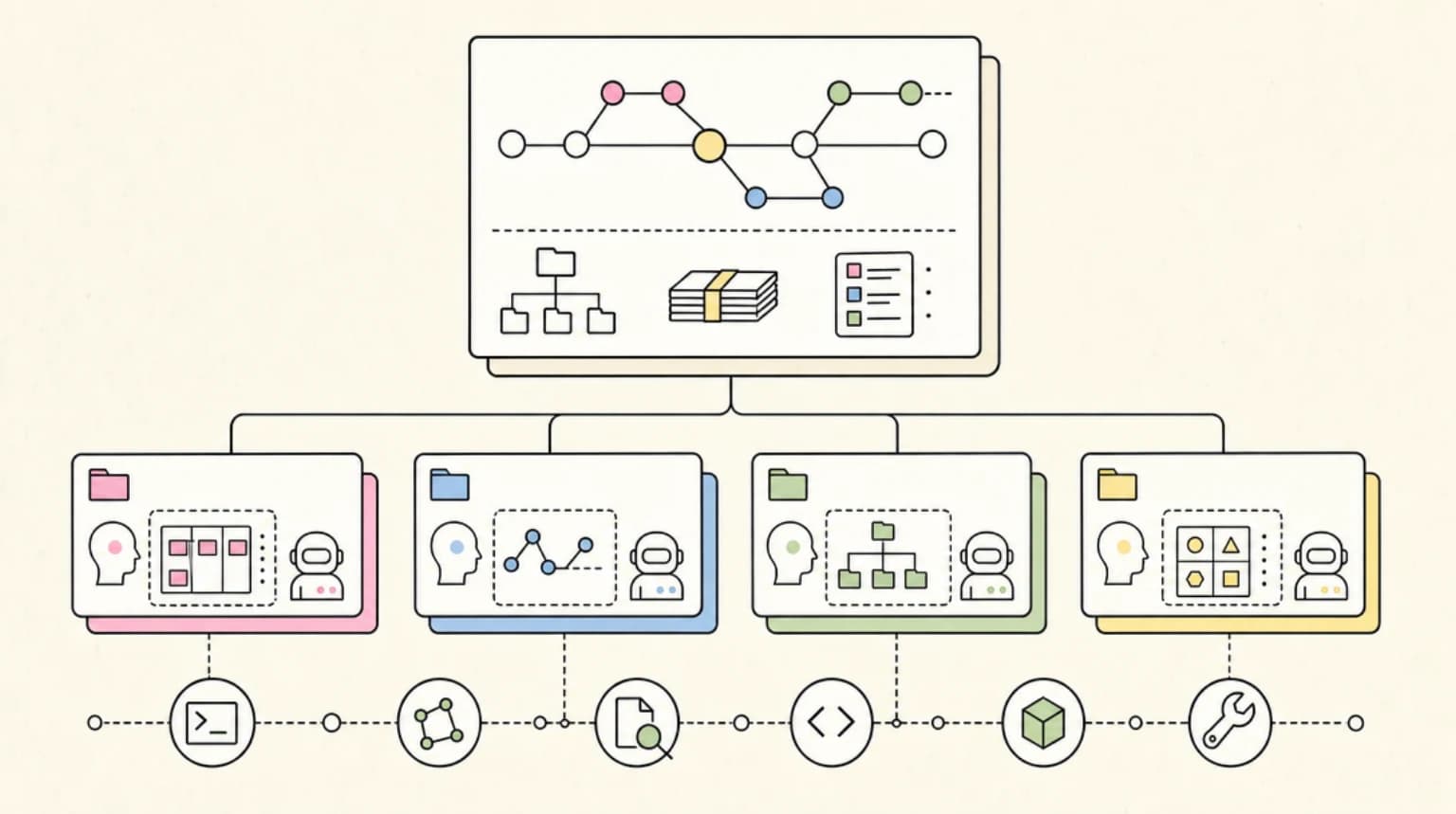
--- type: transcript date: 2026-02-21 youtube_id: z_VI51k-tn0 --- # Transcript: Claude Code Worktrees in 7 Minutes Anthropic has just released get work trees within cloud code. Now this is a feature that was previously within the cloud desktop app. We've also seen it within some other applications like conductor. But now we can access it directly within the CLI. So in this video what I'm going to do is I'm going to go over what exactly are Git work trees, how you can leverage them, as well as how you can leverage them within things like sub aents as well as some interesting and potentially novel use cases on how you can leverage them within cloud code. First up, what are work trees? If you're not familiar, effectively what they are is they allow you to check out multiple branches of the same repository simultaneously in different directories. Now the benefit of this is you have each of them working with their own tree but sharing the same git data. This can be helpful in a whole host of scenarios. But increasingly how people are leveraging this is with autonomous coding agents like cloud code where what you're going to be able to do is if you want to make multiple edits to one repo, you're going to be able to do that easily now with cloud work trees. The first things first. So in order to get started, you do have to make sure that you're within a directory that has git initialized. And now in addition to that, we also have to make sure that we do have at least one commit for this to work. So I'm just going to get add and then we're just going to commit this and I'm going to say hello world for instance. Now that we have that, I'm going to open up another cloud code terminal and we're within the same directory again and I'm going to run claude-workree once again. And again, we just have a simple empty HTML file within this. Now, just to demonstrate this, I'm going to say within my HTML file, just say hello world with a black background. I'll send that into one session and then on the in my other session, I'm going to say have my HTML file read hello world with a purple background. Now, we have our two different files. I'll go ahead and I'll open them up within the browser. First, if I go back to the Finder within the folder here, I have a single HTML file. If I expand this cloud folder, what you'll see is we have a whole host of other files. So we have the individual git files for each of these trees and then with each of these we also have a docloud file and then we have a unique path for each of these. So you'll notice within the path of each of these is we have clever munching toast and then we have spicy napping otter for our other one. Okay. Now another way that you can leverage work trees is dynamically with sub aents. So if you're not familiar with sub aents effectively what they are is they're different clawed code threads and where they can be helpful is if you want to offload or paralyze different tasks. So within here, I'm going to say spawn five different sub aents. I want to create five different variations of my HTML file. I want them all to be a creative SAS landing page. Let's also leverage git workree isolation for all of this. And then as soon as I send that in, what we'll see is you'll see all of the different agents begin to spawn in parallel. Here we have the SAS landing page variation 1 2 3 so on and so forth. And the nice thing with this view is you're going to be able to see all of the different highle metrics of all of the sub agents working in parallel. And the one area where I find leveraging sub agents is particularly helpful is when you want to offload all of that contacts from the main thread. There are a ton of different use cases where that is helpful. But what you can do with sub agents additionally is you can also manually configure them as well. So for instance, similar to something like skills, you're going to be able to create sub aent files and specifically additionally what you can do is you can indicate that each sub aent is to be used with a git work tree as well if you'd like. There are a ton of interesting things that you can do within this. And that's another thing that I want to flag with this feature is you can use this within the cloud desktop app that has been around for a number of weeks now. You're going to be able to leverage it like the previous way where you can just pass in the flag for the work trees. You can leverage it dynamically with sub aents just like I'm showing you here. And then additionally, you're going to be able to also leverage this within the front matter of when you create your agents within your cloud file. And this can be helpful in a ton of different scenarios from testing to migration and even like these creative use cases of exploring different potential pallets. And another way that you could potentially leverage this is let's say you're going through and you're trying out different variations of copy on a homepage or something. you can go ahead and spawn off a number of different work trees to show you a bunch of different variations of different ideas. And the idea with this is you're not going to have to expend extra effort. You're not going to have to worry about conflicts within here. Here are the five variations of the SAS landing page within here. Here is our first one. If I go to the next one, I can see we have five very different directions in terms of these homepages. They're quite impressive in terms of the different directions as well as the first implementation. It is pretty wild with just a sentence or two what an LLM can generate for you. And honestly, these are all pretty impressive starting points for what it generated for us. I spent all of about 10 or 20 seconds on that initial prompt. You might have an idea for a project and there might be different divergent paths. Like right now, code is effectively very very cheap to write. If you have an idea for rearchitecting something, effectively what you could do is you could ask it to spawn off a number of different sub aents and just see the different directions and how they begin to pan out. You might not necessarily know the end state of what you're going towards, but this gives you the ability to spawn off different potential avenues for whatever you're working on. And not to mention a whole host of other use cases on how you can leverage work trees as well. Okay, so next up, another way that you can leverage this is within sub agents. And within cloud code, the great thing is you can actually just ask with natural language to create them. I can say I want to create a front-end developer sub agent. I want the model to be haiku and I want to have it leverage workree isolation. I'll go ahead and I'll send this in. If you're familiar with something like skills, sub aents work a very similar way. It has what's called front matter at the top of the file where we'll have the name, we'll have the model, as well as all of the different metadata that's associated with the sub aent. And then within the body is we're going to have all of the different directions of what that sub agent actually does. The nice thing with cloud code is when you ask it to leverage something within its own context within here we can see it's actually going and it's reaching for its documentation pulling in the information about sub aents and then it will go ahead and it will create that file. Now in terms of where these actually live. So within your docloud, you can have these globally where it's going to be able to be accessible within all of your different projects or additionally you can have within the project scope. Within here, it's created a cloud agents folder. And within that folder, we have this file that it created for us. And if we take a quick look at this, this is the front matter that I mentioned. We have the name. We have the description of what it is. This is going to be how we inform the model of when to actually leverage this. We're going to have the model that we want to leverage. And then additionally within the front matter, this is new here. So isolation work tree. So this is going to ensure that every time we spawn this particular agent, it's going to be leveraging work trees like I just demonstrated. And then while I'm in here is just to touch on it, you can specify different tools. For instance, if you have different MCP tools, you want to leverage those, you can go ahead and whitelist effectively all of the different tools that you want the sub agent to leverage. Okay, but that's pretty much it for this video. Kudos to the team at Anthropic for another great release. And if you found this video, please like, comment, share, and subscribe. Otherwise, until the next
Technical content at the intersection of AI and development. Building with AI agents, Claude Code, and modern dev tools - then showing you exactly how it works.