The DD Stack Cookbook: Five Recipes That Compose
TL;DR
Five DD stack recipes that compose: persistent agent filesystems with agentfs, auto-snapshots, gated skill libraries, eval suites, and a recursive MCP host.
Last updated: April 28, 2026
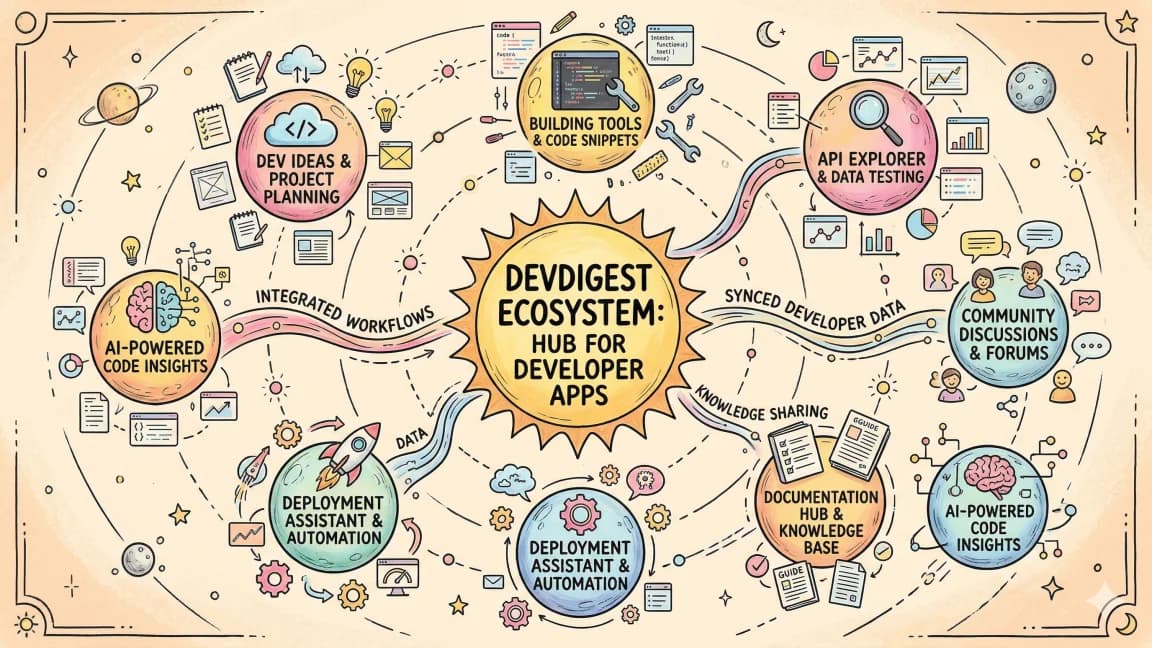
The DD product line stopped being a pile of standalone tools a few weeks ago. Once agentfs landed, the rest of the stack started snapping into it like puzzle pieces. This post walks through five recipes that show how the products compose. Each one is something you can actually wire up today, not a pitch deck diagram.
The pattern across all five: small, sharp tools that speak the same protocols (MCP, hooks, plain JSON on disk), so chaining them together does not require glue code.
Recipe 1: Give your agent a real persistent filesystem#
Stack: agentfs + agentfs-mcp + Claude Code
For the broader MCP map, pair this with What Is MCP (Model Context Protocol)? A TypeScript Developer's Guide and The Complete Guide to MCP Servers; those pieces cover the concepts and server-selection layer behind this article.
The default model of agent state is a pile of context window plus whatever the harness happens to remember between sessions. That falls apart the moment your agent runs longer than a single conversation, or you want two agents to share work, or you need to come back tomorrow and pick up where you left off.
agentfs is a content-addressed filesystem with branch and snapshot semantics. agentfs-mcp exposes it over MCP so any compatible agent can read and write. Claude Code is the harness.
Wire it up:
agentfs init my-agent-workspace
agentfs-mcp serve --workspace my-agent-workspace --port 7331
Add to .claude/mcp.json:
{
  "mcpServers": {
    "agentfs": {
      "command": "agentfs-mcp",
      "args": ["client", "--port", "7331"]
    }
  }
}
Now when Claude Code writes a file, it writes through agentfs. The agent gets read, write, list, branch, and snapshot tools. The state survives restarts, can be diffed, and can be branched off for parallel exploration. The agent does not have to know any of that. It just sees a filesystem.
The payoff: long-running agent runs that span days. Crash recovery without losing work. The ability to point a fresh agent at a workspace and have it pick up the thread.
A note on performance. agentfs is content-addressed, so writing the same file twice costs almost nothing. Branching is metadata-only. We have run workspaces with 50k files and tens of thousands of snapshots without measurable slowdown on read or write. The cost model is roughly that of a local git repo, with the snapshot operation being closer to free.
Recipe 2: Auto-snapshot every Write tool call#
Stack: Hookyard agentfs-checkpoint hook + agentfs
Snapshots are only useful if you actually take them. Asking the agent to remember to snapshot is the same mistake as asking humans to remember to git commit. The fix is automation at the harness layer.
Hookyard ships an agentfs-checkpoint hook. It runs on every PostToolUse event for Write, Edit, and MultiEdit, and writes a snapshot to the active agentfs branch with the tool call as the message.
Drop it in:
{
  "hooks": {
    "PostToolUse": [
      {
        "matcher": "Write|Edit|MultiEdit",
        "hooks": [
          { "type": "command", "command": "hookyard run agentfs-checkpoint" }
        ]
      }
    ]
  }
}
Every file edit becomes a checkpoint. If the agent goes off the rails three hours into a run, you can agentfs log, find the checkpoint right before the bad turn, and agentfs reset to it. No more blowing away an entire session because of one wrong edit.
There is one knob worth tuning: snapshot rate on a busy run can produce hundreds of checkpoints. Set HOOKYARD_AGENTFS_DEBOUNCE=30s if you want coarser granularity.
Recipe 3: A curated, gated skill library for your team#
Stack: Skills marketplace + dd-pr skill
The skills marketplace launched this week. The dd-pr skill landed alongside it. Together they solve a problem most teams hit by month two of running coding agents: skills proliferate, half are wrong, and there is no review gate before a skill ships to everyone's harness.
Here is the workflow:
- A team member writes a new skill locally in their
~/.claude/skills/directory. - They run the dd-pr skill:
claude /dd-pr "publish skill my-skill". It branches, pushes, and opens a private PR against the team's skills repo. - Review happens in GitHub. Devin or a human reviews the SKILL.md, the scripts, and the tool surface.
- On merge, the marketplace indexer picks it up. Team members
claude-skills syncand pull the new skill.
The marketplace handles discovery and versioning. dd-pr handles the gate. Neither tool is interesting on its own. Together they turn an ungoverned mess into a curated library where every skill in production has been read by at least one other person.
The marketplace also supports private orgs, so you can ship internal skills (database migrations, deploy runbooks, ticket triage) without making them public.
One more thing the dd-pr skill does that matters here: it tags the review automatically. Our convention is to tag @devin-ai-integration on every skill PR for a first-pass read. Devin catches the obvious problems (missing frontmatter, broken script paths, accidentally checked-in secrets) before a human reviewer ever sees the PR. By the time a teammate opens the diff, it is usually mergeable.
Recipe 4: Agent-readable eval suites#
Stack: agent-eval-bench + agentfs
Evals are the part of agent development that everyone knows they should do and most people skip. The friction is not the eval logic. It is the storage. You end up with a folder of JSON files on someone's laptop and no way for the agent itself to read its own scoreboard.
agent-eval-bench writes eval suites and results as JSON. agentfs is a filesystem that agents can natively read. Point one at the other.
agent-eval-bench run \
  --suite suites/coding.yaml \
  --output agentfs://eval-results/$(date +%Y-%m-%d)/coding.json
Every run lands in agentfs at a predictable path. Now the agent can read its own eval history:
> read eval-results/2026-04-27/coding.json
{
  "suite": "coding",
  "score": 0.84,
  "regressions": ["test_async_iter", "test_unicode_path"],
  ...
}
This unlocks a whole class of self-improvement loops. The agent can compare last week's run to this week's, find regressions, and propose fixes. Or you can run a meta-agent that watches for score drops and opens a private PR with a hypothesis.
The shared substrate is the trick. Both tools speak JSON to the same filesystem, so no integration work was needed.
Recipe 5: Host the agentfs MCP server inside agentfs#
Stack: mcpaas + agentfs-mcp
This one is a little recursive but it is genuinely useful in production.
mcpaas is a hosted runtime for MCP servers. You give it a server binary and a config, it gives you a URL. agentfs-mcp is the MCP server that exposes agentfs.
You can run agentfs-mcp inside an agentfs workspace, hosted by mcpaas. The server's own code, logs, and runtime state live in the same filesystem it is exposing. The setup looks like this:
agentfs init mcpaas-runtime
agentfs cp $(which agentfs-mcp) mcpaas-runtime:/bin/agentfs-mcp

mcpaas deploy \
  --workspace mcpaas-runtime \
  --binary /bin/agentfs-mcp \
  --args "serve --workspace ."
Three things this gets you. First, the MCP server's own state is snapshotted by the same hook chain you use for everything else. If a bad deploy corrupts the server, you roll back with agentfs reset. Second, the server can read its own source code and config, which makes self-updating servers tractable. Third, you can branch the entire runtime to test a config change, point an agent at the branch, validate, then merge.
It sounds cute until you have run a production MCP server for a month. Then it sounds like the only sane way to do it.
What composes these#
A short list of the design choices that made these recipes possible.
One protocol per surface. MCP for tool calls, hooks for lifecycle events, plain JSON files for shared state. No bespoke RPC.
Files as the universal interchange. agentfs is the substrate. Every tool that produces structured output writes JSON to a path. Every tool that consumes structured input reads JSON from a path. The agent does not need adapters.
Private by default. Skills, repos, deploys all default to private. You opt in to public, never the other way around.
Hooks are first class. Hookyard treats hooks like packages. You install them, version them, and chain them. This is how Recipe 2 stays a one-liner.
What to build next#
The cookbook is going to keep growing. A few combinations on the short list that are not shipped yet:
- agent-eval-bench results streamed back into Claude Code as context, so the agent can see its own track record before making a decision.
- Hookyard hook that runs an eval suite on every commit and blocks merges on score regressions.
- mcpaas multi-tenant mode where each agentfs workspace is its own tenant with isolated MCP servers.
If you want to build any of these, the repos are all up. Small, sharp tools. Compose them.
The full DD stack is at developersdigest.com. Each product has its own docs and a private repo for issues. Email if you want access.
FAQ#
Do I need agentfs before trying the other recipes?#
Recipe 1 (the persistent filesystem) is the substrate the rest of the recipes build on, but you do not have to adopt it all at once. Hookyard hooks, the skills marketplace, and agent-eval-bench are each useful on their own; agentfs mainly adds the shared JSON substrate that lets them read and write to the same paths without custom glue. See What Is MCP (Model Context Protocol)? A TypeScript Developer's Guide for the protocol layer these tools share.
What is the difference between MCP and hooks in this stack?#
MCP exposes tools to the agent (agentfs-mcp gives Claude Code read, write, branch, and snapshot tools). Hooks run on harness lifecycle events instead, like the PostToolUse matcher Hookyard uses to auto-snapshot after every Write or Edit. The two are complementary: MCP is how the agent calls out, hooks are how the harness reacts automatically. The Claude Code hooks explainer covers the hook side in more depth.
Can I use these recipes without Claude Code specifically?#
The individual tools (agentfs, Hookyard, mcpaas, agent-eval-bench) are harness-agnostic at the protocol level, since MCP and JSON-on-disk are not Claude-specific. The recipes here are written against Claude Code because that is the harness this stack was built and tested in day to day; see What Is Claude Code? for background on the harness itself.
Why gate skills behind a review process instead of just sharing files?#
Skills proliferate fast once a team starts writing them, and an ungated ~/.claude/skills/ folder accumulates stale or wrong instructions with no way to tell which ones are trustworthy. The dd-pr workflow in Recipe 3 adds a PR review step so every skill that reaches the shared marketplace has been read by at least one other person before it ships to everyone's harness.
Get the next deep dive like this in your inbox
One email a week on AI Agents and the rest of the AI dev stack. Free.
Read next on AI coding tools
Claude Code MCP Tasks: Long-Running Tools That Ask You Things
Claude Code now supports MCP Tasks and elicitations. What the docs say a tool call needs to become a task, where it does not work, and what a server author changes.
8 min readSkills Delivered Over MCP: Why Progressive Disclosure Is the Missing Piece of Both Standards
Skills over MCP: an MCP server whose tools are a skill directory, so agents pay context only for what a task needs. The argument and a working implementation.
9 min readHeadroom: Compress Agent Tool Output Before It Reaches the LLM
Headroom compresses AI agent tool outputs, logs, and files before they reach the LLM, claiming 60-95% token savings with benchmarked accuracy. How it works.
8 min readNew here? Start with
Technical content at the intersection of AI and development. Building with AI agents, Claude Code, and modern dev tools - then showing you exactly how it works.