Check out Clerk here: https://go.clerk.com/Bil2F6F As we approach the end of 2025, this video explores the monumental changes in coding over the past couple of years. Join me for a snapshot of the current state of coding, where I demonstrate how to build a full-stack application swiftly using advanced tools like Cursor Composer, Next.js, Clerk, and Convex. I'll walk through the rapid development process, showcasing how developer tools and agentic systems streamline building and deploying applications. Watch to see how these technologies transform coding into a more efficient and accessible endeavor, perfect for all kinds of developers. 00:00 Introduction: The Evolution of Coding 00:39 Reflecting on Recent Advances 01:17 The Rise of Agentic Systems 02:27 Introducing Cursor's Composer 02:46 Demonstration Setup 03:28 Building the Full Stack Application 04:16 Leveraging Developer Tools 04:51 Implementing Authentication and Billing 08:59 Creating and Managing Organizations 13:18 Enhancing the User Experience 21:46 Final Thoughts and Deployment 24:38 Conclusion and Call to Action
Weekly deep dives on AI agents, coding tools, and building with LLMs - delivered to your inbox.
Free forever. No spam.
Subscribe FreeNew tutorials, open-source projects, and deep dives on coding agents - delivered weekly.

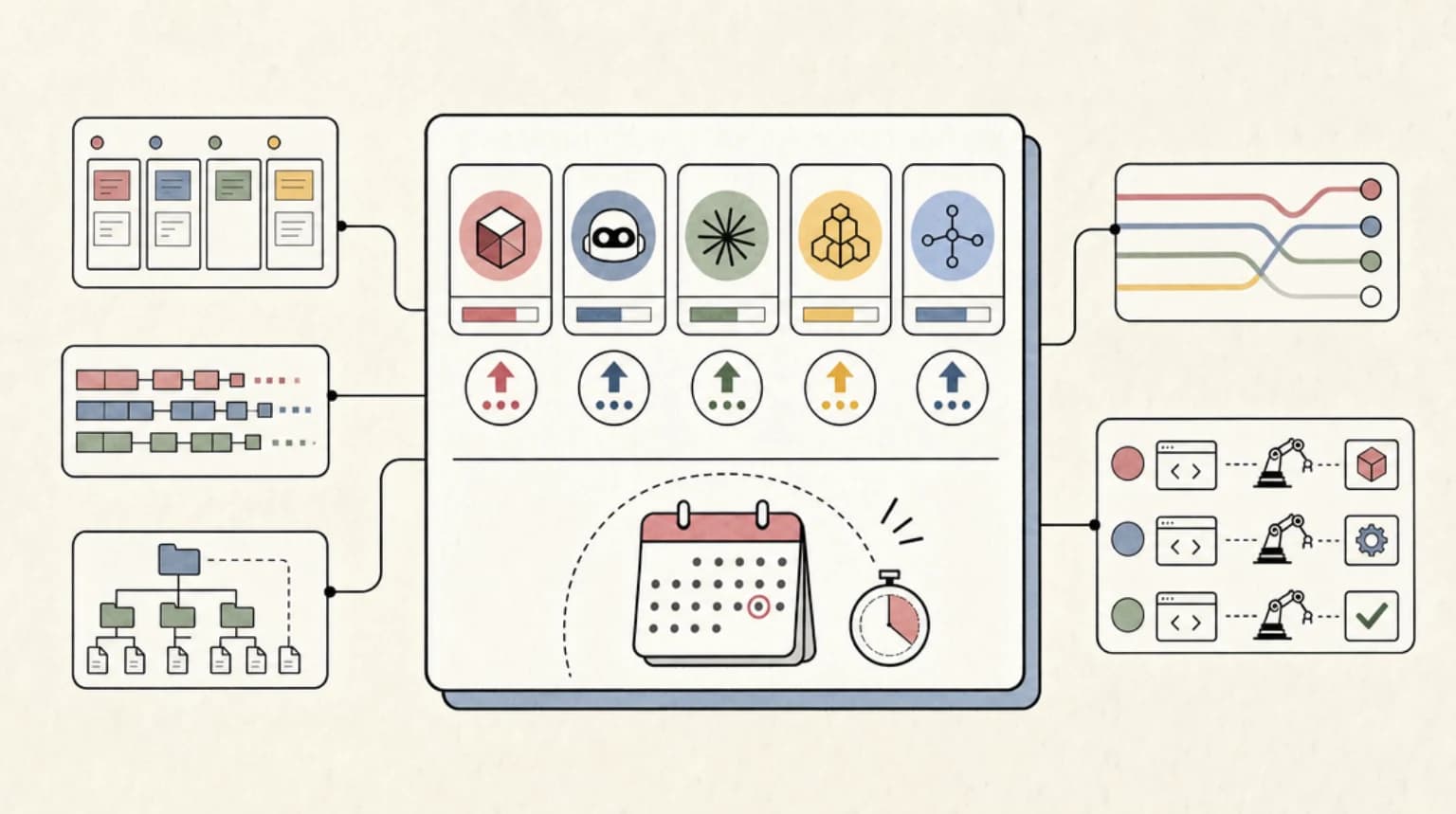
--- type: transcript date: 2025-11-23 youtube_id: jfTPjyQlWsk --- # Transcript: The Agentic Development Tech Stack for 2026 We're coming up on the end of 2025 and coding has arguably changed the most over the past couple years that it has in a very long time. We went from having to write our code by hand to being able to have autocomplete multifile edits and now we have these agentic systems that can run for minutes and potentially even hours at a time depending on the task that you ask of it. In this video, what I wanted to do is I wanted to do a little bit of a snapshot in terms of where we are. I'm going to show you a demonstration of building out a full stack application and just how quickly you can do it with some of the tools. But specifically before I dive into that, I just want to do a little bit of an assessment in terms of just reflecting on of where we've gone over the past year or so. Just over a year ago, we had Sonnet 3.5 come out. And this was arguably the point where I think a lot of coding changed. We were actually able to have applications that were able to dynamically build other applications. We had things like lovable. We had things like Bolt. We had things like the multifile edit capability that came out within cursor and now we have a whole host of these different options that are out there. Since then, one of the big things that have changed is in terms of the overall things that we're looking for in a coding model. It's moved past the tab completion or being able to generate a file or a function. We're really at the point where we're starting to explore the agentic capabilities. We've had things come on the scenes like cloud code where this in my opinion this was the first really great agentic system especially when the cloud 4 series of models came out shortly after cloud code we did have codeex come out now its original instantiation was within the web app and we've started to see this just spread across all of the different interfaces you can access it within an IDE it's basically wherever you want to access and edit code you're going to be able to do that in whatever environment with natural language and the thing with these different agent harnesses is you're able to give increasingly more complex tasks to them and be able to actually trust the output. If they're going to run for a ton of different steps or potentially minutes or in some cases for larger refactors or generating a lot of content potentially it could run for hours. Now, right now, the current models from the major labs are really focused in around agentic reasoning. Being able to actually have an agent that can spin off and do things reliably instead of having to go through and write out your code manually or tab through or multifile edits. Now, we can actually just give a simple prompt or a very detailed prompt to one of these systems and it can actually generate it quite well. In this video, what I'm going to focus on is cursors composer. Now, one of the things with the model is I don't think it's as powerful as something like Sonnet 4.5, and they're very clear about that. They're not trying to say that this is better than Anthropic series of state-of-the-art models or OpenAI or what have you. But the thing that I think they got right and a lot of people are leaning towards is actually the velocity. And now to get into the actual demonstration. So, what I'm going to do is I'm going to be building out an application leveraging cursors composer. And specifically, what I wanted to do is just to show you how quickly you can build. Now, in terms of my prediction, so right now I think the velocity in terms of how we can ship is going to be directly paired to some of the great dev tools that are out there. Now, for the demonstration, what I'm going to do is I'm going to build out a full stack application. We're going to be leveraging cursor composer. We're going to be using Next, we're going to be using Clerk, and we're going to be using Convex. Now, you might be thinking, okay, why are we going to leverage those services? I could potentially just build all of those different things bespoke within a tool like Cursor, Cloud Code, or what have you. In my opinion, that's the wrong direction. and you're going to be spending time wasting what is already done and perfected by a lot of these different services. First things first, I just want to touch on some of the developer tooling that we're going to be using Next.js Clerk as well as Convex. Why do I choose to leverage these things? Okay, first thing with Nex.js, I'm able to get incredibly far with most projects that I want to build with having what they have available. And one of the nice things with how they've set everything up is you're going to be able to easily deploy to Verscell. You're not going to have to worry about all of the different DevOps with Nex.js JS as well as Verscell in particular, you're going to be able to scale up and down the demand of your application as needed. You can start on the free tier. You can get very far on the $20 a month tier. At a certain point, there might be some decisions where maybe you want to consider other different options, whether it's something like GCP or AWS for some of the different services. But in terms of actually starting your idea, this is a really great and in my opinion probably one of the best places to start in 2025 and 2026. Now, in terms of authentication, Clerk is really good for a number of different reasons. one, they're worldclass in terms of user authentication, but they also have some other features such as organizations, which I'll show you within this video, where you're going to be able to not have to worry about setting up the different tables and managing things like the different emails that have to go out for all of the different things like inviting people to organizations or removing them or having people have to reset their password or what have you. And then finally, they have this new billing functionality in terms of actually scaling out a certain part of your application depending on what you're building. Clerk has a number of really great core features built into it. Next up is Convex. It's really great in terms of how to actually set up and define the different tables that you want to have within your application, the different schemas, there's server functions available, there's cron jobs. There's a ton built into this, not to mention type safety as well as real-time updates. I'm not going to dive into a lot of the specifics. I've touched on convex before in other videos, but effectively by leveraging these different services is you're going to have a good basis point for actually building out your application. One of the really nice things by leveraging these different dev tools is one, you don't have to think about all of these different intricacies as much. You can use a bit of a higher level abstraction, plug these into your application, and then two, your agent also doesn't have to worry about all of the complexity of setting up authentication from scratch, different services that you might have to manage if you were to spin all of these different services up yourself. What I'm going to show you is I'm going to show you how you can get a deployed application in just a number of minutes by leveraging these different services. and I'm going to make it general so you can apply what I'm about to show you to whatever idea that you might have. Without further ado, let's dive in. Okay, so now let's hop into Cursor and let's begin to build out our application. One quick aside, with Cursor's latest release, one thing that I did find interesting is they default to the agent panel where you can spin up multiple agents on the lefth hand side here. And they don't actually default to the editor anymore, which I thought was a really interesting decision. I also think it's definitely a little bit telling in terms of their bet of what the direction of coding looks like where we might just have that agent first approach for a lot of the different tasks that we might have. We're going to mpm create convex and then once we've done that we can name our app. So I'll call this my demo 2025 within here. I'll select that we're going to use Nex.js. Now another nice thing with this is it does also have clerk as a provider as a part of the installation step. So we'll go ahead and we'll select clerk. And then once it's all spun up, we can go ahead and we can grab the necessary credentials for clerk. Okay. So now I'll see you within our project. So one thing that I do quite like that they do as a part of the installation steps is they do actually install some cursor rules. You'll notice there's a ton of different examples in terms of how to set up APIs, how to set up the schemas, function calling, so on and so forth. This will ultimately all be helpful without having to reach for different pieces of context or reaching for different pieces of docs when it comes to actually including what we need to use within Convex. Now that I have that, go ahead and pnpm dev and create a new project here. We'll call this my demo 2025. We'll have it as a cloud deployment on Convex. And then the nice thing with Convex is the way that it will work as soon as we actually run anything or we set up different schemas is it will be immediately reflected within the Convex dashboard within here. As soon as we spin this up, the one nice thing with Clerk is they do have this keyless mode where you don't actually immediately have to plug in API keys before you actually try out the application. But what we'll do within here is we'll actually just go ahead and we'll claim this application. And then within here, I'll just call this demo app 2025. You can just name your application and then grab your environment variables and put them within thevview.local. Okay. Now, the really cool thing with this is as soon as you add in your environment variables, it will automatically detect. I can go and I can click resume development. As soon as you've claimed the application, you have to head on over to the clerk dashboard. One last step that you have to do is you have to create a JWT template. Now, once we're within templates, what we're going to name this is convex, just make sure that you do use the convex template. And then once we have that, we can save this out and grab the issuer URL here. Within here, we'll go within our O config and we can uncomment this section here. Once we've uncommented this, what we do also have to do as soon as we've saved that out is we'll see within the terminal here, we have this nice helpful link where we can go and open this up. So, we have a place to actually put that environment variable. And then once we have that, I'll just go ahead and clean up this file here. And we can go ahead and save this. We have authentication, we have the back end, and we have the front end working. And the nice thing with how this is set up is we have the user information in line here. And if we just quickly look, we added those random numbers. And if we go over to data for instance, we can see all of these different random numbers here. Now that we have that, we can effectively move pretty quick for building out our application. What I'm going to do here is I'm going to command shift P. I'm going to look up the new browser tool here. I'm just going to go to localhost 3002, which is where our application is. Within here, I'll simply just go ahead and authenticate one more time. The last thing that I want to spin up is allowing for organizations within our application. This will allow us to switch between different organizations. Let's say we have a personal account and we have a business account and we want to maybe invite different team members. The nice thing with organizations within Clerk, you can add and invite all of the different people that you want to have within your organization and you can share and collaborate and this is a very helpful feature to have off the bat because depending on your application, especially if it is a collaborative application or even has the potential to be, this is something that makes it really easy to include. All that we need to set up organizations is we can go we can enable organizations within here. have all of the different controls that you have for the organizations features. You can set the number of members. You can allow for personal accounts, enabled verified domains. If you only want specific domains that can actually access the application, you can go ahead and manage that. You can set up the default roles, whether they're going to be admins or members. One really nice feature of the clerk docs is you can actually go ahead and click to open this directly within cursor. I'm going to go ahead and open this up. And what this will allow us to do is we'll actually be able to create a chat conversation to add this feature within here. we can say read this documentation and let's add in the organizations feature within the header of our application and within here we're just going to go ahead and request that documentation page. Okay. So now once we have that what we can do is we can go and we can specify that we want all of these different components to be included as a part of what we're building. Now additionally what we can do within here is I can say I want to add an organization toggle within the navigation once a user is logged in. And then depending on whether they're adding an organization or editing things, let's have a nice drop-own menu where we can access all of these different components that are on clerk. Make sure to check the docs if you need any additional information. Now, one of the things that I also have installed is contact 7 in terms of the MCP servers that I use both firecrawl as well as contact 7. And what context 7 will do is it will look up the relevant library and then it will grab the relevant pieces of context based on what I'm asking of it. And where that's helpful is we're going to be able to get the up-to-date information and we'll have all of the necessary context to actually coherently add this into our application. And that's one thing when a lot of LLM initially came out is in terms of the capabilities of actually having hallucinations when you ask for different things. That search grounding capability and having the agent know when to reach for the different MCP tools whether it's contact 7, firecrawl or the cursor internal search tool that will help ensure less hallucinations. Now, if I go ahead and log in, the first thing that I'm prompted with is to set up our organization. So, now that we have our first organization set, I now have this drop-own menu. And within here, you'll see that I'll be able to manage the organization. So, I can leave this organization, I can delete the organization, and then within here, I can also invite different members. And depending on the role that you give each member, you can specify and gate different features and capabilities that you have within your application. And then a similar thing here. If you want to create a new application, you can upload a logo and then you can go ahead and say my org 2 for instance and you can create another organization and you can invite all of the different members. You don't have to worry about setting up SMTP and setting up different routes for new users that join your organization and all of the different intricacies that go in with setting up authentication as well as organizations as your application scales. If you want to switch between the organizations, you can go ahead and easily do that. And like I showed you, you can easily manage your different organizations without having to do anything. I just want to be clear in terms of the prompt that I asked for. I was very specific in making sure that it referenced the proper context. But nowadays with the different tools that are out there, that's one of the powerful things with cursor nowadays is when pairing it with things like Context 7 and Firecrawl is you're going to be able to ground all of the different information and have the agent search for all of the relevant things when it needs it for the features that you're adding. just adds that velocity in terms of how quickly you can add different features into your application. Now, when we go back into our application, we can see all of the different features that we had asked for. We have this nice drop down and we have all of these different nav items where we can actually click to manage all of our different organizations. We can see we have the ability to switch between the different organizations here. So, we have the modal that will pop up. We can switch between our orgs just like that. Additionally, we can create the organizations just like I showed you or we can manage the organizations. Additionally, we have all of the other capabilities if we want to create a new one, manage them, so on and so forth, and we can render those clerk components when deemed necessary. So, now that we have the foundation of our application set up, what we can do is we can begin to scaffold out some of the other portions that we want to build with. What I'm going to do here is first I'm actually going to sign out on our application. And what I'm going to say here is on the home screen, instead of just having the sign in and sign up button, I want to have a page for those a very rich SAS landing page. I want it in a neo brutalist style. Let's make sure all the different colors have the appropriate accessibility contrast ratio so they're all readable. And then let's go through the page. Let's have things like social proof. Let's have a pricing section. Let's have a header and footer. And let's call it my Twitter SAS application. One of the things that I like to do when I like to set up an application is I like to build it in different segments. Now the one thing of this particular ask, it was a relatively long prompt. It is very segmented in it's focused on just the homepage portion. And in terms of personal preference, I actually like having a general sense in terms of what the agent is actually doing. I don't like very long prompts where it's doing a number of different complex tasks without me having a good handle on it. Here is what it has generated for us. We have this header component. We have the signin and signup buttons. We have Twitter SAS. It took some liberties here. Manage your Twitter presence like a pro. Schedule, analyze, and grow. join thousands of team using Twitter SAS to streamline their social media workflow and boost engagement. If I just scroll down here, you can see everything you need. You can schedule tweets. We have the analytics dashboard. We have team collaboration. We have autoresponse. So on and so forth. Within here, I have the different social proof within here. I have the number of active users. I have the tweet schedule, love by teams everywhere. And then I have this nice pricing section. And if I go down to the bottom, I have the footer. So in terms of what I had asked for an initial generation, I think this is a pretty good starting point. Now I'm going to go ahead and sign up. Make sure that the signup functionality is all intact. Now we see even on the internal page, it went ahead and it knew to actually keep this header component on the main page here. So now within our dashboard, what I'm going to ask for is I want to update the dashboard page for when users are logged in to have the same neo brutalist style. Let's reimagine every aspect of the page to have it have a closer look and feel to what we had just created on the homepage. If I just go ahead and I add to our random numbers here, we can see that we have all of these different numbers with this neighbor list style within the look and feel that we have here. We have developer resources. We have the quick reference and what have you. Now, within here, I'm going to say let's remove all of the different pieces within the dashboard page. And what I want to have instead is I want to have a reference where a user can set up their profile. I want them to be able to save out their name. I want them to save out all of the typical user information. Now, I'm going to go ahead and send this up. Like I showed you on the outside of the video, one of the really nice things with how this template is set up is it is going to have all of the different contexts in terms of how to leverage Convex. And where that's helpful is when defining things like schema and setting up all of the different queries and mutations to actually write all of these different things to the database here within here. For instance, if I write out developers digest and then within my persona, I'll say DXE engineer and technical content creator, I'll just have that to start. And then within here, I'll say my Twitter handle is newly actually Dev Digest, which I'm happy to say. And then within here, you can fill out all of those different fields. Now once I save out the profile, what we'll see is we have profile saved. Now if I go and refresh this, we'll see that this does persist. Now if I go back to convex and I go to user profiles within here, what we'll see is we have the name and we have the persona. This is going to be where it writes out all of that relevant information within here. This is going to be the ID that's associated with a user that's logged in. And then we can have all of the different fields that we had just seen there. The bio, the company, the language, location, time zone, so on and so forth. But now that I have that, what I'm going to say is now I want to move the your profile to the navigation and only show it when a user is logged in. And instead for the dashboard, what I want to have is I want to have users to be able to draft different tweets. Specifically, I want to have a 3x3 tile section. I want to have pageionation. And what I want to do is I want to have a centered button at the top where I can create a new tweet and then it add to the tiles below as I create them. So specifically what I want to have as the main feature within this is I want to be able to schedule different tweets and I also want to be able to have some AI features where I can enhance those said tweets as well. I'm going to go ahead and send this off. So what you'll notice with a lot of the prompts and the approach of how I take this is I'm not asking too much with each prompt. Sometimes I will ask a lot of different features, but they're generally pretty contained to the one idea. So it might reference some backend functions. It might set up a schema. It might edit a schema. But generally speaking, I'm not trying to have it do multiple different things that are outside the different context or relevance of one another. That's helpful for me using these agentic tools. But it's also helpful for actually getting better results is what I find is if you give good, clear, coherent instructions to the model and you keep the context window relatively contained is you will be able to get pretty good results. Okay, within here we have tweet drafts, we have create, schedule, and enhance your tweets. Within here, what I'll do is I'll go ahead and I'll create a tweet and I'll say hello world. I'm going to schedule this on the 12th of December and we'll say we'll do that at 8:15. Okay. So now within here we have the scheduled tweet and within here we have hello world. Let's just go through and actually review what cursor did. It set up the database schema. Now it's adding the tweets table. We have the content, the schedule date and time. We have the status and then we have the AI enhance features. From there we have the convex function where we can go and we can click to edit enhance or delete. This will actually interact with the database. For instance, if I go ahead and delete this tweet, we can see that we no longer have any tweets here. Now that we have that, we also have this enhance button and we have the ability where we can enhance this with AI. Let's say, for instance, you wanted to add in something like an open AI model or an anthropic model and you want to take your crappy tweets and make them amazing. That's the general idea with a lot of these platforms. I don't tweet too much to be honest. And something like this, it actually could potentially be an unblocker for tweeting a little bit more. Maybe if you set up a little nice persona and you're just going to be able to get those tweets out there spreading your ideas within here. We have it set up the 3x3. We have the pageionation controls. So on and so forth. Now we have the general sense of what it did. So if I go back to convex, we'll see within here we have the context. We have the enhanced context. So on and so forth. This just gives you a really quick idea in terms of how you can leverage this. Let's go ahead and take a look at our application and just go ahead and sign in. Again, now that we have this, I want to make sure that we have the organizations that are mapped for when I switch between the different organizations that the tweets don't actually carry over. So, what I'm going to say here is I want to make sure that all of the different tweets that we have within each organization don't actually carry over between each respective organization. Let's make sure that they are only allowed and can be queried from the specific organization that is currently selected and active. I'm going to go ahead and send that in. Here we see it's scoping the tweets. One of the key features within here is instead of just having the clerk user ID, which is honestly probably most common in terms of how users set up their application, they just might assume that there's going to be a single user. But now we're going to scope it by the organization ID instead. And then from here, it's going ahead and it's specifying to use the organization's feature within all of the different functionality that we had just set up. Now we have an error. So document with ID so on and so forth in table tweets does not match the schema. So what I'm going to do here is we can highlight this specific error. We can go ahead and we can add that to chat. Often times by having that specific context and having those verbose errors like we have here, it can be just the right amount of context to have the agent understand what it needs to actually fix this. Now we have the tweets for organization 2. And now if we go back to our application, so I'll just say hello world. We'll create the tweet here. So we have that tweet within my organization 2. I'll go and I'll switch to the other organization. So, migrate or and now I see no tweets here. So, I'll just have Hello World 4, for instance, and I'll create that tweet. Now, I can switch between the different organizations and we have all of those relevant tweets instead of querying the data based on the user ID. If we go back to our table, we'll see that we have the organization ID that was unset before we asked for those changes. But now after asking for those changes and having that gating mechanism based on the organization that we're within, that's going to be how we have all of those different tweets. We still have the user ID, but this is going to be what's actually queried depending on the organization that you're within. As you see within here, you can move incredibly quick with these tools. And Composer 1 isn't even the state-of-the-art tools that are out there. If you're willing to even wait a little bit longer for responses from whether it's GPD5 or Sonnet 4.5, you can get even better results than what I'm showing you here. But what I really like with Composer is it gives you really quick feedback loops, especially when you're having ambiguous tasks like this when you might not be entirely sure with the application and where you're necessarily going with it. Just a quick demonstration of that. I'm going to say I want to make sure that I have the organization dropdown now match the new neo brutalist style that we have within the rest of the application. What we'll see here is it will read through the relevant pieces of what it needs to update and then very quickly we'll see it will go through and it will apply all of those relevant updates to the organizations. Now we have this nice drop down where we can switch organizations, create organizations, manage organizations, so on and so forth. All in all, it is an amazing time to build. Whether you're a front-end developer, maybe not as familiar with backend or vice versa, or even just someone new to building, if you just have the initiative, you have the creativity, you have the agency, and you have the technical skills as well as the grit to actually get through all of the different bugs that are definitely going to come up as a part of this type of process. You can build anything from a little side project of something like this that maybe you might use it for your own sake. it wouldn't actually take that much more time to actually set it up. So you interact with the X API or put in an open AI request to actually have some AI functionality like something like this is not that difficult of an application to build especially with the technology that is out there. In terms of deploying this, the instructions to actually do that are quite straightforward. So you can deploy to Verscell, you can have the production instance there, you can go and get a domain and then a similar process on clerk where you can go through and create a production instance of everything that you had. in terms of some of the other features in terms of what you can do with just the text stack that I showed you. Now, one of the nice things with Clerk as well is they do also have this new billing functionality where instead of having to set up something like Stripe and set up all the web hooks within your application, manage all of the different intricacies that go in with managing billing and having users change their plans and remove different teams. There are so many different ins and outs and being able to have a billing component built into Clerk. It just makes it really quick for actually spinning up even a SAS which is almost hard to believe that you can do this with the dev tools and some of these agentic coding tools such as cursors. Like you saw me I got here in just a number of minutes where we could deploy this application like if we wanted to gate it with payments and like I said add in AI features and a better design system or what have you. You could just spend a little bit more time, spend an afternoon or a couple days on something like this. But it's getting to the point where something like this is actually non-trivial, where you could very well have a business by just going through and leaning into the process. I think having a good foundation in terms of knowing what tools to use definitely gives you a little bit of a leg up. But I hope you found this video useful. This is pretty much it for this one. If you found this video useful, please comment, share, and subscribe. Otherwise, until the next
Technical content at the intersection of AI and development. Building with AI agents, Claude Code, and modern dev tools - then showing you exactly how it works.