Client-Side Tool Calling Is the Privacy Pattern AI Apps Need
TL;DR
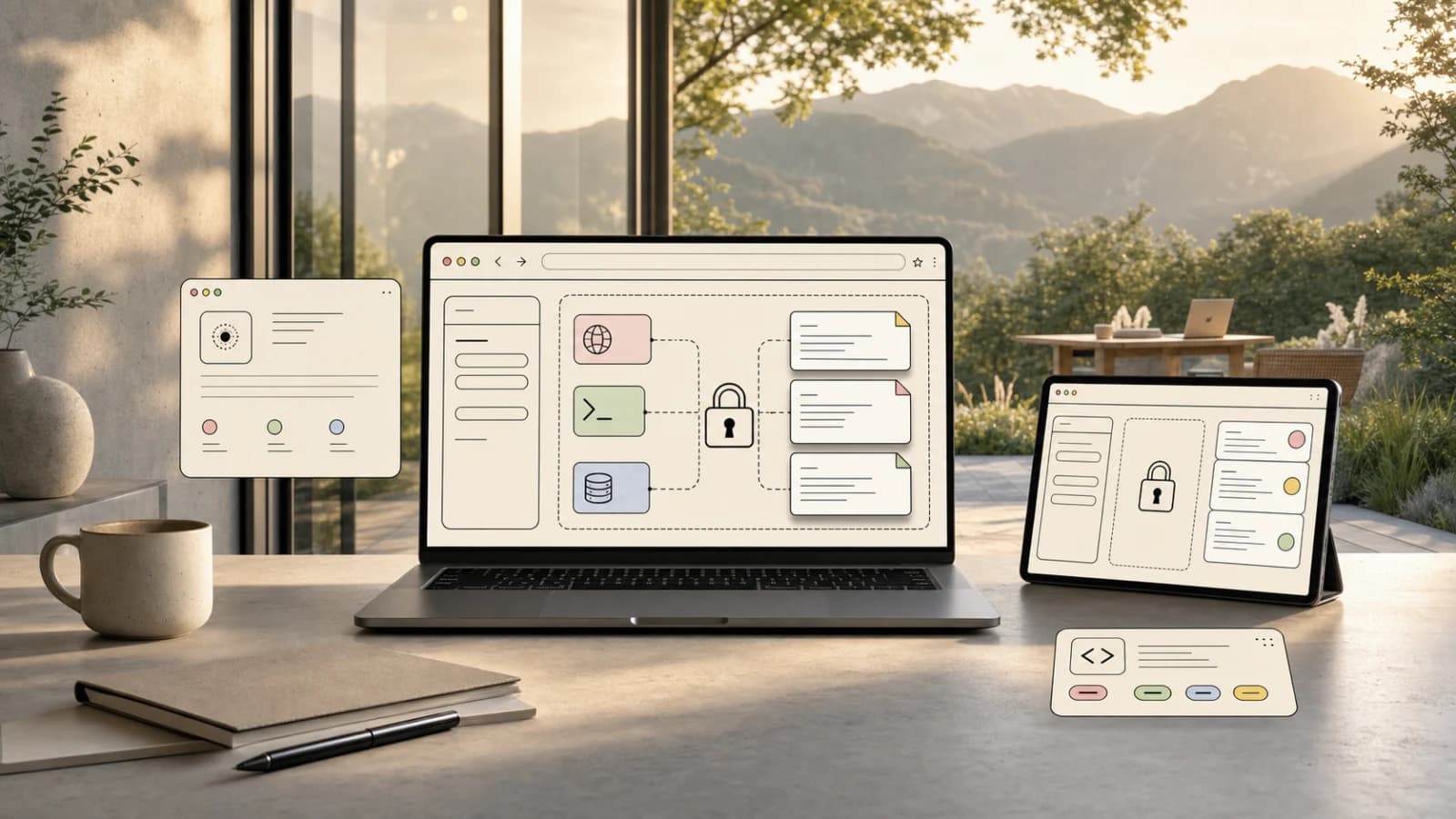
A Show HN PDF form demo points at a bigger architecture shift: keep sensitive documents local, expose narrow browser tools to the model, and make AI assistance inspectable.
| Official Sources | |
|---|---|
| SimplePDF Client-Side Demo | Browser-based form filler using client-side tool calling |
| Anthropic Tool Use Documentation | Official docs for implementing tool calling with Claude |
| OpenAI Function Calling Guide | Official guide for function calling with GPT models |
| WebAssembly Documentation | Standard for running code in browsers at near-native speed |
| Content Security Policy (CSP) | Browser security layer for controlling resource loading |
| OWASP Web Security Guidelines | Security best practices for web applications |
The most interesting AI app on Hacker News today was not another coding agent. It was a small PDF demo.
SimplePDF showed a browser-based form filler using client-side tool calling. The pitch was simple: an assistant can help fill a document while the document itself stays on the user's machine.
That sounds narrow, but the pattern is bigger than PDFs.
Most AI apps still use the same architecture: upload sensitive data to a server, call a model, return the answer. That is easy to build and hard to trust. Client-side tool calling flips the shape. The model gets a narrow set of actions it can request. The browser owns the document, the DOM, the form fields, and the final write.
For developers building AI into products with private data, that is the direction worth studying.
The Demo And The Pushback#
The HN thread around the demo had exactly the right skepticism.
For the security frame around this, see AI Agents Explained: A TypeScript Developer's Guide and How to Build AI Agents in TypeScript; both focus on the places where agent autonomy needs explicit boundaries.
The author described it as a technical demo for LLM-assisted form filling where document data does not have to leave the user's machine. They pointed to use cases like foreign-language forms, contract navigation, and pre-filling repetitive documents from systems such as CRMs or EHRs.
The first serious pushback was also obvious: if chat messages go to a remote server, then personally identifiable information may still leave the machine.
That is the core design constraint. "Client-side" is not a magic privacy label. You have to specify what stays local, what is sent to a model, what tools the model can call, and what logs are retained.
Done casually, this is just upload-to-AI with extra steps.
Done carefully, it is a useful architecture.
What Client-Side Tool Calling Means#
In a normal tool-calling app, the model asks the server to execute a function:
Text
model -> server tool -> database or API -> model -> user
In a client-side tool-calling app, the model asks the browser to execute a constrained action:
Text
model -> browser tool -> local document state -> browser writes result
The browser can expose tools like:
- read visible form labels,
- list empty fields,
- fill a specific field,
- highlight a clause,
- extract text from the current page,
- validate required fields,
- ask the user before writing.
The important part is scope. The tool should not be "send the whole document to the model." The tool should be "return the labels for visible empty fields" or "fill field 12 with this value after user approval."
That narrower API is the privacy boundary.
Why This Pattern Matters#
AI assistants are moving into workflows that contain sensitive state:
- tax forms,
- medical intake,
- contracts,
- insurance submissions,
- HR paperwork,
- internal dashboards,
- customer support consoles,
- admin panels.
These are exactly the places where users want help and exactly the places where teams cannot casually upload everything to a third-party model.
Client-side tool calling gives product teams a middle path:
- keep raw documents local where possible,
- send only minimal derived context,
- let the model reason over structure instead of full payloads,
- require user approval before writes,
- leave a visible action log.
This is not only a privacy win. It is a product win. Users trust AI more when they can see what it is touching.
From the archive
Codex Changelog April 2026: Goals, Browser Use, GPT-5.5, and Safer Agents
May 2, 2026 • 9 min read
Codex /goal and Claude Managed Outcomes: The New Control Loops
May 2, 2026 • 18 min read
DeepSeek V4 Changes the Coding Agent Cost Equation
May 2, 2026 • 8 min read
Flue: The Agent Harness Framework and Why It Feels Different
May 2, 2026 • 24 min read
The Architecture Checklist#
If I were building this pattern into a real product, I would start with seven rules.
1. Separate document state from chat state#
Do not put the full document in the chat transcript unless the user explicitly asks for it. The browser should own document state. The model should receive minimal summaries or targeted snippets.
2. Make every tool narrow#
Bad:
Text
getDocument()
Better:
Text
getVisibleFieldLabels()
getSelectedParagraph()
fillField({ fieldId, value })
Narrow tools reduce accidental data exposure and make model behavior easier to audit.
3. Add user approval for writes#
The assistant can propose values. The user approves the write. This is especially important for legal, financial, medical, and identity forms.
4. Log tool calls locally#
Show the user what happened:
- field read,
- field filled,
- source used,
- value changed,
- approval timestamp.
This makes the assistant feel less like a black box and more like a controlled helper.
5. Redact before remote calls#
If the model is remote, redact aggressively:
- names,
- addresses,
- account numbers,
- IDs,
- dates of birth,
- signatures,
- hidden fields.
For some workflows, route only schema and labels to the model, then map user-provided values locally.
6. Prefer local models when quality is enough#
Local models are not always strong enough for complex reasoning, but they are often good enough for extraction, classification, translation, and repetitive form assistance. Use local inference where the task allows it.
7. Treat prompts as untrusted input#
Documents can contain adversarial text. A contract clause could tell the model to ignore instructions. A PDF can include hidden text. Tool calling does not remove prompt-injection risk. It gives you a smaller surface to defend.
What Developers Should Copy#
Do not copy the PDF demo as a product category. Copy the boundary.
The browser is not just a thin UI over a server-side model. It can be the execution environment for AI tools. It has access to local state, user gestures, form fields, canvas data, files, and permissions. Used carefully, that makes it a safer place to execute sensitive actions.
This is the same lesson showing up across agent tooling: the model should not own everything. Give it bounded tools, inspectable actions, and deterministic rails.
For PDF forms, that means "suggest and fill this field."
For developer tools, it might mean "stage these files, but do not commit."
For internal dashboards, it might mean "draft this record update, then wait for approval."
The pattern is portable.
The Takeaway#
Client-side tool calling is not a silver bullet for AI privacy. It is a better primitive.
The future of AI apps with private data probably looks less like "upload the whole file to a chatbot" and more like this:
- local state,
- narrow tools,
- explicit approvals,
- redacted model context,
- visible logs.
That is a better contract between the user, the application, and the model.
The HN skepticism is the useful part. It forces the architecture to be precise. If chat still leaks PII, say so. If the document stays local, prove it. If the model can write fields, show every write.
Trustworthy AI UX starts with boundaries users can understand.
FAQ#
What is client-side tool calling?#
Client-side tool calling is an architecture pattern where an AI model requests actions that execute in the user's browser rather than on a remote server. The model receives a narrow set of tools - like reading form labels, filling specific fields, or extracting selected text - while the browser owns the document state and controls what data leaves the machine. This is different from typical AI apps where you upload files to a server for processing.
Does client-side tool calling guarantee privacy?#
No. Client-side tool calling creates a better privacy boundary, but it is not automatic protection. If chat messages containing PII go to a remote model, data still leaves the machine. True privacy requires specifying exactly what stays local, what gets sent to the model, what tools the model can call, and what logs are retained. The architecture makes privacy possible but does not guarantee it without careful implementation.
What kinds of applications benefit from this pattern?#
Applications handling sensitive documents: tax forms, medical intake, contracts, insurance submissions, HR paperwork, internal dashboards, customer support consoles, and admin panels. Any workflow where users want AI assistance but cannot casually upload everything to a third-party model. The pattern also helps with compliance requirements like HIPAA, GDPR, or financial regulations that restrict data movement.
How do narrow tools improve security?#
Narrow tools reduce the surface area for accidental data exposure. A tool like getVisibleFieldLabels() sends only field names to the model, not field values. A tool like fillField({ fieldId, value }) accepts a write without ever receiving the full document content. Compared to a broad getDocument() tool, narrow tools make it easier to audit what the model sees and harder to accidentally leak sensitive data.
Should I use local models instead of remote APIs?#
Use local models when they are good enough for the task. Local inference eliminates network data transfer entirely, which is the strongest privacy guarantee. However, local models are often weaker at complex reasoning. For extraction, classification, translation, and repetitive form assistance, local models work well. For tasks requiring nuanced understanding or multi-step reasoning, remote models may be necessary - but you should still use narrow tools and aggressive redaction.
How do I handle prompt injection in document content?#
Documents can contain adversarial text - a contract clause instructing the model to ignore instructions, or hidden text in a PDF. Client-side tool calling does not remove prompt-injection risk, but it gives you a smaller surface to defend. The model only sees what your tools expose. If your tools never send full document content, hidden malicious text has fewer paths to reach the model. Combine narrow tools with input validation and output verification.
What should I log for user transparency?#
Log every tool call locally and show users what happened: field read, field filled, source used, value changed, and approval timestamp. This makes the assistant feel like a controlled helper rather than a black box. Users trust AI more when they can see exactly what it touched. Local logging also helps with debugging and auditing without sending action history to external servers.
Can this pattern work with existing AI APIs?#
Yes. Claude, GPT-4, and other models all support tool calling. You define tools in your API request, the model responds with tool call requests, and your client-side code executes them. The pattern works with any model that supports structured tool outputs. The implementation lives in your frontend code - how you define tools, what data they return, and how you handle the model's requests.
Continue Reading#
Read next
Tool Use in the Claude API: Production Patterns for Reliable Agents
Master tool use in the Claude API. Schema design, retry logic, multi-step loops, and the failure modes that only show up at 10k calls a day.
12 min readWhat Is MCP (Model Context Protocol)? A TypeScript Developer's Guide
MCP lets AI agents connect to databases, APIs, and tools. Here is what it is and how to use it in your TypeScript projects.
5 min readOpenAI Realtime Voice API: Getting Started Guide
The Realtime API uses WebSockets for two-way voice interaction with function calling and stateful conversations. Here is how to set it up and build on it.
8 min readShare
Developers Digest
Technical content at the intersection of AI and development. Building with AI agents, Claude Code, and modern dev tools - then showing you exactly how it works.
300+ videos30K+ GitHub stars850+ articles
Related Tools
AI FrameworksEssential

Vercel AI SDK
The TypeScript toolkit for building AI apps. Unified API across OpenAI, Anthropic, Google. Streaming, tool calling, stru...
View ToolLocal AI

Ollama
The easiest way to run LLMs locally. One command to pull and run any model. OpenAI-compatible API. 52M+ monthly download...
View ToolLocal AI

Jan
Open-source ChatGPT alternative that runs 100% offline. Desktop app with local models, cloud API connections, custom ass...
View ToolLocal AI

GPT4All
Private local AI chatbot by Nomic. 250K+ monthly users, 65K GitHub stars. LocalDocs feature lets you chat with your own...
View ToolRelated Guides
Guide
Glob Tool - Claude Code
File discovery via pattern matching across the repository.
Claude CodeGuide
Grep Tool - Claude Code
Search file contents by pattern with regex support.
Claude CodeGuide
Chronicle Research Preview Setup Guide
Set up Codex Chronicle on macOS, manage permissions, and understand privacy, security, and troubleshooting.
Getting StartedRelated Videos

Magic Patterns: Why Design Wins in a World of AI Code Generators... The ULTIMATE Text-to-UI Tool
Check out Magic Patterns: https://magicpatterns.1stcollab.com/developersdigest_4 In this video, I share insights inspired by the CEO of Figma on the importance of design in the age of AI-generated...
Video·

The Text-to-UI AI Prototyping Tool: Magic Patterns
Check out Magic Patterns: https://magicpatterns.1stcollab.com/developersdigest Revolutionize UI Design and Prototyping with Magic Patterns What if you could take a product idea from concept...
Video·
Build No-Code AI Agents, Automations and Apps with VectorShift
No-Code AI Automation with VectorShift: Integrations, Pipelines, and Chatbots In this video, I introduce VectorShift, a no-code AI automation platform that enables you to create AI solutions...
Video·
Related Posts

12 min read
Claude API
Tool Use in the Claude API: Production Patterns for Reliable Agents
Master tool use in the Claude API. Schema design, retry logic, multi-step loops, and the failure modes that only show up...
11 min read
OpenAI
Build an AI Web Scraping System with OpenAI Structured Outputs
Combine OpenAI's structured outputs with web proxying to build a scraping system that answers natural language queries u...

5 min read
MCP
What Is MCP (Model Context Protocol)? A TypeScript Developer's Guide
MCP lets AI agents connect to databases, APIs, and tools. Here is what it is and how to use it in your TypeScript projec...
8 min read
OpenAI
OpenAI Realtime Voice API: Getting Started Guide
The Realtime API uses WebSockets for two-way voice interaction with function calling and stateful conversations. Here is...
12 min read
MCP
The Complete Guide to MCP Servers
Everything you need to know about Model Context Protocol - how it works, how to install servers, how to build your own,...

10 min read
MCP
Best MCP Servers in 2026: The Developer Shortlist
A practical ranked list of MCP servers worth installing first for Claude Code, Cursor, Copilot, Codex, and OpenCode: Git...
Build with the member tools

Get Smarter About AI Dev
New tutorials, open-source projects, and deep dives on coding agents - delivered weekly.
One email per weekReal code, not theoryFree forever