Codex Exec in CI: Practical Guide to Headless OpenAI Agents
TL;DR
codex exec is OpenAI's non-interactive mode to run Codex agents from scripts, CI and GitHub Actions. How to set it up safely with real flags and working YAML.
Official Sources#
| Source | Link |
|---|---|
| Codex CLI Non-interactive Mode | developers.openai.com/codex/noninteractive |
| Codex CLI Reference | developers.openai.com/codex/cli/reference |
| Codex GitHub Action Docs | developers.openai.com/codex/github-action |
| Codex Authentication | developers.openai.com/codex/auth |
| openai/codex-action Repo | github.com/openai/codex-action |
| Codex Pricing | developers.openai.com/codex/pricing |
Last updated: June 28, 2026
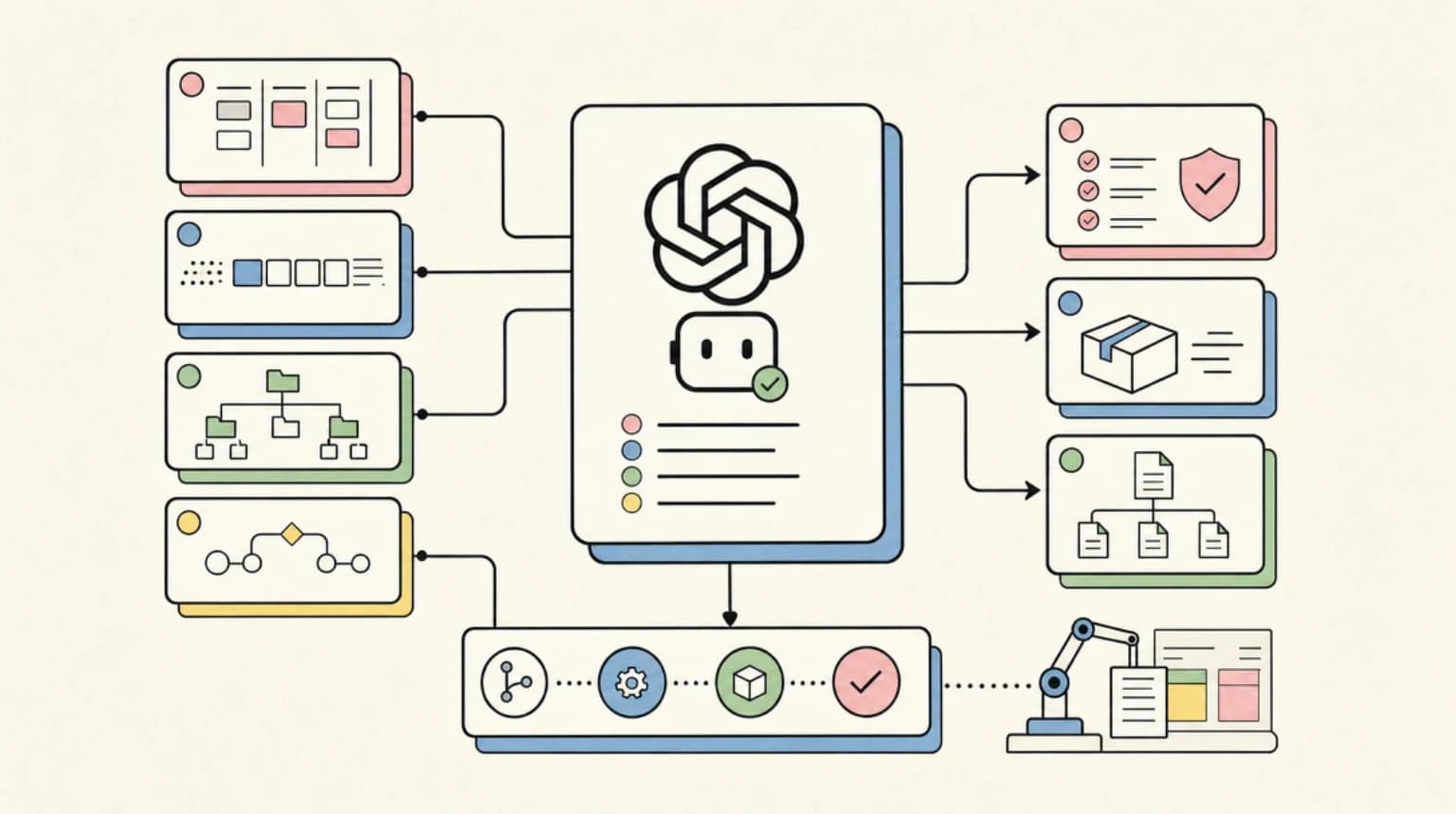
The Codex CLI ships with a subcommand that most people ignore until they realize how much automation it unlocks. codex exec is the non-interactive mode - the same local agent you use in the terminal, but scriptable, pipeable, and safe to drop into a CI runner without a human watching. It streams progress to stderr, prints the final agent message to stdout, and exits cleanly so you can chain it with grep, jq, or anything else in your pipeline.
This guide covers the real flags (pulled from the current docs, not training data), auth options for secrets in GitHub Actions, and four worked recipes you can copy today.
Last updated: June 10, 2026
What codex exec actually is#
The Codex CLI is an open source Rust binary from OpenAI, installable via npm, Homebrew, or a curl installer. When you run codex interactively you get a TUI. When you run codex exec "your task" you get a headless agent - same model, same tool access, no terminal UI.
Per the official docs: "Non-interactive mode lets you run Codex from scripts (for example, continuous integration jobs) without opening the interactive TUI."
The key behavior to understand before writing any CI YAML:
stderrgets the streaming progress logstdoutgets only the final agent message - making it safe to pipe or capture--jsonswitches stdout to a JSONL stream where every event (command execution, file changes, agent messages) is a structured object you can parse withjq--ephemeralskips persisting session rollout files to disk, which you almost always want in CI
Auth setup for CI#
Codex supports two auth paths. The docs are explicit about the recommendation: use an API key for CI/CD, not ChatGPT browser auth.
Option 1: CODEX_API_KEY (recommended for automation)
Get a key from platform.openai.com/api-keys. In GitHub Actions, store it as OPENAI_API_KEY in repository secrets, then reference it through the official action (more on that below). The docs warn specifically against setting CODEX_API_KEY as a job-level environment variable in workflows that run repository-controlled code - build scripts and test hooks can read it. The same inheritance problem applies on your laptop: how to keep API keys away from your coding agent covers Codex's shell_environment_policy and the equivalents in other agents.
# Safe pattern: pass the key only to the Codex step via the action
- name: Run Codex
  uses: openai/codex-action@v1
  with:
    openai-api-key: ${{ secrets.OPENAI_API_KEY }}
    prompt: "..."
Option 2: ChatGPT plan auth (ChatGPT Plus/Pro/Business/Enterprise)
If you are on a ChatGPT plan and want to use included credits rather than API billing, the CLI can read a cached access token from ~/.codex/auth.json. For enterprise teams there are Codex access tokens that work without browser login. This is more complex to set up in CI - the docs recommend API keys as the right default for automation unless you specifically need ChatGPT workspace access.
The official GitHub Action is the safe path for both:
There is a first-party openai/codex-action@v1 that handles key exposure for you. It installs the Codex CLI, starts a Responses API proxy, and runs codex exec under a configurable safety strategy. Use this instead of installing Codex manually and passing the API key through environment variables.
Sandbox and approval flags#
The default sandbox for codex exec is read-only. This is the right setting for analysis and review tasks. Use the --sandbox flag to control it:
| Flag value | What it allows |
|---|---|
read-only | Default. Agent can read but not write files or run network calls. |
workspace-write | Agent can write files in the checked-out repo. Use for auto-fix workflows. |
danger-full-access | No filesystem or network restrictions. Use only in isolated containers. |
The old --full-auto flag exists for backwards compatibility but prints a deprecation warning. Prefer --sandbox workspace-write in new scripts.
For approval gating, --ask-for-approval never is the right choice for unattended runs (no human to click through prompts). Use --ask-for-approval on-request if you want the agent to pause for human review on uncertain commands.
Two flags that matter in reproducible automation environments:
--ignore-user-config- skips loading~/.codex/config.tomlso your local dev config does not bleed into CI--ignore-rules- skips project.rulesfiles for controlled environments
Recipe 1: PR review comment bot#
This is the worked example from the official docs, reproduced here with annotations. It uses openai/codex-action@v1, posts a review on every PR open/sync event, and separates the Codex job (read-only, no write permissions) from the comment-posting job (write permissions, no API key).
name: Codex PR review
on:
  pull_request:
    types: [opened, synchronize, reopened]

jobs:
  codex:
    runs-on: ubuntu-latest
    permissions:
      contents: read
    outputs:
      final_message: ${{ steps.run_codex.outputs.final-message }}
    steps:
      - uses: actions/checkout@v5
        with:
          ref: refs/pull/${{ github.event.pull_request.number }}/merge
          persist-credentials: false

      - name: Pre-fetch base and head refs
        env:
          PR_BASE_REF: ${{ github.event.pull_request.base.ref }}
          PR_NUMBER: ${{ github.event.pull_request.number }}
        run: |
          git fetch --no-tags origin \
            "$PR_BASE_REF" \
            "+refs/pull/$PR_NUMBER/head"

      - name: Run Codex
        id: run_codex
        uses: openai/codex-action@v1
        with:
          openai-api-key: ${{ secrets.OPENAI_API_KEY }}
          prompt-file: .github/codex/prompts/review.md
          sandbox: read-only
          output-file: codex-review.md

  post_feedback:
    runs-on: ubuntu-latest
    needs: codex
    if: needs.codex.outputs.final_message != ''
    permissions:
      issues: write
      pull-requests: write
    steps:
      - uses: actions/github-script@v7
        with:
          github-token: ${{ github.token }}
          script: |
            await github.rest.issues.createComment({
              owner: context.repo.owner,
              repo: context.repo.repo,
              issue_number: context.payload.pull_request.number,
              body: process.env.CODEX_FINAL_MESSAGE,
            });
        env:
          CODEX_FINAL_MESSAGE: ${{ needs.codex.outputs.final_message }}
Store your review prompt in .github/codex/prompts/review.md. Keep it focused - broad prompts produce rambling reviews. Something like: "Review this diff for security issues, breaking API changes, and missing test coverage. Return a brief markdown summary with a verdict: approve, request-changes, or comment."
Recipe 2: Nightly dependency and dead-code audit#
This runs on a schedule and pipes Codex output into a structured JSON report using --output-schema. The agent reads the repo in read-only mode and cannot make changes.
name: Nightly Codex audit
on:
  schedule:
    - cron: '0 3 * * *'

jobs:
  audit:
    runs-on: ubuntu-latest
    permissions:
      contents: read
    steps:
      - uses: actions/checkout@v5
        with:
          persist-credentials: false

      - name: Write output schema
        run: |
          cat > /tmp/audit-schema.json << 'EOF'
          {
            "type": "object",
            "properties": {
              "stale_dependencies": { "type": "array", "items": { "type": "string" } },
              "unused_exports": { "type": "array", "items": { "type": "string" } },
              "risk_score": { "type": "number" }
            },
            "required": ["stale_dependencies", "unused_exports", "risk_score"],
            "additionalProperties": false
          }
          EOF

      - name: Run Codex audit
        uses: openai/codex-action@v1
        with:
          openai-api-key: ${{ secrets.OPENAI_API_KEY }}
          prompt: |
            Scan this repository for: (1) dependencies in package.json or
            requirements.txt that appear unused in source files, (2) exported
            functions/classes with no internal callers. Return JSON only,
            conforming to the provided schema.
          sandbox: read-only
          codex-args: '["--output-schema", "/tmp/audit-schema.json", "--ephemeral"]'
          output-file: audit-report.json

      - uses: actions/upload-artifact@v4
        with:
          name: codex-audit-${{ github.run_id }}
          path: audit-report.json
Recipe 3: Test-fixing loop on CI failure#
When your CI tests fail, Codex can attempt to fix them automatically and open a patch for human review. The key here is the two-job split: Codex runs with contents: read and workspace-write sandbox to generate a diff, then a second job applies the patch with write permissions but no API key access.
name: Codex auto-fix on CI failure
on:
  workflow_run:
    workflows: ["CI"]
    types: [completed]

jobs:
  generate_fix:
    if: ${{ github.event.workflow_run.conclusion == 'failure' }}
    runs-on: ubuntu-latest
    permissions:
      contents: read
    outputs:
      has_patch: ${{ steps.diff.outputs.has_patch }}
    steps:
      - uses: actions/checkout@v5
        with:
          ref: ${{ github.event.workflow_run.head_sha }}
          fetch-depth: 0
          persist-credentials: false

      - name: Run Codex fix
        uses: openai/codex-action@v1
        with:
          openai-api-key: ${{ secrets.OPENAI_API_KEY }}
          sandbox: workspace-write
          prompt: |
            The CI workflow failed for commit ${{ github.event.workflow_run.head_sha }}.
            Run the test suite to reproduce the failure. Identify the minimal change
            needed to make the tests pass, implement only that change, then re-run tests.
            Do not refactor unrelated files.

      - name: Capture diff
        id: diff
        run: |
          git diff --exit-code || echo "has_patch=true" >> "$GITHUB_OUTPUT"
          git diff > codex-fix.patch

      - uses: actions/upload-artifact@v4
        if: steps.diff.outputs.has_patch == 'true'
        with:
          name: codex-fix-${{ github.run_id }}
          path: codex-fix.patch
The patch artifact then feeds into a separate PR-opening job. This pattern keeps the API key isolated from write operations.
Recipe 4: Changelog draft from commits#
Runs on pushes to main and generates a draft changelog entry from recent commit history, writing it to a file for human editing before release.
name: Draft changelog
on:
  push:
    branches: [main]

jobs:
  changelog:
    runs-on: ubuntu-latest
    permissions:
      contents: read
    steps:
      - uses: actions/checkout@v5
        with:
          fetch-depth: 30
          persist-credentials: false

      - name: Generate changelog entry
        run: |
          git log --oneline -20 | \
          CODEX_API_KEY=${{ secrets.OPENAI_API_KEY }} \
          codex exec \
            --sandbox read-only \
            --ephemeral \
            --ask-for-approval never \
            "These are the last 20 commits. Write a concise CHANGELOG.md entry
            for a developer-facing release summary. Group by feature, fix, and
            chore. Use past tense. No marketing language." \
          > CHANGELOG-draft.md

      - uses: actions/upload-artifact@v4
        with:
          name: changelog-draft
          path: CHANGELOG-draft.md
This recipe uses the direct codex exec shell invocation with CODEX_API_KEY set inline (scoped to just that command), which is safe when no untrusted code runs in the same step. For multi-step jobs, prefer the action.
Model selection and cost control#
Use --model (shorthand -m) to override the model from config. One important constraint from the pricing docs: GPT-5.5 is listed as not available under API-key auth - for codex exec with CODEX_API_KEY, the workhorse models are gpt-5.4 (62.5 credits/M input, 375/M output) and gpt-5.4-mini (cheaper still). For audit and summary tasks that do not need deep reasoning, --model gpt-5.4-mini is the throughput play; reserve gpt-5.4 for fix-generation runs where quality is the point.
The --effort input on the action lets you tune how much reasoning the agent applies. For nightly audits you may want lower effort; for auto-fix on production code you want higher.
For structured output tasks, use --output-schema to get machine-readable JSON you can pipe into downstream steps without parsing free-form text.
Two cost caveats worth knowing before your first nightly job. There is no per-run cost cap in the CLI itself - with an API key, your protection is a usage budget set in the OpenAI dashboard at platform.openai.com, so set one before scheduling anything. And if you authenticate with a ChatGPT plan instead of an API key, headless runs draw from the same 5-hour rolling message window as your interactive sessions - a CI loop can quietly exhaust the window you wanted for your afternoon coding.
When NOT to auto-commit#
Headless agents that write files and push commits are appealing but require real discipline. The patterns above deliberately stop short of auto-committing for most cases. Here is the honest list of when to hold off:
- Public or open-source repos: Any pipeline that auto-commits on PR events is vulnerable to prompt injection from commit messages, PR titles, or issue bodies. Sanitize inputs, or better, require an approval gate.
- Production branches: Auto-commits to main should require a human review step. Generate a patch artifact and open a PR instead.
- Tasks with ambiguous success criteria: If you cannot express "done" as a passing test suite or a diff-against-schema check, the agent cannot verify its own output. Require human sign-off.
- Anything touching auth, secrets, or deploy config: No headless agent should auto-commit changes in these paths. Add a
.codexignoreor a project-level rule file to block it.
Two platform-specific pitfalls from the docs: on Windows runners the action requires safety-strategy: unsafe because no native sandbox is available - treat Windows CI runs as unsandboxed and isolate them accordingly. And if you use ChatGPT OAuth instead of an API key on ephemeral runners, the cached auth.json token goes stale after roughly 8 days, so you must restore it from secret storage before each run and persist the refreshed file back.
The safer pattern across all four recipes above is: Codex generates a diff or artifact, humans review, a separate job applies. This keeps the feedback loop fast without removing human oversight on what actually lands in the repo.
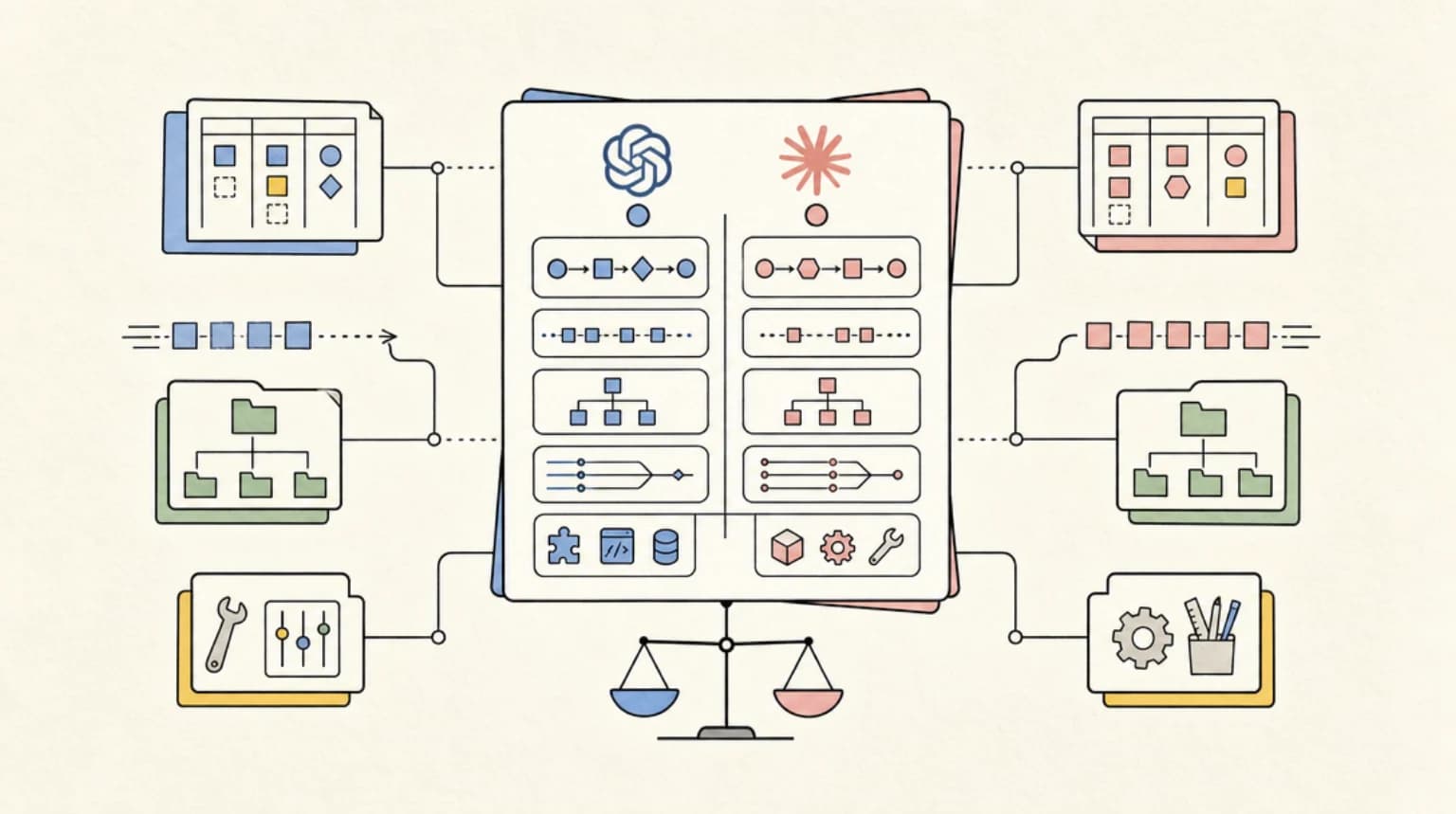
Comparing to claude -p and droid exec#
The three headless CLI tools each have a different center of gravity. codex exec is built for repo-local tasks - it requires a Git repository, has first-class sandbox modes for file operations, and the official GitHub Action means zero setup for Actions users.
claude -p (see our model routing cost guide for where it fits) is better for tasks that need longer context windows, multi-file reasoning across a large codebase, or tight integration with Anthropic's tool use API. It does not have a first-party Actions wrapper, so you manage auth yourself.
droid exec sits in the middle - good for routing between models based on cost and task type, and unlimited at certain plan tiers (see Factory: AI, Droid, and Model Routing for the full cost breakdown). If you are running a lot of nightly jobs and want to avoid per-token billing, that routing layer is worth looking at.
For greenfield CI automation in a GitHub Actions shop, openai/codex-action@v1 with codex exec is the lowest-friction starting point today.
FAQ#
What is codex exec and how is it different from the regular codex command?#
codex exec is the non-interactive subcommand of the Codex CLI. Where codex launches a terminal UI for interactive sessions, codex exec takes a task as a string argument, runs the agent headlessly, streams progress to stderr, and prints only the final answer to stdout. This makes it scriptable and safe to use in CI pipelines without any terminal interaction.
How do I authenticate codex exec in GitHub Actions without exposing my API key?#
The recommended approach is to use the official openai/codex-action@v1 GitHub Action and pass your key via openai-api-key: ${{ secrets.OPENAI_API_KEY }}. The action starts a secure proxy rather than exposing the key as a bare environment variable. Do not set CODEX_API_KEY as a job-level env var when untrusted code (like test scripts or build hooks) runs in the same job.
What sandbox flags should I use for safe unattended codex exec runs?#
Use --sandbox read-only for analysis, review, and summary tasks where Codex should not write files. Use --sandbox workspace-write when you need Codex to apply fixes, and scope those jobs to checked-out repo files only. Avoid --sandbox danger-full-access in shared runners. Combine with --ask-for-approval never so the agent does not pause waiting for input that will never come.
Does OpenAI have an official GitHub Action for codex exec?#
Yes. openai/codex-action@v1 is the official first-party action at github.com/openai/codex-action. It installs the Codex CLI, manages API key exposure via a proxy, and wraps codex exec with configurable sandbox and safety strategy inputs. The Codex docs recommend it over manually installing the CLI and passing the key through environment variables.
Continue Reading#
- Make Your Coding Agent Talk: Audio Briefs from Agent Runs with ElevenLabs
- Auto-Narrated Changelog Videos: Build the Pipeline in Under an Hour
- OpenAI Codex course - the CLI, cloud tasks, and IDE extension, hands-on and grounded in the official docs
Sources#
- OpenAI Codex CLI - Non-interactive Mode: developers.openai.com/codex/noninteractive
- OpenAI Codex CLI - Command Line Reference: developers.openai.com/codex/cli/reference
- OpenAI Codex - GitHub Action: developers.openai.com/codex/github-action
- OpenAI Codex - Authentication: developers.openai.com/codex/auth
- openai/codex GitHub repository (README, May 22 2026 update): github.com/openai/codex
- openai/codex-action GitHub repository: github.com/openai/codex-action
- OpenAI Codex - Pricing and credit rates: developers.openai.com/codex/pricing
- OpenAI Codex - CI/CD authentication: developers.openai.com/codex/auth/ci-cd-auth
- OpenAI Codex - Environment variables: developers.openai.com/codex/environment-variables
Get the next deep dive like this in your inbox
One email a week on openai and the rest of the AI dev stack. Free.
Read next on AI coding tools
Factory AI and the Model Routing Era: How Coding Agents Are Learning to Spend Your Tokens Wisely
Factory AI's Droid lets you pick a model per task and per subagent. What its routing, BYOK and open-weight tiers reveal about cutting coding agent costs.
8 min readOpenAI Agents SDK vs Claude Agent SDK: Building Agents on the Two Big Platforms
OpenAI Agents SDK vs Claude Agent SDK compared - handoffs vs subagents, guardrails vs hooks, sandboxing, MCP support and how to choose a platform for your team.
9 min readAI Coding Tools Pricing Comparison 2026
AI coding tools pricing, verified Sep 28, 2026: Claude Code, Codex, Cursor, Copilot, Antigravity, Windsurf and more. Free tiers, pro plans and hidden costs.
12 min readNew here? Start with
Technical content at the intersection of AI and development. Building with AI agents, Claude Code, and modern dev tools - then showing you exactly how it works.